

How to Automatically Award Community Points in GoHighLevel
How to Award Community Points Using GoHighLevel Automation
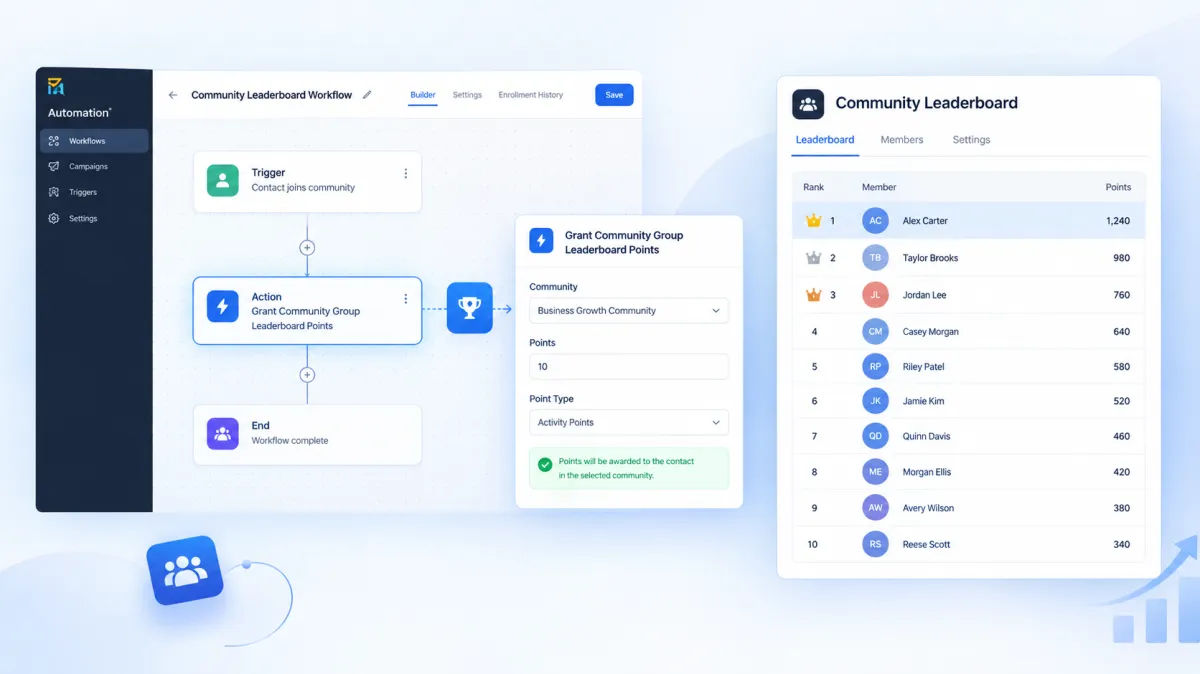
Keeping community members engaged often comes down to recognizing meaningful participation. Instead of manually updating points whenever a member completes an activity, GoHighLevel lets you connect point rewards to automation workflows. The Grant Community Group Leaderboard Points action is designed for exactly this purpose. It allows a workflow to automatically award a selected number of leaderboard points to a member within a specific Community group.
What Is the Grant Community Group Leaderboard Points Action?
The Grant Community Group Leaderboard Points action is a workflow action in GoHighLevel that adds leaderboard points to a community member for a selected group.
The action is useful when you want points to be awarded automatically after a specific event causes a workflow to run. Instead of manually giving points to members, you can place this action inside a GoHighLevel workflow and configure the number of points and the Community group where those points should apply.
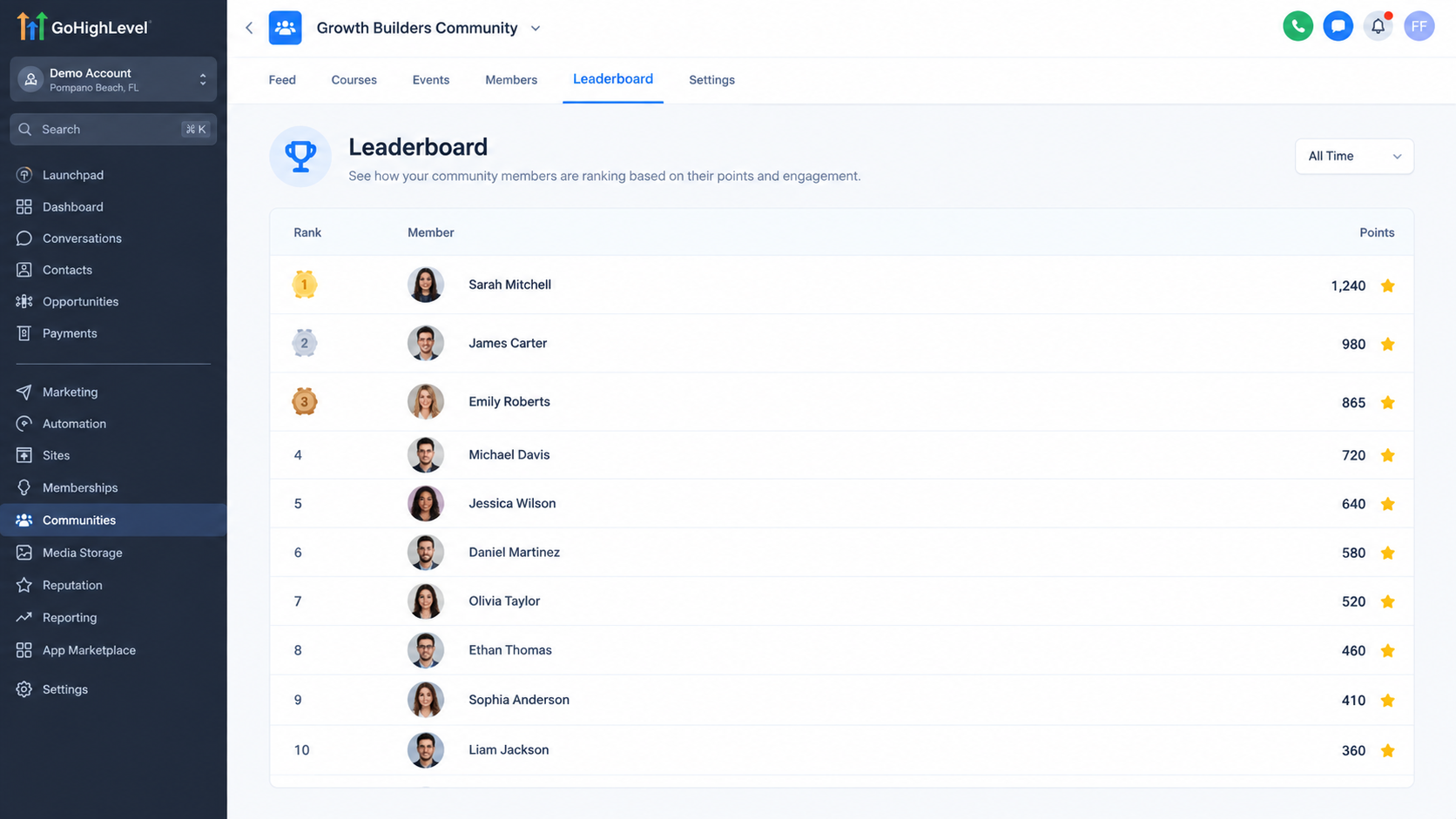
The action is specifically connected to Community group leaderboard points. When points are awarded, they contribute to the member’s leaderboard position and can affect their leaderboard level as their point total changes.
What Is This Action Designed to Accomplish?
The main purpose of this action is to make leaderboard point allocation part of an automated process.
For example, suppose you have a Community group where members receive points when they complete a particular activity. A workflow can be configured so that when the relevant event occurs, the Grant Community Group Leaderboard Points action awards the configured points to the member.
This creates a direct connection between a workflow event and Community leaderboard progress without requiring someone to manually update the member’s points.
How It Fits Into a GoHighLevel Workflow
The action does not operate as a standalone automation. It is added to a GoHighLevel workflow that has a trigger capable of starting the workflow.
Once the workflow reaches the Grant Community Group Leaderboard Points action, GoHighLevel applies the configured number of points to the selected Community group for the relevant member.
The important part is that the member must already belong to the Community group selected in the action. If the member is not part of that group, the workflow execution will fail and the points will not be granted.
How to Use the Grant Community Group Leaderboard Points Action
The setup is straightforward when the correct Community group and point value are known.
Step 1: Open Your Workflow
Go to the workflow where you want the Community points to be awarded. The workflow should already have a relevant trigger that determines when the point reward should happen.
Step 2: Add the Action
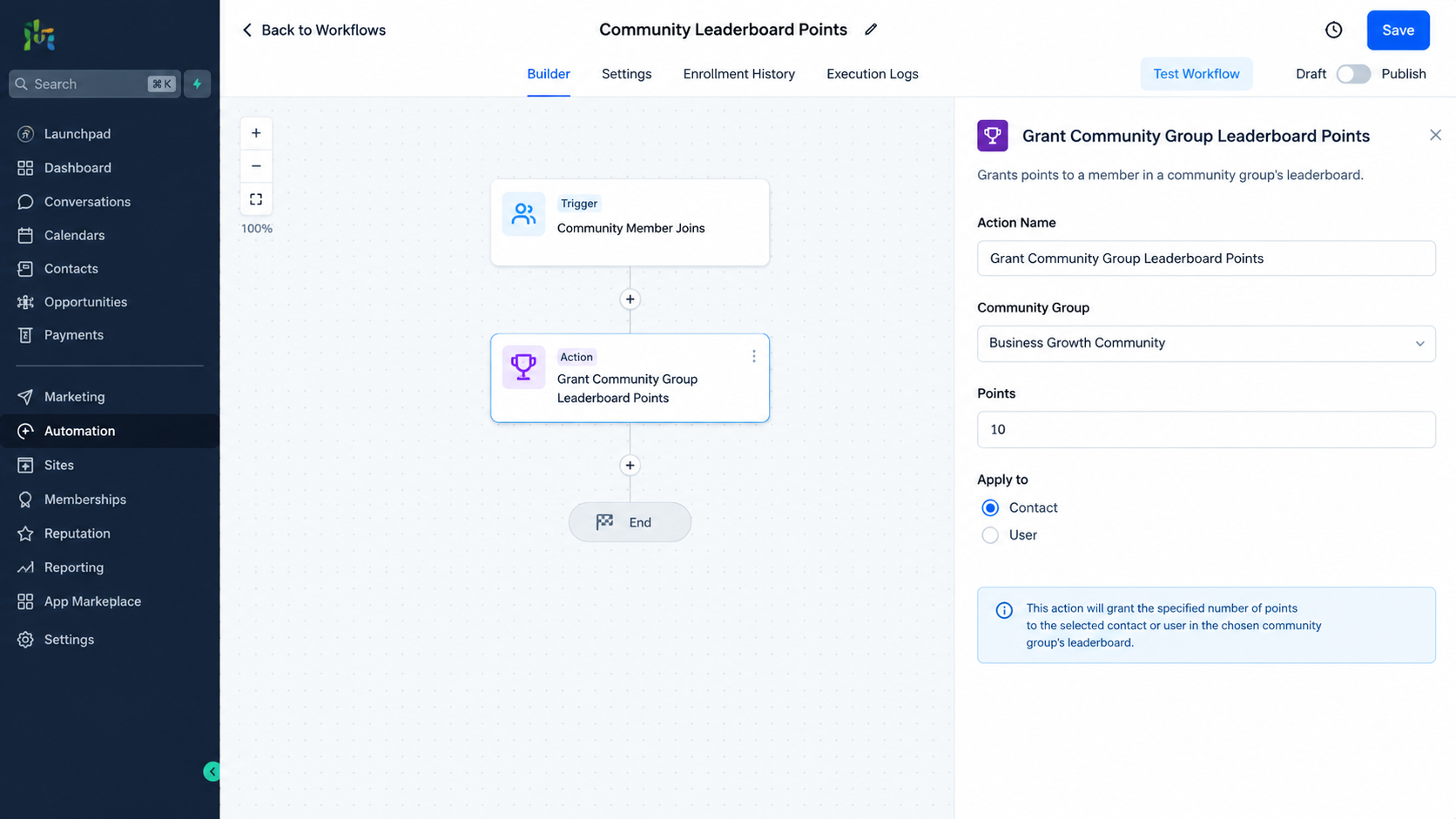
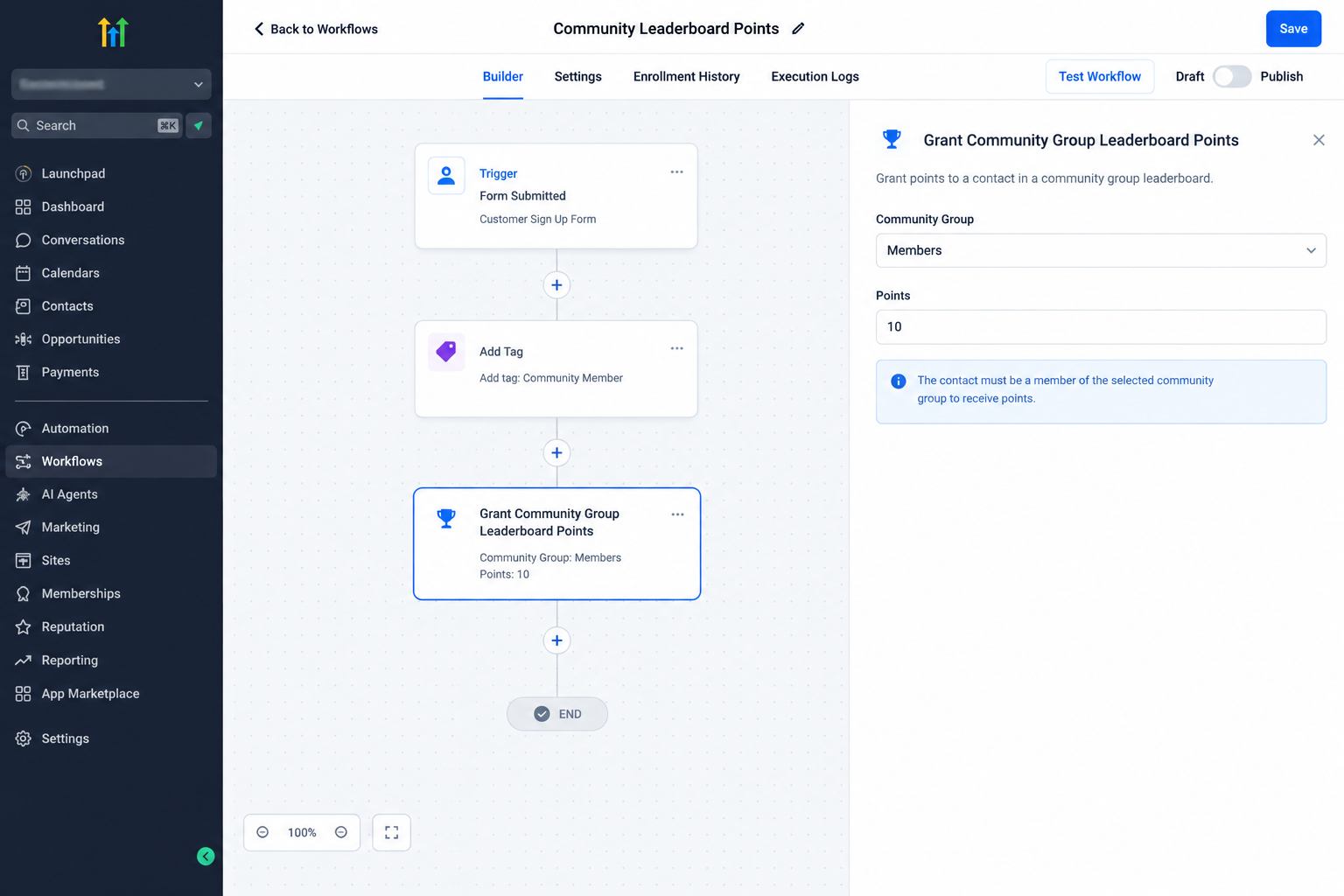
Inside the workflow builder, add the Grant Community Group Leaderboard Points action.
This tells GoHighLevel that the workflow should award leaderboard points when this step is reached.
Step 3: Select the Point Amount
Configure the number of leaderboard points that should be awarded. The action provides a setting for defining the points that will be given through the workflow.
Choose an amount that matches the activity you are rewarding.
Step 4: Select the Community Group
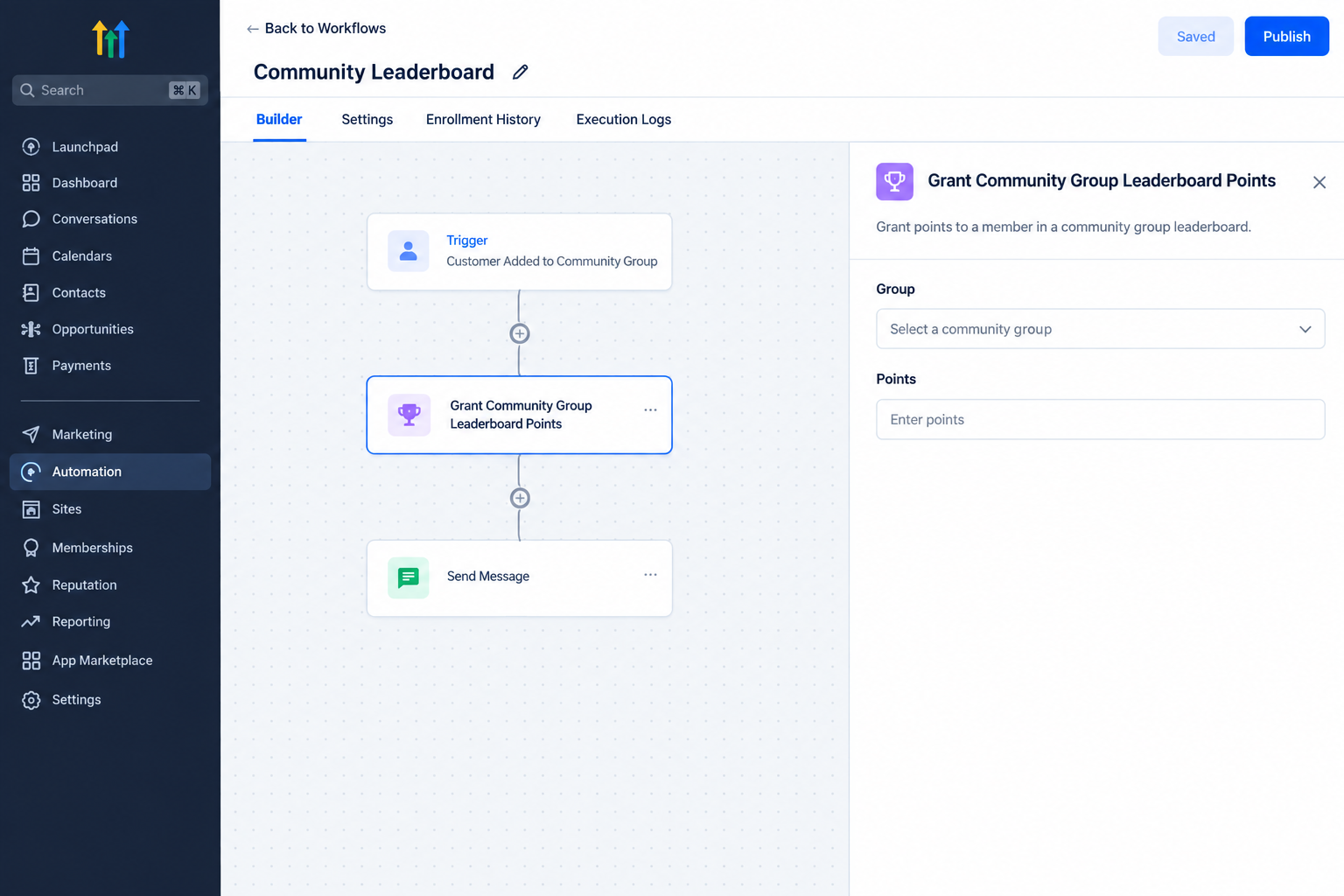
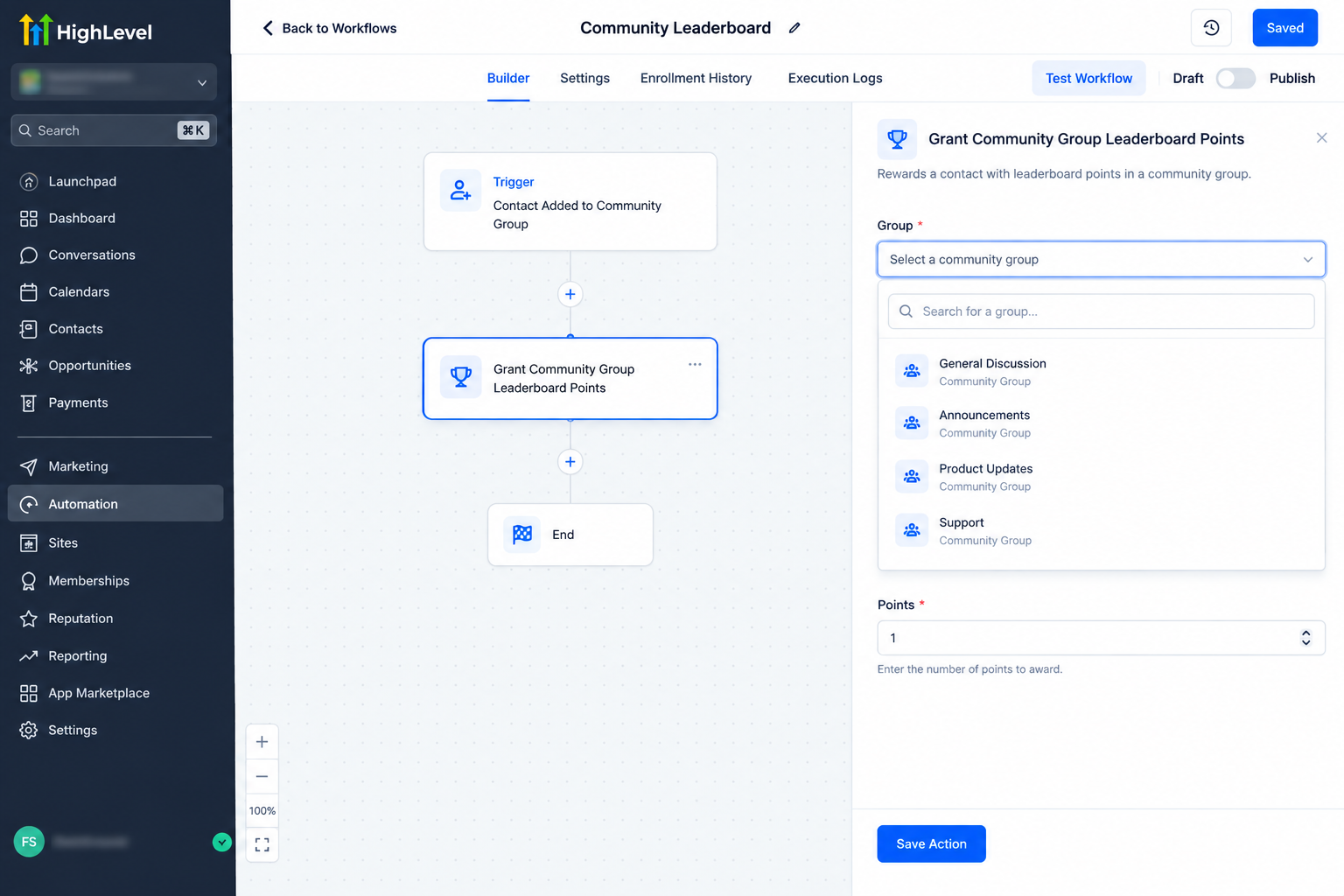
Choose the Community group to which the leaderboard points should apply.
This selection is important because the action is tied to a specific Community group. The member receiving the points must already be a member of the selected group.
Step 5: Save and Test the Workflow
Save the workflow and verify that the setup matches the intended point reward and Community group.
When the workflow runs and reaches the action, the configured points are granted to the member, provided that the member belongs to the selected group.
Practical Ways to Use Community Leaderboard Points
The action can be useful wherever a workflow needs to recognize a meaningful member activity.
For example, a Community manager could use a workflow to award points after a qualifying event associated with member participation. A training business could use points as part of a structured Community experience where members progress through leaderboard levels. A membership based business could also use automated rewards to recognize selected member activities.
The important distinction is that the Grant Community Group Leaderboard Points action handles the point award itself. The event that causes the workflow to run must come from the workflow setup around it.
Supporting Community Engagement With Automation
Automatic point awarding can make a Community leaderboard more consistent because rewards do not depend entirely on manual updates.
When a qualifying workflow event occurs, the configured point reward can be applied automatically. Members can then accumulate points within the selected group, while changes in their points can contribute to changes in their leaderboard level.
This makes the action useful for Community managers who want leaderboard rewards to be connected to their existing GoHighLevel automation rather than handled manually.
Important Considerations
Before using the action, verify the selected Community group and make sure the intended member is already part of that group.
The most important limitation is simple: points will not be granted when the member is not a member of the selected group. In that situation, the workflow execution fails.
It is also important to choose the point amount carefully. The action awards the configured points whenever the workflow reaches that step, so your workflow logic should determine when the reward is appropriate.
Conclusion
The Grant Community Group Leaderboard Points action gives GoHighLevel users a direct way to connect workflow automation with Community leaderboard rewards. By selecting the appropriate point amount and Community group, you can make leaderboard point allocation part of an automated workflow instead of managing it manually.
For Community managers, the key is to build the surrounding workflow carefully, confirm that the member belongs to the selected group, and use the action only when the intended reward should be granted.
Frequently Asked Questions (FAQs)
1. What does the Grant Community Group Leaderboard Points action do?
It awards a configured number of leaderboard points to a member for a selected Community group through a GoHighLevel workflow.
2. Does the member need to belong to the selected Community group?
Yes. The member must already be part of the selected group. Otherwise, the workflow execution will fail and the points will not be granted.
3. Can I choose how many points to award?
Yes. The action allows you to configure the number of leaderboard points awarded through the workflow.
4. Can awarding points affect a member’s leaderboard level?
Yes. Changes in a member’s points can change their leaderboard level according to the Community leaderboard system.
5. Can I use this action inside an existing workflow?
Yes. The action can be added to a GoHighLevel workflow so points are awarded when the workflow reaches that step.
Need Expert Help with GoHighLevel?
New to GoHighLevel and ready to get started? Buy your GoHighLevel account here and launch with confidence.
Already know what you need and want our team to handle everything, from complete setup and customization to funnels, workflows, automations, CRM, and pipelines? Click here.



