

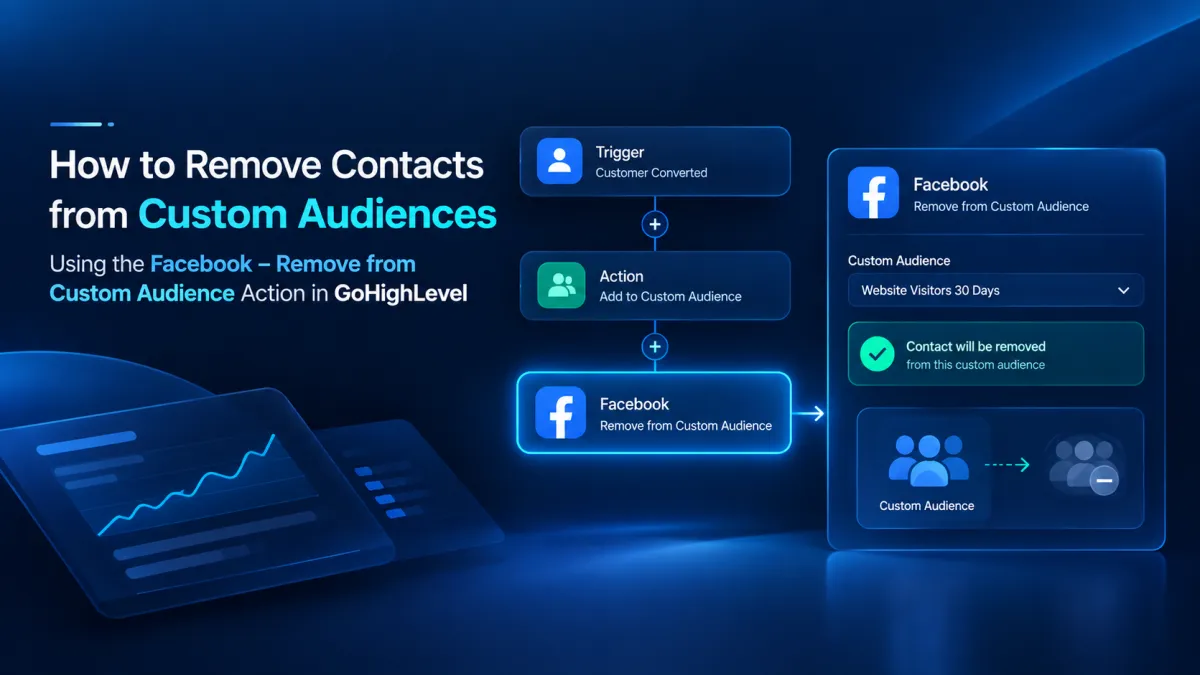
How to Remove Contacts from Custom Audiences Using the Facebook – Remove from Custom Audience Action in GoHighLevel
How to Remove Contacts from Custom Audiences Using the Facebook - Remove from Custom Audience Action in GoHighLevel
A prospect can belong in a Facebook Custom Audience for one reason today and a very different reason tomorrow. Once that prospect becomes a customer, keeping them in the same audience can make the audience less aligned with the customer journey. GoHighLevel’s Facebook, Remove from Custom Audience Workflow Action is built for this kind of audience management.
What Is the Facebook, Remove from Custom Audience Action?
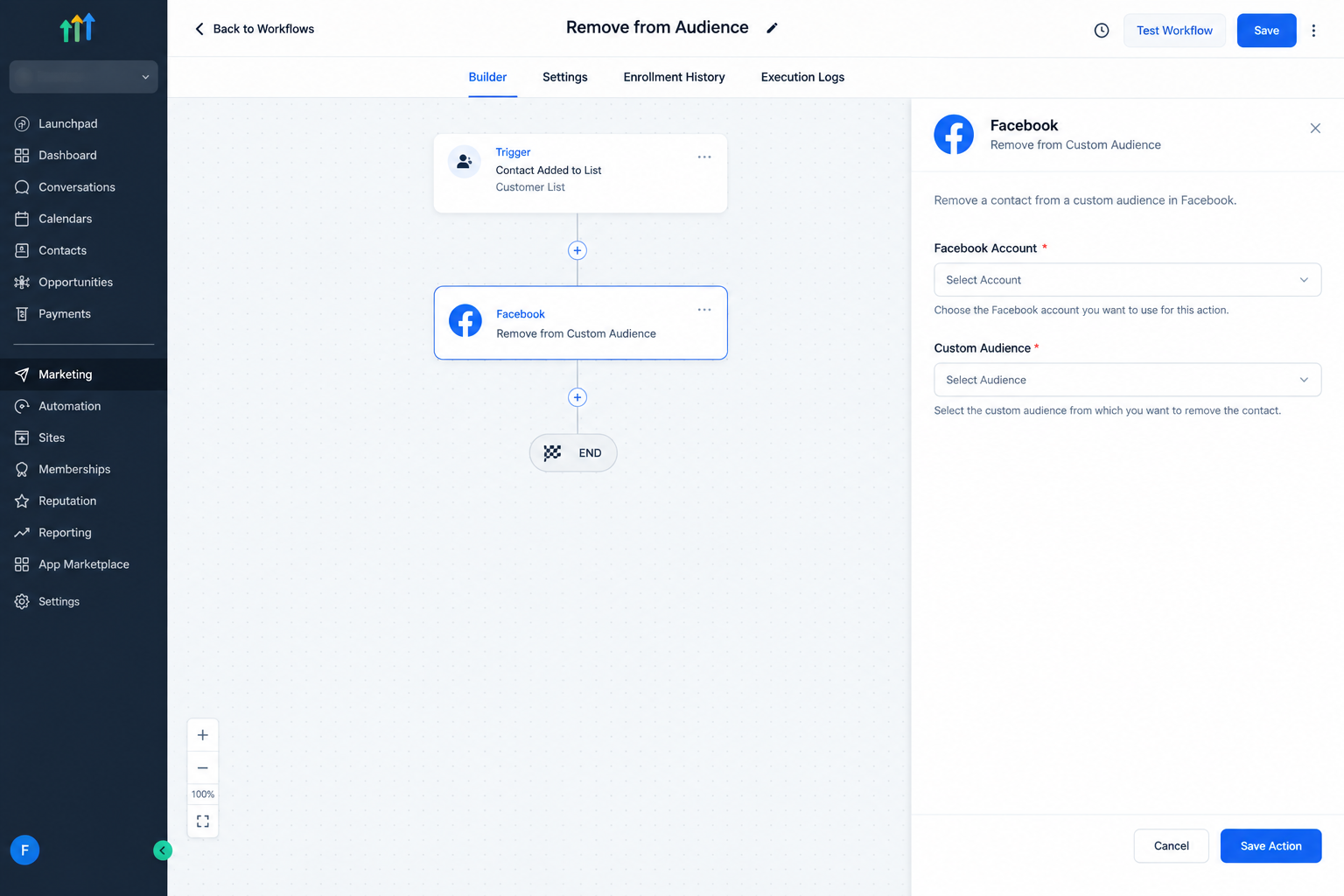
The Facebook, Remove from Custom Audience Action is a Marketing Workflow Action in GoHighLevel. It removes the contact reaching that step from a selected Facebook Custom Audience. HighLevel lists it as an action for managing Facebook audience targeting and segmentation.
It is important to understand what this action is not. It does not add a contact to an audience, send a Facebook conversion event, or manage an entire Facebook advertising campaign. Its purpose is specifically to remove the workflow contact from the selected Custom Audience.
What Does the Action Do?
When a contact reaches this action in a workflow, GoHighLevel processes the removal for the selected Facebook Custom Audience. This gives a business a way to update audience membership when a contact no longer belongs in a particular segment.
For example, a business may have an audience for prospects who have not converted. After a prospect becomes a customer, a workflow can reach this action and remove the contact from that audience.
Why Remove Contacts from a Custom Audience?
A contact’s place in an audience can change as their relationship with a business changes. Removing a contact helps keep a specific audience aligned with its intended purpose.
This is particularly useful when a workflow already identifies an important lifecycle event, such as a conversion.
Where Does It Fit in a GoHighLevel Workflow?
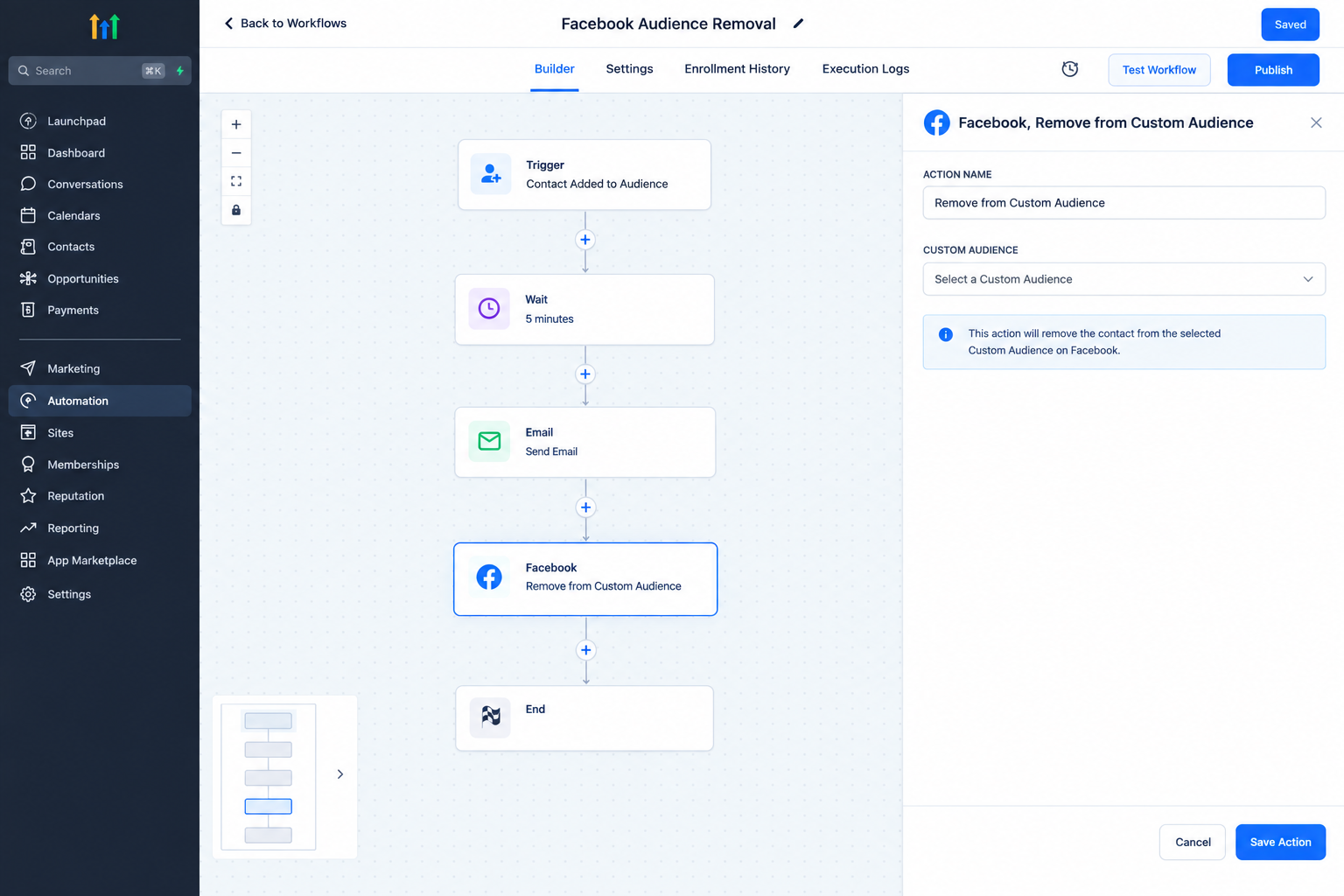
GoHighLevel Workflows use triggers to start automation and actions to perform tasks in sequence. The Facebook, Remove from Custom Audience action can be placed after the trigger or after other workflow steps.
The key is placement. The action runs when the contact reaches that step. If audience removal should happen after a conversion related event, place the action at the point where that event has been established in the workflow.
How to Configure the Action
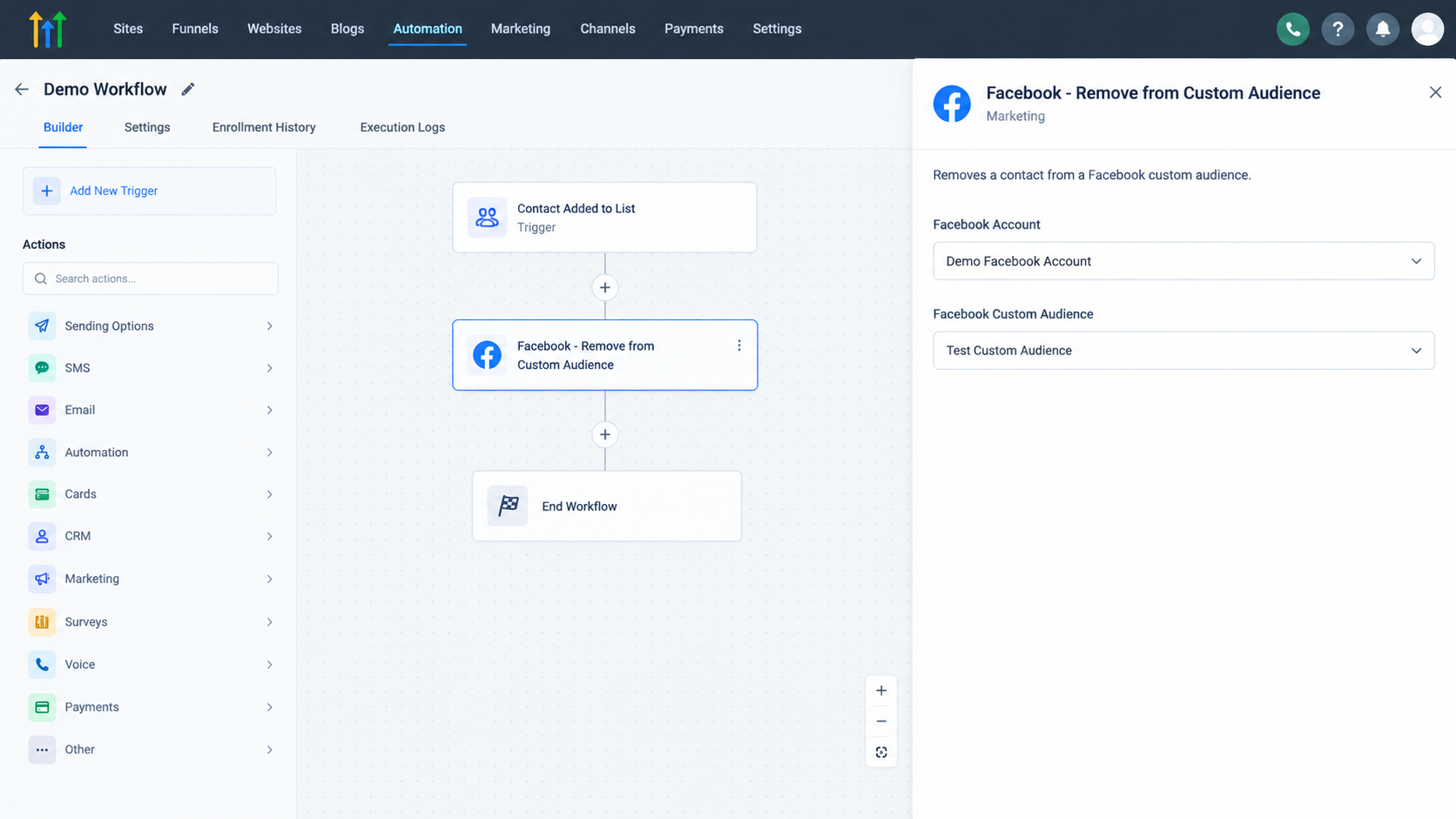
To set it up:
Open or create a workflow in GoHighLevel.
Configure the trigger that should enroll the contact.
Click the plus icon where you want the removal to occur.
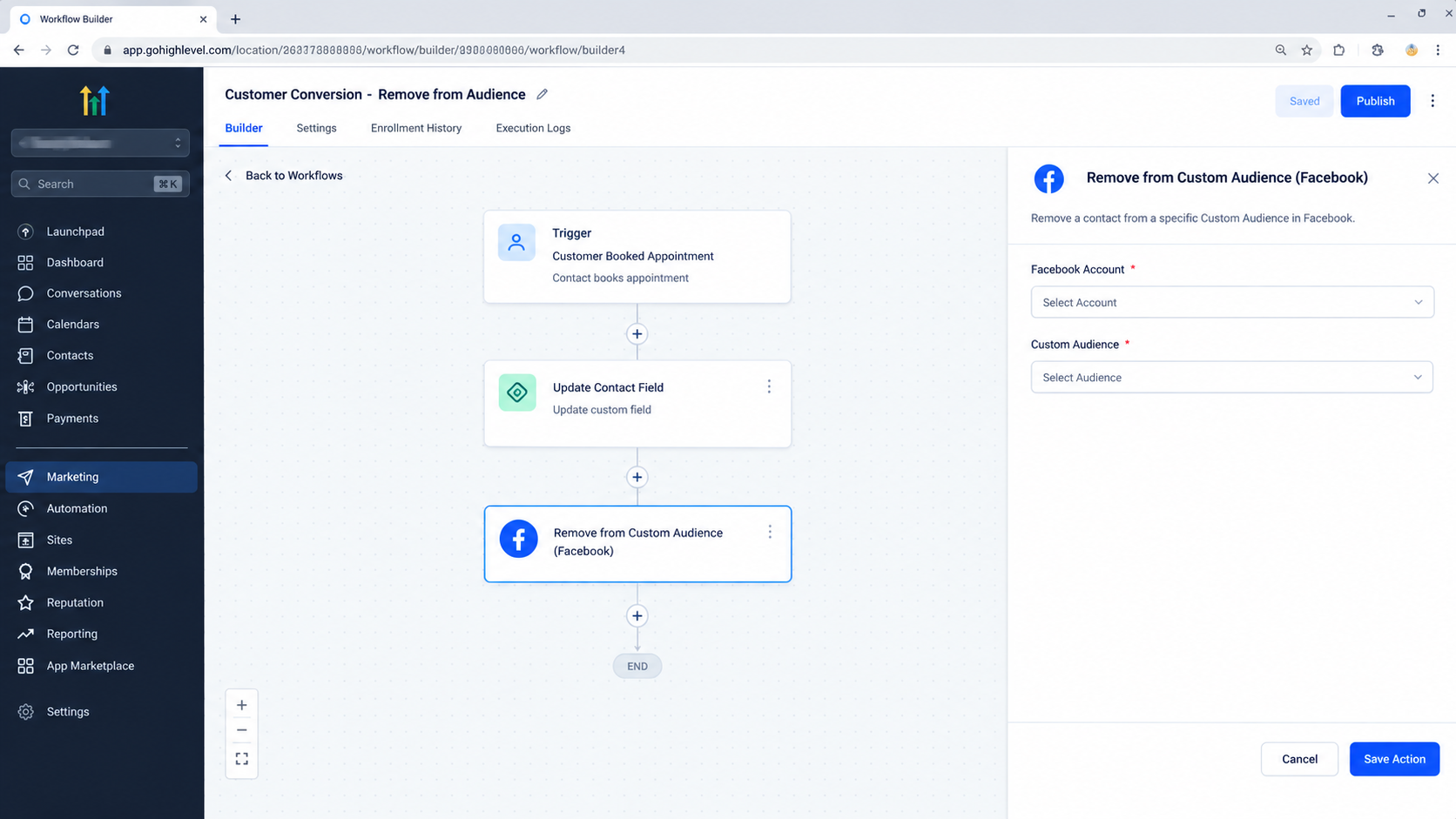
Search for Facebook, Remove from Custom Audience and select the action.
Select the appropriate Facebook Account ID.
Select the Facebook Customer Audience ID from which the contact should be removed.
Optionally change the Action Name for easier identification inside the workflow.
Click Save Action.
Save and publish the workflow when it is ready.
Current documentation for this action identifies the Facebook Account ID and Facebook Customer Audience ID as the configuration selections.
What Happens When the Action Executes?
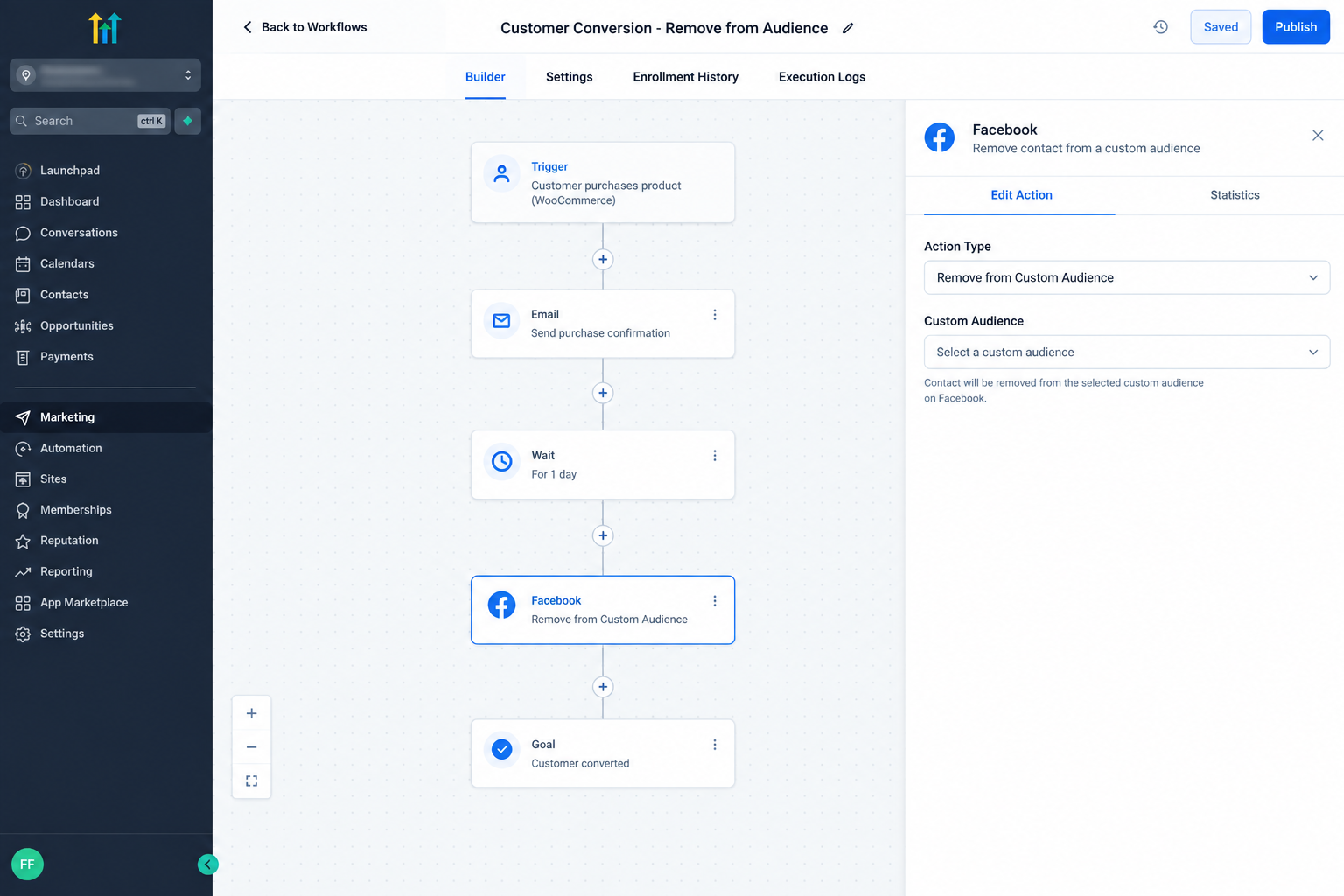
When the contact reaches the configured step, the action processes the contact against the selected Custom Audience.
It does not delete the contact from GoHighLevel, remove the contact from every Facebook audience, or change the contact’s CRM information. It simply handles removal from the selected Custom Audience.
If a different audience needs to be updated, that audience must be selected in the relevant action configuration.
Practical Example
Imagine a company using Facebook ads to retarget prospects who have not purchased a service. Those prospects are maintained in a Custom Audience.
One prospect completes the sales process and becomes a customer. The company already has a GoHighLevel workflow for the post conversion stage. After the conversion point, the workflow reaches Facebook, Remove from Custom Audience and uses the prospecting audience as the selected audience.
The contact remains in GoHighLevel, while the selected Facebook audience is updated to reflect the new stage.
Important Considerations
Select the correct Facebook account and Custom Audience before publishing. The selected audience should match the business rule behind the workflow.
Also remember that the action only runs when a contact reaches that step. A workflow must therefore be configured and published correctly for the automation to execute.
If the action encounters an error, review the workflow execution information. HighLevel includes Facebook Custom Audience actions among the workflow actions covered by its error notification system.
Conclusion
The Facebook, Remove from Custom Audience Action gives GoHighLevel users a direct way to remove a workflow contact from a selected Facebook Custom Audience. Its main purpose is simple: update audience membership when a contact reaches a point where they should no longer belong in that specific audience.
Frequently Asked Questions (FAQs)
1. What does this action do?
It removes the workflow contact from the selected Facebook Custom Audience.
2. Where is the action found?
It is available as a Marketing Workflow Action in GoHighLevel.
3. What must be configured?
You select the Facebook Account ID and Facebook Customer Audience ID.
4. Does it delete the CRM contact?
No. It removes the contact from the selected Facebook Custom Audience.
5. Can it be used after a conversion?
Yes. It can be placed after the relevant conversion step when the contact should leave the selected audience.
Need Expert Help with GoHighLevel?
New to GoHighLevel and ready to get started? Buy your GoHighLevel account here and launch with confidence.
Already know what you need and want our team to handle everything, from complete setup and customization to funnels, workflows, automations, CRM, and pipelines? Click here.



