

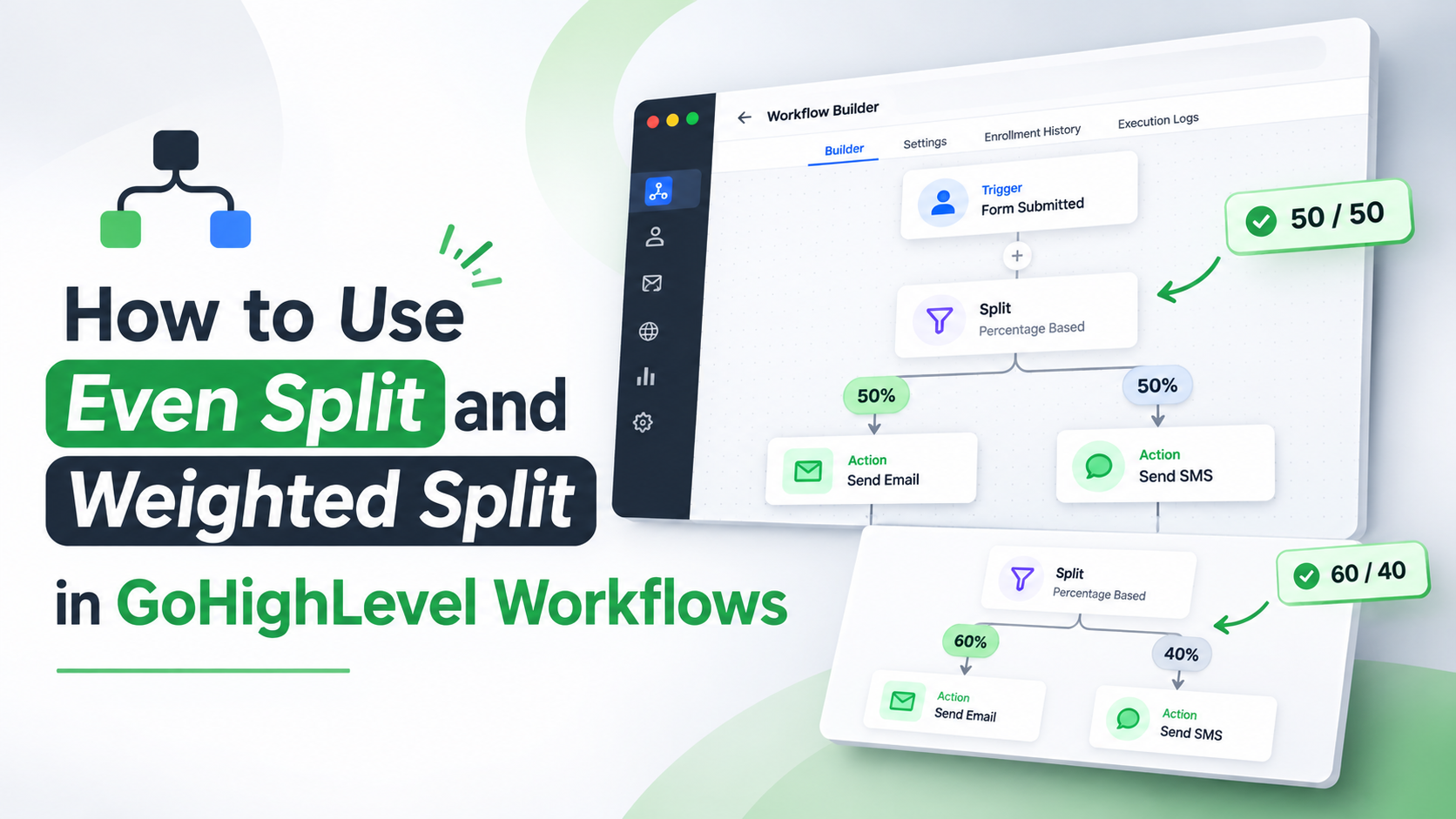
How to Use Even Split and Weighted Split in GoHighLevel Workflows
How to Use Even Split and Weighted Split in GoHighLevel Workflows
The way contacts are distributed across workflow paths can directly influence how businesses manage incoming leads, balance team responsibilities, and organize follow-up journeys. GoHighLevel has introduced two new distribution options within its Split action: Even split and Weighted split. These additions provide greater control over contact distribution while preserving the existing Random split functionality.
The update addresses an important distinction in workflow automation. Assigning equal percentages to random paths does not guarantee that contacts will be distributed evenly, particularly when the number of incoming contacts is small. With the new options, users can choose between balanced turn-based distribution, percentage-based turn-based distribution, and random assignment depending on their workflow requirements.
Understanding how these distribution types work helps GoHighLevel users configure workflows that better align with their business operations.
Understanding the GoHighLevel Split Action Update
The GoHighLevel Split action allows contacts to move through different workflow paths. With this update, users can select from three distribution types: Even split, Weighted split, and Random split.
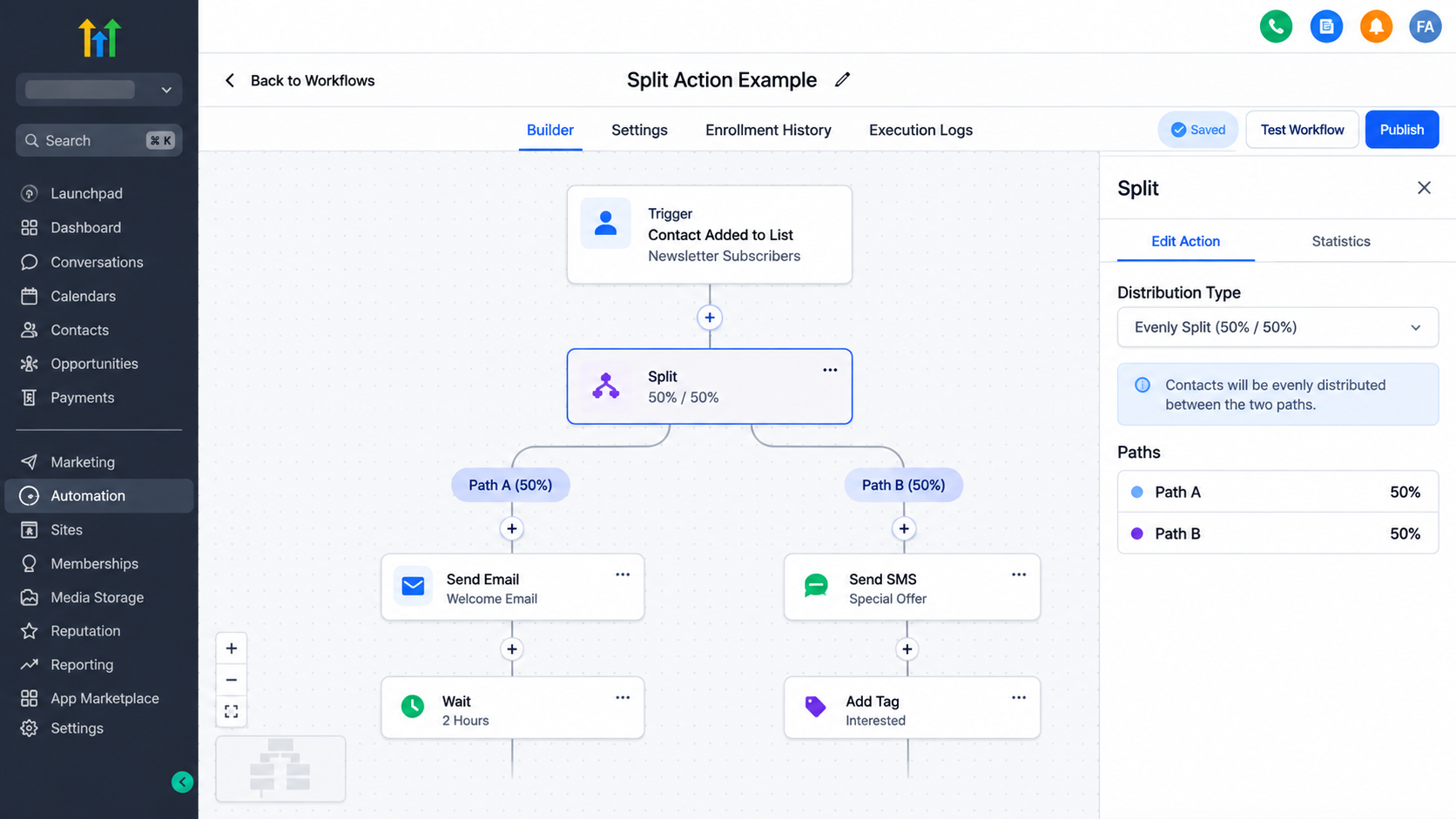
Previously configured Random split actions retain their existing configuration. The new options expand the available choices without requiring users to change their existing Random split setup.
Each distribution type serves a different purpose:
Even split: Distributes contacts to each path in turn to maintain balanced distribution.
Weighted split: Distributes contacts to each path in turn according to the percentages assigned to those paths.
Random split: Randomly assigns contacts to paths based on the percentages configured by the user.
The key difference is how contacts are assigned. Even split and Weighted split use turn-based distribution, while Random split uses random assignment.
How GoHighLevel Even Split Works
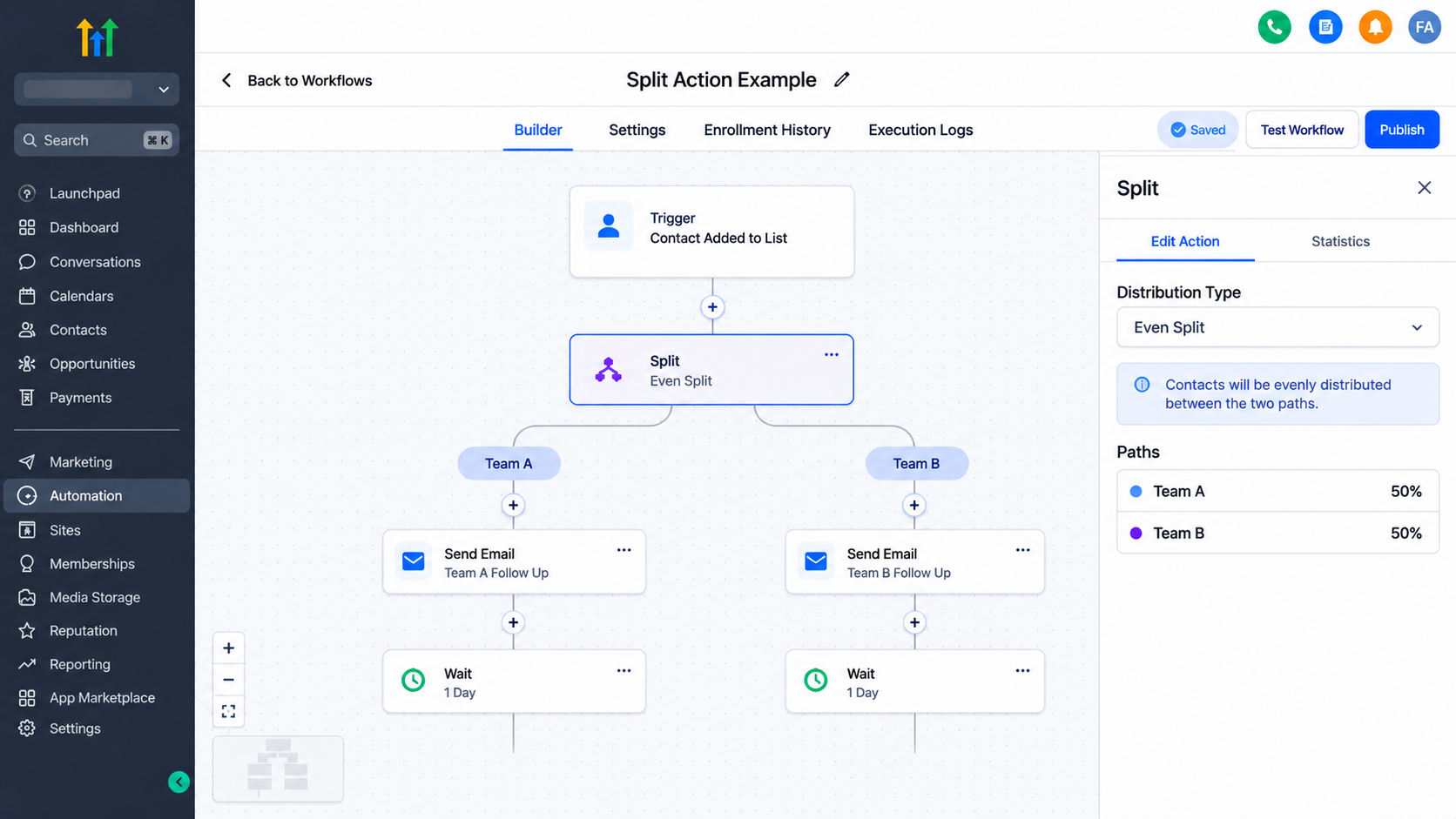
Even split is designed for situations where contacts should be distributed evenly across multiple workflow paths. Instead of relying on random assignment, this option sends contacts to each path in turn, keeping the distribution balanced as contacts arrive.
For example, consider a business that receives incoming leads and wants to distribute them between two teams. An Even split can be used to share those leads across both teams in a balanced manner.
This approach is also useful when a business wants to create balanced groups for different follow-up journeys. Each path receives its share of contacts through turn-based distribution.
One important advantage of Even split is that equal distribution does not depend on random outcomes. With Random split, equal percentages may produce uneven groups, especially when only a small number of contacts enter the workflow. Even split helps maintain a balanced distribution as contacts arrive.
For businesses that prioritize equal sharing of incoming leads or workflow participants, this option provides a more suitable distribution method.
Understanding GoHighLevel Weighted Split
GoHighLevel Weighted split introduces percentage-based turn distribution. It allows users to define how much of the incoming contact flow should be assigned to each workflow path.
Unlike Even split, which focuses on keeping distribution balanced, Weighted split allows different paths to receive different shares.
Understanding the 60/40 Weighted Split Example
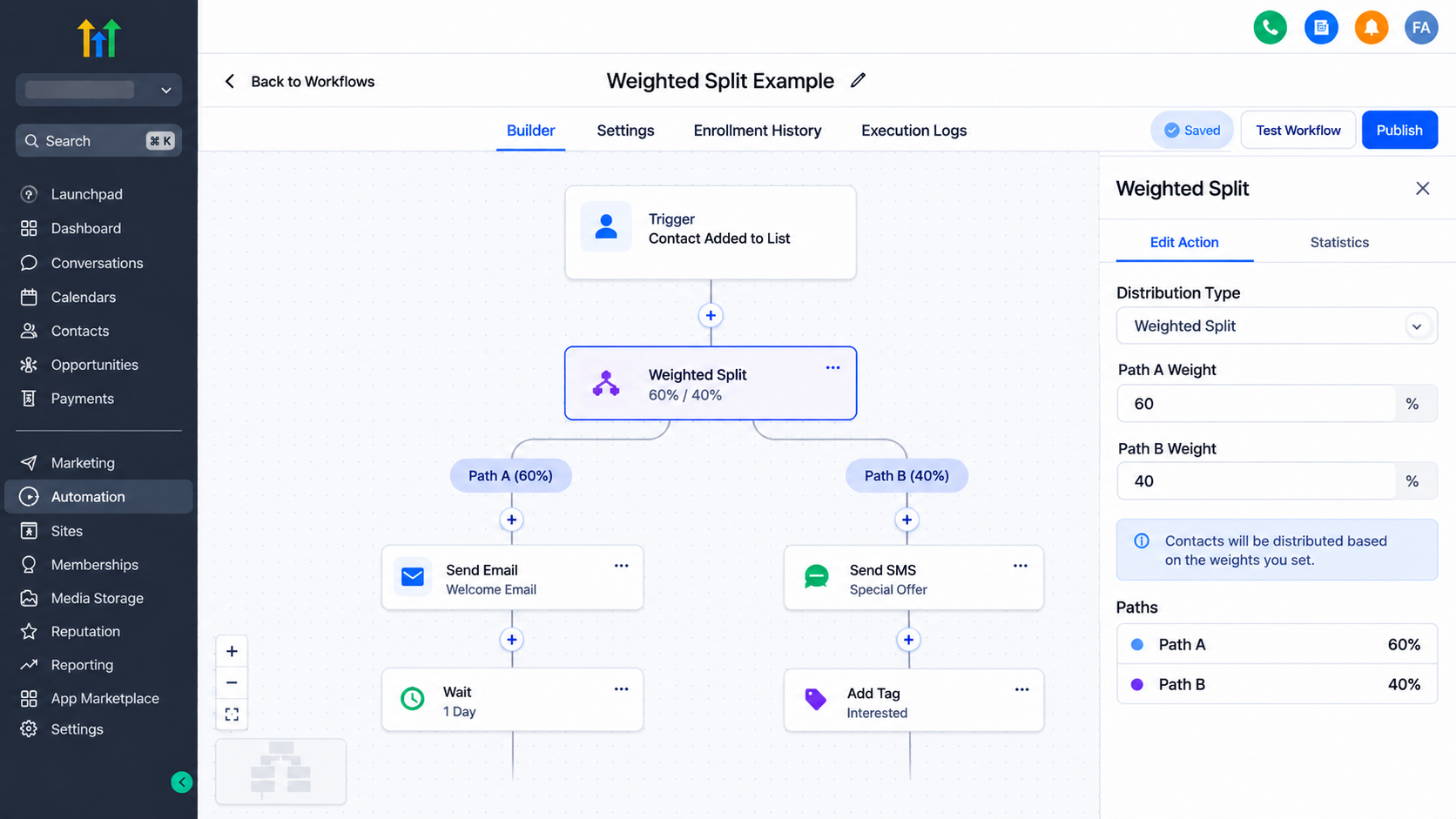
Consider a business that wants to distribute incoming leads between two teams, with one team receiving a larger share because of its capacity.
A 60/40 Weighted split sends three out of every five newly distributed contacts to the first path and two out of every five to the second path.
This provides a turn-based distribution according to the percentages configured for each path.
For example, a business could use a 60/40 distribution when one team is responsible for handling a larger portion of incoming leads. This arrangement helps align contact distribution with team capacity or the requirements of different follow-up journeys.
Weighted split is particularly relevant when equal distribution is not the desired outcome. It gives users control over the intended share of contacts assigned to each path.
Even Split vs. Weighted Split vs. Random Split
Although all three distribution types control how contacts move through GoHighLevel Workflow Paths, their behavior differs.
Distribution Type | Contact Assignment | Primary Purpose |
|---|---|---|
Even split | Contacts are sent to each path in turn | Maintain balanced distribution |
Weighted split | Contacts are sent to each path in turn based on configured percentages | Distribute contacts according to different shares |
Random split | Contacts are randomly assigned based on configured percentages | Randomly distribute contacts |
The distinction is important when selecting the appropriate Split action configuration.
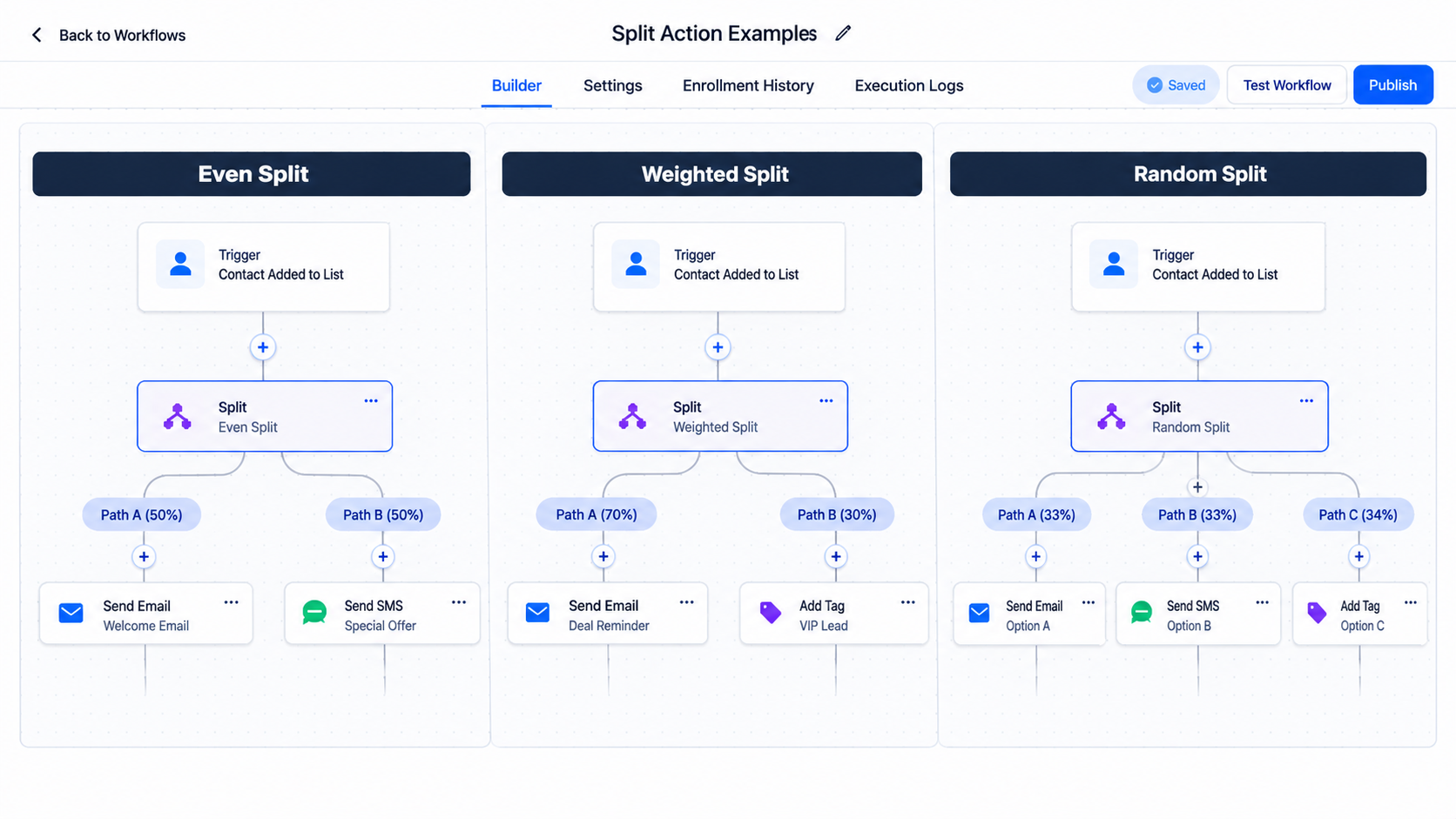
Even split is suitable when the goal is balanced distribution. Weighted split is appropriate when one path should receive a larger share than another. Random split remains useful when random assignment is preferred.
Choosing the correct distribution type helps ensure that the workflow reflects the intended contact distribution strategy.
Why This Update Matters for Lead Distribution
Contact distribution is an important part of GoHighLevel Workflow Automation. When businesses manage multiple teams or follow-up journeys, the way contacts enter each path can influence how responsibilities are organized.
Even split helps businesses maintain balanced groups as contacts arrive. This can be valuable for sharing incoming leads between teams or organizing separate follow-up journeys.
Weighted split provides additional flexibility by allowing businesses to distribute contacts according to different percentages. When one team has greater capacity or a particular journey needs a larger share of contacts, percentage-based distribution offers a practical way to structure the workflow.
The update also makes it easier to distinguish between workflows that require balanced distribution and those that require random assignment.
Rather than treating all percentage-based distribution as equivalent, GoHighLevel users can now choose a method that better matches their operational requirements.
How to Configure Even Split or Weighted Split in GoHighLevel
Setting up the new distribution options involves a few straightforward steps.
Open your GoHighLevel workflow and add or edit a Split action.
Select Even split or Weighted split from the Distribution Type options.
Name the workflow paths according to their intended purpose.
If using Weighted split, enter a whole-number percentage for each path. The percentages must total 100%.
Save the Split action.
Publish your workflow when you are ready.
For Even split, users can configure the paths to maintain balanced contact distribution. For Weighted split, the assigned percentages determine the intended distribution between paths.
Before publishing, ensure that the selected distribution type and path configuration reflect the workflow's intended purpose.
Important Settings and Considerations
There are several details to understand when working with the updated GoHighLevel Split action.
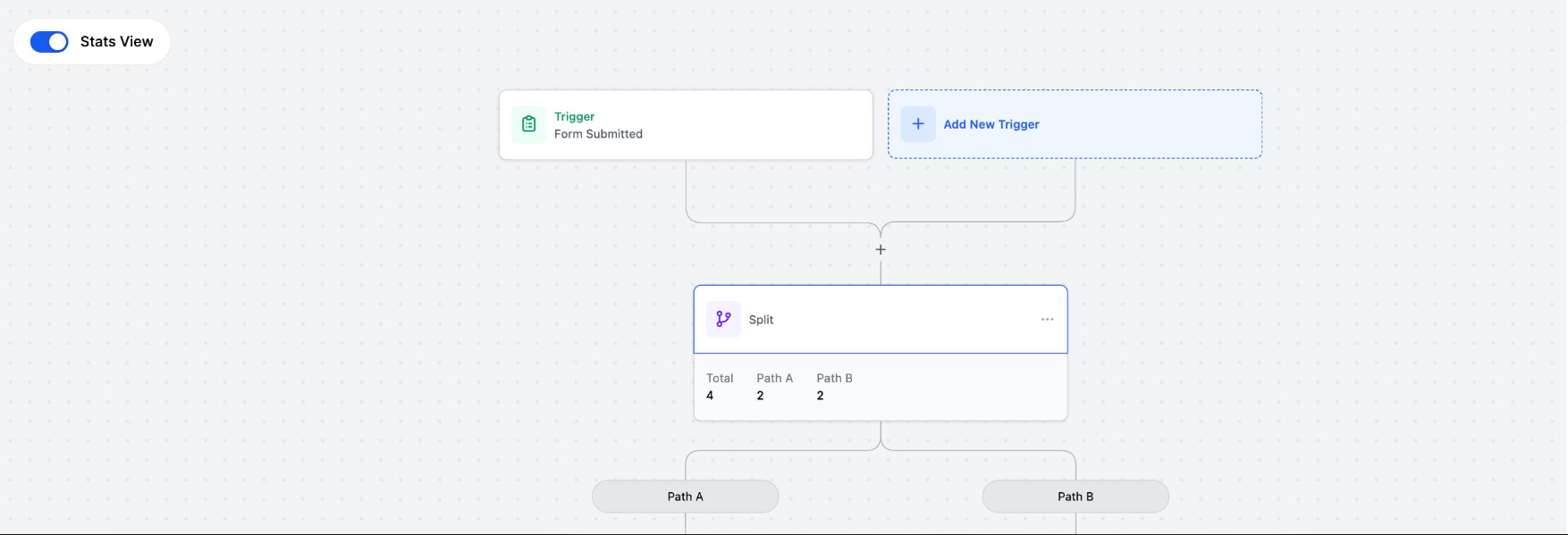
Distribution settings become locked after contacts enter the split. Once contacts have entered an Even split or Weighted split, the distribution settings cannot be edited directly.
Reset test allows distribution settings to be edited again. Users can use Reset test to make changes to the locked settings. Saving a reset clears the split's statistics and restarts the rotation.
Returning contacts can retain their previous path. When Returning contacts is configured to Keep the same path, contacts who re-enter the workflow follow their previously assigned path.
Existing Random split actions remain unchanged. The update does not automatically alter the configuration of existing Random split actions.
These considerations are important when managing active workflows, particularly when changing distribution settings or handling contacts that re-enter a workflow.
Final Takeaway
The GoHighLevel Split action update introduces greater flexibility in how contacts move through workflow paths. Even split supports balanced turn-based distribution, Weighted split allows percentage-based turn distribution, and Random split continues to provide random assignment.
For businesses managing incoming leads, teams, or different follow-up journeys, selecting the appropriate distribution type can help create workflows that align more closely with their operational needs.
Frequently Asked Questions
1. What is the GoHighLevel Split action?
It distributes contacts across different workflow paths using Even, Weighted, or Random split.
2. What is the difference between Even split and Weighted split?
Even split maintains balanced distribution, while Weighted split distributes contacts according to assigned percentages.
3. How does a 60/40 Weighted split work?
It distributes three out of every five contacts to one path and two to the other.
4. Does Random split guarantee equal distribution?
No. Random split may create uneven groups, especially with a small number of contacts.
5. Can I edit Split action settings after contacts enter?
Yes, by using Reset test. Saving the reset clears statistics and restarts the rotation.
Need Expert Help with GoHighLevel?
New to GoHighLevel and ready to get started? Buy your GoHighLevel account here and launch with confidence.
Already know what you need and want our team to handle everything, from complete setup and customization to funnels, workflows, automations, CRM, and pipelines? Click here.