

GoHighLevel Email Domain Setup: Complete Guide
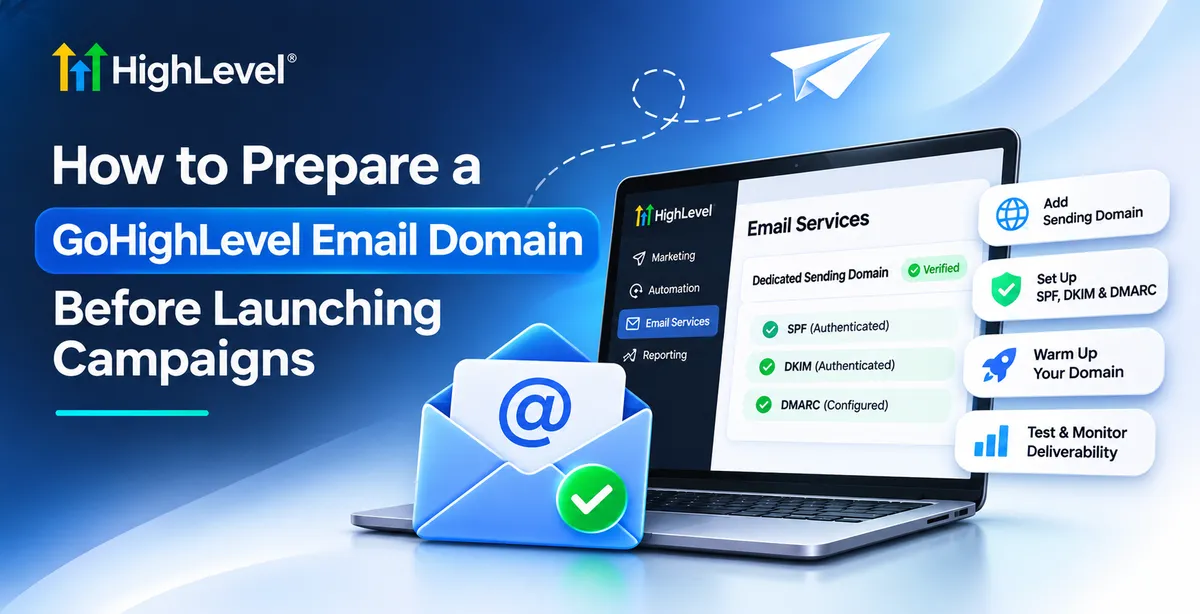
How to Prepare a GoHighLevel Email Domain Before Launching Campaigns
You can write the perfect marketing email, design an attractive template, and build a powerful automation yet still struggle to reach your subscribers. The problem may not be your campaign. It could be your sending domain.
Understanding how to prepare a GoHighLevel email domain before launching campaigns is essential for building a reliable email marketing foundation. Proper domain configuration helps mailbox providers authenticate your messages, supports sender reputation, and reduces avoidable delivery problems.
With GoHighLevel, businesses can connect email infrastructure with contact management, campaigns, and automated follow-ups.
Why Email Domain Preparation Matters Before Campaign Launch
Every marketing email passes through systems that evaluate its authenticity and sending behavior. Without proper authentication, messages may be rejected, filtered, or treated as suspicious.
Preparing your domain helps establish brand credibility and gives receiving servers information needed to verify your messages.
However, email delivery and inbox placement are different. Delivery means a receiving server accepted your message. Inbox placement determines whether it appears in the primary inbox, promotions folder, or spam folder.
Authentication supports deliverability, but it cannot guarantee inbox placement.
Step 1 — Choose the Right Sending Domain in GoHighLevel
A dedicated sending domain or subdomain helps organize your marketing email infrastructure.
For example, a company using example.com might configure mail.example.com for marketing-related sending services.
This approach can help separate technical sending configurations from other domain services while maintaining recognizable branding.
When planning your GoHighLevel email domain setup, consider:
Brand consistency: Choose a domain associated with your business.
Sending purpose: Decide whether the configuration supports campaigns, automated follow-ups, or other communications.
Existing infrastructure: Check for DNS records and email services already operating on the domain.
GoHighLevel supports dedicated sending-domain configurations through LC Email and supported email integrations.
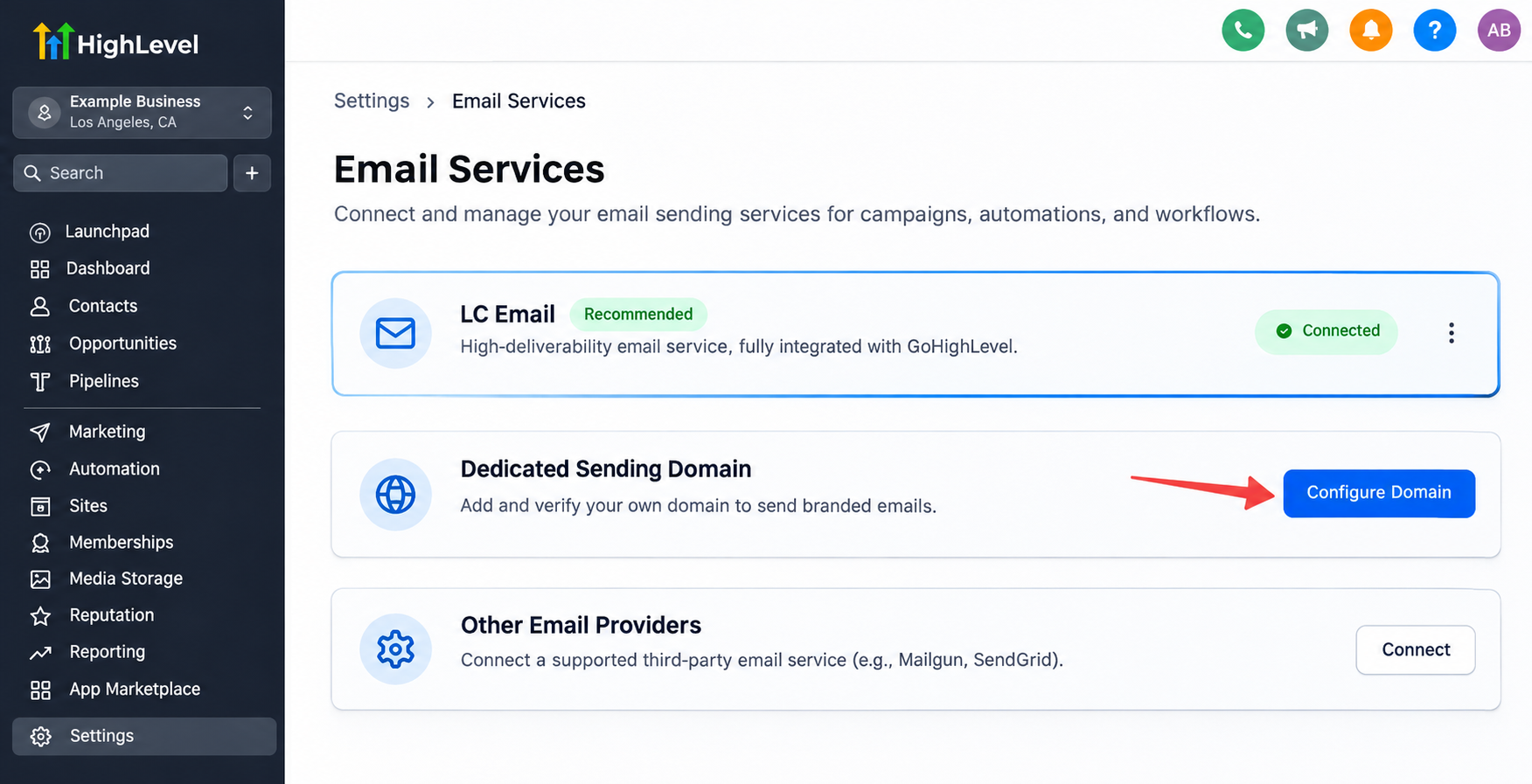
Remember that a dedicated sending domain does not automatically mean you receive a dedicated IP address or completely separate sender reputation.
Step 2 — Configure Email Authentication Records
Email authentication helps receiving mail servers determine whether messages are authorized and whether their identities can be trusted.
Three important authentication technologies are:
SPF (Sender Policy Framework)
SPF identifies which servers are authorized to send email using a domain's envelope sender identity.
DKIM (DomainKeys Identified Mail)
DKIM adds a cryptographic signature that receiving servers can verify to confirm message integrity and the signing domain.
DMARC (Domain-based Message Authentication, Reporting, and Conformance)
DMARC evaluates whether SPF or DKIM passes with appropriate alignment to the visible From domain. It also enables domain owners to publish policies and receive authentication reports.
For GoHighLevel SPF, DKIM, and DMARC configuration, follow the exact DNS instructions supplied by your email provider.
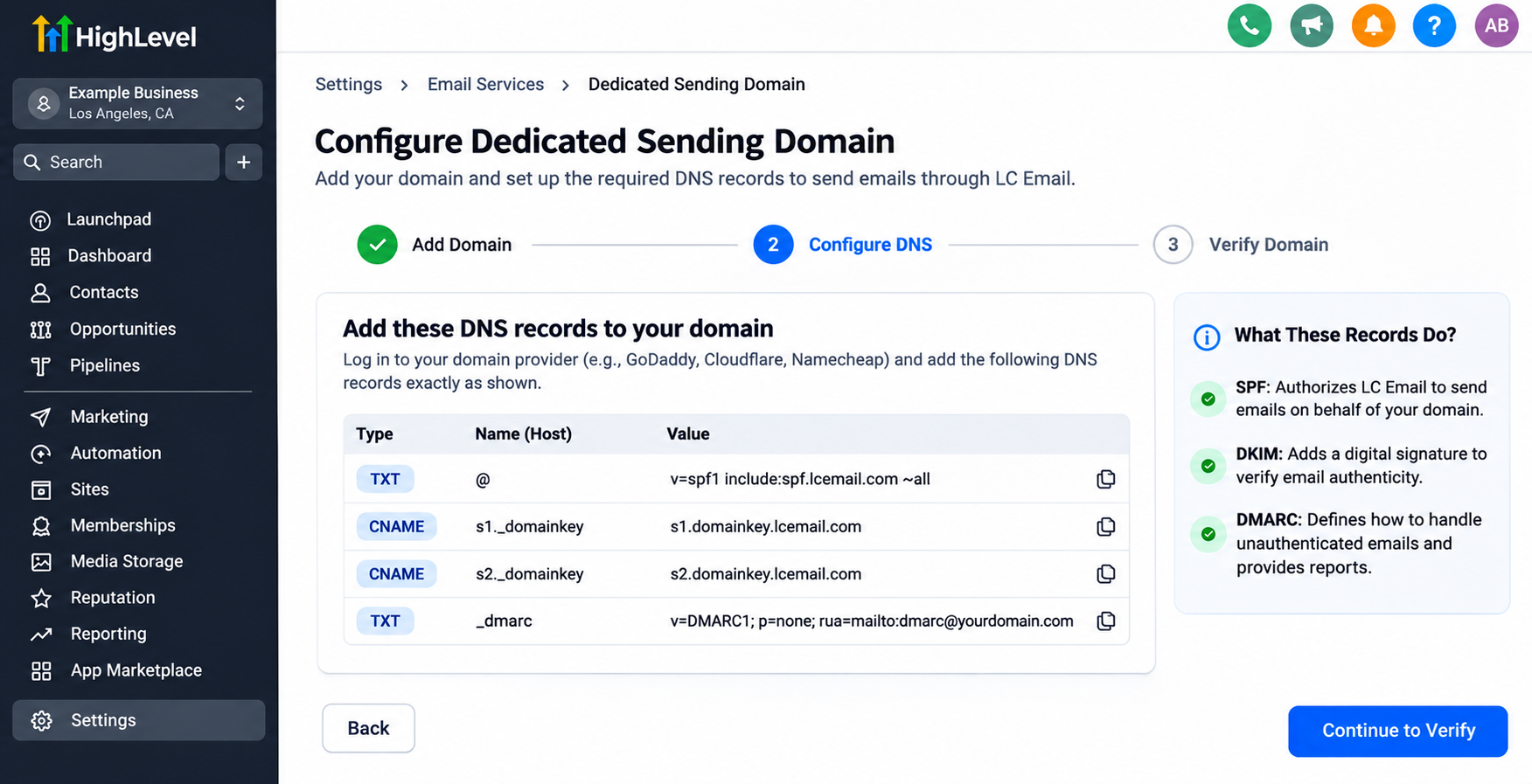
Required records vary by service and setup. Avoid copying authentication records from unrelated tutorials because incorrect entries can interfere with existing email operations.
Step 3 — Verify Your Sending Domain in GoHighLevel
After choosing your domain, complete the verification process before launching campaigns.
For GoHighLevel LC Email configuration, the general process involves:
Open the relevant email-service settings within your GoHighLevel account.
Add your intended sending domain or subdomain.
Review the DNS records provided by the platform.
Add those records through your domain's DNS management provider.
Allow time for DNS changes to propagate.
Return to GoHighLevel and check the domain's verification status.
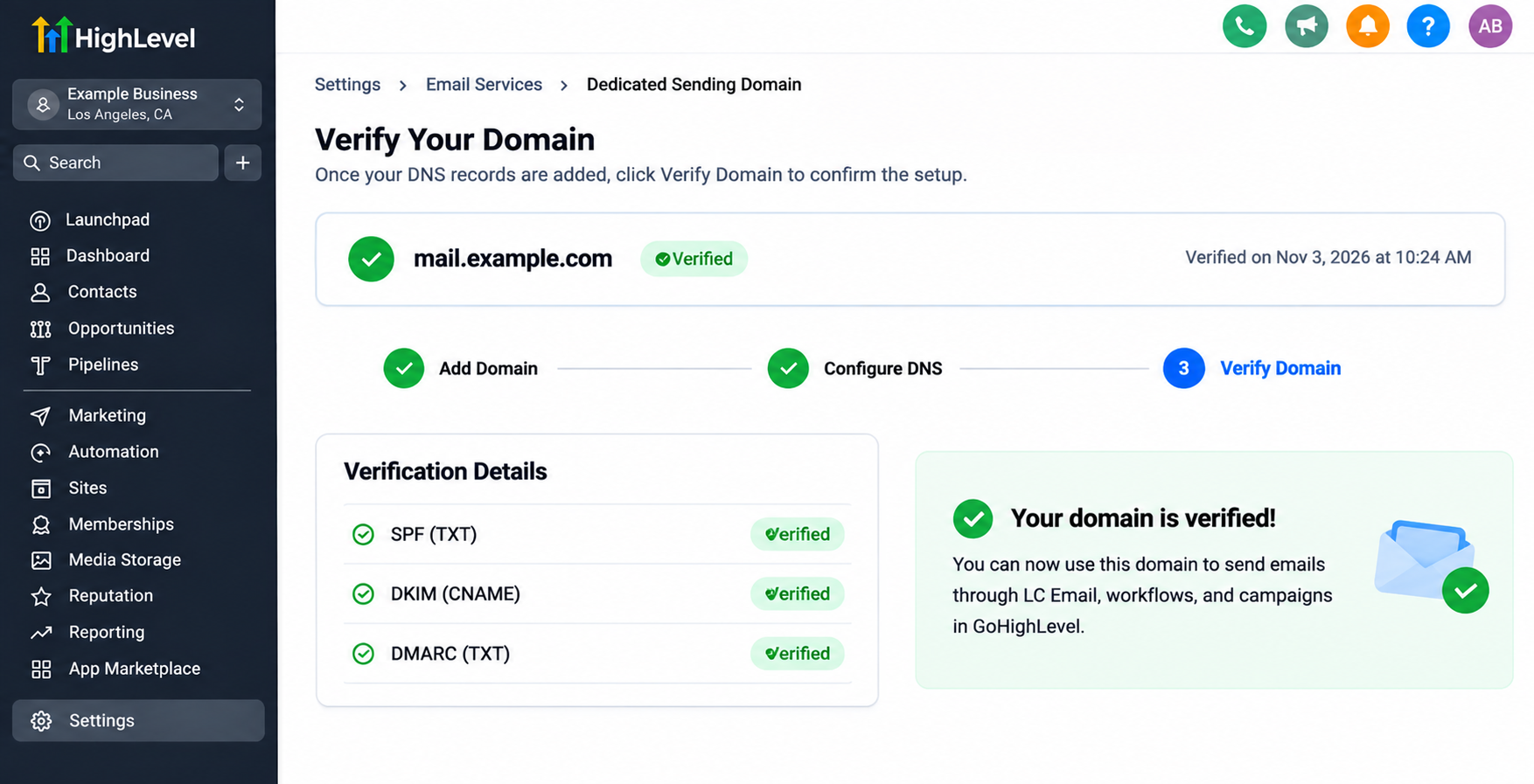
The exact interface and required records may differ depending on your account configuration and email provider.
Important: Successful GoHighLevel domain verification confirms configuration requirements, not guaranteed inbox delivery.
Step 4 — Prepare Your Domain Reputation Before Sending at Scale
A newly configured domain may have little established sending history. Launching thousands of messages immediately can create unnecessary reputation risks.
Instead, develop a gradual sending strategy.
Start with smaller groups of subscribers who have genuinely agreed to receive your emails. Prioritize engaged contacts and increase volume carefully while monitoring performance.
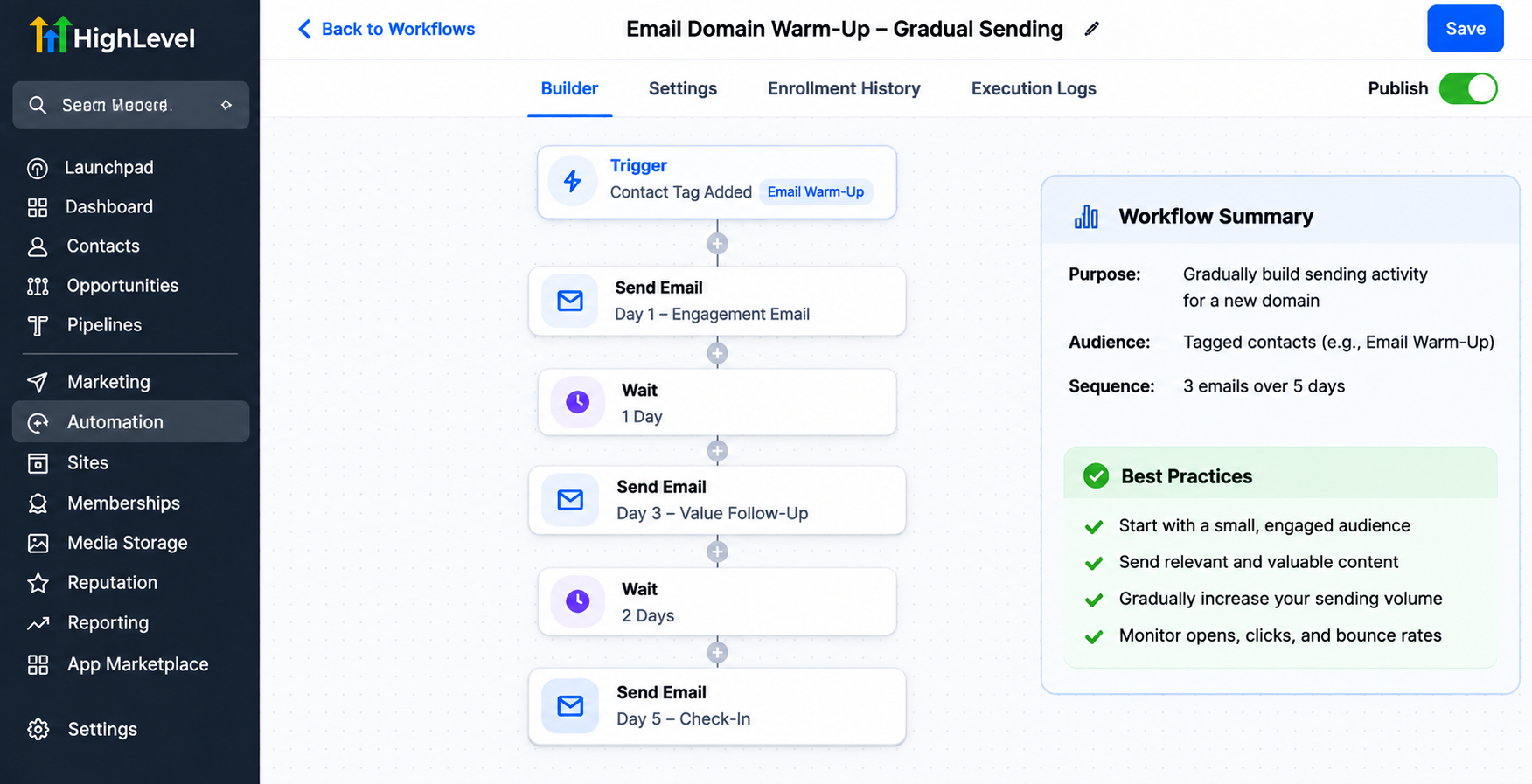
Pay attention to:
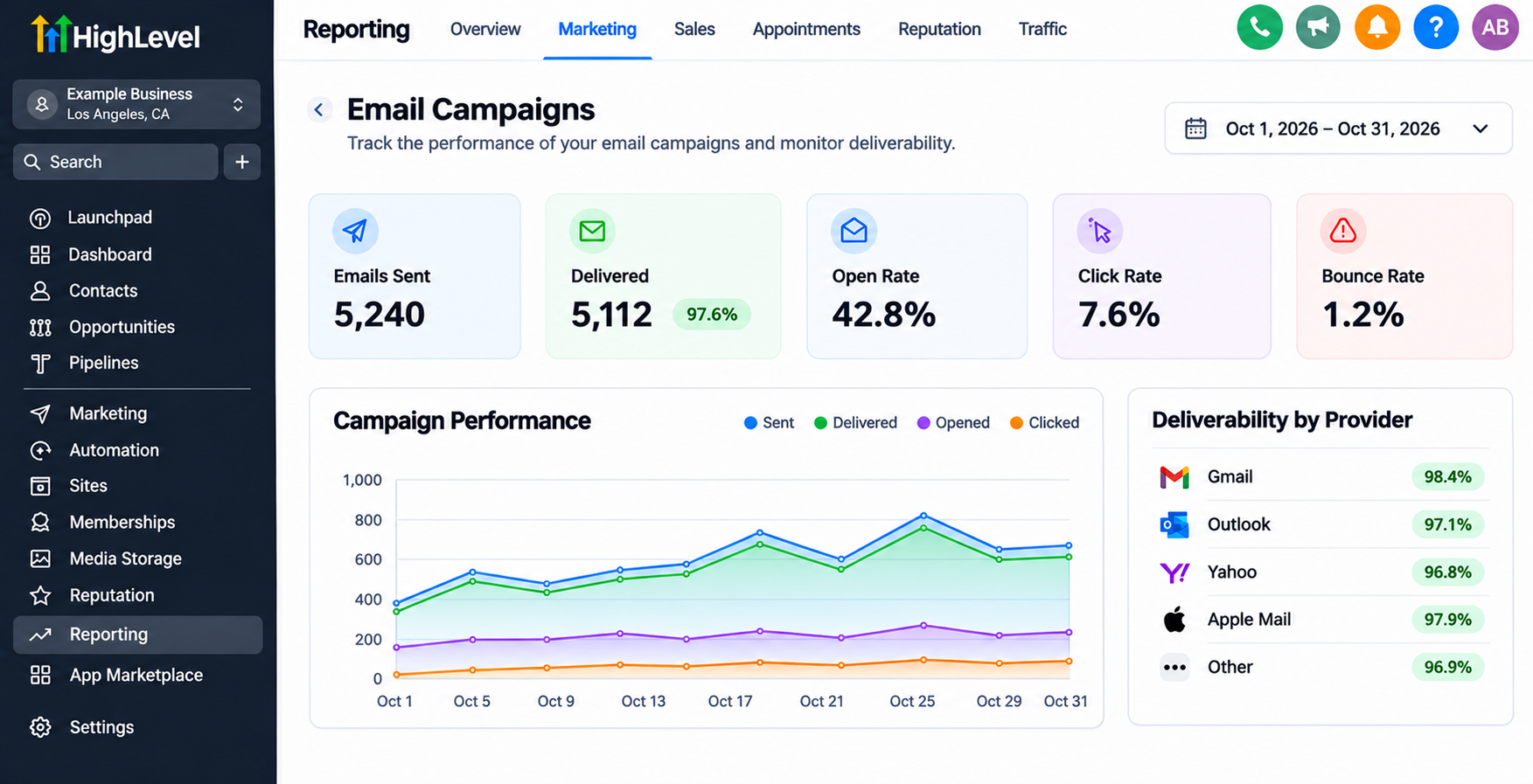
Hard bounces and invalid addresses.
Spam complaints and unsubscribe patterns.
Sudden increases in sending volume.
Consistency and relevance of email content.
GoHighLevel email warm-up should be understood as responsible reputation building, not a guaranteed automated process or universal timetable.
Avoid purchased lists, scraped contacts, and aggressive volume increases.
Step 5 — Review Email Settings, Compliance, and Contact Quality
Technical authentication is only one part of a successful GoHighLevel email marketing setup.
Before sending, confirm that your campaigns use a recognizable sender name, an appropriate From address, and a working reply-to address.
Marketing emails should also include functioning unsubscribe mechanisms and comply with applicable regulations.
GoHighLevel's contact management and segmentation capabilities help businesses organize subscribers according to relevant criteria, such as interests, engagement, and customer status.
Remove invalid addresses, respect opt-outs, and avoid emailing contacts without appropriate permission.
These practices improve campaign quality, although using GoHighLevel does not automatically guarantee regulatory compliance.
Step 6 — Test Everything Before Launching Your Campaign
Even a verified domain needs practical testing.
Send test emails to accounts hosted by different mailbox providers, such as Gmail and Outlook.
Review the sender information, authentication results where available, formatting, links, and mobile appearance.
Also confirm that unsubscribe links work correctly and that replies reach the intended mailbox.
For automated GoHighLevel email campaigns, review workflow triggers, recipient filters, timing, and suppression conditions.
Testing with controlled contacts helps identify mistakes before they affect your full audience.
Common Email Domain Setup Mistakes to Avoid
Several preventable mistakes can undermine campaign performance.
Incorrect DNS entries may prevent authentication, while duplicate or conflicting SPF records can cause verification problems.
Other common issues include sending excessive volume immediately, using outdated contact lists, ignoring complaints, and assuming verification guarantees inbox placement.
Review your configuration carefully, monitor sending performance, and address problems before increasing campaign volume.
Final Thoughts
Preparing your email domain is an essential step toward more dependable email marketing.
By combining authentication, domain verification, responsible sending practices, contact hygiene, and thorough testing, businesses can establish a stronger foundation for campaigns.
GoHighLevel makes it practical to connect that foundation with customer data, email campaigns, and marketing automation.
Before launching your next campaign, review your sending-domain configuration. A few careful checks today can help prevent costly communication problems tomorrow.
Frequently Asked Questions (FAQs)
1. Why is email domain setup important in GoHighLevel?
Proper email domain setup helps receiving email providers verify that your messages are legitimate. It supports sender authentication, strengthens brand credibility, and reduces authentication-related delivery problems. However, correct configuration does not guarantee that every email will reach the inbox.
2. What is a dedicated sending domain in GoHighLevel?
A dedicated sending domain is a domain or subdomain configured specifically for sending emails through GoHighLevel's supported email services. For example, a business using example.com might configure mail.example.com for marketing communications. This helps organize email infrastructure and maintain consistent branding.
3. What are SPF, DKIM, and DMARC in GoHighLevel?
SPF, DKIM, and DMARC are email authentication technologies that help protect your domain and verify outgoing messages.
SPF: Identifies authorized sending servers.
DKIM: Uses digital signatures to verify message integrity.
DMARC: Checks authentication alignment and provides domain owners with policy and reporting capabilities.
Together, they support trustworthy email authentication.
4. How do I verify my email sending domain in GoHighLevel?
To verify your sending domain, access the appropriate email-service settings in GoHighLevel, add your domain, and review the required DNS records. Add those records through your DNS provider, allow time for propagation, and check the verification status in GoHighLevel. The exact steps depend on your email service configuration.
5. How long does GoHighLevel email domain verification take?
Verification time depends on your DNS provider, record accuracy, and DNS propagation. Some changes become detectable within minutes, while others may take 24–48 hours. If verification remains incomplete, check the DNS records against the instructions provided by your email service.
6. Do I need to warm up my email domain before launching campaigns?
Gradually establishing a sending reputation is recommended, particularly for new domains without an established sending history. Start with smaller groups of engaged, permission-based subscribers and increase volume responsibly. Monitor bounce rates, spam complaints, and sending performance rather than following a fixed warm-up schedule.
7. Can I send bulk emails immediately after verifying my GoHighLevel domain?
Domain verification alone does not mean your domain is ready for high-volume sending. Before launching bulk campaigns, confirm authentication, review contact quality, test email delivery, and establish a responsible sending pattern. Increasing volume gradually can help reduce reputation-related risks.
8. Does GoHighLevel guarantee that my emails will reach the inbox?
No. GoHighLevel provides tools for configuring email sending, managing contacts, building campaigns, and creating automated workflows. However, inbox placement also depends on sender reputation, authentication, recipient engagement, content quality, and mailbox provider filtering decisions. No email marketing platform can guarantee inbox placement.
Need Expert Help with GoHighLevel?
New to GoHighLevel and ready to get started? Buy your GoHighLevel account here and launch with confidence.
Already know what you need and want our team to handle everything, from complete setup and customization to funnels, workflows, automations, CRM, and pipelines? Click here.