

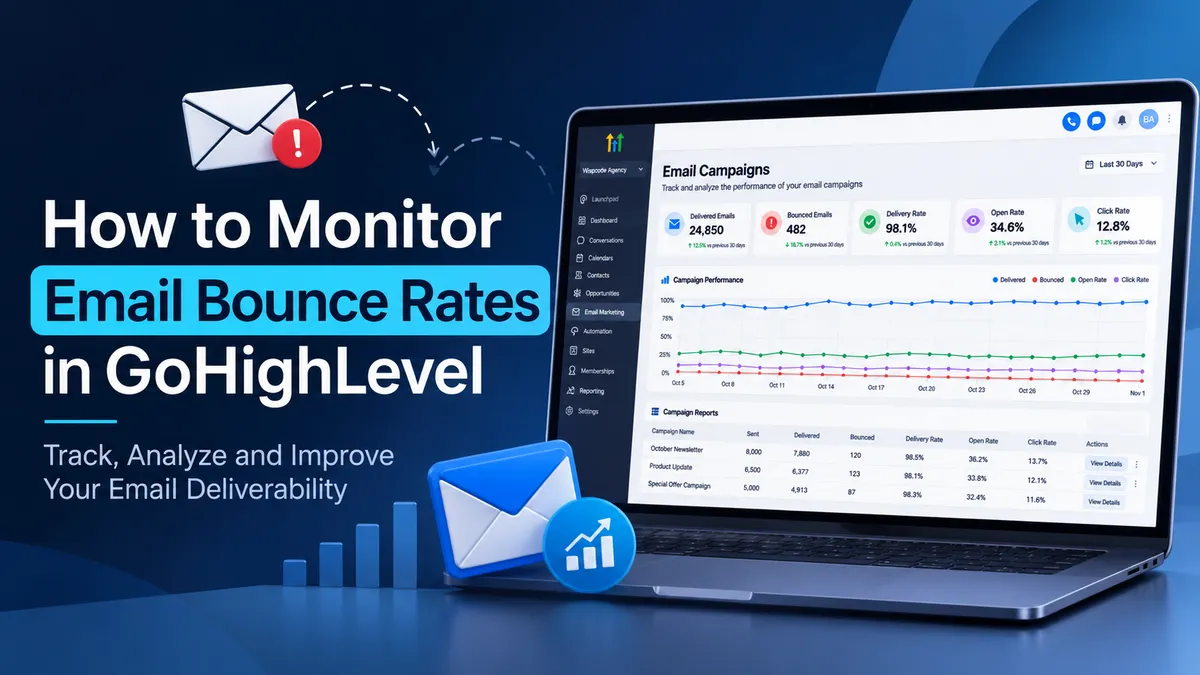
How to track mail Bounce Monitoring
How to Monitor Email Bounce Rates in GoHighLevel Campaigns
An email campaign can be sent to thousands of contacts without reaching a significant portion of its intended audience. Invalid email addresses, temporary server issues, and poor sender reputation can silently reduce campaign performance. For businesses using GoHighLevel, monitoring email bounce rates is essential to understanding delivery problems, protecting sender reputation, and ensuring that marketing messages reach the right people.
Understanding Email Bounce Rates in GoHighLevel
An email bounce occurs when a message cannot be delivered to its intended recipient. The GoHighLevel bounce rate helps users evaluate how effectively their campaigns reach recipient email servers.
Two primary types of email bounces require different responses.
Hard Bounce vs Soft Bounce
A hard bounce represents a permanent delivery failure. Common causes include nonexistent email addresses, invalid recipient domains, or permanent rejection by the receiving server. These addresses should not remain in active marketing lists.
A soft bounce represents a temporary delivery problem. It may occur because a recipient's mailbox is full, a mail server is temporarily unavailable, or the receiving server cannot accept the message at that moment. Depending on the sending provider, temporary failures may be retried automatically.
Repeated soft bounces should also be investigated because they can indicate an inactive mailbox or persistent delivery problem.
How to Monitor Email Bounce Rates in GoHighLevel
GoHighLevel provides email statistics that help businesses evaluate campaign performance and identify delivery issues. The available reporting details depend on the email sending service configured in the sub account.
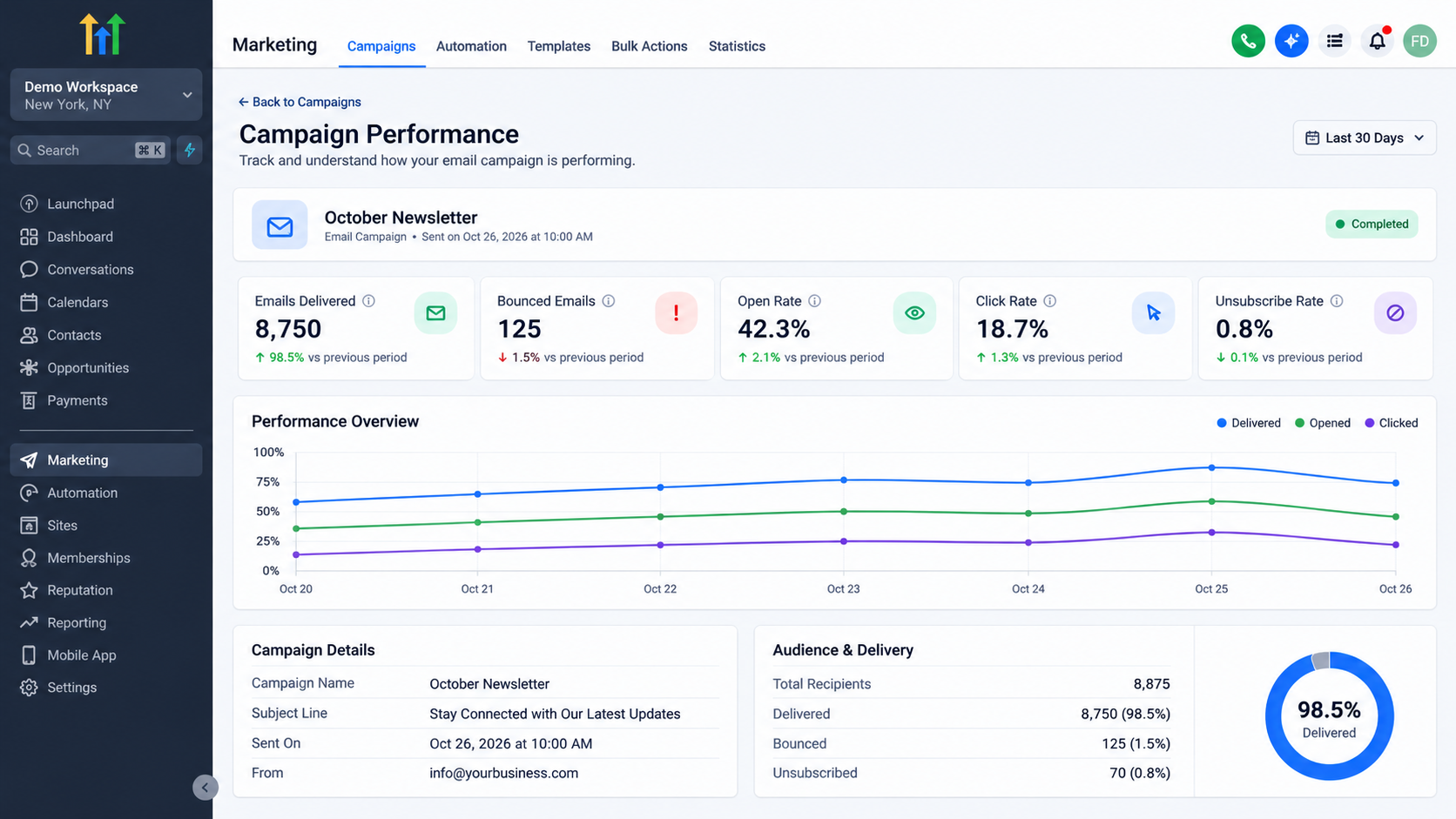
Accessing Email Campaign Statistics
To review an individual email campaign:
Navigate to Marketing and select Emails.
Open the Campaigns tab.
Locate the email campaign that has been sent.
Open its statistics or reporting view.
Review the Summary and Details sections, where available.
The Summary section provides an overview of delivery and engagement metrics. The Details section provides recipient level information, including available delivery statuses.
HighLevel also provides broader Email Statistics reporting under Marketing > Emails. This reporting can help users analyze email performance across different sending activities and date ranges.
Understanding Campaign Metrics
When reviewing GoHighLevel campaign reporting, distinguish between the following metrics:
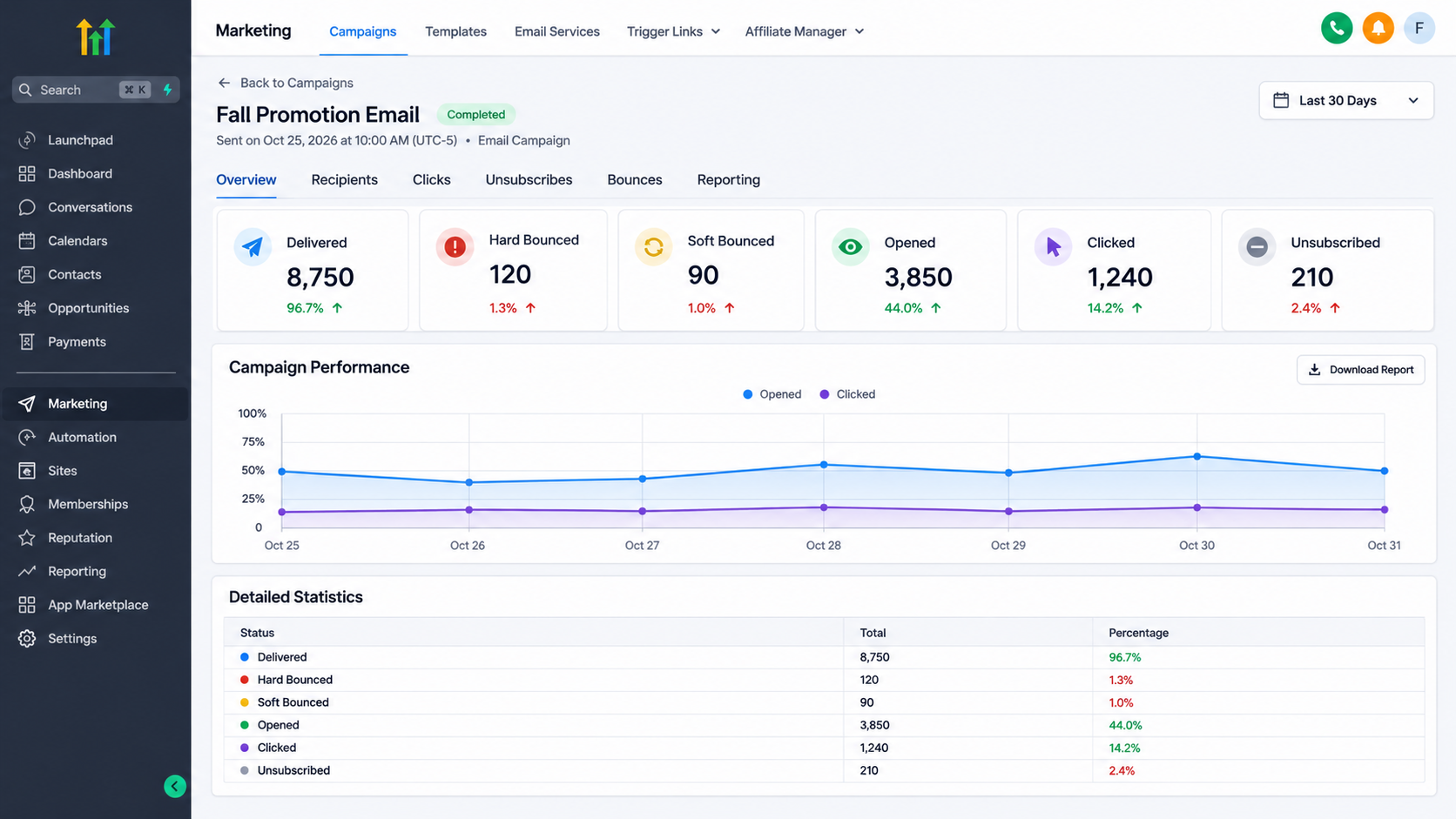
Delivered: Emails accepted by the recipient's email server. Delivery does not guarantee inbox placement.
Hard Bounced: Emails that experienced permanent delivery failures.
Soft Bounced: Emails that experienced temporary delivery failures.
Opened: Emails that generated a tracked open event. Open tracking may be affected by privacy features and should not be treated as a precise measure of human engagement.
Clicked: Emails that generated tracked link clicks.
Unsubscribed: Recipients who opted out of future email communication.
Failed: Emails that encountered sending or processing errors. These should not automatically be classified as bounced emails.
Reviewing these metrics together provides a more accurate picture of campaign performance than focusing on open rates alone.
How to Identify and Troubleshoot High Bounce Rates
A high GoHighLevel bounce rate should be treated as a warning rather than an isolated campaign statistic. It may indicate poor contact data, authentication problems, sending reputation issues, or temporary restrictions imposed by receiving servers.
Investigate the Source of Bounces
Start by reviewing the bounced recipient details available in the campaign report. Look for patterns such as:
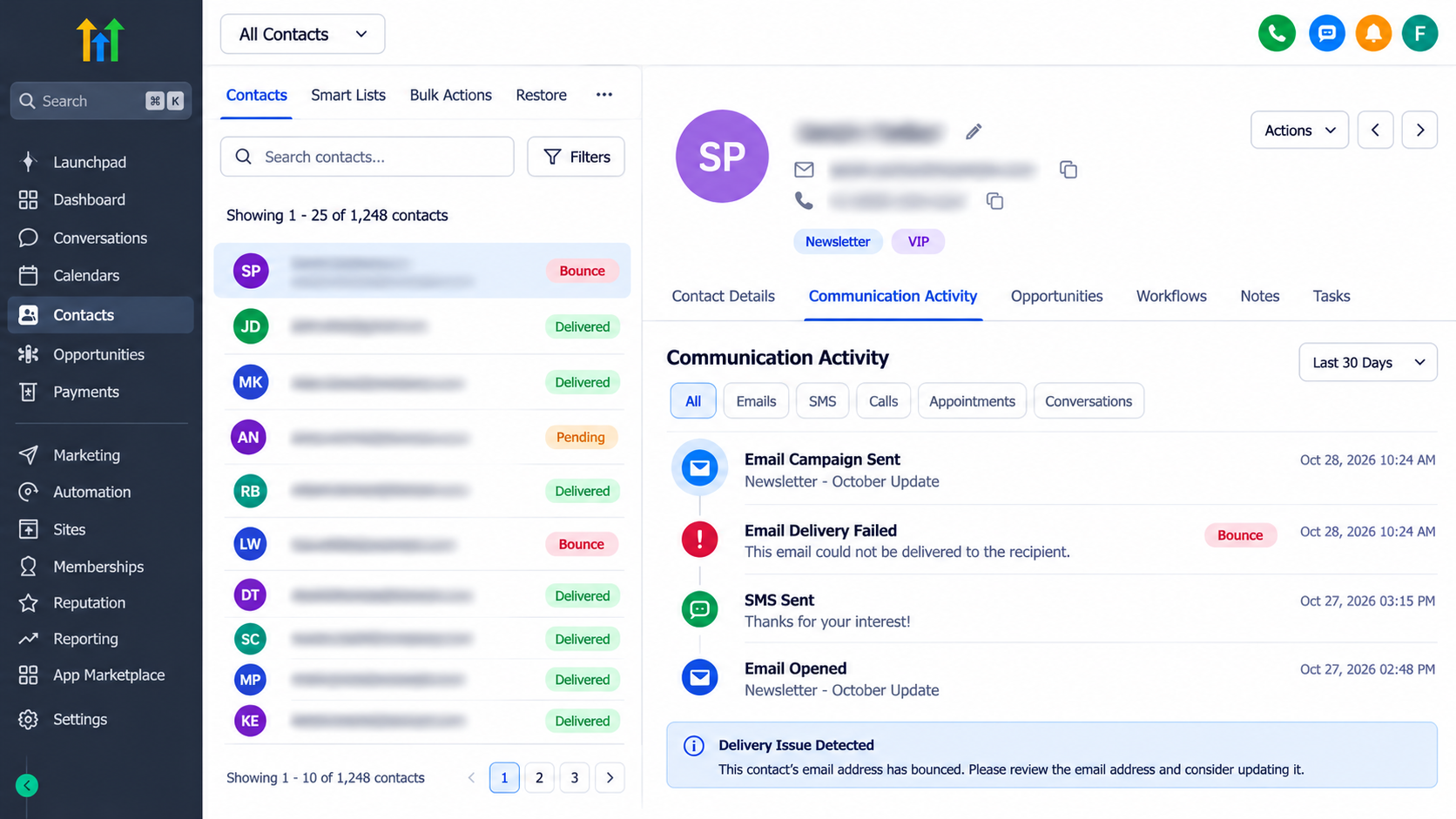
Multiple invalid addresses from the same imported contact list.
A sudden increase in bounces after a large campaign.
Repeated temporary failures involving the same recipients.
Delivery problems concentrated around specific recipient domains.
For example, if a business imports an old contact database and experiences a sudden increase in hard bounces, the problem may originate from outdated email records rather than the campaign content.
If bounce statistics are missing, verify the configured email provider. HighLevel's reporting capabilities vary by provider. LC Email and Mailgun support delivery related statistics, while some SMTP integrations provide only limited engagement tracking. Missing bounce data should not be interpreted as a zero bounce rate.
Review Email Sending Configuration
Email authentication is another important part of GoHighLevel email deliverability.
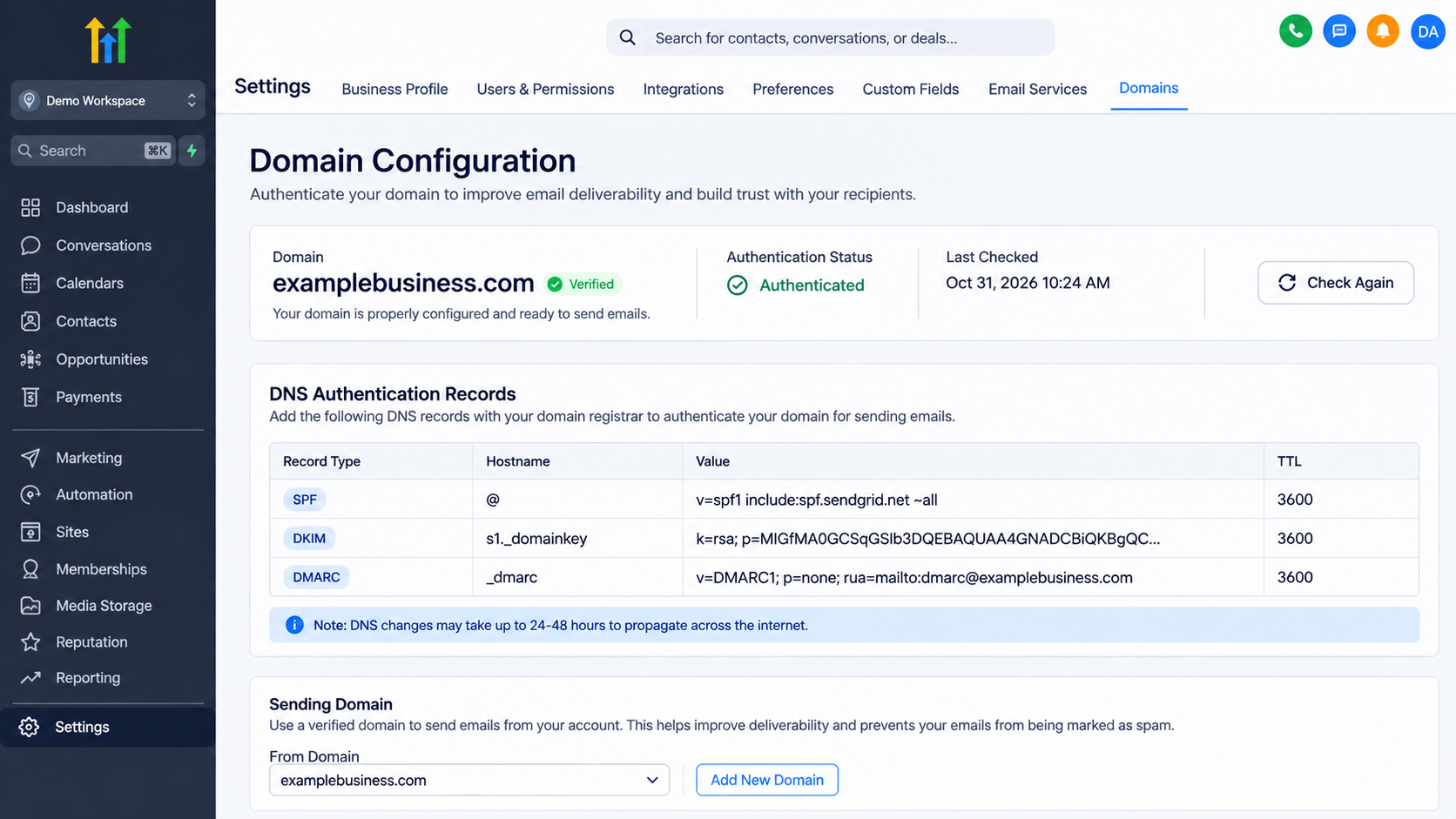
SPF identifies authorized sending servers. DKIM uses digital signatures to verify message authenticity. DMARC establishes a policy for handling authentication failures and checks alignment with the sending domain.
Incorrect or missing DNS records can cause receiving servers to reject messages. Review the sending domain configuration in GoHighLevel and verify that the required DNS records are correctly published.
For Mailgun configurations, missing or incorrect event webhooks may also prevent delivery statistics from appearing correctly. Investigate the provider's configuration if reporting appears incomplete.
Best Practices to Reduce Email Bounce Rates
Maintaining healthy email deliverability requires consistent list management and responsible sending practices.
Use reliable contact collection methods. Collect email addresses through legitimate forms, customer inquiries, and permission based subscriptions. Avoid purchased or scraped contact lists.
Clean your contact database regularly. Remove invalid addresses and investigate repeated soft bounces. Avoid continuing to send marketing emails to contacts who consistently cannot receive messages.
Verify contacts before large campaigns. LC Email users may have access to HighLevel's Email Risk Assessment functionality for imported contact lists. This feature evaluates address deliverability risks before sending.
Maintain proper domain authentication. Ensure SPF, DKIM, and DMARC are configured correctly for the sending domain. Recheck DNS records when changing email providers or sending configurations.
Monitor campaign performance consistently. Review bounce rates after every significant campaign and compare results across sending periods. A sudden increase deserves investigation before launching another large send.
Use relevant and expected email content. Send messages that align with the recipient's original interest. Consistent communication and clear unsubscribe options help reduce complaints and protect sender reputation.
Conclusion
Learning how to Monitor Email Bounce Rates in GoHighLevel is essential for maintaining reliable email marketing systems. Regular campaign reporting helps businesses identify invalid contact data, investigate delivery failures, and recognize potential sender reputation issues before they become larger problems.
A successful GoHighLevel email marketing strategy depends on more than sending campaigns. Accurate contact records, proper domain authentication, consistent monitoring, and proactive troubleshooting create a stronger foundation for email deliverability and long term campaign performance.
Frequently Asked Questions
1. How can I monitor email bounce rates in GoHighLevel?
Navigate to Marketing > Emails and review the relevant campaign statistics. The Summary and Details sections provide bounce related metrics and recipient information where supported by your email provider.
2. What is considered a high email bounce rate?
HighLevel recommends keeping bounce rates below 2% as a general sending health guideline. Even lower rates are preferable, particularly for hard bounces.
3. What is the difference between a hard bounce and a soft bounce?
A hard bounce is a permanent delivery failure, usually caused by an invalid email address. A soft bounce is temporary and may result from a full mailbox or unavailable receiving server.
4. Can high bounce rates affect GoHighLevel email deliverability?
Yes. High bounce rates can negatively affect sender reputation and increase the risk of sending restrictions. Maintaining accurate contact data and monitoring delivery statistics helps reduce these risks.
5. Can GoHighLevel automatically prevent emails from bouncing?
GoHighLevel and its email providers may apply suppression and verification mechanisms, depending on the configuration. However, no system can guarantee that every email address will remain deliverable, so regular contact list maintenance is still necessary.
Need Expert Help with GoHighLevel?
New to GoHighLevel and ready to get started? Buy your GoHighLevel account here and launch with confidence.
Already know what you need and want our team to handle everything, from complete setup and customization to funnels, workflows, automations, CRM, and pipelines? Click here.