

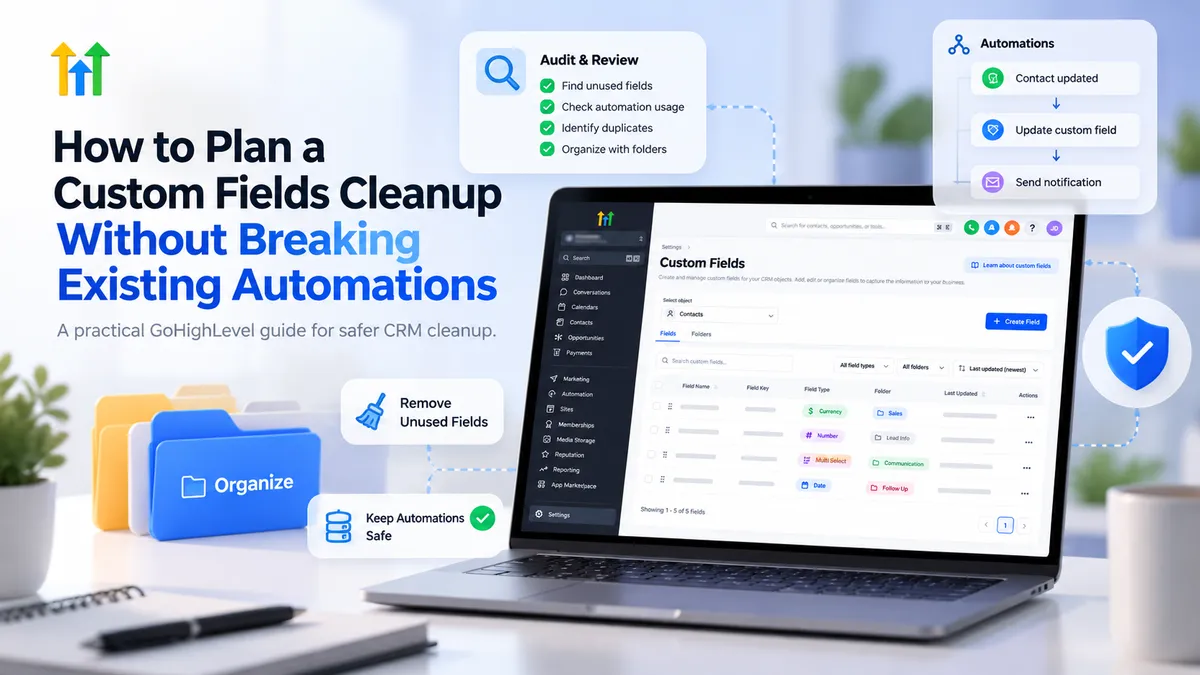
How to Plan a GoHighLevel Custom Fields Cleanup Without Breaking Automations
How to Plan a Custom Fields Cleanup Without Breaking Existing Automations
Over time, a GoHighLevel account can accumulate dozens of duplicate, outdated, or poorly named custom fields. What begins as a simple CRM organization issue can become a serious operational risk when those fields support workflows, lead qualification, customer segmentation, and automated communications.
Deleting the wrong field may disrupt automation logic or permanently remove valuable customer information. A successful GoHighLevel custom fields cleanup therefore requires more than removing unnecessary entries. It requires a structured process that protects existing data and business operations.
1. Inventory Your Existing Custom Fields
Before making changes, understand exactly what exists in your CRM.
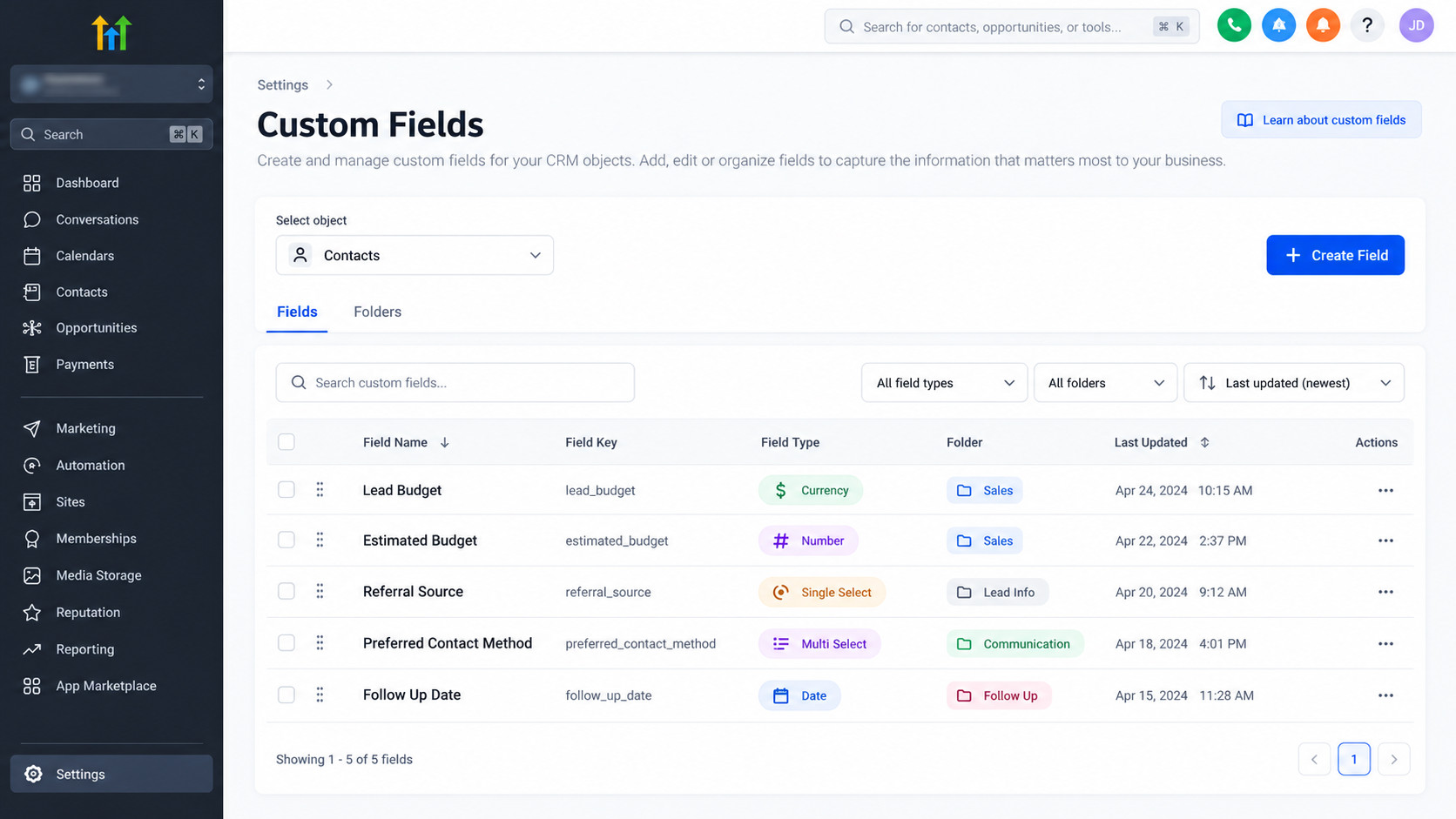
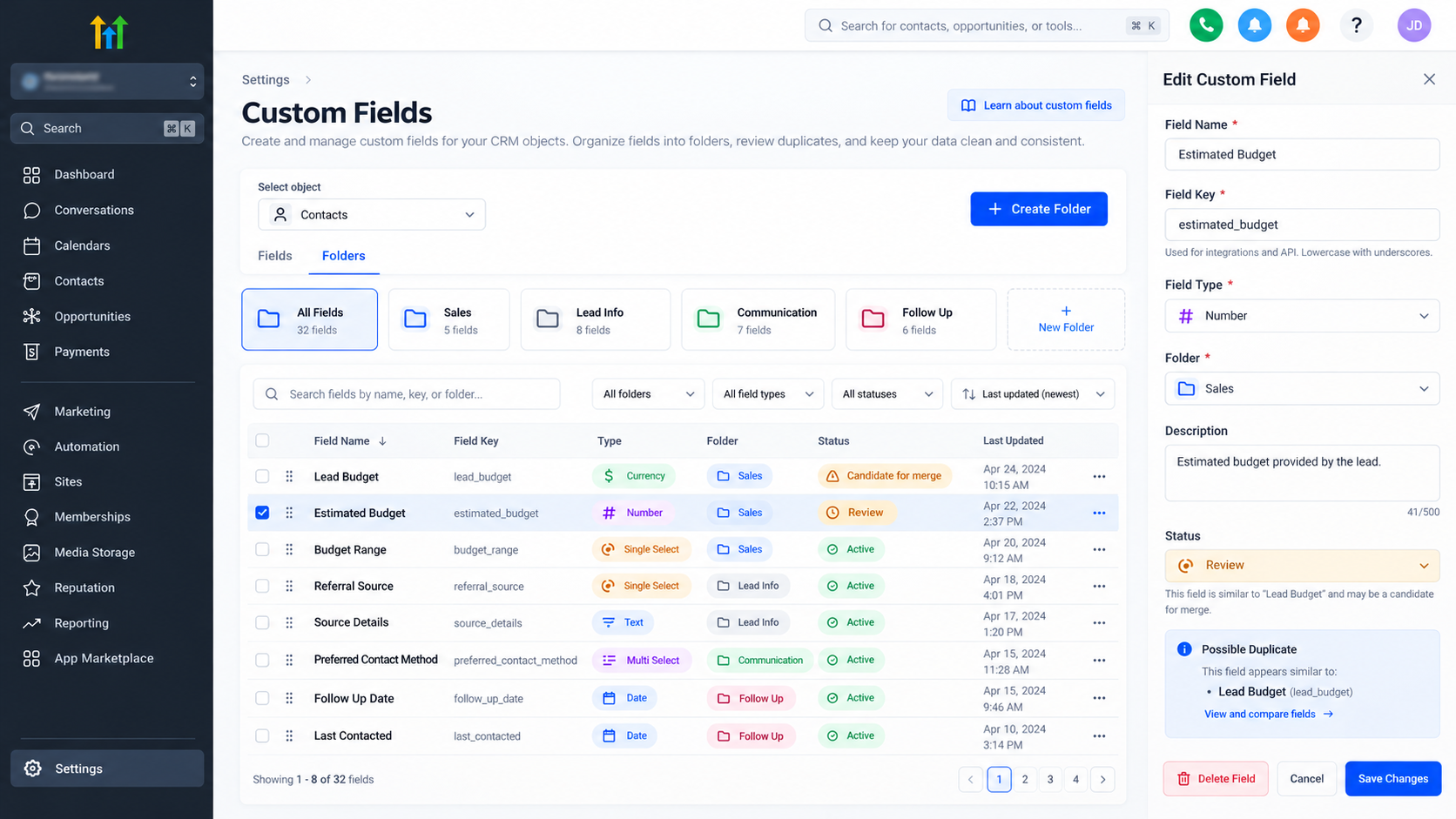
Navigate to Settings > Custom Fields in your GoHighLevel sub-account. Use the object selector to review the relevant fields.
GoHighLevel distinguishes between two important field categories:
Contact fields: Store information associated with individuals, such as lead sources, preferences, and qualification details.
Opportunity fields: Store deal-specific information, including budgets, sales requirements, and expected closing dates.
These field objects are not interchangeable after creation.
Create an audit spreadsheet documenting each field's name, object, type, unique key, business purpose, and potential dependencies.
Classify fields as active, potentially duplicated, outdated, or requiring investigation.
A field containing little visible data is not necessarily unused. It might still support an important automation.
2. Audit Field Dependencies Before Making Changes
This is the most critical stage of any custom field cleanup.
GoHighLevel custom fields can influence multiple CRM components. Removing a field without checking those connections can compromise existing processes.
Review Workflow Dependencies
Navigate to Automation > Workflows and examine workflows that might reference the fields being reviewed.
Inspect:
Workflow triggers and filters.
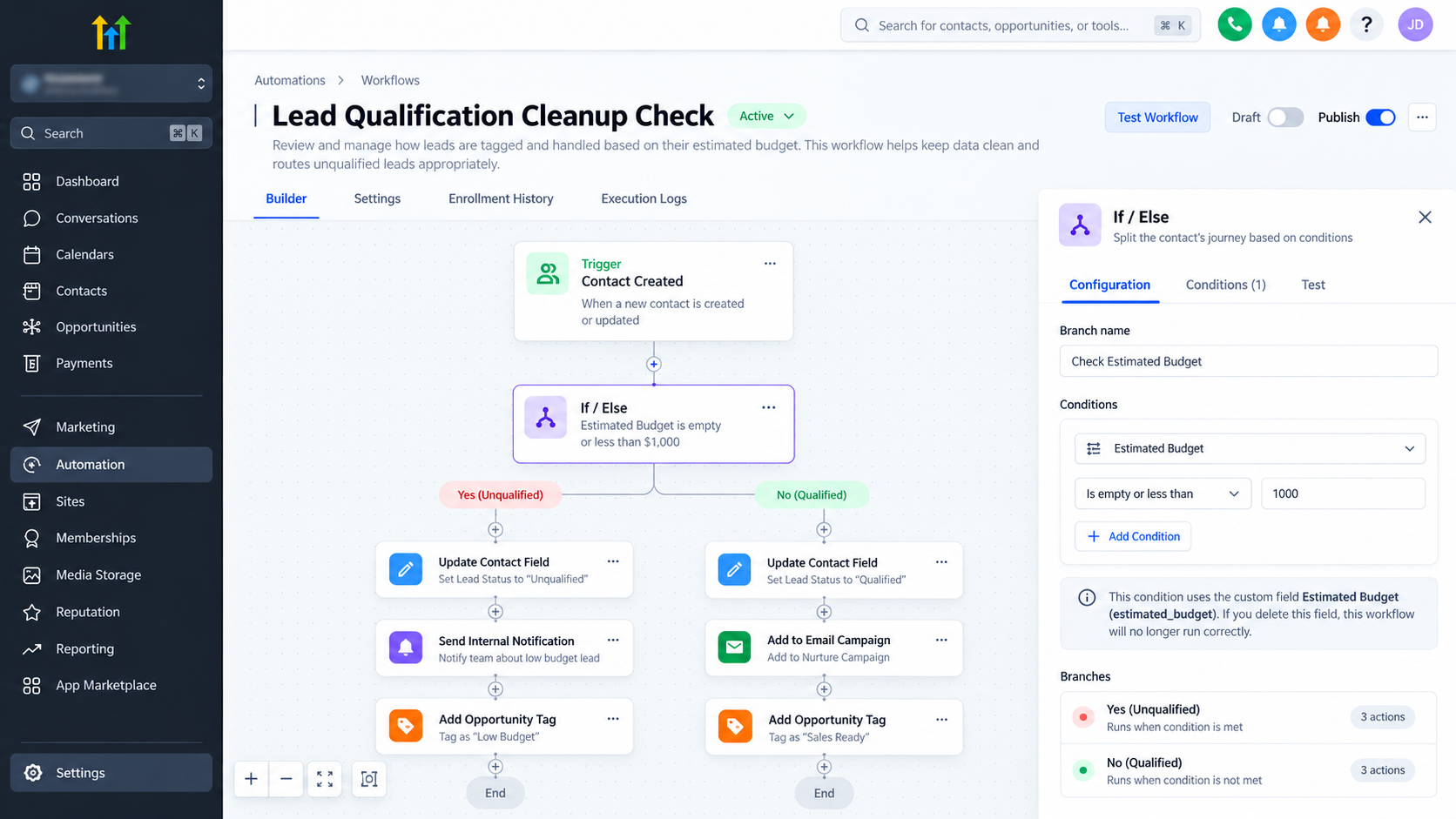
If/Else conditions evaluating custom field values.
Actions that update contact or opportunity fields.
Email and SMS templates containing field merge tags.
Lead qualification and routing logic.
For example, a workflow might use a Budget field to determine whether a prospect qualifies for a sales consultation.
Replacing that field without updating the condition could affect lead qualification.
Check Other CRM Components
Review relevant forms, surveys, Smart Lists, opportunity configurations, and external integrations.
Also inspect conditional field rules where applicable.
Document each dependency and its required changes. Do not assume a comprehensive automated dependency audit is available.
3. Protect Existing Data Before Cleanup
Never begin destructive changes without a data preservation strategy.
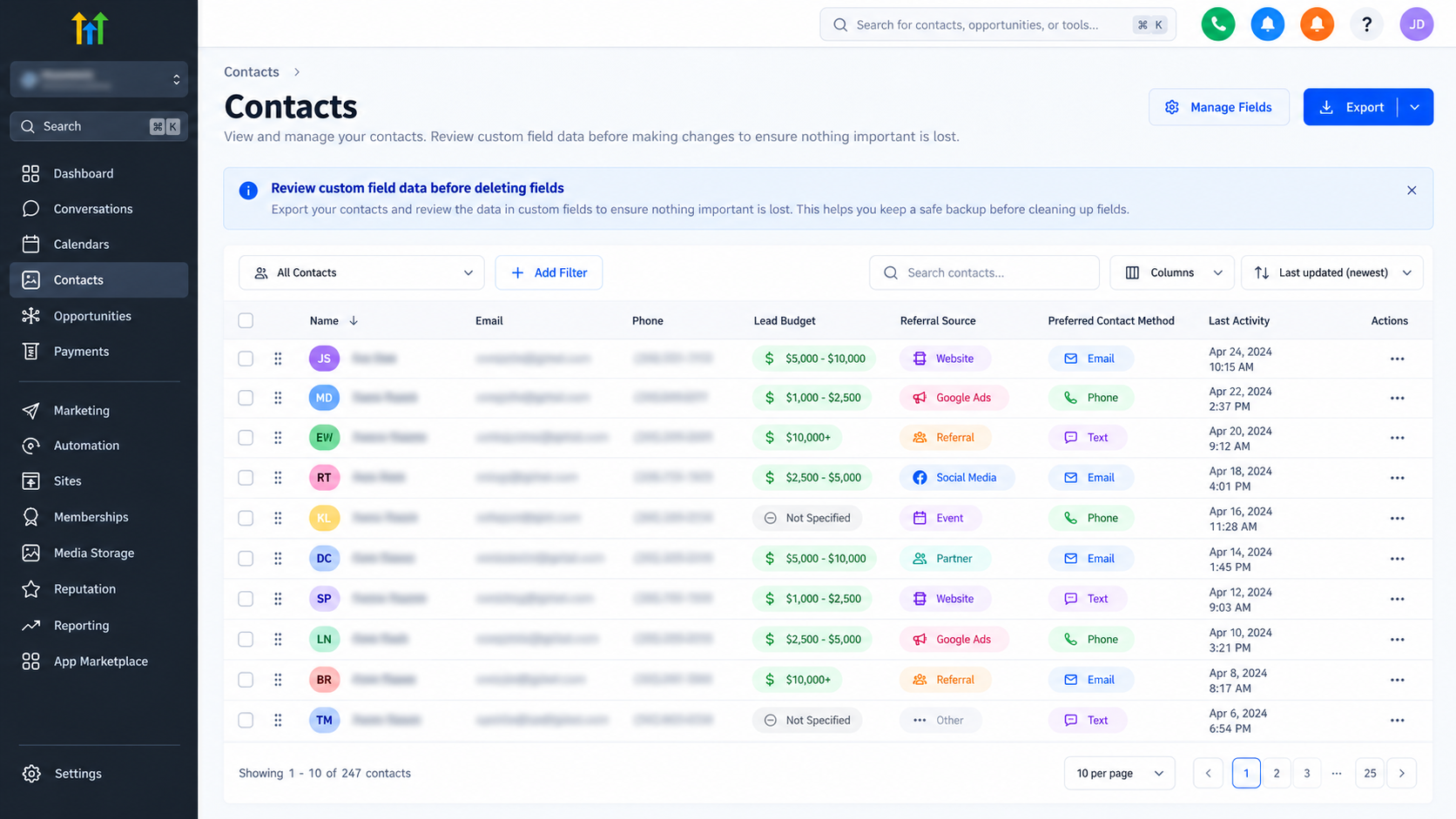
For contact records, GoHighLevel supports CSV exports through Contacts > Smart Lists.
Select the relevant records, use Manage Fields to display the required custom field columns, and initiate the export.
Verify the downloaded CSV contains the intended fields and values.
For opportunity records or other data types, confirm the applicable supported export method before proceeding.
Remember that exporting contact records does not preserve complete workflow configurations, automation history, or integrations.
Maintain a separate record of workflow dependencies, field mappings, and configuration changes.
Important: Deleting an opportunity custom field permanently removes its stored values from associated opportunities. This operation cannot be undone.
Protecting CRM data should always take priority over reducing field clutter.
4. Decide Which Fields to Keep, Reorganize, or Replace
Not every unnecessary-looking field needs deletion.
Consider four possible actions:
Keep: Retain fields supporting active business processes.
Reorganize: Move related fields into logical folders.
Replace: Select a preferred field and plan the necessary data and configuration updates.
Delete: Remove genuinely redundant fields only after successful validation.
Use consistent naming conventions that clearly communicate each field's purpose.
For example, grouping qualification-related fields under a Sales Qualification folder can improve navigation without deleting important data.
When replacing fields, verify compatible object types and value formats.
Do not assume that renaming a field, changing references, or consolidating stored values happens automatically.
5. Update and Test Existing Automations
After identifying the preferred field structure, carefully update affected configurations.
Start with business-critical workflows involving lead capture, qualification, assignment, follow-ups, and pipeline management.
Check that:
Workflow conditions reference the intended fields.
Field update actions write to the correct destinations.
Personalized messages display accurate customer information.
Pipeline automation uses the appropriate opportunity data.
Use representative test contacts and opportunities to exercise relevant workflow branches.
Inspect execution logs, resulting field values, message content, and lead-routing outcomes.
A workflow saving successfully does not guarantee its logic produces the intended results.
6. Practical Example: Consolidating Duplicate Budget Fields
Consider a marketing agency using two contact fields: Lead Budget and Estimated Budget.
One form populates Lead Budget, while a qualification workflow checks Estimated Budget.
Deleting either field immediately could create inconsistent qualification results.
A safer approach is to:
Identify every configuration referencing either field.
Select one appropriate destination field.
Export and review existing values.
Transfer required data using a verified, compatible method.
Update form mappings and workflow conditions.
Test qualification using different budget values.
Remove the redundant field only after validation.
This preserves the intended qualification process while simplifying CRM administration.
7. How Cleanup Supports Lead Generation and Conversion
Well-managed custom fields help maintain consistent information throughout the customer journey.
Reliable field mappings support lead capture, segmentation, personalized follow-ups, and accurate pipeline records.
They also make automation troubleshooting easier.
However, CRM cleanup does not automatically increase conversion rates. Its primary benefit is reducing data inconsistencies and operational risks that could otherwise interfere with conversion processes.
8. Common Mistakes to Avoid
Avoid deleting fields based only on their names or apparent inactivity.
Other costly mistakes include overlooking merge tags, ignoring integrations, failing to export data, and assuming renamed fields behave identically to replacements.
Most importantly, never delete dependent fields before completing automation testing.
Conclusion
A safe GoHighLevel custom fields cleanup is a controlled CRM maintenance process, not a quick deletion exercise.
By inventorying fields, auditing dependencies, protecting records, updating configurations, and testing automations, businesses can simplify their CRM without unnecessarily risking essential operations.
Before removing any custom field, confirm that its data and automation responsibilities have been properly addressed.
Frequently Asked Questions (FAQs)
Can deleting a custom field affect existing GoHighLevel workflows?
Yes. Workflows referencing that field may lose access to required information or behave incorrectly. Review dependencies before deletion.
Is renaming a custom field the same as replacing it?
No. Renaming changes the field's label, while replacement involves another field and potentially requires data migration and configuration updates.
What should I check before permanently deleting a field?
Verify dependencies, stored values, export completeness, updated references, successful workflow tests, and internal approval.
Need Expert Help with GoHighLevel?
New to GoHighLevel and ready to get started? Buy your GoHighLevel account here and launch with confidence.
Already know what you need and want our team to handle everything, from complete setup and customization to funnels, workflows, automations, CRM, and pipelines? Click here.



