

How to Extend Workflow Automation Using the Custom Code Action in GoHighLevel
How to Extend Workflow Automation Using the Custom Code Action in GoHighLevel
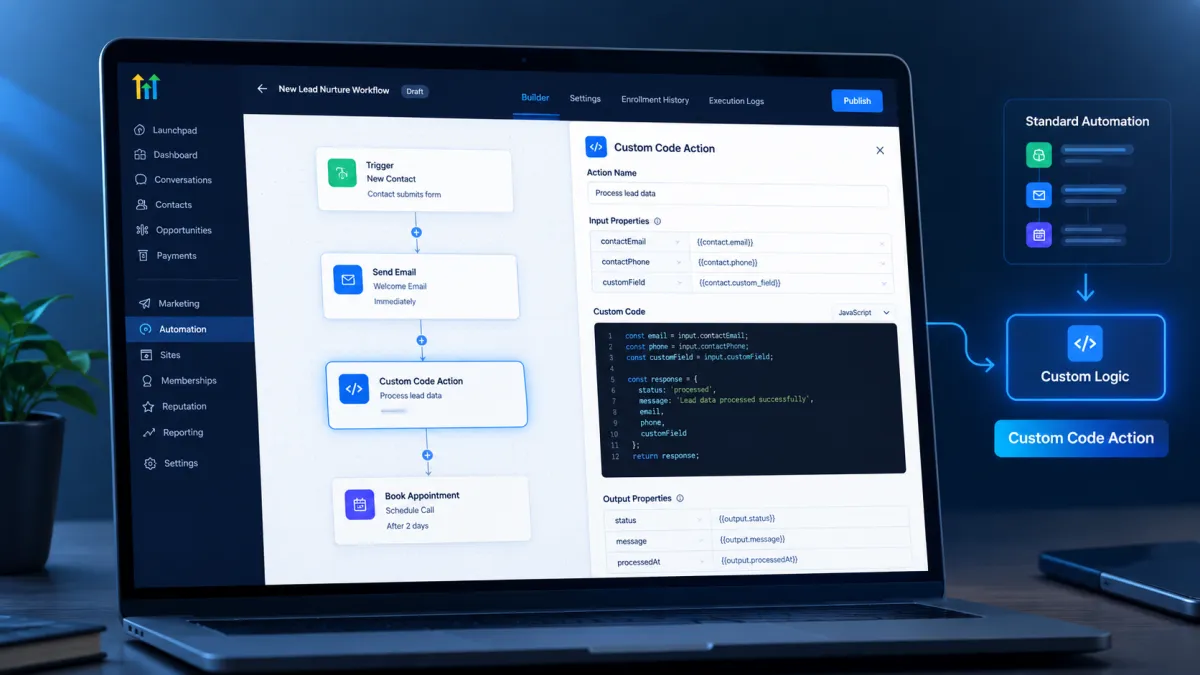
Sometimes a GoHighLevel workflow can handle most of a process perfectly, but one small requirement does not fit neatly into the available actions. You may need to transform information, calculate a value, apply specific logic, or prepare data in a particular format before the workflow continues. This is where the Custom Code Action becomes useful. Instead of forcing the process into a predefined action, you can add custom logic directly into the workflow.
What Is the Custom Code Action?
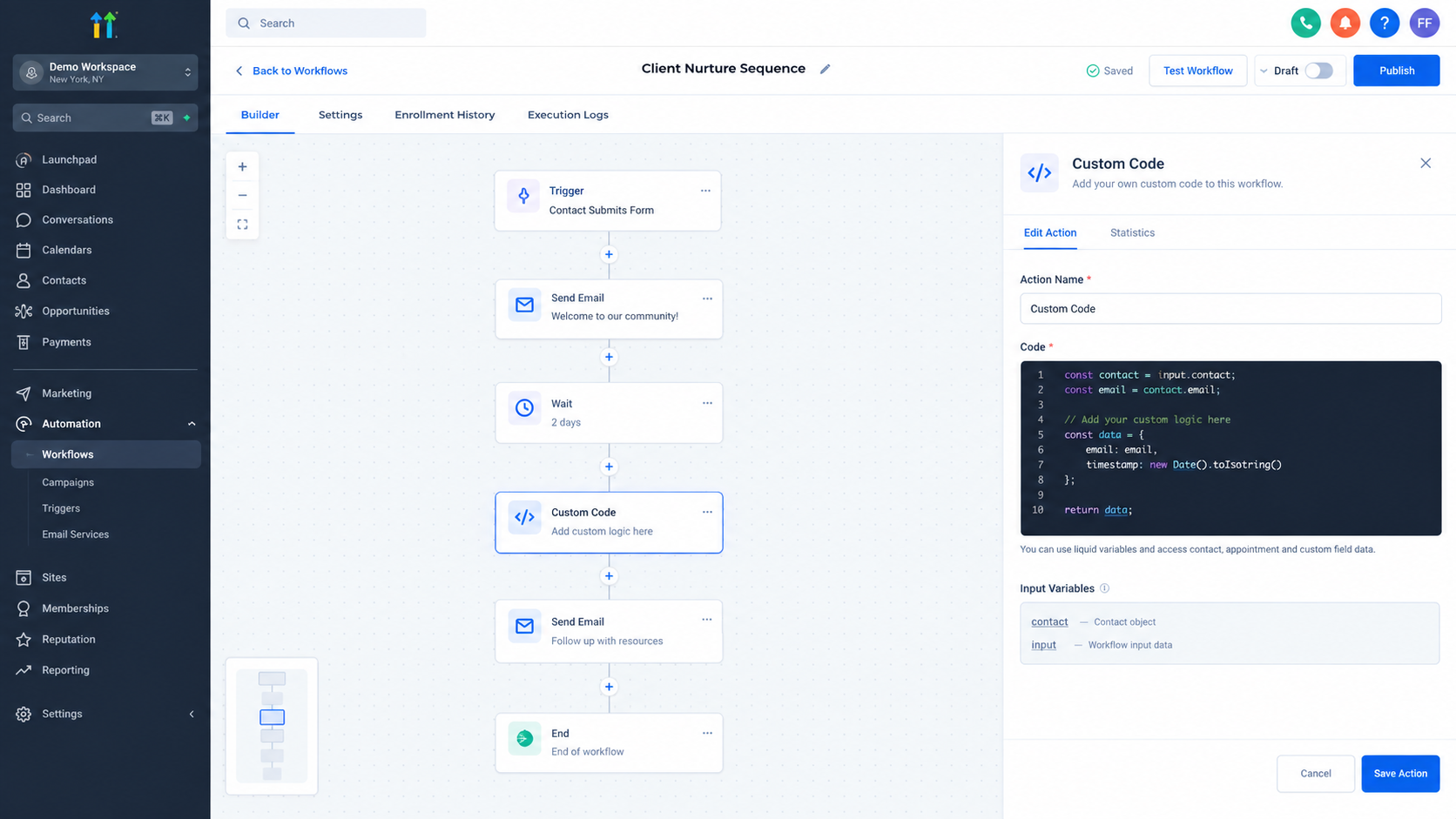
The Custom Code Action is a workflow action that lets you execute custom JavaScript or Python code as part of a GoHighLevel workflow. The code can process information available from earlier workflow steps and return an output that can be used by subsequent steps.
This makes the action different from a workflow trigger. A trigger determines when a workflow starts, while Custom Code runs at a specific point after the workflow has already started. It acts as a custom processing step within the automation.
Why Use Custom Code in a Workflow?
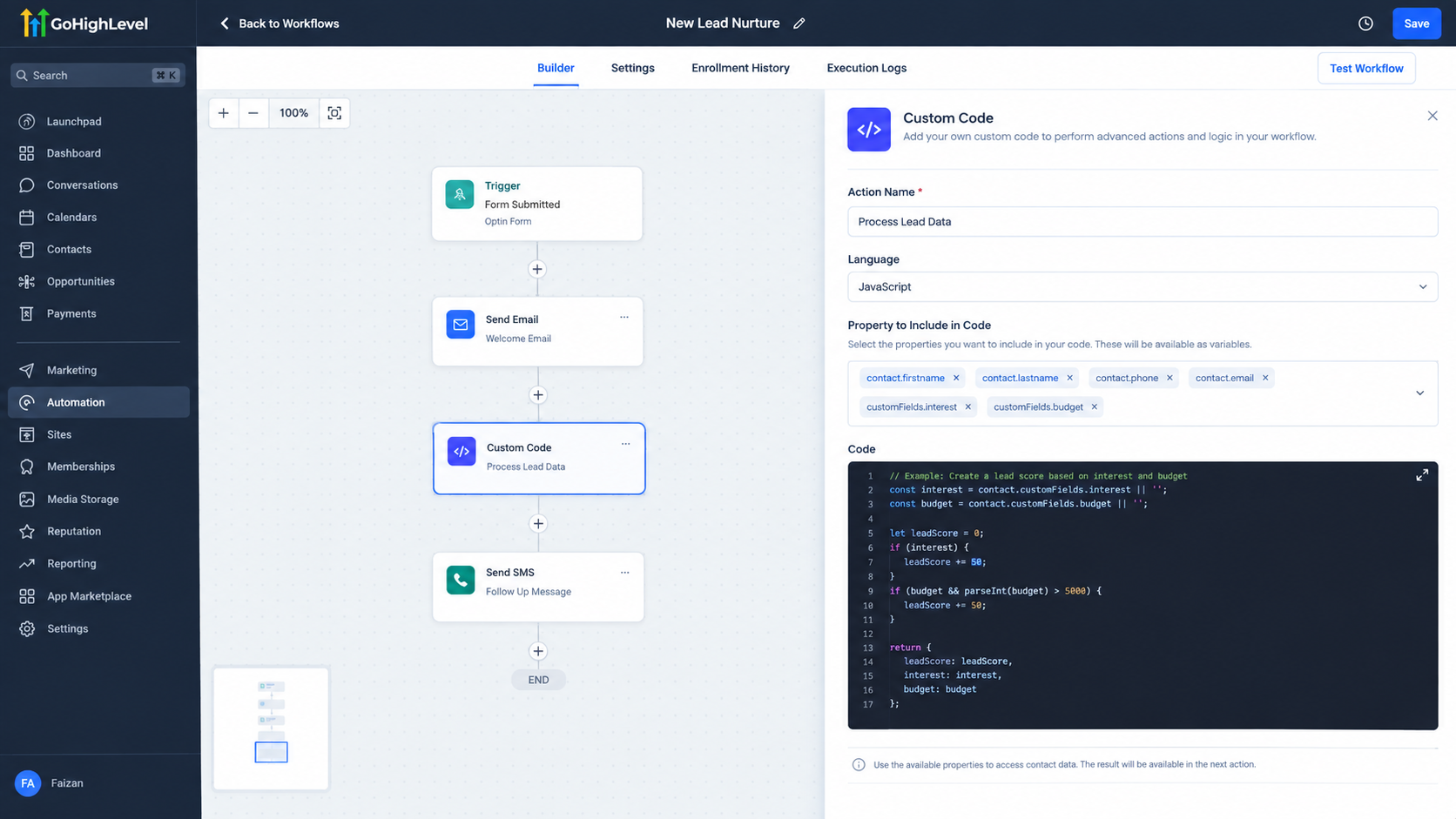
Standard workflow actions are designed to cover common business processes. However, not every business requirement can be represented through predefined fields and actions.
For example, a workflow may receive information that needs to be transformed before another action can use it. You might need to perform a calculation, manipulate text, format a value, or apply logic that is more specific than the available standard actions allow.
Custom Code gives you a way to handle that processing inside the workflow rather than treating every unusual requirement as a reason to redesign the entire automation.
How Custom Code Extends Workflow Automation
The real value of Custom Code comes from how it works with workflow data.
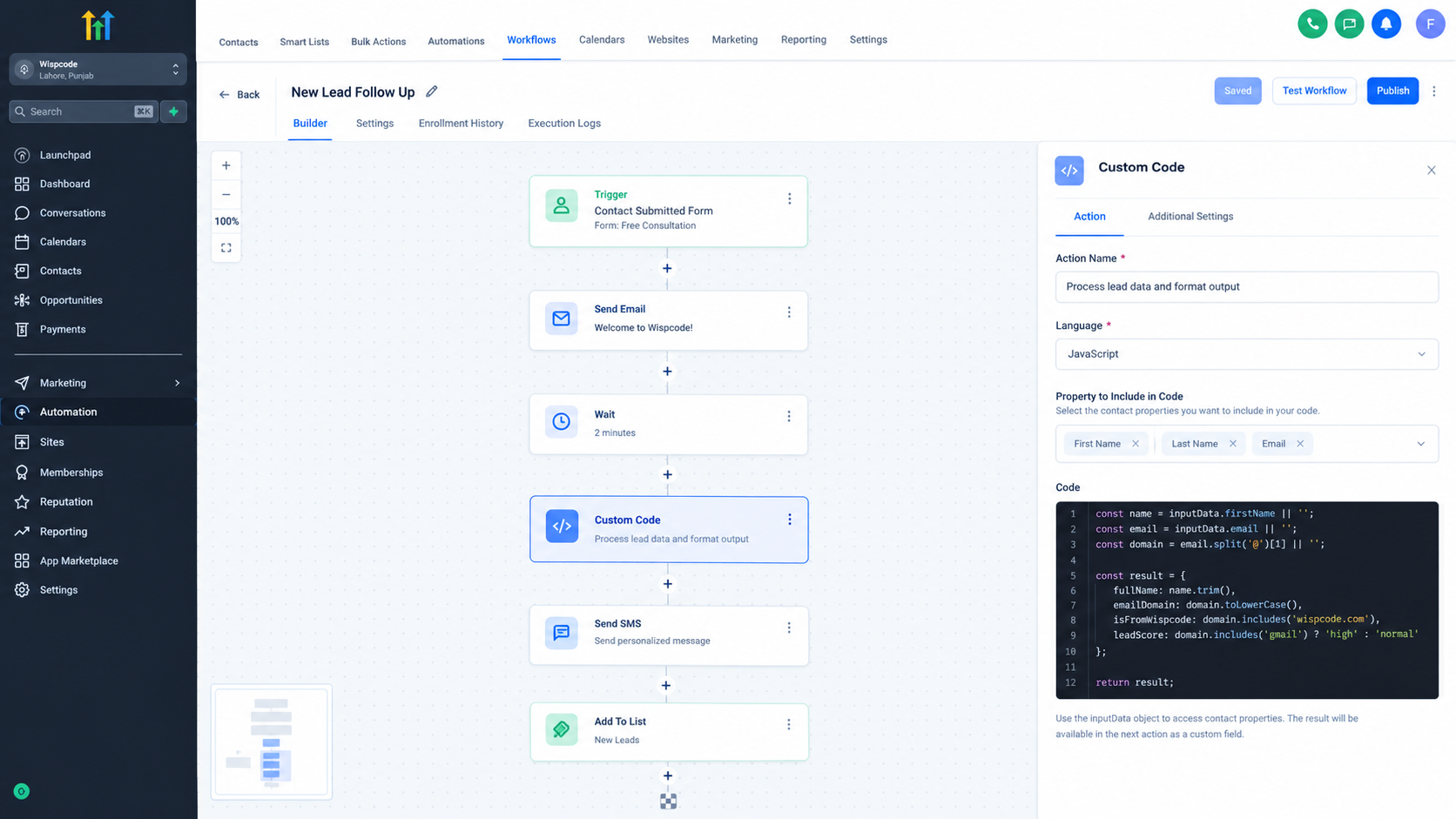
You can add properties to the Custom Code Action and map values from previous workflow steps into those properties. Inside the code, those values can be accessed through the inputData object. The code can then process the information and return an object or an array of objects as its output.
That output can become useful to later workflow actions. This creates a simple flow:
Workflow data → Custom Code processing → Returned output → Next workflow step
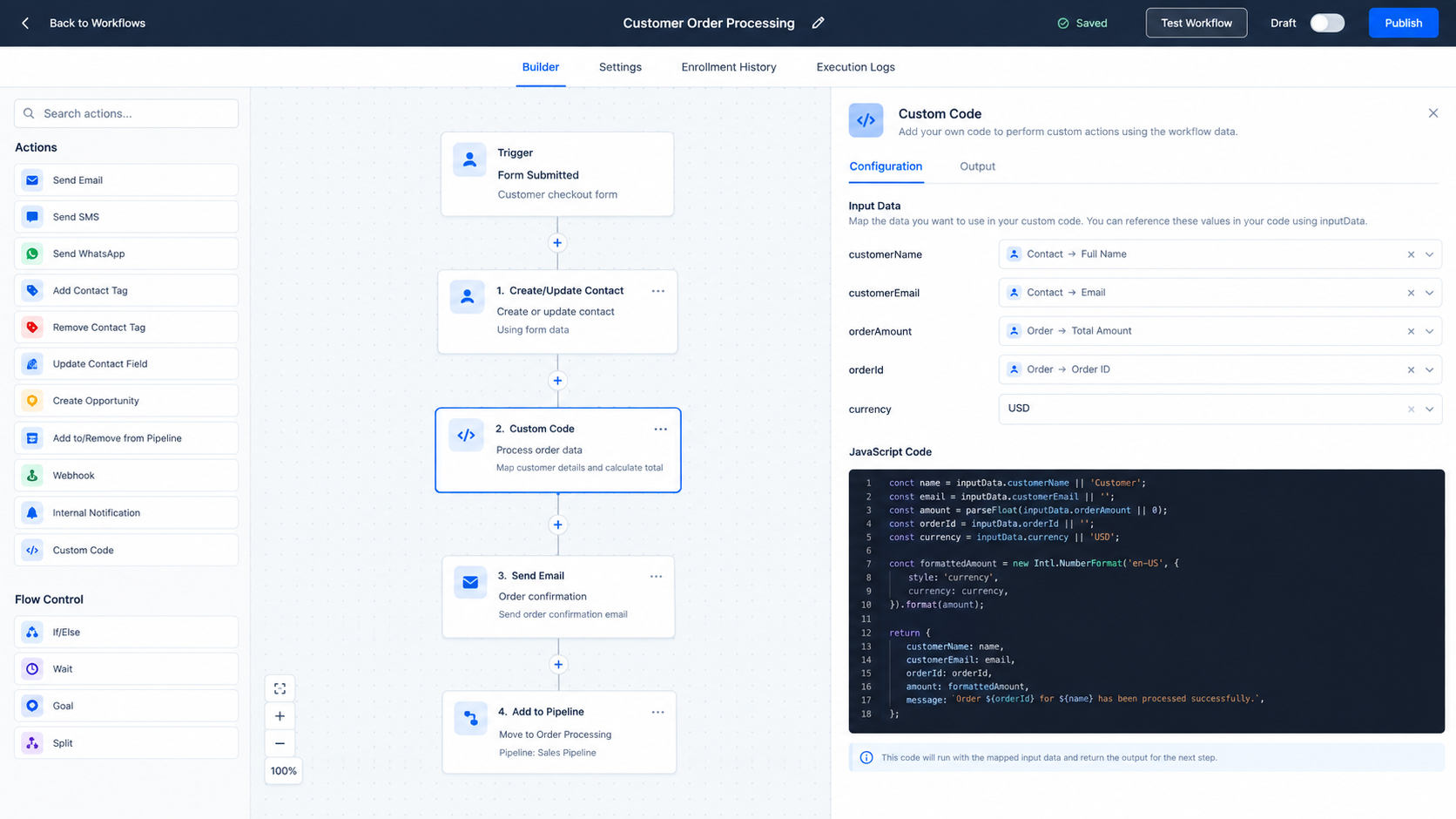
For instance, if a workflow has a value that needs to be calculated or reformatted, Custom Code can process it and return the result. The next step can then use the returned field instead of repeating the same processing elsewhere.
Practical Problems Custom Code Can Help Solve
Custom Code is particularly useful when an automation requires processing that is difficult to express with standard actions.
A business could use it for calculations, text manipulation, data formatting, conditional logic, or preparing information for an external request. HighLevel also supports external HTTP requests within Custom Code, which can allow code to communicate with external services when the required setup is appropriate.
Consider a lead management workflow where information arrives in a format that does not match what a later step needs. Instead of manually correcting the value, Custom Code can process the input and return a cleaner result.
Another example is a calculation based on multiple values. The code can receive those values, perform the calculation, and return the result for later use in the workflow.
These are small examples, but they demonstrate an important principle: Custom Code is most useful when the workflow needs a specific piece of logic that standard actions do not conveniently provide.
Custom Logic Without Leaving the Workflow
One of the advantages of the Custom Code Action is that the processing happens as part of the workflow itself.
Instead of moving every special requirement into a separate system, a developer can place the necessary logic at the point where it is needed. This can make certain automation processes more direct and easier to connect.
However, that does not mean every workflow needs custom code. If a standard GoHighLevel action already handles the requirement clearly, using the standard action is usually the simpler choice.
Custom Code should solve a specific problem, not add technical complexity simply because it is available.
Testing and Output Matter
Custom Code needs careful testing before it becomes part of a live automation. HighLevel requires the code to be tested before its output can be used by subsequent workflow steps.
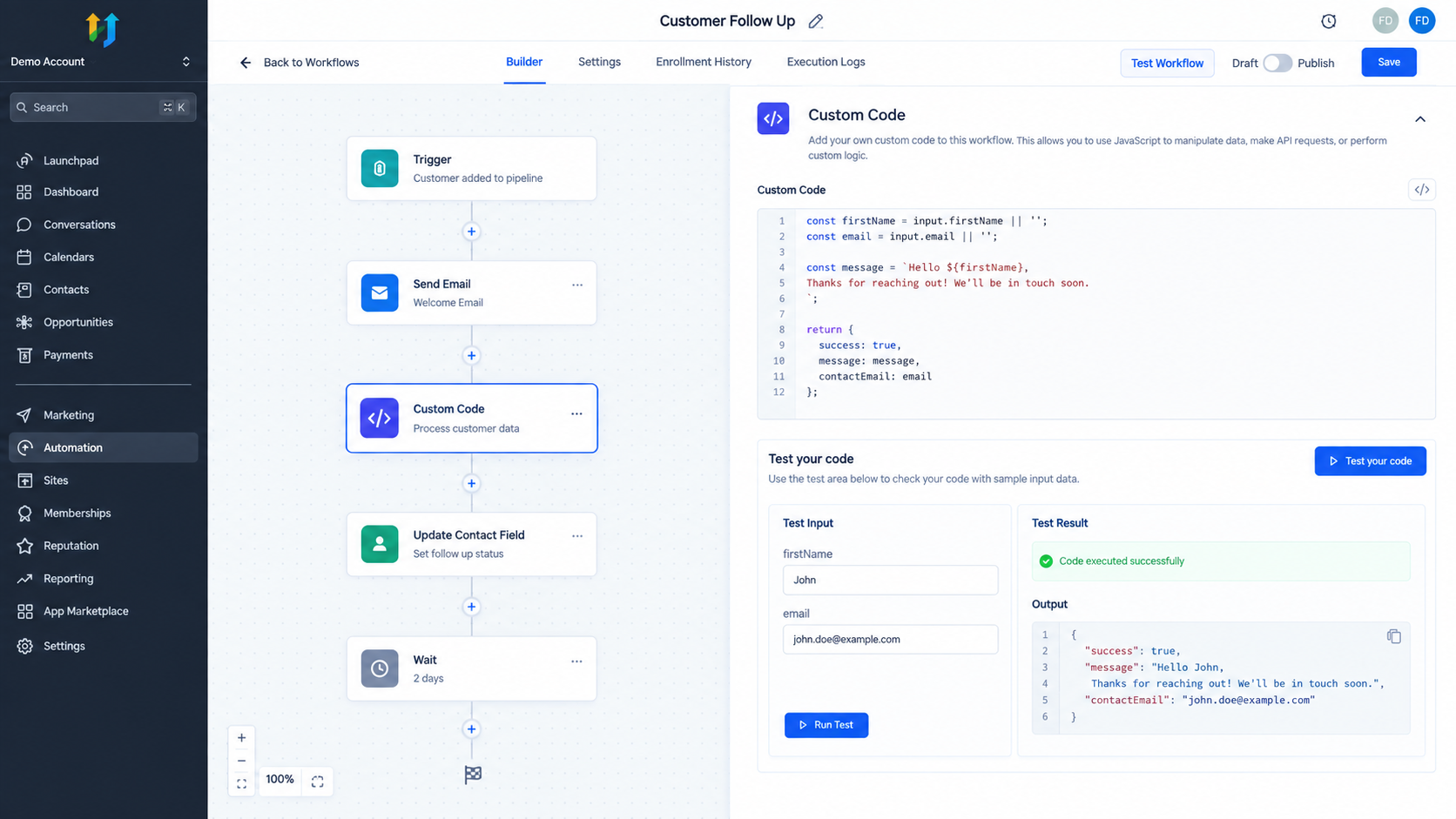
Testing is especially important when the code depends on mapped workflow data. The values provided to the code need to match what the logic expects, and the returned structure needs to contain the fields that later steps will reference.
A successful test is not just a technical formality. It helps confirm that the custom logic is producing the expected result before the workflow depends on it.
Use Custom Code Thoughtfully
Custom Code can make a workflow more flexible, but flexibility comes with responsibility. Code should be clear, focused, and related to a genuine automation requirement.
Before adding it, consider whether the same result can be achieved with an existing workflow action. If a standard action solves the problem, it may be easier to maintain and understand.
When custom logic is genuinely required, however, the Custom Code Action can provide an important extension point. It allows a workflow to process information in a way that is tailored to the specific business process.
Final Thoughts
The Custom Code Action gives GoHighLevel workflows another layer of flexibility. It allows custom JavaScript or Python logic to process workflow data, perform specific operations, and return useful results to later steps.
The goal is not to replace standard workflow actions with code. The goal is to use code where standard automation does not provide the exact logic a process requires. Used carefully, Custom Code can help turn a rigid workflow into a more tailored automation process that better matches the way a business actually operates.
Frequently Asked Questions
1. What is the Custom Code Action in GoHighLevel?
It is a workflow action that lets you execute custom JavaScript or Python code to process data and return output for later workflow steps.
2. Can Custom Code use data from previous workflow steps?
Yes. You can map properties from earlier steps and access them in the code through inputData.
3. What can Custom Code be used for?
It can handle tasks such as calculations, data formatting, text manipulation, custom logic, and suitable external HTTP requests.
4. Does Custom Code replace standard workflow actions?
No. It is better viewed as an extension for requirements that standard actions do not conveniently handle.
5. Does Custom Code need to be tested?
Yes. HighLevel requires the code to be tested before its output can be used by subsequent workflow steps.
Need Expert Help with GoHighLevel?
New to GoHighLevel and ready to get started? Buy your GoHighLevel account here and launch with confidence.
Already know what you need and want our team to handle everything, from complete setup and customization to funnels, workflows, automations, CRM, and pipelines? Click here.



