

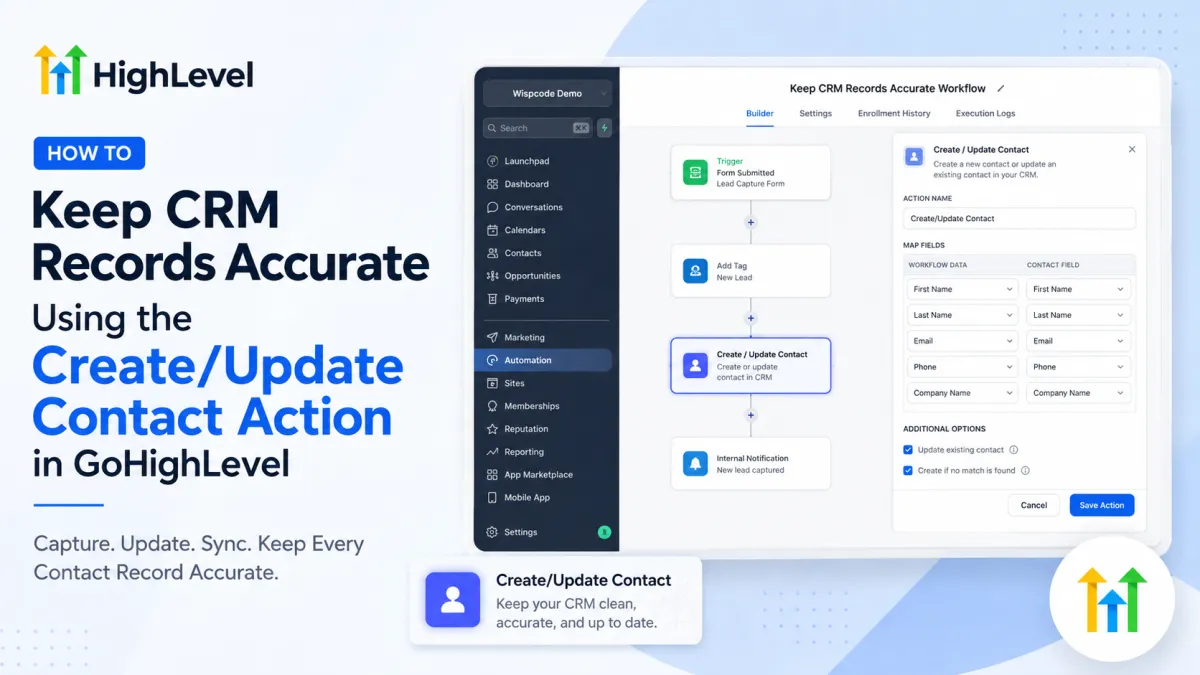
GoHighLevel Create/Update Contact Action
How to Keep CRM Records Accurate Using the Create/Update Contact Action in GoHighLevel
A reliable CRM depends on reliable contact records. If names, phone numbers, email addresses, or other contact details are missing or inconsistent, even well-built automations can work with incomplete information. The GoHighLevel Create/Update Contact action helps address this problem by allowing workflow data to be used to create a contact record or update contact information as part of an automated process.
The important distinction is that Create/Update Contact is a workflow action, not a trigger. A trigger starts a workflow when a specific event occurs; actions are the steps the workflow performs afterward. HighLevel describes triggers as events that initiate workflows and actions as tasks performed after the trigger.
What Is the Create/Update Contact Action in GoHighLevel?
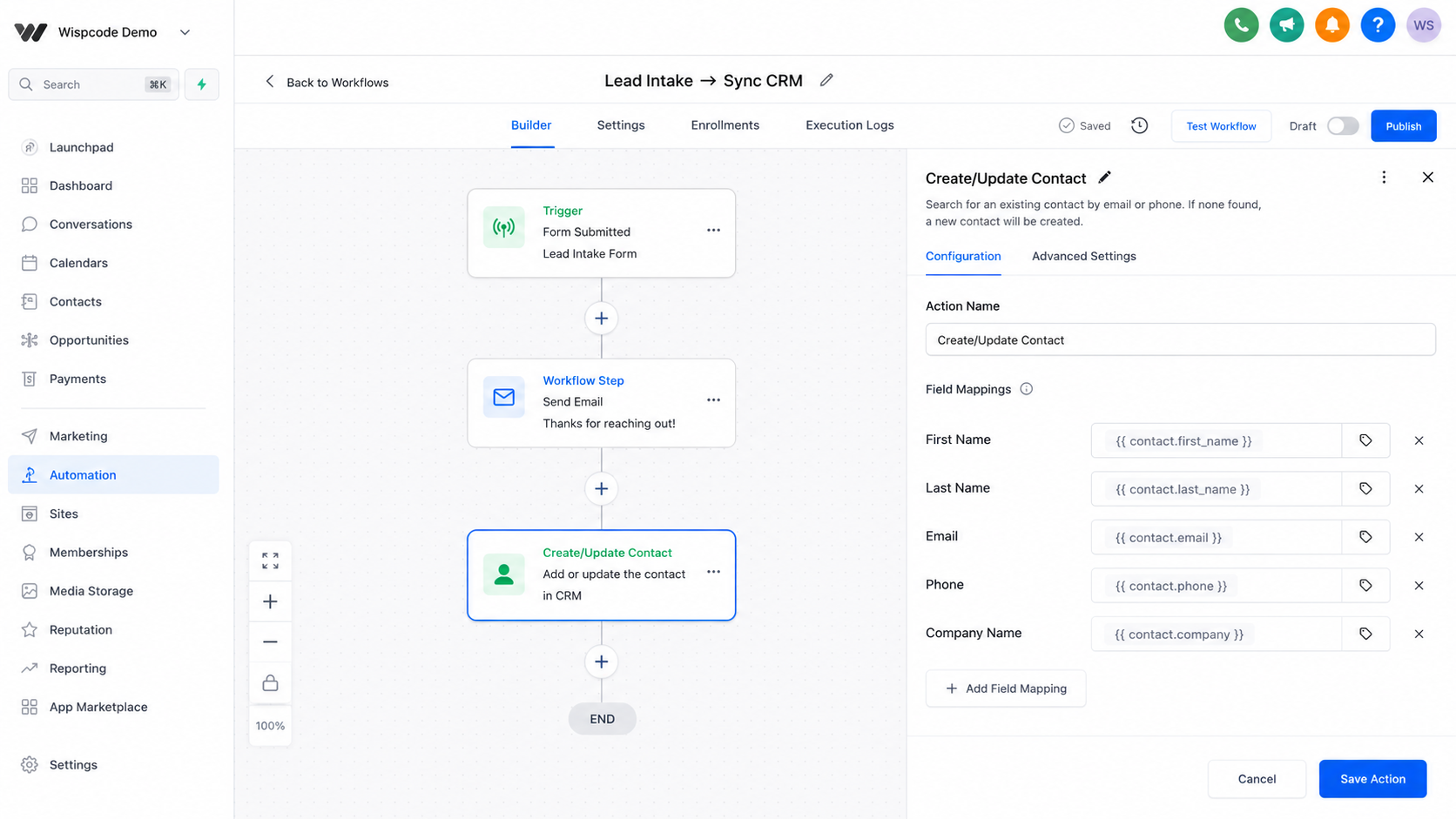
The Create/Update Contact action in GoHighLevel is used inside a workflow when information needs to be written to a contact record. Depending on the workflow and the information available, it can support creating a contact or updating contact information.
For example, a business may receive lead information from a form, integration, or another workflow event. Instead of relying on someone to manually enter that information into the GoHighLevel CRM, the workflow can map the available values into the appropriate contact fields.
This makes the action particularly useful when information enters GoHighLevel from different sources and needs to be stored in a consistent contact record. HighLevel's own documentation shows Create/Update Contact being used with inbound webhook and integration workflows to map incoming contact data into CRM records.
Why CRM Records Become Inaccurate
CRM data can become unreliable for several practical reasons.
Incomplete information is common when a lead provides only an email address or phone number initially and additional information becomes available later.
Outdated information can also create problems. A contact may change their phone number, email address, company information, or another relevant field.
Inconsistent data entry happens when different team members enter information using different formats or values.
There can also be fragmented records, particularly when information arrives from multiple systems or lead sources. A business might receive one set of details through a form and another through an integration.
Create/Update Contact can help keep incoming information organized, but it should not be treated as a universal solution for every CRM data-quality problem. Duplicate management, contact matching, field validation, and other data-cleaning requirements may require additional workflow logic or separate GoHighLevel features.
How Create/Update Contact Works in a Workflow
The basic logic is straightforward:
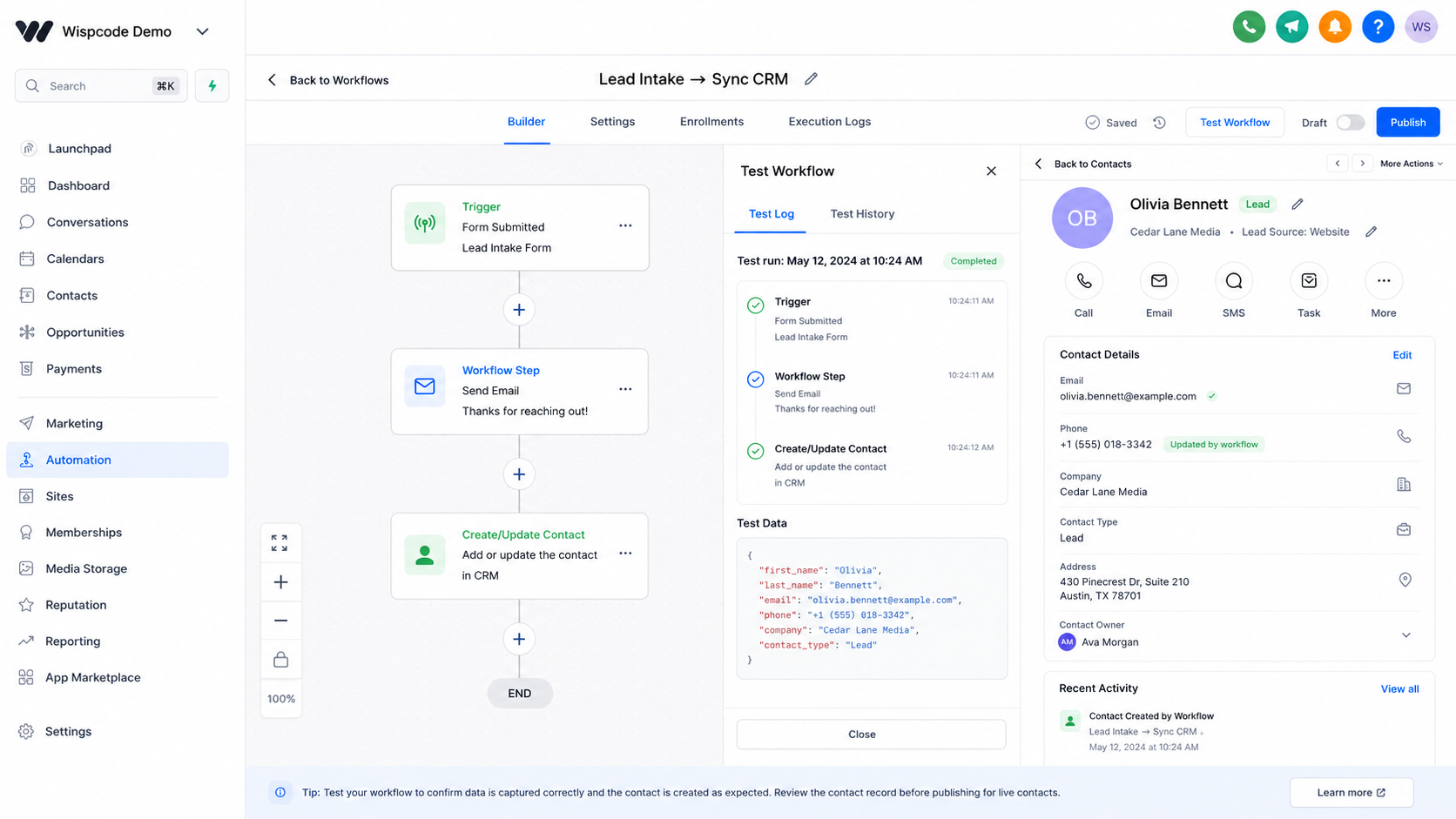
Trigger → Workflow steps → Create/Update Contact action → Contact record
The trigger determines when the workflow starts. For example, a form submission or an event from an integrated application can start a workflow.
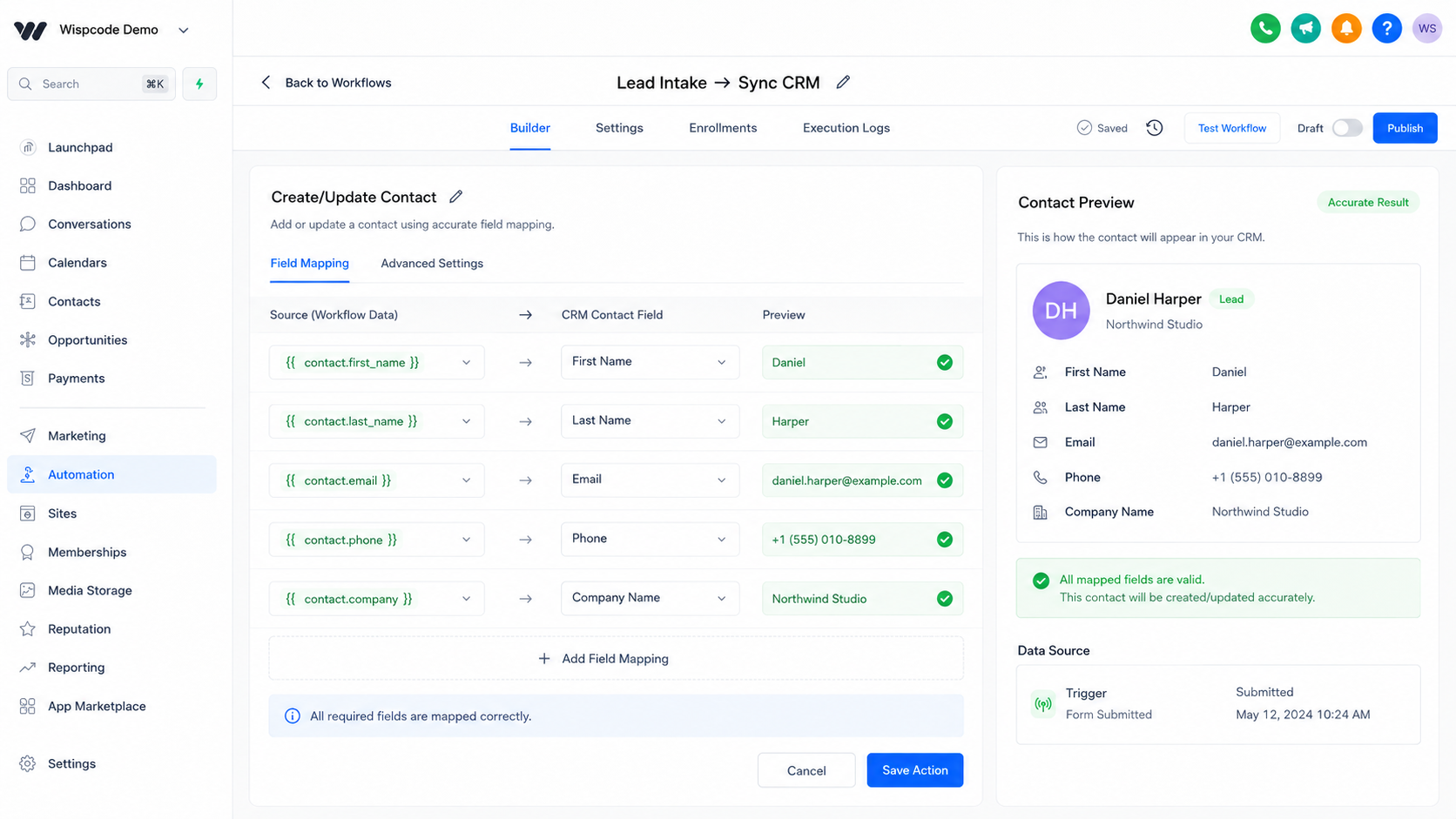
The workflow then processes the information available from that event. When the Create/Update Contact action runs, the relevant values can be mapped to contact fields.
A simplified example could look like this:
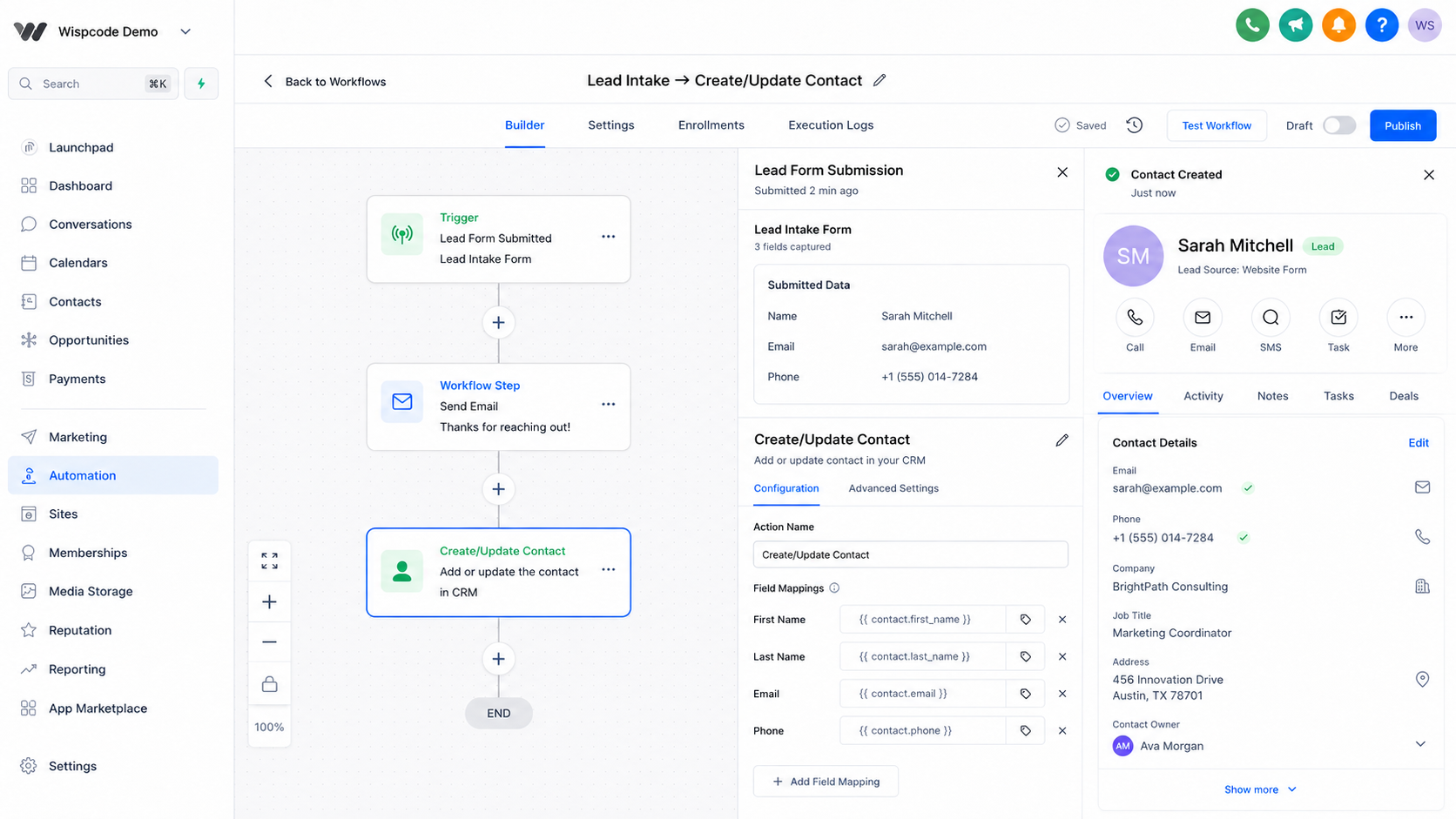
Form submission → workflow starts → contact information is mapped → Create/Update Contact → CRM record is created or updated
The exact fields and mapping options available can depend on the workflow's incoming data and account configuration, so users should map the values actually supplied by their trigger or previous workflow steps rather than assuming every workflow provides the same data.
Practical Use Cases for Create/Update Contact
Lead Capture
Suppose a prospect submits a lead form containing their name, email address, and phone number. A workflow can use that submitted information to populate the appropriate contact record, giving the sales team structured information to work with.
Contact Information Updates
A business may collect updated information through another form or integration. A workflow can pass the new values into the relevant contact fields instead of requiring someone to update the record manually.
Marketing Campaigns
When contact information comes from an external marketing source, Create/Update Contact can help bring relevant contact details into the GoHighLevel CRM so subsequent workflow steps have the correct record information.
Customer Onboarding
During onboarding, a customer may provide additional contact information. A workflow can use the submitted values to create or update the contact record before continuing with other onboarding steps.
These examples focus on the contact record itself. Creating an opportunity, moving a pipeline stage, adding a tag, or enrolling someone into another workflow are separate functions and should not be confused with what Create/Update Contact does.
Best Practices for Accurate CRM Records
Standardize Your Data
Decide how your team should store important contact information and consistently map incoming data to the appropriate fields.
Map the Correct Source to the Correct Field
A phone number should not accidentally be mapped into an unrelated custom field, and a value from one data source should not be assumed to represent something different.
Avoid Unnecessary Overwrites
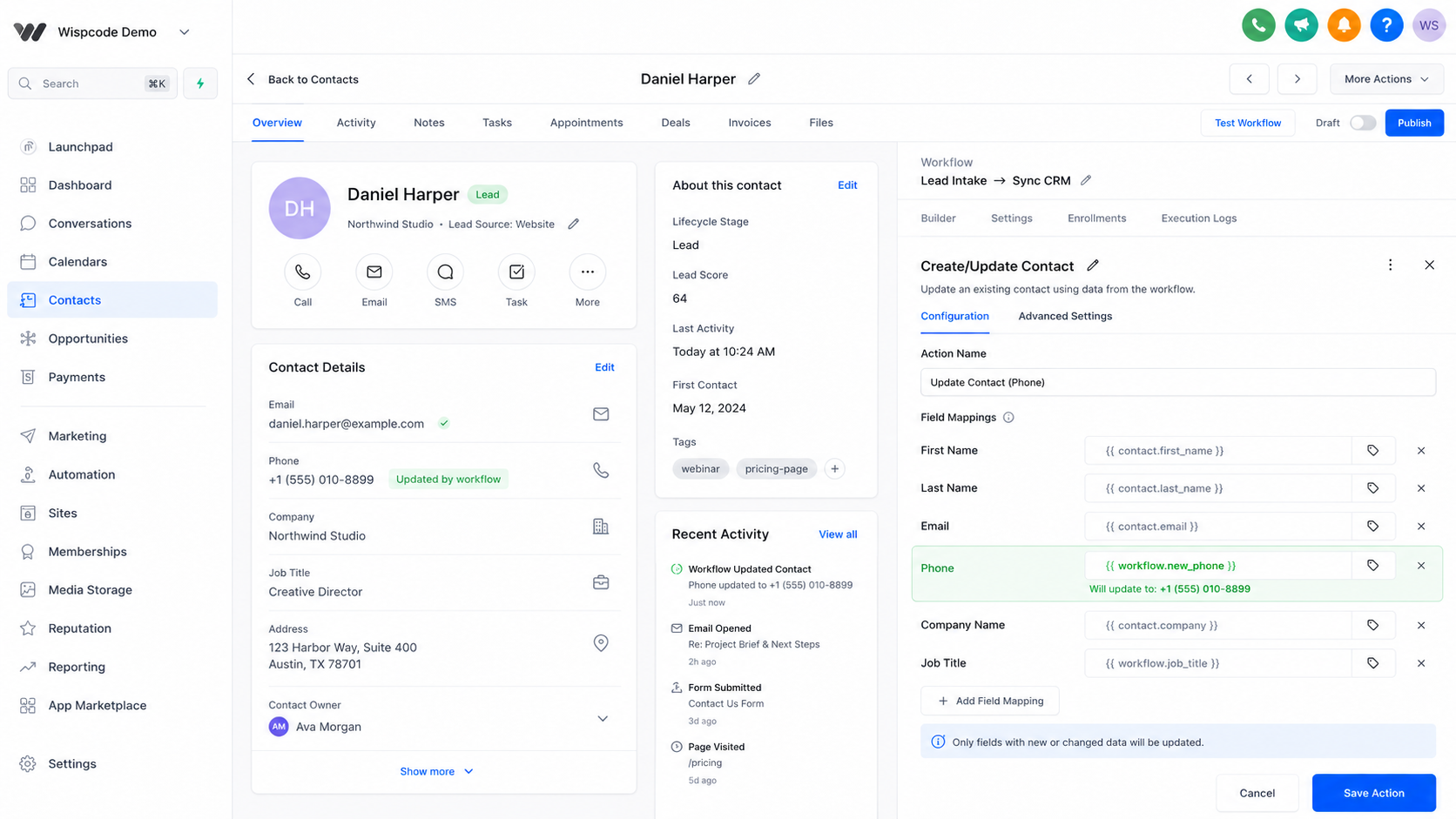
Updating a contact does not automatically mean every available value should replace existing information. Carefully consider which fields the workflow should update, particularly when incoming data may be incomplete.
Test Before Activating
Run realistic test submissions and inspect the resulting contact records. Confirm that the expected values appear in the correct fields before relying on the workflow for live data.
Review Your CRM Regularly
Automation can enforce a process, but it cannot replace good CRM governance. Periodically review contact records and workflow behavior to identify inaccurate mappings, incomplete information, or other data-quality issues.
Common Mistakes to Avoid
One of the biggest mistakes is confusing an action with a trigger. Create/Update Contact does not start the workflow; it is a step performed after the workflow has been triggered.
Another mistake is mapping the wrong data. Even a perfectly functioning workflow can produce poor CRM records if the source values are mapped incorrectly.
Users should also avoid overwriting useful existing information unnecessarily and assuming that Create/Update Contact automatically resolves every duplicate or data-quality problem.
Conclusion
The GoHighLevel Create/Update Contact action is a practical tool for keeping contact records organized when information enters or changes within a workflow. By correctly mapping incoming data, limiting unnecessary overwrites, testing workflows, and regularly reviewing CRM records, businesses can build a more dependable contact database.
The key is to use the action for what it is designed to do: create or update contact information as part of a workflow, while keeping triggers, opportunities, tags, pipeline actions, and other automation functions clearly separated. When configured thoughtfully, Create/Update Contact can become an important part of a reliable GoHighLevel contact-management process.
Frequently Asked Questions
What is the Create/Update Contact action in GoHighLevel?
The Create/Update Contact action is a workflow action that allows GoHighLevel to create a contact record or update contact information during an automation. It is not a workflow trigger.
Is Create/Update Contact a trigger in GoHighLevel?
No. Create/Update Contact is an action, not a trigger. A workflow trigger starts the workflow, while the Create/Update Contact action is one of the steps the workflow can perform after it starts.
When should I use Create/Update Contact in GoHighLevel?
Use it when contact information needs to be created or updated as part of a workflow. Common examples include lead capture, form submissions, customer onboarding, and workflows that receive contact data from another source.
Can Create/Update Contact fix duplicate CRM records?
Not necessarily. The action can help create or update contact information, but it should not be considered a complete duplicate-record cleanup solution. Duplicate handling depends on how the workflow and incoming data are configured.
Can the action update existing contact information?
Yes. The action can be used to update information on a contact record when the workflow has the relevant data available and it is mapped to the appropriate contact fields.
Can Create/Update Contact update every type of CRM information?
No. It should not be treated as a general-purpose replacement for every GoHighLevel CRM or workflow action. Contact information should be mapped to the appropriate contact fields, while functions such as opportunity management, pipeline movement, and tagging are handled separately.
How can I prevent the action from overwriting good contact data?
Review your field mappings carefully and avoid updating fields with incomplete or unreliable incoming values. Test the workflow with realistic data before activating it.
Does Create/Update Contact improve CRM data accuracy automatically?
It can support better CRM data accuracy, but configuration matters. Incorrect mappings, poor source data, duplicates, or unnecessary overwrites can still create inaccurate records. The action is a tool for managing contact information, not an automatic solution for every data-quality issue.
Need Expert Help with GoHighLevel?
New to GoHighLevel and ready to get started? Buy your GoHighLevel account here and launch with confidence.
Already know what you need and want our team to handle everything, from complete setup and customization to funnels, workflows, automations, CRM, and pipelines? Click here.



