

How to Automate Appointment Scheduling and Notes Using the Create Appointment and Booking Note Action in GoHighLevel
How to Automate Appointment Scheduling and Notes Using the Create Appointment and Booking Note Action in GoHighLevel
A prospect books an appointment, but important details about that booking are still sitting in a form submission, message thread, or someone’s memory. Later, a team member opens the appointment and has little context about why the meeting was scheduled or what the customer needs. This is where structured appointment automation becomes valuable. By combining automated appointment scheduling with useful booking information, businesses can reduce repetitive manual work while giving their team better context around scheduled appointments.
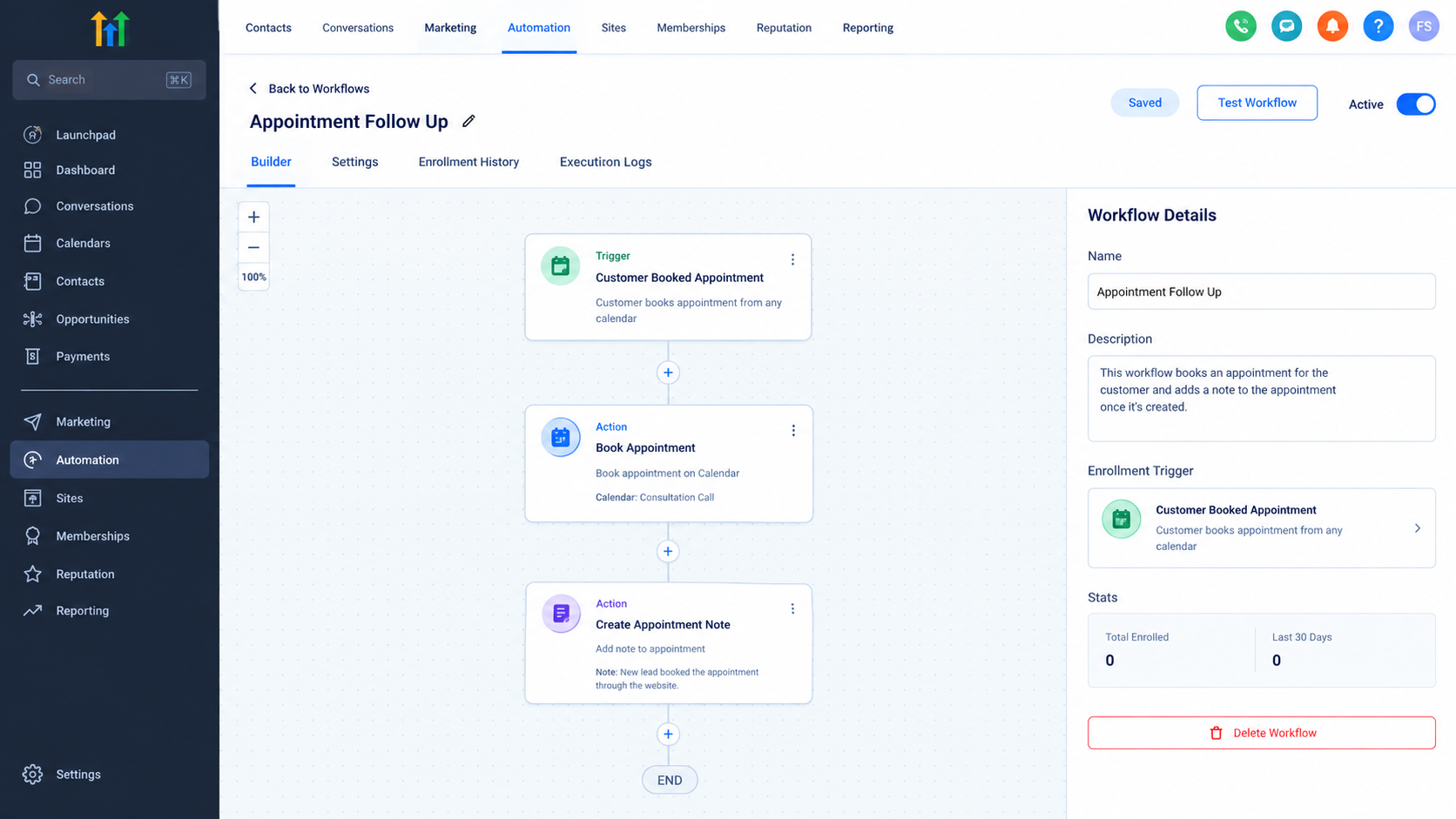
What Is the Create Appointment and Booking Note Action in GoHighLevel?
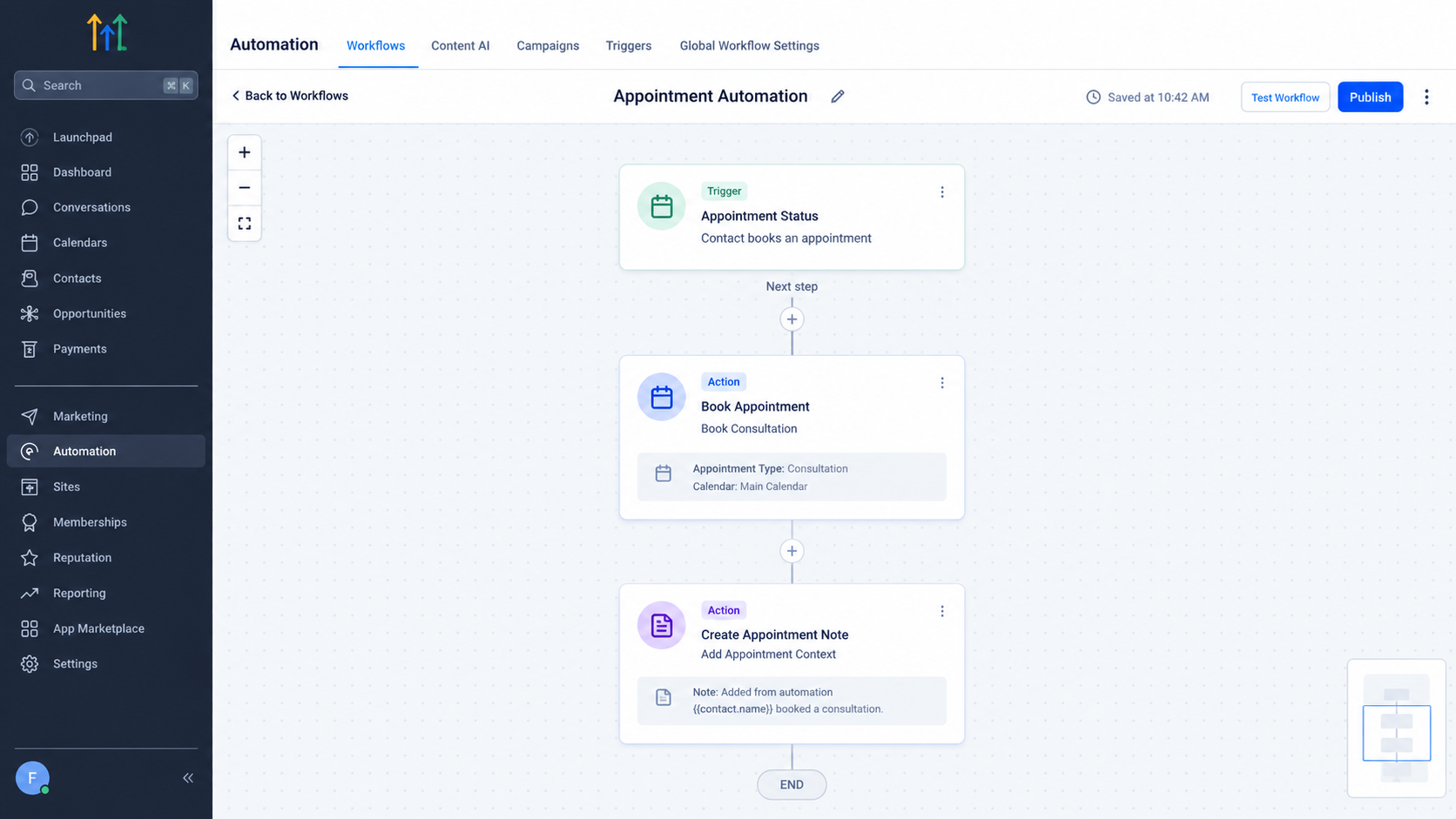
The GoHighLevel Create Appointment and Booking Note Action is a workflow action designed to create an internal note associated with an appointment. Instead of relying on a team member to manually document appointment-related information, the workflow can add that context automatically.
It is important to distinguish this from a workflow trigger. The Create Appointment and Booking Note Action is an action performed during a workflow. It does not independently start a workflow.
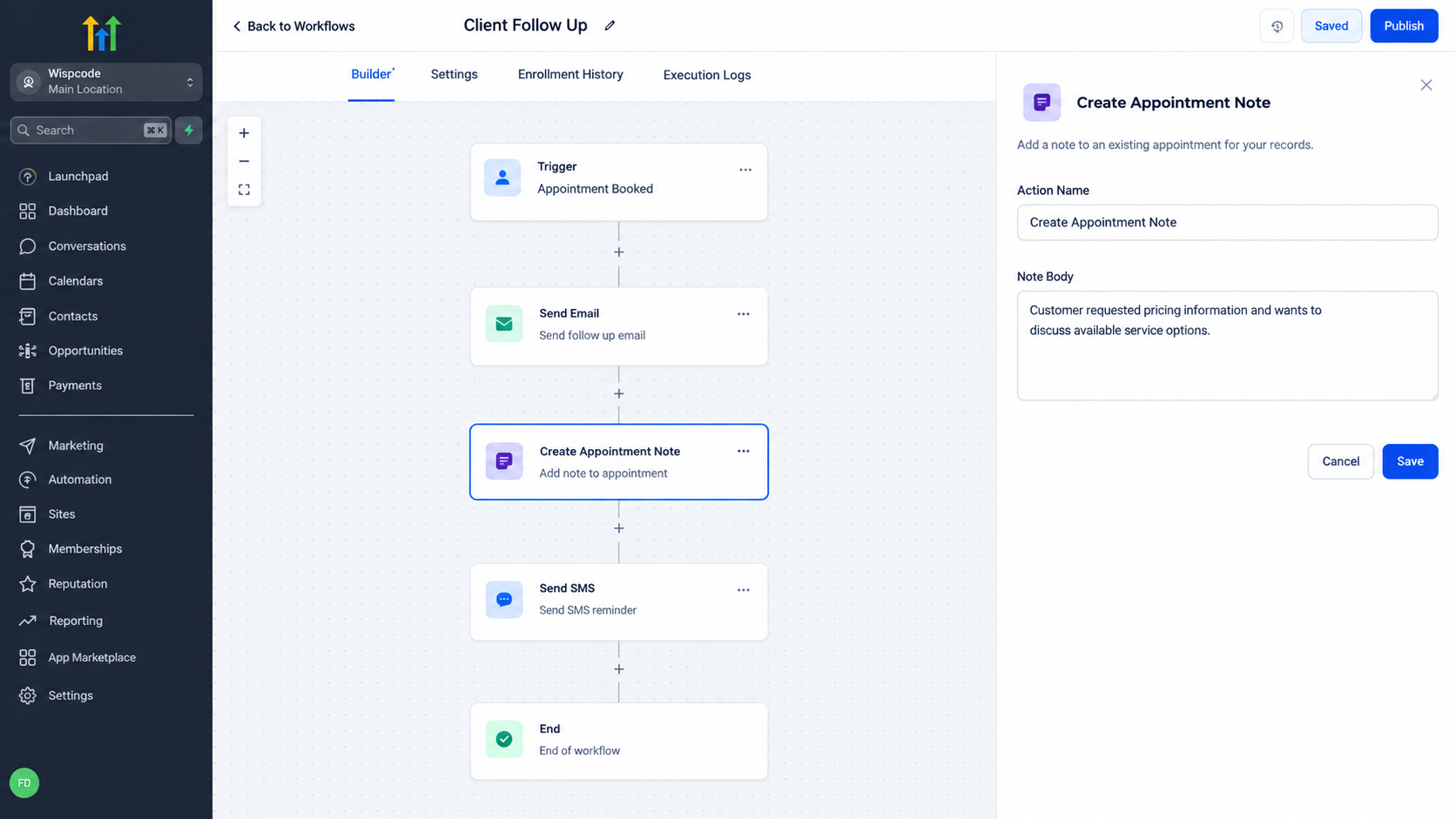
The action is particularly useful when appointment information needs to be documented consistently as part of an automated process.
Why Use Appointment Automation in GoHighLevel?
Appointment scheduling often involves repetitive administrative work. A team may need to coordinate a booking and then make sure the relevant information is available for whoever handles the appointment.
With GoHighLevel appointment automation, these processes can become more consistent. Instead of depending entirely on someone to remember to document information after an appointment is created, workflow automation can handle the documentation step as part of the process.
This can be especially useful for businesses that receive appointments regularly and need their teams to have reliable context before conversations or meetings.
How Appointment Scheduling and Booking Notes Work Together
Appointment scheduling and booking notes serve different purposes, but they can complement each other within a workflow.
The appointment represents the scheduled meeting itself. The booking note provides additional internal context associated with that appointment.
For example, imagine a consultation business receives a qualified lead and an automated process creates an appointment. The same workflow process can also add a booking note containing relevant information about the appointment.
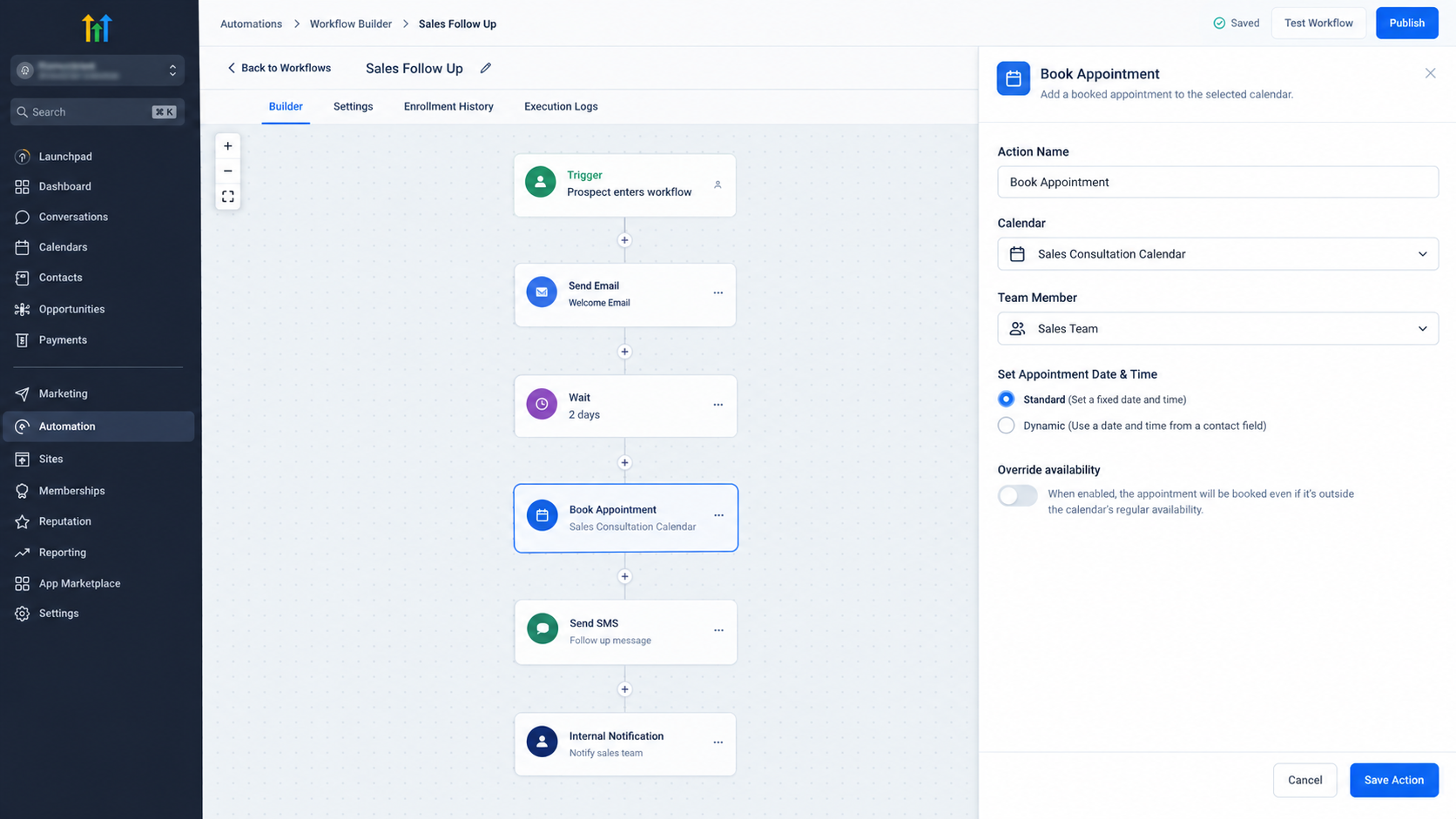
The result is more than simply having a time on the calendar. The appointment can have useful context attached to it, helping the team understand the reason behind the booking without depending on manual note-taking.
This is one of the practical benefits of combining GoHighLevel appointment scheduling with workflow-based documentation.
When Can This Action Be Useful?
The Create Appointment and Booking Note Action can be useful in situations where appointment-related information needs to be recorded consistently.
Consider a consultation business where prospects schedule meetings after discussing their requirements. Once the appointment is created, the business may want internal context associated with that booking.
Another example is a service business that schedules appointments after collecting information about a customer's request. Recording that context as part of the automated process can help the person handling the appointment prepare more effectively.
The same principle can apply to agencies, professional services, healthcare-related businesses, coaching businesses, and other organizations where scheduled appointments need supporting information.
Keeping Booking Information Organized
One major advantage of GoHighLevel booking notes is consistency.
When appointment information is documented manually, the quality and timing of notes can vary from person to person. One employee may write detailed information, while another may forget to document anything at all.
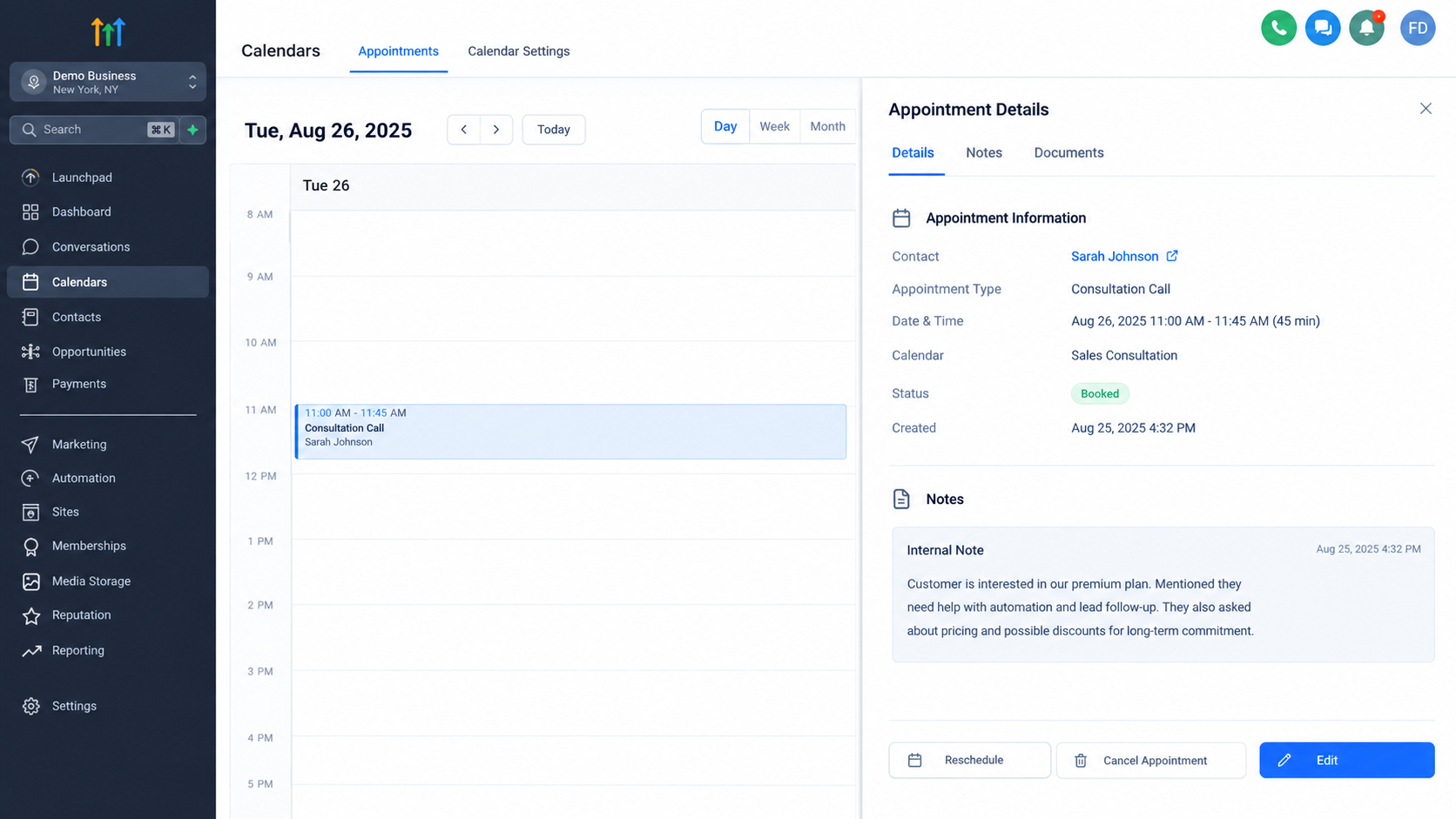
Automation provides a repeatable process. When the workflow reaches the relevant action, the booking note can be created as part of that process.
This does not eliminate the need for good information. Instead, it creates a more dependable way of documenting information that the workflow already has available.
A Practical Example
Consider a business that receives consultation requests through an automated process.
A qualified contact reaches the point where an appointment needs to be scheduled. The workflow handles the appropriate appointment process, and the Create Appointment and Booking Note Action can then be used to document relevant appointment context.
For example, the internal note might summarize why the appointment was scheduled or provide information that the team should know before the meeting.
The exact information included should depend on what the business actually needs. The important idea is that the note becomes part of the automated process instead of relying on someone to remember to write it later.
Important Considerations Before Using the Action
The most important consideration is understanding what the action is actually responsible for.
The Create Appointment and Booking Note Action should not be treated as a replacement for every appointment-related workflow feature. Appointment triggers, calendar configuration, scheduling processes, and other workflow actions have their own purposes.
The action should be used specifically when the workflow needs to create an internal booking note associated with an appointment.
It is also important to ensure that the information being written into the note is useful. Automation is most valuable when it records meaningful context rather than creating repetitive information that does not help the team.
The Value of Appointment Automation in GoHighLevel
When appointment scheduling and booking documentation are handled consistently, teams spend less time performing repetitive administrative tasks and more time focusing on the actual customer interaction.
The GoHighLevel Create Appointment and Booking Note Action provides a practical way to make appointment-related documentation part of an automated workflow. Instead of treating scheduling and documentation as completely separate manual tasks, businesses can connect them within a structured automation process.
For teams managing frequent appointments, this can create a more organized experience for both the business and its staff.
Frequently Asked Questions
1. What is the Create Appointment and Booking Note Action in GoHighLevel?
It is a workflow action used to create a booking note associated with an appointment.
2. Is the Create Appointment and Booking Note Action a trigger?
No. It is a workflow action, not a trigger.
3. Why use booking notes in GoHighLevel?
Booking notes can provide useful internal context about an appointment and help keep appointment information organized.
4. Can this action reduce manual appointment documentation?
Yes. It can automate the creation of booking notes as part of a workflow, reducing the need for manual note-taking.
5. Who can benefit from appointment automation in GoHighLevel?
Businesses that regularly schedule appointments can use appointment automation to make scheduling and related documentation more consistent.
Final Thoughts
Effective GoHighLevel workflow automation is not simply about adding more automated steps. It is about using the right action for the right purpose.
The Create Appointment and Booking Note Action is valuable when a workflow needs to document useful internal context around an appointment. When used appropriately alongside appointment scheduling processes, it can help reduce repetitive manual work, improve consistency, and make appointment information easier for teams to understand.
For businesses relying on regular appointments, that small improvement in organization can make the overall scheduling process much more reliable.
Need Expert Help with GoHighLevel?
New to GoHighLevel and ready to get started? Buy your GoHighLevel account here and launch with confidence.
Already know what you need and want our team to handle everything, from complete setup and customization to funnels, workflows, automations, CRM, and pipelines? Click here.



