

Course Announcements in GHL
GoHighLevel Course Announcements: Keep Learners Informed Directly Inside Your Courses
Your learners shouldn’t have to leave their course just to find out what’s new.
Course launches, new lessons, reminders, and important updates are easier to communicate when they appear right where learners are already learning. GoHighLevel Course Announcements gives course creators a dedicated way to share important updates inside their courses, with support for rich content, targeted announcements, and optional email notifications. Instead of relying only on communication outside the learning experience, creators can now keep learners informed directly within their courses.
What Are Course Announcements in GoHighLevel?
Course Announcements are a new way for course creators to share important information directly within GoHighLevel courses. Instead of relying solely on external email campaigns, creators can publish announcements where learners are already studying.
The feature provides a central place for course communication. Whether the goal is to share a course launch, provide an update, send a reminder, or communicate an important notice, creators can use announcements to keep learners informed within their learning environment.
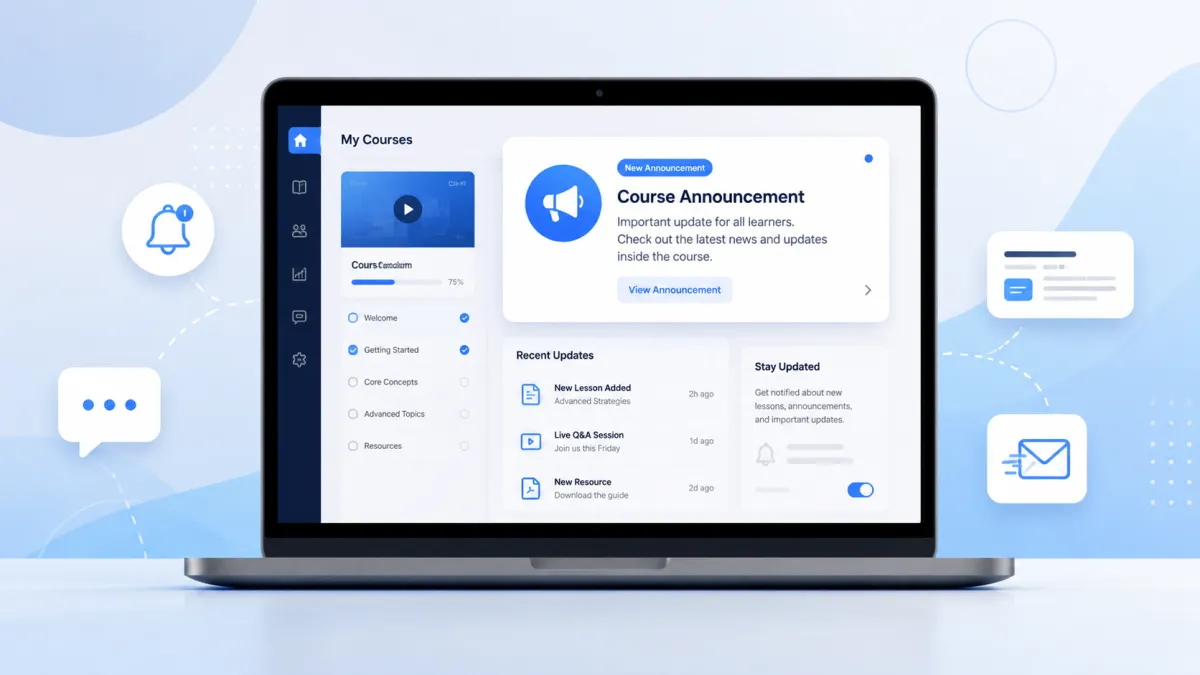
For learners, announcements are presented through several in-course visibility options, making it easier to notice new information and access the complete update.

What’s New With Course Announcements?
GoHighLevel Course Announcements brings several capabilities together to make creating and sharing course updates more convenient.
Create and Manage Announcements
Creators can manage announcements directly from the Courses admin. This includes creating new announcements as well as editing, cloning, and deleting existing ones.
Having these management options in one place makes it easier to maintain course communication as information changes. Creators can update an existing announcement when needed or clone one when they want to create another similar update.
Add Rich Content
Announcements are not limited to plain text. GoHighLevel supports rich content, allowing creators to add formatted text, images, and links.

This gives creators more flexibility in how they communicate important information. Instead of presenting every update in the same basic format, they can combine these supported content types to make announcements more engaging and useful for learners.
Target Specific Courses or Learners
Not every announcement needs to reach everyone. Course Announcements provides flexible targeting, allowing creators to share announcements with learners from specific courses or across all courses.
This helps creators direct information to the appropriate audience based on the courses they want to communicate with. It also provides flexibility when an update applies broadly across courses rather than being relevant to only one course.
Send Optional Email Notifications
Creators can also choose to send announcements directly to course members through email when needed.
Email notifications are optional, so creators can use them when they want learners to receive the announcement by email in addition to seeing it within the course experience. This gives creators another way to communicate important updates without making email the only place where announcements live.
Keep Announcements Visible Inside Courses
Once an announcement is published, learners can discover it through multiple in-app visibility options. These include an announcement banner and unread indicators, which help draw attention to new announcements.
Learners can also access an announcements list and open individual updates through the announcement detail page. This creates a dedicated announcement experience while keeping learners within their learning environment.
Why Course Announcements Matter for Course Creators
Course communication becomes more centralized when important updates can be shared directly inside the course experience.
Previously, course creators could rely on external email campaigns to communicate information. With Course Announcements, creators now have a central place for updates while still having the option to send those announcements through email.
This can be useful for different types of course communication. A creator may need to announce a course launch, share an update, provide a reminder, or communicate an important notice. Instead of separating these messages from the learning experience, announcements give creators a dedicated way to present them to learners.
For learners, the benefit is simplicity. New information can be discovered through banners, unread indicators, the announcements list, and individual announcement pages without leaving the learning experience.
How to Create a Course Announcement in GoHighLevel
Getting started with Course Announcements is straightforward. From the GoHighLevel admin, navigate to:
Courses → Announcements
Then follow these steps:
Create a new announcement: Click to create an announcement.
Add your content: Enter a title and add rich content, including formatted text, images, and links.
Choose your audience: Select the courses or learners you want to target.
Enable email notifications if needed: Choose the email notification option if you also want course members to receive the announcement through email.
Publish: Publish the announcement so learners can access it.
After publication, learners can discover the update through the announcement banner, unread indicator, announcements list, and announcement detail page.

What Learners See
The learner experience is designed to make published announcements easy to find without taking learners away from their courses.
A new announcement can appear through an announcement banner and an unread indicator, helping learners recognize that new information is available. Learners can then access the announcements list to view available updates and open an individual announcement through its detail page.

This dedicated announcement experience keeps course communication connected to the learning environment. Learners can view the information without leaving where they are already studying.
Final Thoughts
GoHighLevel Course Announcements gives course creators a more centralized way to communicate important information directly inside their courses. With tools to create, edit, clone, and delete announcements, add rich content, target specific courses or learners, and optionally send email notifications, creators have a dedicated place for managing course updates.
For learners, announcements provide a simple way to stay informed through banners, unread indicators, the announcements list, and individual announcement pages.
Ultimately, Course Announcements makes communication more convenient by bringing important updates into the place where learners are already learning while giving creators a straightforward way to keep their audience informed.
Need Expert Help with GoHighLevel?
New to GoHighLevel and ready to get started? Buy your GoHighLevel account here and launch with confidence.
Already know what you need and want our team to handle everything, from complete setup and customization to funnels, workflows, automations, CRM, and pipelines? Click here.



