

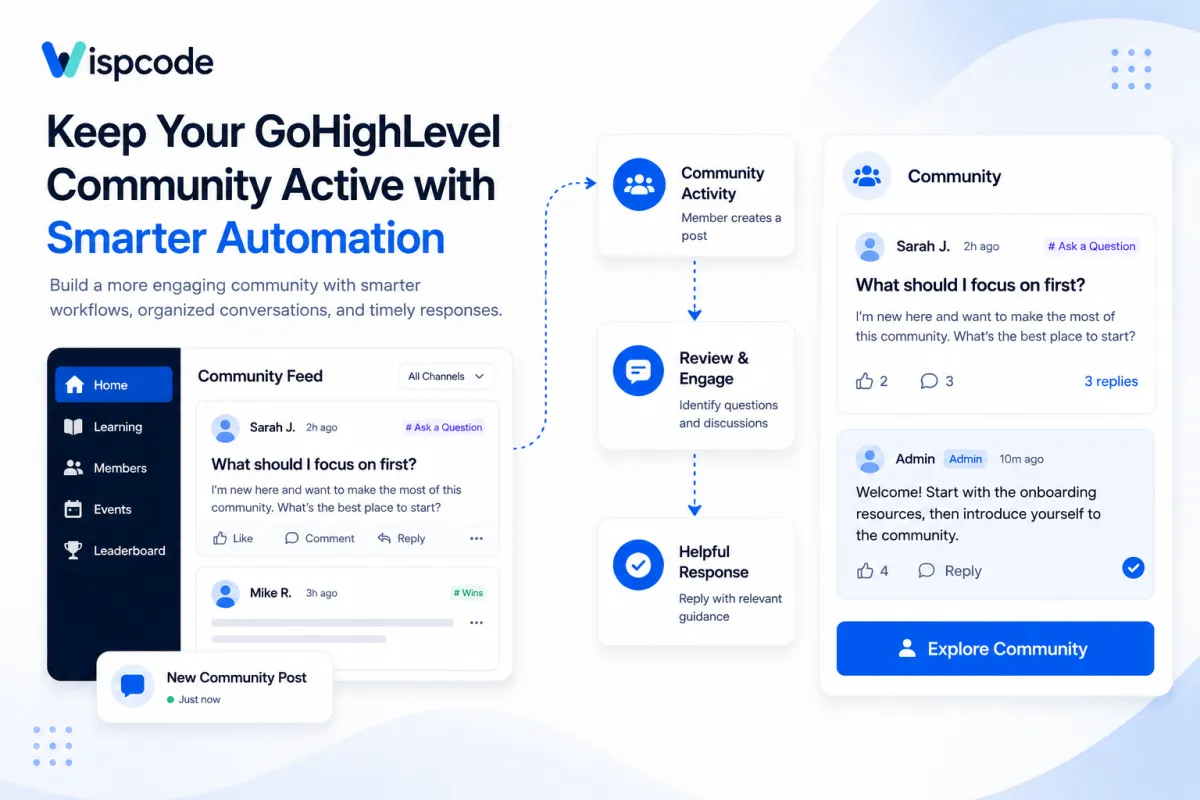
Automate GoHighLevel Community Engagement: Step by Step Guide
How to Keep Your Community Active by Automating Responses to New Group Posts in GoHighLevel
Introduction
An online community can have hundreds of members and still feel surprisingly quiet.
Someone posts a question, shares a win, or introduces themselves. Hours pass without a response. Eventually, members stop checking the group because they no longer expect meaningful interaction.
For agencies, coaches, SaaS businesses, and membership-based companies using GoHighLevel Communities, maintaining engagement is therefore just as important as attracting members in the first place.
Automation can help, but there is an important distinction to understand. GoHighLevel provides several Community-related workflow triggers and actions, but it does not currently document a native workflow trigger that automatically detects every new Community group post and publishes an automated reply beneath it.
That does not mean automation has no role in your Community. Instead, the best approach is to automate the surrounding member experience while keeping post-level conversations genuine.
Here is how to build that system effectively.
Understanding Community Engagement in GoHighLevel
GoHighLevel Communities provides businesses with a dedicated space where members can connect, consume content, participate in discussions, and interact around shared interests.
Rather than relying on one continuous stream of unrelated content, administrators can organize conversations into channels. For example, a business might create separate areas for:
Introductions
Questions and support
Resources
Announcements
Customer wins
Training discussions
Upcoming events
Members can publish posts and interact through comments, replies, and reactions. This provides businesses with the foundation to create an environment that feels more interactive than a traditional content library.
The challenge is keeping that environment active.
A Community becomes valuable when members know where to participate, receive responses when they need help, and regularly encounter reasons to return.
That is where a combination of GoHighLevel Community management and workflow automation becomes useful.

Can You Automate Responses to New Group Posts in GoHighLevel?
This is where it is important to distinguish between what sounds possible and what GoHighLevel currently supports.
GoHighLevel's Workflow Builder uses triggers to start automations. For example, a workflow can begin when a contact submits a form, moves to another pipeline stage, replies to a message, or experiences certain Community-related events.
GoHighLevel currently provides Community workflow triggers for events such as:
Group access being granted
Group access being revoked
Private channel access being granted or revoked
A Community member's leaderboard level changing
HighLevel also supports automation around requests to join Community groups.
However, a new member-created Community post is not currently listed as a native Community workflow trigger.
Therefore, you should not build a workflow expecting a sequence like:
Member publishes Community post → Workflow detects post → Automated comment is published
That specific native automation is not currently documented.
Instead, businesses should automate the parts of Community management that GoHighLevel officially supports and establish a reliable process for responding to member-created posts.

Why Fast and Consistent Community Engagement Matters
Consider a new customer who joins your Community and posts:
"I'm new here. Which training should I start with?"
The member has taken the initiative to participate. If nobody responds, that initial enthusiasm can quickly disappear.
Now imagine an administrator responds with a helpful answer and directs the member toward the correct resource. Other members may join the conversation, add their own experiences, or ask related questions.
One response can create a larger discussion.
This is why Community engagement should be treated as an ongoing customer experience rather than simply another publishing channel.
Automation helps most when it removes repetitive administrative work. Your team can then spend more time on conversations that actually require a human response.
How to Build an Automated Community Engagement System in GoHighLevel
Instead of trying to automate every comment, create a broader system around the member journey.
Step 1: Organize Your Community into Purpose-Driven Channels
Start with your Community structure.
Create channels based on the conversations members are likely to have rather than creating a separate channel for every possible topic.
A marketing agency, for example, might use:
Start Here for onboarding information.
Ask a Question for support and strategic questions.
Resources for templates and educational material.
Wins for members to share results.
Announcements for important updates.
This structure makes moderation easier because your team knows where different types of conversations should appear.
It also makes participation easier for members. They do not have to guess where to ask a question or find information.
Step 2: Automate the New-Member Experience
Community engagement begins before someone publishes their first post.
GoHighLevel includes the Group Access Granted workflow trigger. When a member receives access to a selected Community group, the trigger can start a workflow.
That workflow can be used to support onboarding.
For example, after group access is granted, you could send the new member a welcome communication explaining what the Community contains, where they should begin, and what they should do next.
A simple onboarding message might encourage the member to:
Review the Community guidelines.
Visit the appropriate introductory channel.
Explore available resources.
Participate in discussions.
This creates direction immediately instead of leaving new members to figure everything out themselves.

Step 3: Use Private Channel Automation When Appropriate
Not every Community member needs access to the same content.
GoHighLevel supports workflow triggers and actions for granting and revoking private channel access.
This can be useful when your Community contains different customer levels, programs, cohorts, or membership experiences.
For example, a coaching company could maintain a general Community group while giving premium customers access to a private coaching channel.
Automating access management reduces administrative work while ensuring members reach the spaces relevant to them.

Step 4: Build a Consistent Content Rhythm
A Community cannot depend entirely on members starting conversations.
Your business should create reasons for members to participate.
Rather than posting randomly, develop recurring content themes.
For example:
Monday – Weekly Goal
Ask members what they want to accomplish during the week.
Wednesday – Discussion or Training
Share a useful lesson and ask members how it applies to their business.
Friday – Weekly Wins
Invite members to share progress, completed projects, or lessons learned.
The objective is not simply to increase the number of posts. Each post should have a purpose: educating members, starting discussions, gathering feedback, celebrating progress, or directing people toward useful resources.

Step 5: Make Human Responses Part of the Process
Because new Community posts do not currently provide a documented native workflow trigger for automatic replies, your operating process should include regular Community review.
Assign responsibility to a specific person or team rather than assuming somebody will eventually respond.
During each review, prioritize posts that contain:
Unanswered questions
New-member introductions
Support requests
Customer wins
Useful member insights
Discussions that could benefit from expert input
Not every post needs a long response.
Sometimes a reaction is enough. Other times, a thoughtful comment can turn a simple question into a valuable discussion.
The key is making engagement intentional rather than accidental.
Practical GoHighLevel Community Use Cases
The right engagement system depends on why your Community exists.
Coaching and Consulting Businesses
A coach could organize channels around accountability, questions, training resources, and member wins.
New members can receive onboarding communication when group access is granted, while the coaching team regularly reviews questions and responds personally.
This keeps administrative tasks structured without making coaching interactions feel automated.
SaaS Businesses
A SaaS company might use its Community for onboarding education, product discussions, resources, and customer questions.
Automation can help manage access and onboarding while the team focuses its attention on technical questions and meaningful customer discussions.
Over time, frequently asked questions can also reveal topics that deserve clearer educational resources.
Agencies
Agencies can use Communities for client education, announcements, resources, training, and discussions.
Different private channels can be used where access needs to vary between groups of members.
Instead of manually managing every access change, supported Community workflow actions can handle appropriate access management while agency staff focuses on client communication.
Membership Programs
Paid membership businesses often need both consistent content and clear access control.
GoHighLevel workflows can support the membership journey, while Community channels provide spaces for discussion and member-to-member interaction.
The result is a useful separation: automation manages repetitive processes; people manage meaningful conversations.
Best Practices for GoHighLevel Community Automation
Automation should make the Community experience better, not simply increase the number of automated actions running behind the scenes.
Automate Administration Before Conversation
Start with repetitive processes such as onboarding and access management.
These tasks benefit from consistency and generally do not require a unique human response every time.
Save your team's attention for questions, feedback, support requests, and member discussions.
Give Every Channel a Clear Purpose
Avoid creating too many channels at once.
A Community with six active, clearly defined channels usually provides a better experience than one with dozens of empty spaces.
Members should understand what belongs in each channel simply by reading its name and description.
Encourage Participation, Not Just Consumption
If every post comes from an administrator and every post is an announcement, members have little reason to participate.
Ask specific questions.
Instead of:
"Here is this week's marketing tip."
Try:
"What is the biggest bottleneck in your follow-up process right now?"
The second version gives members a clear reason to respond.
Keep Automated Communication Relevant
Just because a workflow can send a message does not mean it should.
Every automated touchpoint should have a clear purpose. A welcome message is useful when it helps a new member understand what to do next. Repetitive messages without a meaningful next step can quickly become noise.
Test Community Workflows Before Publishing Them
Before activating an automation, test the workflow with controlled contacts or accounts.
Confirm that the correct trigger starts the workflow, filters behave as intended, access changes happen correctly, and communications reach the intended person.
Testing becomes particularly important when workflows control access to paid or private areas.
Common Mistakes to Avoid
Assuming Every Community Activity Is a Workflow Trigger
GoHighLevel has an extensive Workflow Builder, but that does not mean every action occurring inside Communities can start an automation.
Always confirm that the trigger or action you plan to use actually exists before designing your process around it.
Trying to Automate Every Interaction
A Community full of generic automated responses can defeat the purpose of having a Community.
Automation works best for predictable processes. Human interaction is still more appropriate when a member asks a detailed question, provides feedback, or shares an experience.
Creating Too Many Channels
More channels do not automatically produce more engagement.
Too many options can fragment discussions and make an active Community appear empty.
Start simple and add channels when actual member activity justifies them.
Ignoring Unanswered Posts
Publishing scheduled content while leaving genuine member questions unanswered sends the wrong signal.
Your content calendar and moderation routine should work together. Starting conversations is useful, but participating in conversations members have already started is equally important.
Frequently Asked Questions(FAQ's)
1. Can you automate responses to new Community posts in GoHighLevel?
GoHighLevel does not currently offer a documented native workflow trigger for automatically replying to every new Community post.
2. How can GoHighLevel Community automation improve engagement?
It can automate supported tasks such as member onboarding and access management, giving your team more time for meaningful member interactions.
3. Can GoHighLevel automate Community member onboarding?
Yes. Supported Community triggers, such as Group Access Granted, can be used to start workflows that support the onboarding process.
4. What is the best way to keep a GoHighLevel Community active?
Combine GoHighLevel Community automation with consistent content, organized channels, and timely human responses to member questions.
5. Should every Community interaction be automated?
No. Automate repetitive administrative tasks while keeping questions, discussions, feedback, and other meaningful conversations human.
Conclusion
GoHighLevel Community automation can help you create a more organized and engaging member experience by simplifying onboarding and access management. While automatic replies to every new Community post are not currently a documented native feature, combining supported workflows with consistent content and genuine human engagement can help keep your Community active and valuable.
Need Expert Help with GoHighLevel?
New to GoHighLevel and ready to get started? Buy your GoHighLevel account here and launch with confidence.
Already know what you need and want our team to handle everything, from complete setup and customization to funnels, workflows, automations, CRM, and pipelines? Click here.



