

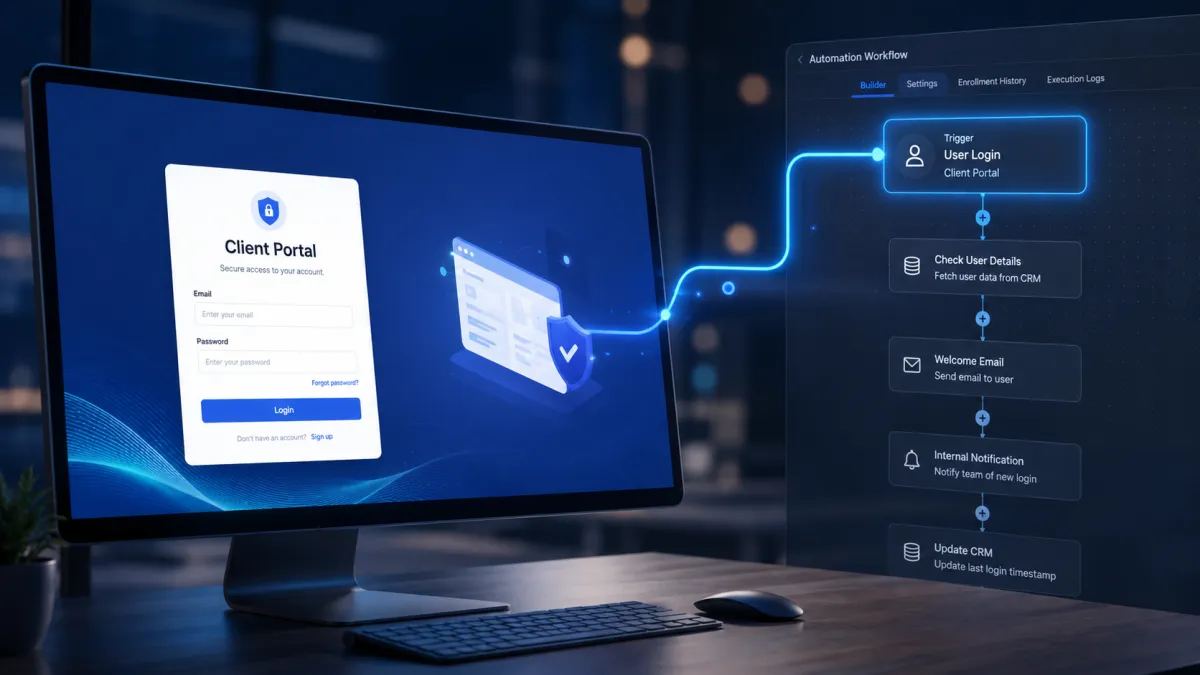
Client Portal Login Automation
GoHighLevel Client Portal User Login Workflow Trigger Now Supports New Client Portal Logins
Client Portal workflow automation becomes easier to manage with an important update to GoHighLevel workflows. The existing User login workflow trigger now supports successful logins from the new Client Portal experience in addition to legacy membership logins.
Although the User login trigger itself is not new, its coverage has expanded and its location inside the Workflow Builder has been reorganized. GoHighLevel has also introduced a dedicated Client Portal category for related workflow triggers, making it easier to understand where Client Portal automation options belong.
For agencies using the new GoHighLevel Client Portal experience, this update closes an important automation gap while making the workflow trigger picker clearer and easier to navigate.
What Changed in the User Login Workflow Trigger
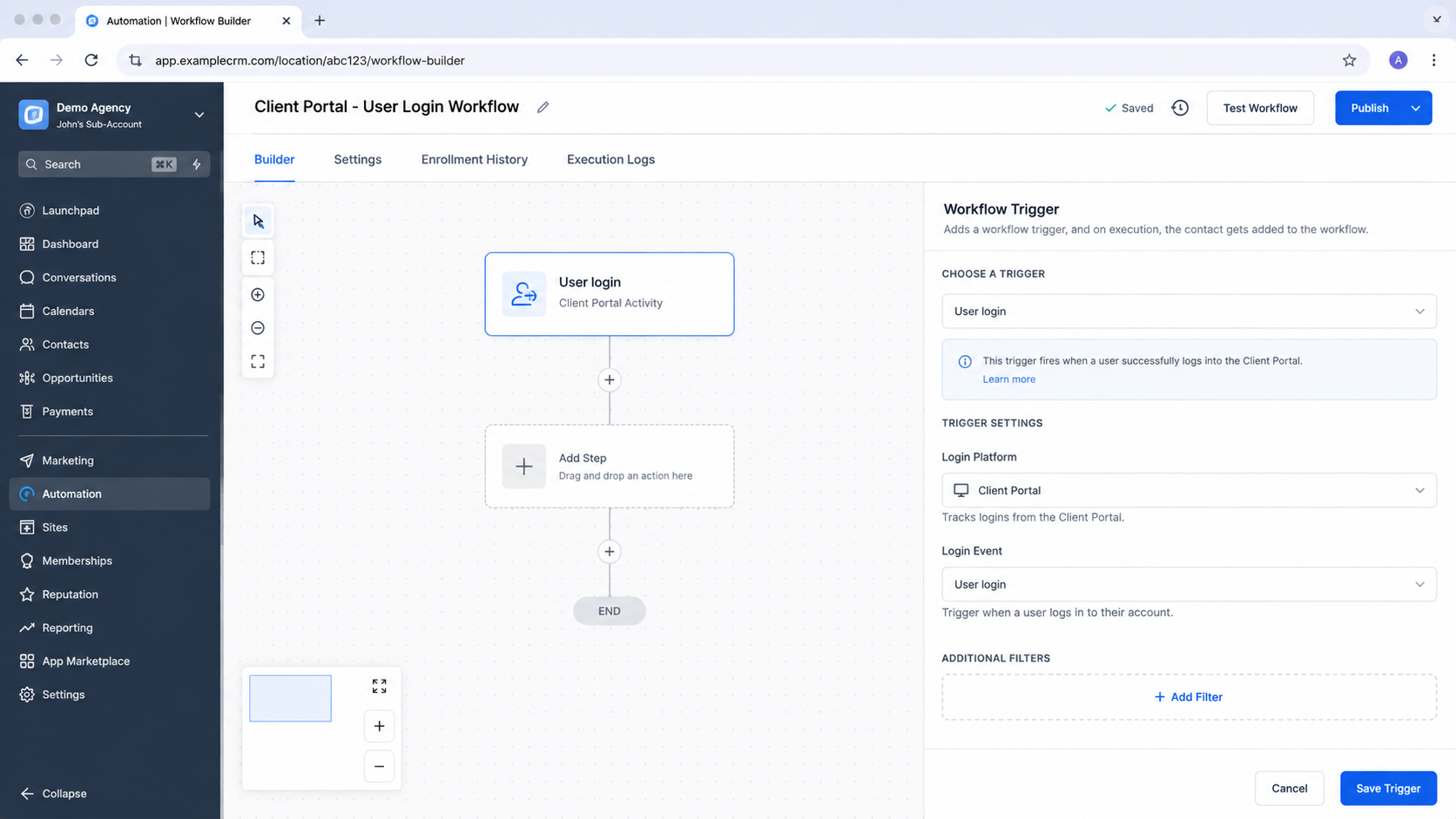
The main change is that the existing User login workflow trigger now fires when a user successfully logs in through the new Client Portal experience.
Previously, the User login trigger covered legacy membership logins. It did not provide the same trigger coverage for successful logins from the new Client Portal experience.
With this update, both types of successful logins use the same User login workflow trigger event. This means the trigger now covers legacy membership logins as well as logins from the new Client Portal experience.
This is an important distinction because GoHighLevel has not introduced a completely new login trigger. Instead, the existing User login trigger has been expanded to recognize successful logins from the new Client Portal experience.
New Client Portal Category in the Workflow Trigger Picker
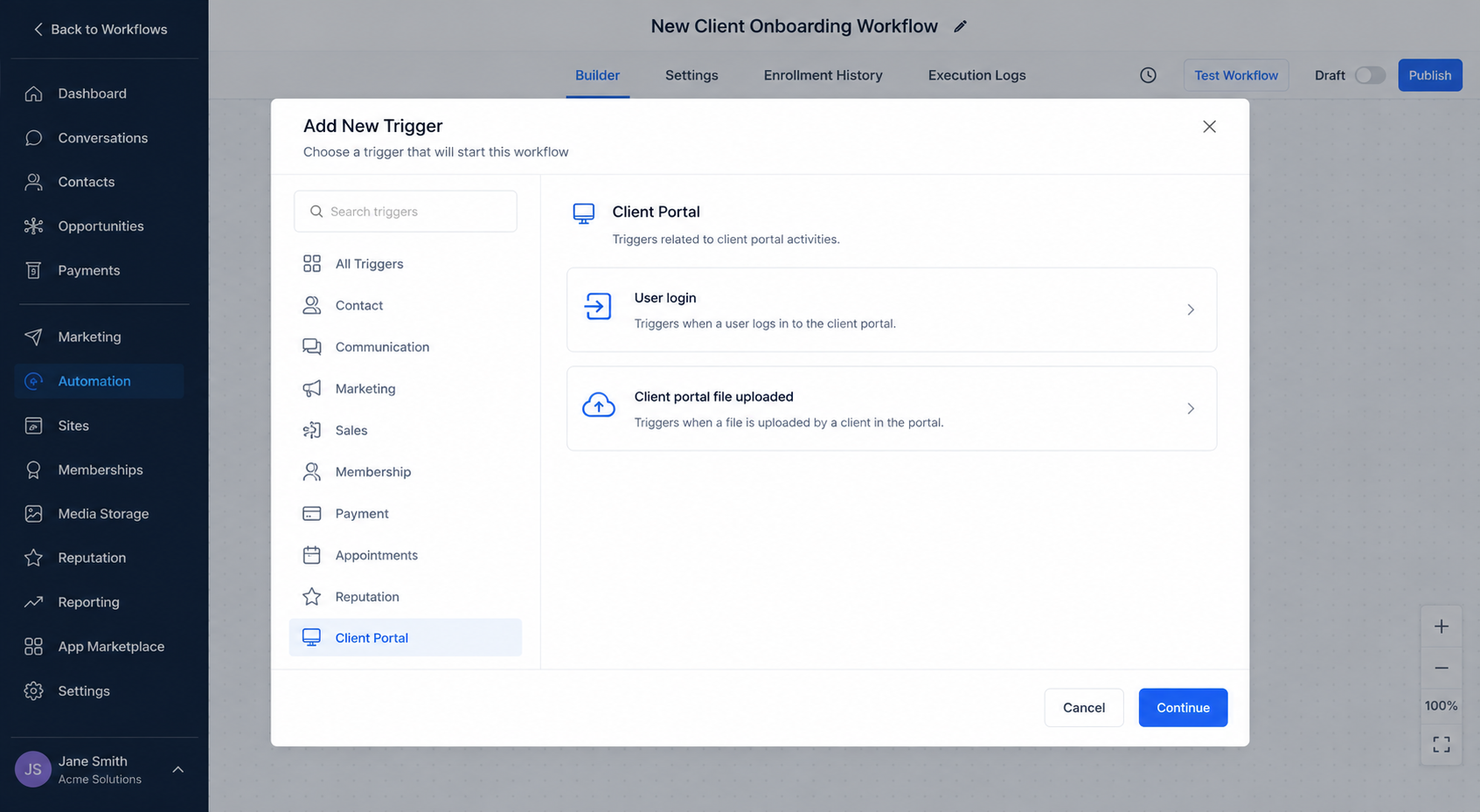
GoHighLevel has also reorganized the workflow trigger picker by adding a dedicated Client Portal category.
The new category brings Client Portal triggers together in one location. As part of this organization change, the User login trigger has been moved from the Courses category.
The Client portal file uploaded trigger has also been moved from Membership into the new Client Portal category.
This creates a clearer structure for users building GoHighLevel workflows. Instead of finding Client Portal related triggers across different categories, users can now look under Client Portal for the relevant triggers.
The change is particularly useful for understanding what each trigger is intended to cover. The new category provides a more natural place for Client Portal triggers within the workflow trigger picker.
Clearer Helper Text for the User Login Trigger
The User login trigger also now includes clearer helper text.
The updated explanation makes it clear that the trigger covers both legacy membership logins and logins from the new Client Portal experience.
Previously, the trigger was located under Courses, which could create confusion about what the trigger actually covered. The updated helper text addresses this by clearly describing its login coverage.
Together, the clearer wording and the new Client Portal category make the trigger easier to understand before adding it to a workflow.
How to Automate on Client Portal Member Login
Setting up automation based on a Client Portal member login follows the existing workflow creation process.
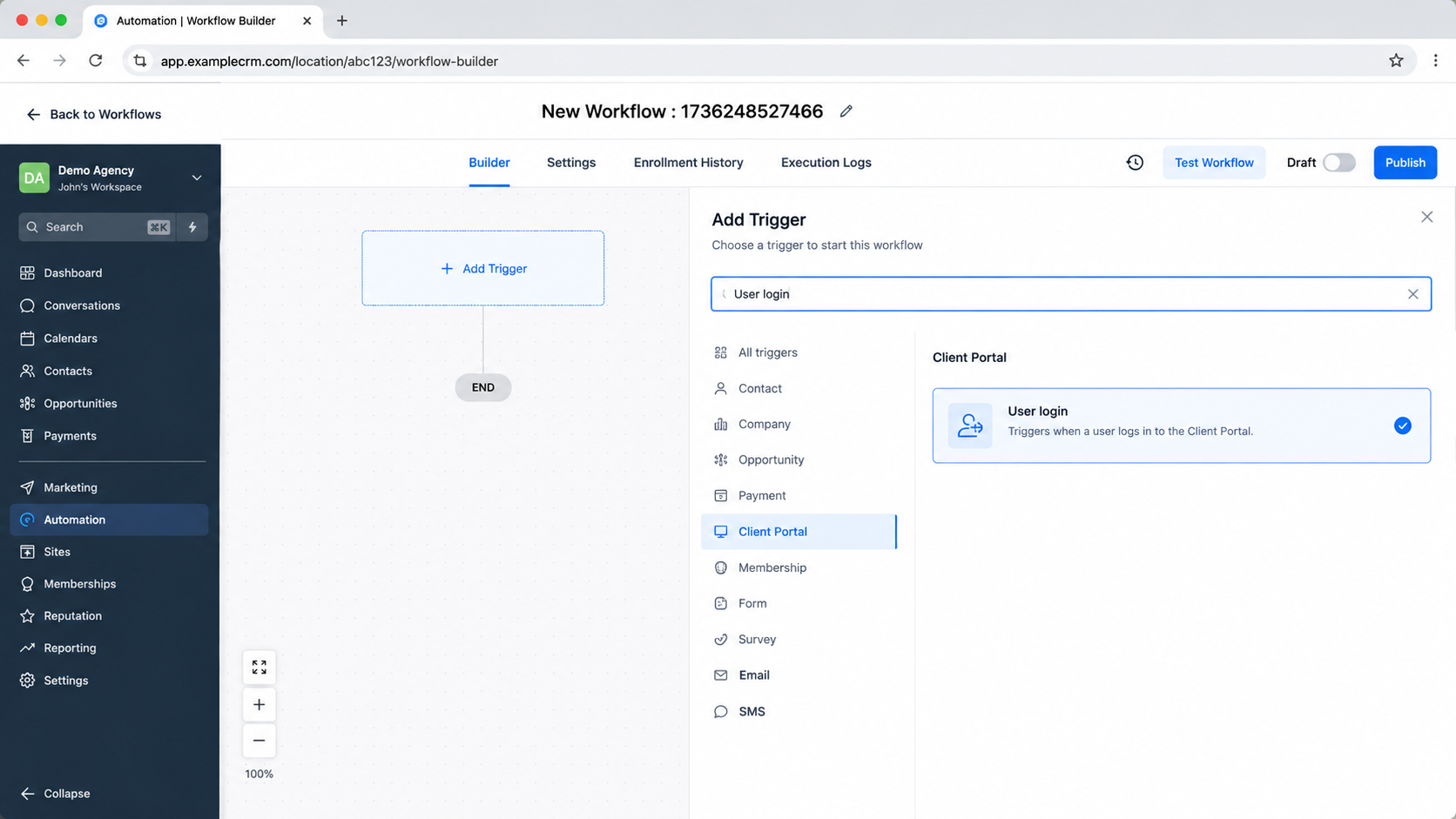
Step 1: Open the Workflow Builder
Open the Workflow Builder in GoHighLevel to create or manage your workflow.
Step 2: Add the User Login Trigger
Click Add trigger and search for User login.
Step 3: Select User Login Under Client Portal
Select the User login trigger from the new Client Portal category. The trigger was previously located under Courses.
Step 4: Save the Workflow
Save your workflow. Once configured, the workflow will fire for successful logins from both legacy membership experiences and the new Client Portal experience.
This allows the existing User login trigger to serve both login scenarios without requiring a separate Client Portal login trigger.
What Existing Workflows Need to Know
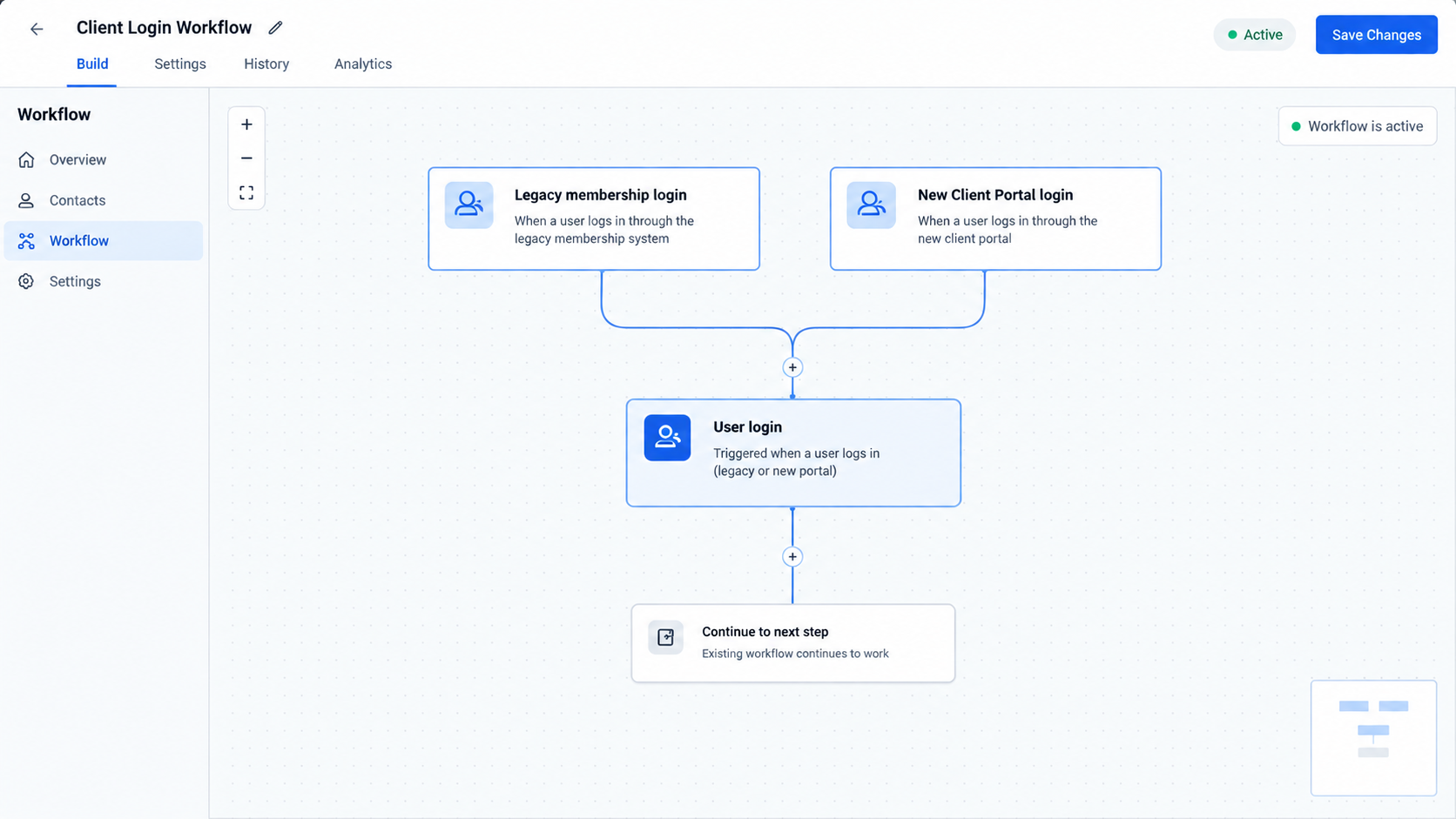
If you already have a workflow using the User login trigger, there is nothing you need to change.
Existing workflows will continue to run as they already did and will automatically pick up successful login events from the new Client Portal experience.
No reconfiguration is required. The update expands the login coverage of the existing trigger automatically, so users who already rely on User login do not need to rebuild or modify their workflows simply because they are using the new Client Portal experience.
Why This GoHighLevel Update Matters
For agencies using the new Client Portal experience, the update addresses a previously unavailable automation capability. The User login trigger previously covered legacy memberships, meaning successful logins from the new Client Portal experience were not covered by that trigger.
The update closes this gap by allowing the existing User login trigger to fire for new Client Portal logins as well.
The organizational changes also make Client Portal workflow automation easier to understand. Previously, the login trigger was located under Courses while the file upload trigger was located under Membership. This separation could make it unclear which triggers were associated with the Client Portal.
Now, both Client Portal triggers are grouped under a dedicated Client Portal category. Combined with the clearer helper text for User login, this gives GoHighLevel users a more straightforward way to identify the relevant triggers when building workflows.
Conclusion
The GoHighLevel Client Portal update makes the existing User login workflow trigger more useful by extending it to successful logins from the new Client Portal experience.
The trigger now covers both legacy membership logins and new Client Portal logins. Existing workflows using User login require no reconfiguration, while new workflows can find the trigger under the dedicated Client Portal category.
With User login moved from Courses, Client portal file uploaded moved from Membership, and clearer helper text added, the Workflow Builder now provides a more organized experience for Client Portal triggers.
The key takeaway is simple: the existing User login trigger now supports the new Client Portal experience, and existing workflows automatically benefit from the expanded coverage.
Frequently Asked Questions
1. Does GoHighLevel have a new User login workflow trigger?
No. The User login trigger already existed. The update expands it so successful logins from the new Client Portal experience can also fire the same trigger event.
2. Does the User login trigger still work for legacy membership logins?
Yes. The User login trigger continues to cover legacy membership logins while now also supporting successful logins from the new Client Portal experience.
3. Where can I find the User login trigger now?
The User login trigger is now located under the dedicated Client Portal category in the workflow trigger picker. It was previously located under Courses.
4. What happened to the Client portal file uploaded trigger?
The Client portal file uploaded trigger was moved from the Membership category to the new Client Portal category.
5. Do existing workflows using User login need to be updated?
No. Existing workflows using the User login trigger require no reconfiguration. They will automatically pick up successful login events from the new Client Portal experience.
Need Expert Help with GoHighLevel?
New to GoHighLevel and ready to get started? Buy your GoHighLevel account here and launch with confidence.
Already know what you need and want our team to handle everything, from complete setup and customization to funnels, workflows, automations, CRM, and pipelines? Click here.



