

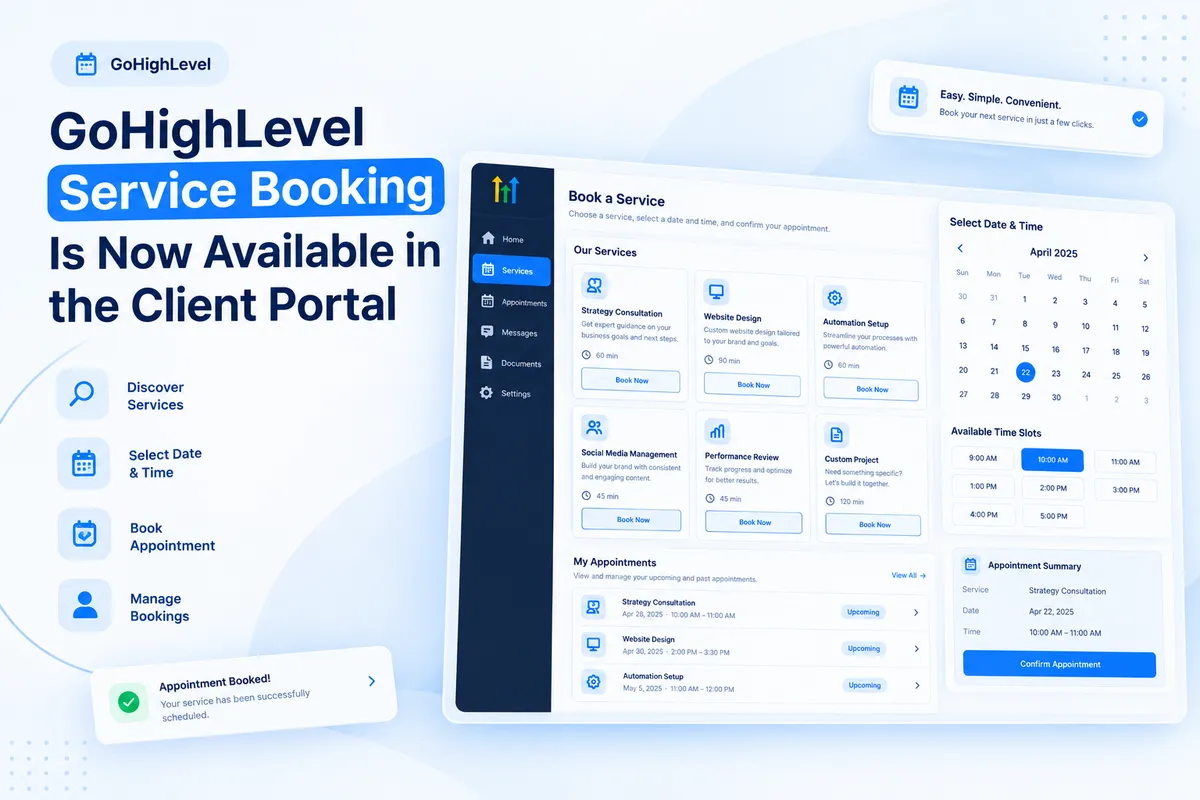
GoHighLevel Service Booking Is Now Available in the Client Portal
Services Booking Is Now Available in the Client Portal
Managing service appointments should be straightforward for both businesses and their clients. However, when customers need separate booking links to explore services, schedule appointments, and manage existing bookings, the experience can become less convenient. They may need to switch between different pages just to complete tasks related to their appointments.
GoHighLevel has introduced a new capability that makes this process simpler. With GoHighLevel Client Portal service booking, clients can discover available services, book appointments, reschedule existing bookings, and manage their service appointments directly within the Client Portal.
This update brings service booking and appointment management into one central location. Instead of relying on separate booking links, clients can access eligible services and manage their appointments through the portal.
What Is New in GoHighLevel Service Booking?
The new service booking capability allows clients to interact with available services directly through the Client Portal. It combines service discovery, booking, and appointment management in one place.
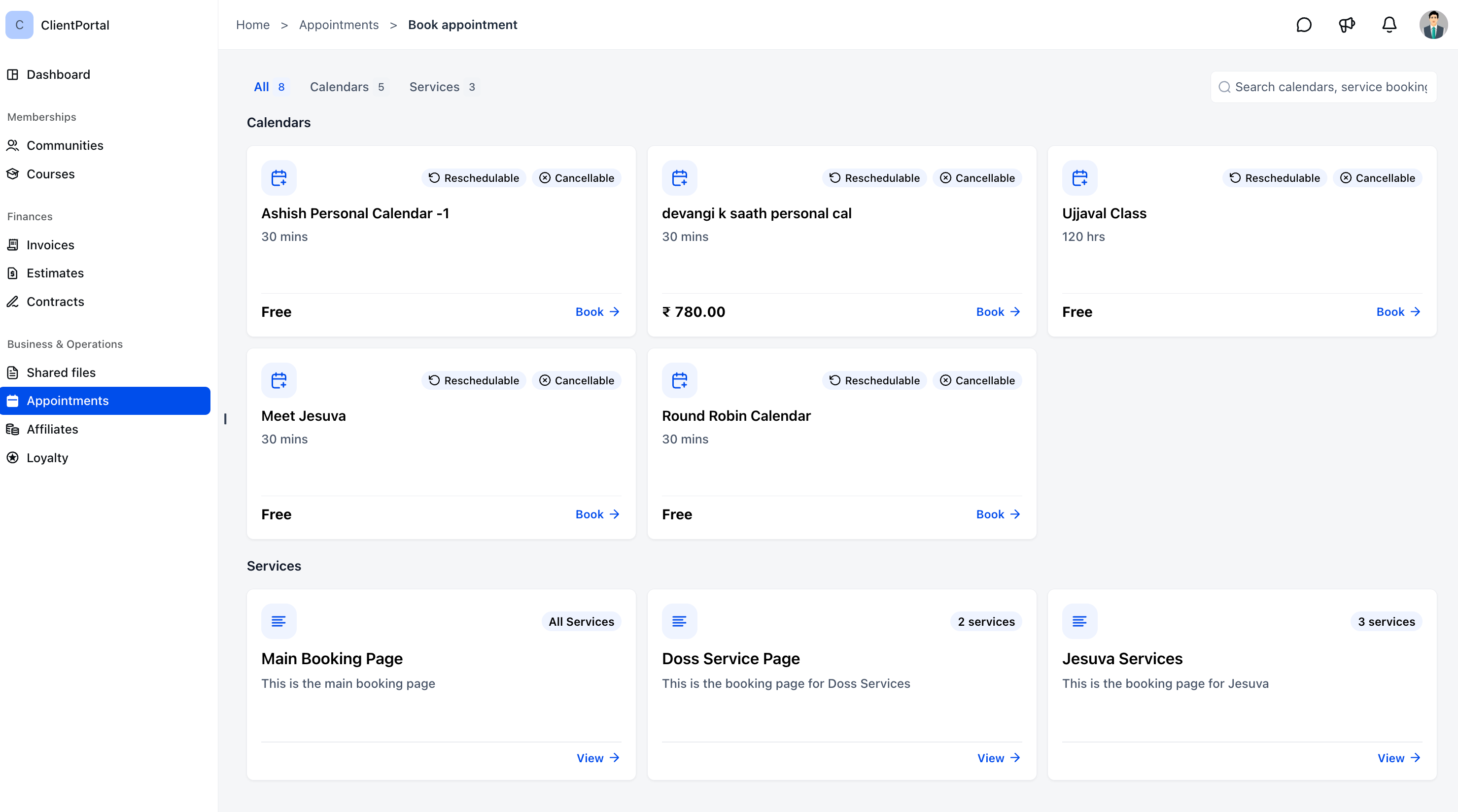
1. Book Services Directly From the Client Portal
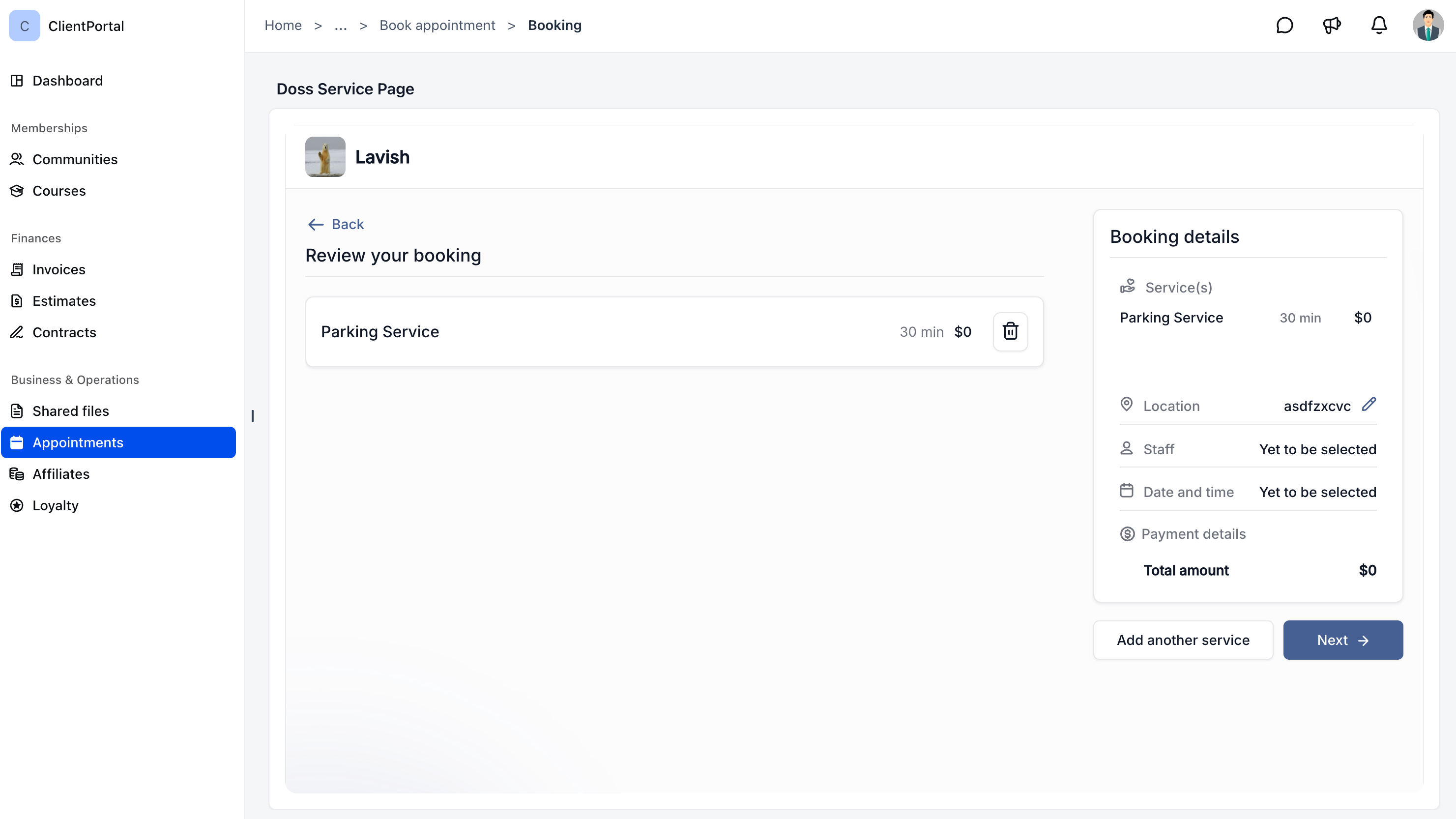
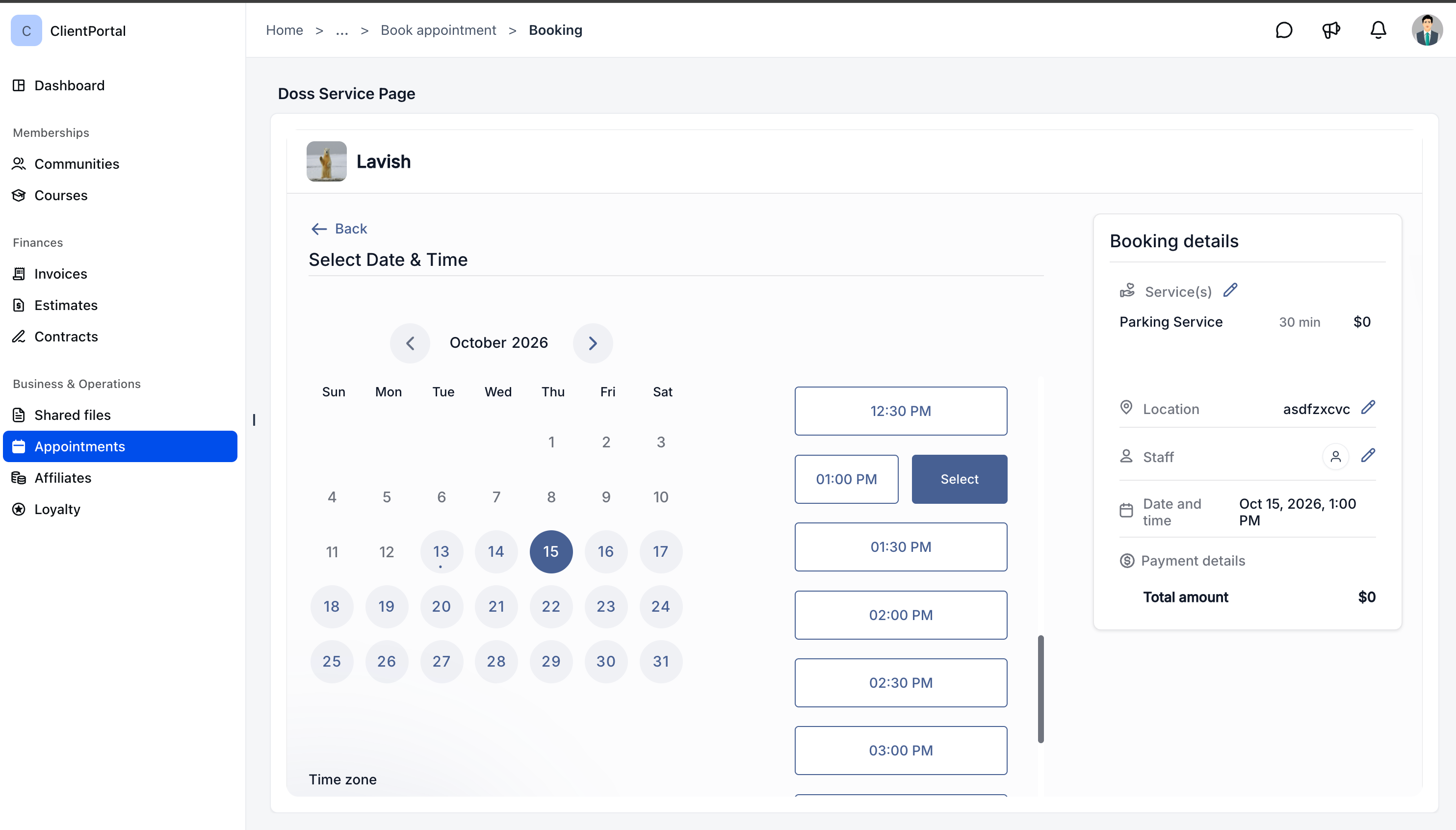
Clients can explore available services, select their preferred date and time, and complete their bookings without leaving the Client Portal.
This makes the booking process more convenient because clients do not need separate booking links to access services enabled for the portal.
2. A Faster Booking Experience
GoHighLevel automatically pre fills client information during the booking process. This reduces the need for clients to enter the same information again when making a booking.
Clients can also book a single service or multiple services, depending on the existing setup.
3. Easy Rescheduling and Cancellations
Clients can reschedule or cancel eligible service bookings according to the applicable calendar settings. This allows clients to manage qualifying appointments through the available booking experience.
4. All Appointments in One Place
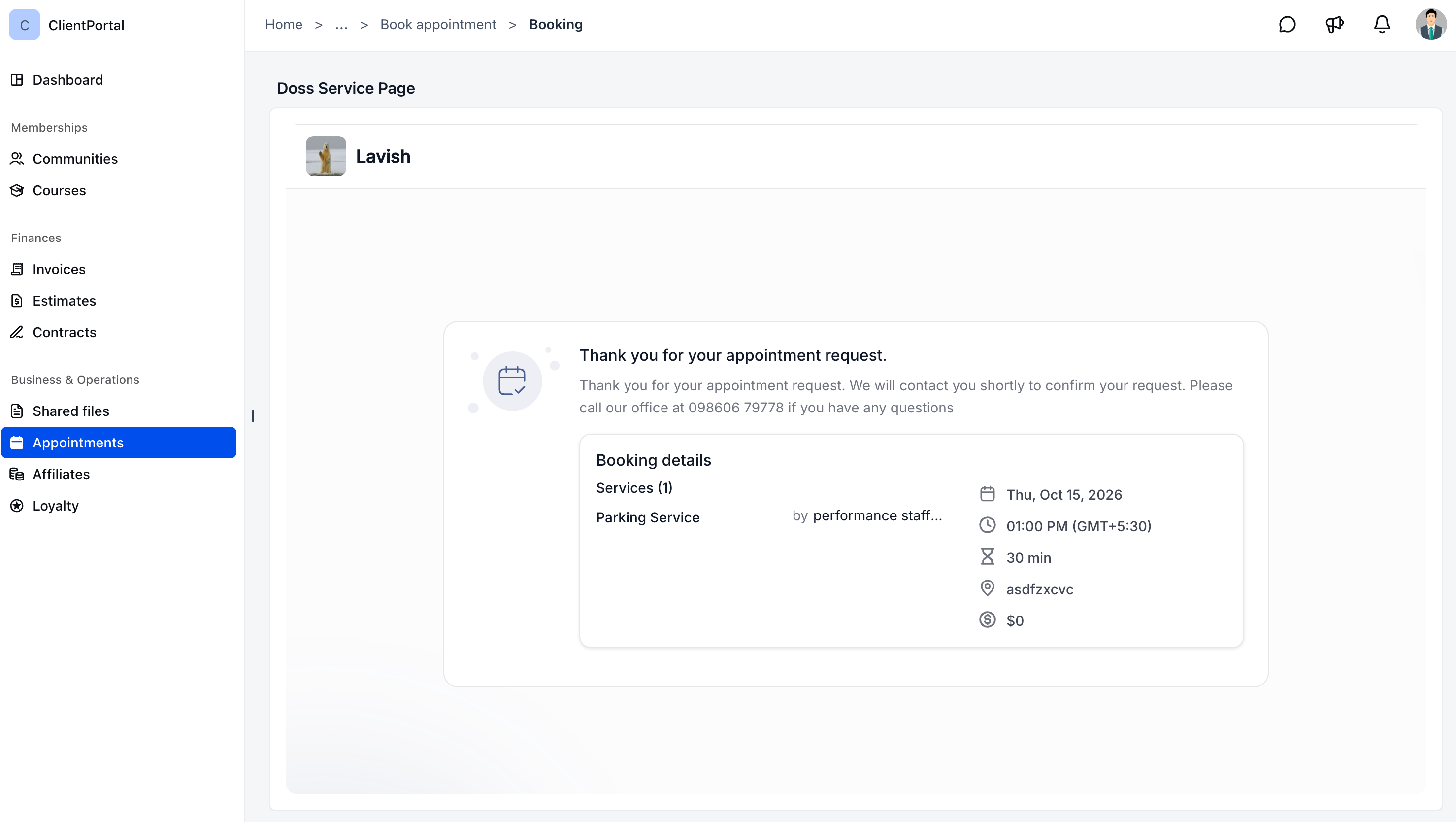
The Client Portal brings meetings and service bookings together under the Appointments section.
Appointments are organized into two categories: Upcoming and Past. This helps clients view their scheduled appointments and access their previous appointment records from one central location.
5. Control Over Service Visibility
Businesses can choose which service booking pages are accessible through the Client Portal.
This provides control over which services clients can discover and book through the portal.
Why This Update Matters for Businesses
Previously, clients relied on separate booking links to schedule services. Managing the booking experience across separate destinations could make the process less convenient.
The new Client Portal capability addresses this by bringing service discovery and appointment management together. Clients can access available services and manage eligible bookings from the same place where they view their appointments.
For businesses, this creates a more centralized booking experience. Instead of directing clients to separate destinations for service booking, businesses can make selected services available through the portal.
It also reduces the number of manual steps involved in the client booking experience. Automatically pre filled client information helps simplify booking, while the ability to manage eligible appointments gives clients more direct control over their bookings.
Key Benefits of Client Portal Service Booking
The update introduces several practical benefits for businesses and their clients.
Simplified service booking: Clients can discover available services, choose a date and time, and book directly through the Client Portal.
Fewer manual steps: Automatically pre filled client information makes the booking process more straightforward.
Centralized appointment visibility: Meetings and service bookings appear together under Appointments, with separate views for Upcoming and Past appointments.
Easier appointment management: Clients can reschedule or cancel eligible service bookings according to calendar settings.
Control over available services: Businesses decide which service booking pages clients can access through the Client Portal.
Together, these capabilities provide a more organized way to handle service appointments within GoHighLevel.
How to Enable Service Booking in the Client Portal
Businesses need to enable service booking on the relevant booking page and activate Appointments in the Client Portal settings.
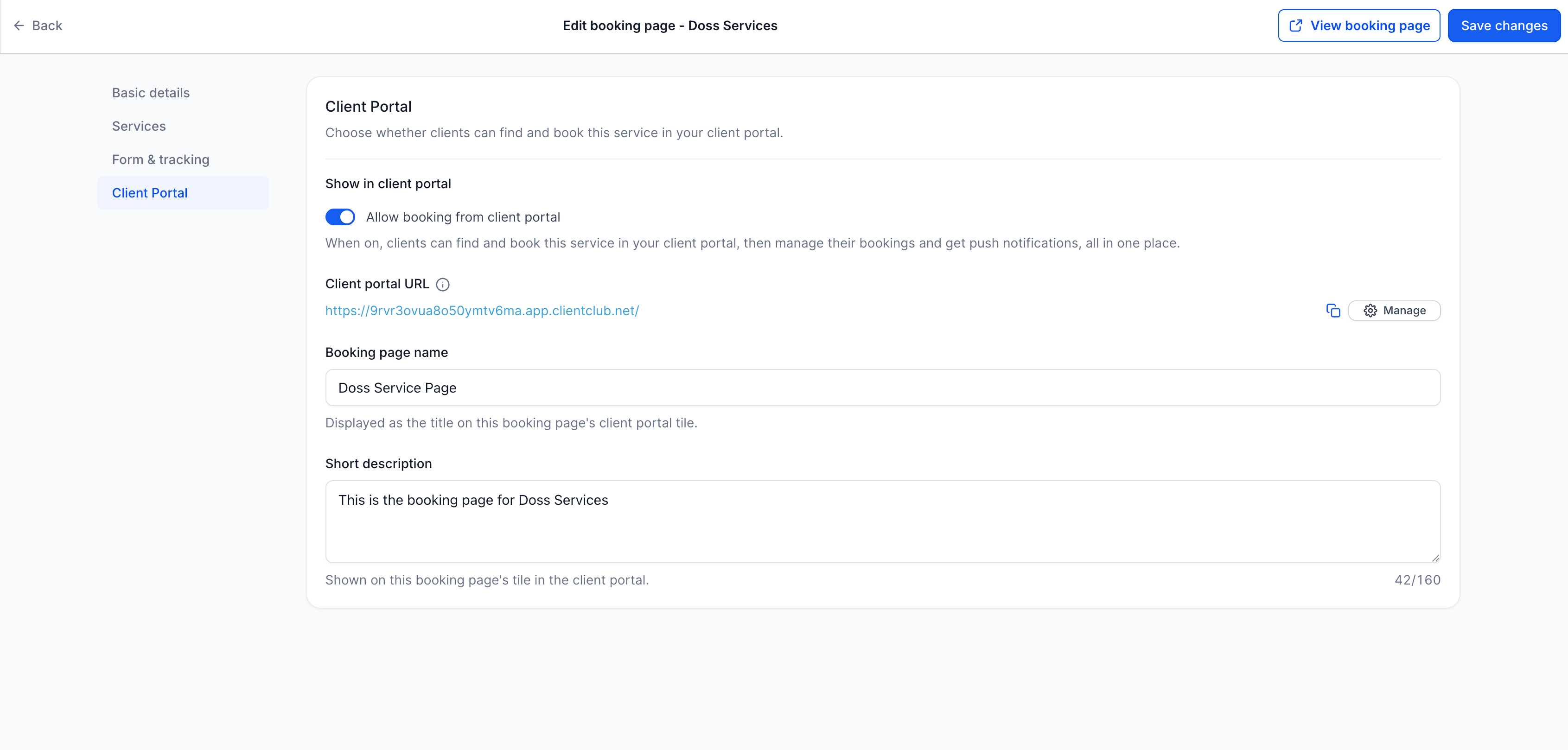
Step 1: Enable Service Booking
Navigate to Calendars, then Services, then Booking Pages.
Open the booking page you want to make available.
Under Client Portal, enable Allow booking from client portal.
Click Save changes.
This makes the selected service booking page available through the Client Portal.
Step 2: Enable Appointments in the Client Portal
Navigate to Memberships, then Client Portal, then Settings, then App Permissions.
Enable Appointments.
Click Save.
Once both steps are completed, clients can discover and book the services enabled for the Client Portal.
Availability of the Feature
Service Booking is now available in the new GoHighLevel Client Portal.
The update allows clients to discover services, make bookings, and manage eligible service appointments directly within the portal. Businesses can also control which service booking pages are accessible through this experience.
Conclusion
GoHighLevel Client Portal service booking brings service discovery, appointment booking, and appointment management into one central destination. Clients can book services, manage eligible appointments, and view meetings and services together under Appointments.
For businesses, the update offers a more convenient way to provide access to selected services while reducing reliance on separate booking links. By enabling the relevant booking pages and Appointments permission, businesses can make this booking experience available through the new Client Portal.
Frequently Asked Questions
1. What Is GoHighLevel Client Portal Service Booking?
It allows clients to discover, book, reschedule, and manage eligible service appointments directly through the Client Portal.
2. Can Clients Reschedule or Cancel Service Bookings?
Yes. Clients can reschedule or cancel eligible service bookings according to the applicable calendar settings.
3. Where Can Clients Find Their Service Appointments?
Clients can find meetings and service bookings under Appointments in the Client Portal. These are organized into Upcoming and Past.
4. How Can Businesses Enable Service Booking in the Client Portal?
Enable Allow booking from client portal on the relevant booking page, then enable Appointments under the Client Portal App Permissions settings.
5. Is Service Booking Available in the New Client Portal?
Yes. Service Booking is available in the new GoHighLevel Client Portal.
Need Expert Help with GoHighLevel?
New to GoHighLevel and ready to get started? Buy your GoHighLevel account here and launch with confidence.
Already know what you need and want our team to handle everything, from complete setup and customization to funnels, workflows, automations, CRM, and pipelines? Click here.



