

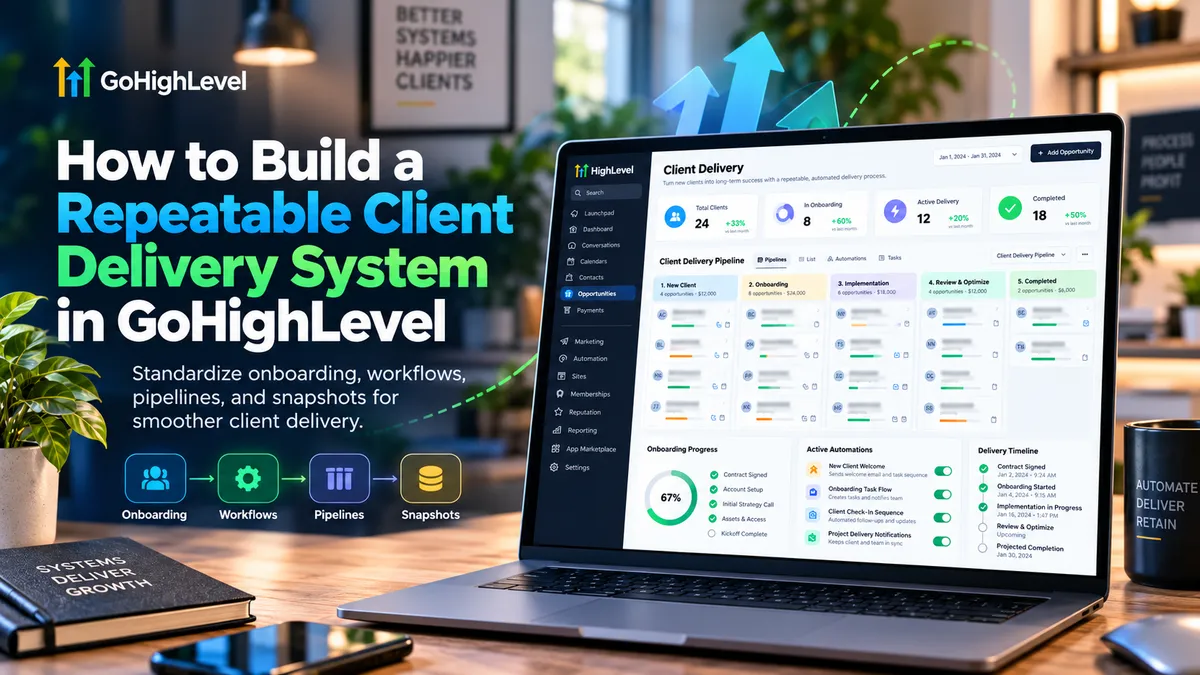
Build a Repeatable Client Delivery System in GoHighLevel
How to Build a Repeatable Client Delivery System in GoHighLevel
Winning a new client is exciting. Delivering the same quality of service to every client is where many agencies struggle.
As client numbers increase, onboarding details get scattered, follow-ups are missed, responsibilities become unclear, and teams repeatedly rebuild the same configurations.
Understanding how to build a repeatable client delivery system in GoHighLevel can help solve these operational challenges.
By combining structured onboarding, CRM pipelines, workflow automation, and reusable snapshots, agencies can create a more predictable delivery process without sacrificing personalized service.
What Is a Repeatable Client Delivery System?
A repeatable client delivery system is a standardized process for managing clients from onboarding through implementation, service delivery, and ongoing support.
Unlike lead generation, which focuses on acquiring customers, client delivery focuses on fulfilling commitments after a sale.
An effective system establishes clear responsibilities, consistent communication, defined milestones, and documented procedures.
GoHighLevel supports this approach by centralizing client information, automating administrative activities, and providing visibility into delivery progress.
How to Build a Repeatable Client Delivery System in GoHighLevel
Step 1: Map Your Client Delivery Process
Before configuring automations, document every stage of your existing delivery process.
For a marketing agency, the sequence might include:
Contract signed and payment confirmed.
Client information collected.
Kickoff meeting scheduled.
CRM and campaign configurations completed.
Implementation reviewed and approved.
Ongoing support initiated.
Assign responsibility and completion criteria to each stage.
This prevents automation from simply accelerating an inefficient process.
Step 2: Standardize Client Onboarding
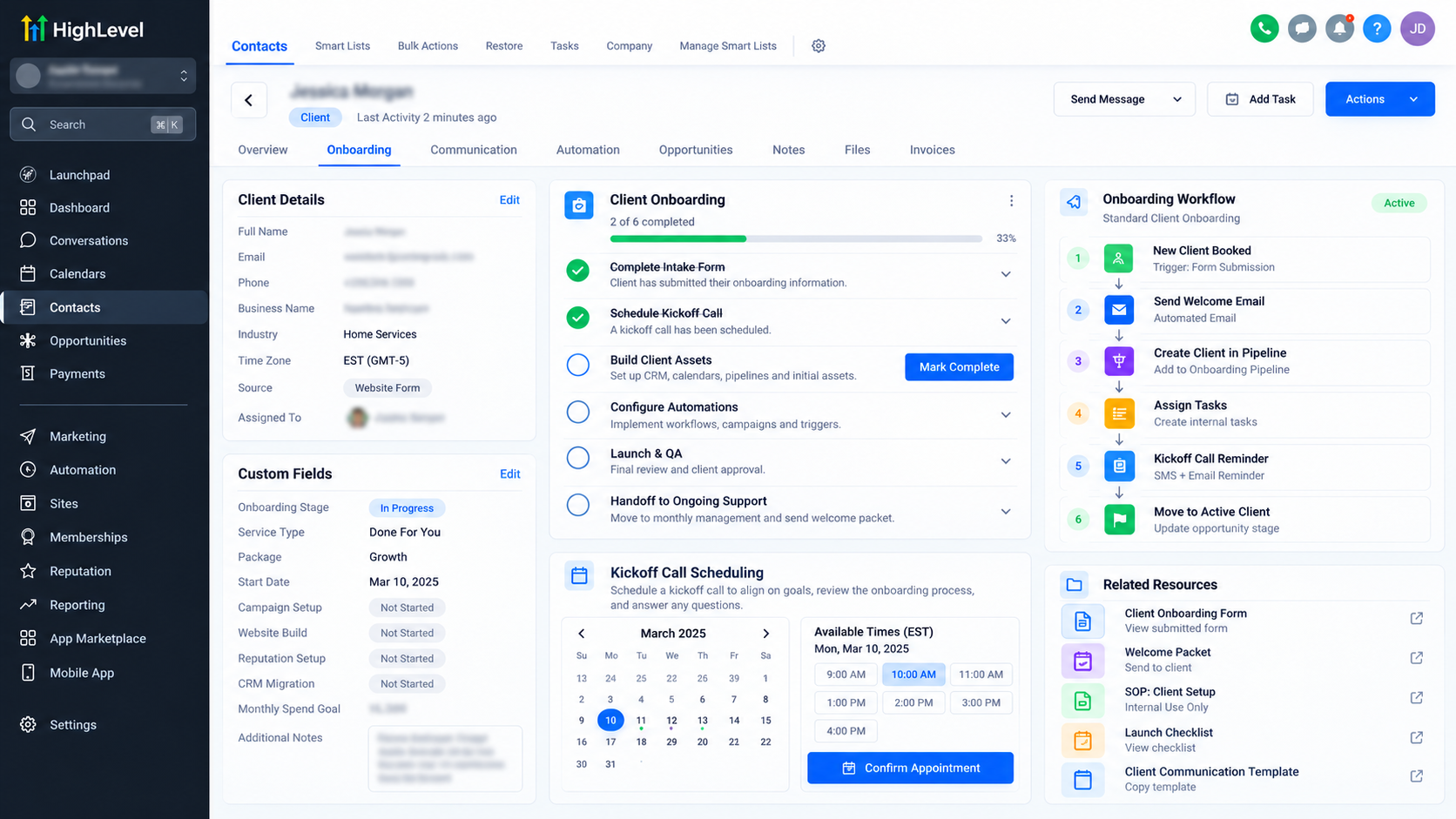
GoHighLevel Forms, Surveys, Custom Fields, and Calendars can help establish a consistent onboarding experience.
Start by creating an onboarding form that collects essential information, including business details, service requirements, primary contacts, and implementation preferences.
Use Custom Fields to organize relevant responses within CRM records.
Next, configure a Calendar for kickoff meetings and connect appropriate Workflows for confirmations and reminders.
For example, when a new client submits an onboarding form, GoHighLevel can acknowledge the submission and notify the implementation team.
Team members should still review submitted information before beginning technical setup.
Step 3: Organize Delivery Stages With Pipelines
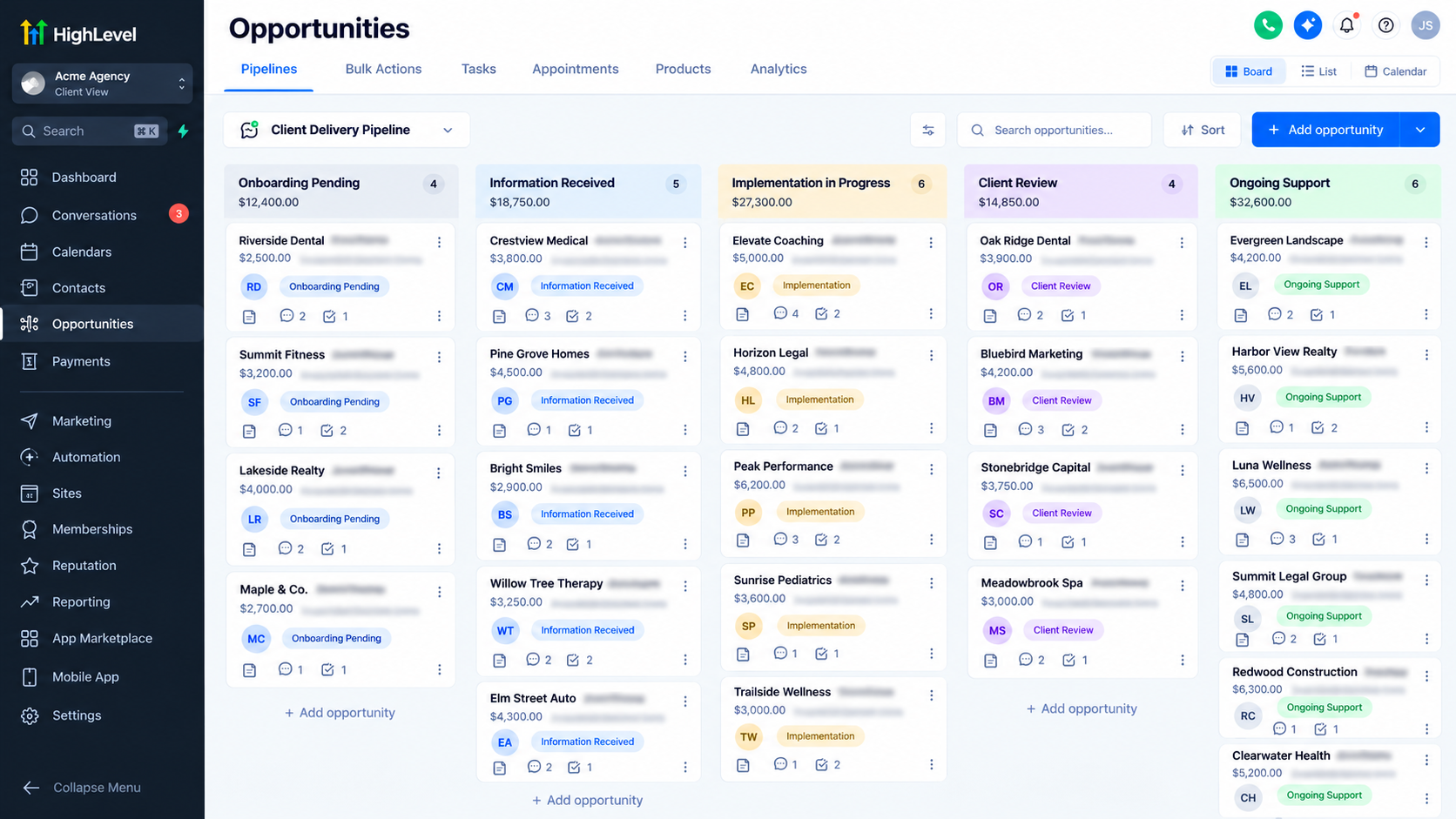
Within the relevant sub-account, navigate to Opportunities → Pipelines and create a pipeline representing major client delivery milestones.
A practical structure could include:
Onboarding Pending
Information Received
Implementation in Progress
Client Review
Delivery Completed
Ongoing Support
Create or assign Opportunities to the appropriate stages and identify responsible team members.
This provides a visual overview of client progress and helps identify delays.
However, Pipelines represent high-level progress. Complex projects involving detailed task dependencies, resource planning, or extensive approvals may require dedicated project management software.
Step 4: Automate Repetitive Client Communication
GoHighLevel Workflows can reduce repetitive communication and administrative work.
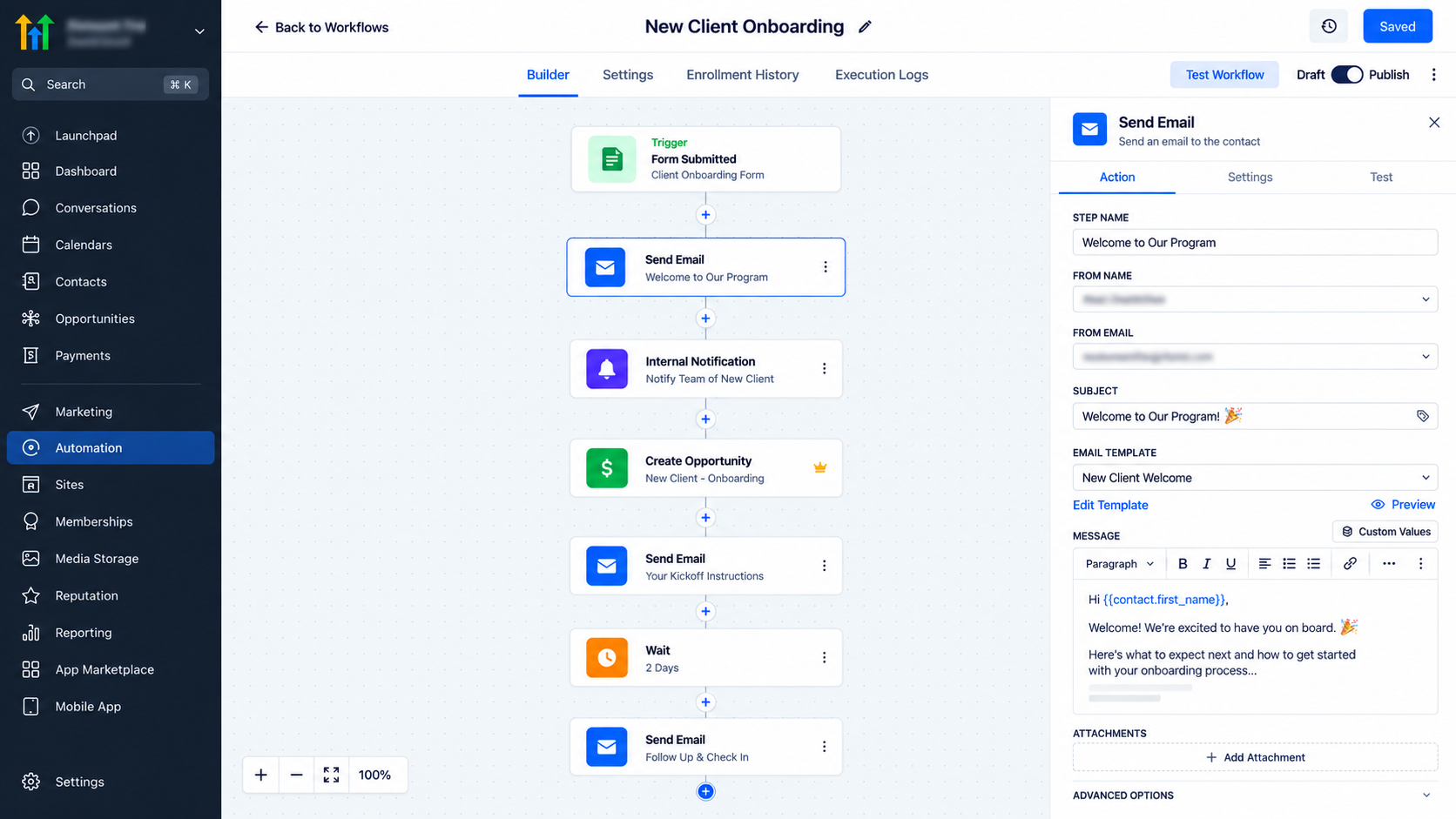
Consider this onboarding automation:
Trigger: Form Submitted, filtered to the designated client onboarding form.
Actions:
Send an acknowledgment email to the client.
Send an internal notification to the onboarding team.
Create an Opportunity in the appropriate delivery pipeline, subject to duplicate-handling settings.
Send instructions for scheduling the kickoff meeting.
Configure the workflow within the relevant sub-account and verify email sending requirements.
Before publishing, test submissions, notification recipients, opportunity creation, and repeated enrollments.
Workflow automation should support team accountability rather than replace personal client communication.
Step 5: Standardize Account Setup With Snapshots
GoHighLevel Snapshots allow agencies to reuse supported configurations across client sub-accounts.
From Agency View → Account Snapshots, create a snapshot using a properly configured source sub-account.
Select reusable assets such as relevant Workflows, Forms, Pipelines, Calendars, and Custom Fields.
Load the snapshot into the destination sub-account and review imported configurations.
Importantly, snapshots do not transfer live contacts, appointments, conversation histories, or authenticated third-party integrations.
After deployment, update business-specific information, reconnect required services, and test workflows.
Snapshots also require deliberate refreshing or update deployment; changes in the source account do not synchronize automatically.
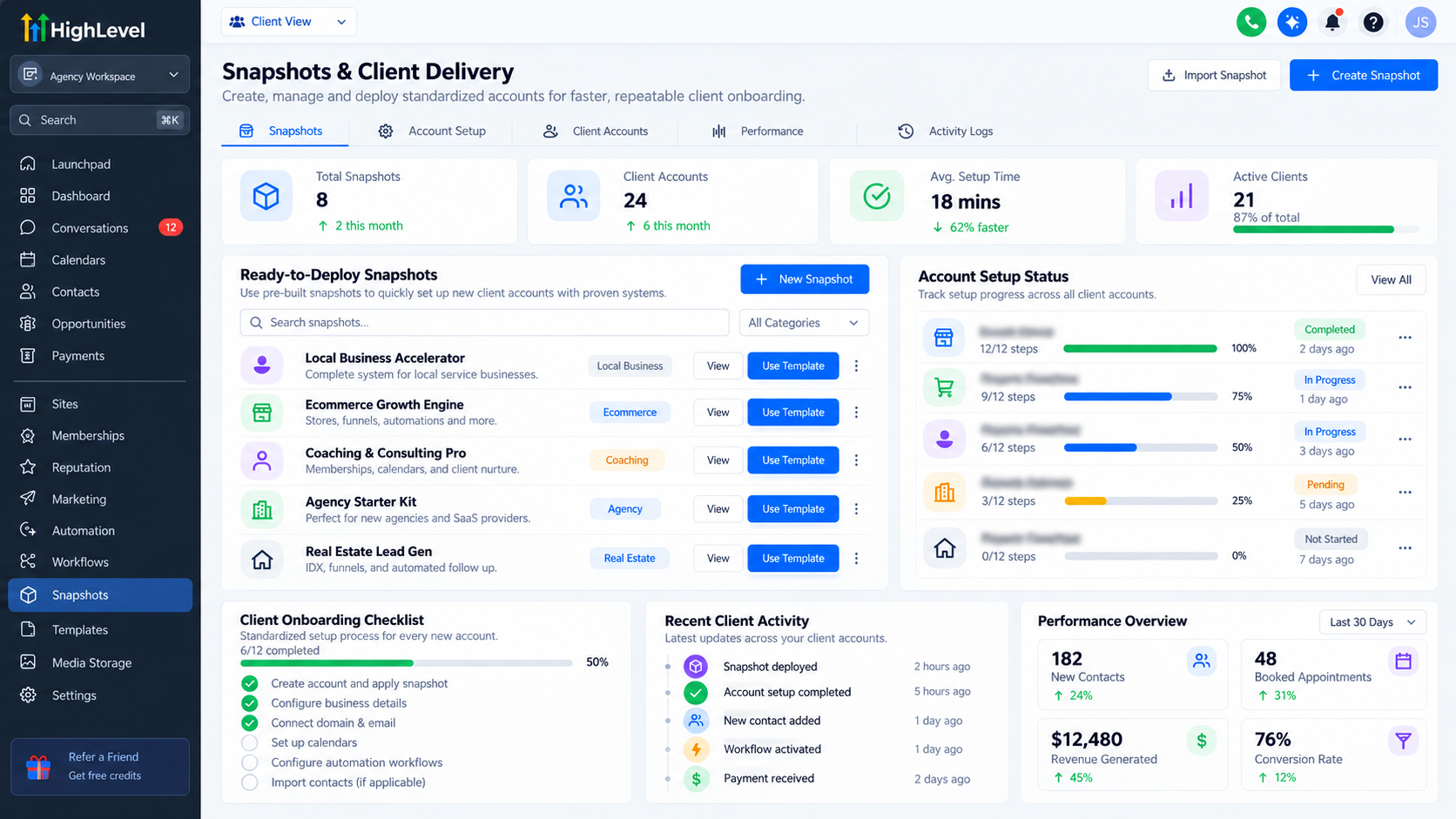
Step 6: Monitor Client Progress and Communication
A repeatable system needs visibility beyond initial onboarding.
Use Opportunities to monitor delivery stages, assigned owners, and relevant notes.
Review Conversations for communication history and configure internal notifications for important follow-up activities.
Establish operational indicators such as onboarding completion time, overdue milestones, unresolved requests, and client feedback.
Some indicators may require custom tracking or external reporting tools.
Review these records regularly to identify bottlenecks before they affect client relationships.
Step 7: Test and Continuously Improve
Before implementing your system across multiple clients, test the complete process with sample records.
Confirm that forms capture information correctly, workflows execute as expected, notifications reach appropriate recipients, and pipeline stages reflect actual progress.
Document procedures for exceptions, missing information, and manual approvals.
Regularly review delivery delays and client feedback to refine your processes.
Standardization should create consistency while leaving room for client-specific requirements.
Common Mistakes to Avoid
Even well-designed automation systems can fail when operational fundamentals are overlooked.
Avoid these mistakes:
Automating processes before clearly documenting them.
Deploying snapshots without checking client-specific configurations.
Leaving onboarding and delivery responsibilities unassigned.
Publishing workflows without testing triggers and exceptions.
Relying entirely on automated messages instead of maintaining meaningful client relationships.
Address these issues through documented procedures, clear ownership, systematic testing, and regular performance reviews.
Final Thoughts
A repeatable client delivery system is not about automating every interaction. It is about ensuring clients receive organized, reliable, and consistent service as your agency grows.
GoHighLevel provides practical tools for standardizing onboarding, automating communication, reusing configurations, and tracking delivery milestones.
When these tools are supported by documented processes and accountable teams, agencies can reduce unnecessary administrative work and maintain better operational visibility.
Frequently Asked Questions (FAQs)
1. What is a repeatable client delivery system in GoHighLevel?
A repeatable client delivery system is a standardized process that helps agencies manage client onboarding, communication, implementation, and ongoing support consistently. GoHighLevel supports this process through CRM pipelines, workflows, forms, calendars, and reusable snapshots, reducing repetitive administrative tasks and improving operational efficiency.
2. How do I automate client onboarding in GoHighLevel?
You can automate client onboarding by creating an intake form, configuring custom fields, and building a workflow triggered by form submission. The workflow can send welcome emails, notify internal team members, create opportunities, and provide kickoff meeting instructions. Always test the automation before using it with actual clients.
3. Can GoHighLevel manage the entire client delivery process?
GoHighLevel can manage several important parts of client delivery, including onboarding, communication, CRM tracking, appointment scheduling, and workflow automation. However, complex project management, detailed task dependencies, and certain service fulfillment activities may require external tools or manual team involvement.
4. How do GoHighLevel snapshots help agencies scale client delivery?
GoHighLevel snapshots allow agencies to reuse supported configurations, including workflows, pipelines, forms, and custom fields, across multiple client sub-accounts. This reduces repetitive setup work and helps maintain consistent implementation standards. However, snapshots do not automatically transfer live customer data or authenticated third-party integrations.
5. Can I track client delivery progress using GoHighLevel pipelines?
Yes. GoHighLevel pipelines can represent important delivery milestones, such as Onboarding Pending, Implementation in Progress, Client Review, and Delivery Completed. Opportunities help teams visualize client progress, identify delays, and maintain accountability. For detailed task management, additional project management software may be necessary.
Need Expert Help with GoHighLevel?
New to GoHighLevel and ready to get started? Buy your GoHighLevel account here and launch with confidence.
Already know what you need and want our team to handle everything, from complete setup and customization to funnels, workflows, automations, CRM, and pipelines? Click here.



