

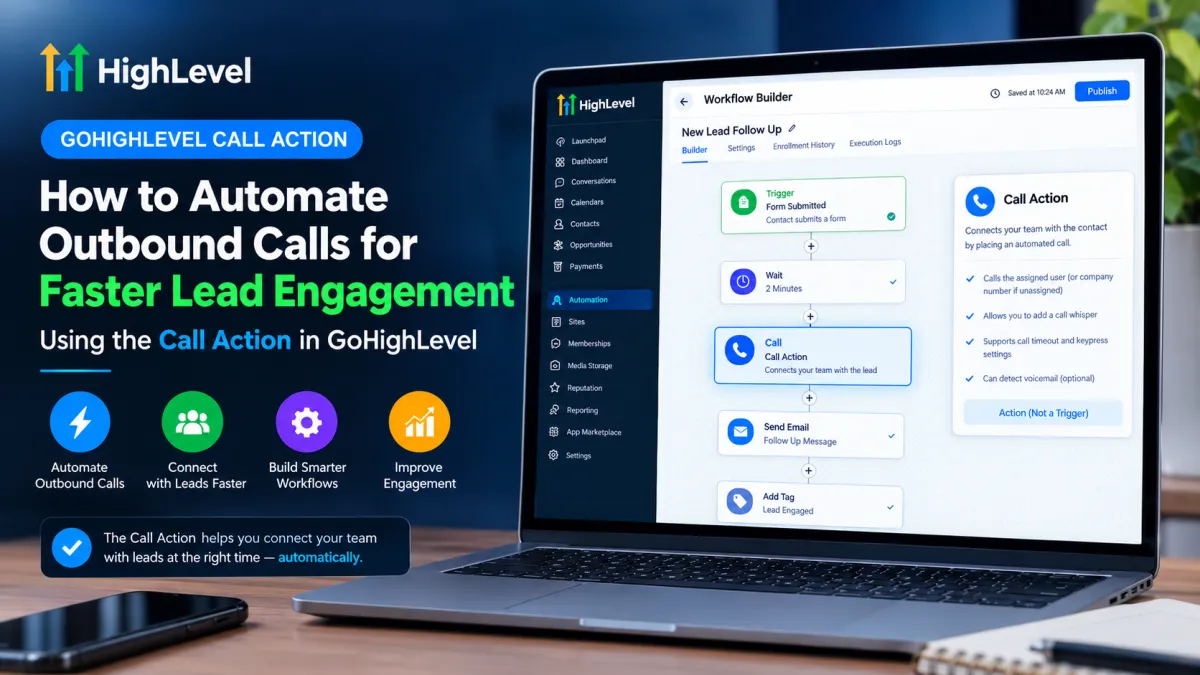
How to Automate Outbound Calls for Faster Lead Engagement Using the Call Action in GoHighLevel
How to Automate Outbound Calls for Faster Lead Engagement Using the Call Action in GoHighLevel
When a lead shows interest, speed matters. A form submission, appointment confirmation, or other high-intent event can quickly lose momentum if the sales team does not respond promptly. GoHighLevel can help reduce that delay by placing calling directly inside a workflow.
The GoHighLevel Call Action is designed to automatically initiate a call connection between the appropriate internal recipient and the workflow contact. Instead of simply creating a reminder for someone to call, the action can call the responsible team member first and, after the connection process, bridge that person with the contact.
What Is the Call Action in GoHighLevel?
The Call Action is a workflow action that handles an automated call connection. It is important to understand that it is not a trigger.
A trigger determines when a contact enters a workflow. The Call Action determines what happens after the contact reaches that point in the workflow.
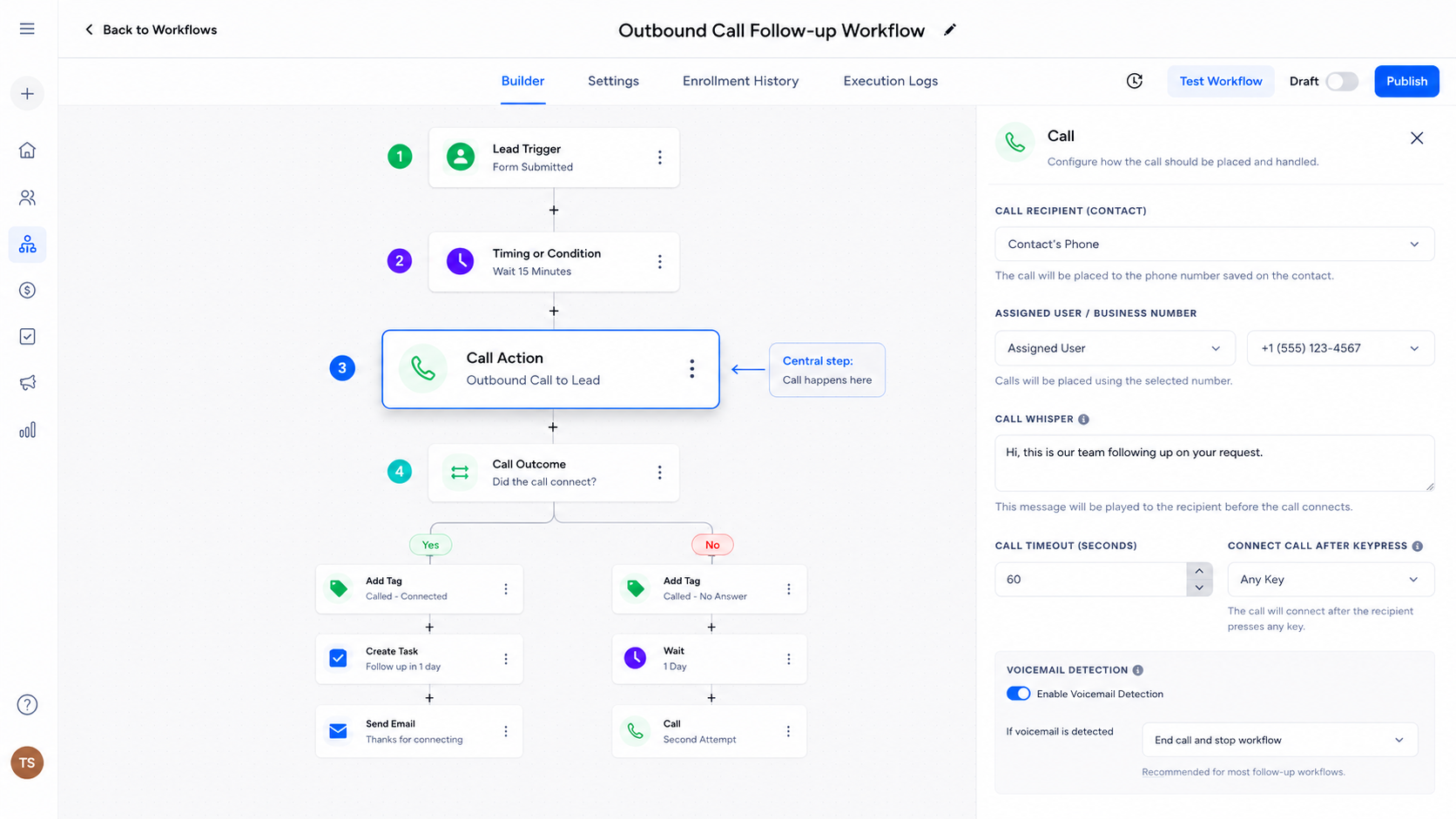
The basic architecture looks like this:
Trigger → Workflow → Delay/Condition (if needed) → Call Action → Subsequent Workflow Steps
When a contact reaches the Call Action, HighLevel first calls the appropriate internal recipient. If the contact is assigned to a user, that assigned user is called. If the contact is unassigned, HighLevel uses the configured company phone number for the call recipient. If the recipient answers, the system can play a configured whisper message before attempting to connect the recipient with the contact.
That distinction makes the Call Action especially useful for workflows where a business wants to react quickly to a lead without relying entirely on someone noticing a task.
How the Call Action Works in a Workflow
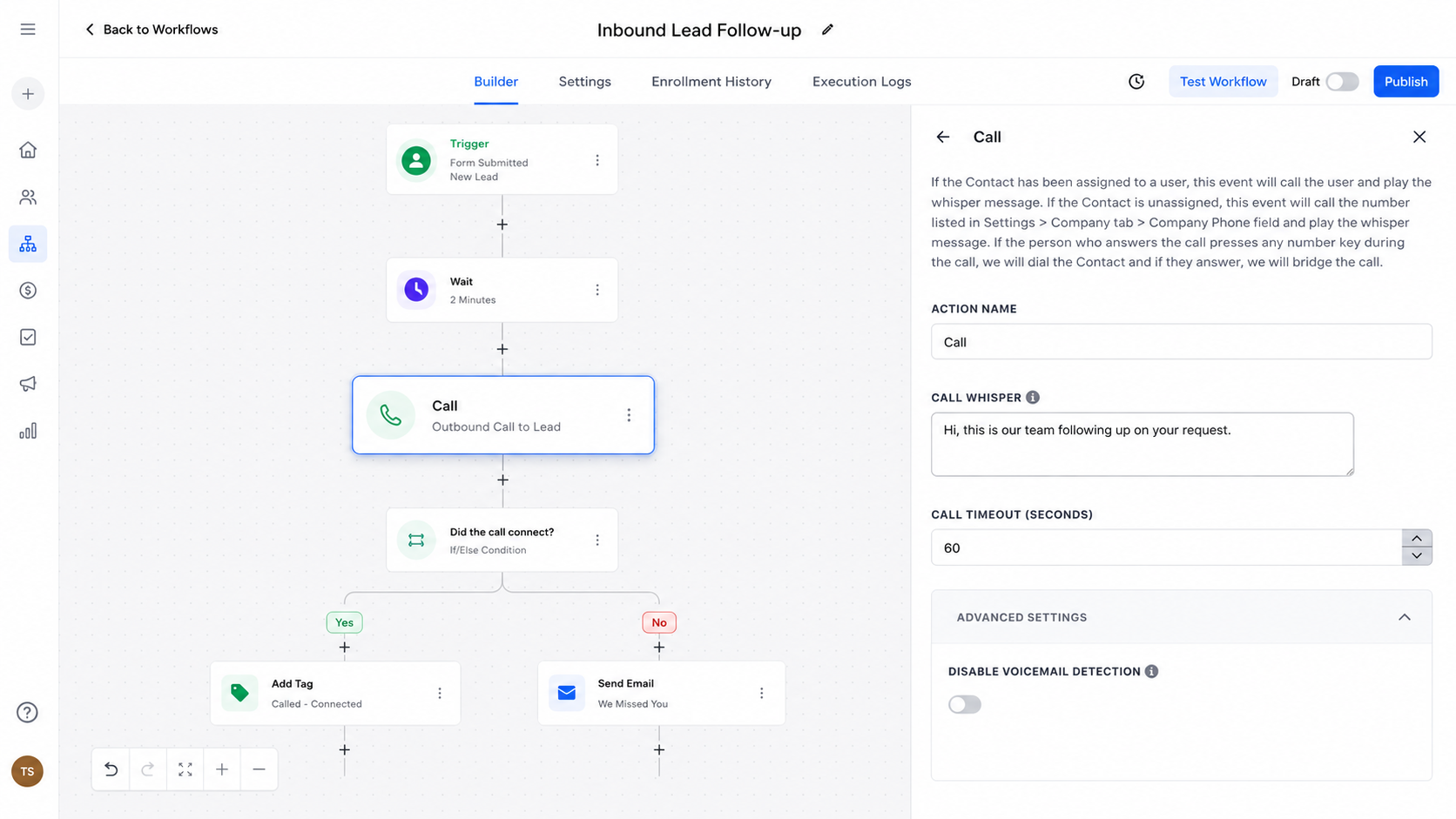
A practical workflow might work like this:
A lead completes an appropriate form or meets another workflow trigger.
The contact enters the workflow.
Any necessary timing or conditions are evaluated.
The contact reaches the Call Action.
HighLevel calls the appropriate internal recipient.
A whisper message can provide context about the incoming call.
Depending on the configured settings, the recipient may need to press a key before the contact is called.
If the contact answers, the two parties are connected.
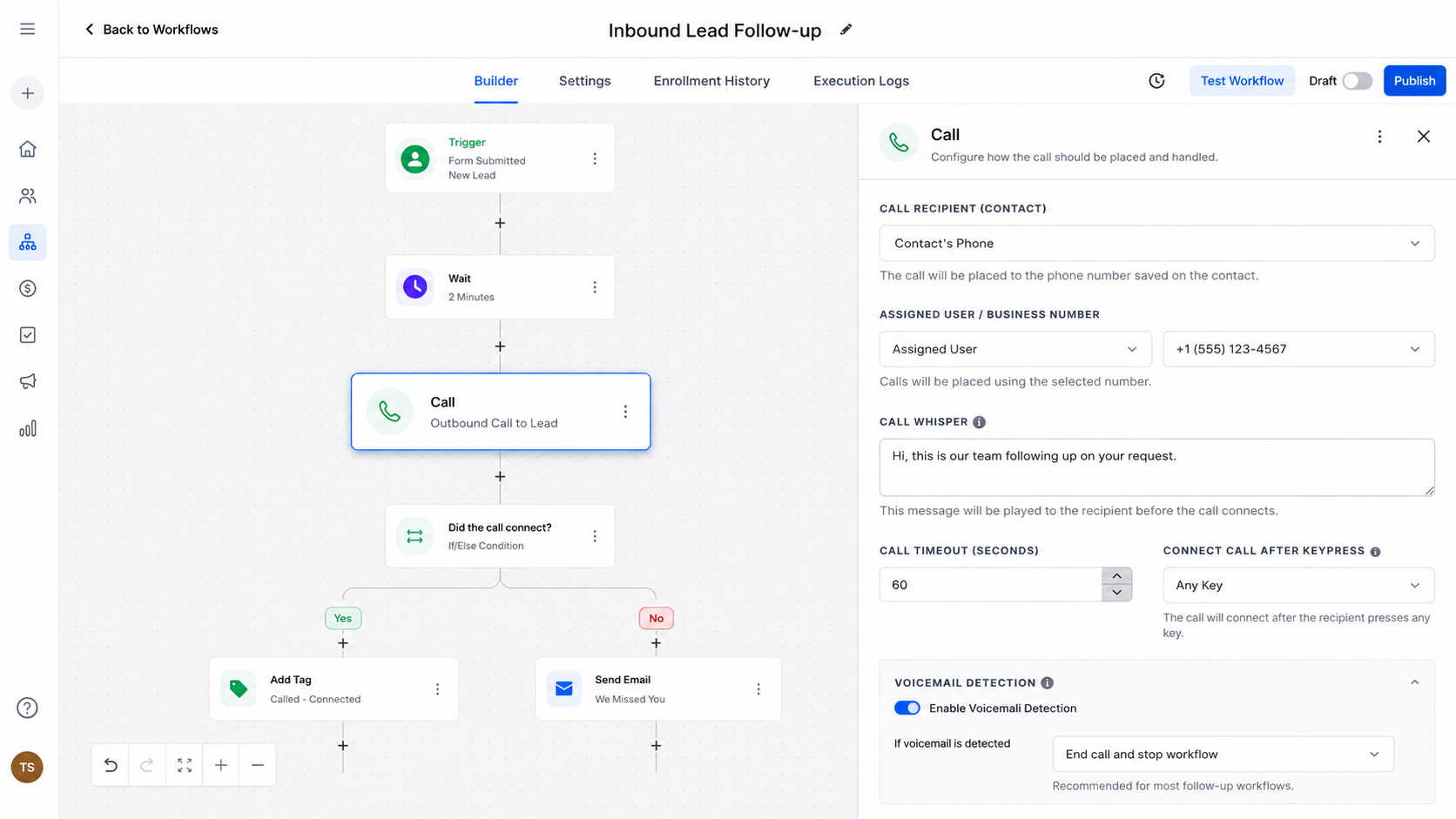
The Call Action can be configured within the workflow to control how the automated call connection is handled.
The action includes settings such as a Call Whisper, Call Timeout, Disable Voicemail Detect, and Connect Call After Keypress. The whisper can use custom values to provide useful context, while timeout controls how long the call attempt waits before ending.
The voicemail-detection setting also deserves attention. By default, HighLevel attempts to determine whether a person or voicemail answered, which can introduce a short connection delay. Disabling voicemail detection can make the connection faster, but it changes how voicemail responses interact with workflow settings such as Stop on Response.
How to Use the Call Action for Faster Lead Engagement
Consider a local service business receiving leads through an online inquiry form.
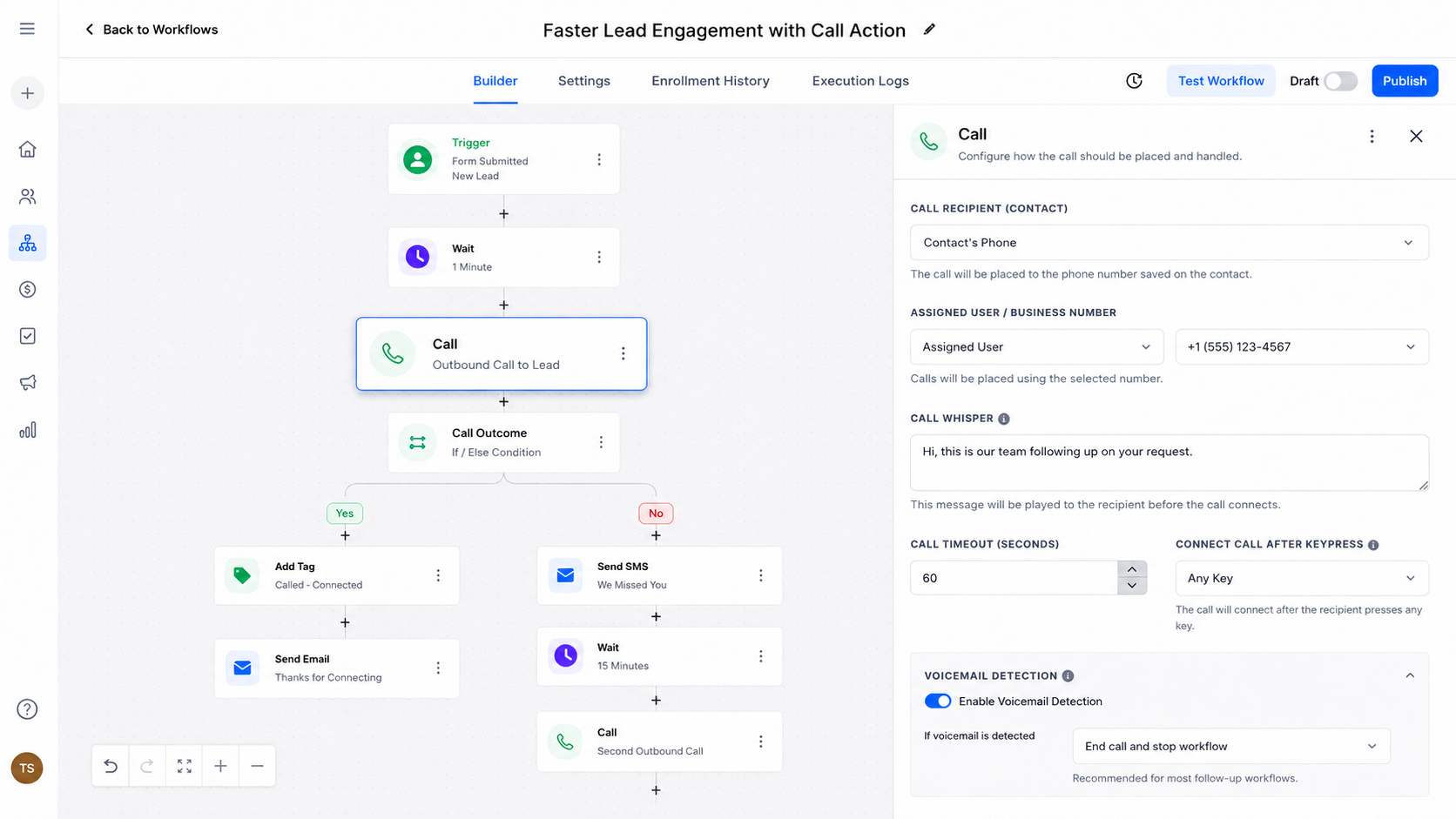
Instead of allowing a new inquiry to sit in a queue, the business could create a workflow where the form submission starts an appropriate lead-engagement process. After any necessary conditions or timing rules, the workflow reaches the Call Action.
The assigned salesperson can receive the automated call with a whisper such as a notification identifying the lead and the reason for the call. If the connection proceeds and the lead answers, the salesperson can immediately have a live conversation.
The important point is that the Call Action is part of the workflow architecture—not the entire lead-engagement strategy. Depending on the business process, additional workflow steps can handle what should happen before or after the call.
Timing is particularly important. A workflow designed for high-intent leads should avoid unnecessary delays before the call. At the same time, businesses should consider operating hours, team availability, contact assignment, and the overall communication experience rather than blindly calling every contact immediately.
Real-World Use Cases
The Call Action can fit naturally into several workflows:
New lead follow-up: Promptly connect a salesperson with a newly submitted inquiry.
Appointment workflows: Alert an assigned team member when an important appointment-related event occurs.
Service inquiries: Connect a responsible employee with a prospect who requires a conversation rather than a simple text response.
Sales follow-up: Use workflow conditions to determine when a live call is appropriate during a longer lead-nurturing process.
New-customer onboarding: Trigger a call connection when personal assistance is more valuable than automated messaging.
These examples work because the Call Action is being used to create a live communication opportunity—not merely as a substitute for every other form of follow-up.
Best Practices for GoHighLevel Call Automation
Keep timing intentional. If the purpose is rapid lead engagement, unnecessary delays can undermine the workflow's purpose.
Think about assignment. Because the Call Action uses the contact's assigned user when available, contact ownership should make sense for the process.
Use the whisper strategically. A short message can give the recipient useful context before the contact is connected.
Plan what happens next. A call should have a logical place within the larger workflow. Consider whether contacts should continue, branch based on conditions, or receive another appropriate follow-up.
Verify your calling setup. Phone configuration and account capabilities can vary, so test the workflow in your own sub-account before relying on it for live campaigns.
Common Mistakes to Avoid
One common mistake is confusing the Call Action with a trigger. The action does not independently determine when a contact enters the workflow.
Another is assuming that every account has identical phone configuration or that every call will result in a live conversation. The workflow depends on the configured calling environment and whether the relevant parties answer.
Finally, don't confuse the automated Call Action with the Manual Call action. Manual Call creates a task for a user to call the contact manually; it does not provide the same automated call-connection behavior.
Conclusion
The GoHighLevel Call Action can turn a workflow from a simple sequence of messages into a faster path toward live human engagement. Its real value comes from placing a call connection at the right point in a carefully designed workflow.
When assignment, timing, call settings, and subsequent workflow logic are considered together, GoHighLevel call automation can help businesses respond to high-intent leads more efficiently—without pretending that automation eliminates the need for thoughtful human follow-up.
FAQs
1. Is the GoHighLevel Call Action a trigger?
No. It is a workflow action. A separate trigger starts the workflow, and the Call Action executes when the contact reaches that step.
2. Does the Call Action call the lead directly?
The process first calls the appropriate internal recipient and then, when the connection process proceeds, calls and connects the contact.
3. What happens if a contact is unassigned?
HighLevel uses the configured company phone number as the recipient for an unassigned contact.
4. Can I provide context before the call connects?
Yes. The Call Action supports a Call Whisper, which can provide information to the recipient before the contact connection.
5. Is Call Action the same as Manual Call?
No. Manual Call creates a task that requires a user to manually call the contact, while the Call Action handles an automated call-connection process.
Need Expert Help with GoHighLevel?
New to GoHighLevel and ready to get started? Buy your GoHighLevel account here and launch with confidence.
Already know what you need and want our team to handle everything, from complete setup and customization to funnels, workflows, automations, CRM, and pipelines? Click here.



