


GoHighLevel Bulk Automation Update
Trigger Automation in Bulk for Companies & Custom Objects
Automation is most useful when it helps a business act at the right moment. But what happens when the records you need to process are already inside your CRM?
You may have existing Companies that need onboarding or follow-up. You may have Policies or Subscriptions that need renewal automation. Or you may have imported Custom Object records that now need to go through a workflow.
Previously, handling these situations could mean dealing with records individually or waiting for a new workflow trigger. GoHighLevel has introduced a more practical option: users can now trigger workflows for multiple Company or Custom Object records at once directly from the list view.
This bulk automation capability gives businesses a straightforward way to select existing records, choose a workflow, and process them together.
What the New Bulk Automation Update Does
The new capability allows you to select multiple Company or Custom Object records and trigger an automation in bulk.
Instead of updating records individually, you can select the group of records you want to process, choose the workflow you want to run, and confirm the action.
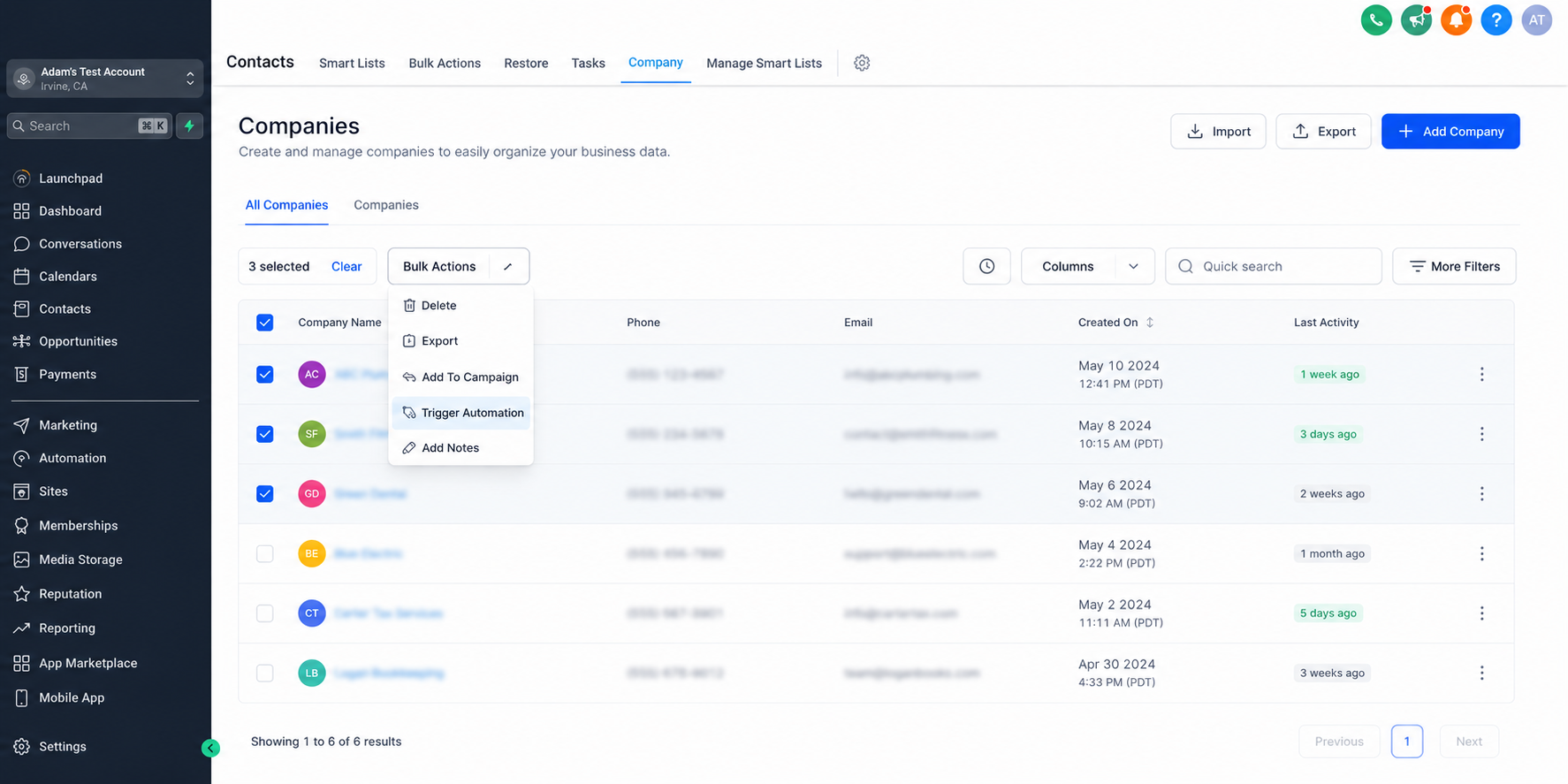
This is particularly useful when the records already exist and you want an automation to run for them without waiting for a new workflow trigger.
The process is managed directly from the relevant list view, making bulk workflow execution part of the existing record-management process.
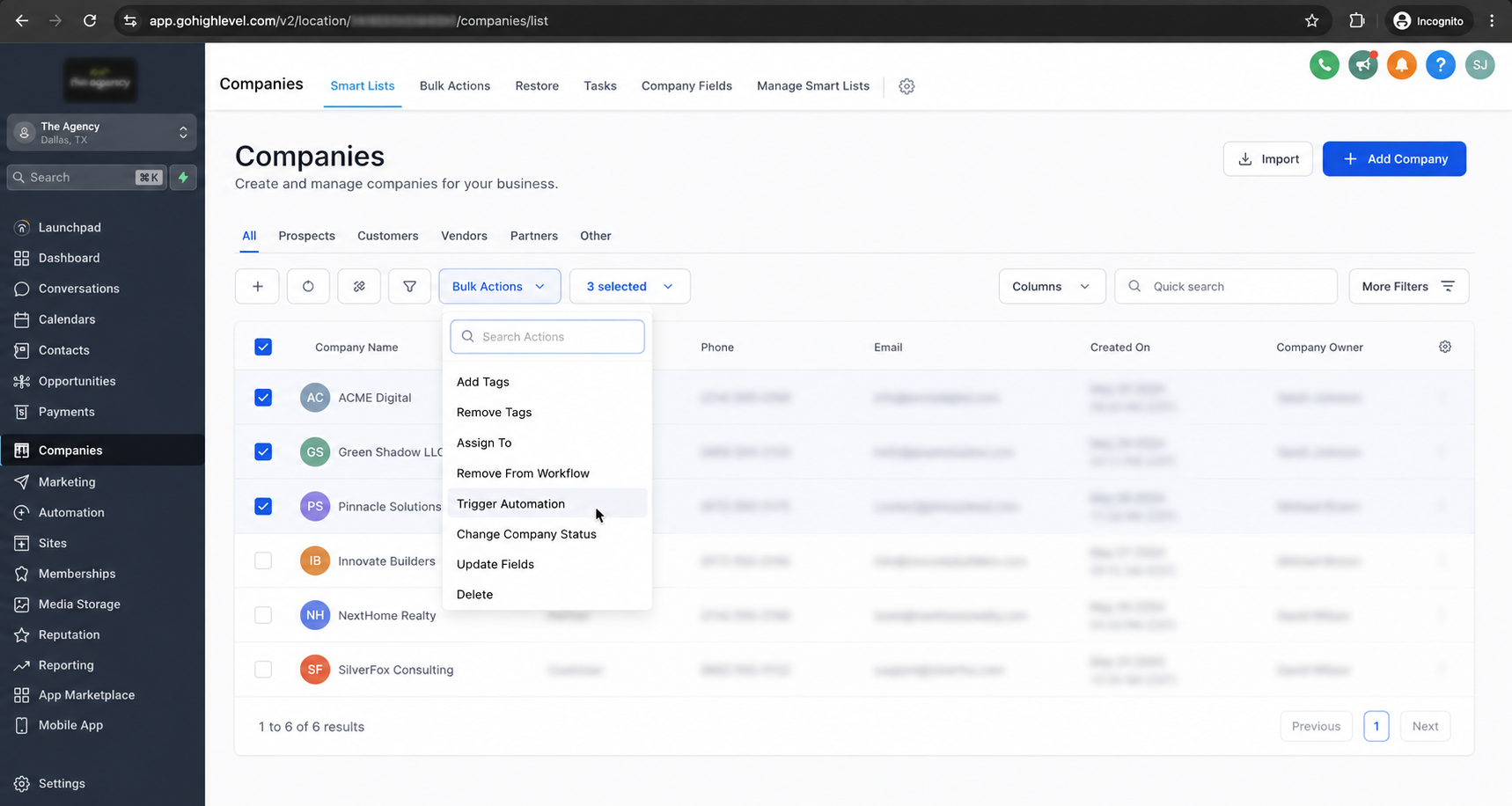
You can also track progress and review record-level results through Bulk Actions.
Why Bulk Triggering Matters for Existing Records
Workflows are often associated with something happening: a new record enters the system, a particular action occurs, or another event starts an automation.
But business operations do not always happen at the exact moment a record is created.
Sometimes, a group of existing records needs attention.
Imagine a business has several Companies that now need an onboarding or follow-up workflow. Those records are already present, so the need is not necessarily to create or update each record individually. The business simply needs to process the selected Companies.
The same principle applies to Policies or Subscriptions that require renewal automation, imported Custom Object records that need processing, or a selected group of records that requires a one-time operational workflow.
The bulk trigger capability provides a direct way to act on those existing records.
How to Trigger Automation in GoHighLevel
Using the new functionality involves a simple process.
1. Open Companies or a Custom Object
Start by opening Companies or the relevant Custom Object where the records you want to process are located.
2. Select the Records
Choose the multiple records you want to include in the automation.
This lets you work with a selected group instead of processing records individually.
3. Click “Trigger Automation”
After selecting the records, choose Trigger Automation.
This starts the process of selecting the workflow you want to run for the selected records.
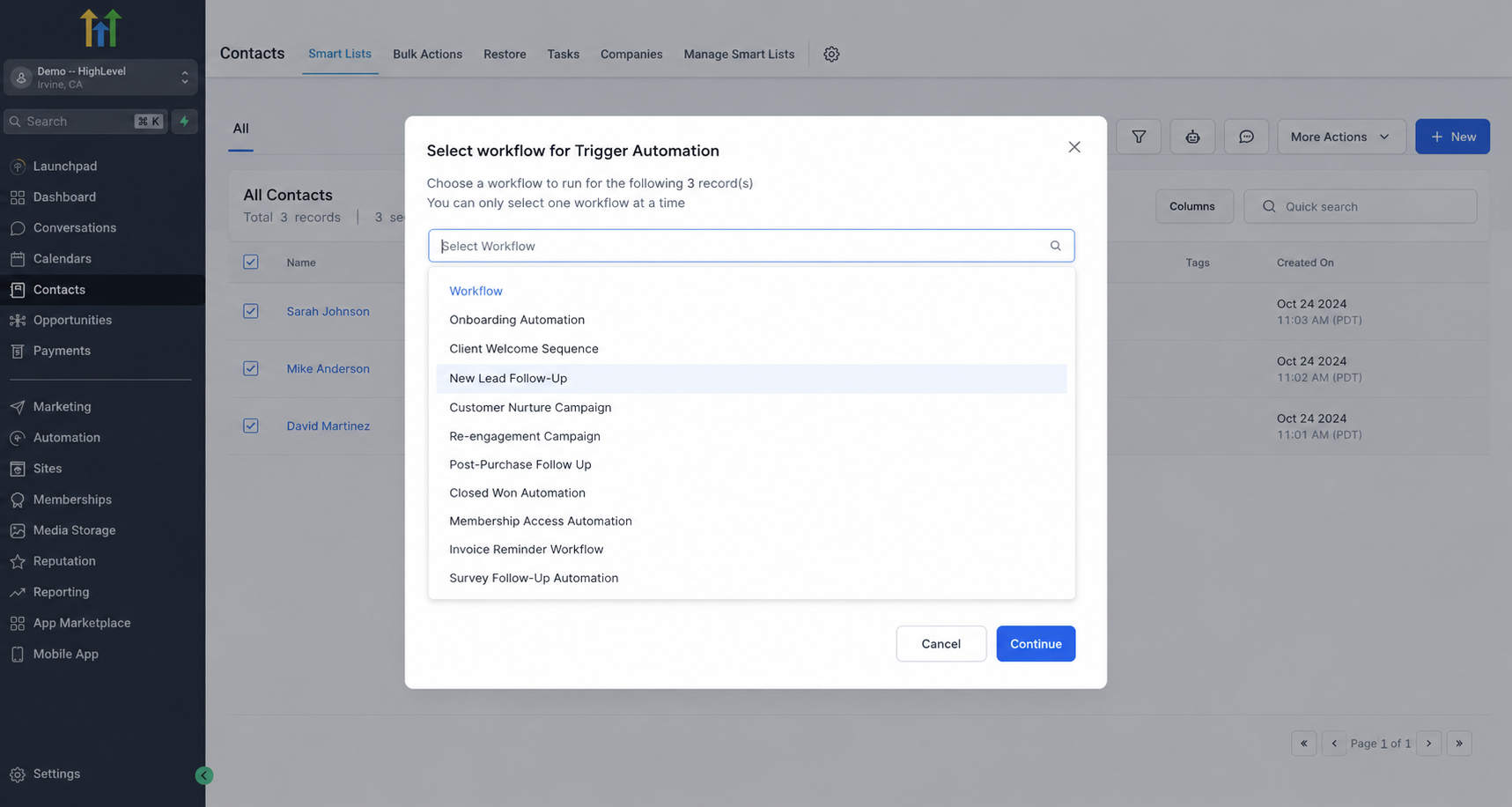
4. Select the Workflow
Choose the workflow you want to trigger.
The update allows you to select the workflow you want to run without updating each record individually.
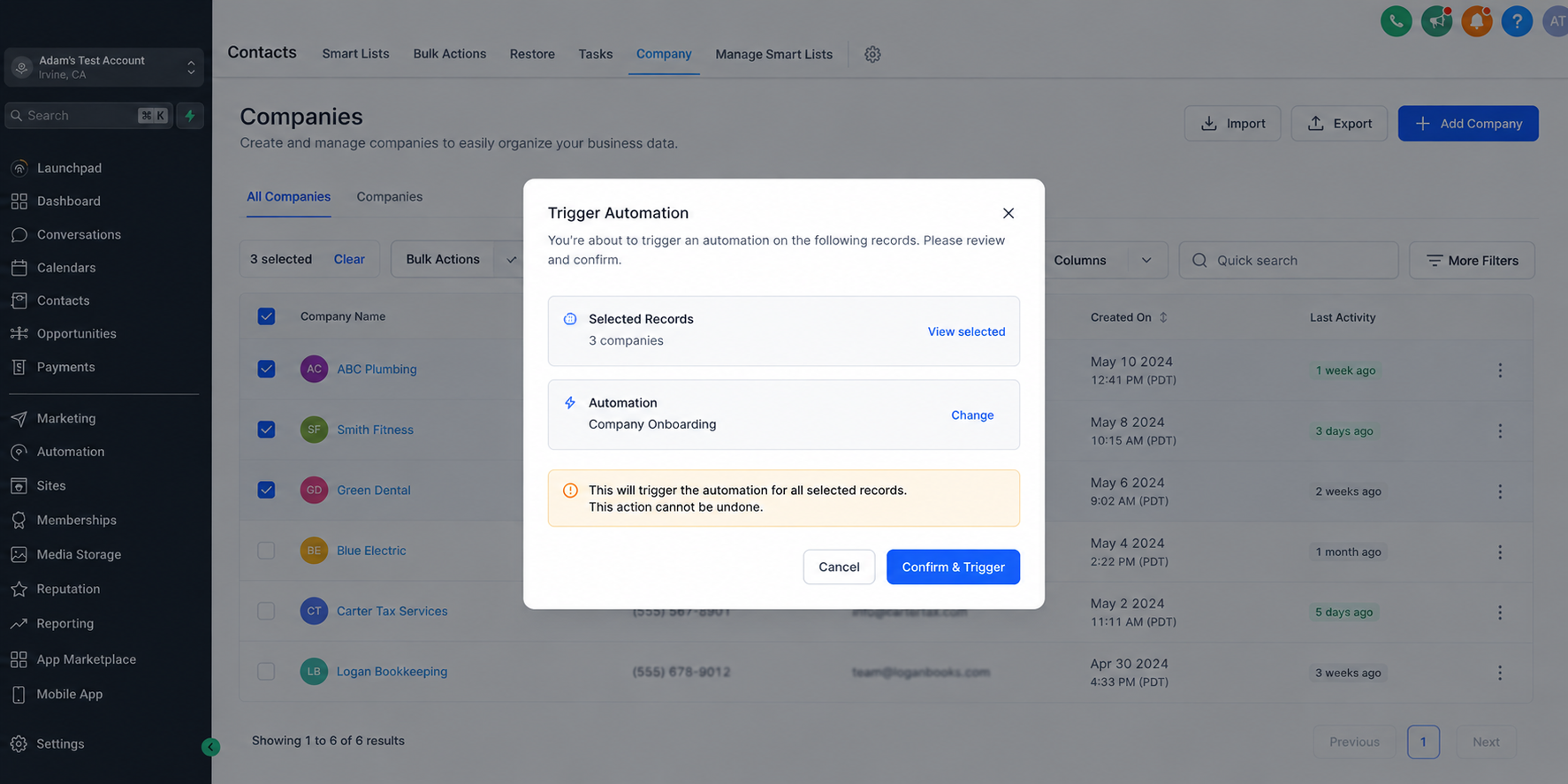
5. Confirm the Action
Once you have selected the workflow, confirm the action to trigger the automation for the selected records.
6. Monitor the Results
After triggering the automation, you can monitor progress and review record-level results through Bulk Actions.
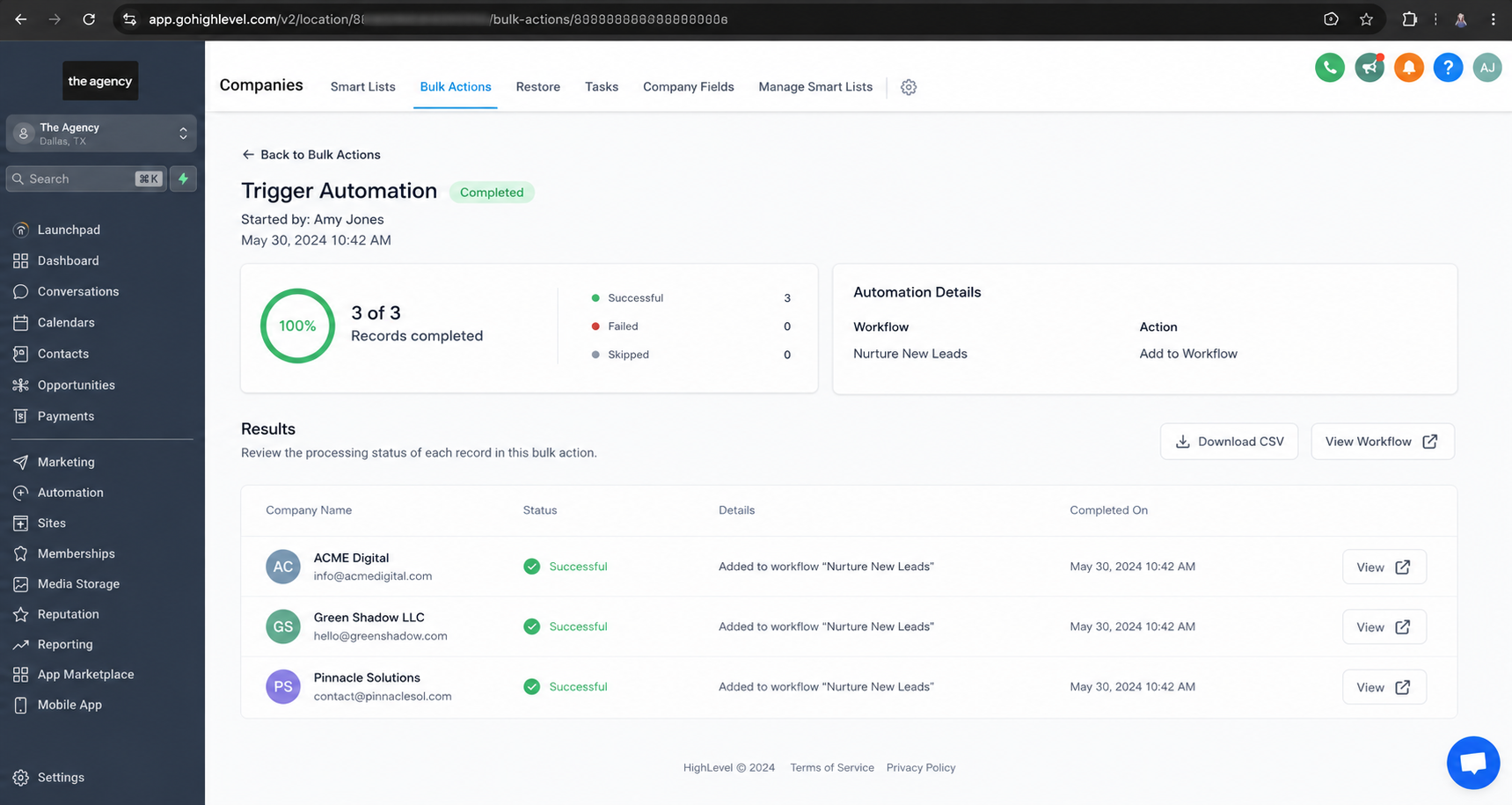
This provides visibility into the processing of the selected records.
Practical Use Cases for Bulk Automation
The value of this capability becomes clearer when looking at the use cases GoHighLevel highlights.
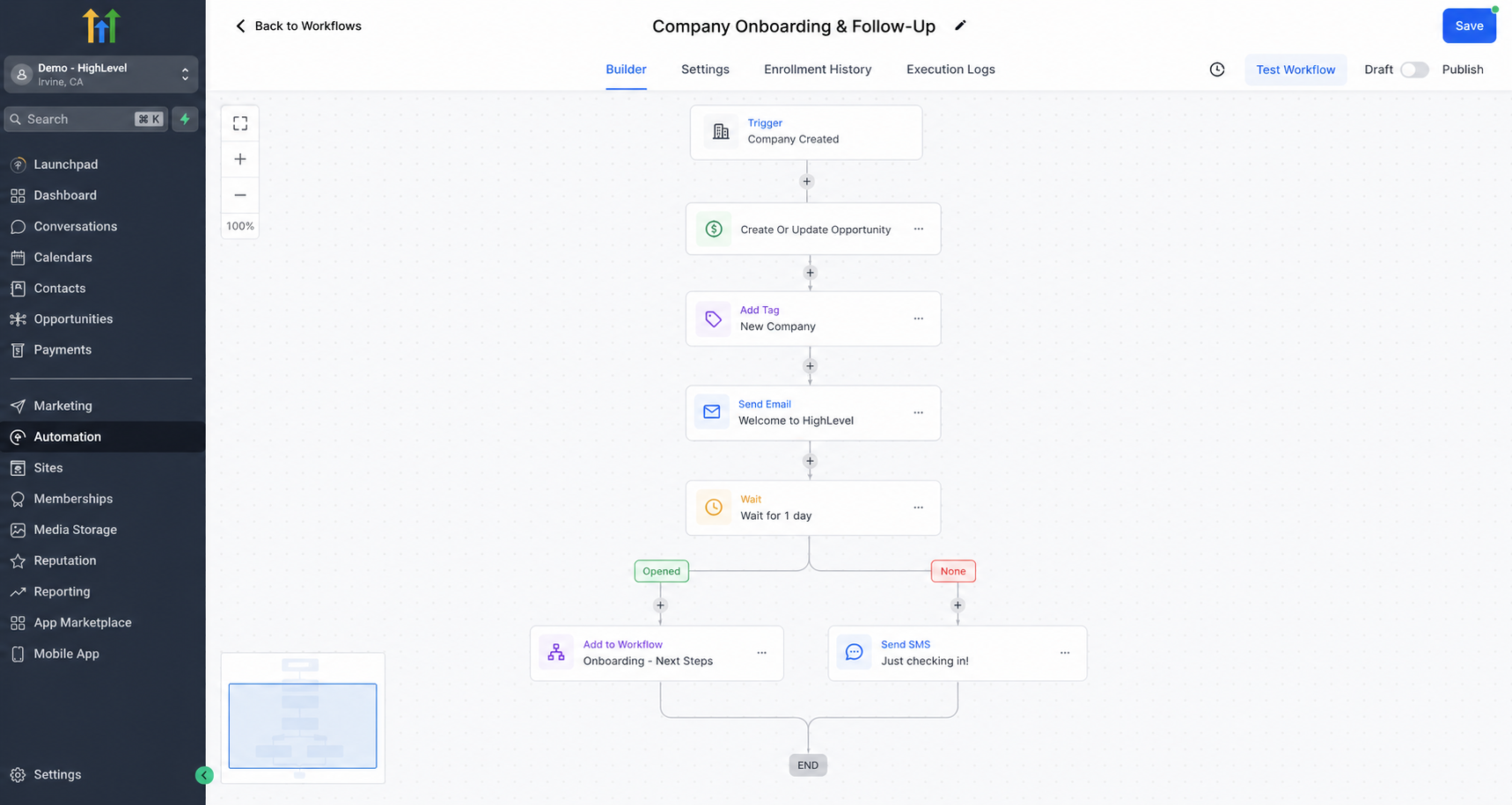
Company Onboarding or Follow-Up
Businesses can use bulk triggering for onboarding or follow-up workflows for Companies.
If multiple existing Companies need the same workflow, users can select those records and trigger the appropriate automation in bulk.
Renewal Automation for Policies or Subscriptions
Renewals are another practical example. Businesses can use bulk automation to trigger renewal workflows for Policies or Subscriptions.
Rather than handling selected records individually, users can process the group together.
Processing Imported Custom Object Records
Imported Custom Object records may also need to be processed after they are added to the CRM.
With bulk automation, users can select the relevant imported records and trigger the workflow they need.
One-Time Operational Workflows
Not every automation need is part of an ongoing process. Sometimes a business needs to run a one-time operational workflow on selected records.
Bulk triggering provides a way to select those records and start the chosen workflow together.
A More Practical Way to Work With Existing Records
The biggest value of this GoHighLevel automation update is its focus on existing records.
Businesses do not always need to wait for something new to happen before automation becomes useful. Sometimes the records are already there, and the next step is simply to process a specific group.
By bringing Trigger Automation into the list view for Companies and Custom Objects, GoHighLevel gives users a direct workflow for selecting records, choosing an automation, confirming the action, and reviewing results through Bulk Actions.
That makes the process easier to understand and more practical for day-to-day CRM operations.
Conclusion
GoHighLevel's new bulk automation capability gives users a simple way to trigger workflows for multiple Company and Custom Object records at once.
Whether the goal is Company onboarding or follow-up, renewal automation for Policies or Subscriptions, processing imported Custom Object records, or running a one-time operational workflow, the process starts from the list view.
Select the records, click Trigger Automation, choose the workflow, confirm the action, and monitor the results through Bulk Actions.
For businesses working with existing CRM records, this provides a practical way to put GoHighLevel workflow automation into action when those records need attention, without requiring each selected record to be processed individually.
Need Expert Help with GoHighLevel?
New to GoHighLevel and ready to get started? Buy your GoHighLevel account here and launch with confidence.
Already know what you need and want our team to handle everything, from complete setup and customization to funnels, workflows, automations, CRM, and pipelines? Click here.



