

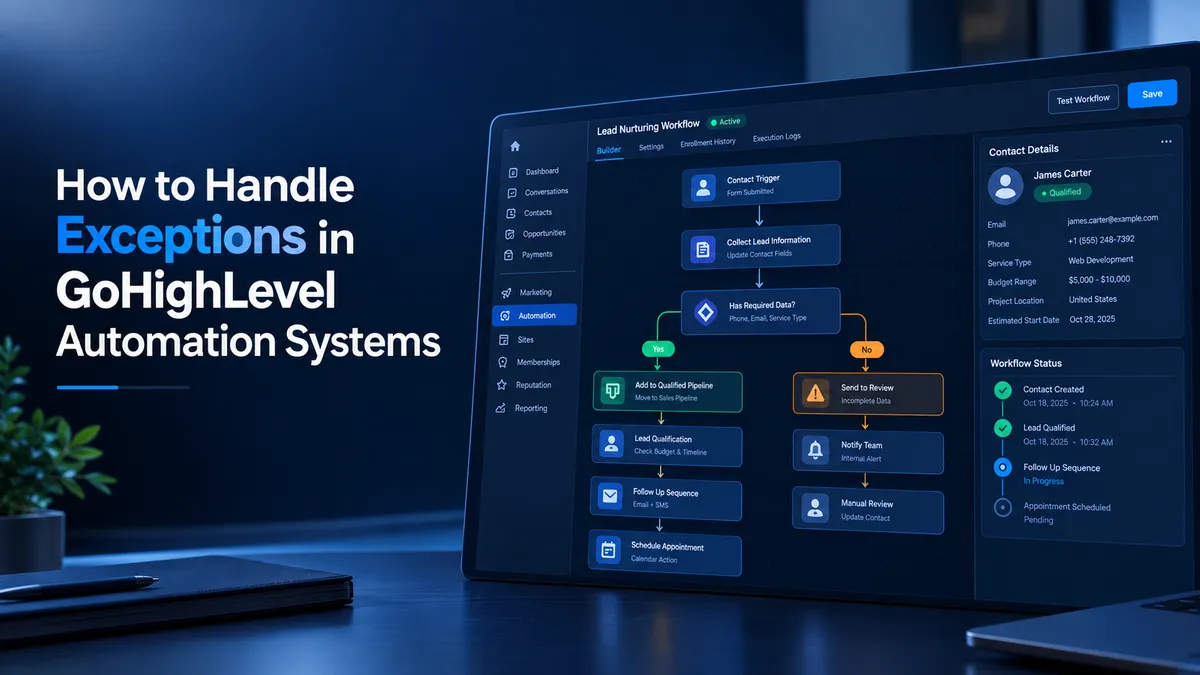
Automation Exception Handling
How to Handle Exceptions in GoHighLevel Automation Systems
A lead submits a form, receives the first follow up message, and then receives the same message again because two GoHighLevel workflows are running at the same time. Meanwhile, another lead with missing contact information enters a sequence that cannot achieve its intended result. These problems can damage customer trust and create unnecessary manual work. Reliable GoHighLevel automation requires more than building workflows that work under normal conditions. It requires planning for exceptions before they disrupt business operations.
Understanding Exceptions in GoHighLevel Automation
An exception is any situation in which an automation encounters an unexpected condition or reaches a business outcome that requires different handling. In GoHighLevel, these situations generally fall into two categories.
Business exceptions include unqualified leads, cancelled appointments, incomplete forms, and contacts who need manual review. These outcomes are often predictable and should have their own workflow paths.
Operational exceptions involve problems such as incorrect workflow conditions, missing configuration, integration issues, or actions that fail to produce the expected result. These problems may require investigation rather than another automated message.
Treating every exception as a normal workflow outcome can cause inappropriate follow ups, incorrect contact updates, and missed opportunities. A reliable system distinguishes between an expected business decision and an operational problem that needs attention.
Common Exception Scenarios
Several situations deserve attention when designing GoHighLevel workflows.
Duplicate workflow enrollment: A contact may qualify for overlapping workflows or enter a sequence more than once, depending on the triggers and reentry configuration. Without suitable safeguards, this can produce duplicate messages or conflicting updates.
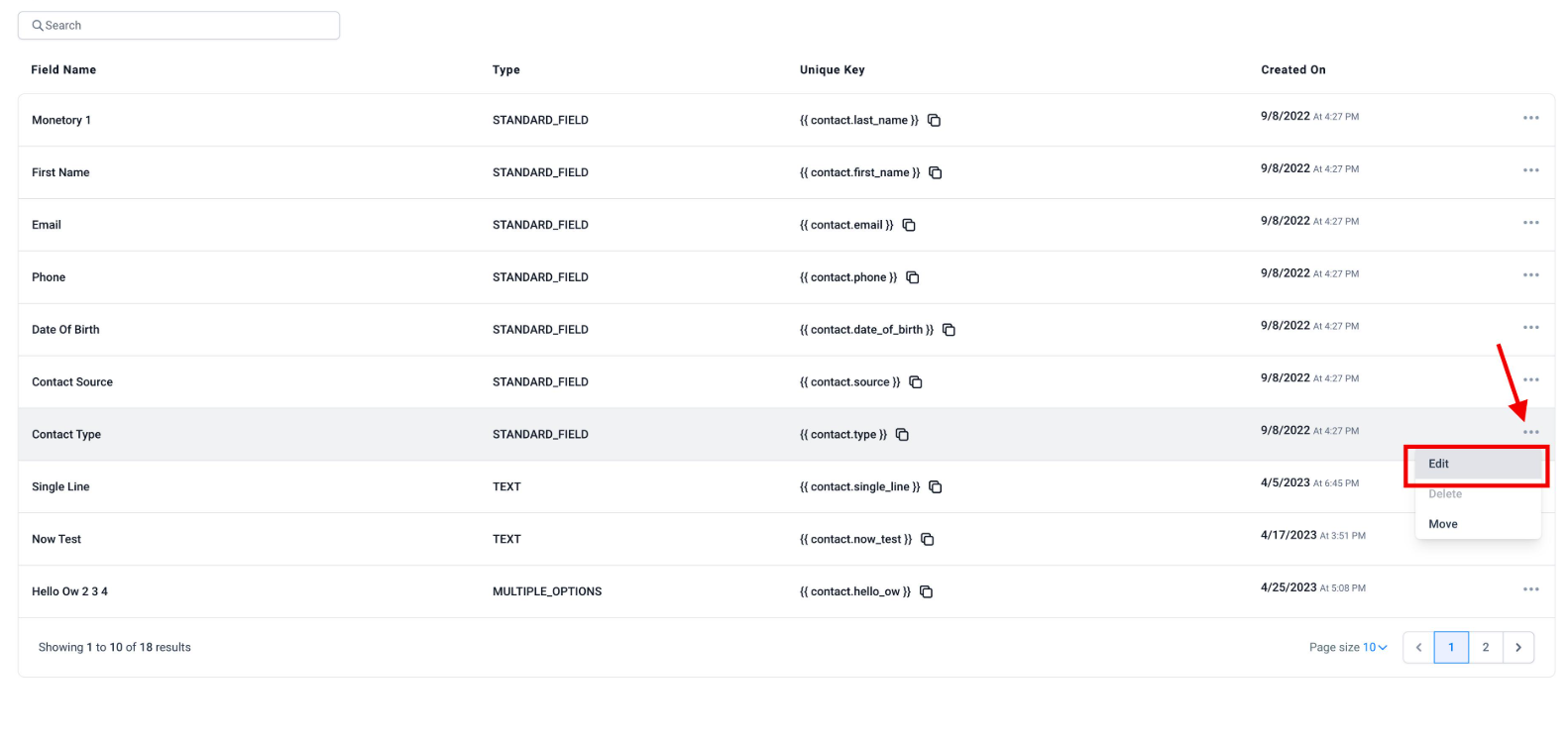
Incomplete contact information: A record may lack an email address, phone number, or qualification details needed for the next action. The workflow should not assume that every contact has complete information.
Failed qualification conditions: A lead may not meet the business requirements for an appointment or sales conversation. This is not necessarily a technical error. It is a business outcome that needs an appropriate next step.
Appointment changes: Cancellations, rescheduling, and no shows can make previously scheduled follow ups inappropriate. Appointment related workflows must account for the relevant status and timing.
Conflicting contact data: Tags and custom field values may not accurately represent a contact's current situation. Conditions based on outdated information can send contacts down the wrong path.
Integration or communication issues: External services, messaging channels, and connected applications can introduce failures that ordinary workflow branches may not detect automatically.
Designing Exception Aware Workflows
Reliable GoHighLevel workflows begin with clear entry conditions and deliberate routing.
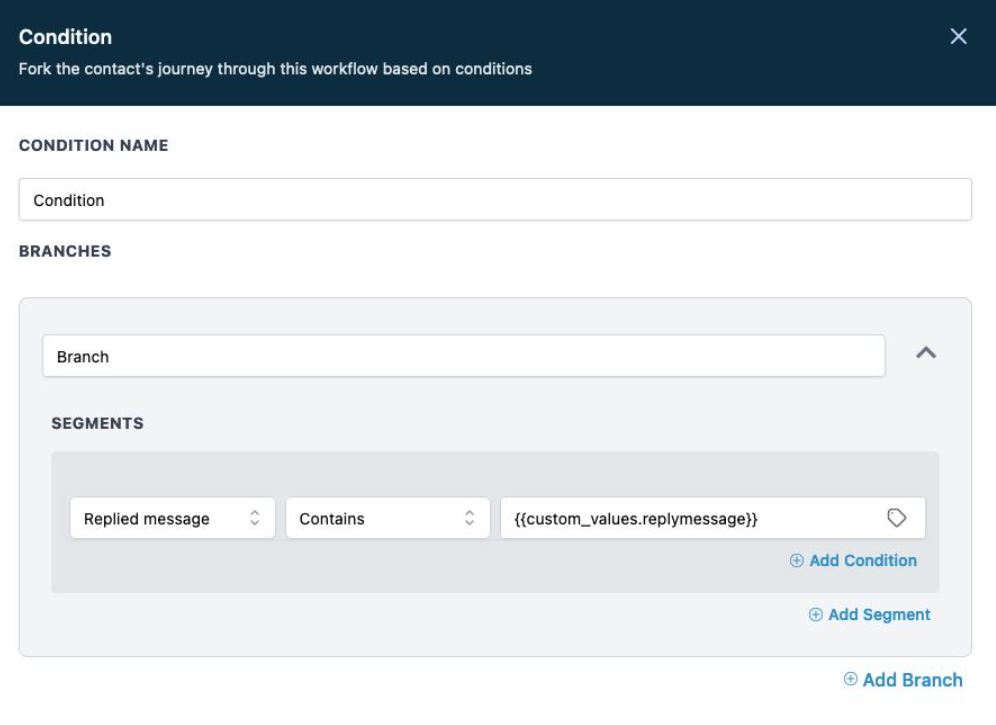
Use the If/Else action to separate contacts according to qualification criteria, required information, or relevant appointment conditions. Put important checks before communication actions so contacts do not receive messages intended for a different situation.
Tags and custom fields can help represent business states, such as awaiting qualification or requiring manual review. However, define what each value means and update it consistently. A tag alone does not guarantee that duplicate processing is prevented.
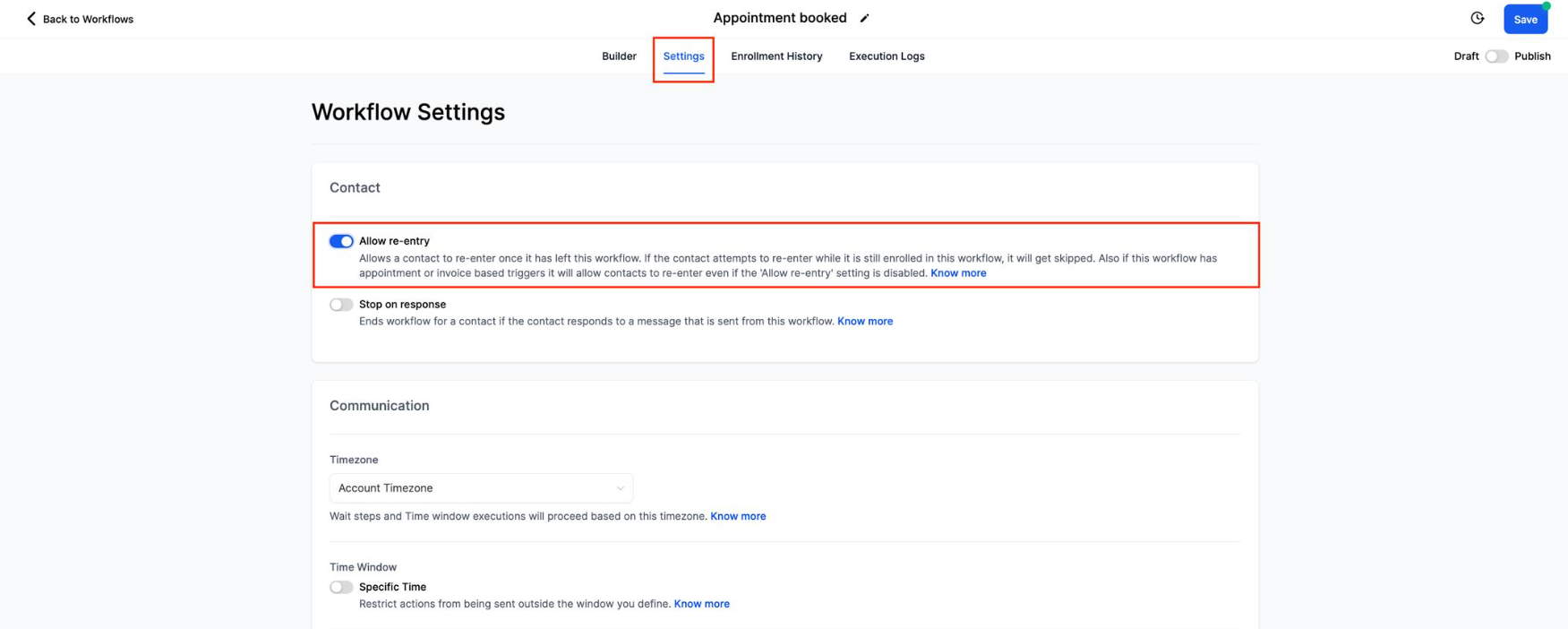
Review the workflow's Allow Reentry setting before enabling repeat enrollment. Its behavior depends on the workflow and trigger type. Appointment and invoice based triggers have specific reentry behavior, so do not rely on this setting as a universal duplicate prevention mechanism.
Building an Exception Handling Strategy
Use this practical process when building or improving GoHighLevel automation.
Identify possible exceptions. List missing fields, duplicate submissions, unqualified leads, cancellations, and integration dependencies.
Define the intended outcome. Decide whether each situation should continue, branch into another path, stop, or receive manual review.
Add safeguards. Use appropriate conditions, clear entry criteria, and consistent contact data to prevent incorrect actions.
Assign responsibility. Notify a team member when a situation requires a decision that automation cannot safely make.
Test before publishing. Test normal contacts, incomplete records, repeat enrollments, and unexpected status changes.
Investigate actual results. Review workflow execution details and correct the underlying cause instead of repeatedly changing conditions without evidence.
These steps address three distinct needs: prevention reduces the likelihood of errors, detection identifies problems that occur, and recovery restores the intended process. Not every operational failure can be resolved automatically within a workflow.
Practical Example: Lead Qualification and Follow Up
Consider a business that receives leads through a GoHighLevel form and wants to contact only qualified prospects.
First, configure the workflow to begin when the appropriate form is submitted. Use an If/Else action to check required qualification fields and relevant contact information.
Qualified contacts enter the intended follow up sequence. Incomplete records follow a separate path that requests missing information where appropriate or alerts a team member for review. Unqualified leads receive only the communication permitted by the business's qualification policy.
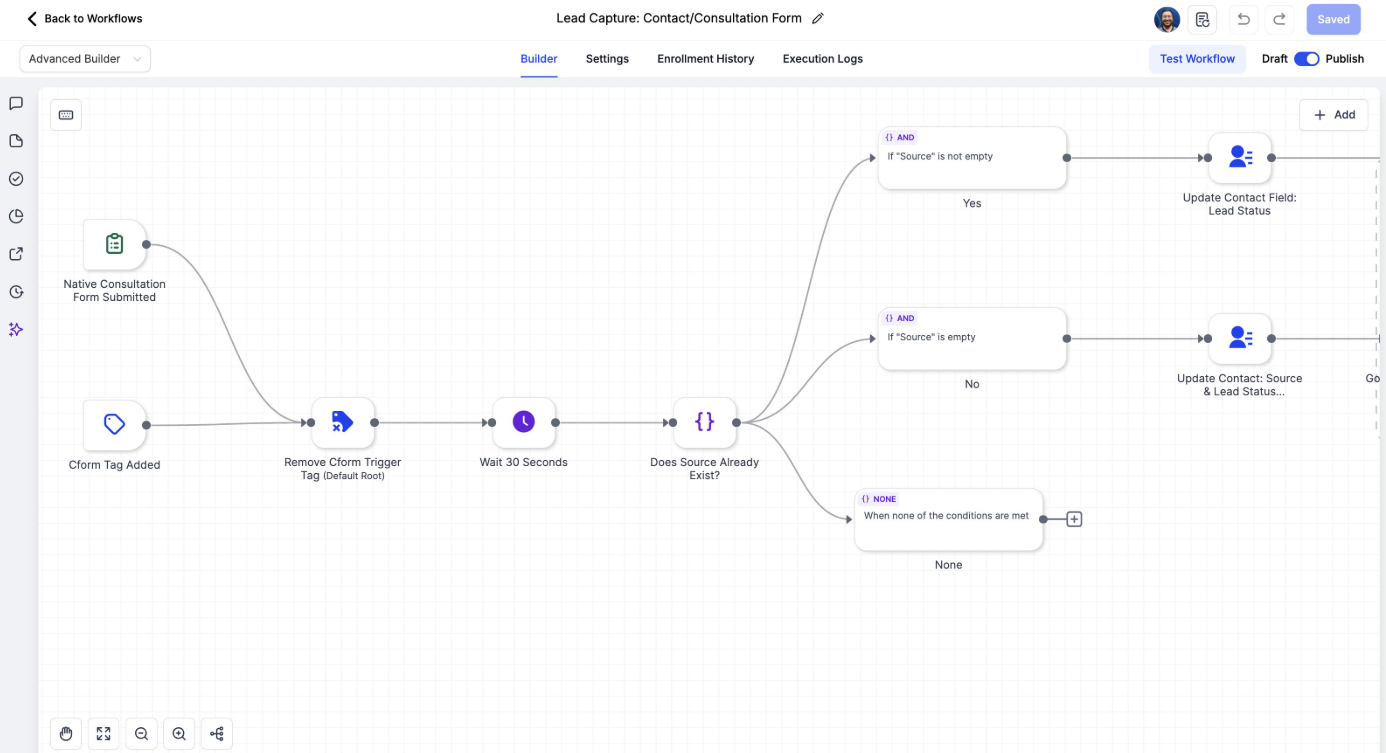
Before sending each important message, consider whether the contact could have already completed the relevant step or entered another overlapping sequence. Use consistent status fields and carefully designed conditions to reduce duplicate communication.
Test the workflow using a qualified contact, an incomplete contact, an unqualified contact, and a repeated form submission. Confirm that each follows the intended path.
If a message action fails operationally, investigate the execution details rather than assuming the contact will automatically move to an exception path. If additional monitoring or API based recovery is required, implement and test it separately.
Testing, Monitoring, and Maintenance
Test workflows before launch and after significant changes to triggers, conditions, integrations, or communication steps. Include missing information, repeated submissions, conflicting field values, and appointment cancellations or rescheduling.
GoHighLevel provides workflow execution logs and enrollment history for investigating contact progression and execution issues. Use these records to identify skipped steps, failed actions, and incorrect enrollment behavior.
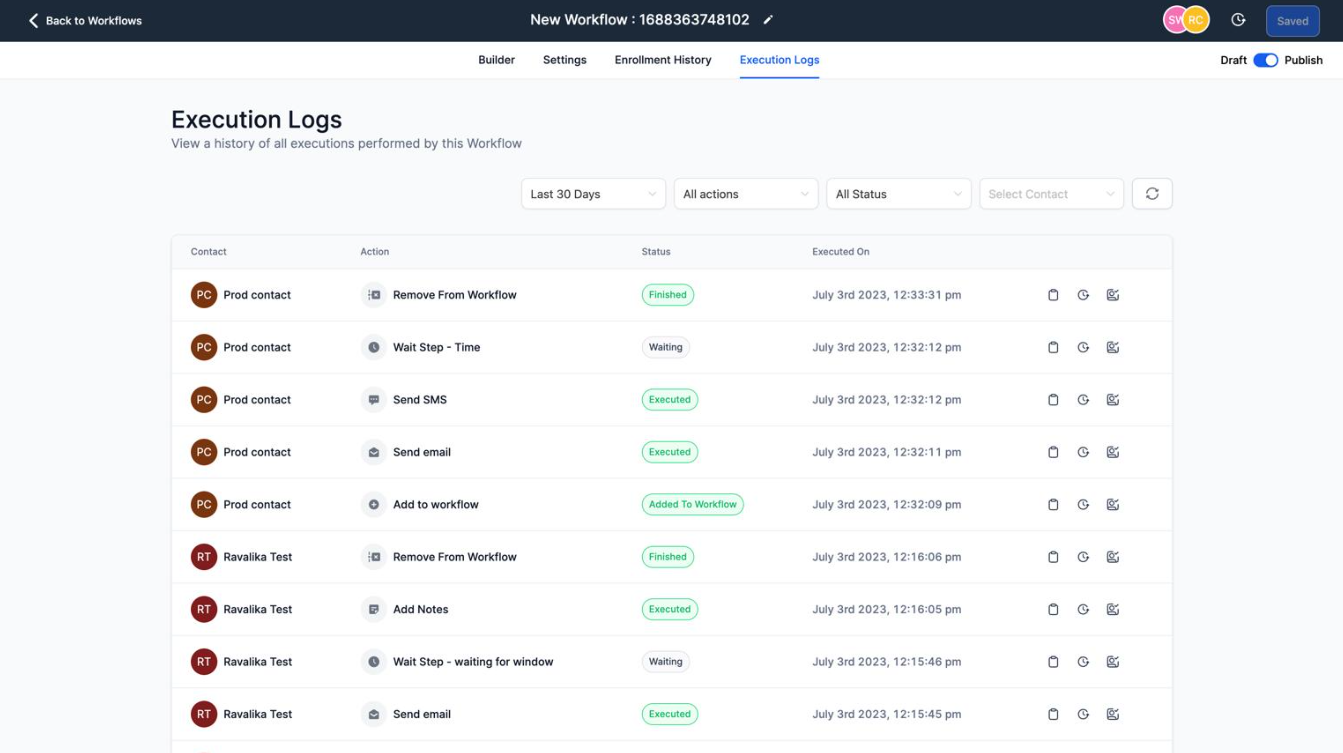
Review important workflows periodically. Check whether their entry conditions still match business requirements, their tags and fields remain consistent, and their messages reflect current appointment or lead status. Document recurring issues and test fixes against the original failure scenario.
Reliable CRM automation does not depend on assuming that nothing will go wrong. It depends on designing clear outcomes, identifying failures, and giving each situation an appropriate response.
Frequently Asked Questions
1. What is an exception in GoHighLevel automation?
An exception is an unexpected operational problem or a business situation requiring a different workflow path. Examples include missing contact information, unqualified leads, and failed actions.
2. Can GoHighLevel workflows automatically recover from every error?
No. Conditional branches can handle defined business scenarios, while execution errors may require investigation, manual intervention, or additional monitoring.
3. How can duplicate workflow actions be prevented?
Review overlapping triggers, entry conditions, reentry settings, and contact status checks. Test repeat submissions because disabling reentry alone does not prevent every duplicate action.
4. How should incomplete contact records be handled?
Check required fields before important communication actions. Route incomplete records toward clarification or manual review instead of sending them through an unsuitable sequence.
5. How can I troubleshoot a workflow that behaves unexpectedly?
Review trigger filters, enrollment history, execution logs, and failed or skipped actions. Reproduce the issue with a test contact and verify the correction before applying it to live automation.
Need Expert Help with GoHighLevel?
New to GoHighLevel and ready to get started? Buy your GoHighLevel account here and launch with confidence.
Already know what you need and want our team to handle everything, from complete setup and customization to funnels, workflows, automations, CRM, and pipelines? Click here.



