
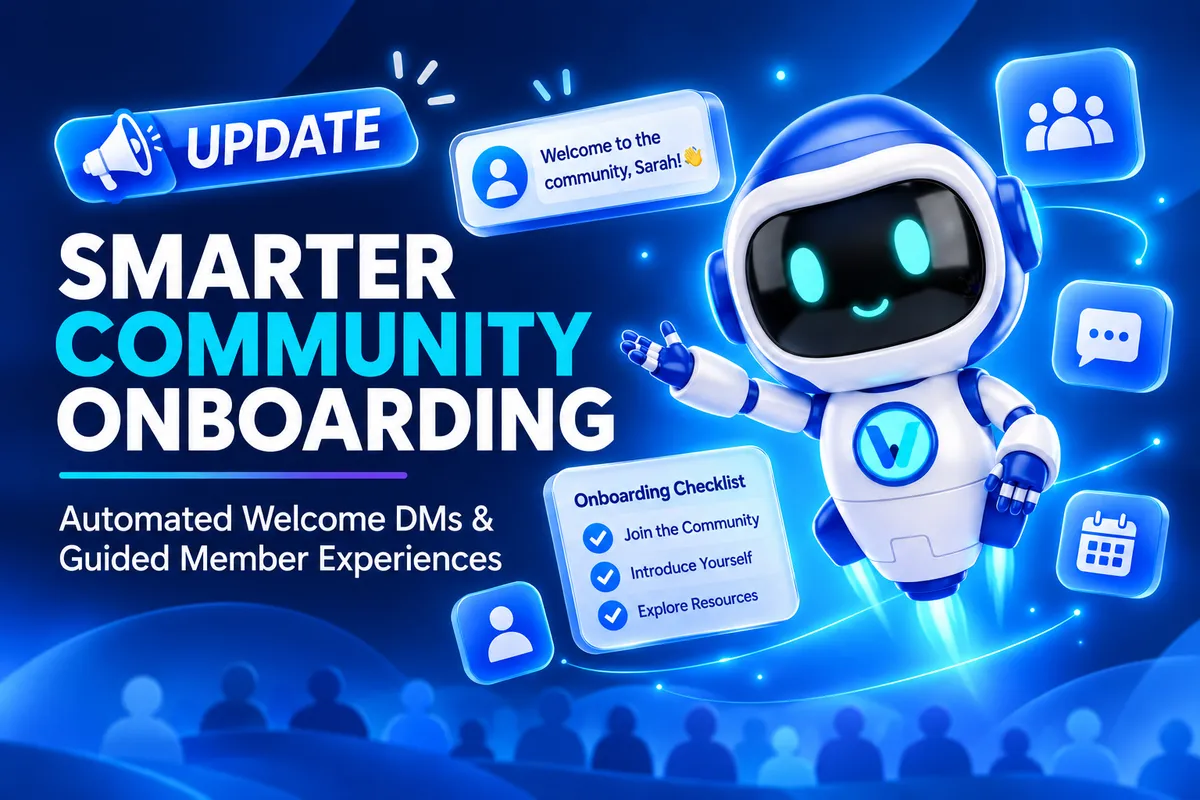
GoHighLevel Auto DM & Community Onboarding Update
GoHighLevel Auto DM and Community Member Onboarding: Welcome New Members the Right Way
A new member joining a community is an important moment. They have taken the first step, but what happens next can shape whether they feel comfortable participating or remain unsure where to begin. Without a clear welcome or starting point, those first interactions can feel harder than they need to be.
GoHighLevel’s latest Communities update addresses this early experience with two tools: automatic welcome direct messages and guided onboarding steps. Available through the new Welcome Setup area, these features let admins greet new members personally and help them understand what to do first. Either feature can be enabled independently, or both can be used together.
What’s New in GoHighLevel Communities?
The update introduces two complementary features:
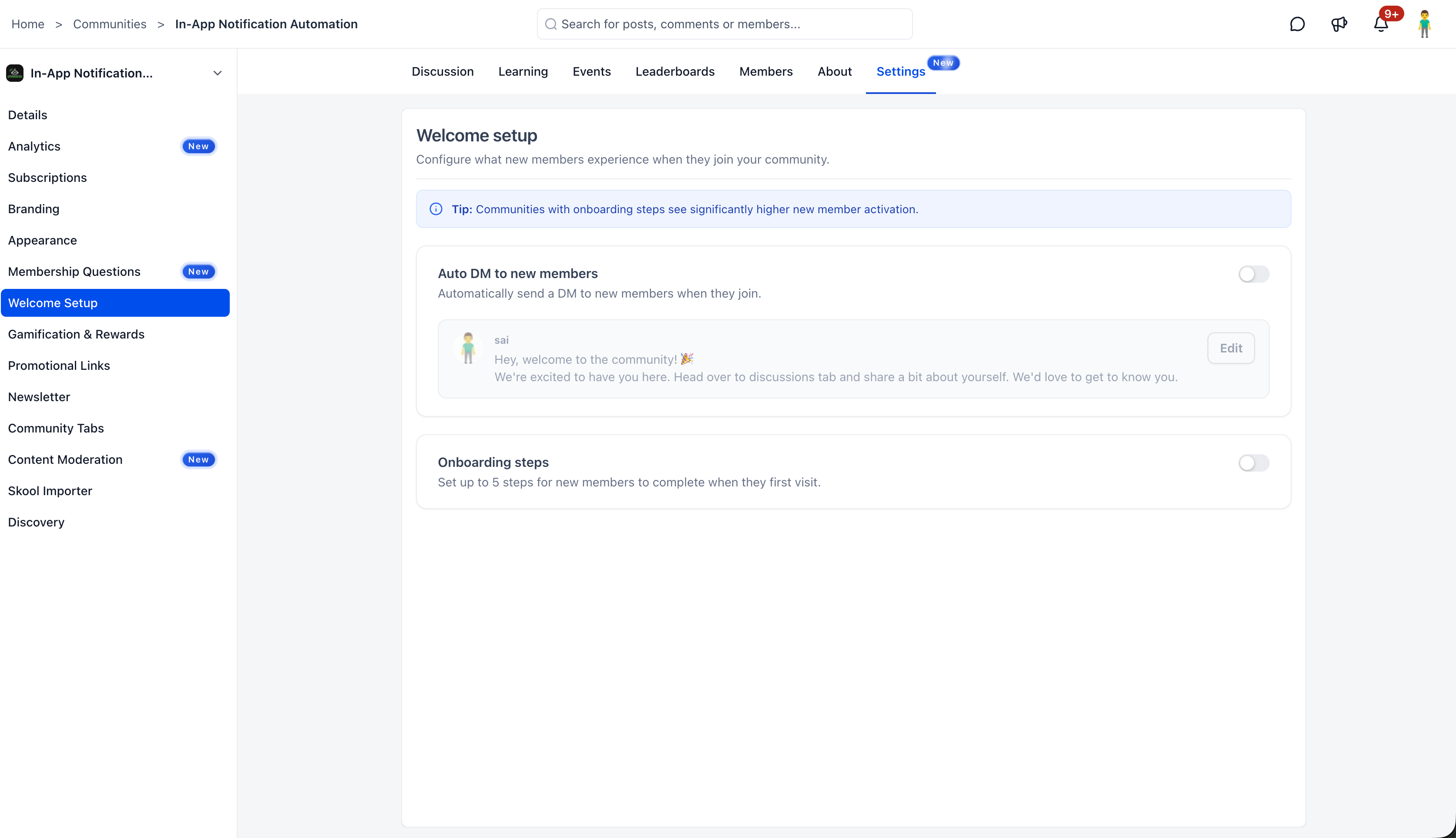
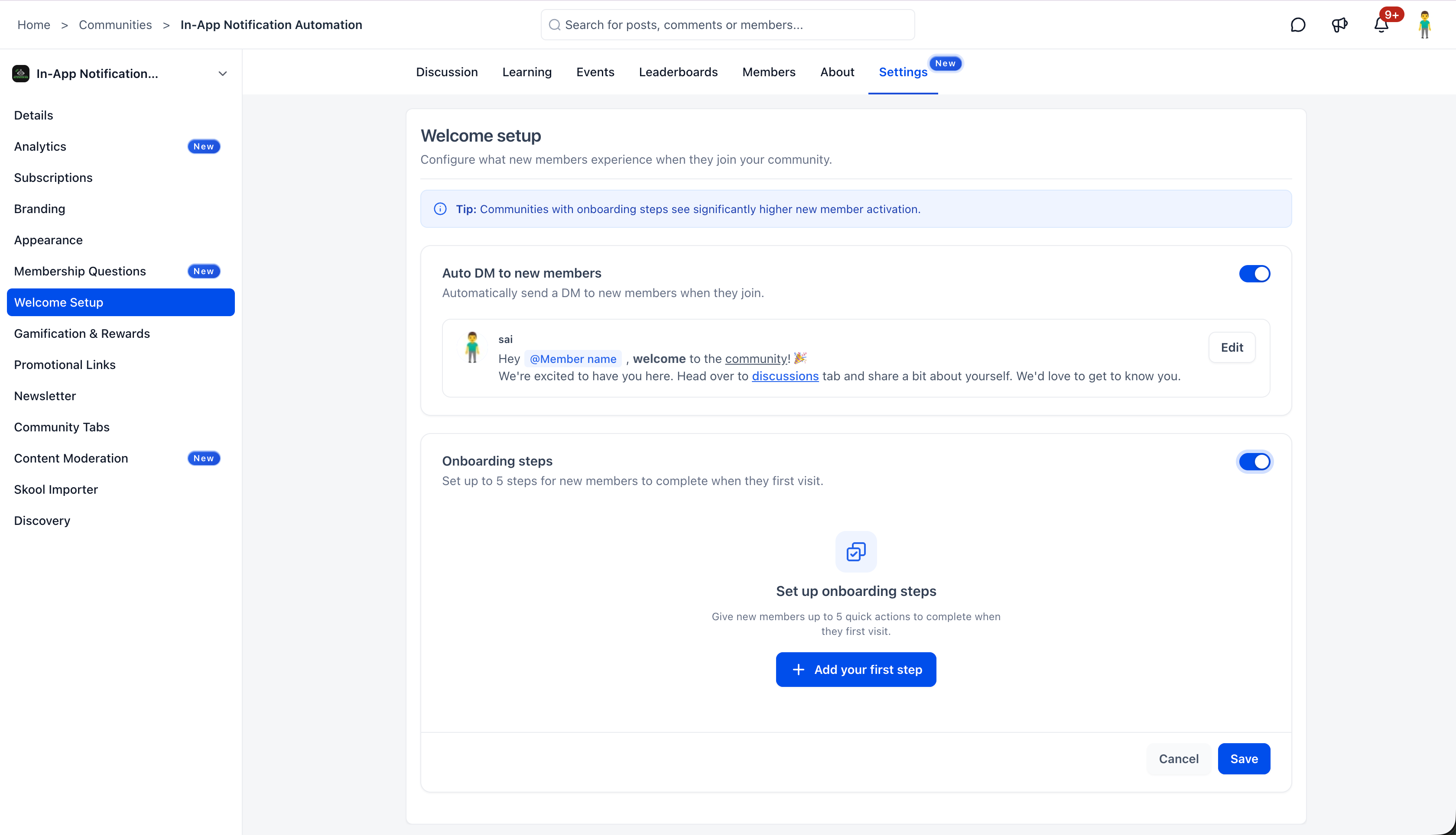
Auto DM to new members: Automatically sends a welcome direct message to every new member who joins the community.
Onboarding steps: Displays a Get Started checklist on the community home/feed, guiding eligible new members through up to five configured actions.
Both features are managed from Settings → Welcome Setup. Together, they make the first interaction more personal and give new members a clearer path into community participation.
GoHighLevel Auto DM: A Personal Welcome for Every New Member
A welcome message helps a new member feel acknowledged as soon as they join. With GoHighLevel Auto DM, admins can configure an automatic direct message for every new community member.
Admins can choose which community admin or owner appears as the sender. They can also personalize the message using the rich text editor, which supports:
Bold, italic, underline, and strikethrough formatting.
Links and attachments.
The @Member name mention, which dynamically inserts the new member’s name.
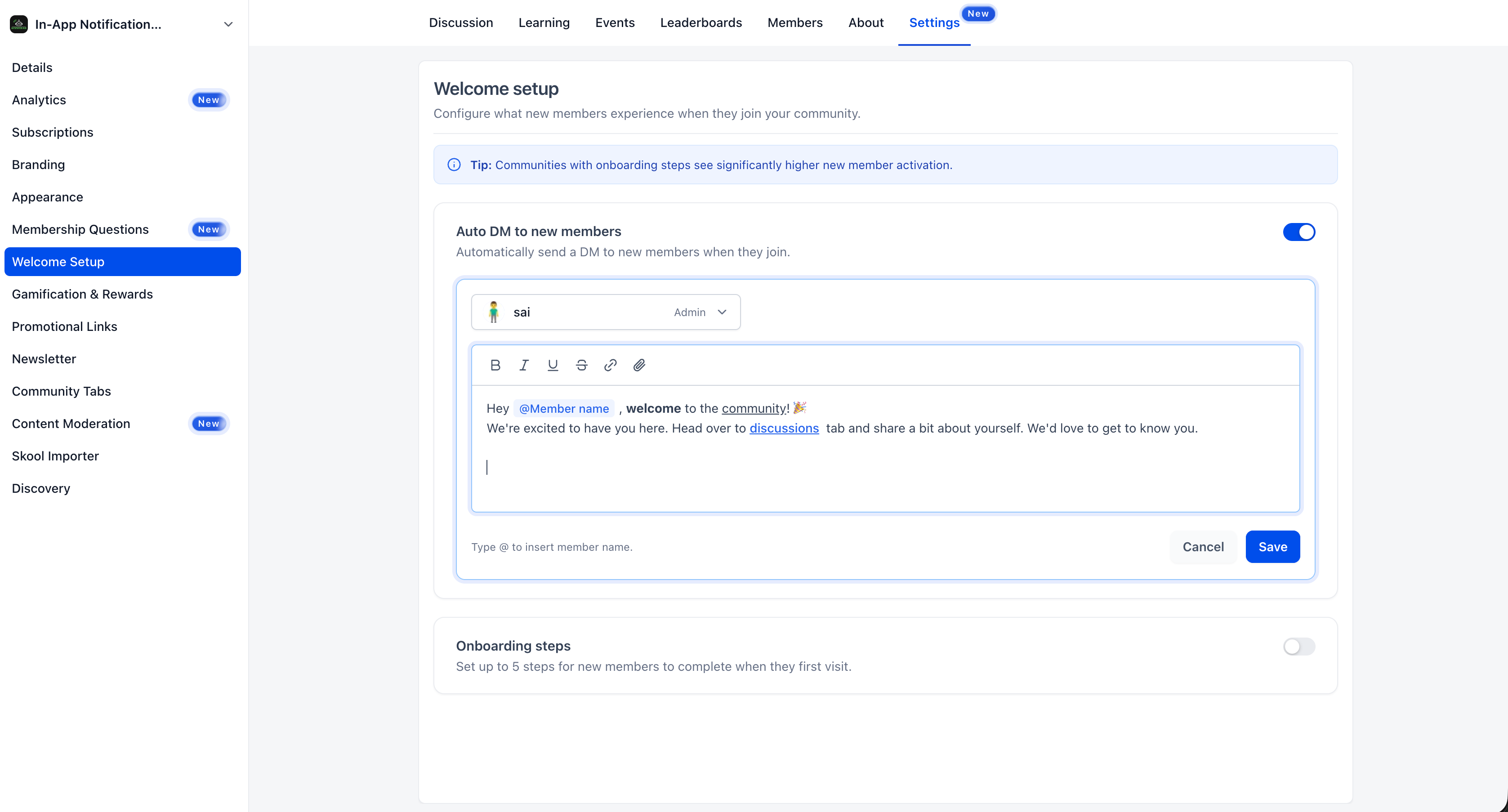
Admins can customize their automatic welcome DM with formatting, links, attachments, and dynamic member-name mentions.
These options give admins room to create a message that feels personal and easy to read. The feature can be enabled or disabled whenever needed.
Auto DM is specifically a welcome direct message feature. The update does not describe scheduled messages, email or SMS delivery, or automated follow-ups.
Community Onboarding Steps: Show Members Where to Start
A welcome message makes the first contact; onboarding steps help members take their next actions. GoHighLevel now lets admins configure up to five onboarding steps.
When enabled, eligible new members see a Get Started checklist on the community home/feed. Available actions include:
Updating their profile.
Engaging with posts.
RSVPing to events.
Watching introductory videos.
Completing custom steps, with optional links.
Admins can customize and reorder the steps. Members can complete actions directly from the checklist, track their progress, and dismiss it once they are done.
The checklist offers guidance without making the listed actions mandatory. It gives members a visible starting point and helps community owners highlight the first interactions they want members to consider.
How to Set Up Auto DM in GoHighLevel
Configure the automatic welcome message from the Welcome Setup page:
Navigate to Settings → Welcome Setup.
Toggle on Auto DM to new members.
Select the admin or owner who should appear as the sender.
Compose the welcome message in the rich text editor.
Type @ to insert the new member’s name dynamically.
Click Save.
Review the wording, formatting, links, and attachments before saving. You can turn the feature off whenever it is no longer needed.
How to Configure Community Onboarding Steps
Onboarding steps are configured from the same page:
Open Settings → Welcome Setup.
Toggle on Onboarding steps.
Click + Add your first step.
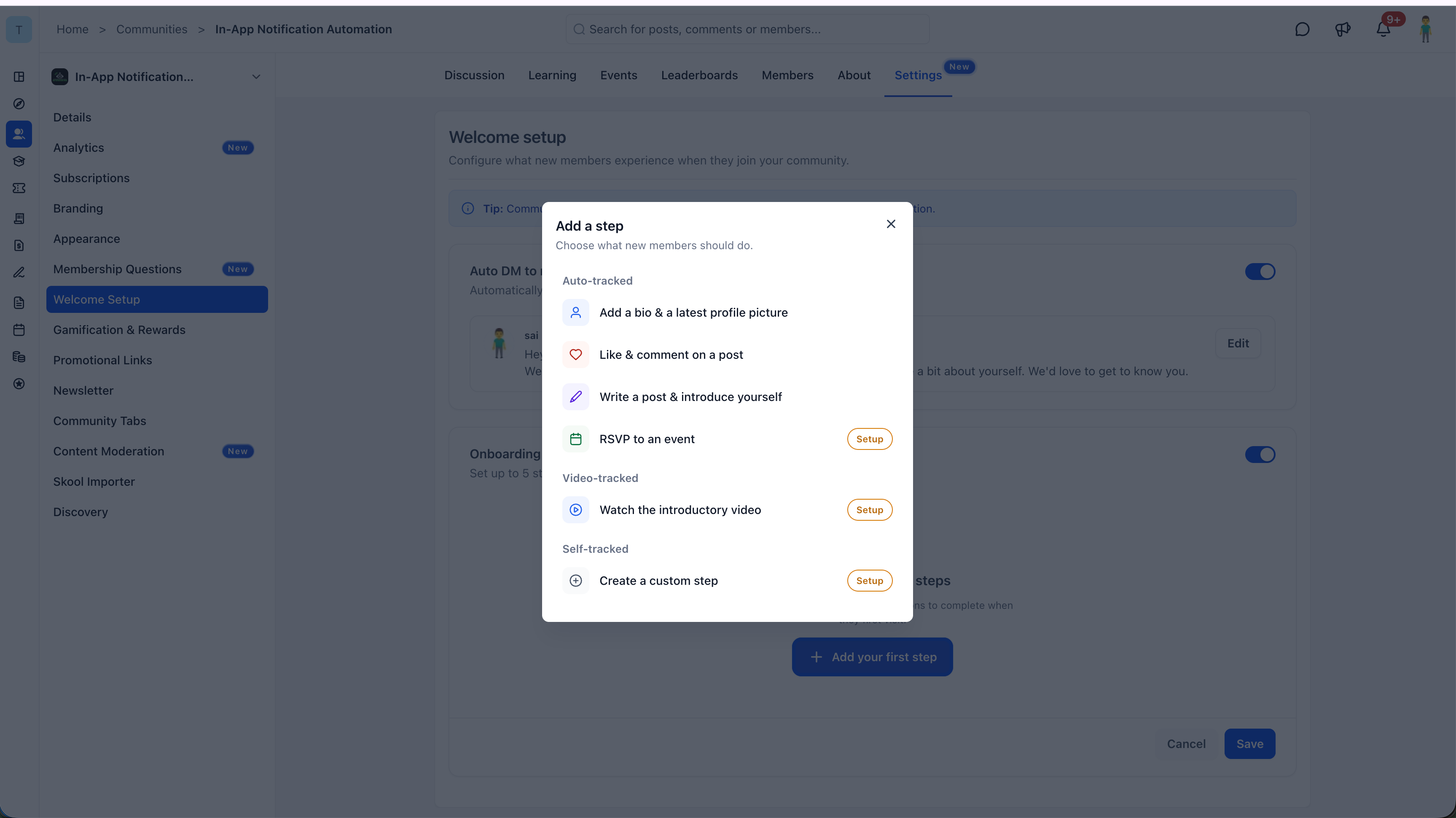
Choose from available onboarding actions, including profile updates, post engagement, event RSVPs, introductory videos, and custom steps. Configure up to five steps using the available options: profile updates, post engagement, event RSVPs, intro videos, or custom actions.
Reorder the steps as needed.
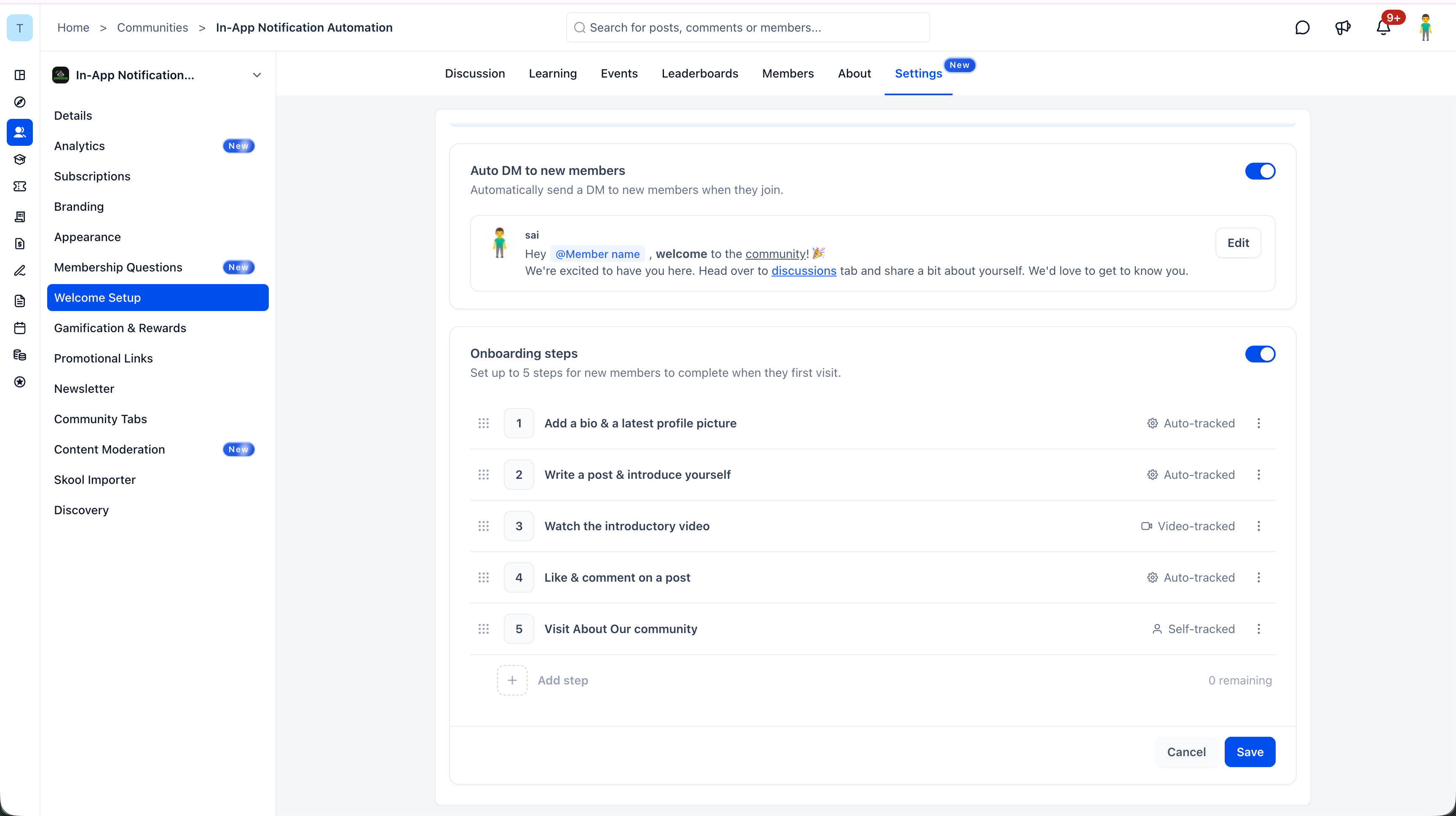
Admins can organize up to five onboarding actions, reorder them, and save their community's welcome experience. Click Save.
Choose the initial actions that will help members understand and participate in your community. Because admins can customize and reorder the steps, the checklist can reflect the most useful starting sequence. Members see it on the community home/feed and can track their progress as they complete the steps.
Why This GoHighLevel Update Matters for Community Owners
Joining a community does not automatically mean a new member knows how to participate. Without a clear welcome or starting point, people may be uncertain about where to go or what to do first.
The new Welcome Setup features address two parts of that experience. An automatic DM provides an immediate, personalized greeting. The onboarding checklist offers practical next steps, from updating a profile to engaging with posts or viewing an introductory video.
Used together, these features can make the beginning of the member journey feel more organized. They can help admins provide a consistent welcome and make important first actions easier to find. Since Auto DM and Onboarding Steps can be enabled independently, community owners can choose one feature or combine both.
Final Thoughts
This GoHighLevel Communities update gives admins two ways to improve what happens after someone joins: say hello automatically and make the next steps easier to understand. A personalized message helps members feel recognized, while a flexible checklist gives them direction.
The value is in making the first experience feel considered. Set up a welcome that reflects your community, choose the actions that matter most, and give new members a clearer way to get started.
Need Expert Help with GoHighLevel?
New to GoHighLevel and ready to get started? Buy your GoHighLevel account here and launch with confidence.
Already know what you need and want our team to handle everything, from complete setup and customization to funnels, workflows, automations, CRM, and pipelines? Click here.