

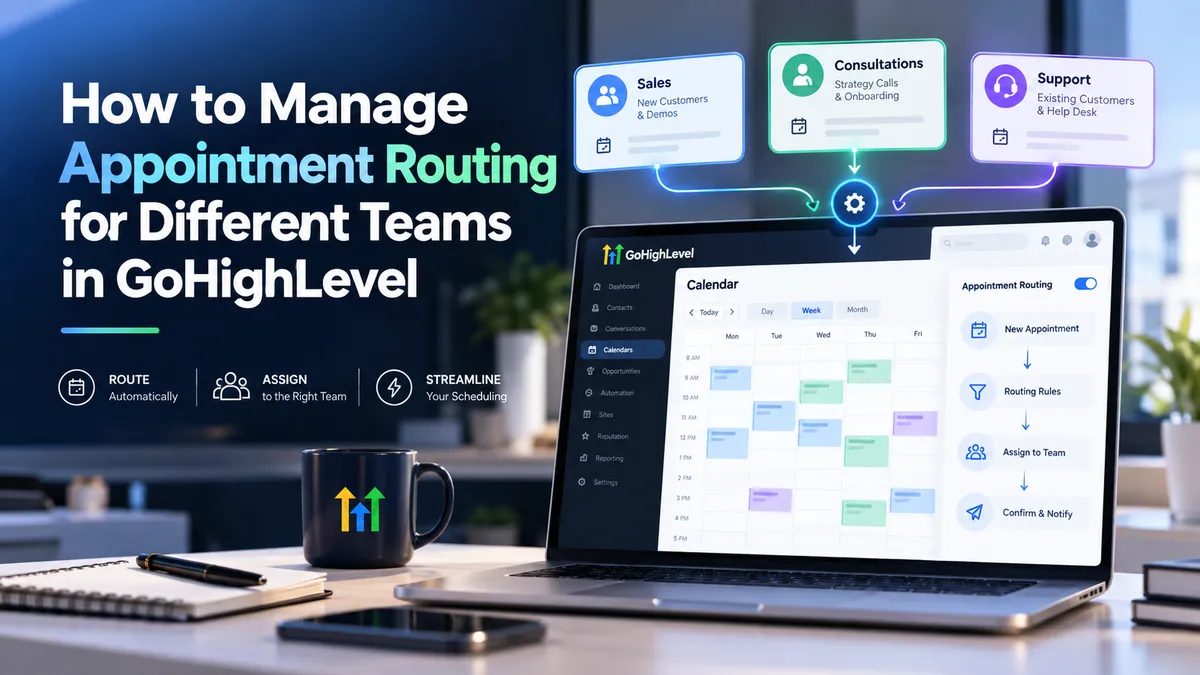
How to Manage Appointment Routing for Different Teams in GoHighLevel
How to Manage Appointment Routing for Different Teams in GoHighLevel
When a potential customer books a sales consultation but gets assigned to technical support, the problem goes beyond scheduling. Incorrect appointments waste employees' time, delay customer responses, and create missed conversion opportunities.
For businesses managing multiple departments, manually assigning every appointment quickly becomes inefficient. GoHighLevel appointment routing helps organize bookings through dedicated calendars, team availability settings, and automated appointment distribution.
By configuring these features correctly, businesses can connect customers with appropriate teams while maintaining a more reliable scheduling process.
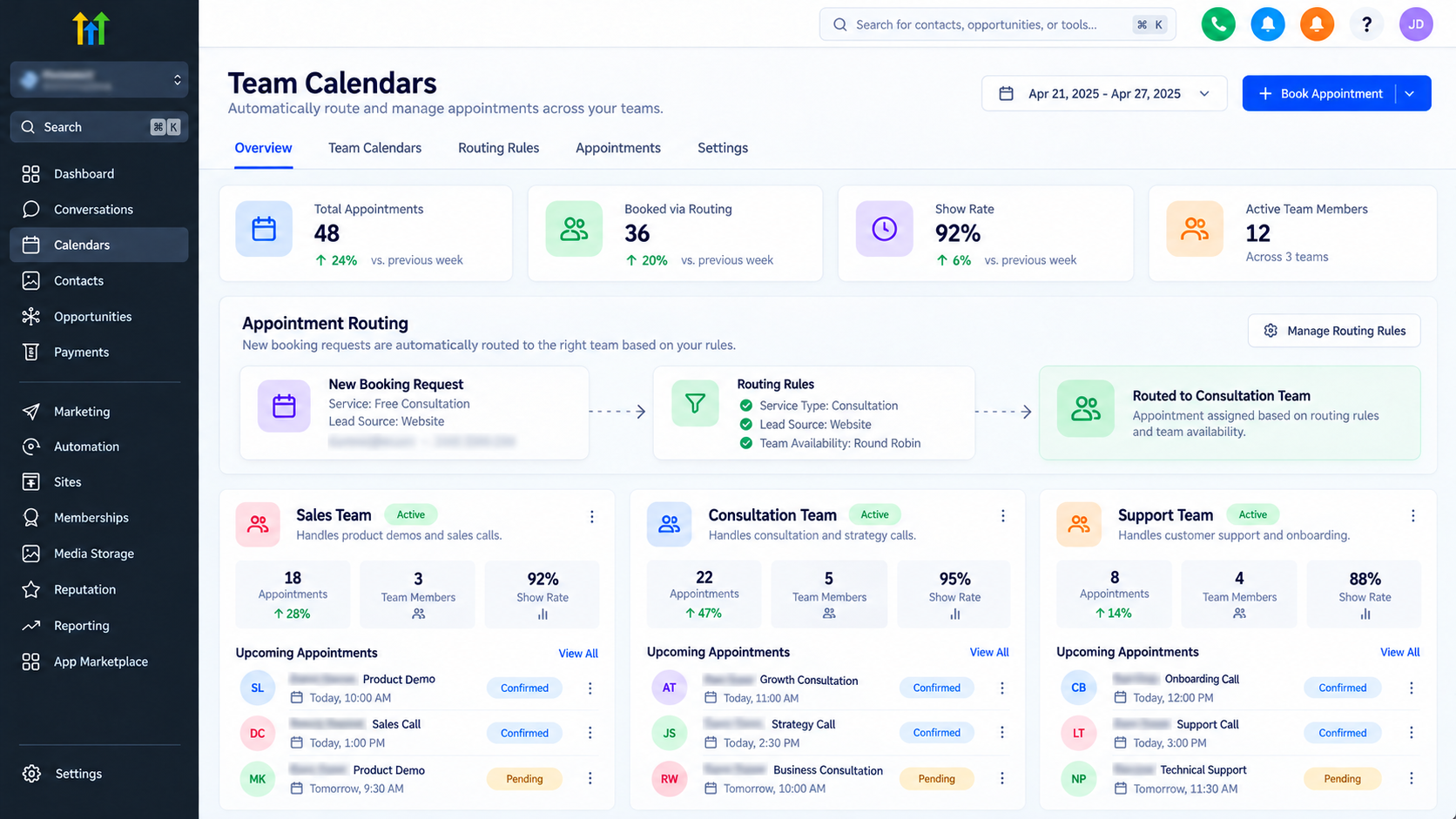
How Appointment Routing Works in GoHighLevel
Appointment routing determines which team or employee should handle a particular booking.
GoHighLevel supports this process through individual calendars, Round Robin calendars, Calendar Groups, and workflow automation.
For example, a business might maintain separate calendars for:
Sales: Product demonstrations and discovery calls.
Consultations: Strategy sessions and onboarding meetings.
Support: Customer assistance and troubleshooting.
Customers can select the appropriate booking destination, while Round Robin scheduling distributes appointments among assigned team members.
Importantly, department selection and employee assignment are different processes. Round Robin handles distribution within a calendar; it does not independently identify which department a customer needs.
How to Set Up Appointment Routing for Different Teams
A reliable GoHighLevel calendar setup starts with separating appointment categories before configuring availability and automation.
Step 1: Define Teams and Appointment Types
Identify departments that require independent booking processes.
For each team, establish appointment purposes, meeting durations, working hours, and responsible employees.
For example, sales consultations might require 30 minutes, while technical assessments need 60 minutes.
This planning prevents unrelated appointment types from sharing an unsuitable scheduling structure.
Step 2: Create Team-Specific Calendars
Navigate to Settings → Calendars → Create Calendar in your GoHighLevel sub-account.
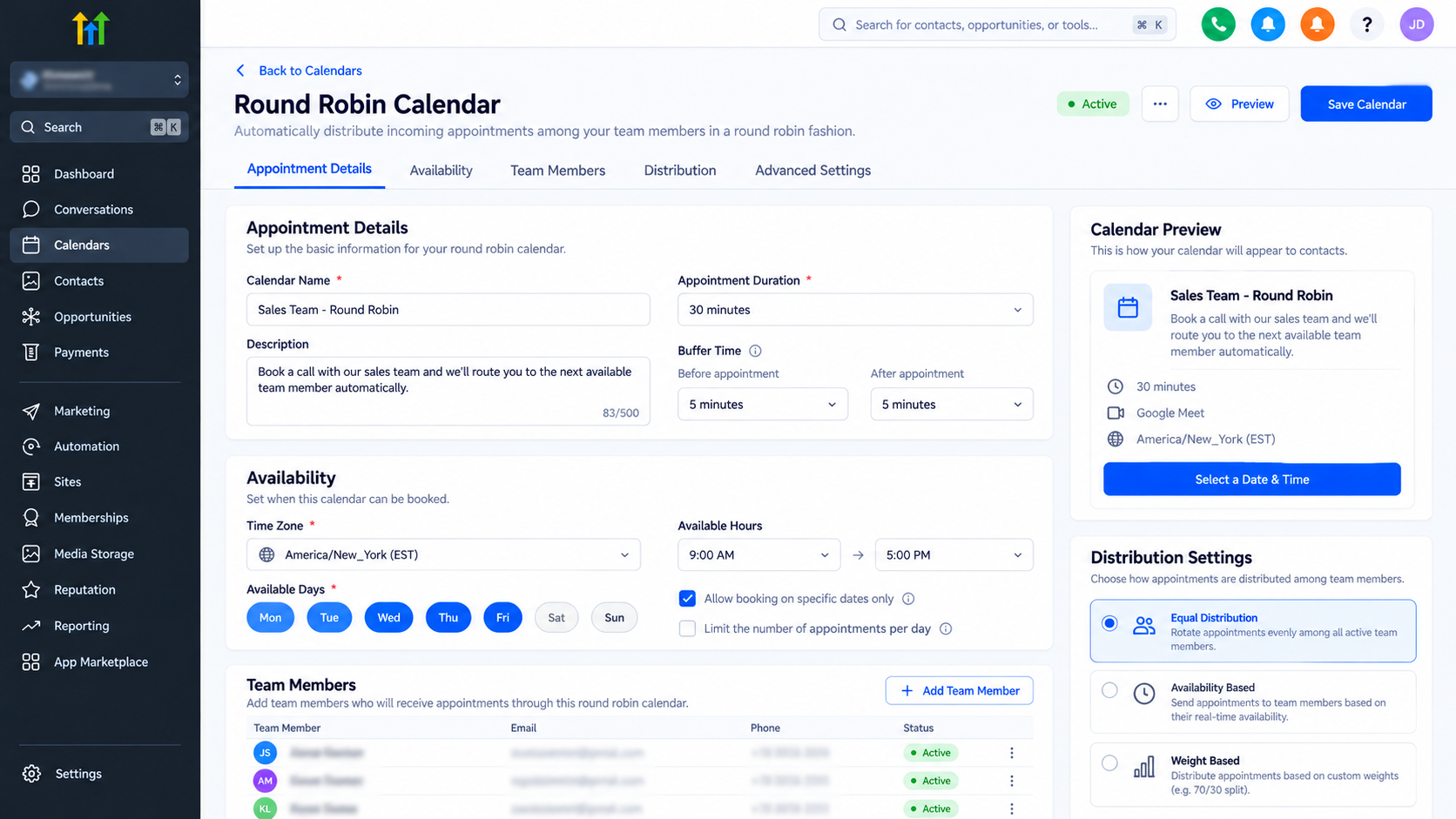
Select Round Robin when multiple employees should receive appointments through automated distribution.
Enter a descriptive calendar name, such as "Sales Consultation," and select the appropriate team members.
Repeat this process for departments requiring separate scheduling.
Each calendar can maintain its own booking link and configuration, making departmental appointment management easier.
Step 3: Configure Team Availability
Open the calendar's Availability settings and review each assigned employee's schedule.
Configure:
Working days and available hours.
Appointment duration and scheduling intervals.
Buffer periods between meetings.
Date-specific availability changes.
Connected calendar conflict settings.
Ensure staff members have valid availability configured. Connected Google or Outlook calendars can also block slots when conflicting events are marked busy.
Accurate availability settings help prevent unavailable employees from receiving bookings.
Step 4: Configure Round Robin Distribution
A GoHighLevel Round Robin calendar determines how appointments are distributed among its assigned employees.
Two important scheduling approaches are:
Optimize for Availability: Prioritizes offering available booking opportunities, making it useful when scheduling flexibility matters most.
Optimize for Equal Distribution: Attempts to balance appointments among team members while respecting availability.
For sales teams requiring balanced workloads, equal distribution may be appropriate. Teams prioritizing convenient booking times may prefer availability optimization.
Review configured team-member priorities where applicable because these can also influence assignment behavior.
Step 5: Route Customers to the Correct Calendar
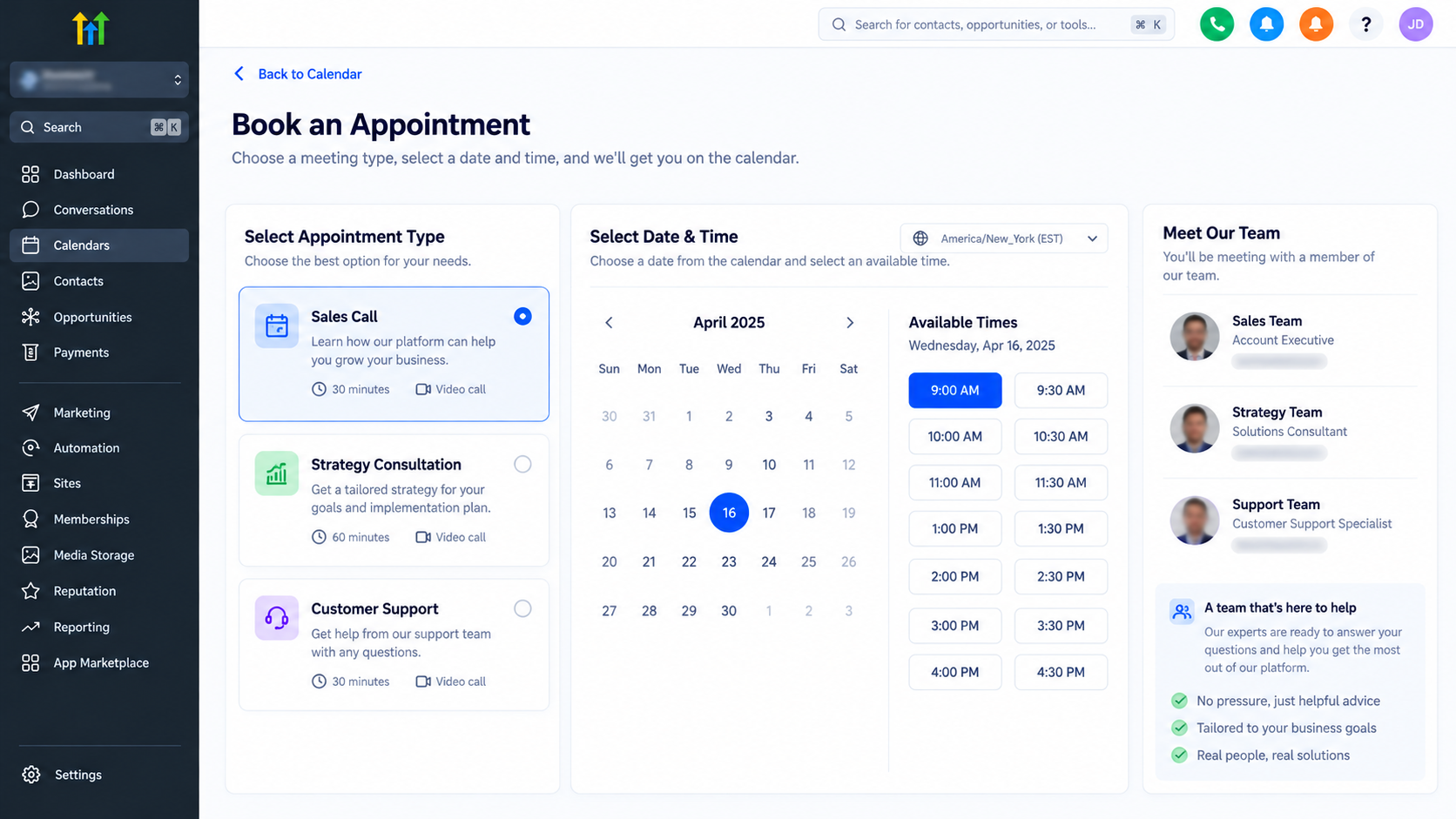
Once departmental calendars are ready, determine how customers reach them.
One practical approach is creating a booking page with separate options for sales, consultations, and support.
Each option directs visitors to its corresponding calendar.
Businesses can also use forms to collect service requirements and build workflow-assisted routing processes using supported conditions and actions.
However, displaying multiple booking links is not equivalent to automatic conditional routing.
For automated processes, verify how collected information determines the calendar selected and whether the intended workflow supports that booking action.
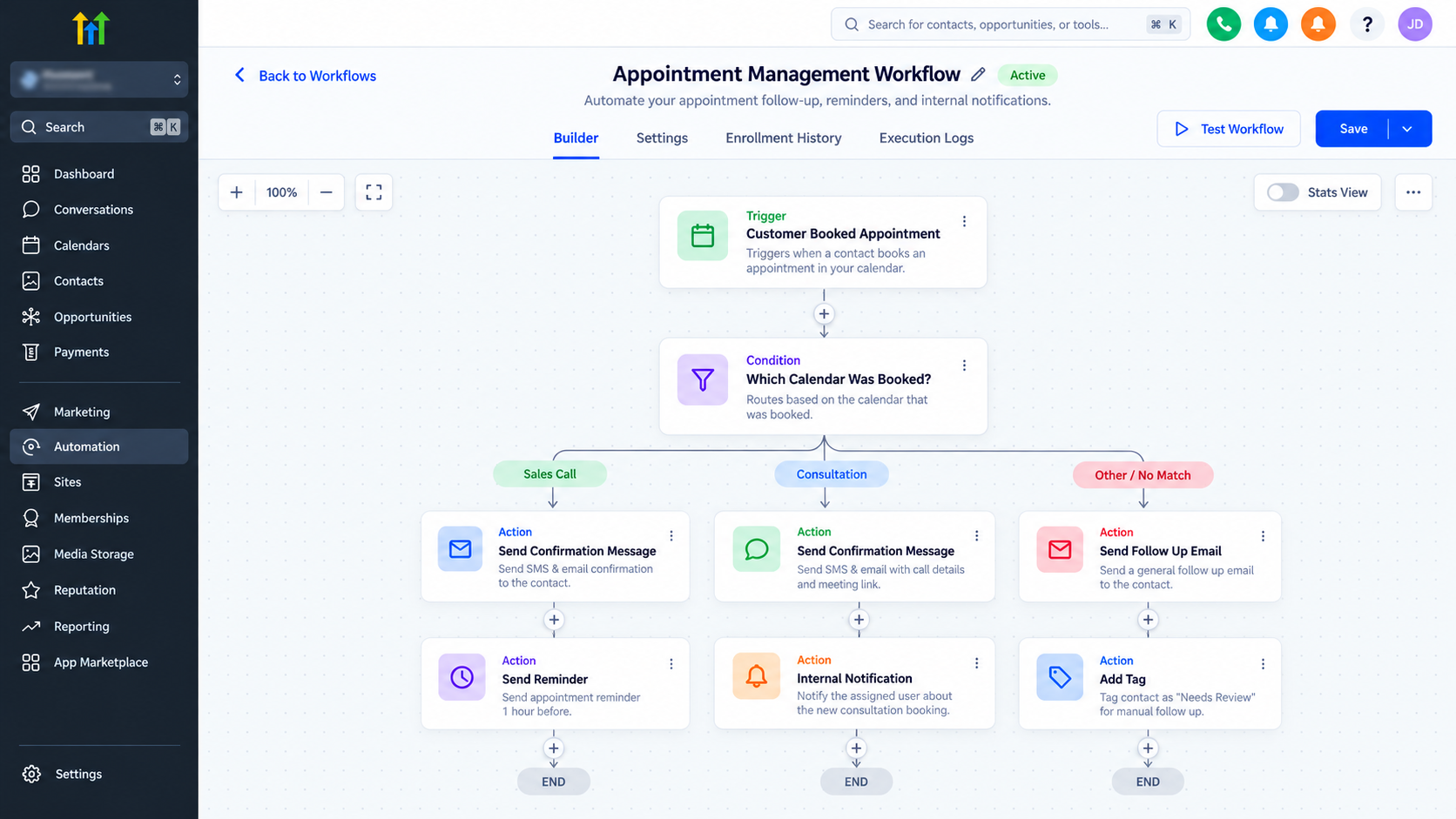
Step 6: Configure Appointment Notifications and Workflows
Navigate to Automation → Workflows and create a workflow for appointment communication.
Use the Customer Booked Appointment trigger and apply an In Calendar filter to target a specific departmental calendar.
Configure relevant actions for:
Customer booking confirmations.
Appointment reminders.
Internal team notifications.
Follow-up communication.
Create separate workflows when departments require different messages or procedures.
This keeps appointment communication relevant without mixing departmental responsibilities.
Step 7: Test the Complete Booking Process
Before publishing, test each calendar using realistic customer scenarios.
Confirm that bookings reach the intended calendar, assign an appropriate employee, respect availability, and generate expected notifications.
Inspect the contact record and appointment ownership separately to confirm the setup behaves as intended.
Repeat tests for unavailable employees and overlapping scheduling periods.
Best Practices for Managing Multi-Team Appointments
Effective GoHighLevel team scheduling requires ongoing maintenance.
Keep departmental calendars separate when appointment requirements differ. Review employee availability whenever schedules change, and select distribution methods based on operational priorities.
Monitor calendar connections to reduce scheduling conflicts.
Maintain clear contact ownership rules, especially when employees participate in multiple departments.
Periodically review booking volumes, assignment patterns, and appointment outcomes to identify operational bottlenecks.
Common Appointment Routing Problems and How to Fix Them
Appointments reach the wrong department: Verify booking links, selected calendars, and any workflow conditions responsible for directing customers.
Employees are missing from bookings: Check team-member assignments, calendar availability, and staff-selection configuration.
Booking slots are unavailable: Review working hours, buffers, time zones, connected calendars, and date-specific restrictions. Use the built-in calendar troubleshooting tool to investigate blocked slots.
Appointments are distributed unevenly: Check the selected Round Robin distribution method, employee availability, and configured priorities before assuming an assignment error.
Final Thoughts
Managing appointment routing across different teams requires more than creating a shared booking calendar.
By separating departmental calendars, configuring Round Robin distribution, maintaining accurate availability, and implementing appropriate workflows, businesses can build a more organized scheduling process.
The key is matching GoHighLevel's calendar configuration to actual team responsibilities. A carefully tested setup helps customers reach the right people while reducing manual scheduling work and unnecessary appointment confusion.
Frequently Asked Questions (FAQs)
1. How do I route appointments to different teams in GoHighLevel?
You can route appointments by creating separate calendars for departments such as sales, support, and consultations. Each team receives a dedicated booking link, allowing customers to select the appropriate service. You can also use supported workflows to assist with routing based on collected customer information.
2. Can GoHighLevel automatically assign appointments to available team members?
Yes. GoHighLevel's Round Robin Calendars can automatically distribute appointments among assigned team members based on their availability and configured distribution settings. This reduces manual scheduling and helps businesses manage appointments efficiently.
3. What is the difference between Round Robin and Calendar Groups in GoHighLevel?
Round Robin Calendars distribute appointments among multiple assigned team members. Calendar Groups organize multiple calendars together, allowing customers to access different appointment options from a shared booking interface. Calendar Groups do not automatically perform conditional lead routing.
4. How can I prevent double bookings in GoHighLevel?
Configure accurate working hours, connect supported external calendars, enable appropriate conflict-checking settings, and establish appointment buffers. Regularly reviewing team availability and calendar configurations can help reduce scheduling conflicts and overlapping bookings.
5. Can I use GoHighLevel workflows to automate appointment confirmations and reminders for different teams?
Yes. GoHighLevel allows you to create workflows using appointment-related triggers and calendar filters. You can configure separate confirmation messages, appointment reminders, and internal notifications for different departments, helping teams maintain consistent communication and reduce manual follow-up tasks.
Need Expert Help with GoHighLevel?
New to GoHighLevel and ready to get started? Buy your GoHighLevel account here and launch with confidence.
Already know what you need and want our team to handle everything, from complete setup and customization to funnels, workflows, automations, CRM, and pipelines? Click here.



