

Automate Your Business with GoHighLevel API
GoHighLevel API Integration Explained: Connect Your Favorite Apps
Every business eventually hits the edge of what one platform does out of the box. You want new leads to flow into a spreadsheet, appointments to appear in an external tool, or a custom app to read and update contacts automatically. That is what an API integration is for — a secure way for GoHighLevel and another application to exchange data without anyone copying and pasting.
The word "API" scares people off, but the concept is simple: it is a doorway that lets approved software talk to your account. This guide explains, in plain English, how GoHighLevel handles that doorway today through private integrations, how to create one safely, and how it connects to the wider world of webhooks and no-code tools like Zapier.
What API integration actually means here
An API — application programming interface — is just an agreed-upon set of rules that lets two systems exchange information. When you "integrate" GoHighLevel with another app, you are granting that app a key so it can read or write specific data on your behalf: create a contact, book an appointment, pull a list of opportunities, and so on.
The important part is control. A good integration setup lets you decide exactly what an outside app can and cannot touch, and lets you shut off access instantly if you ever need to. GoHighLevel's current approach is built around that principle.
Private integrations vs the old API keys
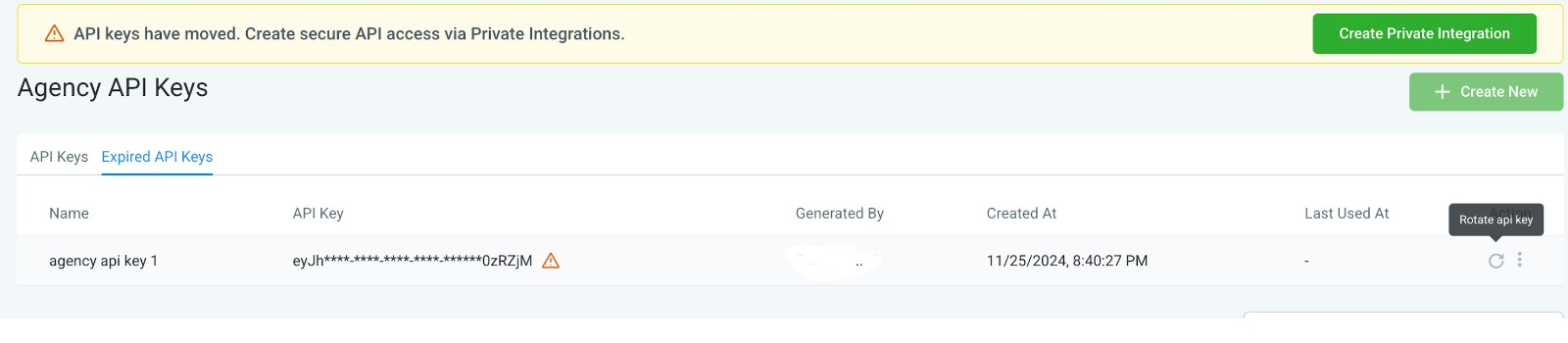
GoHighLevel used to rely on simple API keys, which gave whoever held them broad access to an account. Those are being phased out in favor of private integrations, which are more secure and more precise. The difference matters: a private integration uses the newer API and lets you restrict exactly which permissions a connection gets, rather than handing over the keys to everything.
If you are starting today, you want private integrations. The platform even flags this directly, pointing you away from legacy keys and toward the newer, safer path.
·Scoped access — grant only the specific permissions a connection needs.
·Revocable — rotate or delete a token the moment something looks off.
·Modern API — private integrations use the current API version, not the deprecated one.
Where to find it
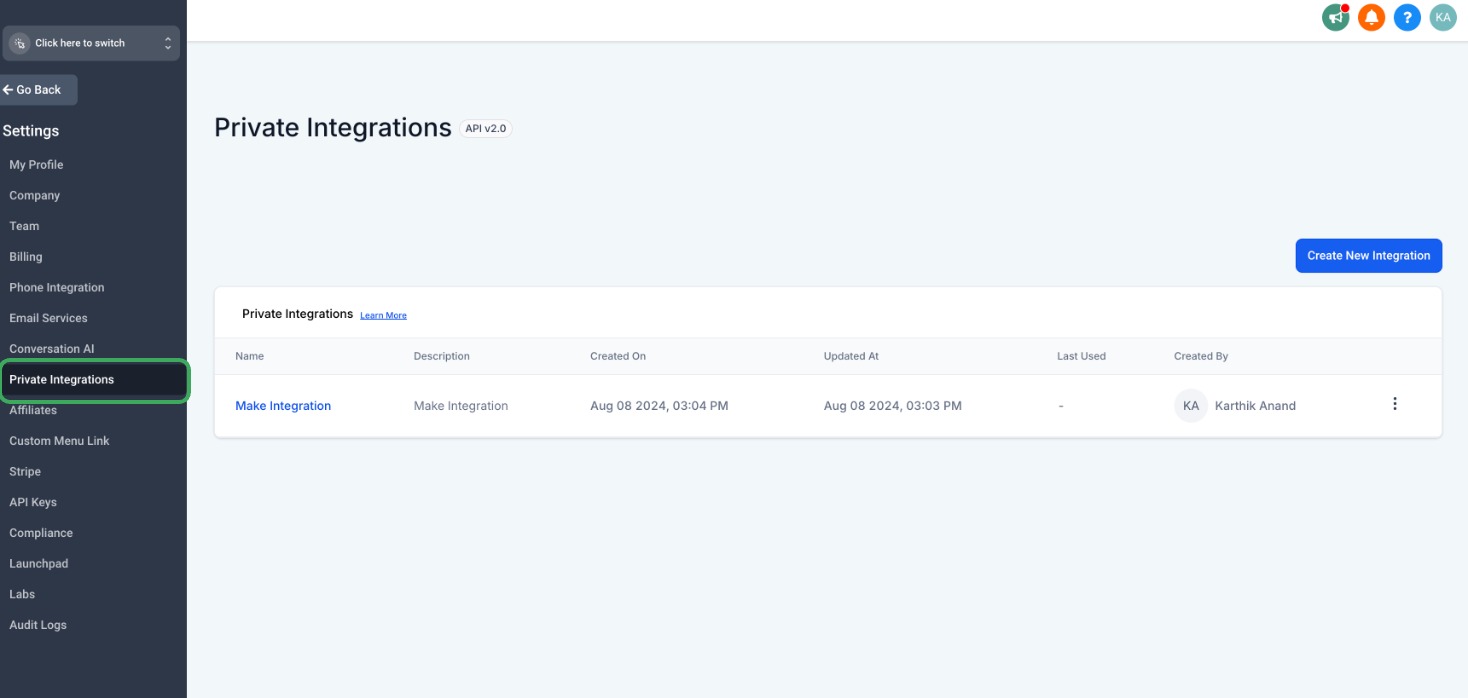
Private integrations live in your account settings. Inside a sub-account (or the agency account), open Settings and look for Private Integrations in the menu. This is the home base for every connection you create — you can see what exists, add new ones, and manage or revoke them from here.
Keeping integrations in one settings area is deliberate. It gives you a single place to audit who has access to your data, which is exactly where that information should live.
Create a private integration
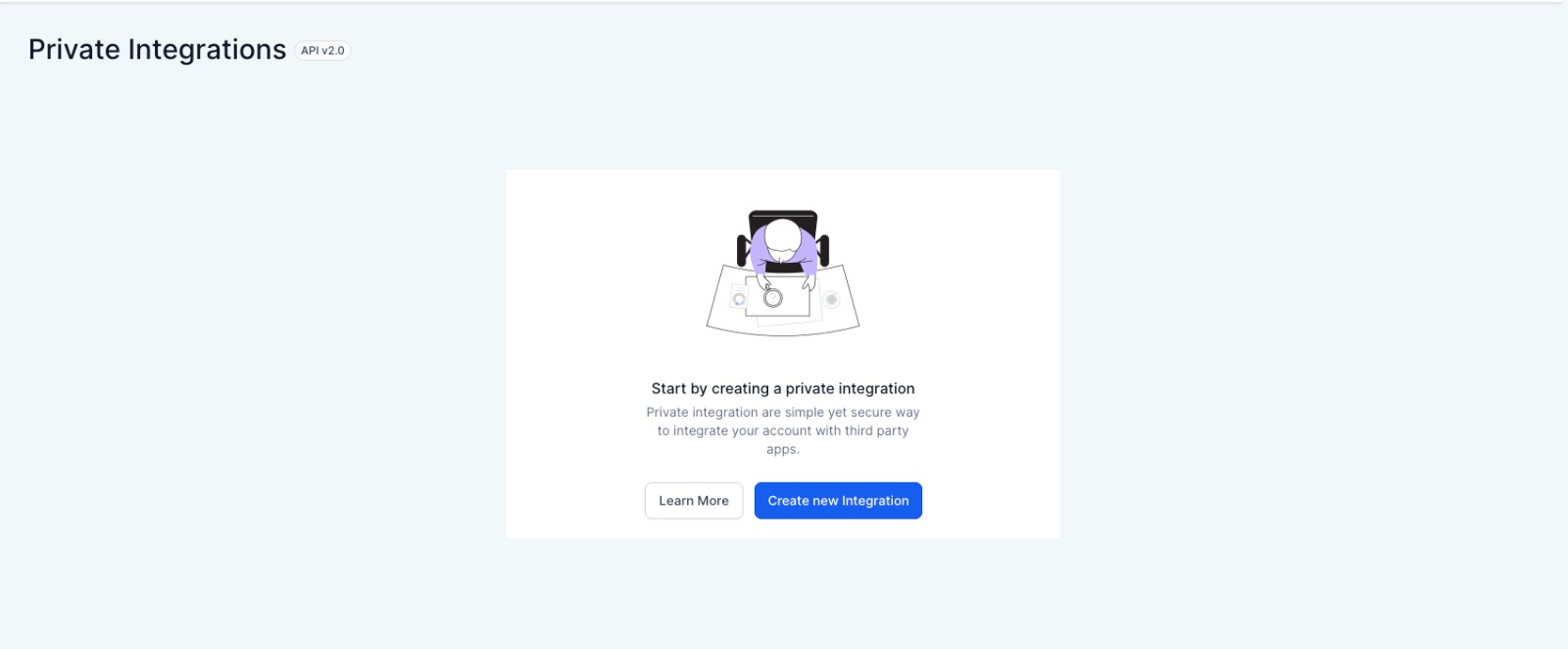
To connect a new app, you create a new private integration. If you have never made one, the screen invites you to start with a single button. Each integration you create represents one connection — one app, one purpose — which keeps things tidy and makes it easy to revoke a single connection later without breaking the others.
Think of it as issuing a named badge to each visitor rather than propping the front door open. If a badge is ever misused, you cancel that one badge.
Name and describe it
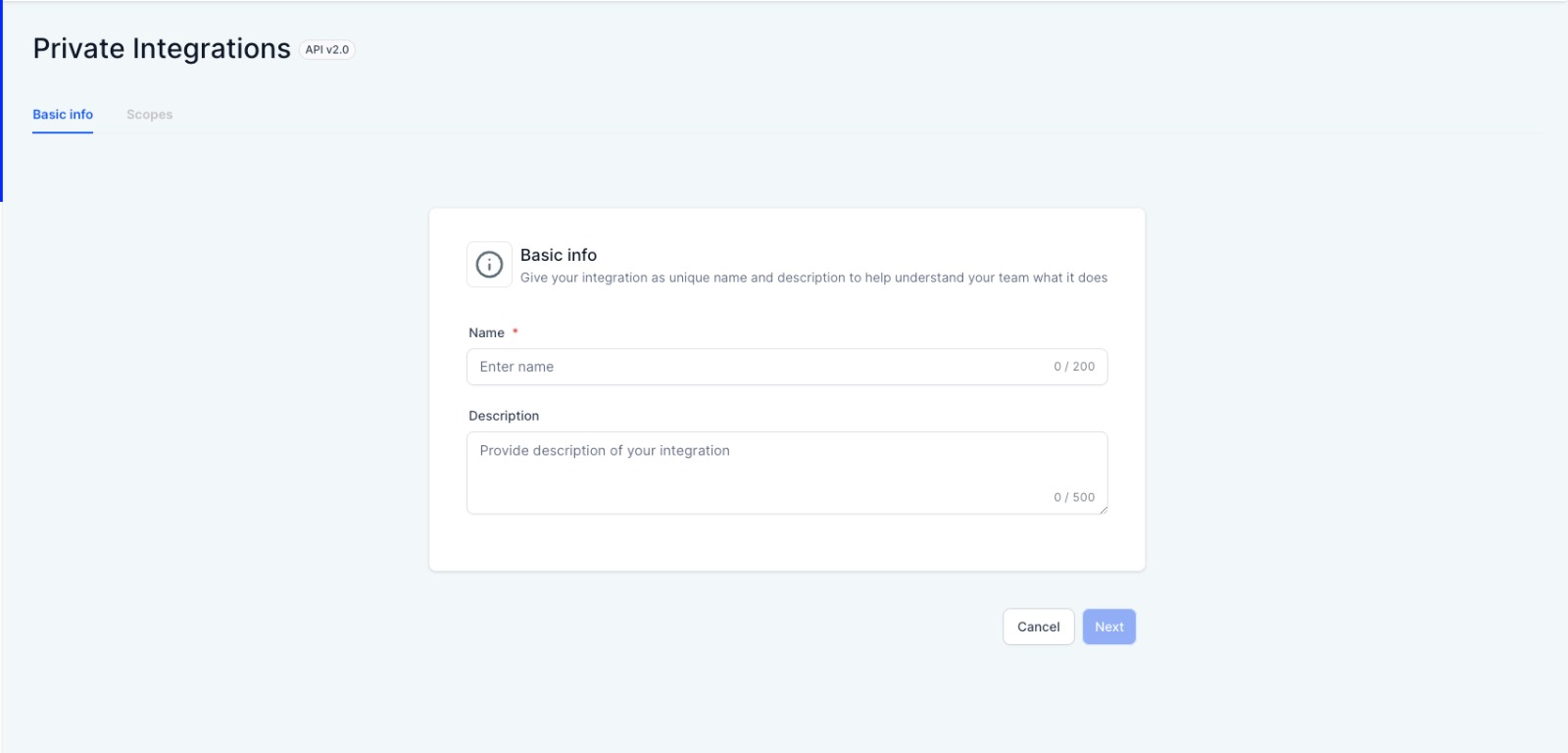
The first step is naming the integration and, optionally, describing what it does. A clear name — "Zapier lead sync" or "Booking app connector" — pays off months later when you are looking at a list of connections and trying to remember what each one is for.
A webhook URL field may also appear here; you can leave it blank unless the app you are connecting specifically asks you to point events at a destination. Good naming discipline is a small habit that keeps a growing integration list manageable.
Choose scopes — least privilege wins
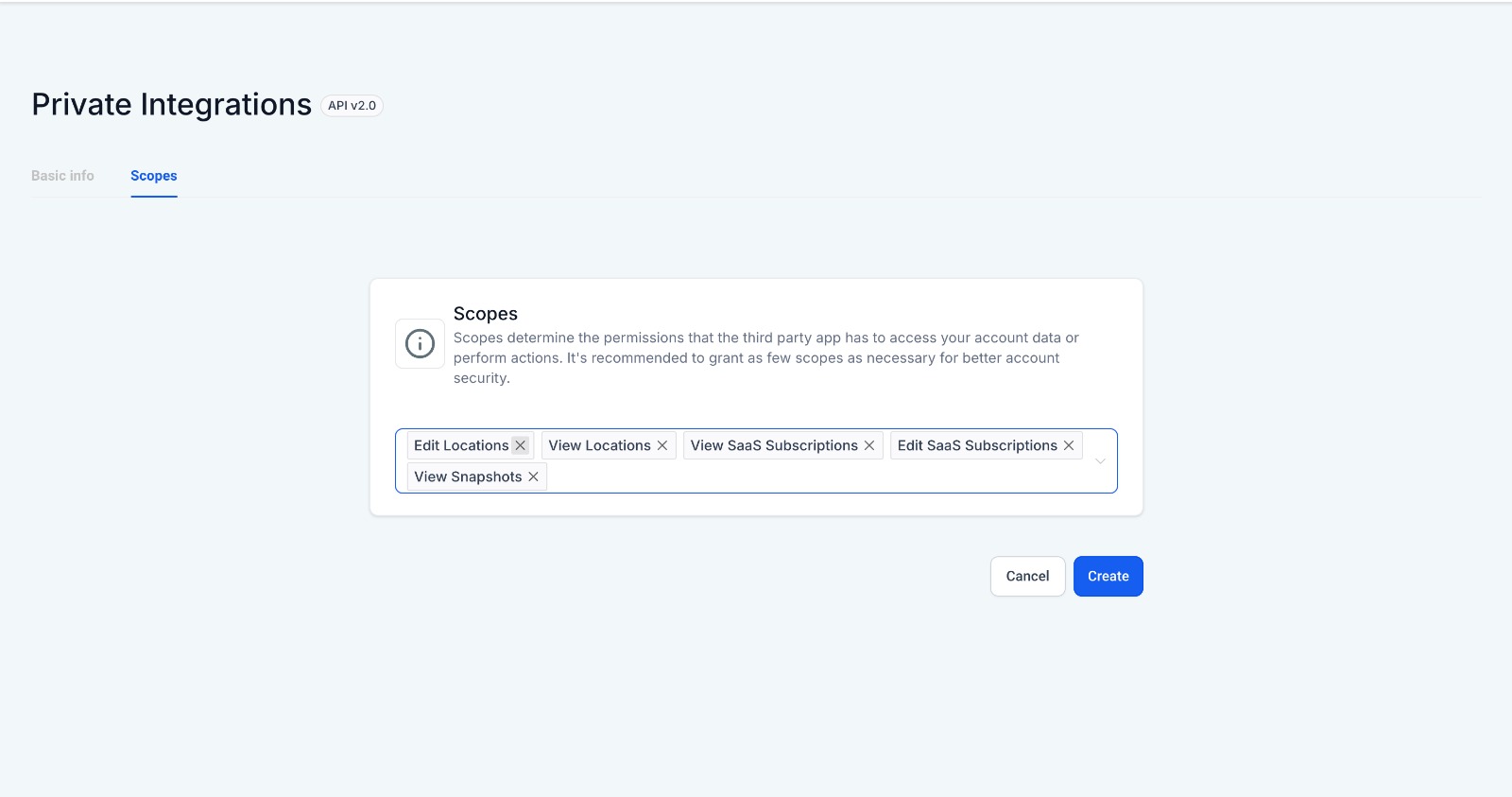
This is the most important screen. Scopes are the specific permissions you grant — the difference between letting an app only view contacts and letting it edit locations, manage SaaS subscriptions, or read your calendars. You tick exactly what the connection needs and nothing more.
The rule we follow, and recommend to every client, is least privilege: grant the fewest scopes required for the job. If an app only needs to add contacts, it has no business holding permission to delete pipelines. Tight scopes limit the damage if a token is ever exposed.
Generate and store your token
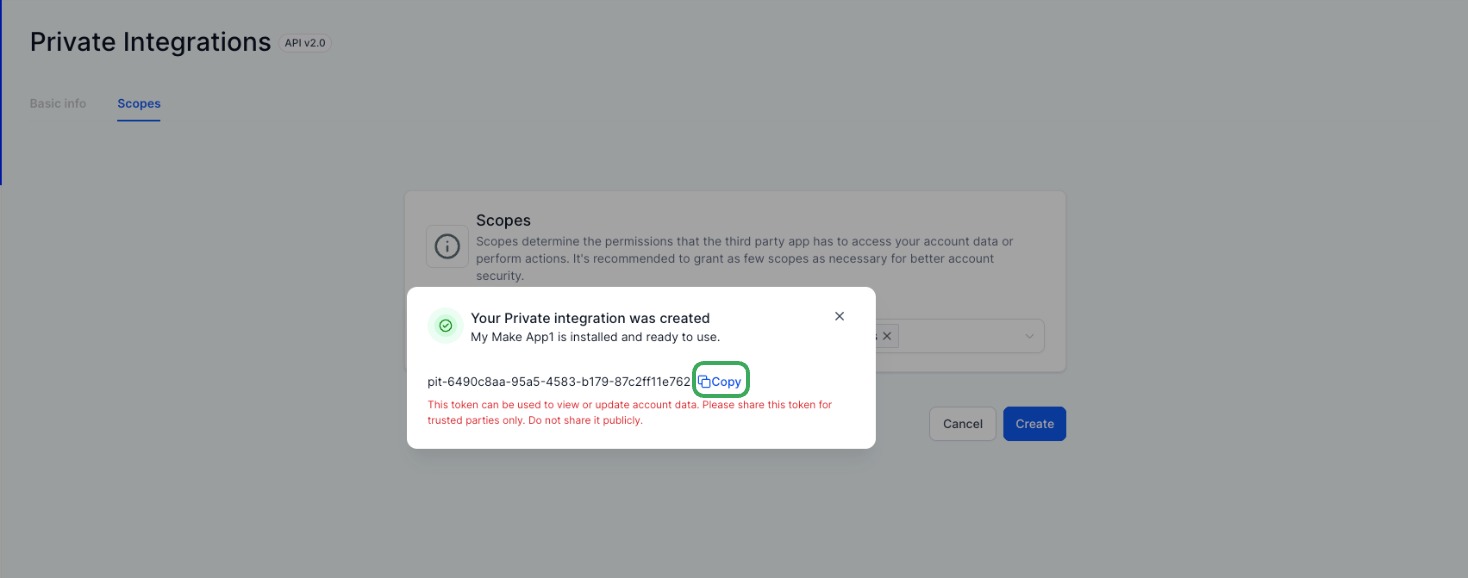
Once you confirm the scopes, GoHighLevel generates a token — a long secret string the connected app uses to authenticate. Copy it and store it somewhere safe, like a password manager, because it functions like a password and is shown to you at creation time. You then paste it into the other application to complete the link.
From that moment the two systems can exchange the data you approved. If the token is ever compromised, you can rotate or delete it from the same screen, which instantly cuts off access without disturbing your other integrations.
Webhooks, marketplace apps, and no-code tools
A token is one half of the picture. The other half is what you connect it to. Webhooks let GoHighLevel push events outward in real time — a new form submission, a booked appointment — so another system reacts the instant something happens, instead of checking on a timer. Inside workflows, you can send data to an outside URL and receive data back.
You do not always need to touch the API directly, either. The GoHighLevel marketplace offers pre-built apps, and no-code platforms like Zapier and Make sit on top of the API so non-developers can wire GoHighLevel to thousands of other tools with clicks instead of code. The private integration you just created is often the credential those tools ask for.
Frequently Asked Questions
1.Do I need to be a developer to integrate GoHighLevel?
Not usually. Creating a private integration is a settings task, not a coding task, and no-code tools like Zapier and Make let you connect GoHighLevel to other apps without writing any code. You only need a developer for fully custom software that calls the API directly.
2.What is the difference between an API key and a private integration?
An old-style API key granted broad, unrestricted access to your account. A private integration is scoped — you choose exactly which permissions it has — and it uses the newer API version. Private integrations are the recommended, more secure option going forward.
3.What are scopes?
Scopes are the individual permissions you grant a connection, such as viewing contacts, editing locations, or reading calendars. Granting only the scopes an app needs limits what it can do and reduces risk if the token is ever exposed.
4.What happens if my token is leaked?
Go back to the Private Integrations screen and rotate or delete the affected token. That immediately revokes access for anything using it, without affecting your other integrations. Then issue a fresh token to the app that legitimately needs it.
5.What is a webhook, in simple terms?
A webhook is an automatic message GoHighLevel sends to another system the moment an event happens — like a new lead or a booking. It is the difference between being notified instantly and having another app repeatedly ask "anything new yet?"
Need Expert Help with GoHighLevel?
New to GoHighLevel and ready to get started? Buy your GoHighLevel account here and launch with confidence.
Already know what you need and want our team to handle everything, from complete setup and customization to funnels, workflows, automations, CRM, and pipelines? Click here.



