

AI Workflow Precision
GoHighLevel AI Builder Gets Targeted Edits for Faster Workflow Automation Updates
Introduction: A Smarter Way to Manage GoHighLevel Workflows
Managing large automation workflows can become challenging when every small update requires opening multiple actions, editing details manually, and checking that nothing else has changed. As workflows grow, even simple adjustments can take significant time and effort.
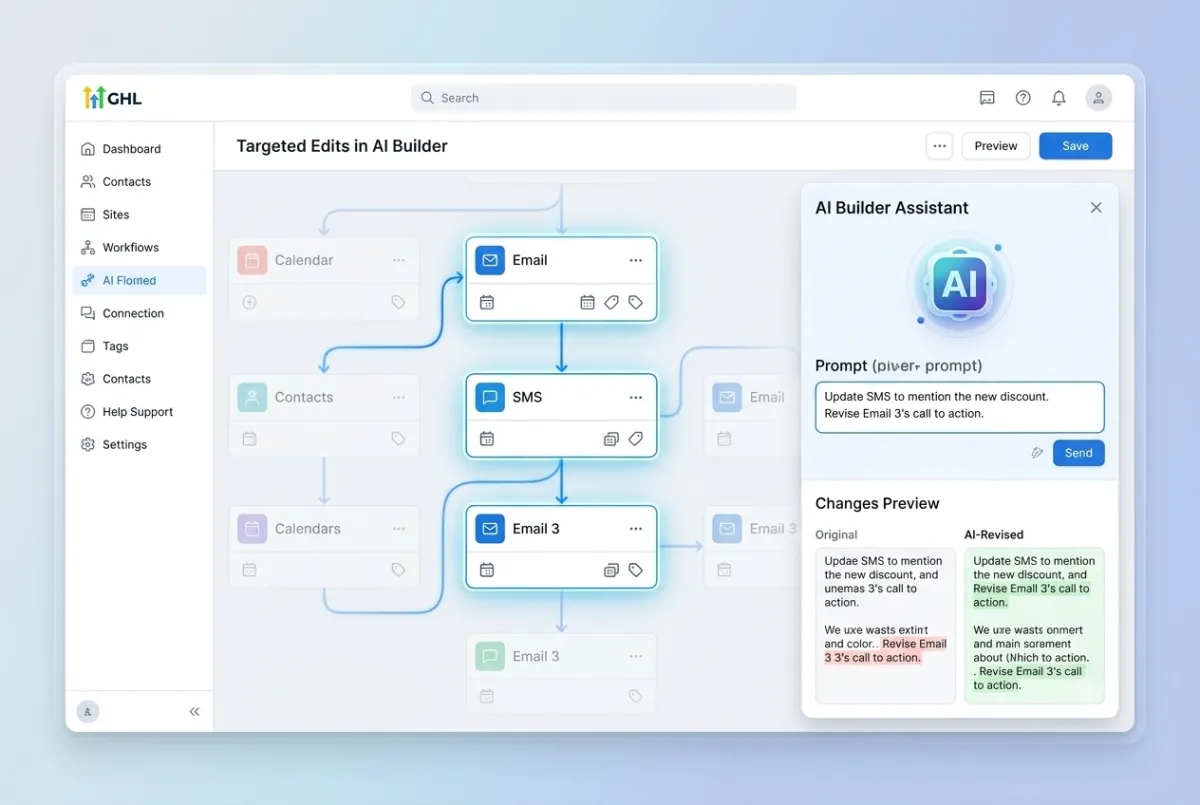
GoHighLevel has introduced Targeted Edits in AI Builder, an improvement designed to make workflow editing more precise and efficient. With this update, AI Builder can better understand specific editing instructions and apply changes only to the actions or triggers users want to modify.
This new capability improves the experience of managing GoHighLevel workflow automation by allowing users to make focused updates without manually editing every individual step. Instead of scaling editing work with workflow size, users can provide clear instructions and let AI Builder handle targeted changes accurately.
The Challenge Before Targeted AI Workflow Editing
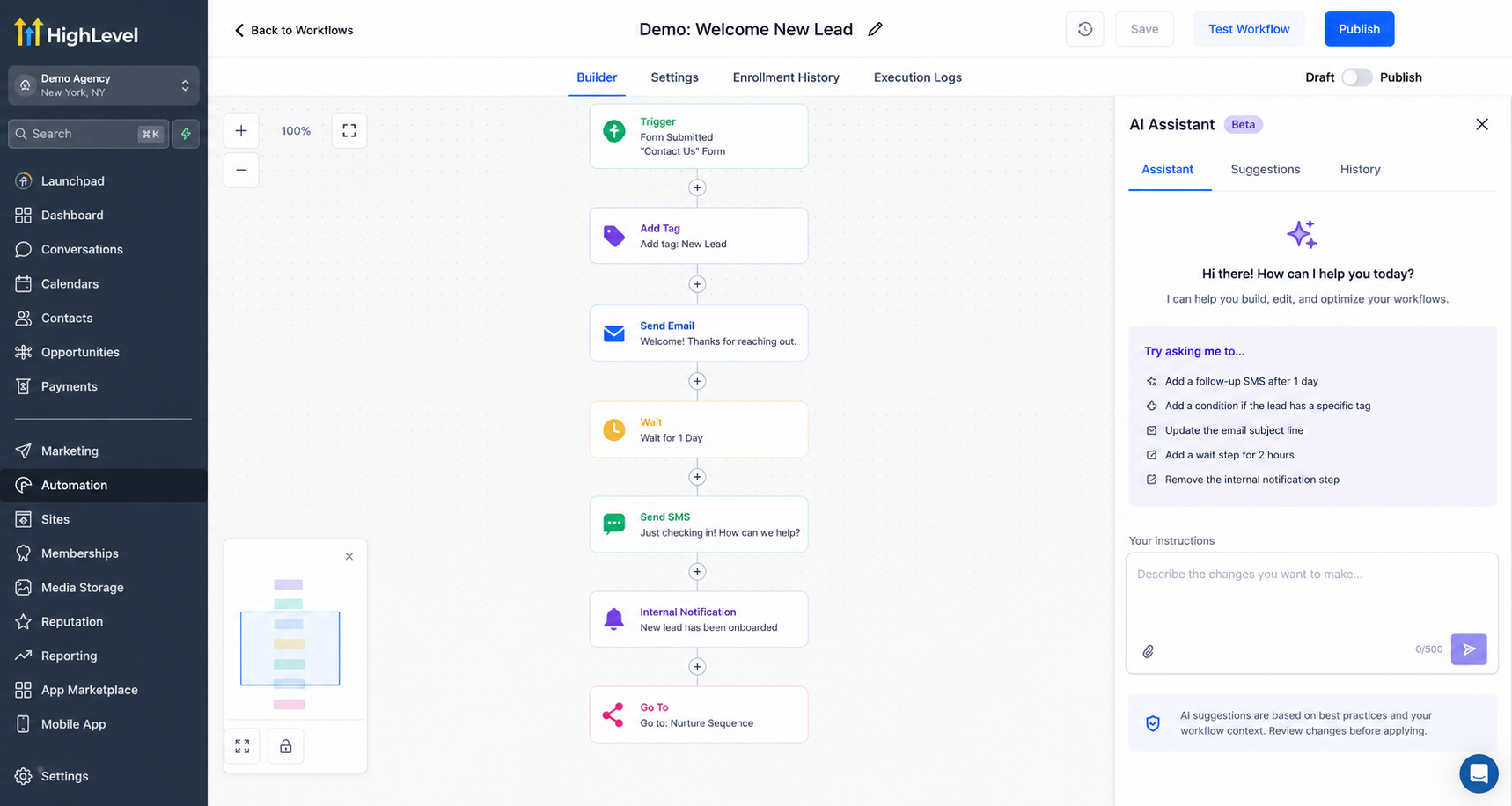
Before this improvement, updating large workflows could require a significant amount of manual work. When users needed to change multiple actions, they often had to open each action individually, make the required adjustment, and repeat the process across the workflow.
For businesses, agencies, and automation experts managing complex workflows, this manual approach created additional effort. Larger workflows meant more editing steps, more time spent reviewing changes, and a greater chance of accidentally modifying something that was not intended to change.
GoHighLevel’s new AI Builder improvement addresses this challenge by making AI workflow editing more controlled. Instead of applying broad changes, AI Builder now focuses on the exact actions or triggers specified in the instruction.
What Is Targeted Edits in AI Builder?
Targeted Edits in AI Builder allows users to provide more specific editing instructions inside the workflow builder. AI Builder can identify the actions or triggers that need changes and update only those selected areas while leaving everything else untouched.
Users can specify whether they want to update all matching actions, a certain number of actions, or only specific actions within the workflow. This creates a more precise editing experience and helps users manage workflow changes more effectively.
The update also introduces the ability to apply the same modification across multiple actions in one instruction, reducing the need for repeated manual edits.
Key Improvements in GoHighLevel AI Builder
Sharper Scoped-Edit Instruction Following
One of the biggest improvements in this update is AI Builder’s ability to better follow scoped editing instructions.
Users can now describe exactly which actions or triggers should be changed. Whether they want to update all relevant actions, a specific group, or selected steps only, AI Builder applies the change to that defined scope.
This improved targeting ensures that unrelated workflow steps remain unchanged, helping users maintain better control over their automation updates.
Bulk Copy Edits Across Multiple Actions
Updating communication content across multiple workflow actions is now easier with bulk copy edits.
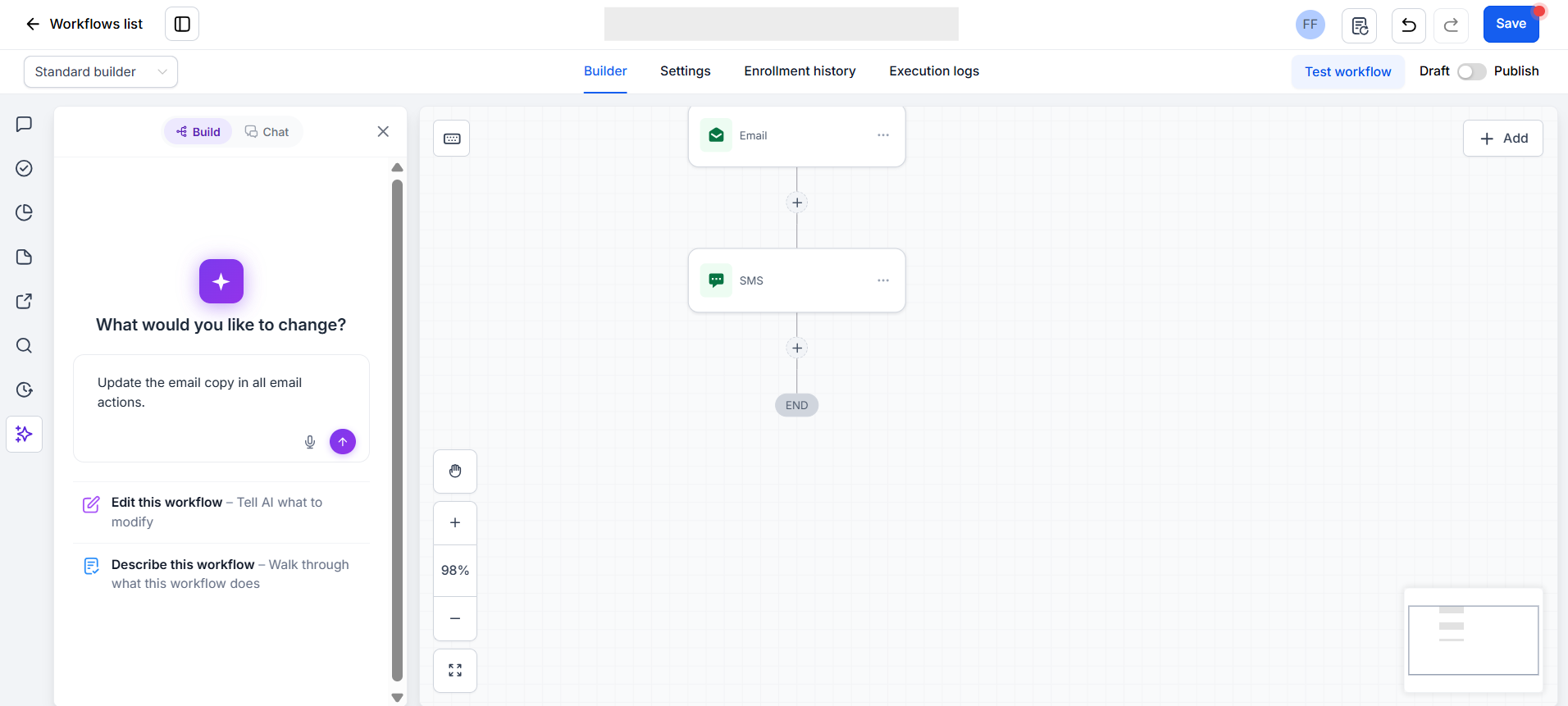
AI Builder can update email, SMS, or any-channel copy across multiple actions in a single pass. Instead of opening each action separately and changing the content manually, users can provide one instruction and apply the required copy update across the selected actions.
This improvement helps simplify content updates inside larger workflows.
Bulk Pipeline Stage Swaps
Managing pipeline stages across workflows is also improved with bulk pipeline stage swaps.
Users can change pipeline stages across all applicable actions and triggers or limit the update to specific ones. This provides more flexibility when adjusting workflow settings while keeping control over which areas are modified.
Bulk Sender Identity Updates
AI Builder now makes sender identity changes easier across email actions.
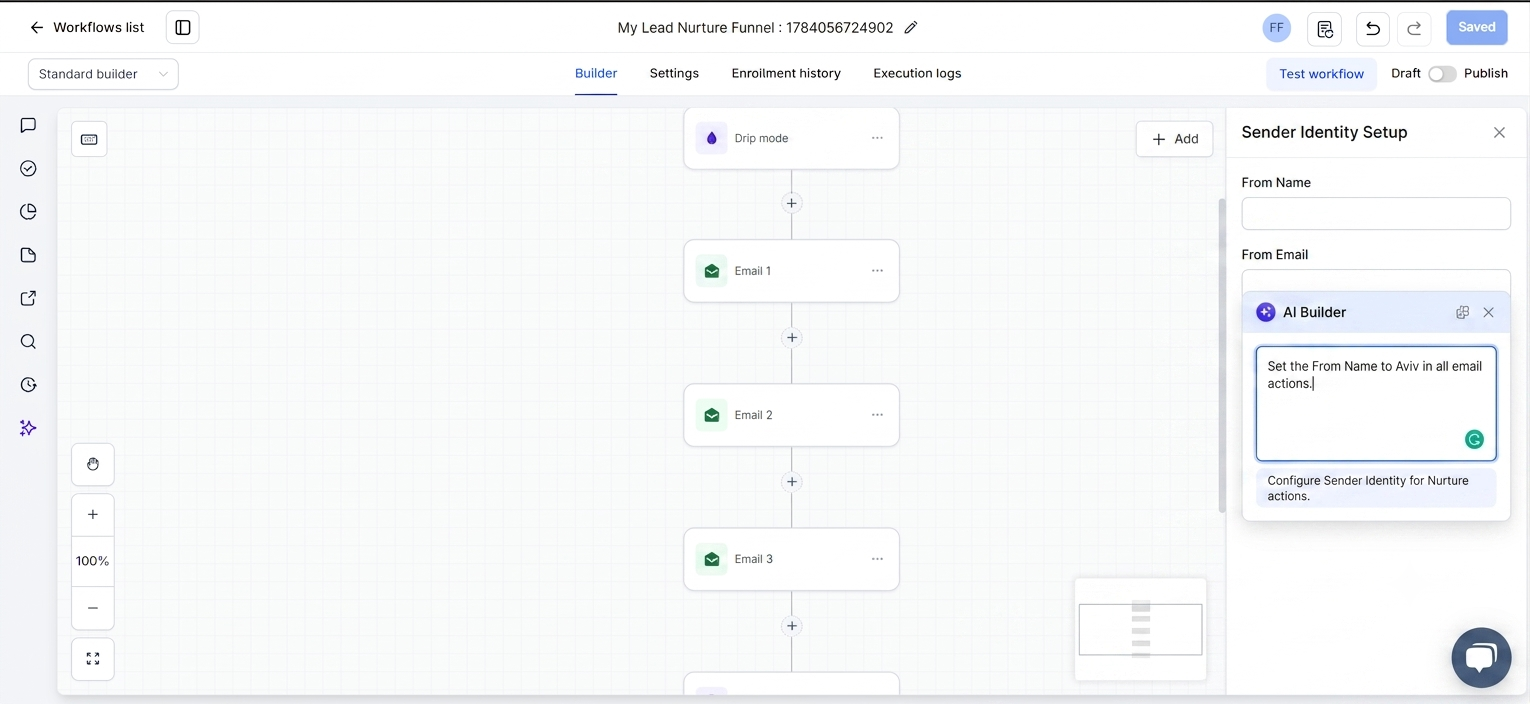
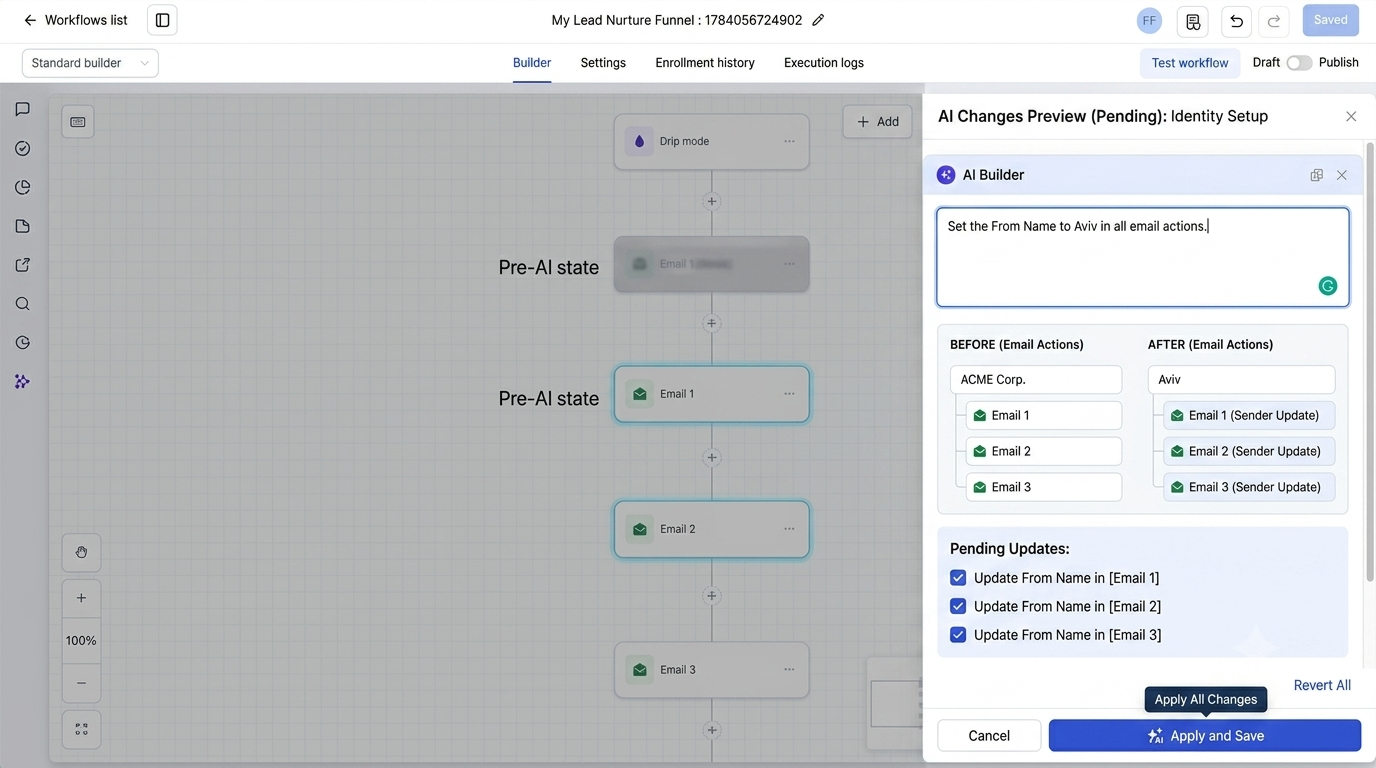
Users can update the From Name and From Email settings across all selected email actions through a single instruction. This reduces repetitive editing when multiple email actions require the same sender identity update.
Precise Targeting for Selected Actions
Another important improvement is the ability to target specific actions with greater accuracy.
For example, if a workflow contains 50 emails and a user wants to update the copy for only 20 of them, AI Builder can apply the change only to those selected emails while leaving the remaining actions unchanged.
This level of precision helps users make workflow updates confidently without affecting unrelated steps.
How to Use Targeted Edits in AI Builder
Using this new AI Builder capability is a straightforward process:
1. Open the AI Assistant
Start by opening the AI assistant from the sidebar inside the workflow builder.
2. Describe the Change and Scope
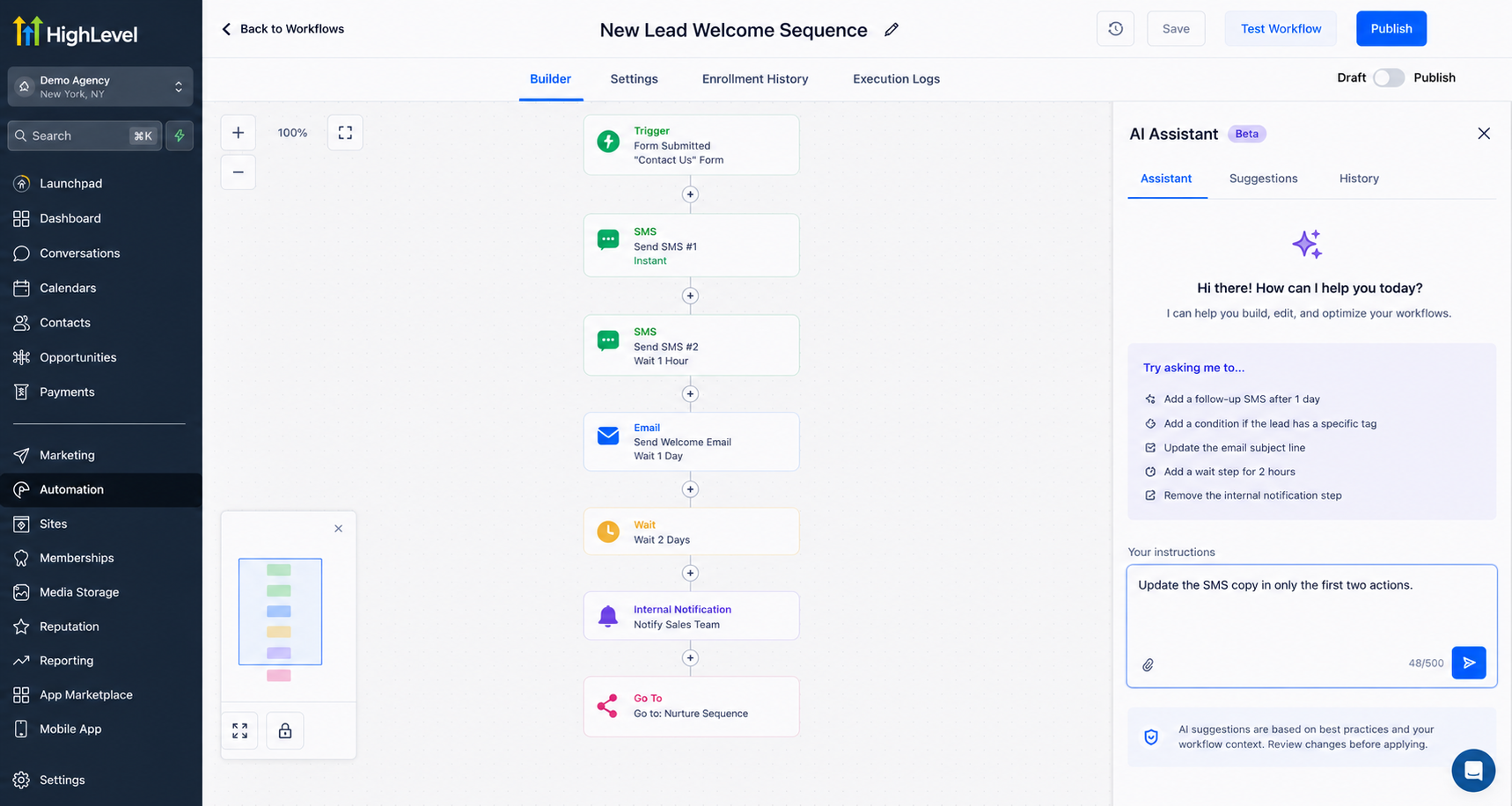
Provide clear instructions about what should be updated and which actions or triggers should be affected.
For example:
“Set the From Name to Aviv in all email actions.”
“Update the SMS copy in only the first two actions.”
The more specific the scope, the more accurately AI Builder can apply the requested changes.
3. Review the Preview and Save
After AI Builder prepares the changes, review the preview to confirm the updates. Once everything looks correct, save the changes.
This workflow gives users more confidence when making updates to existing automation systems.
Why This Matters for GoHighLevel Users
As businesses and agencies create larger automation systems, managing workflow updates efficiently becomes increasingly important. The challenge has always been that editing effort grows as workflows become larger and more complex.
With Targeted Edits in AI Builder, workflow editing no longer needs to scale with workflow size. Users can make larger updates faster while maintaining control over exactly what changes.
The improved targeting also helps reduce unnecessary edits by ensuring changes apply only to selected actions and triggers. This makes workflow management more efficient and supports a safer approach to updating complex automations.
For marketers, agencies, and automation specialists, this update represents another step forward in GoHighLevel automation updates by making AI-assisted workflow editing more precise and practical.
Frequently Asked Questions
1. What is Targeted Edits in GoHighLevel AI Builder?
Targeted Edits is a new AI Builder improvement that allows users to update only the selected workflow actions or triggers without affecting the rest of the workflow.
2. Can AI Builder edit multiple workflow actions at once?
Yes. AI Builder can apply the same change across multiple selected actions in a single instruction, reducing repetitive manual edits.
3. What types of updates can AI Builder perform in bulk?
The update supports bulk copy edits, pipeline stage swaps, and sender identity updates across selected workflow actions.
4. How do I use Targeted Edits in AI Builder?
Open the AI assistant in the workflow builder sidebar, describe the change and its scope, review the preview, and save the changes.
5. Why is this GoHighLevel update important?
It helps users manage large workflows more efficiently by applying changes only where needed, making workflow updates faster and more precise.
Conclusion
GoHighLevel’s Targeted Edits in AI Builder improve the way users manage and update workflows. By introducing sharper scoped-edit instruction following, bulk updates, and more precise targeting, AI Builder helps simplify large workflow changes.
For users working with advanced GoHighLevel workflow automation, this improvement reduces manual editing effort and provides a more controlled way to manage automation updates. With AI Builder now understanding exactly what needs to change, updating workflows becomes faster, easier, and more reliable.
Watch This GoHighLevel Update in Action
Want a quick overview of this new GoHighLevel feature? We’ve created a short video explaining the update, its benefits, and how you can use it effectively.
Click below to watch the video and stay ahead with the latest GoHighLevel updates.
Need Expert Help with GoHighLevel?
New to GoHighLevel and ready to get started? Buy your GoHighLevel account here and launch with confidence.
Already know what you need and want our team to handle everything, from complete setup and customization to funnels, workflows, automations, CRM, and pipelines? Click here.



