


GoHighLevel Affiliate Program Setup: A Step-by-Step Beginner's Guide
How to Create Your First Affiliate Program in GoHighLevel
Introduction
Affiliate marketing is a practical way to grow your business by rewarding people who refer new customers. Instead of relying only on paid advertising, you can encourage partners, existing customers, or industry contacts to promote your products or services in exchange for a commission.
If you are using GoHighLevel, creating your first affiliate program is a straightforward process. Once Affiliate Manager is available in your account, you can set up a campaign, configure commissions, invite affiliates, and begin tracking referrals from one place.
This guide walks through the essential steps to help you launch your first affiliate program and start building a reliable referral channel for your business.
Create Your Affiliate Campaign
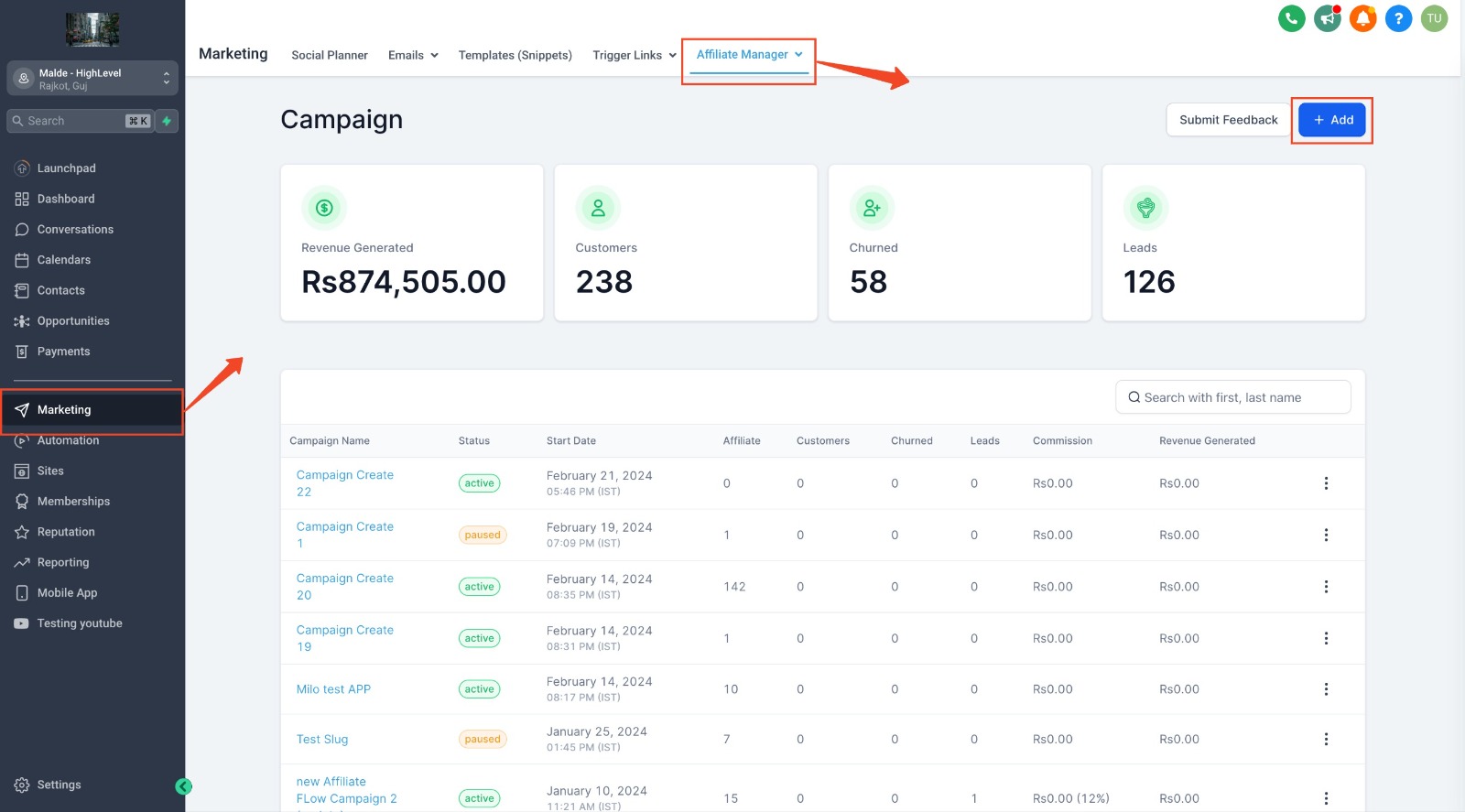
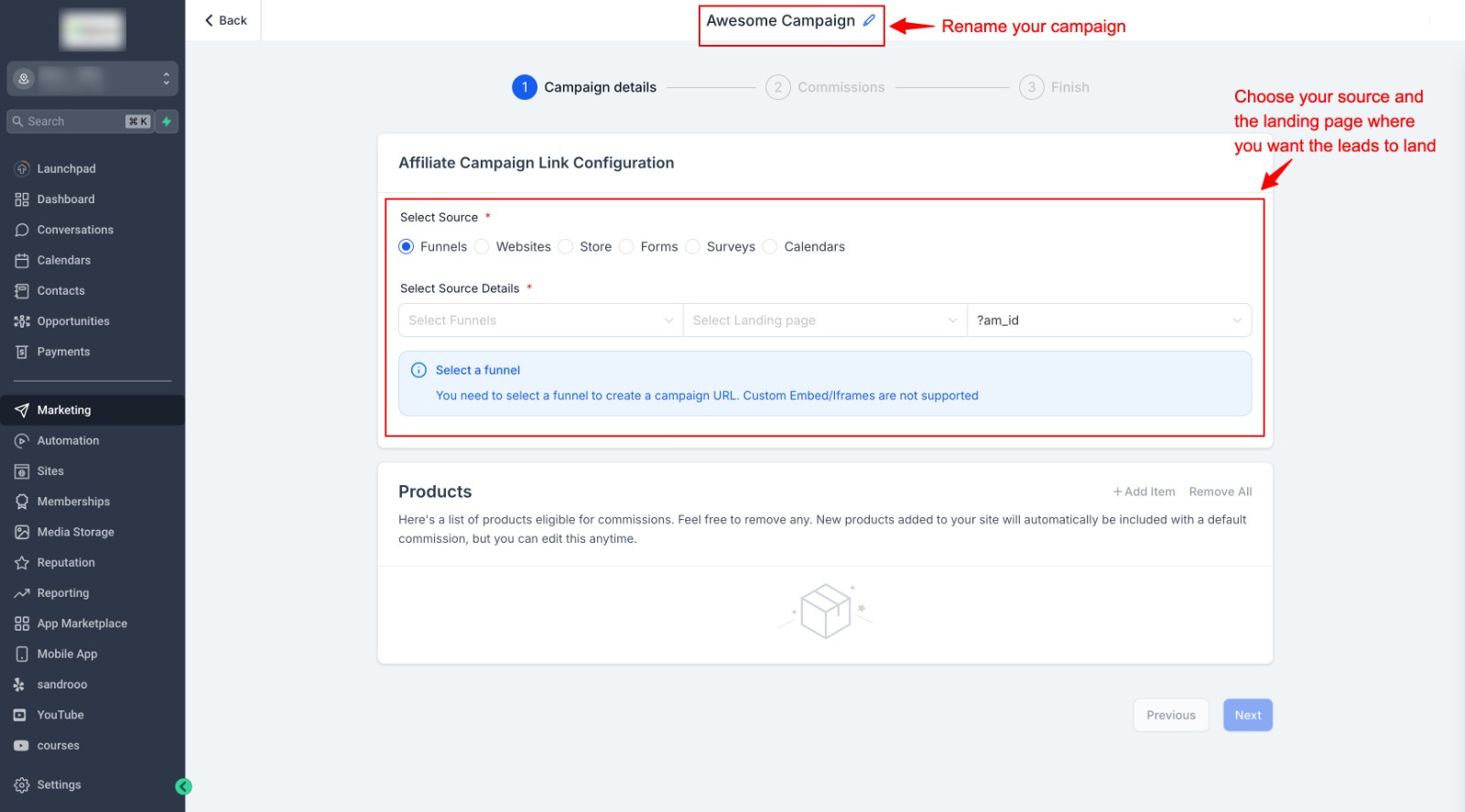
Every affiliate program begins with a campaign. Inside GoHighLevel, create a new affiliate campaign and enter the basic information that will identify it. Choose a clear campaign name and select the product or service you want affiliates to promote.
Before moving to the next step, review your campaign settings to make sure they match your business goals. Taking a few minutes to organize your campaign properly will make it much easier to manage as your affiliate program grows.
Configure Your Commission Settings
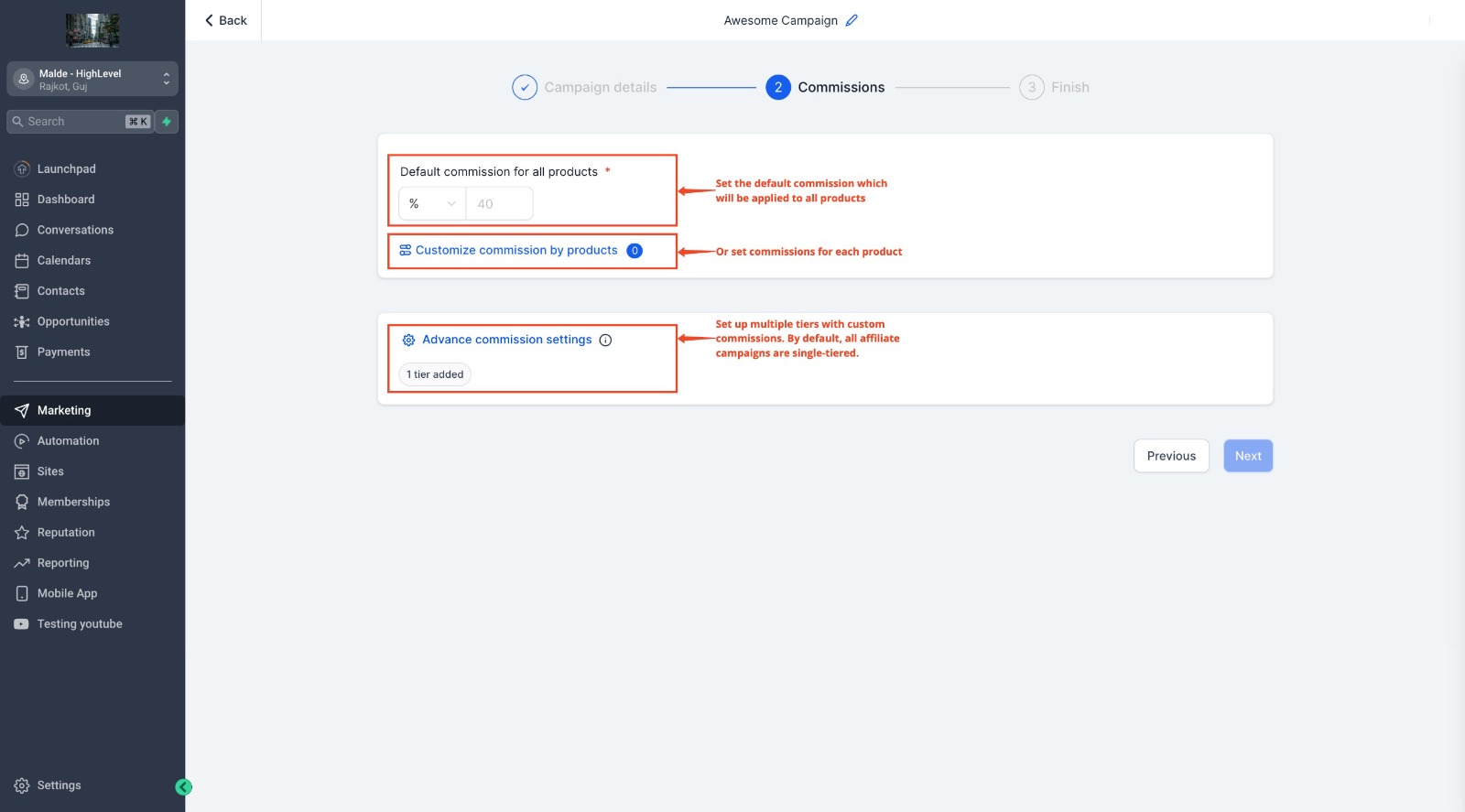
After creating the campaign, the next step is deciding how affiliates will be rewarded. A clear commission structure encourages affiliates to actively promote your products or services.
GoHighLevel allows you to configure commission settings for each campaign so every successful referral is tracked correctly. Before launching your program, review these settings carefully to ensure they match your business goals.
Having a clear reward structure also builds trust with affiliates because they know how their referrals will be recognized.
Add Affiliates to Your Program
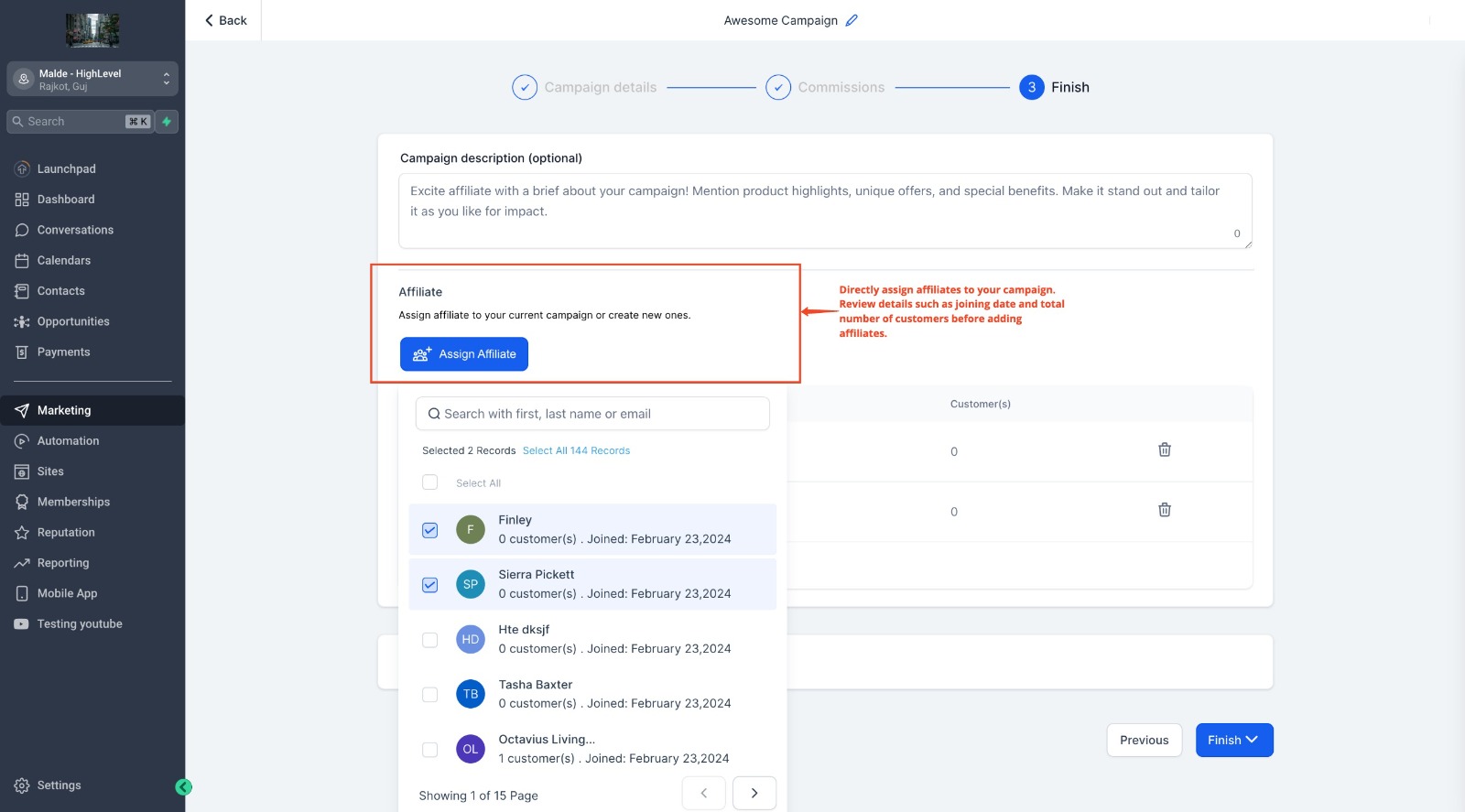
Once your campaign is ready, you can begin inviting affiliates to join your program. These may include existing customers, business partners, influencers, or anyone interested in promoting your business.
Each approved affiliate receives access to their own referral link, allowing the platform to track every qualifying referral automatically.
Providing affiliates with a simple onboarding experience makes it easier for them to start promoting your business right away.
Share Affiliate Links with Your Partners
Once affiliates have joined your program, the next step is helping them promote your business. GoHighLevel provides each affiliate with a unique referral link that tracks every qualifying lead or sale they generate.
Affiliates can share their referral links through websites, blogs, social media, email campaigns, YouTube descriptions, or any other marketing channel that fits their audience. Because every affiliate has a unique tracking link, businesses can easily identify where referrals are coming from and measure individual performance.
Making referral links easy to access encourages affiliates to start promoting your products or services without unnecessary delays.
Test Your Affiliate Program Before Launch
Before inviting a large number of affiliates, it is a good idea to test your program. This helps confirm that referral links work correctly, conversions are being tracked, and campaign settings are configured as expected.
Create a test referral, complete the customer journey, and verify that the referral appears inside Affiliate Manager. Taking a few minutes to test your setup can help prevent reporting issues after your program goes live.
A properly tested affiliate program provides a better experience for both your business and your affiliates.
Monitor and Grow Your Affiliate Program
Launching your affiliate program is only the beginning. To achieve better results, review your affiliate performance regularly and identify which partners are generating the most referrals.
GoHighLevel makes it easy to monitor campaign activity from one dashboard. You can review referral statistics, compare affiliate performance, and use these insights to improve your program over time.
As your affiliate network grows, maintaining regular communication and rewarding top performers can help strengthen long term partnerships and encourage more referrals.
Conclusion
Launching your first affiliate program in GoHighLevel is easier when you follow a structured setup process. By creating your campaign, configuring commissions, inviting affiliates, sharing referral links, and testing everything before launch, you can build a referral program that is organized from day one.
Once your program is live, continue monitoring affiliate performance and make improvements as your network grows. A well managed affiliate program can become a valuable source of consistent referrals while helping you expand your business more efficiently.
Frequently Asked Questions (FAQs)
1. How do I create an affiliate program in GoHighLevel?
Create a new affiliate campaign, configure your commission settings, invite affiliates, share referral links, and launch your program after testing it.
2. Can I invite multiple affiliates to one campaign?
Yes. GoHighLevel allows you to add multiple affiliates so they can promote the same campaign using their own unique referral links.
3. How are referrals tracked in GoHighLevel?
Each affiliate receives a unique referral link that automatically tracks qualifying referrals and records them inside Affiliate Manager.
4. Should I test my affiliate program before launching?
Yes. Testing helps confirm that referral links, tracking, and campaign settings are working correctly before inviting affiliates.
5. Can I monitor affiliate performance after launch?
Yes. GoHighLevel provides reporting tools that let you track referrals, conversions, and overall affiliate campaign performance.
Need Expert Help with GoHighLevel?
New to GoHighLevel and ready to get started? Buy your GoHighLevel account here and launch with confidence.
Already know what you need and want our team to handle everything, from complete setup and customization to funnels, workflows, automations, CRM, and pipelines? Click here.



