

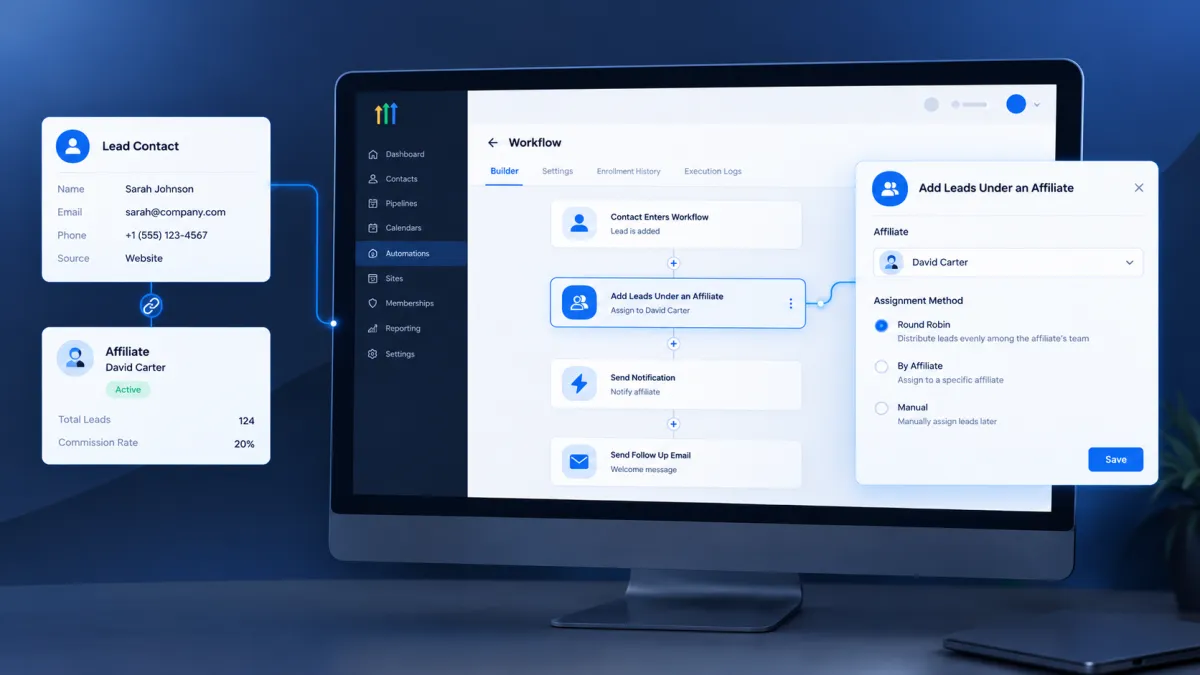
How to Add Leads Under an Affiliate Using the Add Leads Under an Affiliate Action in GoHighLevel
How to Add Leads Under an Affiliate Using the Add Leads Under an Affiliate Action in GoHighLevel
An affiliate sends a lead your way, but the contact enters your system through a form, workflow, or another process that does not automatically place the lead under the correct affiliate. That can create unnecessary manual work and make affiliate lead management harder to keep organized. GoHighLevel addresses this with the Add Leads Under an Affiliate workflow action, which lets you associate a contact with an affiliate and the affiliate's campaign as part of an automated workflow.
What Is the Add Leads Under an Affiliate Action?
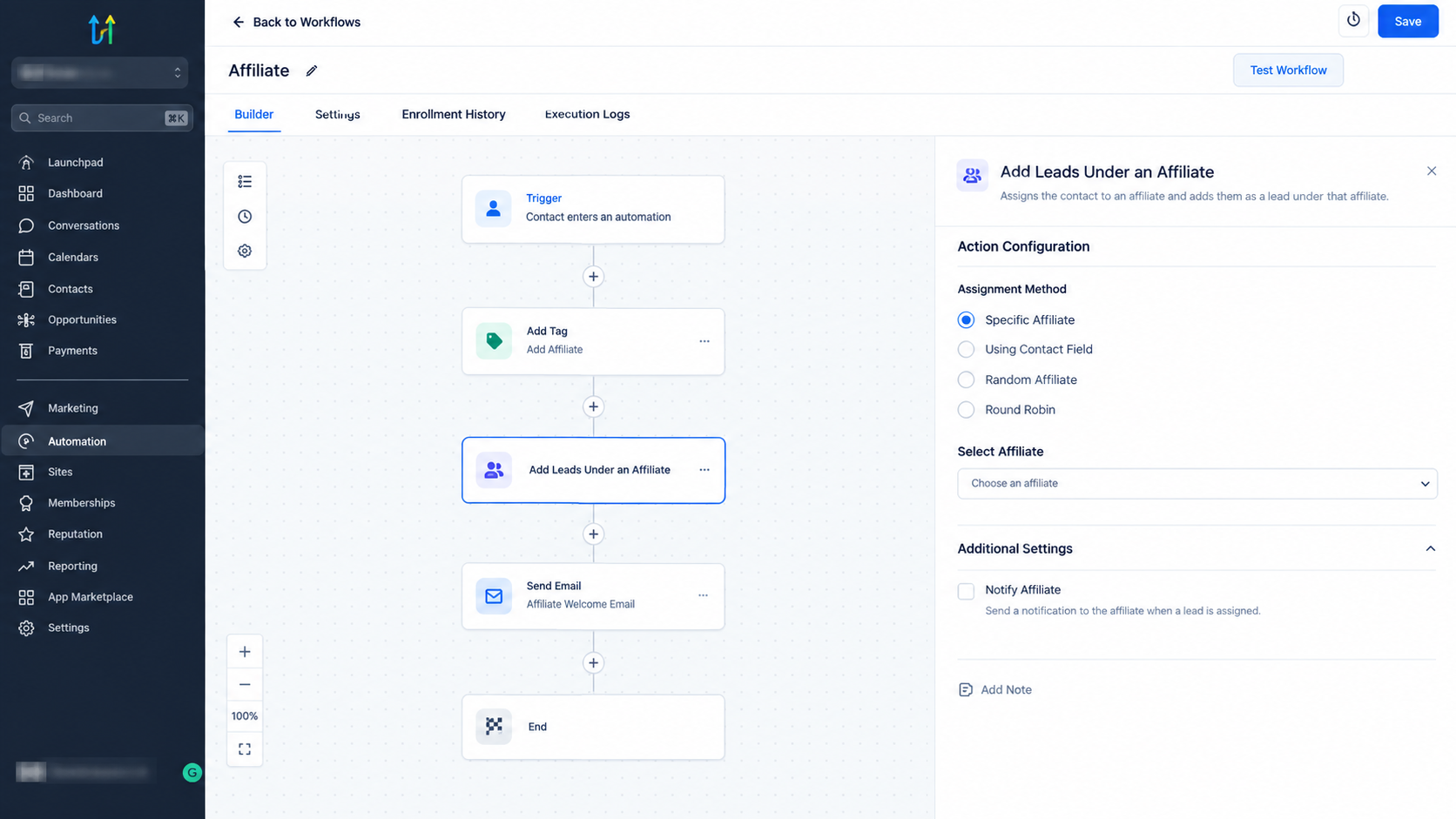
The Add Leads Under an Affiliate action is a GoHighLevel workflow action designed to assign a contact to an affiliate and their associated affiliate campaign. Instead of manually adding the lead through Affiliate Manager, you can place this assignment directly into a workflow.
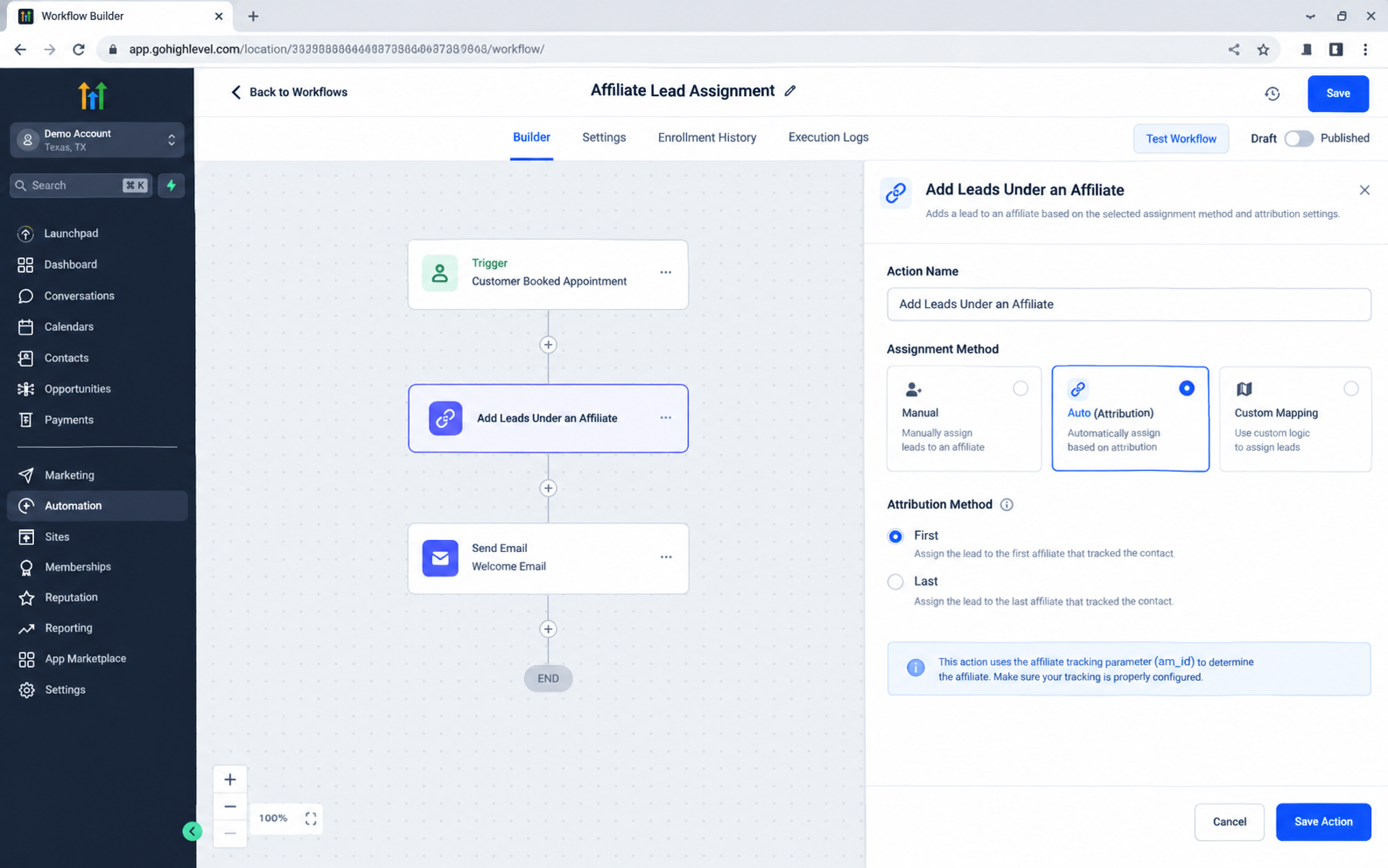
The action provides three assignment methods: Manual, Auto, Attribution, and Custom Mapping.
Each method is intended for a different way of determining which affiliate should receive credit for the lead.
This distinction is important. The action is specifically responsible for adding the contact under an affiliate. It is not the same as actions that manage affiliate sales or calculate commissions.
Why Use This Action?
Affiliate lead management becomes more difficult when every lead has to be assigned manually. A workflow can handle that assignment when the required information is already available.
For example, if a known affiliate regularly sends leads through a particular process, a workflow can use the Manual assignment method to place those contacts under the appropriate affiliate and campaign. This can reduce repetitive administrative work while keeping the affiliate relationship connected to the contact.
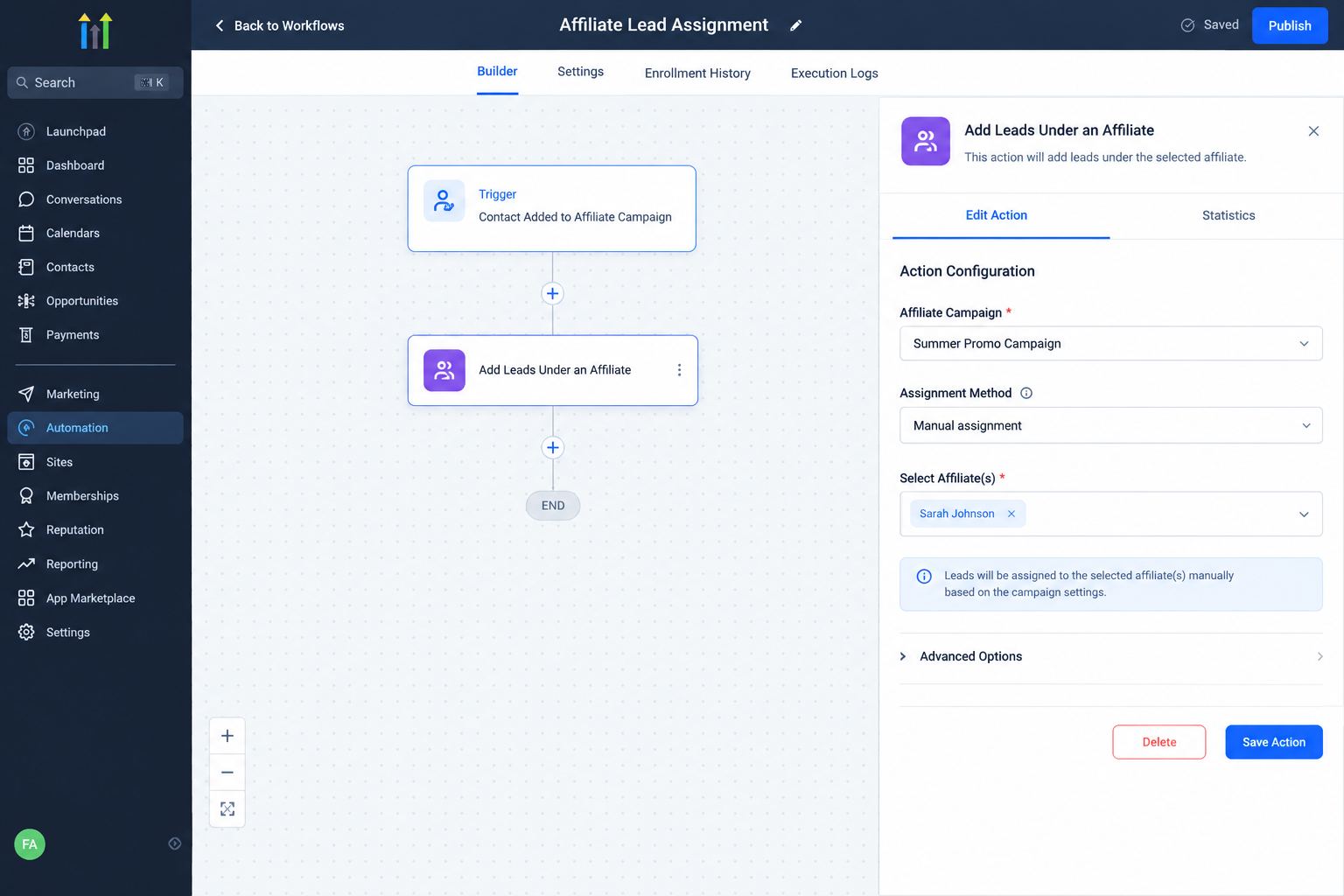
The action can also be useful when affiliate information comes from attribution data or another source. In those cases, the workflow can determine the affiliate without requiring someone to manually select the affiliate for every contact.
Where Does It Fit in a Workflow?
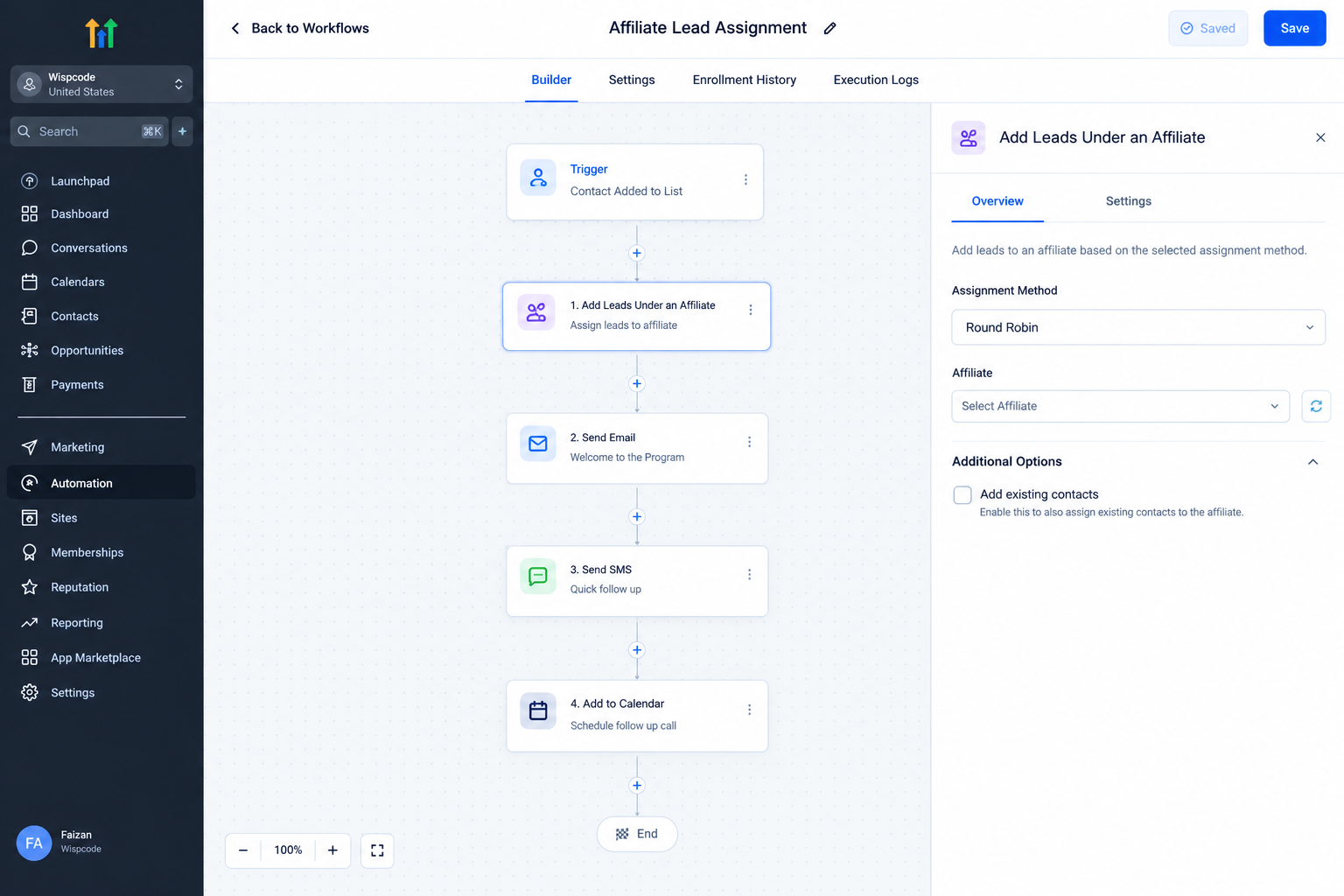
The action works as one step inside a GoHighLevel workflow. A trigger determines when the workflow starts, and the Add Leads Under an Affiliate action performs the affiliate assignment when the contact reaches that step.
A simple example could be a workflow that begins when a contact submits a form. After the contact enters the workflow, the Add Leads Under an Affiliate action can assign that contact according to the selected configuration.
The exact workflow structure depends on how the affiliate information is available. The important point is that the action does not independently decide when a workflow should run. It executes when the contact reaches that action in the workflow.
How to Configure the Action
Start by opening the workflow where you want to manage the affiliate assignment and add the Add Leads Under an Affiliate action. GoHighLevel then provides the available assignment methods.
Manual Assignment
Manual assignment is useful when you already know which affiliate should receive the lead.
Select Manual as the assignment method, choose the relevant affiliate campaign, and then select the affiliate associated with that campaign. The affiliate selection is based on the affiliates available within the selected campaign.
This approach works well when the workflow itself represents a known lead source or a predetermined affiliate relationship.
Auto, Attribution
The Auto, Attribution method is designed for leads where affiliate attribution is available through the URL. GoHighLevel uses the am_id value passed through the URL to identify the affiliate.
You can select either First or Last attribution. First attribution uses the first affiliate interaction, while Last attribution uses the latest applicable affiliate interaction.
This option is useful when leads arrive through affiliate links and the required attribution information has already been captured.
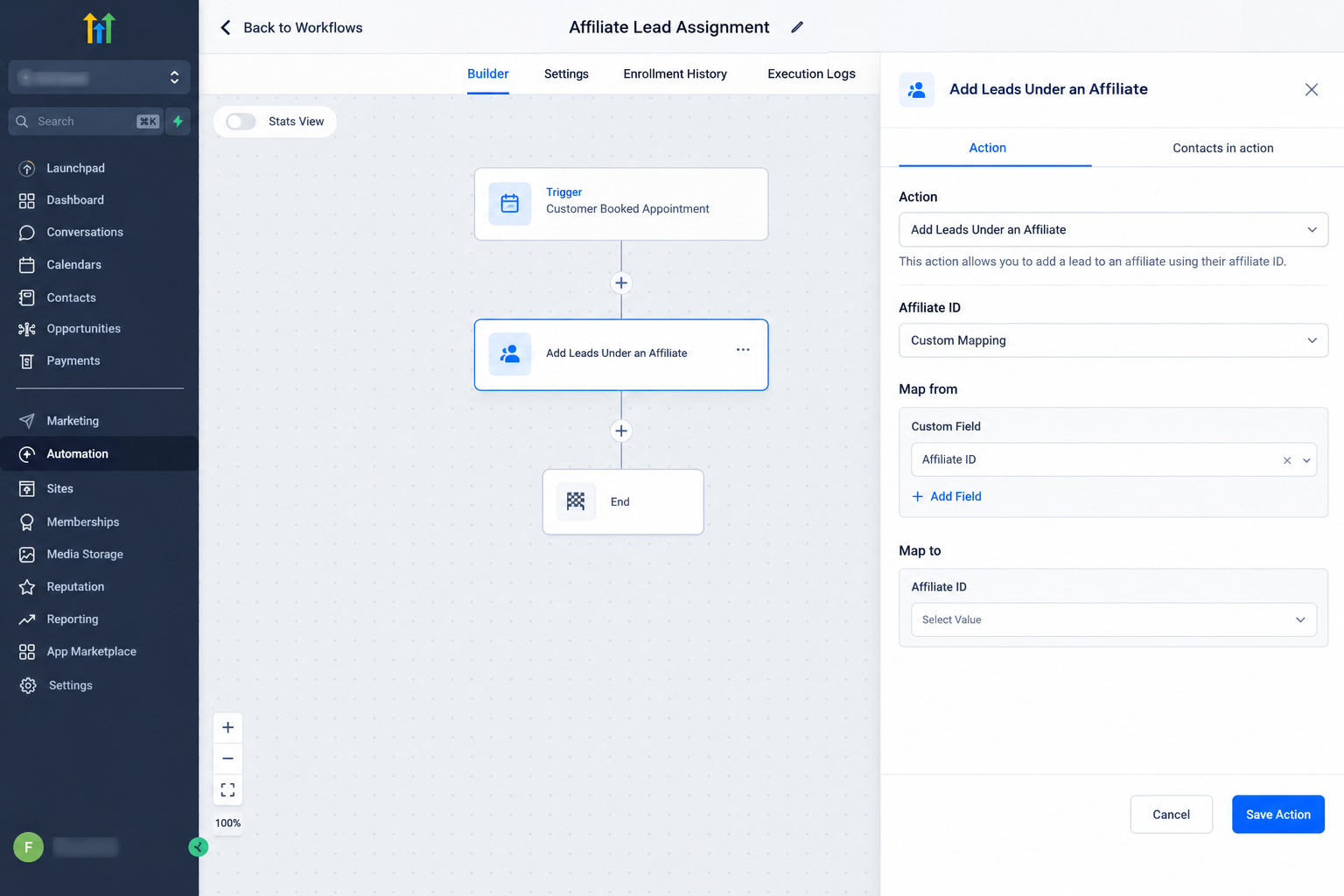
Custom Mapping
Custom Mapping provides another way to supply the affiliate information. Instead of relying directly on the affiliate URL, the affiliate ID can come from a custom field or workflow value.
This can be useful when affiliate information is being passed from another process, such as an API based integration or a form containing the required data. GoHighLevel reads the mapped value and uses it to identify the matching affiliate.
What Happens to the Lead?
When the workflow reaches this action successfully, the contact is assigned under the selected affiliate and associated campaign. This connects the contact with the affiliate relationship inside Affiliate Manager.
The action should not be confused with Add Manual Sales For An Affiliate. The lead action handles lead assignment, while the manual sales action is designed for adding sales and uses the campaign's commission settings for the resulting commission calculation.
Practical Use Cases
One practical example is a business that receives leads through a form and already knows which affiliate is responsible for those leads. A workflow can automatically assign the contacts to that affiliate.
Another example involves affiliate links. When the affiliate ID is available through URL attribution, the Auto, Attribution method can use that information instead of requiring a fixed affiliate selection.
Custom Mapping can be useful when an external system supplies affiliate information that needs to be passed into the workflow before the assignment takes place.
These approaches allow the workflow to handle the assignment while other workflow actions can manage separate tasks such as notifications or follow up.
Important Considerations
The assignment method should match the way your affiliate information is actually being captured. Manual assignment requires a known affiliate and campaign. Attribution requires the appropriate affiliate ID to be available through the URL. Custom Mapping requires the affiliate information to be available through the selected mapping source.
It is also important to remember that assigning a lead under an affiliate is different from recording a sale or managing commissions. Those processes use separate Affiliate Manager functionality.
Conclusion
The Add Leads Under an Affiliate action gives GoHighLevel users a direct way to connect contacts with affiliates through workflows. Whether the affiliate is known in advance, identified through URL attribution, or supplied through a mapped value, the action helps automate the lead assignment process while keeping it connected to the appropriate campaign.
For businesses managing affiliate generated leads, understanding these three assignment methods makes it easier to build workflows that match the way affiliate information enters the system.
Frequently Asked Question (FAQs)
1. What does Add Leads Under an Affiliate do in GoHighLevel?
It assigns a contact to an affiliate and the affiliate's associated campaign through a workflow.
2. What assignment methods are available?
The action supports Manual, Auto, Attribution, and Custom Mapping methods.
3. Can the action use an affiliate ID from a URL?
Yes. Auto, Attribution can use the am_id value passed through the URL to identify the affiliate.
4. Can affiliate information come from a custom field?
Yes. Custom Mapping can use a custom field or workflow value as the affiliate ID source.
5. Does this action add a sale or commission?
No. This action assigns the lead to an affiliate. Adding manual sales and calculating related commissions is handled separately.
Need Expert Help with GoHighLevel?
New to GoHighLevel and ready to get started? Buy your GoHighLevel account here and launch with confidence.
Already know what you need and want our team to handle everything, from complete setup and customization to funnels, workflows, automations, CRM, and pipelines? Click here.



