

Pre-Appointment Qualification in GoHighLevel
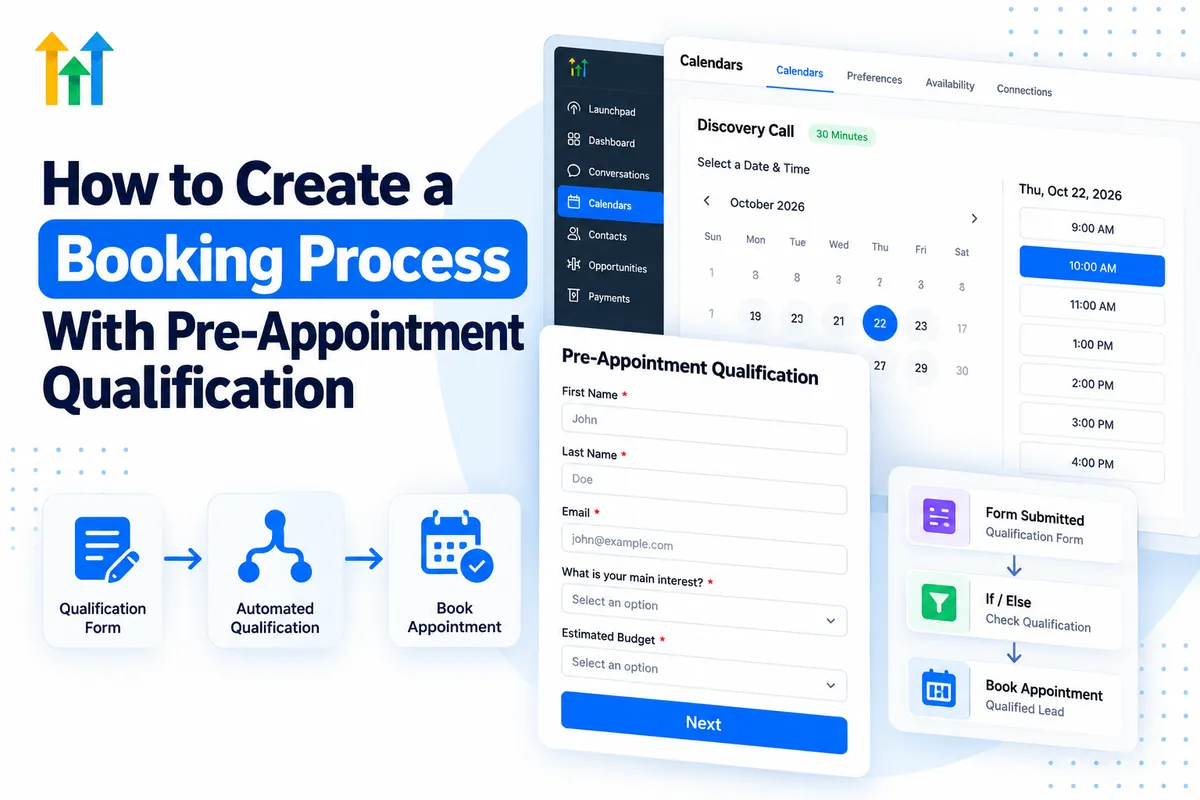
How to Create a Booking Process With Pre-Appointment Qualification
Not every appointment booked is a valuable opportunity. Businesses often spend time meeting prospects who are outside their service area, have unrealistic budgets, or simply aren't ready to move forward.
Pre-appointment qualification in GoHighLevel helps businesses collect important information before scheduling consultations. By combining forms, surveys, calendars, and automated workflows, companies can create a more organized booking experience.
Instead of treating every inquiry the same way, businesses can identify suitable prospects, personalize their follow-ups, and guide potential customers toward the appropriate next step.
Here's how to build a practical qualification-based booking process using GoHighLevel.
What Is Pre-Appointment Qualification?
Pre-appointment qualification is the process of gathering and evaluating prospect information before offering an appointment.
A traditional booking form typically collects basic details such as name, email address, and preferred appointment time. A qualification-focused process goes further by asking questions about the prospect's needs, location, budget, or timeline.
For example, a marketing agency might ask about a company's monthly advertising budget before offering a strategy consultation.
With GoHighLevel forms and surveys, businesses can collect these responses and store relevant information in CRM custom fields for future use.
Why Pre-Appointment Qualification Matters for Businesses
A structured qualification process helps businesses use their appointment availability more effectively.
Instead of filling calendars with every incoming inquiry, teams can prioritize prospects whose requirements align with their services.
This approach offers several practical benefits:
Better scheduling efficiency: Teams spend less time reviewing unsuitable bookings.
More prepared consultations: Sales representatives can review prospect requirements beforehand.
Organized lead management: Contacts can be categorized according to their needs.
Relevant follow-ups: Businesses can send different messages based on qualification responses.
Consider a home remodeling company serving specific neighborhoods. Asking for a prospect's location and project type before scheduling allows the company to identify inquiries outside its service area and provide appropriate alternatives.
How to Create a Booking Process With Pre-Appointment Qualification in GoHighLevel
GoHighLevel provides several tools for building this process. The key is connecting information collection, qualification decisions, and appointment scheduling correctly.
Step 1: Define Your Qualification Criteria
Start by identifying what makes someone a suitable prospect for your business.
Qualification questions depend on the services offered. Common examples include:
What service are you interested in?
Where is your project located?
What is your estimated budget?
When are you planning to get started?
Avoid asking questions that don't influence your booking decisions. A shorter, focused questionnaire creates a more convenient experience.
Step 2: Create a Qualification Form or Survey
Navigate to Sites → Forms or Sites → Surveys in your GoHighLevel sub-account.
Create a form or survey containing your qualification questions. Include standard contact information and additional fields relevant to your business.
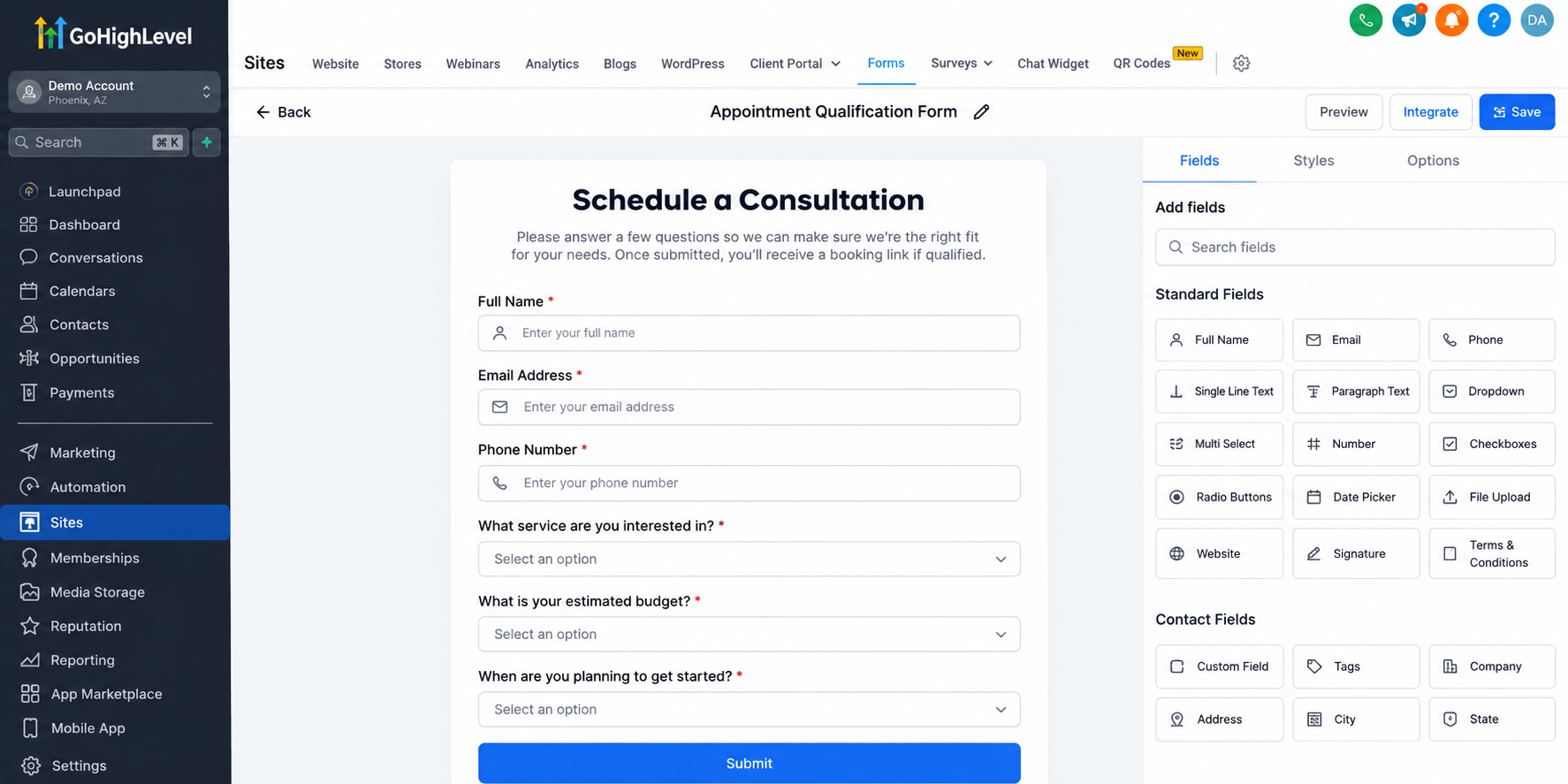
Use GoHighLevel Custom Fields to store responses such as budget range, service category, or project timeline.
These values become part of the contact's CRM record and can be referenced in subsequent workflows.
Make important qualification questions required when appropriate, and test the form before publishing.
Step 3: Configure Your Appointment Calendar
Navigate to Calendars → Calendar Settings and create or configure an appointment calendar.
Set the appointment duration, available hours, and other relevant scheduling settings.
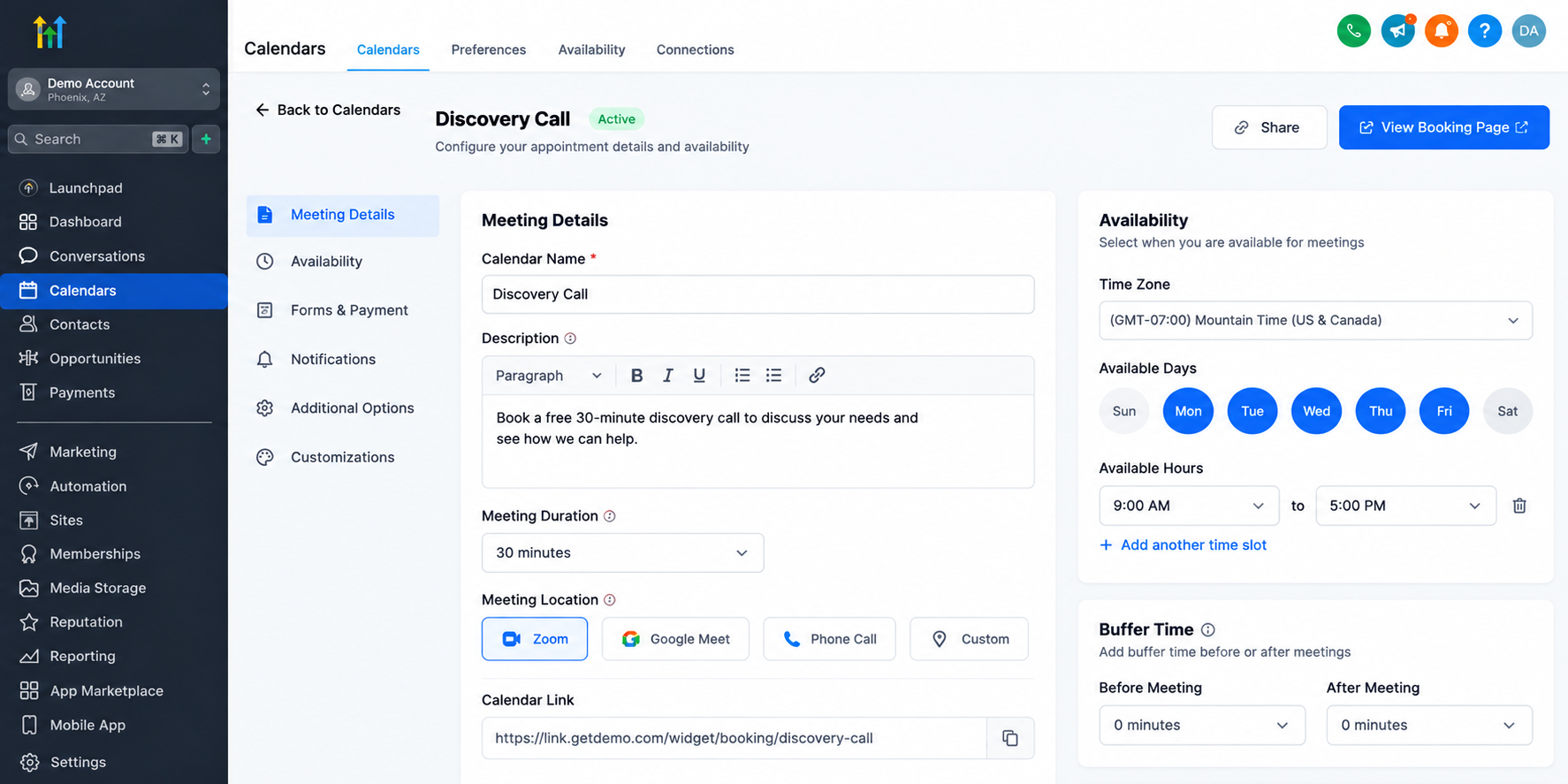
Decide how qualification fits into the booking experience.
You can collect additional information during scheduling using supported calendar form configurations. However, collecting answers during booking does not automatically prevent unsuitable prospects from reserving appointments.
For a qualification-first approach, use a separate form or survey before presenting the booking calendar.
Step 4: Build a Qualification Workflow
Open Automation → Workflows and create a workflow triggered by the qualification form submission.
Use If/Else conditions to evaluate relevant custom field values.
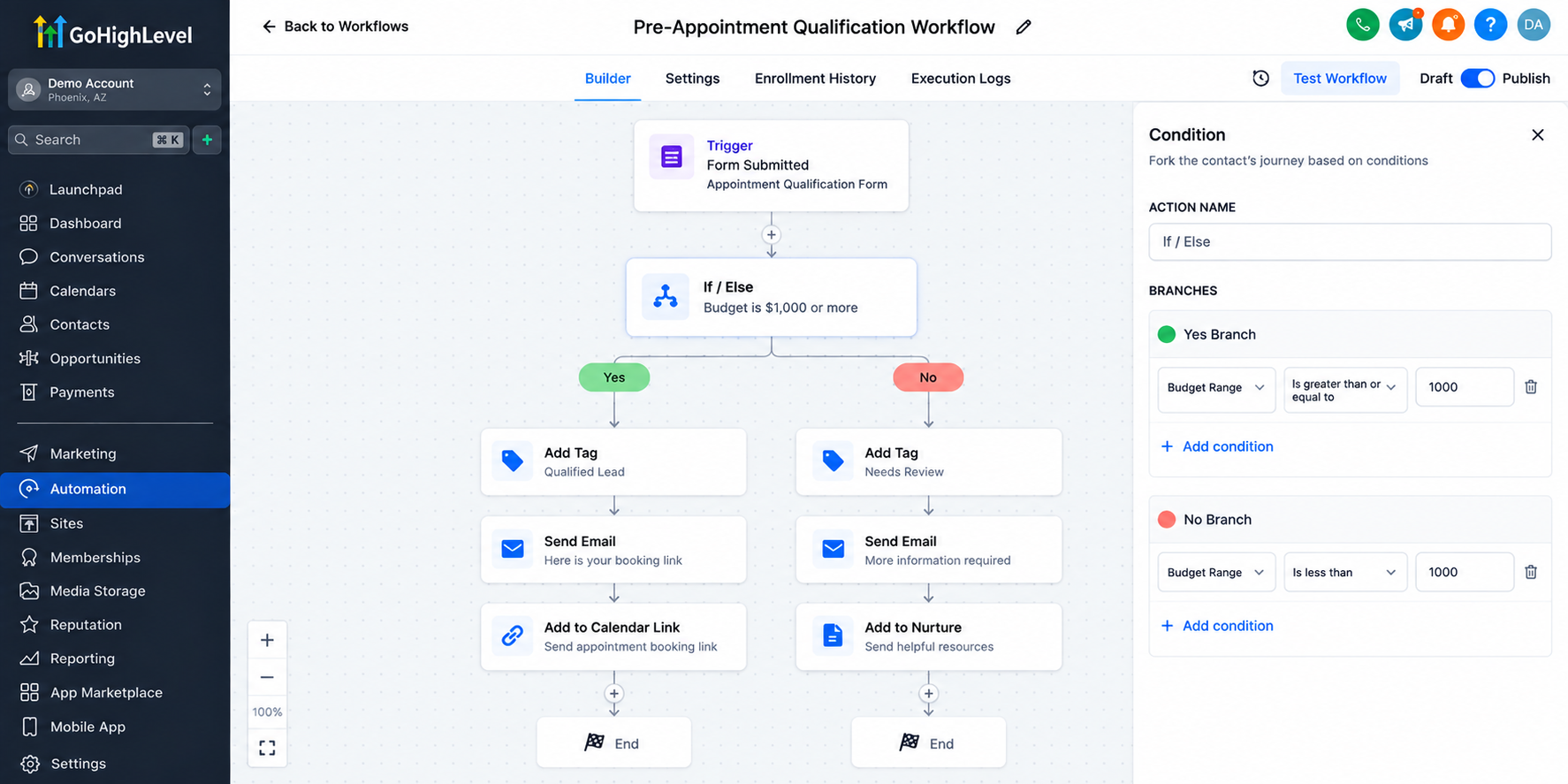
For example, a consulting business might create two paths:
Qualified prospects: Contacts meeting the established criteria receive a booking link through an automated email or SMS.
Unqualified prospects: Contacts who don't meet the criteria receive an alternative message, additional resources, or a request for more information.
You can also apply tags such as Qualified Lead and Needs Review to organize contacts.
Importantly, these workflow conditions must be configured. GoHighLevel does not automatically enforce qualification rules simply because a calendar exists.
Step 5: Automate Appointment Confirmations and Reminders
Once an appointment is successfully booked, use appointment-related workflow triggers to initiate confirmation and reminder communications.
For example, a workflow can send an appointment confirmation followed by reminders before the scheduled meeting.
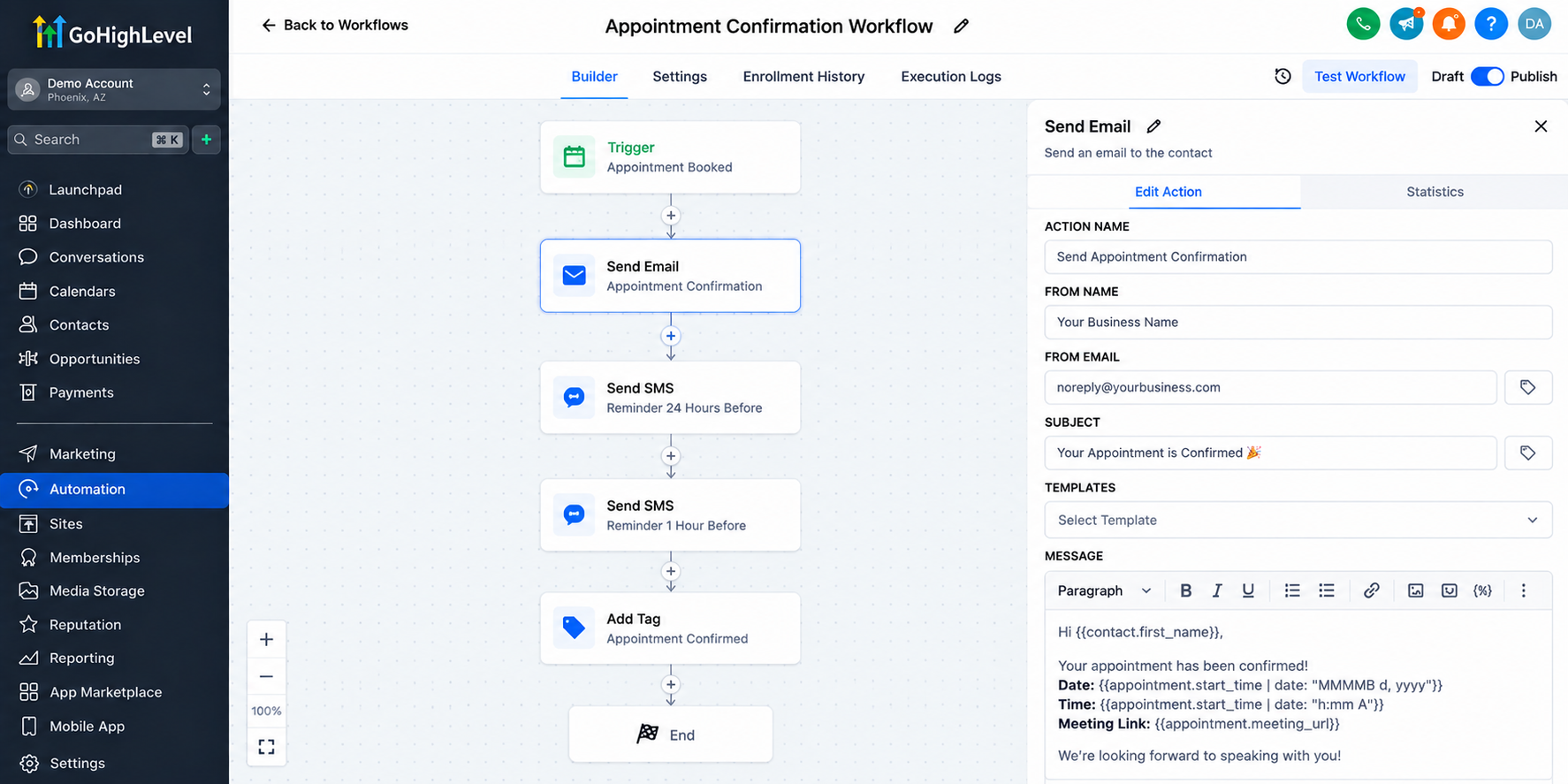
Include relevant details such as the appointment time, meeting location or link, and preparation instructions.
These automated messages help maintain consistent communication and give prospects the information needed to attend prepared.
Step 6: Test and Optimize the Booking Process
Before launching, submit several test inquiries using different qualification responses.
Verify that custom fields store the correct information, If/Else conditions route contacts appropriately, and booking links reach the intended prospects.
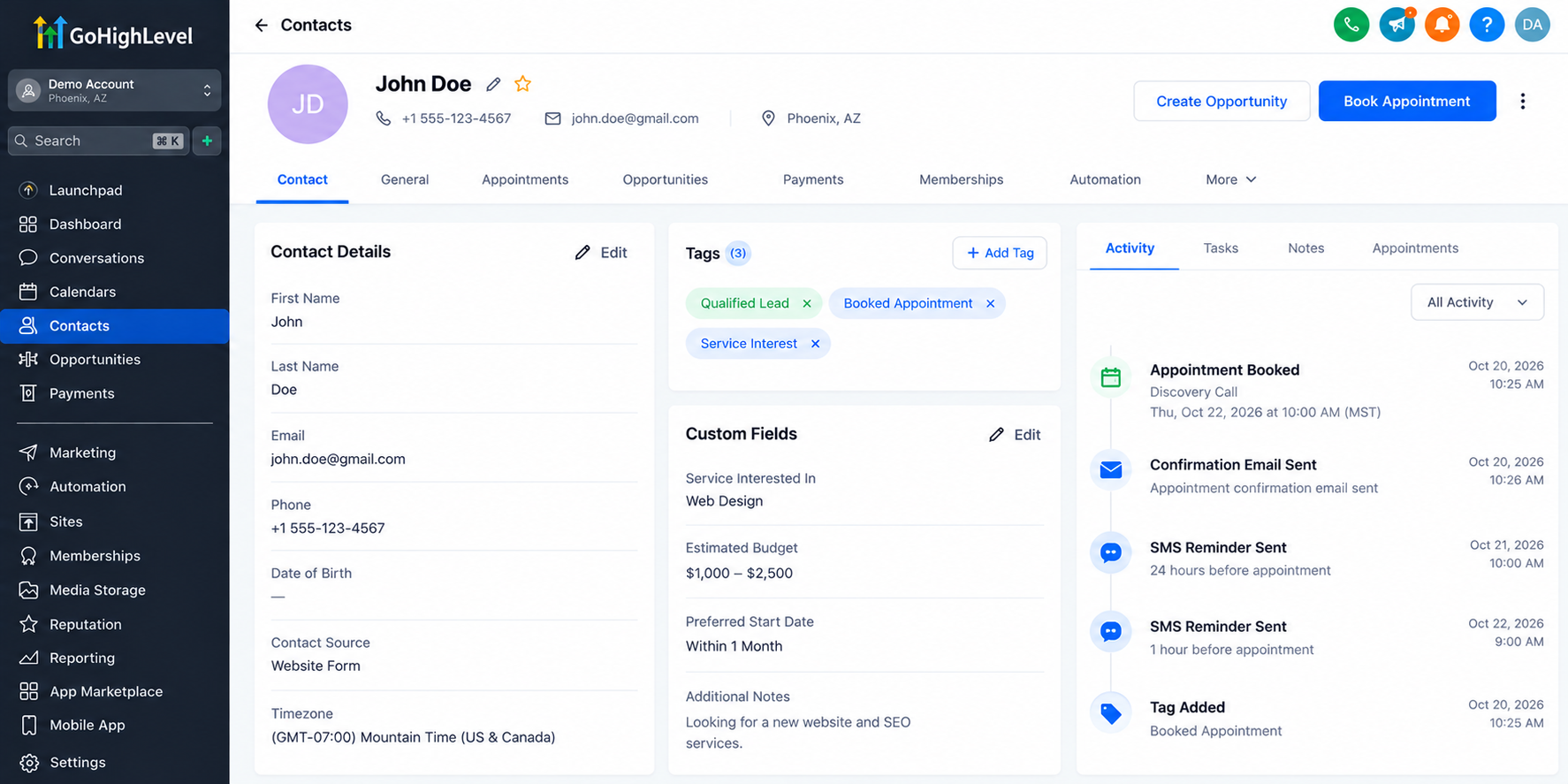
Also confirm that appointment confirmations and reminders trigger correctly.
Test both qualified and unqualified scenarios. Review workflow execution logs when troubleshooting unexpected behavior.
Best Practices for an Effective Qualification-Based Booking Process
A successful qualification process should feel helpful rather than restrictive.
Keep forms concise, explain why important information is requested, and avoid collecting unnecessary personal details.
Use clear instructions so prospects understand what happens after submitting their information.
Personalize follow-up messages according to their responses, and provide alternative next steps for people who aren't currently suitable for an appointment.
Regularly review qualification criteria as business services, capacity, and customer requirements change.
Conclusion
A well-designed booking process does more than fill calendar slots. It helps businesses identify suitable prospects, prepare for meaningful conversations, and manage inquiries efficiently.
By combining GoHighLevel forms, custom fields, calendars, and workflow automation, businesses can build a structured qualification process that supports better appointment management.
Start by defining your ideal prospect, creating a focused qualification form, and connecting it to an appropriate booking workflow. With careful configuration and testing, GoHighLevel can make appointment scheduling more organized and purposeful.
Frequently Asked Questions (FAQs)
1. What is pre-appointment qualification in GoHighLevel?
Pre-appointment qualification is the process of collecting prospect information through GoHighLevel forms or surveys before scheduling appointments to identify suitable leads.
2. Can GoHighLevel automatically qualify leads before booking?
Yes. GoHighLevel workflows can use If/Else conditions and custom fields to evaluate responses and send booking links to qualified prospects.
3. How do I create a qualification form in GoHighLevel?
Navigate to Sites → Forms, create a new form, add qualification questions, and use custom fields to store prospect responses.
4. Can GoHighLevel prevent unqualified leads from booking appointments?
GoHighLevel can support a qualification-first process by sending booking links only to suitable prospects. However, standard calendars do not automatically block unqualified leads based on form responses.
5. Can GoHighLevel send automated appointment reminders?
Yes. GoHighLevel workflows can automatically send email and SMS confirmations and reminders after appointments are booked, helping businesses maintain consistent communication.
Need Expert Help with GoHighLevel?
New to GoHighLevel and ready to get started? Buy your GoHighLevel account here and launch with confidence.
Already know what you need and want our team to handle everything, from complete setup and customization to funnels, workflows, automations, CRM, and pipelines? Click here.



