

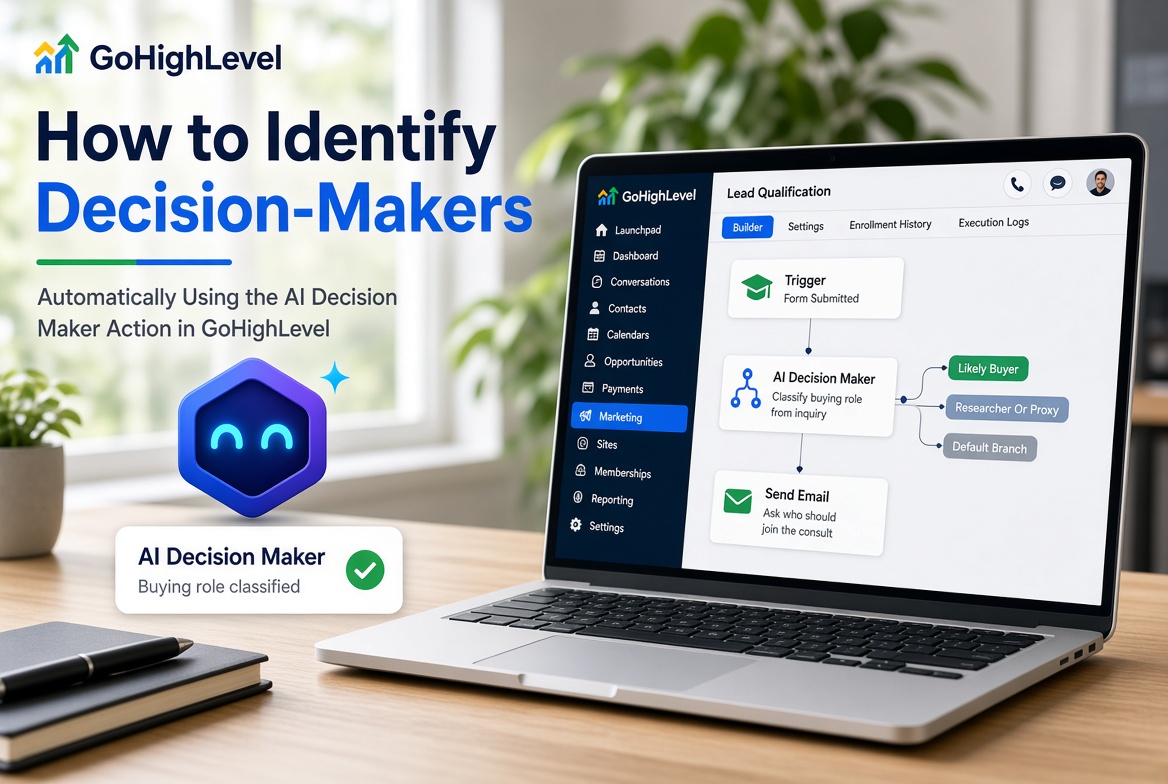
How to Identify Decision-Makers Automatically Using the AI Decision Maker Action in GoHighLevel
How to Identify Decision-Makers Automatically Using the AI Decision Maker Action in GoHighLevel
A new inquiry does not always reveal who can approve a purchase. A person might be researching for themselves, gathering options for a team, or contacting you on behalf of someone else. Sorting out that context can help your sales team choose a useful next step instead of sending every lead the same follow-up.
GoHighLevel’s AI Decision Maker action can help classify information in a workflow so you can respond according to what the inquiry suggests. Its result is an estimate based on the information you provide not verification of a person’s identity, job title, or authority. Used carefully, it can support lead qualification while leaving room for clarification and human judgment.
What the AI Decision Maker action is for
The action is intended to use AI to evaluate context in a workflow and help determine which path to take. For example, it may help distinguish an inquiry that indicates the sender is evaluating a service for their own business from one that suggests they are gathering information for a colleague.
The classification is only as useful as the input. A message that says “I need pricing for our three locations and will review it with the owner” offers more context than a name and email address alone. The action cannot reliably infer missing details just because they would be useful to your sales process.
The exact configuration and available result options can vary as GoHighLevel changes. Check the action’s current description and controls in your account or the latest official documentation before building around a particular output or interface detail.
When it can help
Consider the action when a workflow needs to make a preliminary routing decision based on supplied information. An agency might prioritize inquiries that mention a budget, a business need, and a role in evaluating vendors. A sales team might send leads who appear to be researching for someone else a short follow-up asking who should join the conversation.
It is less suitable for decisions requiring verified authority, sensitive personal inferences, or high-impact judgments. Do not treat an AI classification as proof that someone can approve a purchase. Use it to guide a next step, such as asking a clarifying question, not to make an irreversible decision.
How to use it in a workflow
1. Choose a clear qualification question
Decide what the workflow needs to establish. “Does the message suggest the contact is involved in evaluating this purchase?” is more practical than “Is this person the decision-maker?” The first asks for an evidence-based reading of the inquiry; the second may invite unsupported certainty.
2. Provide relevant context
Make sure the action has access to useful information from the workflow, such as the inquiry text and relevant details the contact supplied. Depending on your setup, this might include the requested service, company information, or answers collected in a form. Avoid feeding it unrelated data. If the input does not contain evidence of authority or buying involvement, the action should not be expected to establish either.
3. Configure and connect the action
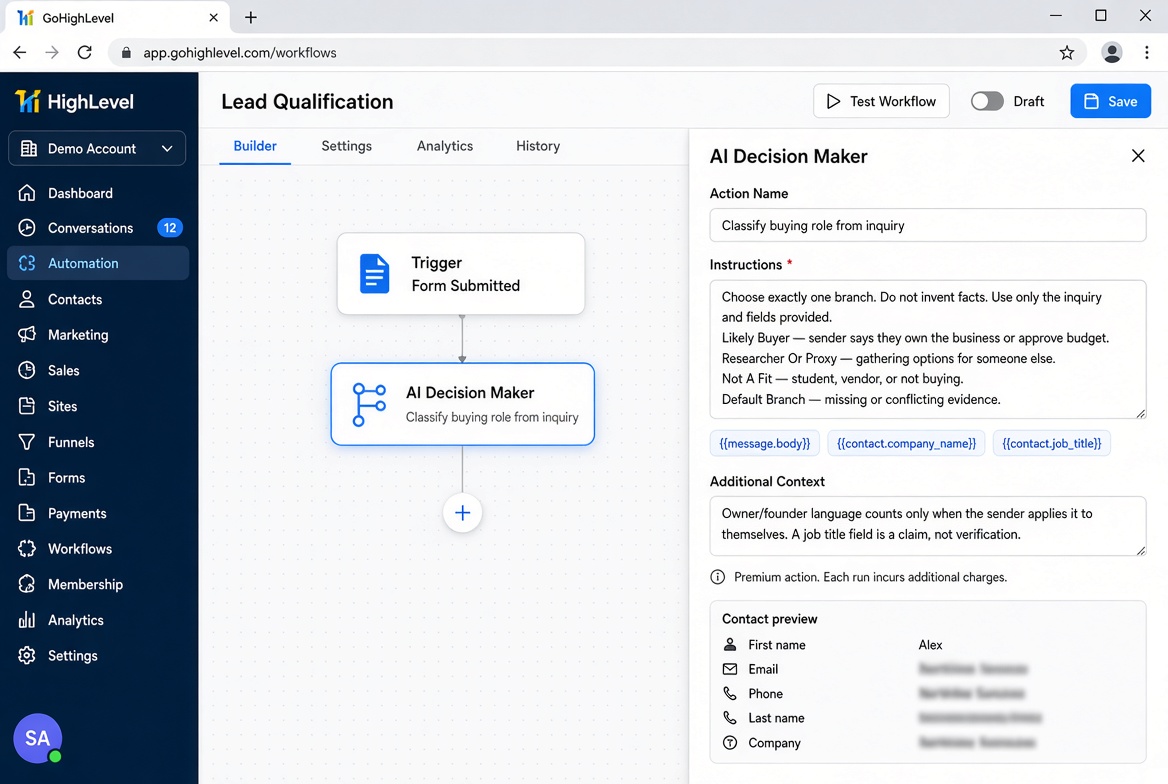
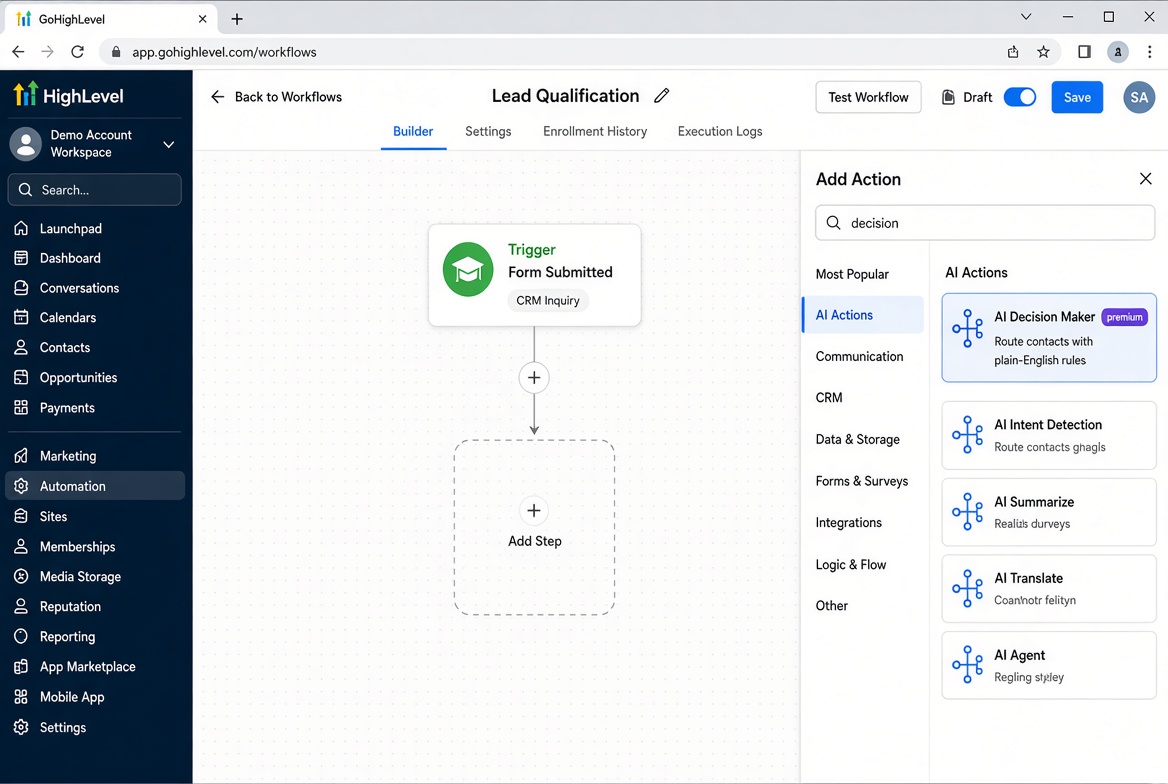
Add the AI Decision Maker action at the point where the workflow has the information it needs. Configure the decision using the options currently available in your GoHighLevel account, then connect its result to suitable follow-up paths. Because interface labels and output formats may change, confirm the exact controls and result behavior in your account rather than relying on assumed field names or menu steps.
4. Plan for uncertainty
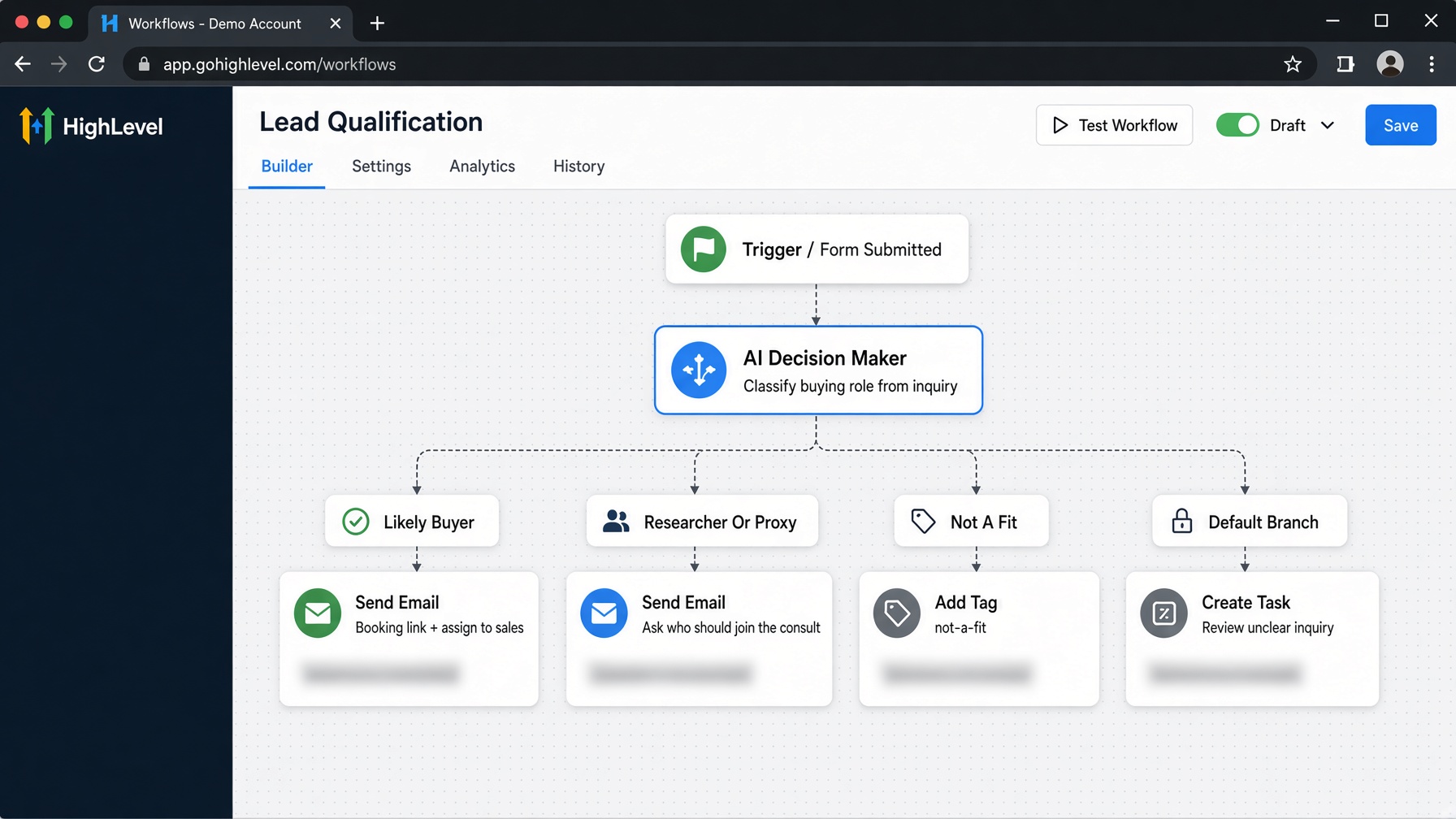
Create a safe path for unclear, incomplete, or conflicting information. That path might request clarification, notify a team member to review the inquiry, or continue with a neutral response that does not assume the contact’s role. Avoid forcing every result into a simple “yes” or “no” if the action supports a more nuanced outcome.
5. Test with realistic examples
Before relying on the workflow, test messages that clearly indicate buying involvement, messages that clearly do not, and ambiguous cases. Check which path each takes and whether the follow-up makes sense. Include short, vague, and contradictory inquiries. Revise the question or input context if the result is inconsistent, and keep a human review option for cases where a wrong route would matter.
A realistic example: qualifying a service inquiry
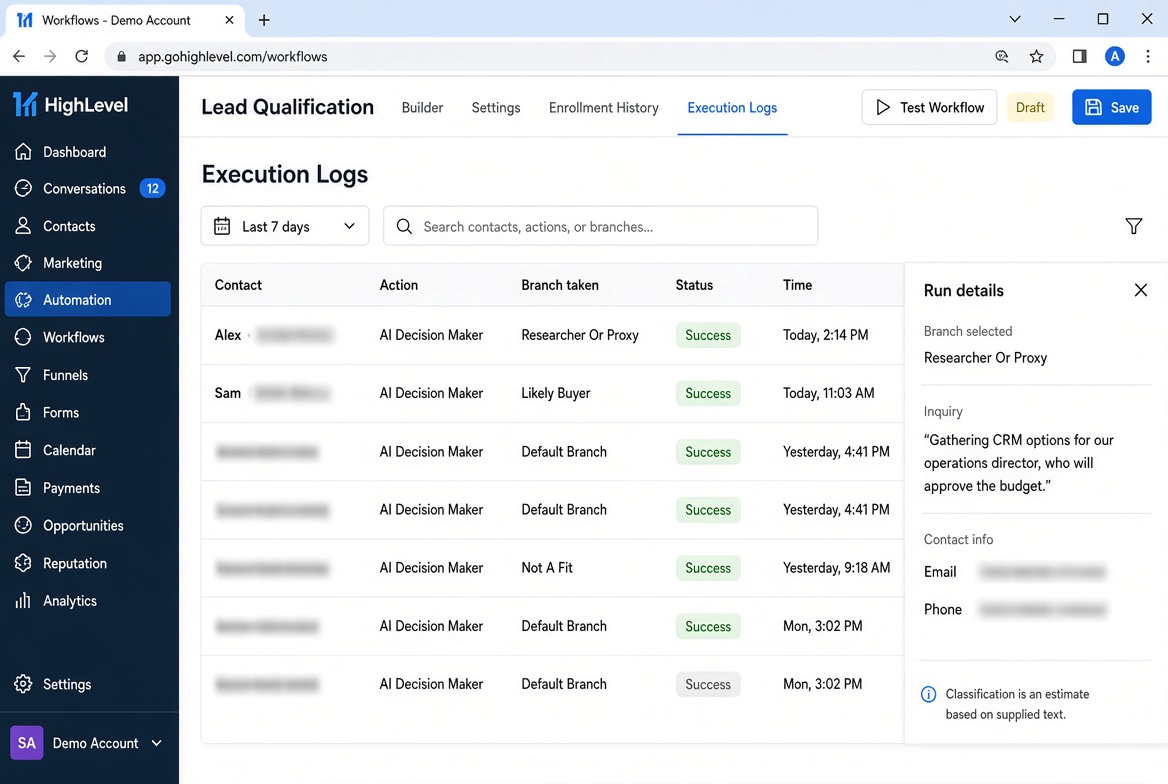
Suppose a marketing agency receives this message: “We’re comparing CRM support for two locations. I’m gathering options for our operations director, who will approve the budget.”
The action may classify the sender as involved in research but not clearly the final approver. The workflow could send a helpful reply with relevant service information and ask whether the operations director should be included in a consultation. It might route the inquiry for review if the available result is ambiguous.
By contrast, “I’m the owner and want help choosing a CRM this month” gives stronger evidence that the contact is involved in the purchase. Even then, that statement is supplied by the contact; the AI action does not independently verify it. Follow-up should remain appropriate and avoid presenting the classification as confirmed fact.
Best practices and limitations
Use neutral wording and base the decision on observable details in the inquiry. Keep the purpose narrow, provide enough relevant context, and use consistent criteria across similar leads. Where possible, review a sample of decisions over time to catch patterns such as vague messages being routed incorrectly.
Common mistakes include treating a confident-sounding result as verified truth, expecting the action to discover a job title from an email address, and routing a lead without an ambiguous-result path. Missing context, unusual phrasing, and conflicting statements can all affect classification. AI can also misread a message, so avoid using its result as the sole basis for denying service or making consequential decisions.
Conclusion
The AI Decision Maker action can help GoHighLevel users turn inquiry context into a useful workflow branch. Define the question carefully, supply relevant information, test a range of messages, and make uncertainty easy to handle. Treat each classification as an informed estimate. That approach can make follow-up more relevant while keeping people not automation responsible for confirming important details.
FAQs
Can the AI Decision Maker action confirm that a contact is the final decision-maker?
No. It can assess the information provided to the workflow, but it cannot independently verify someone’s authority, identity, or job title. Treat its result as an estimate and ask the contact or a team member to confirm important details.
What information should I provide?
Use relevant details already available in the workflow, such as the inquiry text, the service requested, or answers the contact supplied. If the information does not indicate the person’s role in the purchase, the action cannot reliably infer it.
What should happen when the result is unclear?
Route the contact to a clarification step or human review. A neutral follow-up could ask who else should be included in a conversation, without assuming the person lacks authority.
How can I check whether the workflow is working?
Test clear, incomplete, and conflicting inquiries, then review which paths they take and whether the follow-up is appropriate. Adjust the context or decision criteria if results are inconsistent, and keep a review path for cases where accuracy matters.
Can I rely on the result without human review?
That depends on the consequence of the next step. For routine, low-risk follow-up, the estimate may help guide routing. For decisions that affect access, pricing, or service eligibility, verify the relevant information with a person.
Need Expert Help with GoHighLevel?
New to GoHighLevel and ready to get started? Buy your GoHighLevel account here and launch with confidence.
Already know what you need and want our team to handle everything, from complete setup and customization to funnels, workflows, automations, CRM, and pipelines? Click here.



