

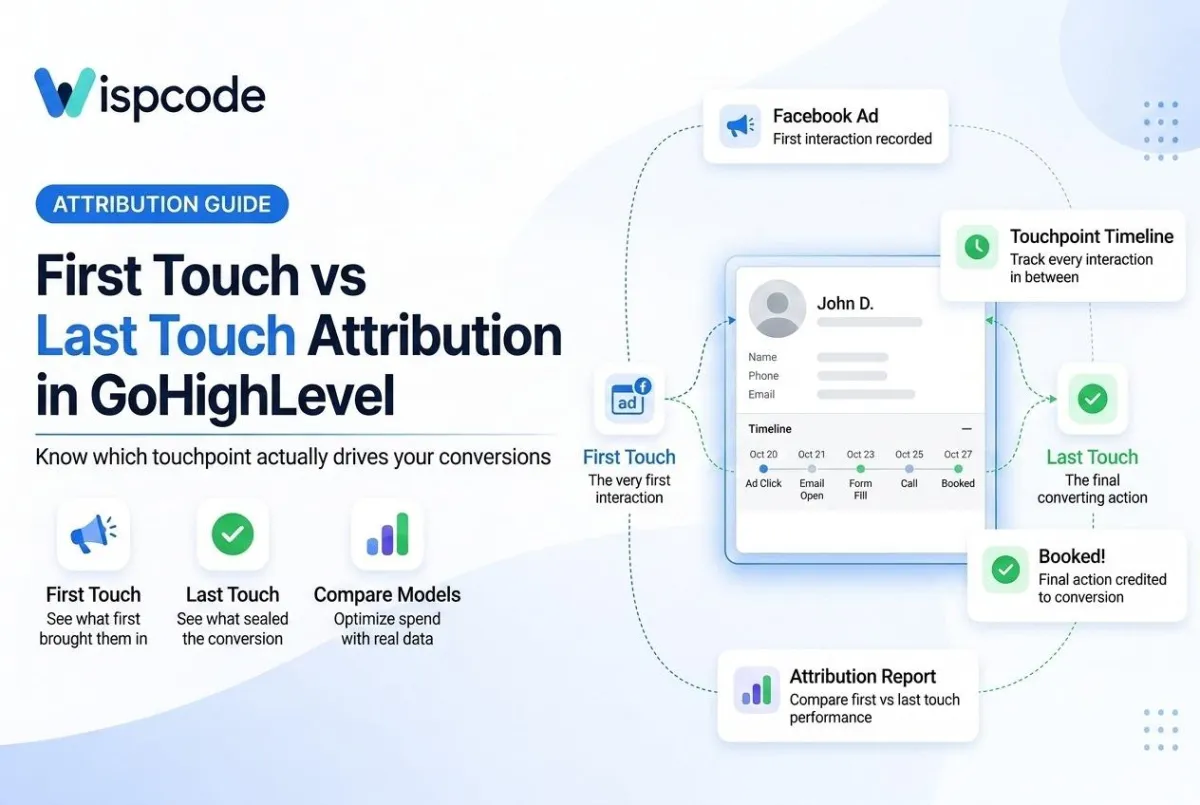
GoHighLevel Attribution Explained: First Touch vs Last Touch
First Touch vs Latest Touch Attribution in GoHighLevel
Inroduction
If you run ads, post content, and send emails, you already know leads rarely convert after one interaction. They see a Facebook ad. They search your brand name later. Then they finally book a call from an email link. So which channel gets the credit? This is where first touch vs last touch attribution in GoHighLevel comes in. Understanding it can change how you read your reports. It can also change where you spend your marketing budget.
In this article, you'll learn what first touch and last touch attribution actually mean. You'll see how GoHighLevel captures both on every contact record. We'll also cover how the platform's attribution reports and dashboards work, and how to set up tracking correctly so your numbers can be trusted.
What Is Attribution, and Why Does It Matter?
Attribution is the process of figuring out which marketing source deserves credit for a lead or sale. Without it, you're guessing which campaigns are actually working. That means guessing where to spend your budget too.
GoHighLevel captures this automatically through UTM parameters and session data. This happens whenever someone lands on a GHL-hosted funnel, website, form, calendar, survey, chat widget, or order form. When a visitor arrives with UTM parameters in the URL, GHL reads those values. It stores them in a session cookie, then writes them to the contact record. This is what powers the platform's native attribution tracking. It's also the foundation for the Attribution Reports found in the Reporting section of your sub-account.

What Is First Touch Attribution?
First touch attribution gives 100% of the credit to the very first interaction a contact had with your business. Say someone clicked a Google ad three weeks ago. They only converted after seeing a retargeting ad today. First-touch attribution still credits the original Google ad.
Why first touch matters:
It shows which channels are best at generating initial awareness.
It helps you understand what's driving new contacts into your pipeline.
It's useful for evaluating top-of-funnel campaigns like cold ads, SEO content, or organic social.
In GoHighLevel, first-touch data is recorded as Session Source, Session Medium, and Session Campaign. GHL logs these fields on the contact record the moment a lead first engages with a tracked funnel, form, or landing page. This data is captured on contact creation. It generally does not change, even if that same contact returns later through a different channel.
What Is Lastest Touch Attribution?
Last touch attribution works the opposite way. It gives full credit to the final touchpoint before conversion. It ignores everything that happened earlier in the customer journey.
Why last touch matters:
It highlights which channel actually closed the deal.
It helps evaluate bottom-of-funnel efforts like retargeting or email follow-ups.
It shows what convinced a lead to finally take action, such as booking a call or submitting an order form.
GoHighLevel updates this data automatically as a contact interacts with new sources. The last touch fields always reflect the most recent session before a form submission, booking, or opportunity creation.
First Touch vs Latest Touch: Key Differences
Here's a simple way to think about it:
First touch answers: "How did this person originally find us?"
Last touch answers: "What finally pushed them to convert?"
Neither model tells the whole story on its own. A contact might discover you through an organic blog post, disappear for a month, then convert after clicking a paid retargeting ad. First touch credits the blog. Last touch credits the ad. Both are true, just from different angles.
This is exactly why GoHighLevel stores both values separately on the contact record instead of overwriting one with the other. You get the full picture instead of a single, incomplete number. That matters if you're reporting results to a client or making a case for increased ad spend.

How GoHighLevel Reports on Attribution
Beyond the raw Session Source fields on each contact, GoHighLevel gives you a few native ways to see this data at scale:
Attribution Reports. GHL provides Conversion Reports and Source Reports, along with Call Reporting and Appointment Reports. Each generates a dashboard overview alongside contact-level detail, so you can spot trends and follow up with specific leads.
Dashboard widgets. From the Reporting section, you can build attribution widgets under the Contact or Opportunity categories for a client-facing dashboard. GHL also offers an Attribution Source widget for a cleaner view of multi-touch performance.
Ad account integrations. GoHighLevel can integrate with both Google Ads and Facebook Ads, letting you monitor campaign metrics directly inside the platform.
It's worth setting a realistic expectation here: GHL's native reporting is built for clarity and speed, not complex, cross-object attribution modeling. For most agencies and small businesses, though, the built-in first touch and last touch data covers the core question: which channels are actually working.

Setting Up UTM Tracking Correctly
Attribution is only as reliable as the tracking behind it. If your links don't carry consistent UTM parameters, GHL has nothing to record. Contact records will simply show "direct" as the source, even for paid traffic. To avoid that, structure every campaign link with the standard five UTM parameters:
utm_source – the platform, such as Google or Facebook.
utm_medium – the traffic type, such as cpc or email.
utm_campaign – the specific campaign name.
utm_term – the keyword or targeting detail.
utm_content – the specific ad or creative variation.
Keep a consistent naming convention across every campaign. This keeps your Session Source, Medium, and Campaign fields clean and easy to filter later. Sloppy or inconsistent UTMs are one of the most common reasons attribution reports look inaccurate, even when the underlying GHL setup is working correctly.

Using Attribution Data in Workflows
Once tracking is in place, don't let that data just sit on the contact record. GoHighLevel lets you build Workflows in Automation that trigger the moment a contact is created. These workflows copy the UTM fields into a tag such as "Lead Source Attribution." Tags are searchable and filterable inside Smart Lists, which makes them far easier to report on than raw custom fields alone.
You can take this further by:
Routing leads to different pipelines or team members based on their source.
Personalizing follow-up sequences depending on which campaign brought the contact in.
Triggering ROI calculations automatically whenever a deal tied to a specific source closes.
Building Smart Lists segmented by first touch and last touch source, so you can compare new-lead generation against actual closed revenue side by side.
This combined view helps agencies and business owners avoid a common mistake. They cut budget from a channel that's actually starting valuable conversations, just because it doesn't get the "final click" credit.

Which Model Should You Prioritize?
There's no single right answer here. It depends on what decision you're trying to make:
Evaluating a new campaign? Lean on first-touch data. It tells you whether that specific effort is pulling in new contacts, regardless of what closes them later.
Deciding where to increase ad spend for bookings? Lean on last-touch data. It shows which channel is doing the final convincing.
Reporting overall performance to a client? Show both. Pairing them side by side gives a more honest account of the full journey.
Running multiple simultaneous campaigns? The Attribution Source widget is especially useful here, letting you view multi-touch patterns without cross-referencing records manually.
Agencies managing several client sub-accounts often standardize on reviewing both models monthly. When first touch and last touch disagree on a channel, that's usually a sign it's good at starting conversations but weak at closing them, or vice versa.

A Real-World Attribution Scenario
Picture a local real estate agency running a GHL sub-account. A homebuyer sees a Facebook carousel ad on a Tuesday and clicks through to a listing page, but doesn't fill out a form. Two weeks later, that same person googles the agency by name after a friend's recommendation, lands on the site again, and books a consultation through the calendar widget.
Without attribution tracking, the agency's dashboard would just show one booked appointment with no context. With first touch and last touch both captured, the agent can see the Facebook ad sparked initial interest, while the branded search closed the booking. Both channels earn credit for the result, and the agency knows not to cut the Facebook budget just because it didn't get the "final click."

Common Attribution Mistakes to Avoid
Even with GHL's native tracking, a few setup mistakes can quietly break your reporting:
Missing UTMs on some campaigns. One untagged ad set or email link gets logged as direct traffic, skewing your entire report.
Ignoring dashboard date ranges. New reporting widgets often default to "All Time," which isn't useful for monthly reporting. Set a rolling date range instead.
Relying on only one model. Looking at first touch or last touch alone gives an incomplete picture of what's actually driving results.
Not tagging leads automatically. Without a workflow converting UTM data into searchable tags, attribution becomes hard to filter and report on at scale.
Frequently Asked Questions
1. Does GoHighLevel track both first touch and last touch automatically? Yes. GHL captures UTM and session data on every tracked funnel, form, calendar, and other lead-capture tool. It stores both first touch and last touch values separately on the contact record's Attribution panel.
2. Which attribution model is more accurate? Neither is fully accurate on its own. First touch and last touch each show one part of the customer journey. Reviewing both together gives a more complete picture than relying on just one.
3. Can I see attribution data without setting up UTM links? GHL captures some session data by default, but for reliable, accurate attribution, especially on paid campaigns, you should use consistent UTM parameters on every link you send out.
4. Does attribution data carry over if a contact returns after weeks? Yes. GoHighLevel updates the last touch fields with new session data as it comes in. The original first touch data, recorded at contact creation, remains unchanged.
5. Can I use attribution data in automations? Yes. You can build Workflows that trigger based on Session Source, Medium, or Campaign. This lets you route leads, tag them, or personalize follow-up based on where they came from.
6. Does GoHighLevel handle complex, multi-touch attribution modeling? GHL's native reporting is strong for first touch and last touch tracking, along with basic multi-touch views through the Attribution Source widget. Advanced cross-object modeling may require pairing it with a dedicated analytics platform.
Conclusion
Understanding first touch vs last touch attribution in GoHighLevel gives you a clearer, more honest view of how your marketing actually performs. First touch shows you what starts the conversation. Last touch shows you what finishes it. Used together, along with GHL's Attribution Reports, dashboard widgets, and workflow automations, they help you make smarter decisions about where to invest your time and budget.
If you're not sure your GHL sub-account is capturing this data correctly, it's worth reviewing your UTM setup and Attribution panel today. You can also reach out to a GoHighLevel expert to audit your tracking.
Need Expert Help with GoHighLevel?
New to GoHighLevel and ready to get started? Buy your GoHighLevel account here and launch with confidence.
Already know what you need and want our team to handle everything, from complete setup and customization to funnels, workflows, automations, CRM, and pipelines? Click here.



