

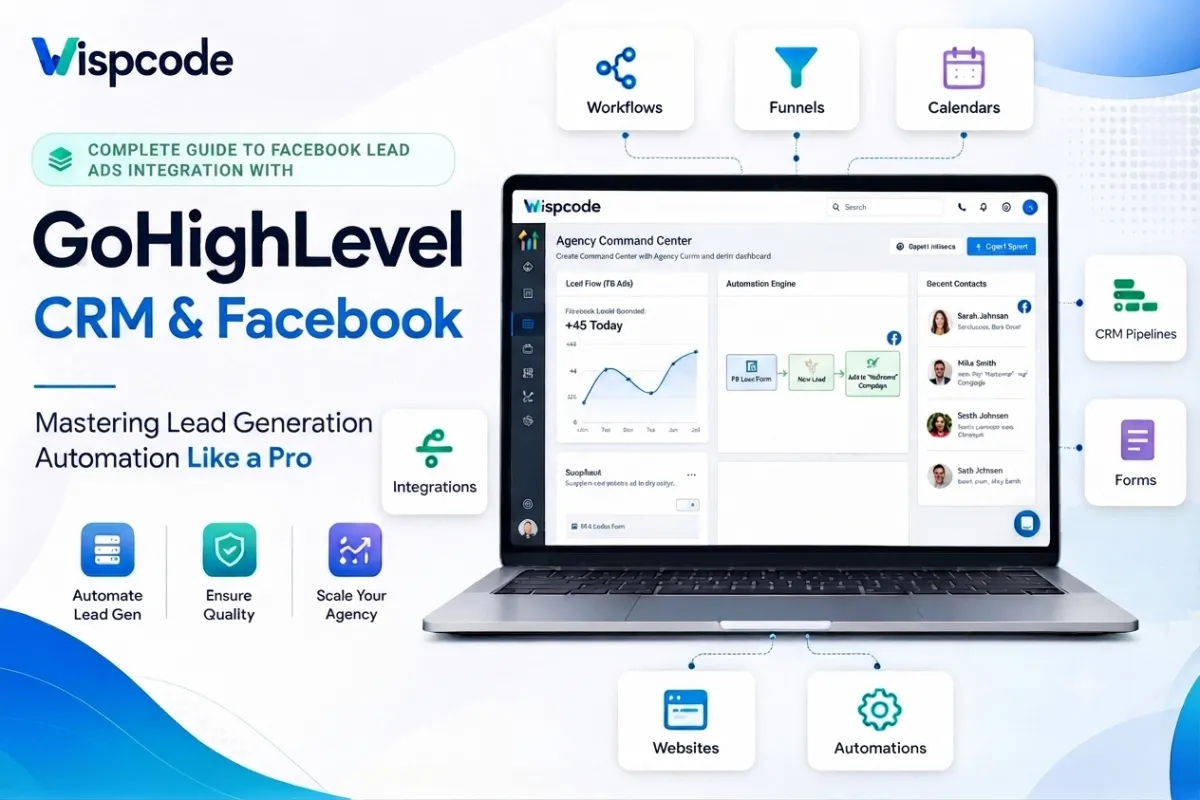
GoHighLevel Facebook Lead Ads Integration: Step-by-Step Setup Guide
Complete Guide to Facebook Lead Ads Integration with GoHighLevel: Capture, Manage & Convert More Leads
Introduction
In today's competitive digital marketing landscape, generating leads is only half the battle; the real challenge lies in responding to them quickly and managing them efficiently. Businesses invest significant budgets in Facebook advertising to attract potential customers, but without a reliable system to capture and nurture those leads, valuable opportunities can easily slip through the cracks.
This is where Facebook Lead Ads Integration with GoHighLevel becomes a game-changer. Instead of manually exporting leads from Facebook or relying on slow follow-up processes, GoHighLevel allows you to automatically capture new Facebook leads, organize them within your CRM, and trigger personalized follow-up campaigns in real time.
Whether you're a digital marketing agency, real estate professional, healthcare provider, local business owner, or sales team, integrating Facebook Lead Ads with GoHighLevel streamlines your lead management while improving response times and increasing conversion opportunities.
In this comprehensive guide, you'll learn everything you need to know about Facebook Lead Ads Integration in GoHighLevel, including how it works, why it's important, how to set it up correctly, and how to maximize its potential using automation and CRM best practices.
What Is Facebook Lead Ads Integration in GoHighLevel?
Facebook Lead Ads Integration is a feature that connects your Facebook Business Page and Facebook Lead Ads forms directly to your GoHighLevel CRM. Whenever someone submits their information through a Facebook Lead Ad, the lead is automatically transferred into your GoHighLevel account.
Rather than downloading CSV files or manually entering contact information, businesses can automate the entire lead capture process. New contacts are instantly available inside GoHighLevel, where they can be organized, assigned to pipelines, tagged, and enrolled in automated follow-up workflows.
This seamless integration eliminates repetitive administrative tasks while helping businesses engage prospects when they're most interested.
What Happens After a Lead Is Captured?
Once a user submits a Facebook Lead Form, GoHighLevel can automatically:
Create a new contact in your CRM
Store customer information securely
Apply custom tags for lead segmentation
Add the lead to a sales pipeline
Trigger automated email campaigns
Send SMS follow-up messages
Notify your sales team instantly
Assign leads to specific users
Launch customized nurturing workflows
By centralizing these processes, businesses can reduce manual work and focus on building relationships with potential customers. Why Facebook Lead Ads Integration Is Important for Businesses
Generating leads without an organized follow-up system often results in lost revenue. Research consistently shows that businesses responding to leads quickly are more likely to start meaningful conversations and increase conversion opportunities.
Facebook Lead Ads Integration helps solve this challenge by ensuring every lead reaches your CRM immediately.
1. Instant Lead Capture
One of the biggest advantages of this integration is real-time lead synchronization.
Instead of waiting for someone to manually export Facebook leads, GoHighLevel receives them automatically, allowing your team to respond within minutes rather than hours.
This rapid response creates a better customer experience and helps businesses stay ahead of competitors.
2. Centralized Customer Relationship Management
Without CRM integration, businesses often manage leads across multiple platforms.
With GoHighLevel, every Facebook lead is stored alongside:
Email conversations
SMS messages
Phone call records
Appointment history
Sales opportunities
Internal notes
Workflow activity
Having all customer interactions in one place allows sales teams to work more efficiently while providing a complete picture of each prospect's journey.
3. Improved Marketing Automation
Automation is one of GoHighLevel's strongest capabilities.
Once Facebook leads enter your CRM, you can automatically:
Send personalized welcome emails
Deliver instant SMS confirmations
Schedule follow-up reminders
Assign leads to sales representatives
Create internal tasks
Update opportunity stages
Launch long-term nurture campaigns
Instead of manually contacting every lead, automation ensures that each prospect receives timely communication based on your predefined workflows.
4. Better Lead Organization
As advertising campaigns grow, managing hundreds, or even thousands, of leads manually becomes increasingly difficult.
GoHighLevel helps organize incoming Facebook leads using:
Smart Lists
Tags
Custom Fields
Pipelines
Workflows
User Assignments
This structured organization makes it easier to prioritize high-quality leads and monitor sales progress.
How Facebook Lead Ads Integration Works
Understanding how the integration functions helps businesses build more efficient lead generation systems.
Here's a simplified overview of the process.
Step 1: A Customer Sees Your Facebook Advertisement
Your business runs a Facebook Lead Ad promoting a product, service, consultation, or special offer.
Instead of directing users to an external landing page, Facebook displays an embedded lead form.
Step 2: The Customer Completes the Lead Form
The prospect enters information such as:
Name
Email address
Phone number
Business name (if requested)
Custom qualification questions
Because Facebook can pre-fill much of this information from the user's profile, submitting the form is quick and convenient.ghl k interface.

Step 3: GoHighLevel Receives the Lead Automatically
Once submitted, the lead is automatically transferred into your GoHighLevel CRM, provided your Facebook account and Business Page are properly connected.
The contact becomes immediately available for your sales and marketing team.

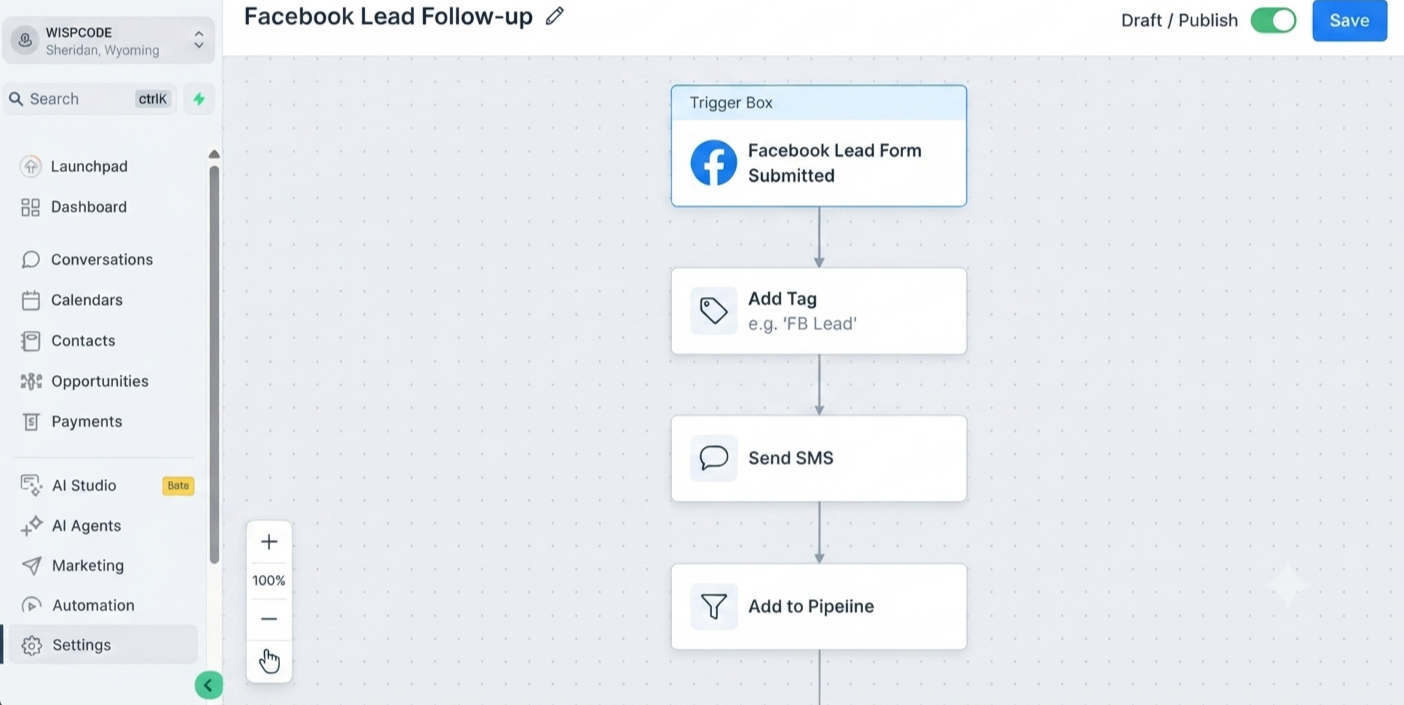
Step 4: Automated Workflows Begin
This is where GoHighLevel truly shines.
Your configured workflow can automatically perform multiple actions, including:
Sending an instant thank-you email
Delivering a confirmation SMS
Creating a sales opportunity
Assigning the contact to a team member
Applying campaign-specific tags
Notifying your sales staff
Scheduling follow-up sequences
Every action happens automatically without requiring manual intervention.
Step-by-Step Guide to Setting Up Facebook Lead Ads Integration in GoHighLevel
Connecting Facebook Lead Ads to GoHighLevel is straightforward when all required permissions are configured correctly.
Follow these steps to establish a successful integration.
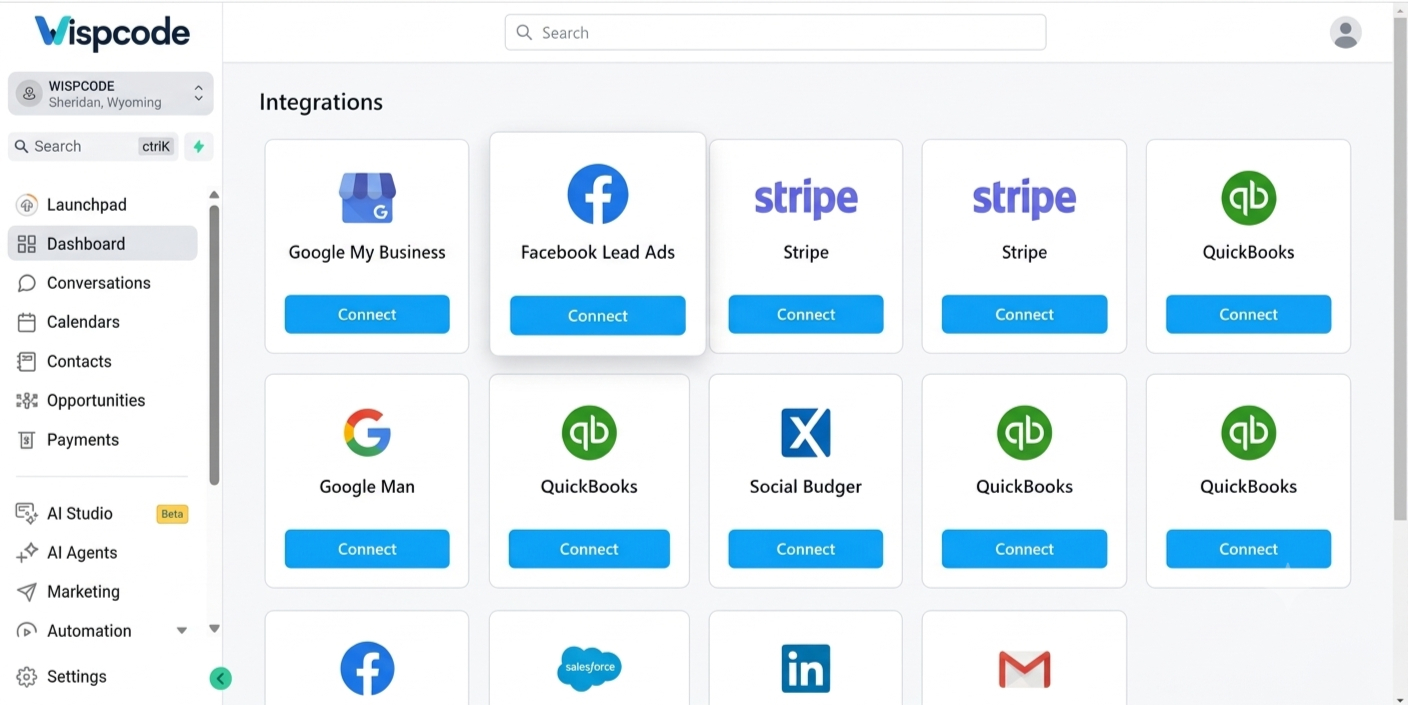
Step 1: Connect Your Facebook Account
Inside your GoHighLevel sub-account:
Navigate to Settings.
Select Integrations.
Choose Facebook.
Click Connect.
Log in using the Facebook account that manages your Business assets.
During this process, Facebook will request several permissions.
These permissions allow GoHighLevel to access your Business Pages and Lead Ads forms. Granting all required permissions is essential for the integration to function properly.
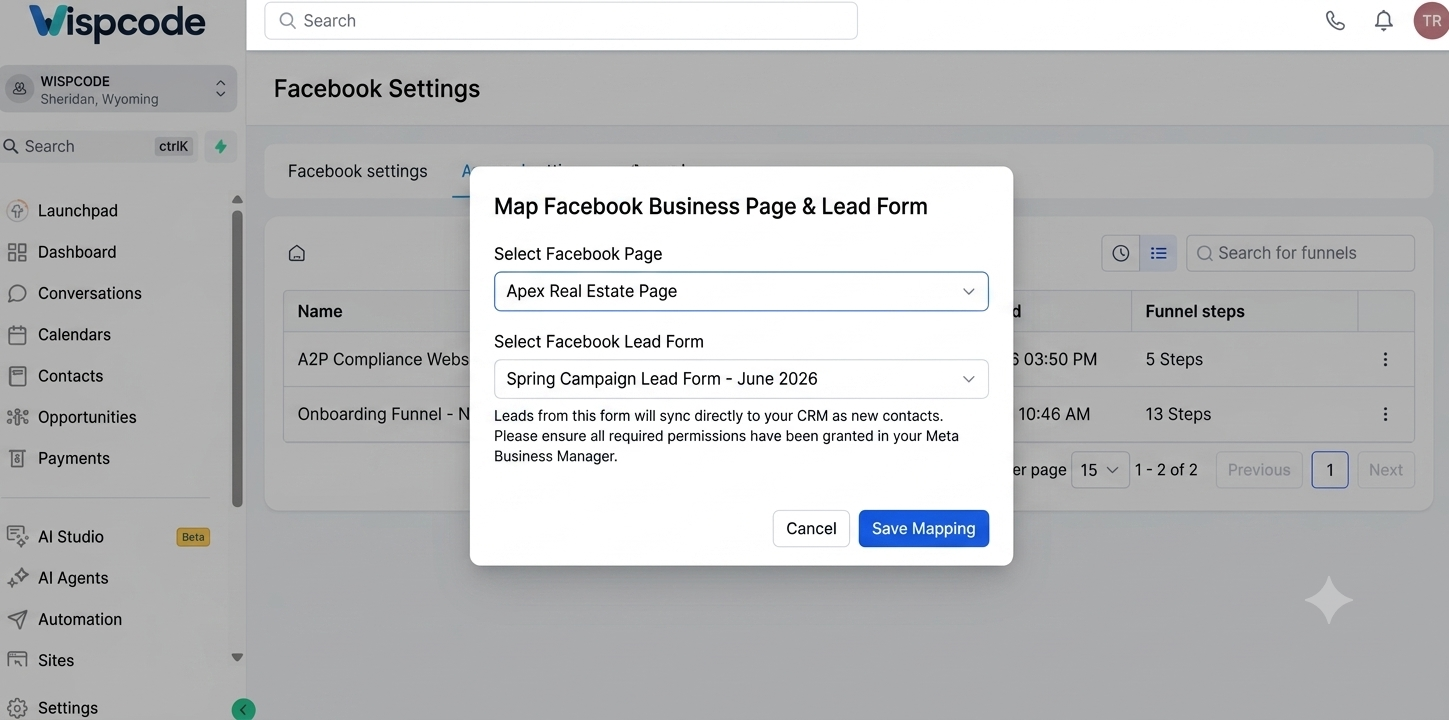
Step 2: Select the Correct Facebook Business Page
After authenticating your account, GoHighLevel will display the Facebook Pages associated with your Business Manager.
Carefully select the Page connected to your active Lead Ads campaigns.
If you manage multiple businesses or client accounts, double-check that you've chosen the correct Page before saving your settings.
Selecting the wrong Page can prevent new leads from syncing with your CRM.
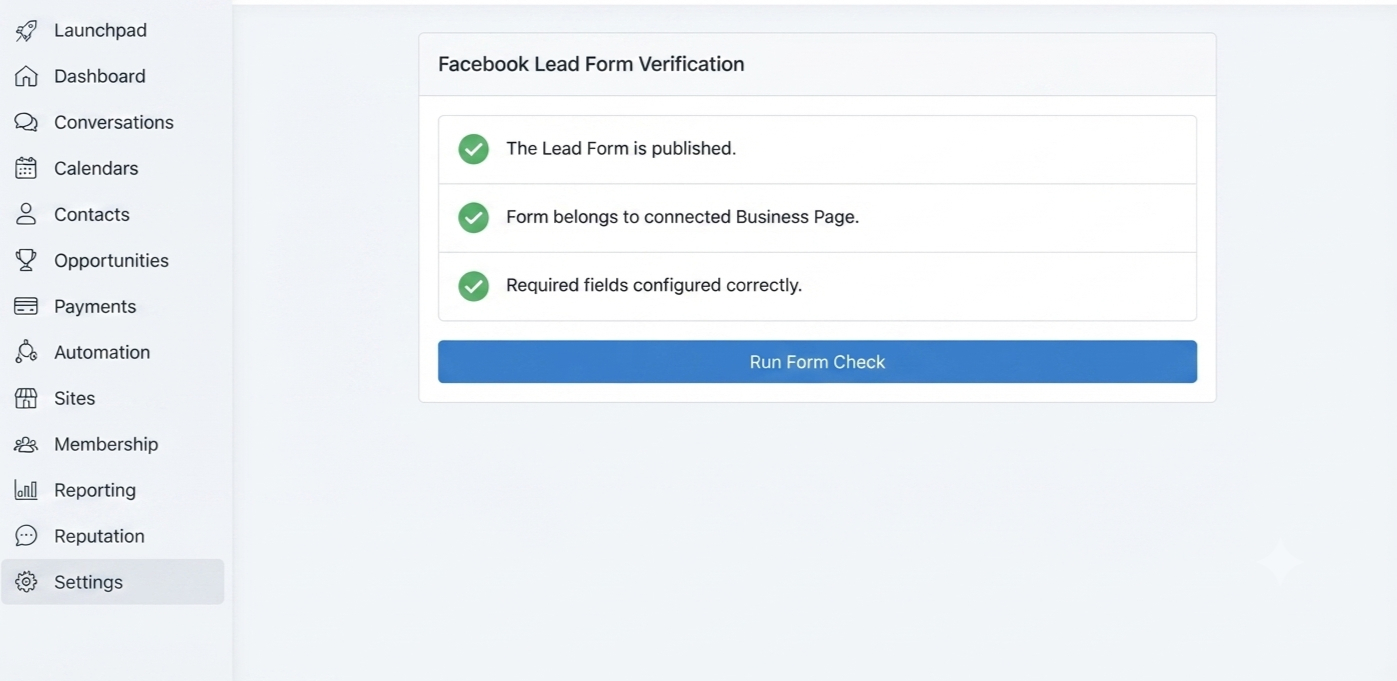
Step 3: Verify Your Facebook Lead Form
Before launching your advertising campaign, make sure your Facebook Lead Form is properly configured.
Review the following:
The Lead Form is published.
The form belongs to the connected Business Page.
Required fields are configured correctly.
Your Business Page remains active.
You have sufficient administrative permissions within Meta Business Manager.
Completing these checks before running ads helps prevent lead synchronization issues later.
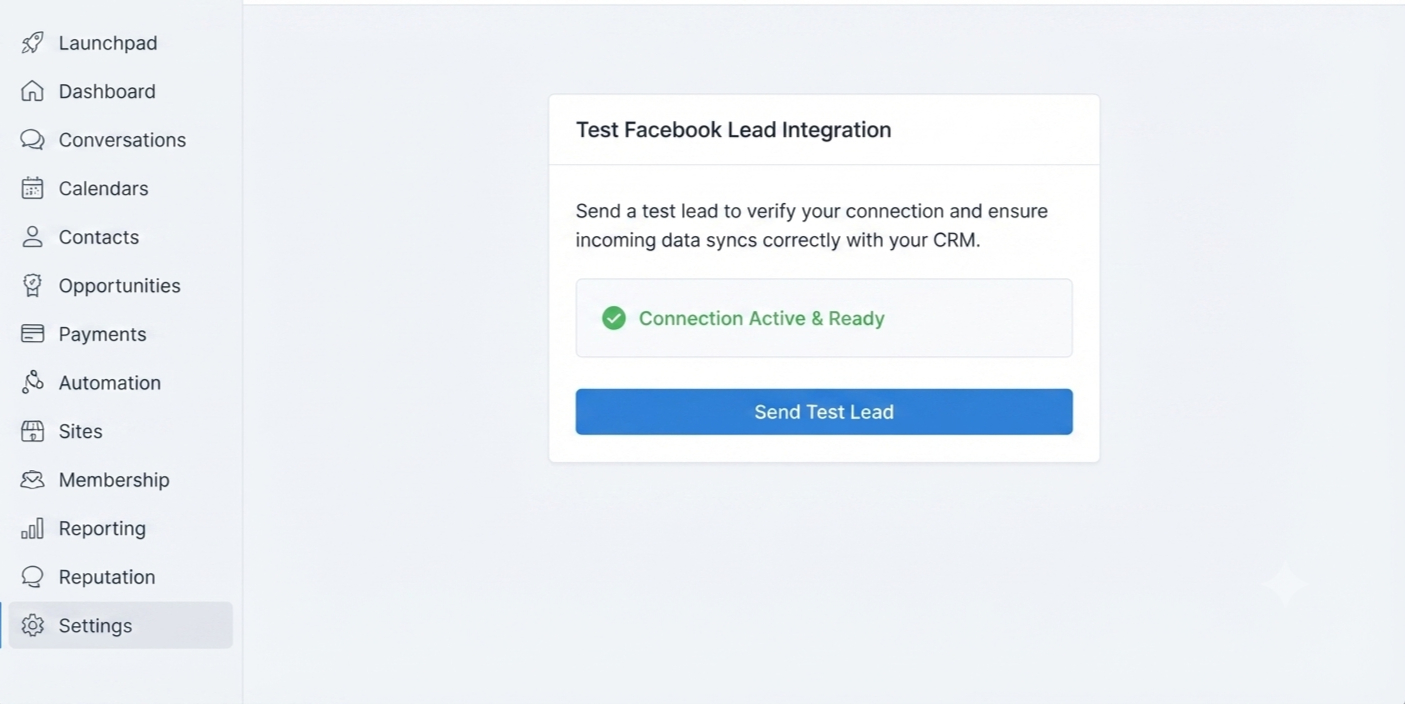
Step 4: Test the Integration Before Going Live
One of the most overlooked but essential steps is testing the connection.
Before investing in advertising, submit a test lead using Facebook's Lead Ads testing tools or by completing your own Lead Form.
After submitting the form, confirm that the lead appears inside GoHighLevel under:
Contacts
Conversations
Opportunities (if your workflow creates one)
Assigned pipelines
Workflow history
Testing your integration ensures everything is working correctly before real customers begin submitting inquiries.
Best Practices for Facebook Lead Ads Integration
A successful integration involves more than simply connecting Facebook to your CRM. Following proven best practices helps improve lead quality, customer engagement, and conversion rates.
Respond to Leads Immediately
Speed matters.
Even though GoHighLevel automates lead capture, your workflows should also trigger immediate communication. A welcome email or SMS lets prospects know their inquiry has been received and sets expectations for the next step.
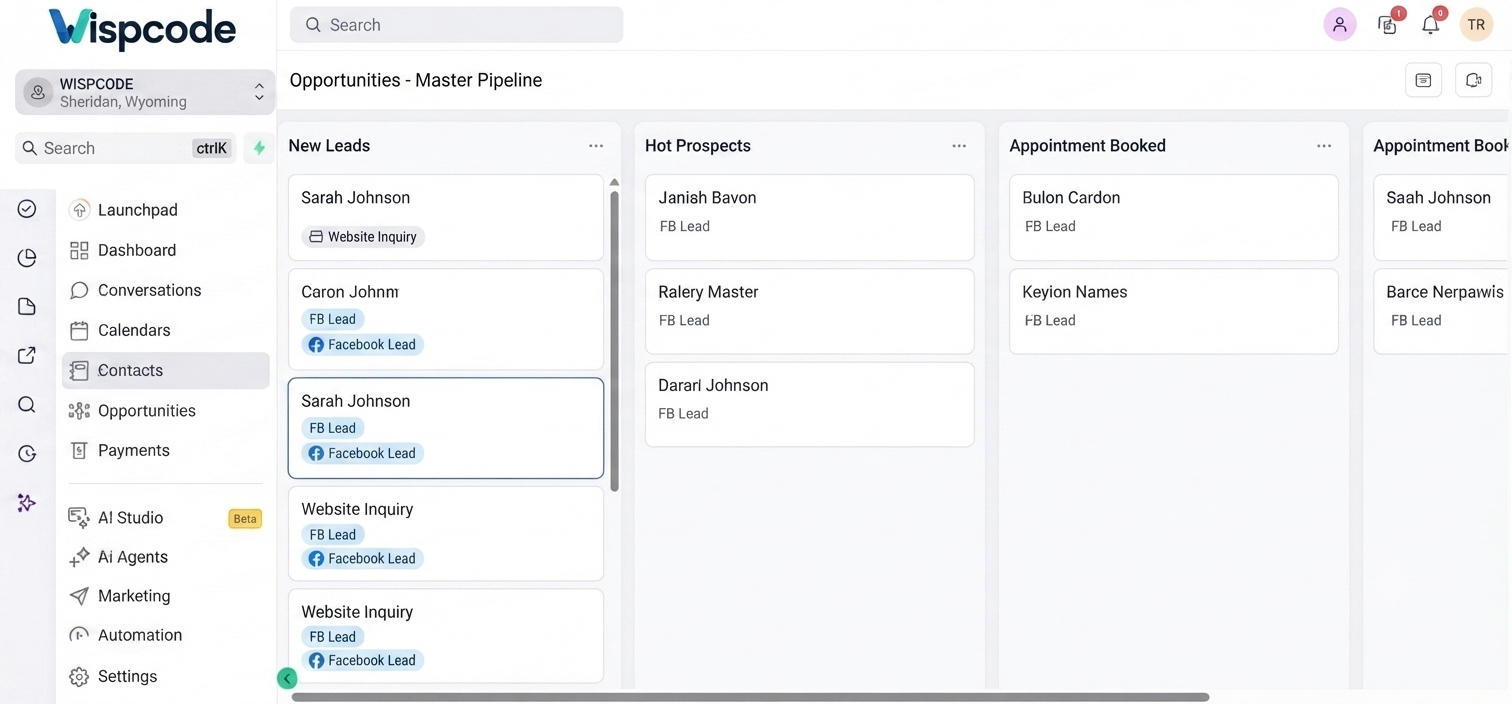
Organize Leads with Tags and Pipelines
As your lead volume increases, organization becomes essential.
Use:
Tags to categorize campaigns or services.
Pipelines to track sales progress.
Custom Fields to store additional customer information.
Smart Lists to filter contacts efficiently.
A well-organized CRM makes reporting and follow-up much easier.
Build Personalized Follow-Up Campaigns
Avoid sending the same generic message to every lead.
Instead, personalize communications using available information such as:
First name
Service requested
Business type
Location
Appointment preferences
Relevant messaging creates a better customer experience and encourages higher engagement.
Test Your Integration Regularly
Facebook permissions, Business Manager settings, or connected accounts may occasionally change.
Perform routine tests to confirm:
Leads are syncing correctly.
Workflows trigger successfully.
Notifications reach the correct team members.
Pipeline updates occur as expected.
Regular testing helps identify issues before they impact live campaigns.
Review Workflow Performance
Automation should evolve with your business.
Monitor workflow performance by reviewing:
Response rates
Email delivery
SMS engagement
Appointment bookings
Pipeline progression
Small workflow improvements often lead to better long-term conversion results.
Common Facebook Lead Ads Integration Mistakes to Avoid
Even experienced marketers can encounter issues during setup or campaign management. Avoiding these common mistakes will help keep your lead generation process running smoothly.
Connecting the Wrong Facebook Business Page
Many businesses manage multiple Pages under one Meta Business account. Always verify that the correct Page is connected to your GoHighLevel sub-account.
Missing Required Facebook Permissions
If administrative permissions are incomplete, GoHighLevel may not be able to receive new leads.
Always grant all requested permissions during the integration process.
Forgetting to Test the Connection
Never assume the integration is working correctly.
A quick test submission before launching your campaign can prevent lost leads and unnecessary troubleshooting later. Skipping Workflow Automation
Capturing leads without automation often results in delayed responses and inconsistent follow-up.
Every Facebook lead should enter a well-designed workflow that provides immediate communication and structured nurturing.
Poor CRM Organization
Without tags, pipelines, and proper segmentation, managing hundreds of contacts becomes difficult.
Invest time in organizing your CRM from the beginning to simplify reporting and lead management as your business grows.
Frequently Asked Questions (FAQs)
1. Can GoHighLevel automatically capture Facebook Lead Ads?
Yes. Once your Facebook Business Page is connected correctly and the required permissions are granted, GoHighLevel automatically imports new Facebook Lead Ads submissions into your CRM.
2. Do I need workflows after integrating Facebook Lead Ads?
While the integration captures leads automatically, workflows are highly recommended. They enable instant emails, SMS messages, lead assignments, pipeline updates, notifications, and automated nurturing campaigns.
3. Why are my Facebook leads not syncing with GoHighLevel?
Common reasons include incorrect Facebook permissions, selecting the wrong Business Page, unpublished Lead Forms, expired connections, or incomplete integration settings. Testing the integration can help identify the cause.
4. Can I assign Facebook leads to different sales representatives?
Yes. GoHighLevel workflows can automatically distribute leads to specific users, teams, or departments based on your preferred assignment rules.
5. Is Facebook Lead Ads Integration suitable for agencies managing multiple clients?
Absolutely. Agencies commonly connect each client's Facebook Business Page to its respective GoHighLevel sub-account, allowing every client to have dedicated lead capture, CRM management, and automation workflows.
Conclusion
Running successful Facebook advertising campaigns involves much more than generating clicks or collecting contact information. The real value lies in how efficiently you capture, organize, and nurture those leads after they express interest in your business.
By implementing Facebook Lead Ads Integration with GoHighLevel, businesses can automate the entire lead management process, from instant contact creation and CRM organization to personalized follow-up and sales pipeline management. This not only saves valuable time but also helps improve customer experiences and increases the likelihood of converting prospects into loyal customers.
Whether you're a marketing agency, real estate professional, healthcare provider, or local service business, integrating Facebook Lead Ads with GoHighLevel provides a scalable solution for managing growing lead volumes without adding unnecessary manual work.
As your business continues to grow, regularly reviewing your workflows, testing your integrations, and optimizing your follow-up strategies will help you get the most from your marketing efforts. When used effectively, Facebook Lead Ads Integration becomes more than just a connection between two platforms; it becomes the foundation of a smarter, faster, and more efficient lead generation system that supports long-term business growth.
Need Expert Help with GoHighLevel?
New to GoHighLevel and ready to get started? Buy your GoHighLevel account here and launch with confidence.
Already know what you need and want our team to handle everything, from complete setup and customization to funnels, workflows, automations, CRM, and pipelines? Click here.



