

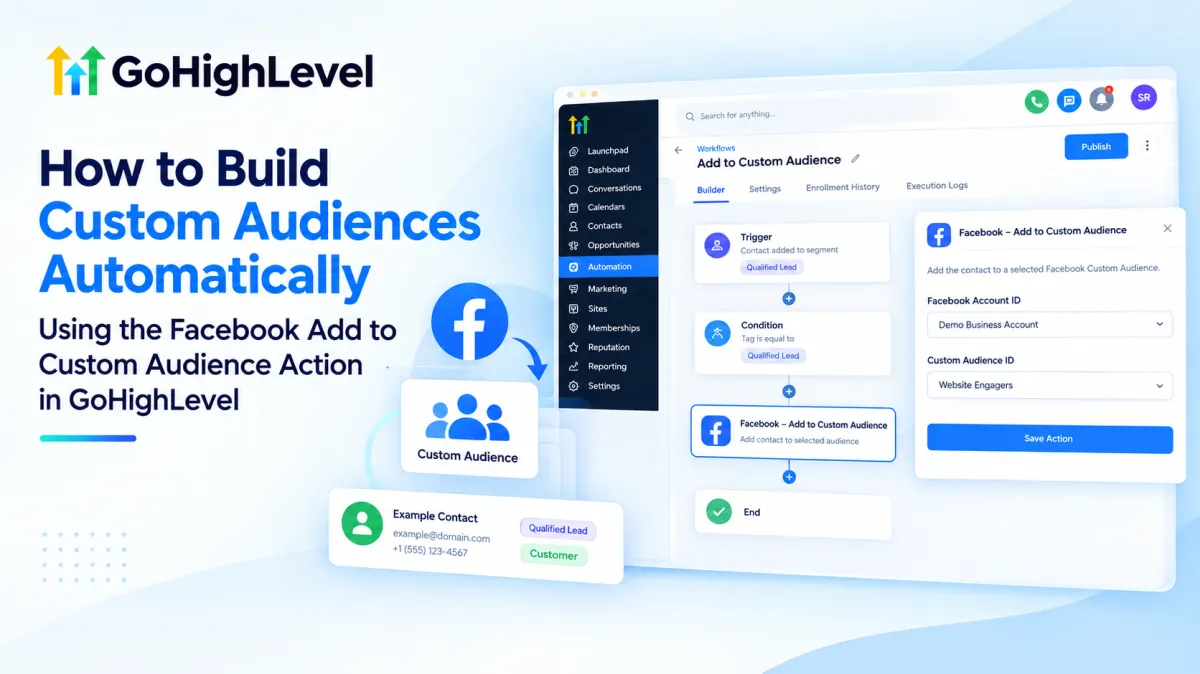
How to Build Custom Audiences Automatically Using Facebook Add to Custom Audience in GoHighLevel
How to Build Custom Audiences Automatically Using the Facebook Add to Custom Audience Action in GoHighLevel
Manually updating advertising audiences is easy to neglect. A lead becomes qualified, a customer purchases, or a contact reaches an important CRM milestone, yet the related Facebook Custom Audience may still depend on someone exporting and updating data manually.
The Facebook Add to Custom Audience Action in GoHighLevel solves that problem by connecting CRM events to audience updates through workflow automation. When the right contact reaches this action, HighLevel sends that contact to the selected Facebook Custom Audience. Meta remains responsible for matching, processing, audience availability, and ad delivery.
What Is the Facebook Add to Custom Audience Action in GoHighLevel?
Facebook Add To Custom Audience is a GoHighLevel workflow action in the Marketing category. Its purpose is specific: add the contact currently moving through a workflow to a selected Facebook Custom Audience. HighLevel officially lists both Add to Custom Audience and Remove from Custom Audience among its Facebook marketing workflow actions.
It does not create an ad, launch a campaign, create a Custom Audience from scratch, or guarantee that Meta will match the contact or show that person an ad. HighLevel handles the workflow instruction; Meta handles the advertising platform side.
Think of the action as a bridge between CRM audience logic and an existing Meta Custom Audience.
How the Automation Works
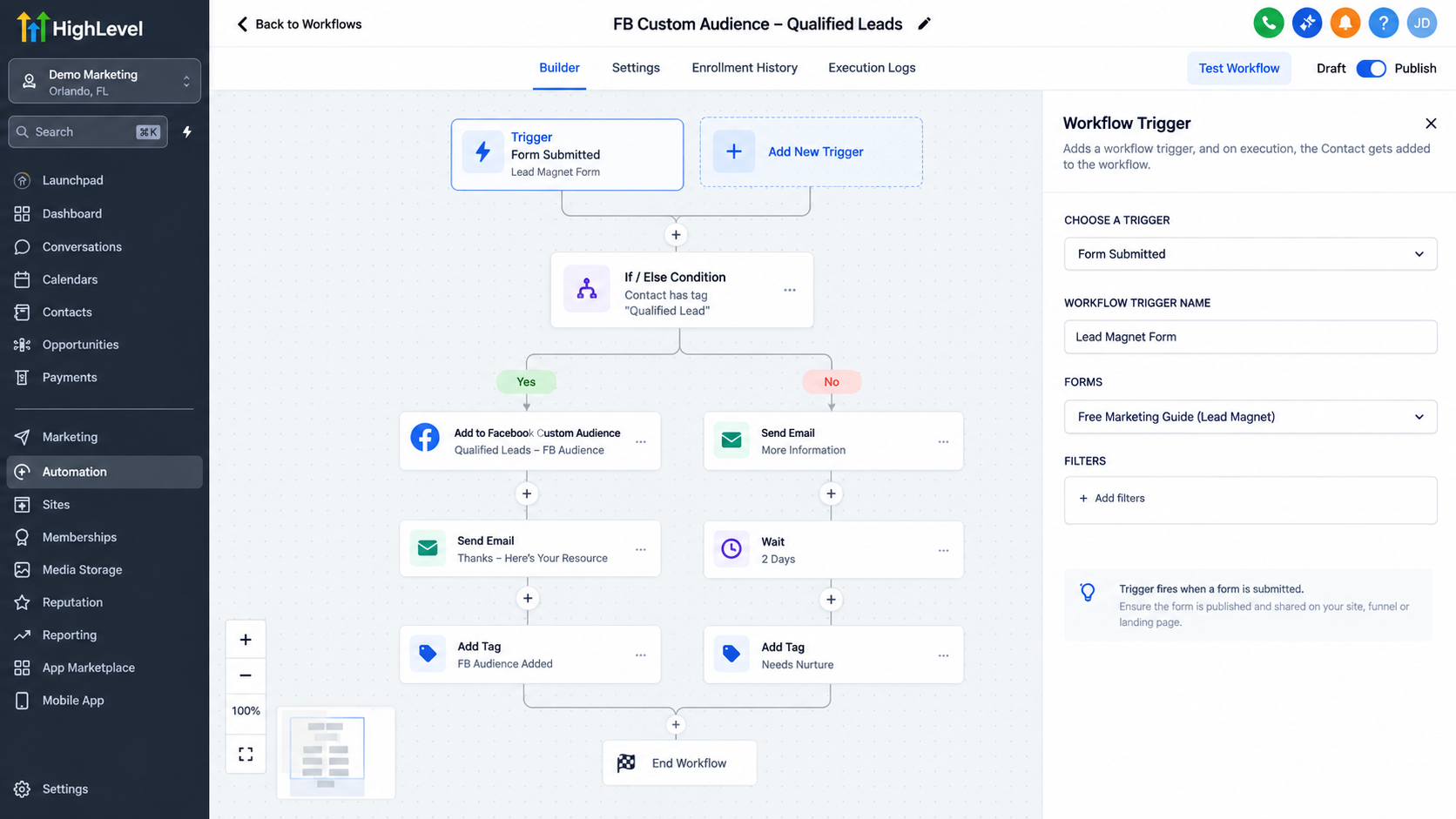
The automation follows a simple structure:
Contact → Workflow Trigger → Conditions/Actions → Facebook Add to Custom Audience
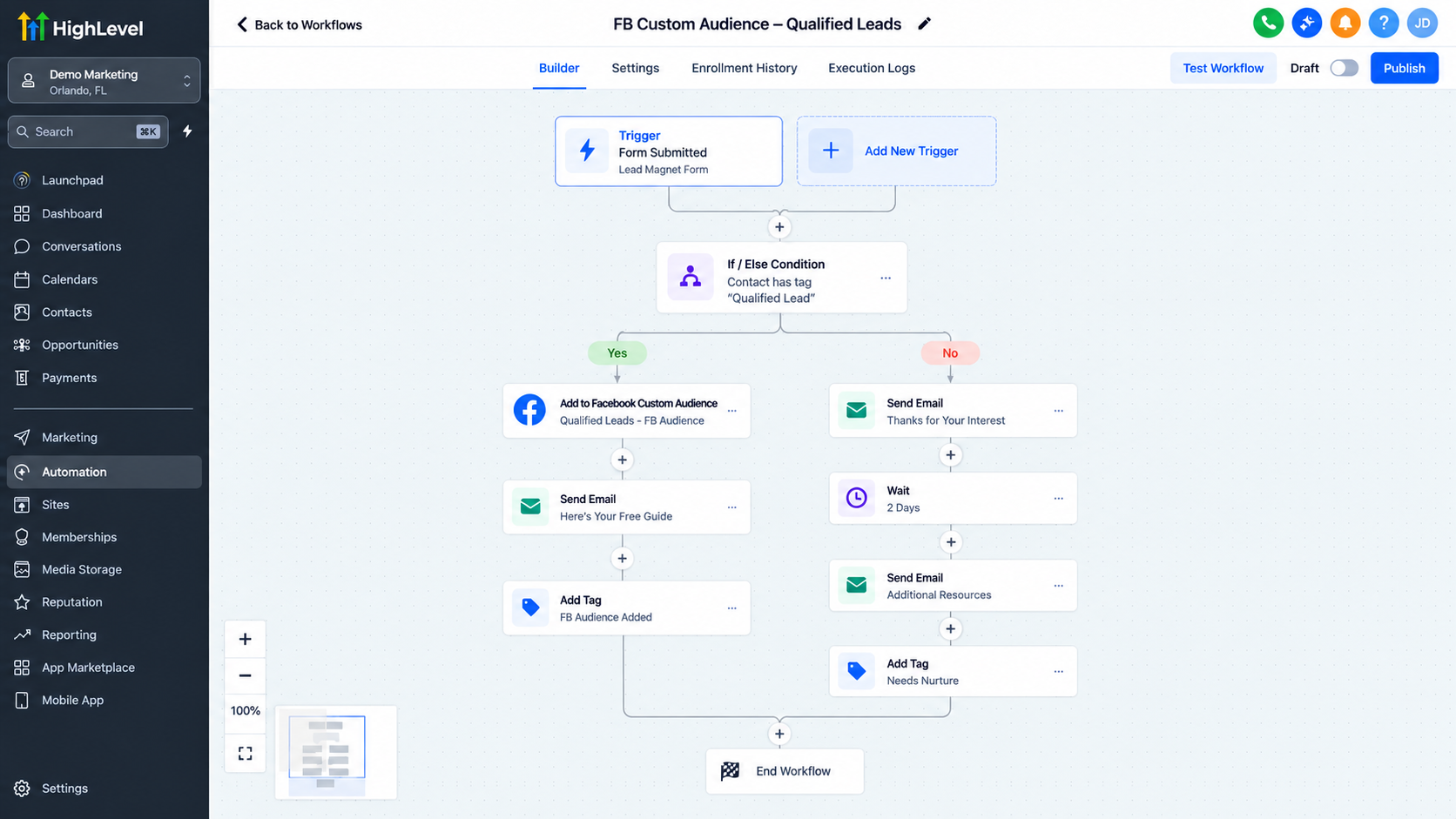
For example, suppose your sales team applies a “Qualified Lead” tag after a prospect meets your criteria. That tag can trigger a workflow. You can add conditions if needed, then place the Facebook Add to Custom Audience action after those checks. The qualified contact is then submitted to the selected audience.
The same logic can work after a meaningful customer event, such as a purchase or lifecycle change. The trigger determines who enters the workflow, while the Facebook action determines which audience receives the contact.
How to Set It Up in GoHighLevel
1. Create or Open a Workflow
Go to Automation > Workflows and create a new workflow or open an existing one. Build the automation around the CRM event that should qualify someone for the audience.
2. Choose an Appropriate Trigger
Select a trigger that accurately represents the intended segment. Depending on your process, that might be a tag change, form submission, pipeline-related event, purchase-related event, or another supported contact-based trigger.
Avoid overly broad triggers. Audience quality depends on sending only relevant contacts into the workflow.
3. Add the Facebook Action
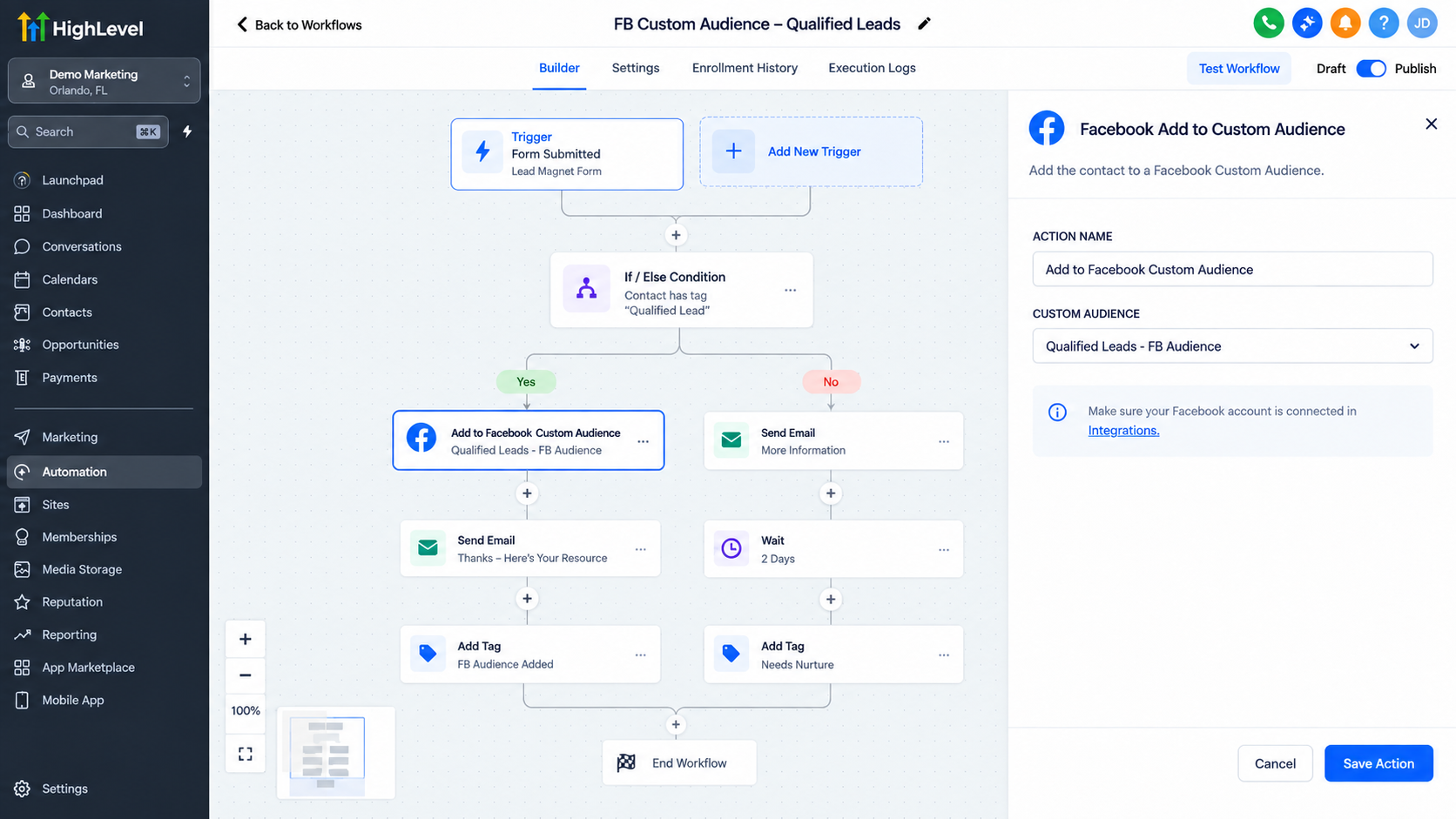
Click the + icon where the audience update should occur. Search for and select Facebook Add To Custom Audience from the workflow actions.
4. Configure the Destination Audience
A Facebook/Meta connection must already be available. In the action configuration, select the appropriate Facebook Account ID, then choose the relevant Facebook Custom Audience ID associated with that account. Current implementations of the HighLevel action expose these selections when configuring the destination audience.
The destination audience should already exist and be available to the connected account. Audience creation is separate; this workflow action is specifically for adding contacts to the selected audience. HighLevel’s Ad Manager provides separate tools for creating supported Meta Custom Audiences.
Save the action after confirming the destination.
5. Save, Test, and Publish
Save the workflow and test it with an appropriate contact where possible. Review workflow execution details if the action fails. HighLevel also supports error monitoring for Facebook audience actions, including Add to Custom Audience.
Once the logic is verified, publish the workflow. Then confirm the audience update on the Meta side rather than assuming successful workflow execution means immediate ad delivery.
Real-World Use Cases
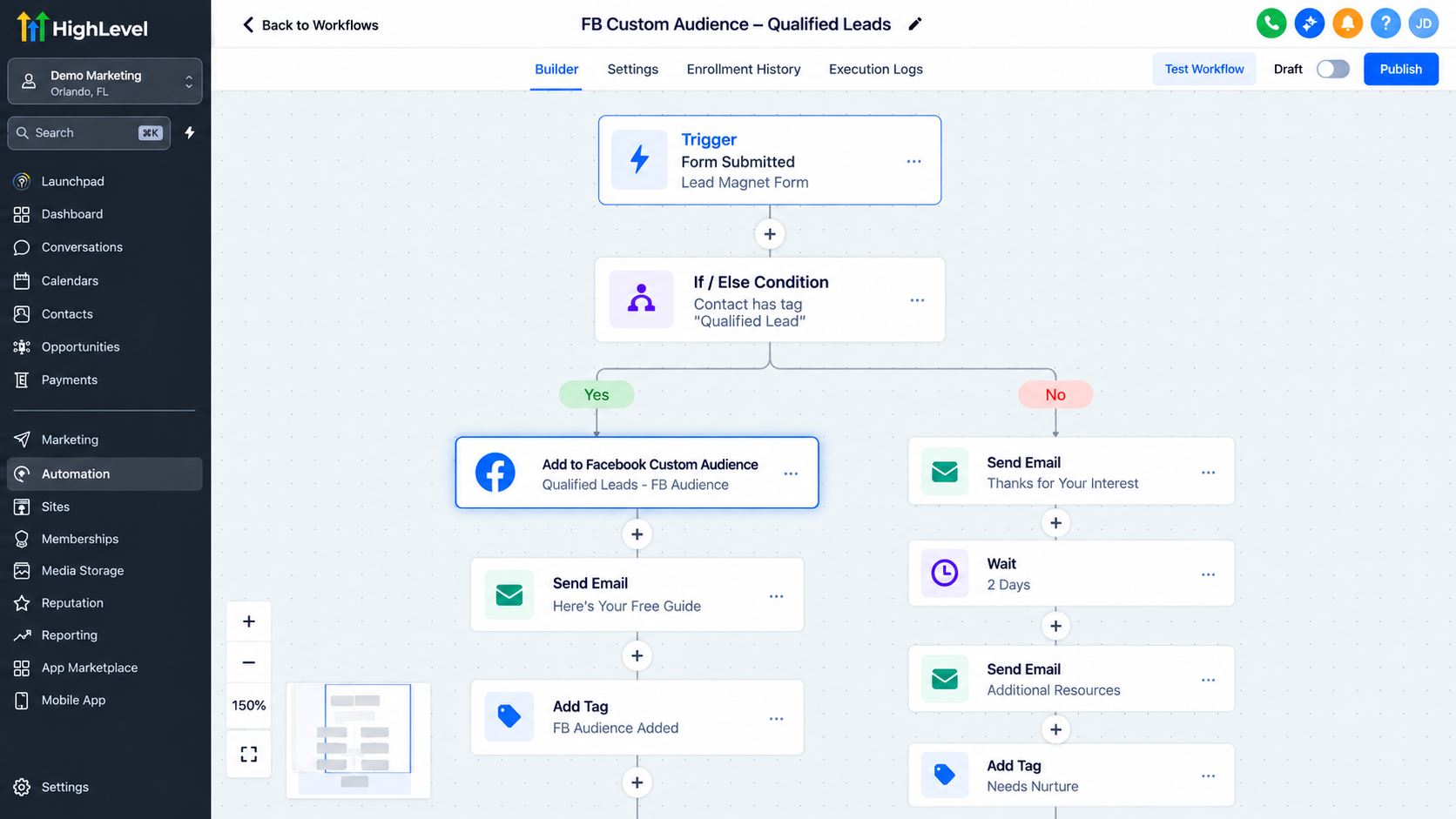
This type of CRM audience automation can support several practical scenarios:
Qualified leads: Add prospects only after they meet your sales criteria.
New customers: Add buyers to an audience intended for appropriate retention or cross-sell advertising.
Re-engagement: Add inactive but eligible contacts after a defined CRM status or workflow event.
Segment-based advertising: Use tags, pipeline stages, or workflow conditions to separate contacts by intent or lifecycle stage.
Milestone-based targeting: Add contacts after a form submission, appointment, purchase, or another meaningful event.
These workflows automate audience membership logic. The Meta campaign itself still needs to be created, configured, approved, and run separately.
Best Practices
Use meaningful workflow triggers instead of sending every contact to an audience. Keep contact data clean, use clear audience names, and avoid unnecessary repeat audience updates.
Test the workflow before relying on it at scale. Review execution logs when something fails and periodically confirm that the connected Facebook account and target audience remain valid.
Privacy and compliance matter. Meta’s Customer List Custom Audiences terms require advertisers to have the necessary rights, permissions, and lawful basis to use customer data. They also require advertisers to respect applicable opt-outs. Meta additionally restricts certain Custom Audiences that suggest prohibited sensitive health or financial information.
Common Mistakes to Avoid
The biggest mistake is assuming this GoHighLevel workflow action creates or runs Facebook ads. It does not.
Other common problems include choosing the wrong trigger, sending irrelevant contacts into an audience, relying on incomplete CRM data, or assuming an audience update means instant ad delivery. Meta controls matching, processing, audience readiness, and delivery, so delays or unmatched records can occur outside GoHighLevel.
Conclusion
The Facebook Add to Custom Audience Action in GoHighLevel is a focused GoHighLevel marketing automation tool. It turns meaningful CRM events into automated audience updates, reducing manual list maintenance and helping keep audience segmentation aligned with the customer journey.
Used with precise triggers, clean contact data, intentional segmentation, and compliant Meta practices, it creates a practical connection between GoHighLevel workflow automation and audience-based advertising.
Frequently Asked Questions
What does the Facebook Add to Custom Audience Action in GoHighLevel do?
It automatically adds a contact who reaches that workflow step to a selected Facebook/Meta Custom Audience. It helps connect CRM activity in GoHighLevel with audience-based marketing on Meta.
Does this workflow action create a Facebook Custom Audience?
No. The action is designed to add contacts to an existing Custom Audience associated with the connected Facebook account. Audience creation is handled separately.
Does the action create or launch Facebook ads?
No. The Facebook Add to Custom Audience Action in GoHighLevel only updates audience membership. Creating campaigns, ad sets, ads, budgets, and targeting settings is handled separately through Meta or supported advertising tools.
Can I use workflow triggers to control who gets added to an audience?
Yes. You can use an appropriate GoHighLevel workflow trigger and, where necessary, workflow conditions to decide which contacts should eventually reach the Add to Custom Audience action.
How quickly will a contact appear in the Meta Custom Audience?
GoHighLevel can execute the workflow action, but Meta controls audience processing, matching, and availability. Contacts may not appear or become usable for advertising immediately.
Will every contact sent from GoHighLevel match successfully in Meta?
No. Audience matching is handled by Meta according to its own systems, available customer information, policies, and processing requirements. GoHighLevel does not guarantee a match.
Can I remove contacts from a Facebook Custom Audience automatically?
Yes. GoHighLevel also provides a separate Facebook – Remove from Custom Audience workflow action that can be used when contacts should no longer remain in a particular audience.
What are good use cases for this automation?
Common use cases include adding qualified leads, new customers, re-engagement segments, lifecycle-based contacts, or people who complete a meaningful CRM event to an appropriate Meta Custom Audience.
Need Expert Help with GoHighLevel?
New to GoHighLevel and ready to get started? Buy your GoHighLevel account here and launch with confidence.
Already know what you need and want our team to handle everything, from complete setup and customization to funnels, workflows, automations, CRM, and pipelines? Click here.



