

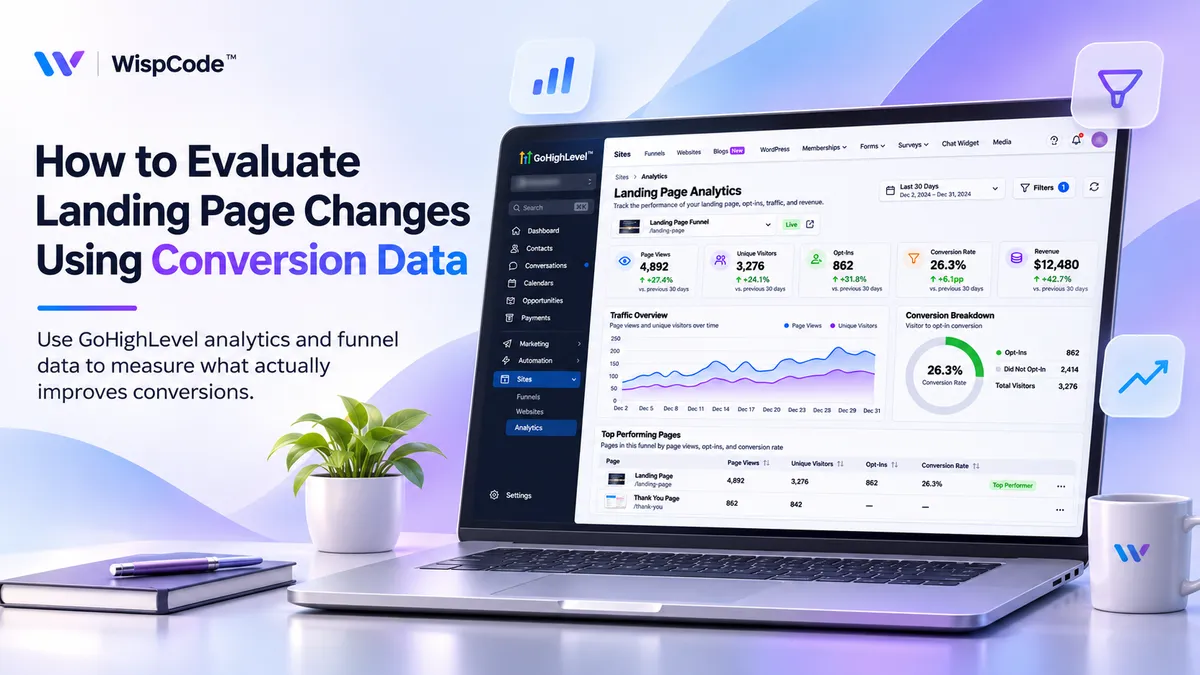
How to Evaluate Landing Page Changes | GoHighLevel
How to Evaluate Landing Page Changes Using Conversion Data
You've updated your landing page, changed the headline, made the call-to-action button more noticeable, and simplified the contact form. Everything looks better than before.
But here's the question: Are those changes actually bringing in more leads?
A better-looking landing page doesn't always mean better results. Sometimes, a small change increases conversions. Other times, a complete redesign makes little difference.
That's why conversion data matters.
With GoHighLevel, you can track landing page performance, review conversion metrics, and compare funnel variations to see which changes are making a difference.
Let's walk through how to do it.
Why Conversion Data Matters for Landing Pages
When you make changes to a landing page, it's easy to judge the results based on appearance. But visitors don't always respond the way you expect.
For example, you might replace a detailed contact form with a shorter one, expecting more submissions. The new version may generate more leads, but those leads might be less qualified.
Looking at conversion data helps you understand what actually happened.
Instead of asking whether a page looks better, you can ask whether it's generating more inquiries, appointments, or sales.
That gives you a much stronger basis for deciding what to improve next.
Which Landing Page Metrics Should You Track?
Before making changes, you need to know what you're measuring.
GoHighLevel provides several useful metrics through its website and funnel reporting tools.
Total Page Views: How many times your page was viewed, including repeat visits.
Unique Page Views: The number of uniquely counted page visits within GoHighLevel's reporting.
Opt-ins: Recorded conversion actions, such as supported form submissions or appointments.
Conversion Rate: The percentage of relevant page visits that result in a conversion.
Sales and Revenue: Purchase activity recorded through your funnel, where applicable.
You can calculate a conversion rate using this formula:
Conversion Rate = (Conversions ÷ Relevant Page Visits) × 100
For example, if a landing page receives 500 unique views and generates 40 leads, its conversion rate is 8%.
GoHighLevel's opt-in rate uses unique page views as its denominator. When comparing results, make sure you're using consistent metrics.
How to Evaluate Landing Page Changes in GoHighLevel
You don't need to change everything at once. A structured approach makes it easier to understand what's working.
Step 1: Check Your Current Landing Page Performance
Before editing anything, find out how your existing landing page is performing.
In your GoHighLevel account:
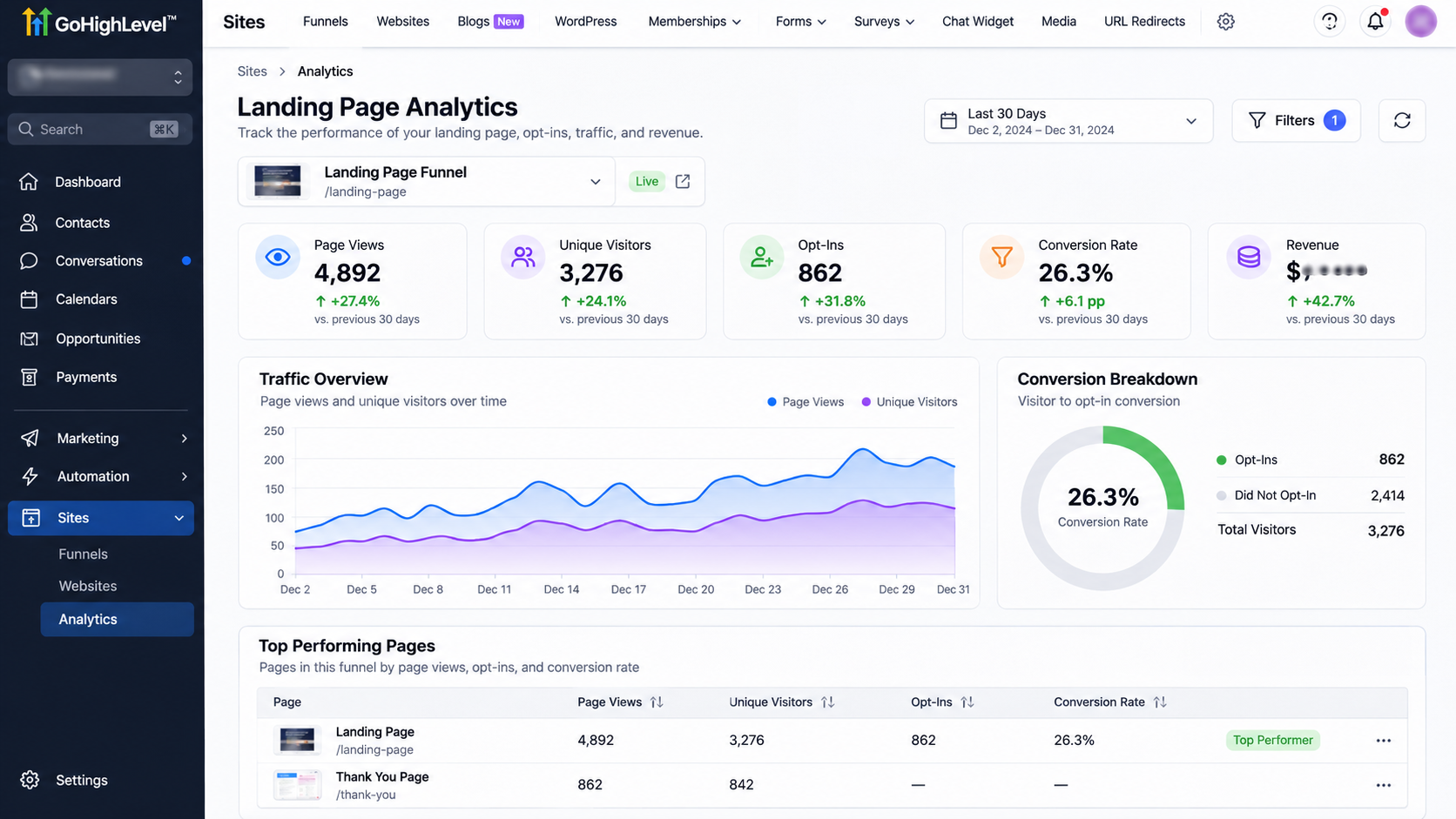
Open your sub-account and navigate to Sites → Analytics.
Choose the relevant website or funnel.
Select the date range you want to review.
Check page views, opt-ins, and available conversion data.
Record your current results for comparison.
You can also open a specific funnel and review its Stats tab for more detailed performance information.
For example, if your landing page currently converts 6% of visitors into leads, that becomes your starting point.
Without this baseline, you won't know whether your next change improved anything.
Step 2: Decide What You Want to Improve
Now that you understand your current performance, choose one element to test.
Maybe visitors aren't clicking your CTA. Perhaps they're reaching the form but not completing it.
Start with a simple hypothesis.
For example:
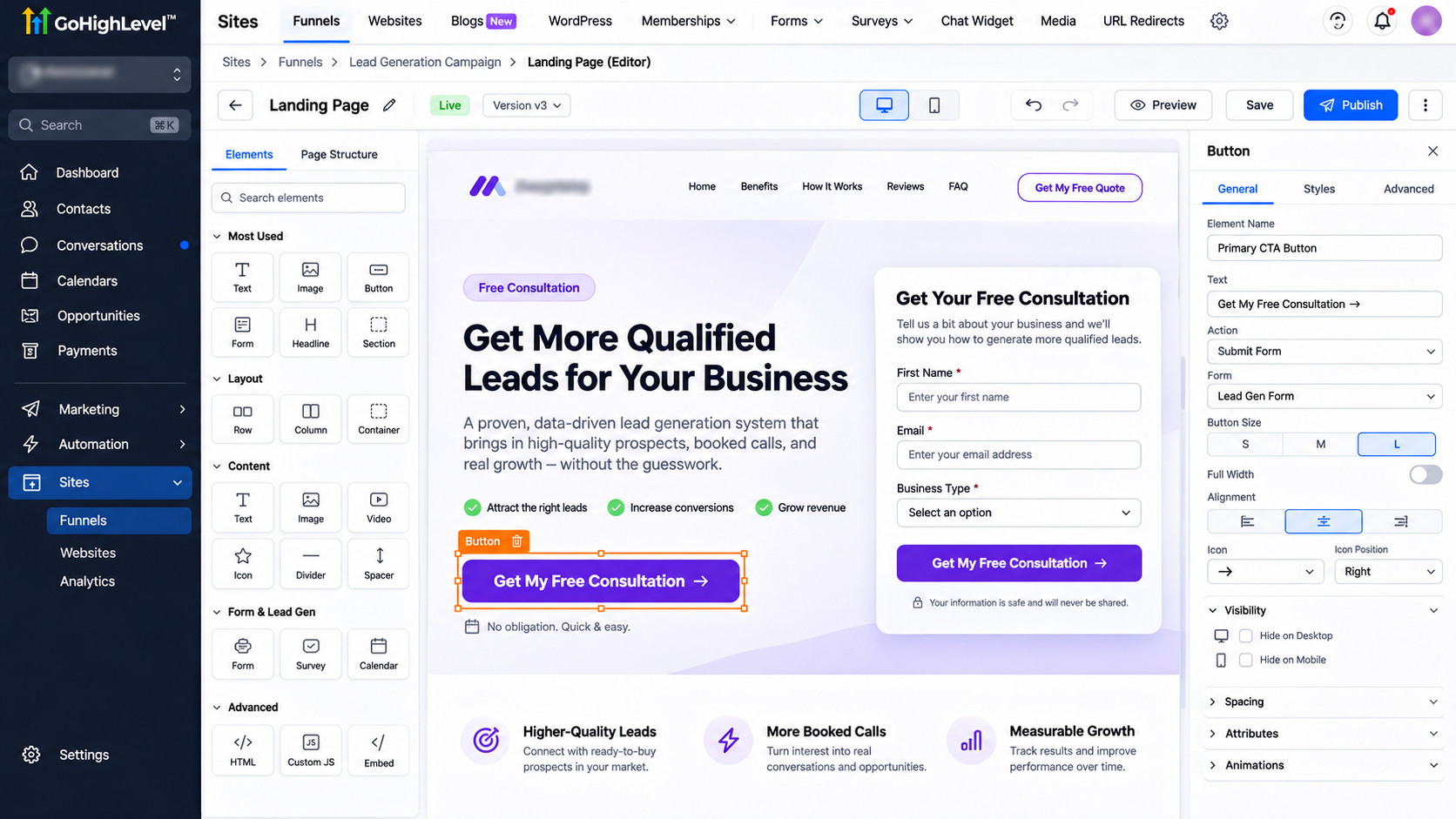
"Changing our CTA from 'Submit' to 'Get a Free Consultation' may encourage more visitors to complete the form."
You could also test a shorter headline, fewer form fields, or a different button position.
Try changing one main element at a time. If you change the headline, layout, and form together, it becomes difficult to identify what influenced the results.
Step 3: Test Your Changes With Funnel Variations
If your landing page is part of a GoHighLevel funnel, you can use its built-in split-testing feature.
Here's how:
Go to Sites → Funnels.
Open the funnel containing your landing page.
Select the page you want to test.
Click Create Variation.
Edit the new variation with your proposed change.
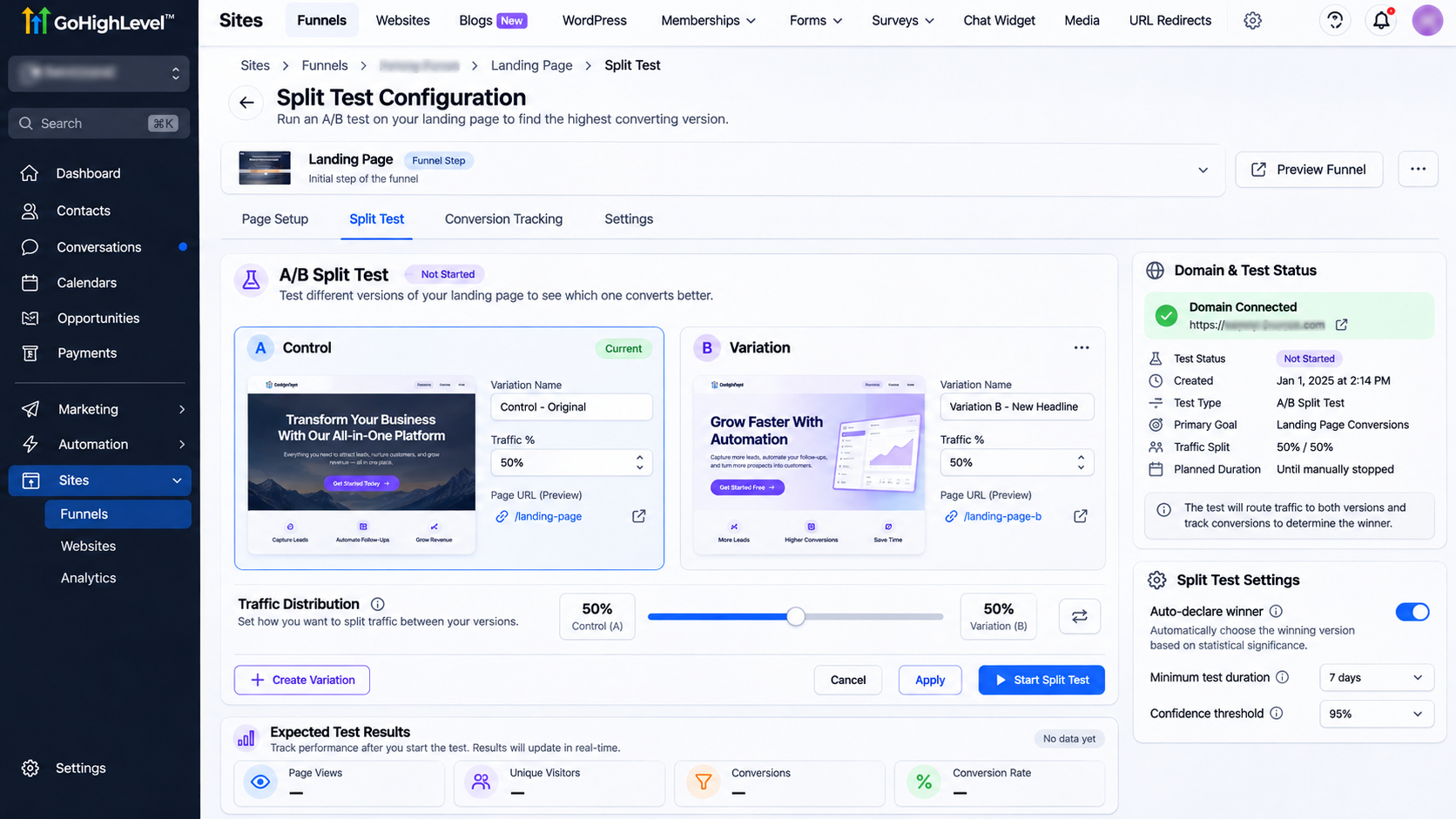
Adjust the traffic distribution, such as 50% for each version.
Start the split test and apply the settings.
A connected domain is required for funnel split testing.
This allows visitors to see different versions while you compare performance.
Keep in mind that native funnel split testing isn't the same as regular website analytics. If you're evaluating an ordinary website page, you may need to compare performance before and after the change instead.
Step 4: Compare Your Conversion Results
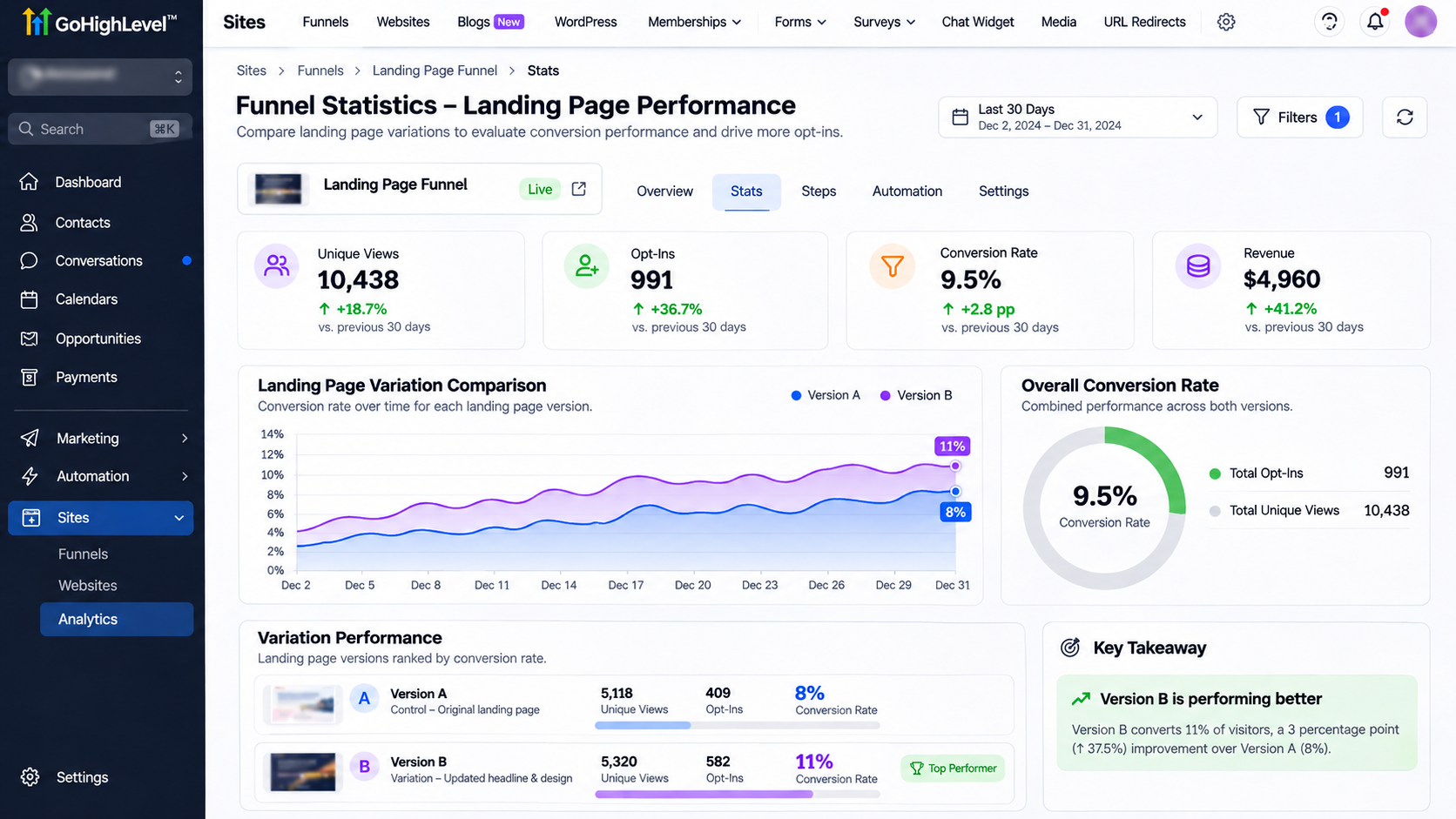
Once your test has collected enough traffic, open your funnel's Stats tab in GoHighLevel to compare how both landing page versions are performing.
For example, imagine your original landing page received 500 visitors and generated 40 leads, giving it an 8% conversion rate.
After testing an updated version, you find that it generated 55 leads from the same number of visitors, increasing the conversion rate to 11%.
That's a 37.5% relative improvement in conversions, which suggests the updated page may be performing better.
However, don't make a final decision based on these numbers alone. Consider whether both versions received comparable traffic, whether the results are statistically reliable, and whether the additional leads are actually qualified.
The goal is to identify changes that bring meaningful business results, not just higher percentages.
Step 5: Decide Whether to Keep the Change
Before choosing a winning version, look beyond the conversion rate.
Did both pages receive comparable traffic? Were visitors coming from similar sources? Did the additional leads turn into qualified inquiries?
These questions matter because a higher conversion rate isn't always the same as better business performance.
If the results are reliable and support your goal, keep the stronger version. Otherwise, continue testing before making a permanent decision.
Common Problems to Watch For
Sometimes, your conversion data won't tell the full story immediately.
If submissions aren't appearing, test your form and check whether the expected activity is being recorded.
If conversion rates differ between platforms, compare reporting dates and metric definitions.
And if your test has only received a small amount of traffic, avoid drawing conclusions too early.
Reliable decisions require reliable data.
Frequently Asked Questions
Can GoHighLevel track landing page conversions?
Yes. GoHighLevel provides website and funnel analytics covering traffic, opt-ins, and relevant sales activity.
Can I A/B test landing pages in GoHighLevel?
Yes. Its funnel split-testing feature lets you compare different versions of a funnel page.
How long should I run a landing page test?
There's no fixed duration. Allow enough time to collect meaningful data across representative traffic conditions.
Make Every Landing Page Change Count
Improving a landing page shouldn't be a guessing game.
When you understand your conversion data, you can see which changes help visitors take action and which ones need more work.
GoHighLevel gives you tools to track that performance and make more informed decisions.
At WispCode, we help businesses get more from GoHighLevel through landing page optimization, conversion tracking, CRM setup, and marketing automation.
Want to turn more landing page visitors into qualified leads? Connect with WispCode and explore how we can help improve your conversion process.
Need Expert Help with GoHighLevel?
New to GoHighLevel and ready to get started? Buy your GoHighLevel account here and launch with confidence.
Already know what you need and want our team to handle everything, from complete setup and customization to funnels, workflows, automations, CRM, and pipelines? Click here.