

The Benefits of Email Marketing with GoHighLevel
Email Marketing with GoHighLevel Explained
Most small businesses treat email as an afterthought, yet it still returns more per dollar than almost any other channel. The catch has always been the tool sprawl — one app for the list, another to design, another to send, another to report. GoHighLevel folds all of that into a single system that sits right on top of your contacts. This post explains, in plain English, what email marketing actually looks like inside GoHighLevel and how the pieces fit together.
It all lives in one place
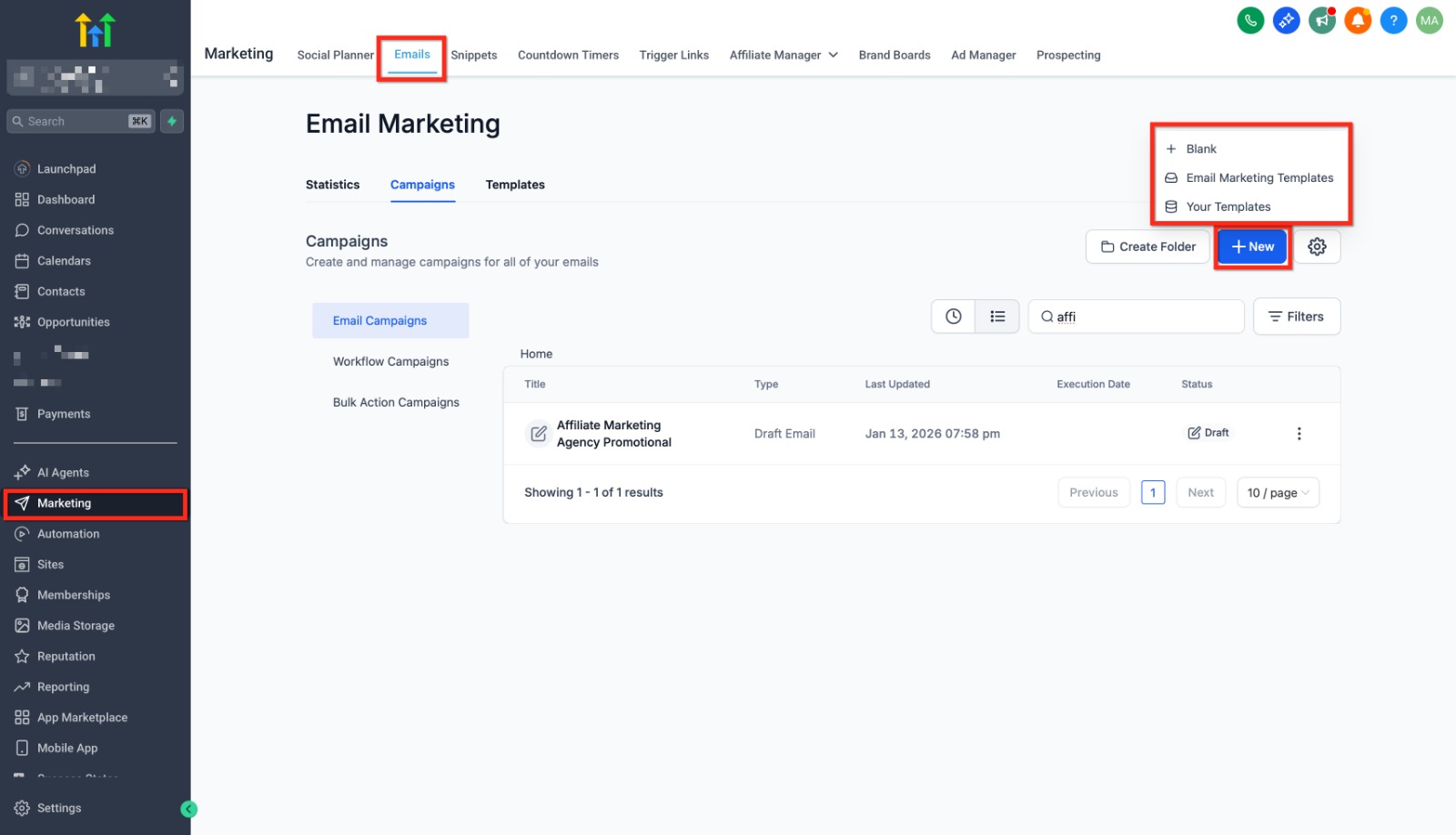
Email marketing lives under Marketing > Emails, split into three tabs: Statistics, Campaigns, and Templates. That's the whole loop — you design in Templates, send in Campaigns, and measure in Statistics. Because your contacts already live in the same platform, you're never exporting a list or syncing a tool; the people you email and the data you have on them are the same records.
Templates: you don't start from scratch
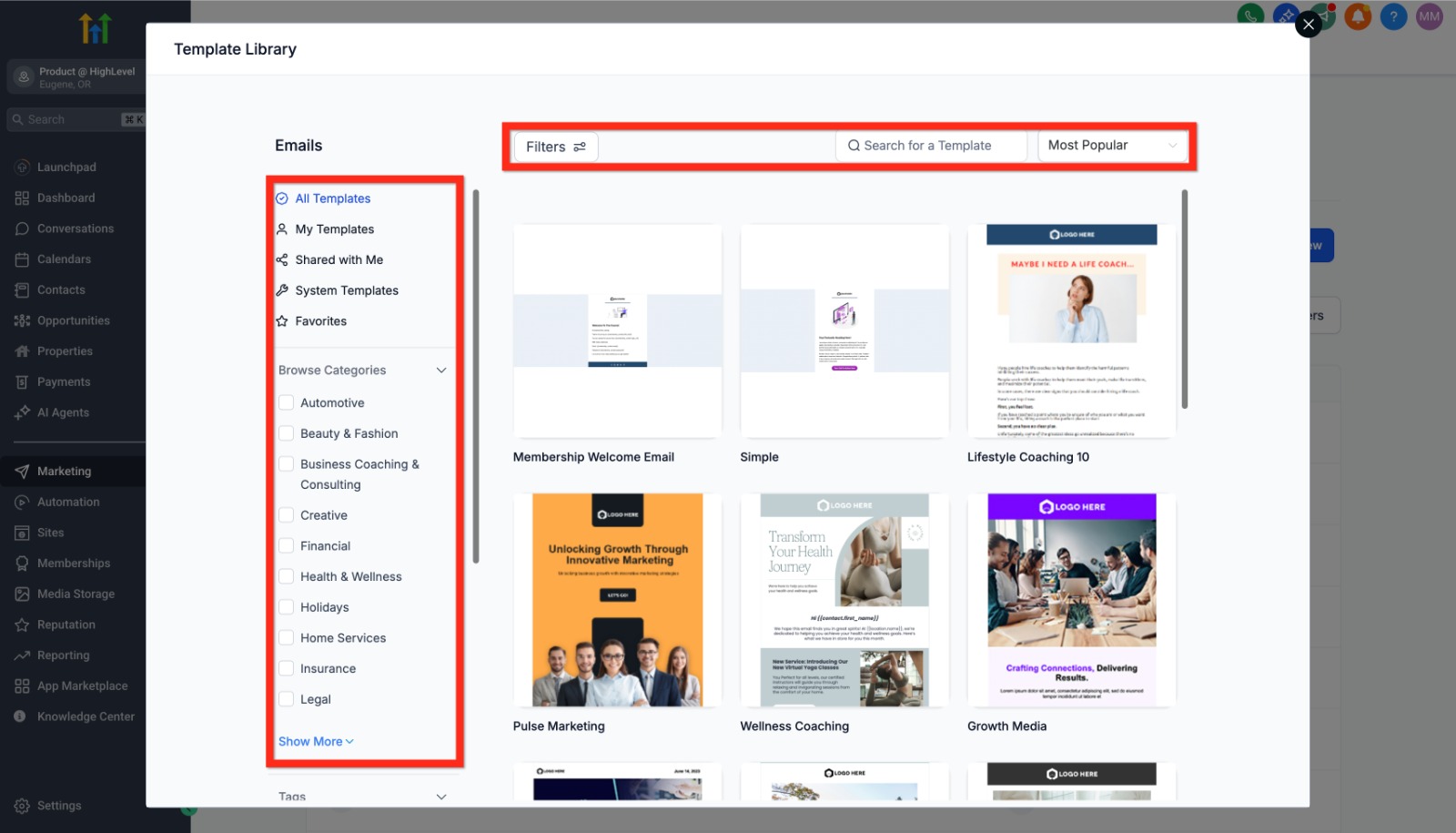
The Template Library gives you a large set of professionally designed emails, filterable by industry — coaching, financial, home services, health, and more. You pick one that's close, then make it yours. This is the part that saves the most time: instead of wrestling with layout and spacing, you start from something that already looks right and reads well on mobile.
A drag-and-drop builder, no code
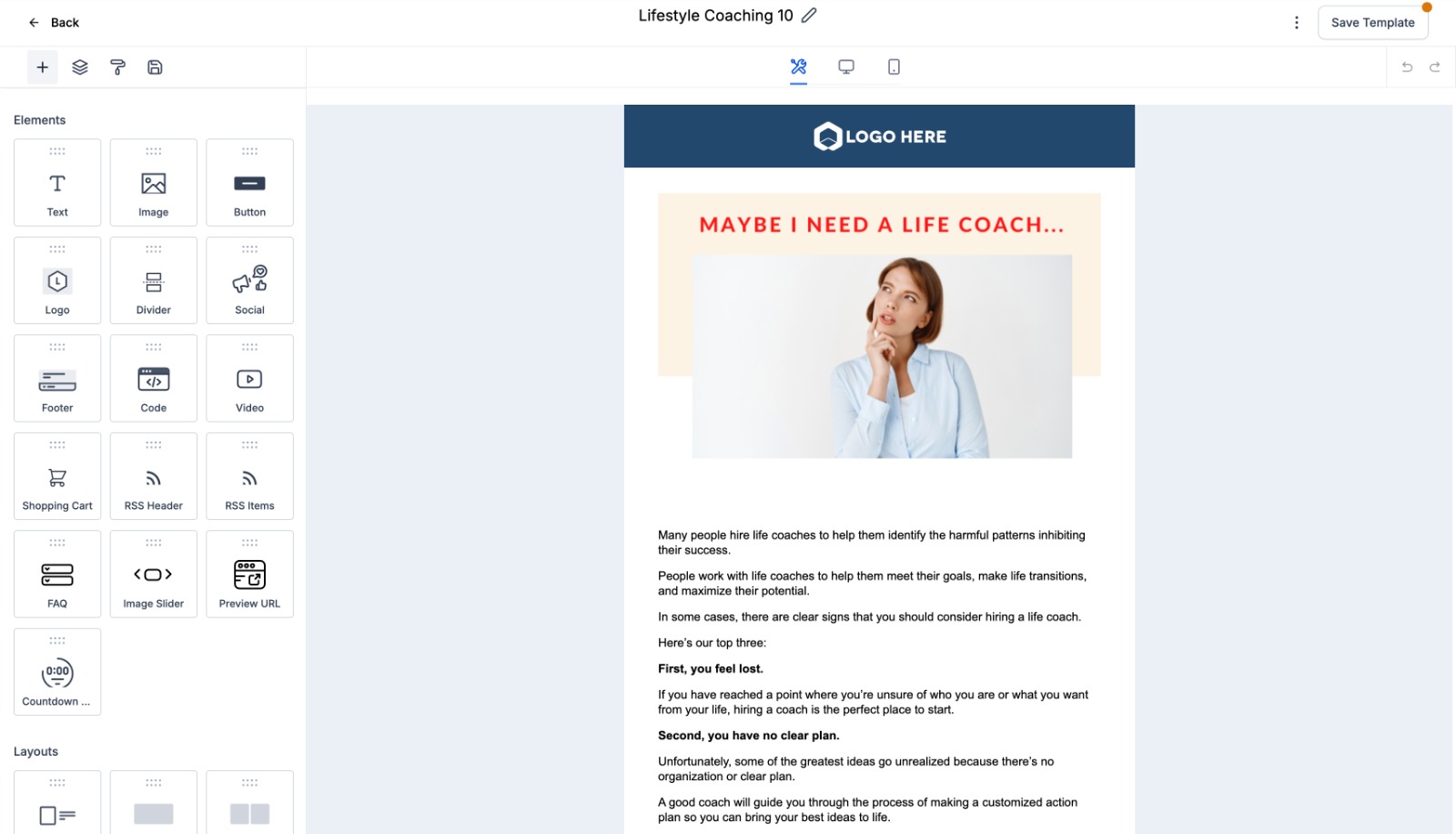
Open a template and you're in the email builder. The left panel holds elements — Text, Image, Button, Logo, Divider, Social, Video, Countdown Timer — that you drag onto the canvas. Click any block to edit it inline, and toggle between desktop and mobile previews so nothing breaks on a phone. If you've ever used a page builder, this will feel familiar; if you haven't, it's still approachable because there's no HTML to touch.
Segments: sending to the right people
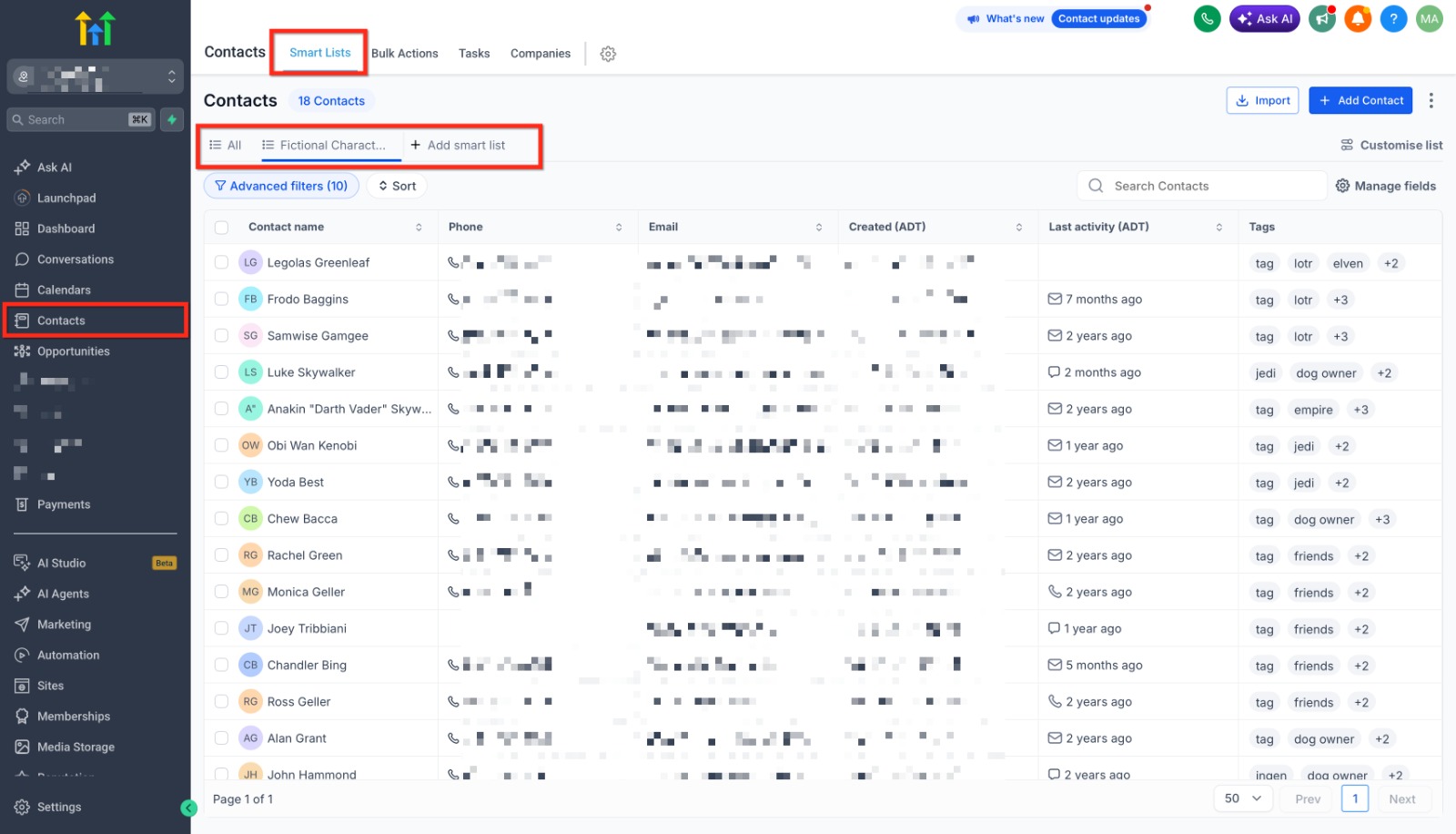
Blasting every contact the same message is the fastest way to get ignored. GoHighLevel's smart lists and segments let you group contacts by tags, activity, custom fields, or pipeline stage — and those groups update themselves as your data changes. So “customers who bought in the last 90 days” or “leads who opened the last email but didn't click” is always current, and you email the right slice instead of the whole database.
Sending: now or scheduled
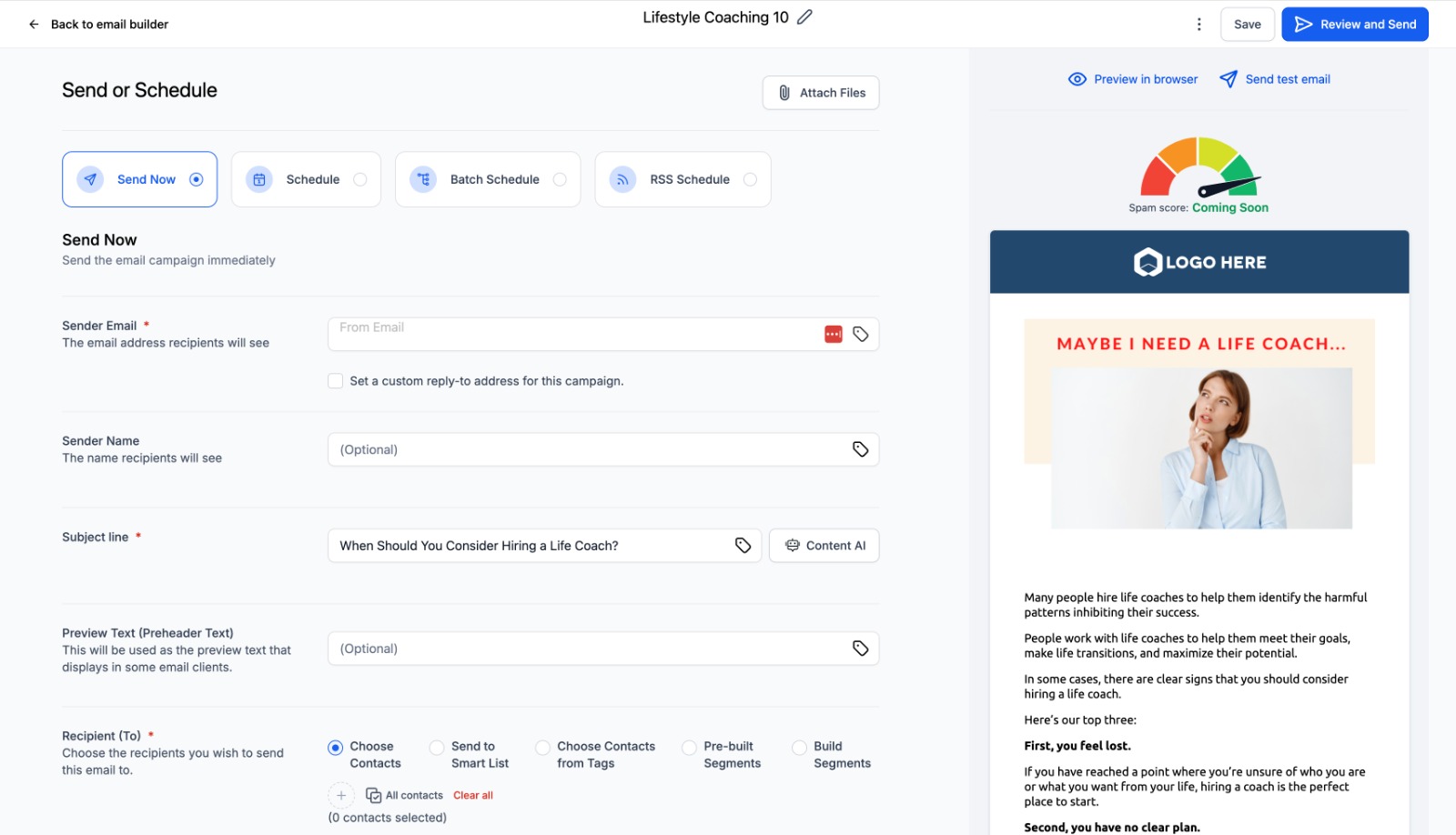
When the email's ready, the Send or Schedule screen handles the rest. You set the sender name and address, write the subject line (the single biggest lever on open rates — there's even AI help), choose your audience, and decide timing: Send Now, Schedule for later, or Batch Schedule to release a big list in waves so you protect your sending reputation. Always fire a test to yourself first, then send.
Reporting: what actually happened
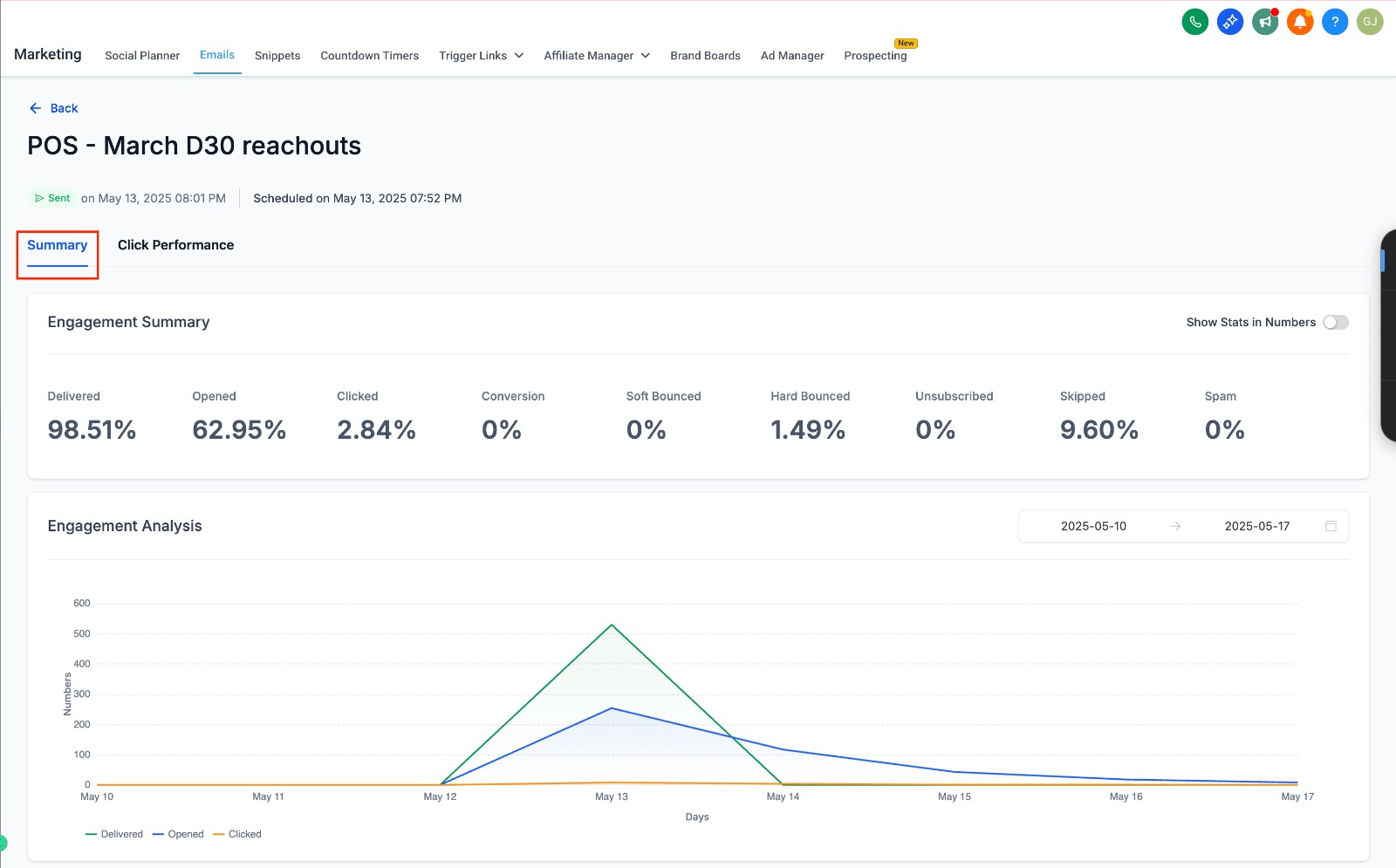
After a send, Statistics shows the numbers that matter — delivered, opened, clicked, plus bounces, unsubscribes, and spam complaints, charted over time. This is where email marketing stops being guesswork: a weak open rate points at the subject line, strong opens with few clicks point at the offer or the button. Each send tells you what to change on the next one.
Why doing it inside your CRM matters
The real advantage isn't any single feature — it's that email sits next to everything else you know about a contact. An email open can trigger an automation; a click can move a deal down the pipeline; a purchase can drop someone out of a promo sequence automatically. Because the email tool and the customer record are the same system, your marketing reacts to real behavior instead of running blind. For a small team, that connection is what turns an occasional newsletter into a quiet, always-on engine that keeps existing customers coming back.
Frequently Asked Questions (FAQs)
1. What is Email Marketing in GoHighLevel?
GoHighLevel's email marketing feature allows businesses to create, send, and track email campaigns from one platform without using separate email marketing tools.
2. Can I create professional emails without coding?
Yes. GoHighLevel includes a drag-and-drop email builder with ready-made templates, making it easy to design professional emails without any coding knowledge.
3. Can I schedule email campaigns in GoHighLevel?
Yes. You can send emails immediately, schedule them for a later time, or use batch scheduling to improve email deliverability.
4. Does GoHighLevel provide email campaign reports?
Yes. GoHighLevel tracks key metrics such as email deliveries, opens, clicks, bounces, unsubscribes, and spam complaints to help you measure campaign performance.
5. Why should I use GoHighLevel for email marketing?
Because email marketing is fully integrated with GoHighLevel's CRM, you can manage contacts, automate follow-ups, and track customer engagement from one centralized platform.
Need Expert Help with GoHighLevel?
New to GoHighLevel and ready to get started? Buy your GoHighLevel account here and launch with confidence.
Already know what you need and want our team to handle everything, from complete setup and customization to funnels, workflows, automations, CRM, and pipelines? Click here.



