

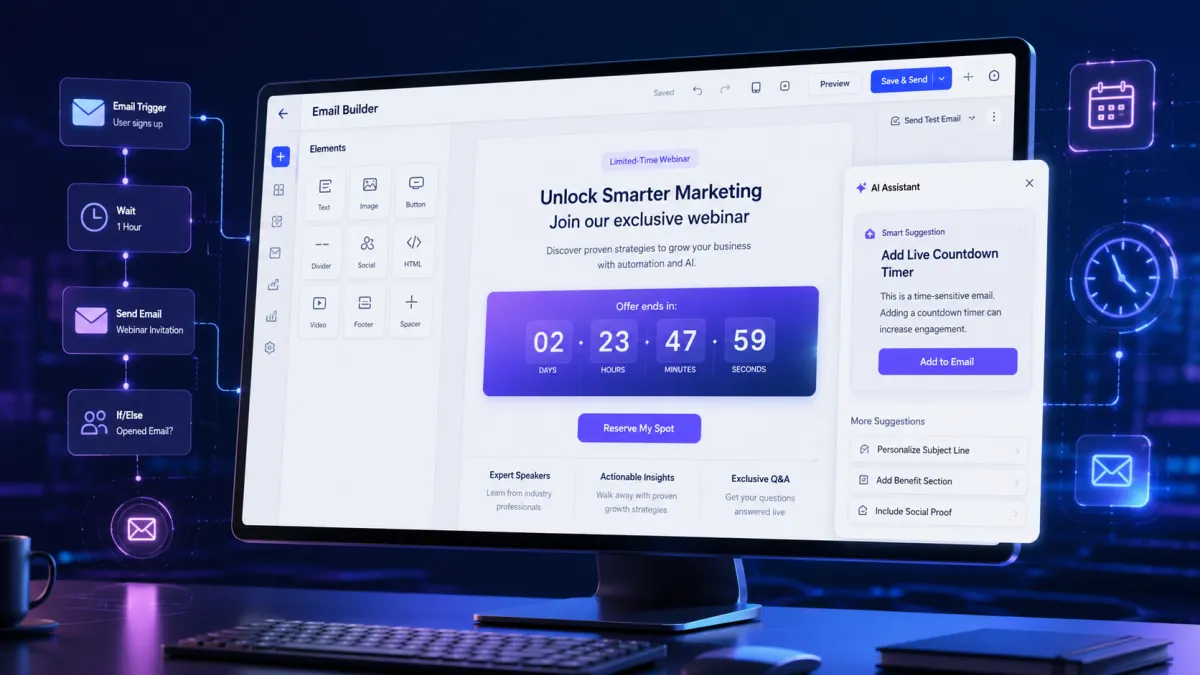
AI Countdown Timer
GoHighLevel Email AI Introduces Smart Countdown Timer Creation and Suggestions
Creating engaging emails often requires the right elements at the right moment. For time-sensitive campaigns like flash sales, product launches, webinars, and limited-time offers, countdown timers can help communicate deadlines clearly. However, adding these elements manually can sometimes require extra steps during the email creation process.
To make this experience smoother, GoHighLevel has introduced a new Email AI improvement that can recognize when an email would benefit from a live Countdown Timer (CDT) and guide users through adding one during template creation or layout updates.
This update brings smarter assistance to the GoHighLevel Email Builder by helping users create more context-aware promotional emails while reducing the effort needed to include countdown timer elements.
What’s New in GoHighLevel Email AI?
With this update, Email AI can now identify emails where a live Countdown Timer may be useful and suggest adding one when appropriate.
Previously, users needed to manually decide when to include a countdown timer in their email designs. With the new improvement, Email AI analyzes the purpose of the email and recognizes when a deadline-based element could be relevant.
The feature focuses on improving the email creation experience by making countdown timer suggestions more intelligent and context-based.
Email AI will recommend a countdown timer only when:
The email relates to a specific deadline.
The campaign is time-sensitive.
The user directly requests a countdown timer.
This approach helps users receive useful suggestions without unnecessary interruptions during the email-building process.
How Does the GoHighLevel Email AI Countdown Timer Feature Work?
The updated Email AI system works by identifying emails that naturally require urgency or deadline communication.
Detecting Time-Sensitive Emails
Email AI can recognize campaigns such as:
Flash sales
Product launches
Webinars
Expiring offers
When creating or updating an email template, Email AI evaluates whether a countdown timer would improve the email based on the campaign context.
For example, an email promoting an upcoming webinar may benefit from showing the remaining time until registration closes. Similarly, a limited-time offer email may require a timer to highlight when the offer expires.
Adding a Countdown Timer Through Email AI
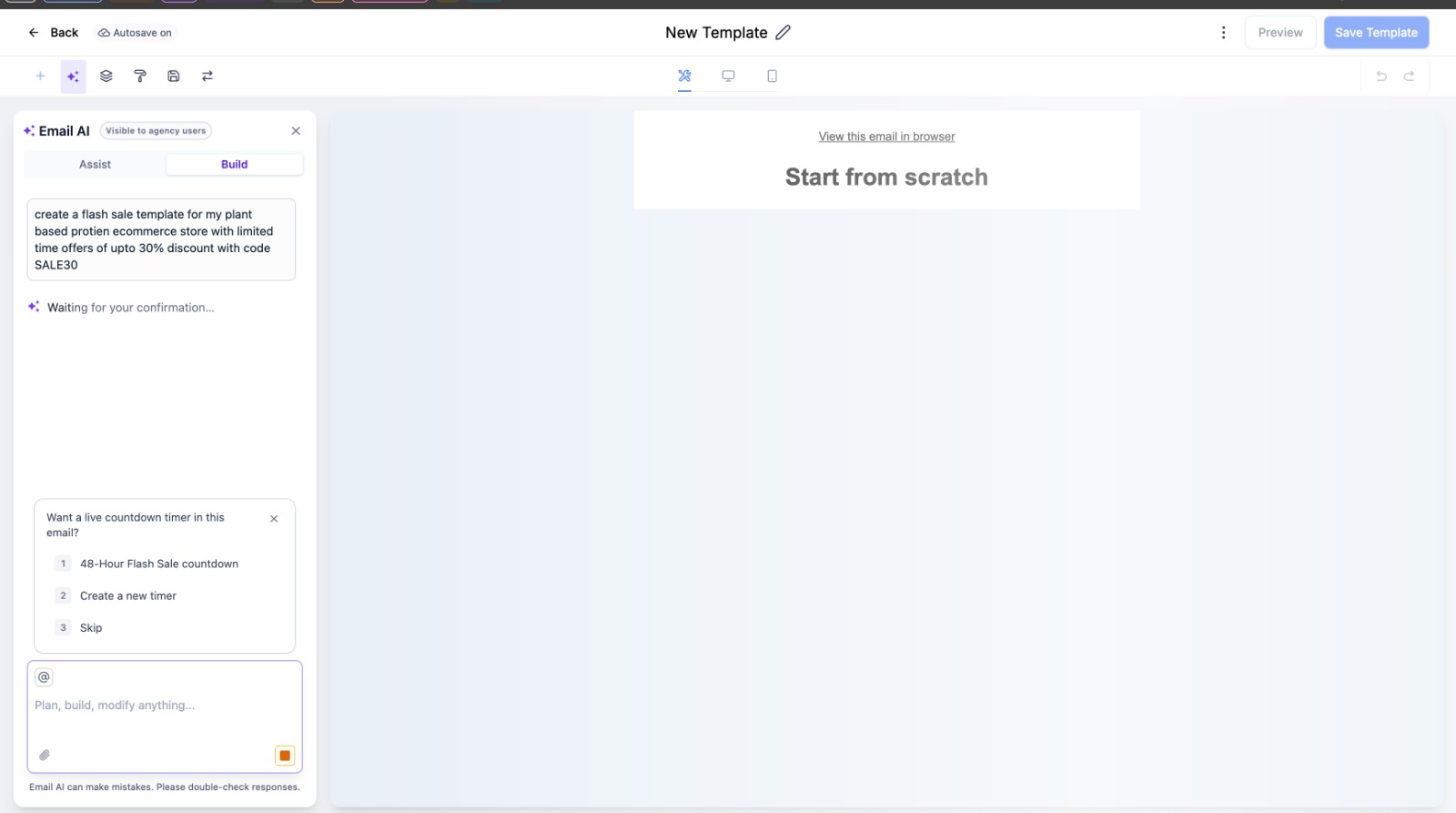
When Email AI identifies an email where a countdown timer is relevant, users can choose how they want to add the timer.
The update allows users to:
Select an existing countdown timer.
Create a new countdown timer.
This gives users flexibility while creating emails. If a suitable timer already exists, they can reuse it instead of creating a new one. If a new timer is needed, Email AI provides guidance through the creation process.
Creating a New Countdown Timer with Email AI
When users create a new countdown timer, they can provide important details to customize the timer according to their campaign needs.
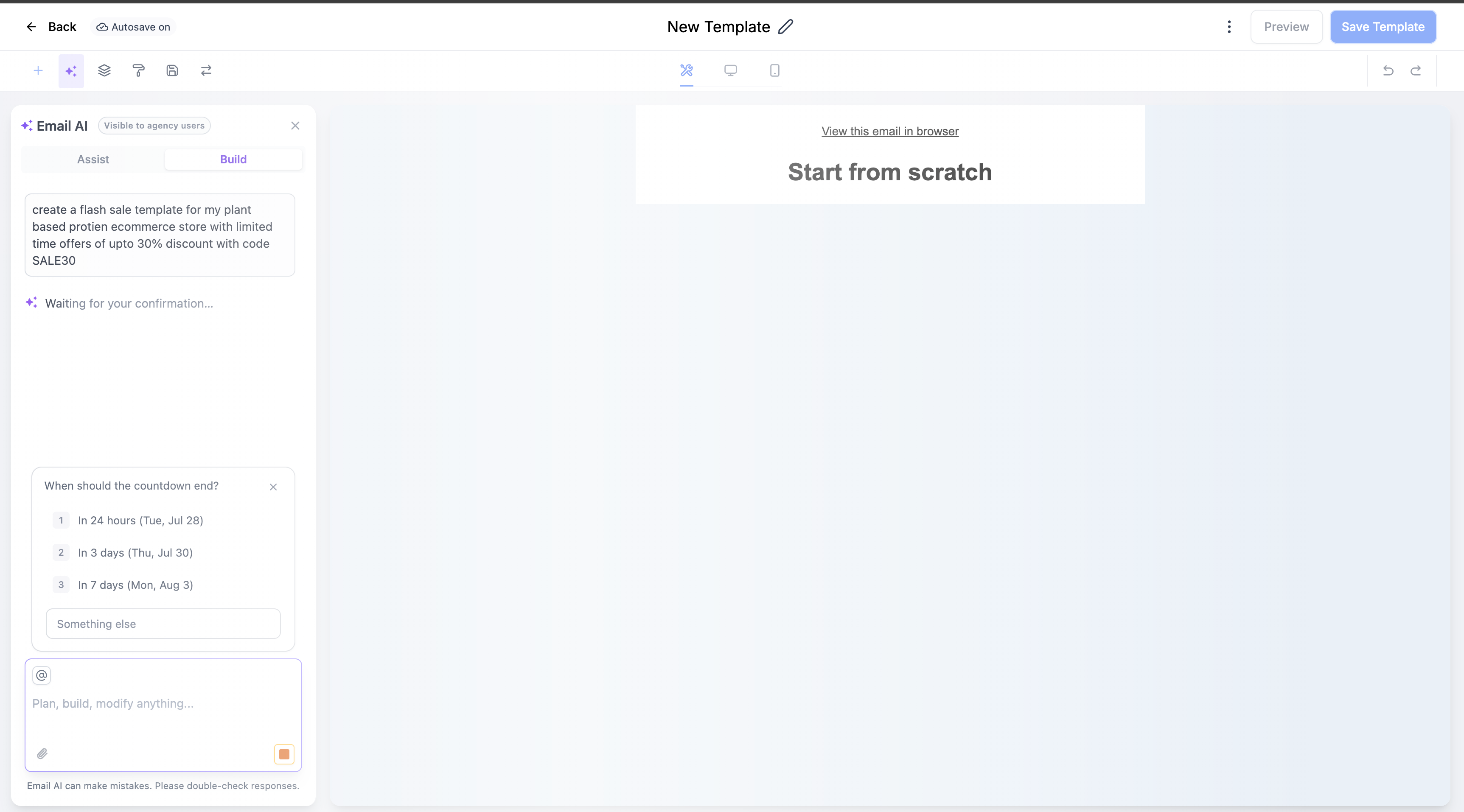
Users can specify:
Timer End Date
Users can define when the countdown timer should end, helping ensure the timer matches the campaign deadline.
Timer Style
Users can choose the style of the countdown timer to fit their email design.
Destination Link
Users can add the destination link connected to the timer.
After these details are provided, Email AI helps place the countdown timer into the generated email.
Automatic Timer Integration Into Generated Emails
One of the key improvements in this update is that Email AI can automatically embed the selected countdown timer into the generated email.
Instead of manually adding and positioning the timer element, users can allow Email AI to include it as part of the email creation process.
This creates a smoother workflow for users building promotional emails and ensures that relevant countdown elements are included when needed.
Smart Fallback Behavior for Better Email Creation
The updated Email AI experience also includes fallback behavior when the countdown timer prompt is skipped or times out.
This helps maintain a smoother email creation process by allowing users to continue without being blocked if they do not complete the timer setup.
The goal is to keep the Email Builder experience efficient while still providing helpful countdown timer assistance when it is relevant.
Benefits of the GoHighLevel Email AI Countdown Timer Update
This improvement brings several advantages for GoHighLevel users creating promotional emails.
Easier Creation of Time-Sensitive Campaigns
Users can create deadline-focused emails more efficiently because Email AI can recognize when a countdown timer may be useful.
Campaigns involving sales, launches, webinars, and expiring offers can now include countdown elements with less manual effort.
Add Urgency Without Manual Configuration
Countdown timers are commonly used to communicate urgency. With this update, users can add these elements more easily without manually configuring timer components during every email creation process.
Reuse Existing Countdown Timers
If users already have a suitable countdown timer available, Email AI allows them to select and reuse it.
This helps make the email creation workflow more convenient while avoiding unnecessary repeated setup.
More Relevant AI Suggestions
A major part of this update is the focus on relevance. Email AI does not suggest countdown timers for every email.
Instead, it provides recommendations only when the email context supports using a deadline-based element or when the user specifically asks for one.
This creates a more helpful and less disruptive email-building experience.
Improving the GoHighLevel Email Builder Experience
The new Email AI Countdown Timer capability represents another improvement toward making email creation more intelligent and efficient within GoHighLevel.
By understanding when countdown timers are useful, guiding users through timer creation, and automatically adding relevant elements, Email AI helps users create more context-aware promotional emails.
Whether users are preparing a flash sale campaign, announcing a product launch, promoting a webinar, or sharing an expiring offer, this update makes it easier to include countdown timers at the right time.
Conclusion
The GoHighLevel Email AI Smart Countdown Timer Creation and Suggestions update improves how users build time-sensitive emails inside the Email Builder.
With the ability to detect when an email would benefit from a countdown timer, suggest relevant options, reuse existing timers, and guide users through creating new ones, Email AI makes promotional email creation more efficient and user-friendly.
This update helps GoHighLevel users create more relevant campaigns while reducing the manual steps required to add countdown timer elements. By bringing smarter assistance directly into the email creation process, GoHighLevel continues improving the Email Builder experience for users creating engaging and deadline-focused campaigns.
Frequently Asked Questions (FAQs)
1. What is the GoHighLevel Email AI Countdown Timer feature?
It is an AI-powered feature that suggests and helps add live countdown timers to time-sensitive marketing emails.
2. When does Email AI recommend a countdown timer?
Email AI recommends a countdown timer for campaigns like flash sales, webinars, product launches, and limited-time offers.
3. Can I use an existing countdown timer?
Yes. You can select an existing countdown timer or create a new one during the email creation process.
4. What details are needed to create a new countdown timer?
You can set the end date, choose a timer style, and add a destination link before inserting it into your email.
5. Does Email AI automatically add the countdown timer?
Yes. Once configured, Email AI can automatically embed the selected countdown timer into the generated email.
Need Expert Help with GoHighLevel?
New to GoHighLevel and ready to get started? Buy your GoHighLevel account here and launch with confidence.
Already know what you need and want our team to handle everything, from complete setup and customization to funnels, workflows, automations, CRM, and pipelines? Click here.



