

Stop Storing Contacts You Are Never Going to Message
How to Clean Up Your CRM Automatically Using the Delete Contact Action in GoHighLevel
Every CRM fills up with people who are never going to buy. Bounced email addresses, duplicate imports, contacts who unsubscribed two years ago. None of it does any harm sitting there, right up until it does. Smart lists get noisy, reporting gets skewed, and eventually somebody sends a campaign to a list that should have been cleared out months ago.
GoHighLevel has a blunt instrument for this in the workflow builder. The Delete Contact action removes the record from the account at the end of a workflow, with nothing to configure and no confirmation to click. This post covers what it actually does, what leaves with the contact, where the safety net is, and one place where HighLevel's own documentation contradicts itself.
What the Delete Contact action does
The action permanently deletes whichever contact is running through the workflow. HighLevel's wording inside the panel is not subtle about it: this action permanently deletes the contact from this account and all workflows. There is no filter inside the action, no soft delete option and no archive setting.
That makes everything above the action the only control you have. The trigger and its filters decide who reaches the delete step, and once a contact gets there, the record goes.
Finding it in the workflow builder
Open your sub account, go to Automations, then Workflows. Open the workflow you want to add it to, or start a new one from scratch or from a recipe.
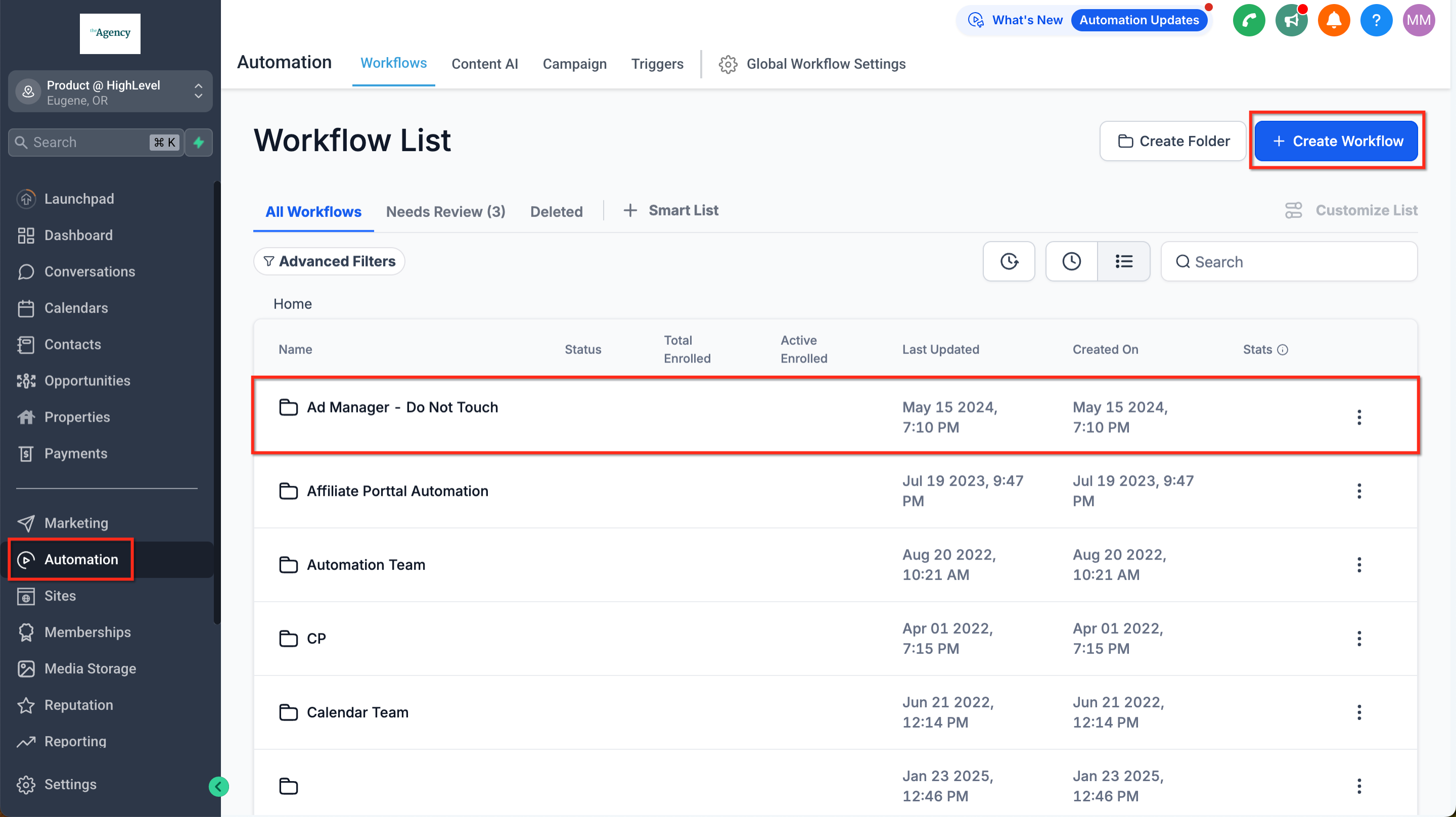
Inside the builder, click the plus icon to open the actions menu. Delete Contact sits in the Contact group, a few rows under Add To Notes and Add Task, directly below Copy Contact.
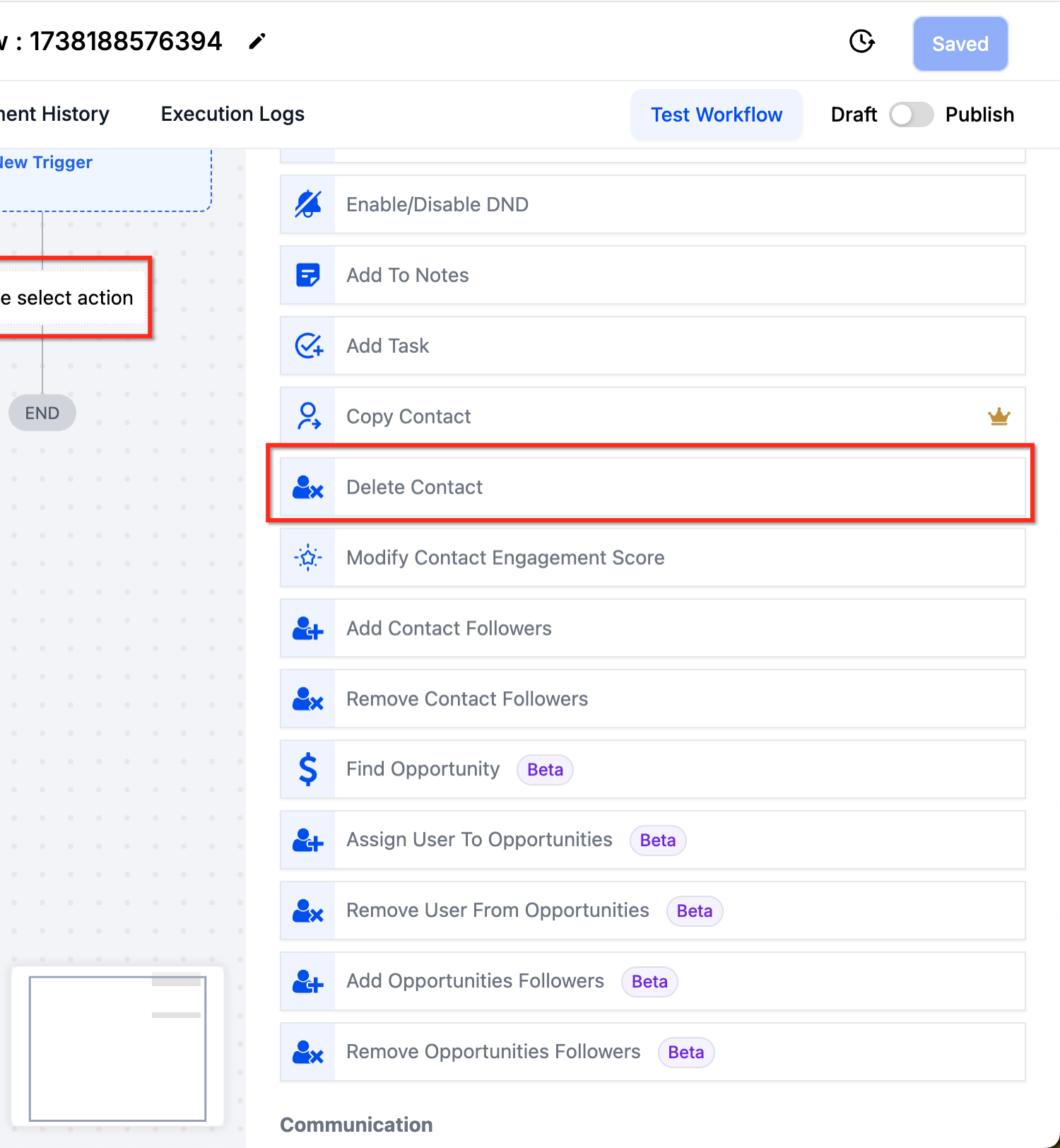
Read the rest of that list while you are in there. Enable and Disable DND, Add Contact Tag, Modify Contact Engagement Score. Several of them do the job people usually reach for deletion to do, without destroying anything.
There is nothing to configure, and that is deliberate
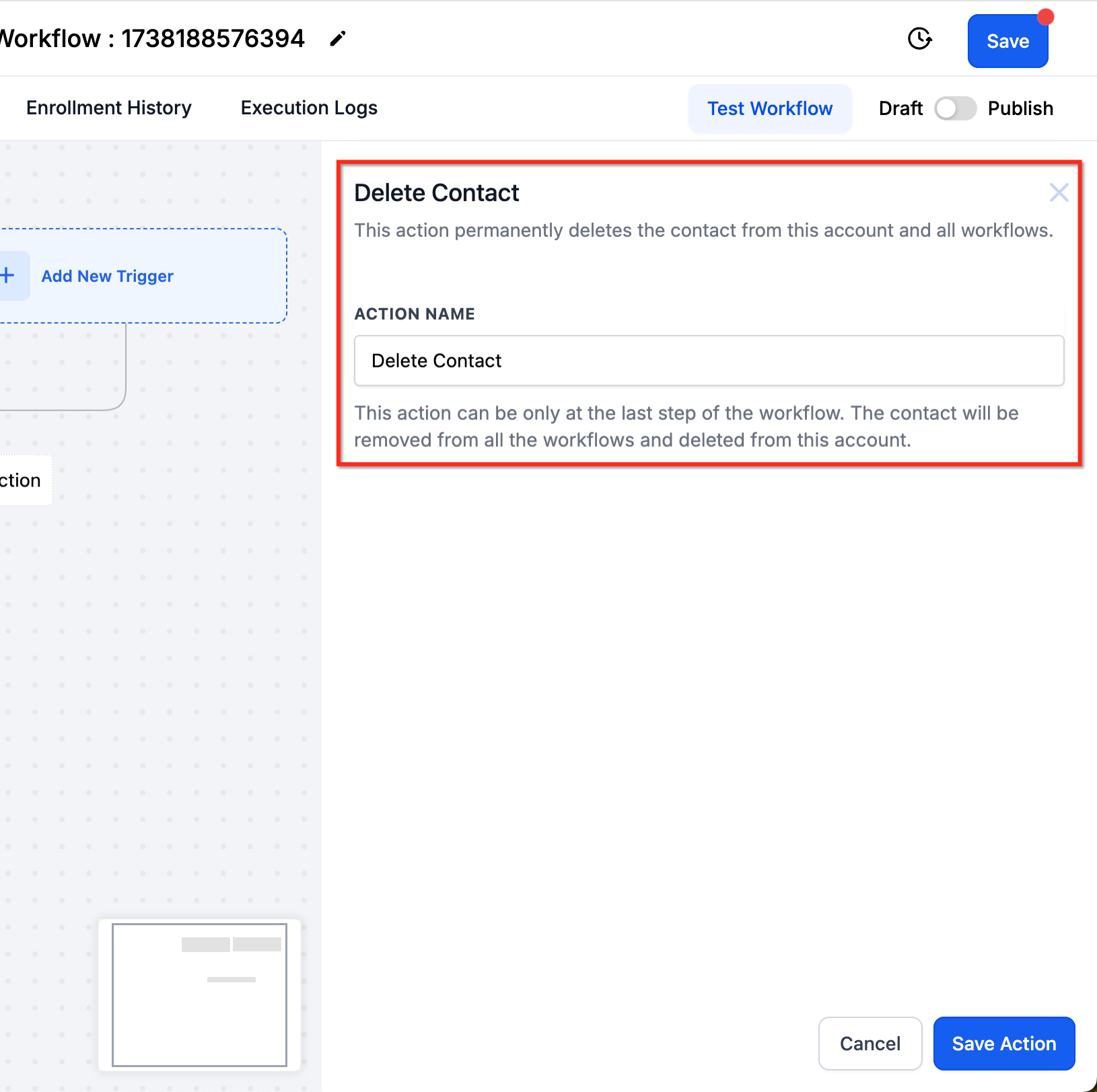
Click the action and the panel gives you exactly one editable field, the action name. Everything else on it is a warning. The line under the title reads: this action can be only at the last step of the workflow. The contact will be removed from all the workflows and deleted from this account.
That last step rule is printed in the product, not buried in a help article. Deletion is instant, so the run ends the moment it fires and anything placed after Delete Contact never executes. Internal notifications, webhooks and logging all have to sit before the delete step.
Put the action at the very end of the branch, every time.
Send any notification or backup step before it, never after.
Give the action a name a colleague will understand in six months, because the panel offers no other clue about why the workflow exists.
A workflow worth copying
The simplest useful version of this is a tag driven cleanup. A contact unsubscribes, a tag lands on them, and a small workflow clears the record out.
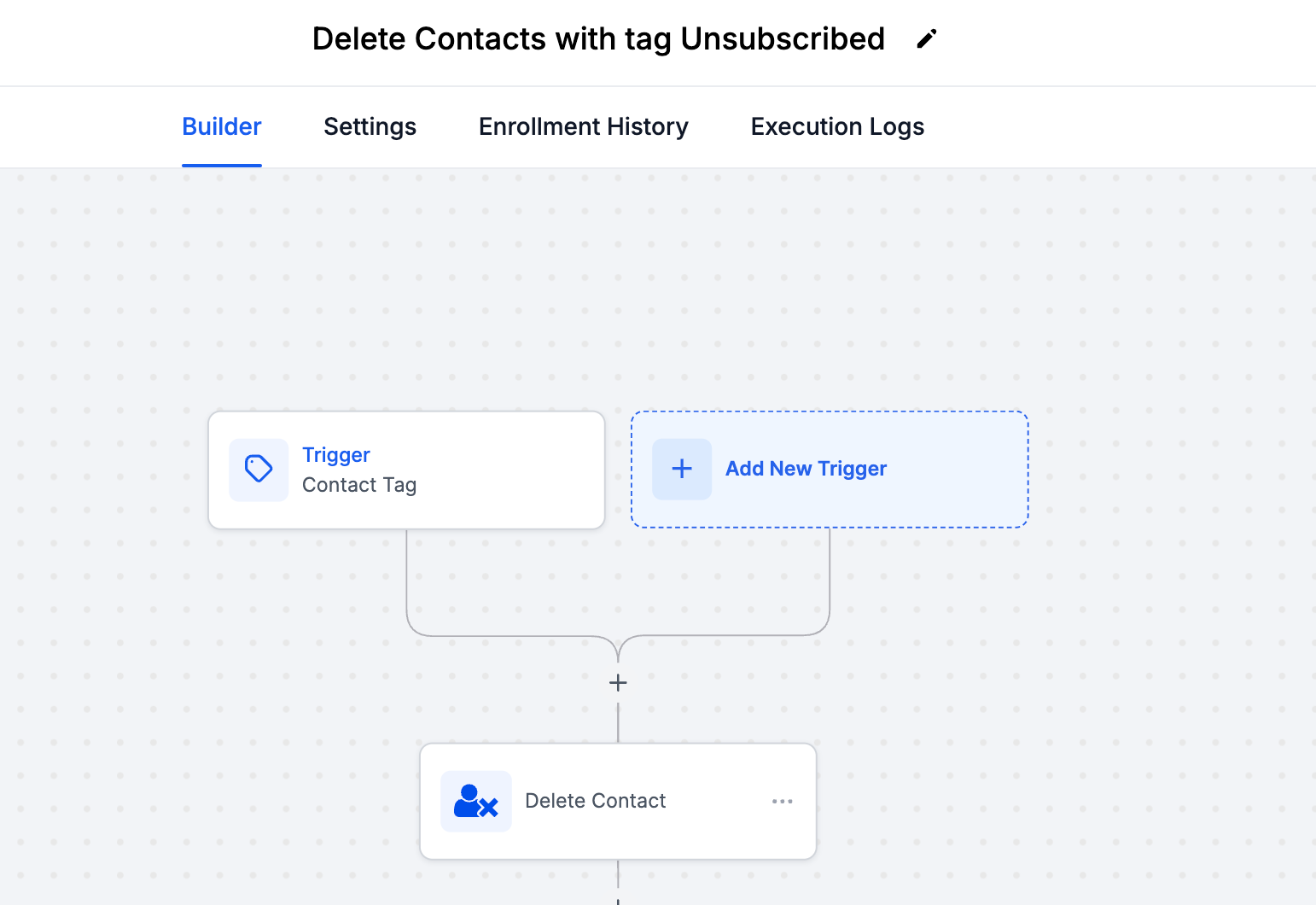
That canvas is three pieces. A Contact Tag trigger watching for the tag, the Delete Contact action, and END. In a live account, put a Wait step between the two. A day or a week costs you nothing and gives you a window to catch a contact who got tagged by mistake.
Triggers worth pairing with it
The action is only ever as good as the thing deciding who reaches it:
Contact Tag, for a manual or automated unsubscribe tag, which is the pattern in HighLevel's own example.
Contact Changed, watching a field such as an email validation result or a status you set yourself.
A date based trigger, for records that have passed whatever retention period your business has agreed to.
Inbound Webhook, when a deletion request arrives from your own system or from a privacy request form on your site.
What leaves with the contact
Deleting a contact is not just removing a name from a list. The confirmation modal on a manual delete lists the full blast radius, and the workflow action does the same thing quietly, without ever showing you that modal.
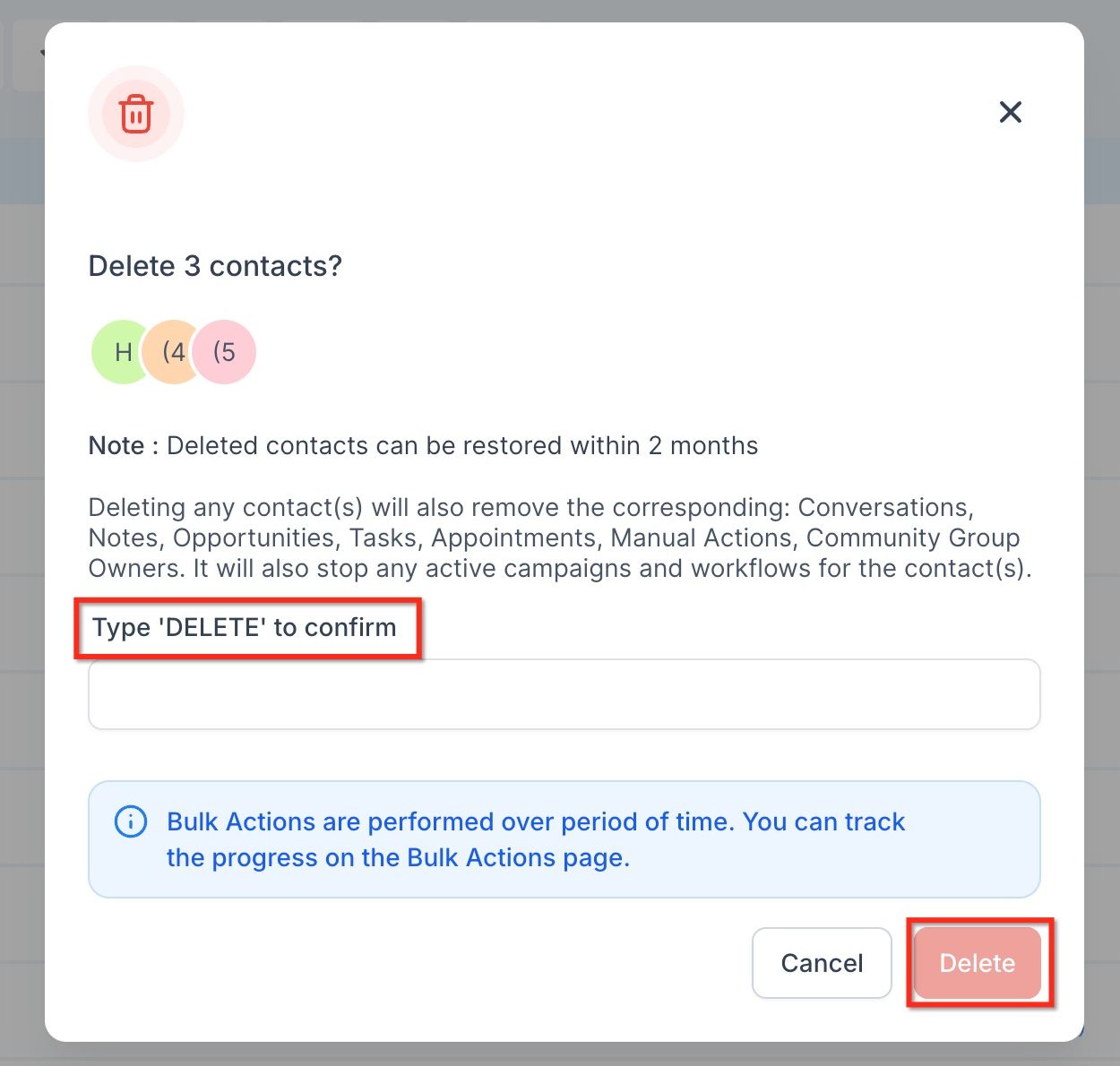
Conversations, meaning the entire message history across every channel.
Notes and tasks attached to the record.
Opportunities, so anything sitting in a pipeline goes with them.
Appointments and manual actions.
Community group membership, where the contact belongs to a group.
Any active campaign or workflow the contact is currently in stops immediately.
One exception is worth knowing about. A contact who owns a group or a location inside Communities cannot be deleted at all. HighLevel blocks it to keep the group intact, so the workflow quietly fails to remove that person.
The restore window, and the part the docs disagree on
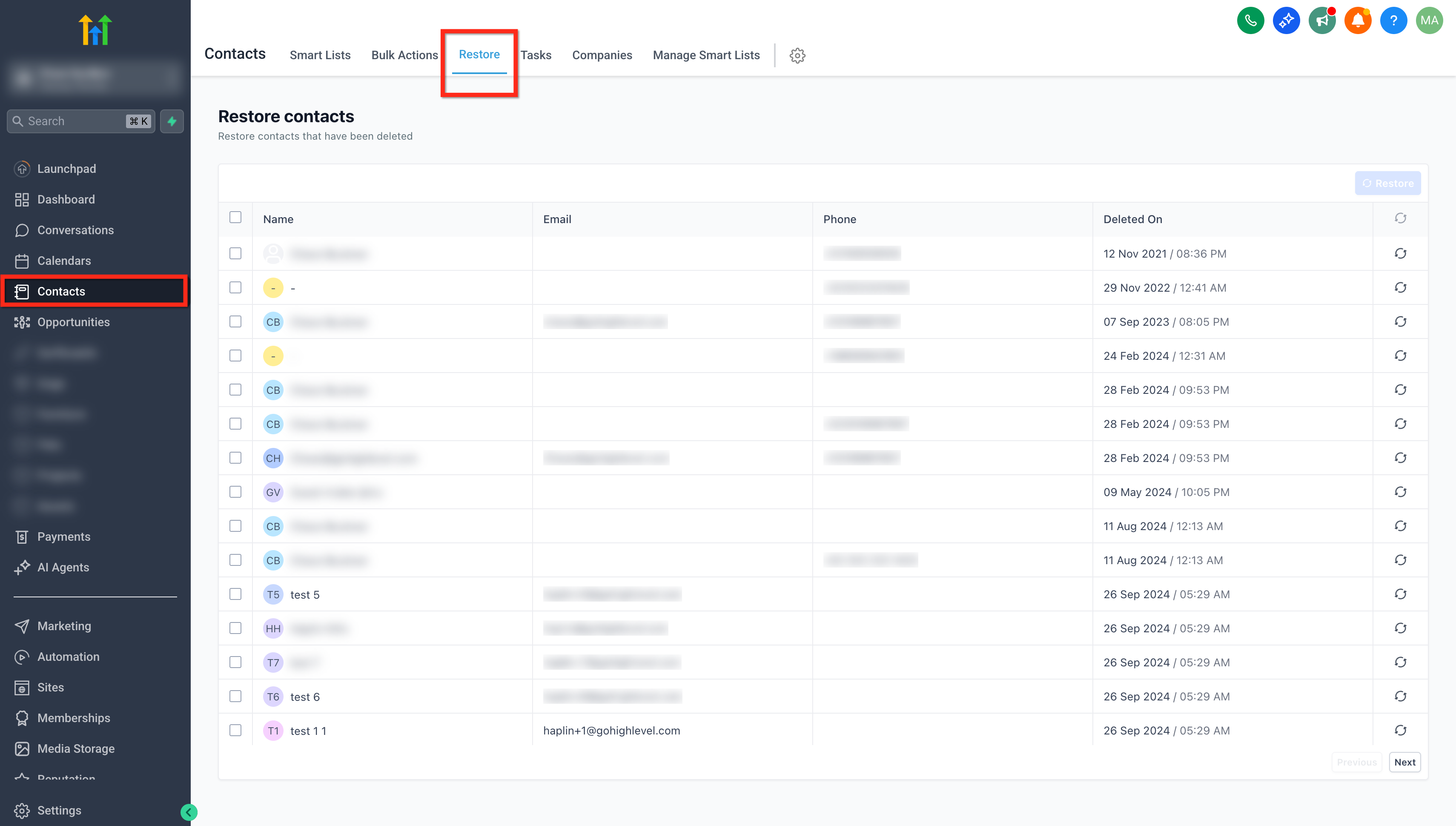
There is a safety net. Deleted contacts stay recoverable for 60 days, which HighLevel also writes as two months. You reach them under Contacts, then the Restore tab, where you tick the records you want and confirm.
Now the part to test rather than trust. The Delete Contact help article states that associated data such as conversations, notes, tasks and activity history is permanently lost, and that restoring a contact will not bring any of it back. The newer restore documentation says the opposite, and so does the confirmation modal inside the product.
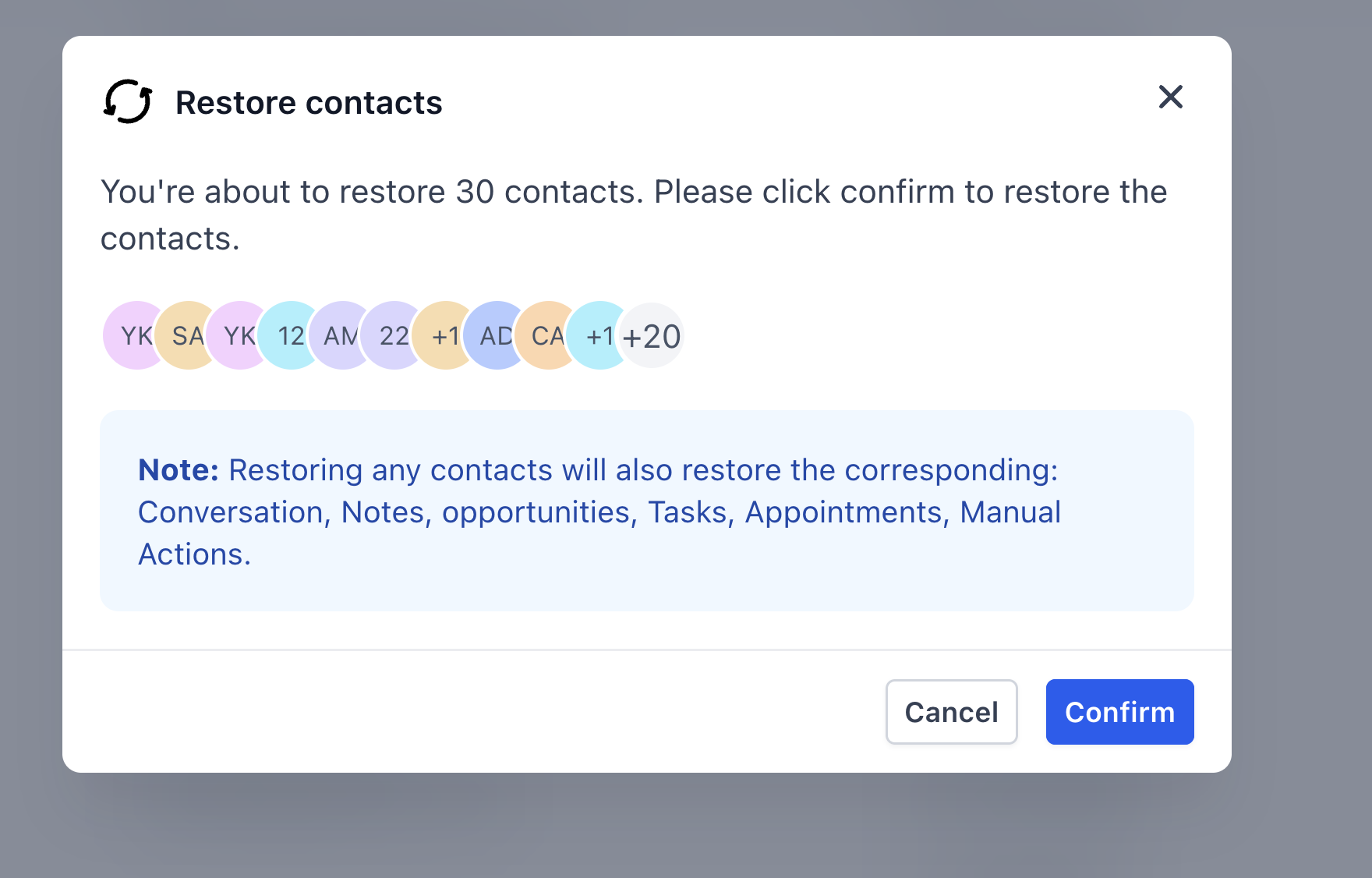
Two official sources, two different answers. The in product wording is the newer of the two, so it is probably the current behaviour, but delete one test contact in your own sub account, restore it, and look at what comes back before you build on the assumption. Two hard limits sit on top of that as well. Accounts in HIPAA mode cannot restore deleted contacts at all, and once 60 days have passed the record is gone permanently in every account.
Watching what your workflow actually deleted
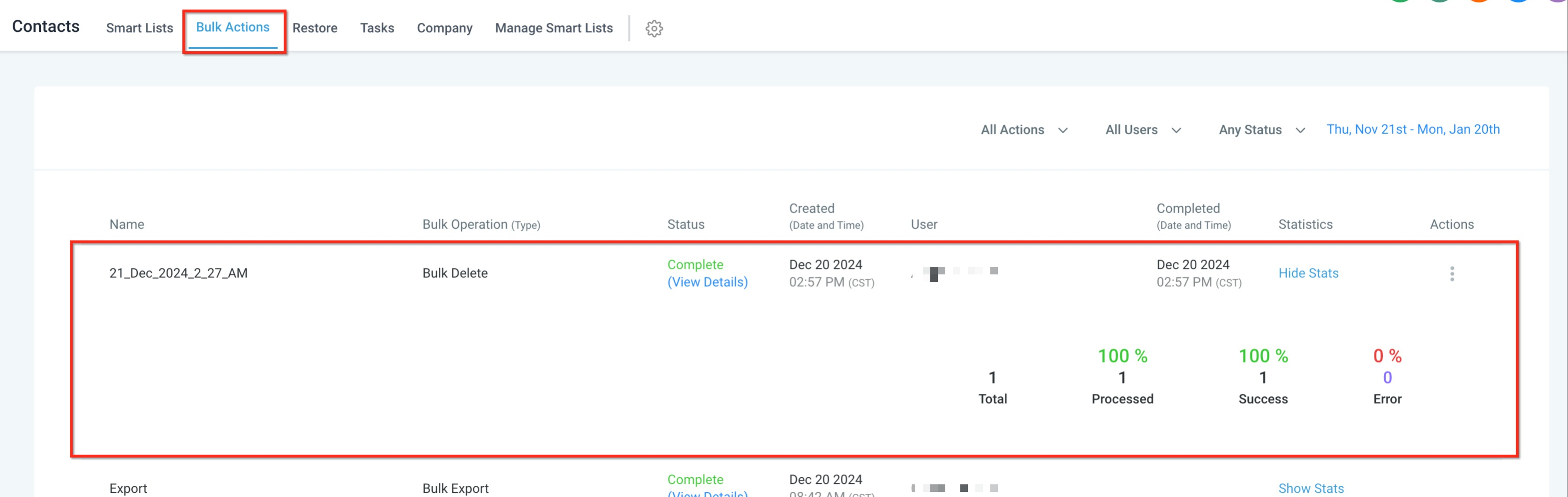
Deletions land on the Bulk Actions page under Contacts, with a status, a timestamp, the user who ran the operation and a statistics block showing how many records were processed, succeeded and errored. It is the closest thing to an audit trail you get, and the first place to look when someone asks why the contact count dropped overnight. The same page carries a Restore option on the three dots menu for reversing a whole bulk delete.
Gentler options before you reach for delete
Most people asking for automatic deletion do not actually want the data destroyed. They want the contact to stop receiving messages, or to stop cluttering a list:
Remove from Workflow pulls the contact out of one specific automation and leaves the record untouched. HighLevel names this as the direct alternative in its own article.
Enable DND stops outbound messaging on the channels you choose while keeping the full history.
A tag plus a smart list filter hides a segment from the views your team works in without deleting a thing.
Export to CSV first.One minute of work, and the only backup you genuinely control.
Mistakes worth avoiding
Testing on live data.Build it with a filter that matches one test contact, run it, check the result, then widen the filter.
Adding steps after the delete.They will not run. The contact is gone and the workflow run ends with it.
Treating restore as a backup.It expires after 60 days, it is unavailable in HIPAA accounts, and the documentation cannot agree on what it returns.
Leaving the trigger too broad.A tag that anyone on the team can apply by hand is a tag somebody will apply by accident.
Not telling the team.A workflow that silently removes records gets blamed on a platform bug for weeks before anyone thinks to look in Automations.
Frequently Asked Questions
Can I configure which contact the action deletes?
No. It has no settings at all and deletes whichever contact is active in that run, so every decision about who qualifies has to be made above it, in the trigger filters or an If Else branch.
Why did my actions after the delete step never run?
Because deletion is instant and it ends the run. The panel warns you that the action can only be the last step. Move notifications, webhooks and logging above it.
How long do I have to undo a deletion?
60 days, which HighLevel also describes as two months. After that the record is permanently removed. HIPAA compliant accounts cannot restore deleted contacts at any point.
Is there a way to stop messaging someone without deleting them?
Yes, and it is usually the better call. Enable DND, or use the Remove from Workflow action to pull them out of a specific automation. Both leave the record and its history intact.
Need Expert Help with GoHighLevel?
New to GoHighLevel and ready to get started? Buy your GoHighLevel account here and launch with confidence.
Already know what you need and want our team to handle everything, from complete setup and customization to funnels, workflows, automations, CRM, and pipelines? Click here.



