

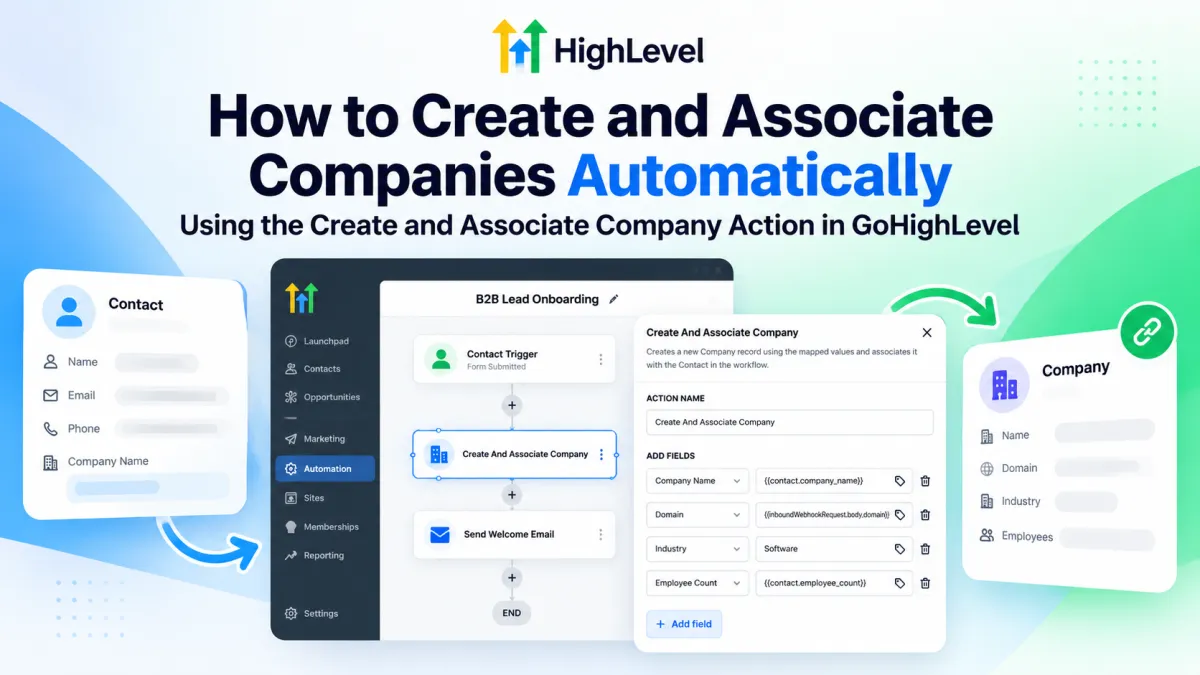
How to Create and Associate Companies Automatically in GoHighLevel
How to Create and Associate Companies Automatically Using the Create and Associate Company Action in GoHighLevel
Manual B2B CRM setup often starts with a simple problem: a new contact enters GoHighLevel, but someone still has to create the matching Company record and connect the two. The Create and Associate Company workflow action automates that specific step. In a Contact-based workflow, it creates a new Company from mapped data and is intended to associate it with the Contact that triggered the workflow.
That makes the action useful for B2B onboarding, lead capture, and enrichment where contact data arrives before a Company record exists. The key is understanding what it creates, what it associates, and its important existing-company limitation.
What the Create and Associate Company Action Does
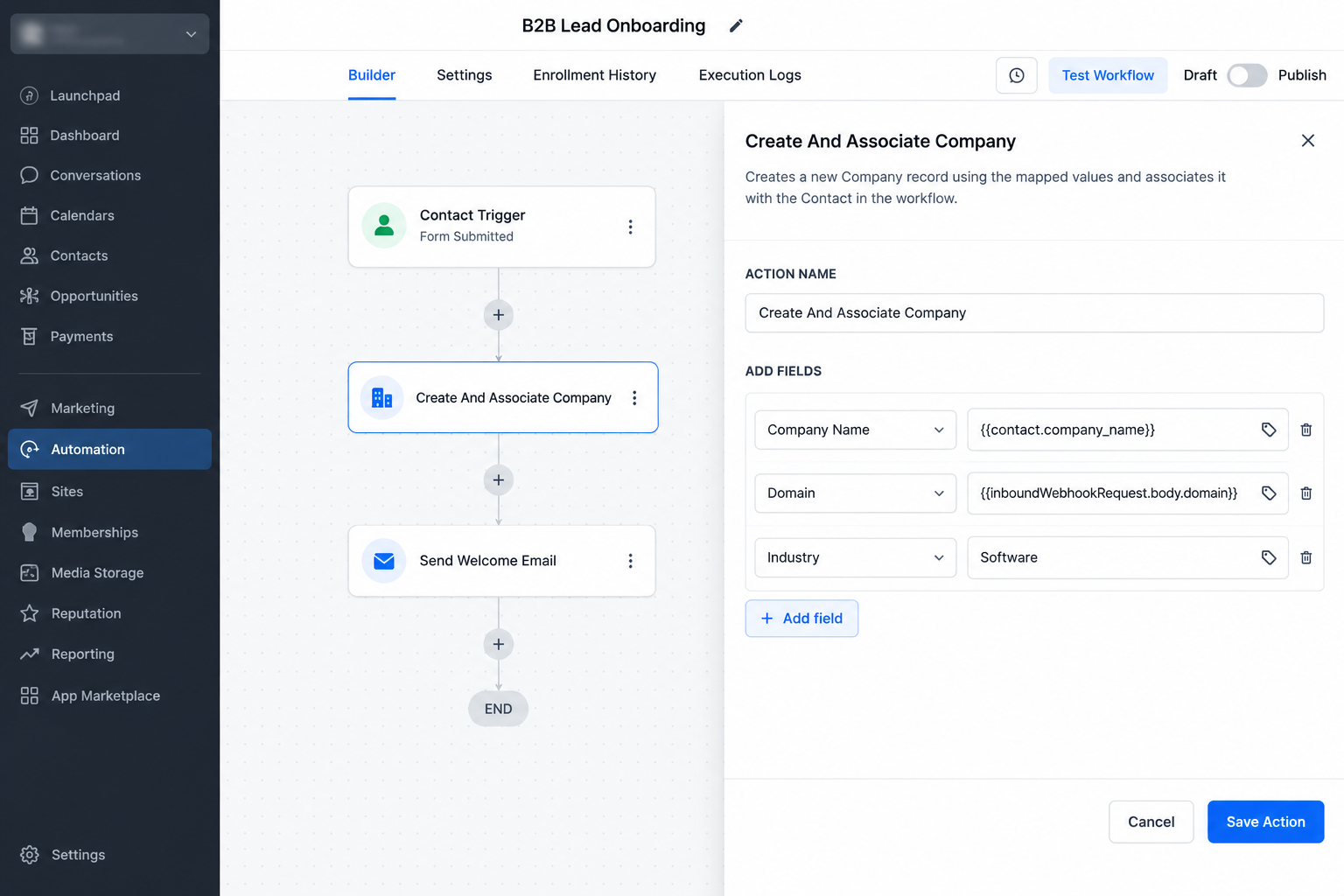
Create and Associate Company runs only in a Contact-based workflow. When it executes, HighLevel creates a new Company record using the field mappings configured in the action. The resulting relationship is visible under the Contact’s Associated Companies section and the Company’s Associated Contacts section.
There is one critical edge case. If the triggering Contact already has a linked Company, HighLevel still creates an additional Company record, but the newly created Company is not associated with that Contact. This action therefore does not perform duplicate detection, update an existing Company, or guarantee one Company per Contact.
It also differs from similarly named actions. Create Company or Associated Contact is documented for company-based workflows and can create a Company or a Contact associated with the current Company. Update Associated Company changes an existing Company linked to a Contact; it does not create a new Company. Associate Records finds and links existing records using configured matching rules.
How to Set It Up in a GoHighLevel Workflow
Use this practical implementation sequence:
Create or open a Contact-based workflow. This action is limited to that workflow context.
Choose a trigger that fits your process. A B2B form submission, new-contact event, or inbound webhook can be a use case, but the relevant trigger or integration must be configured for your workflow.
Add the Create and Associate Company action.
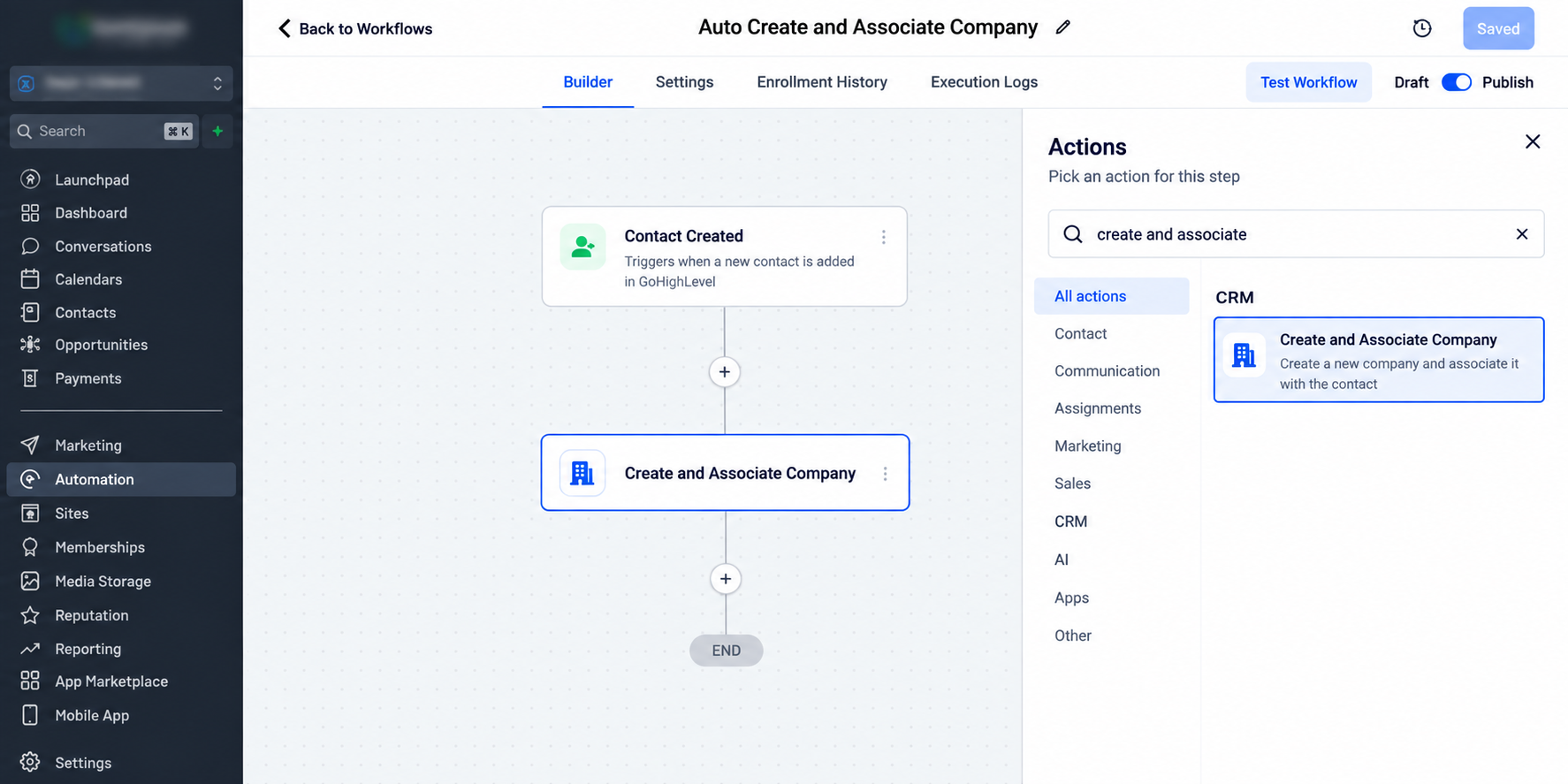
Selecting Create and Associate Company from the available workflow actions in a Contact-based workflow. Map the Company fields. HighLevel documents values from Contact fields, workflow variables, inbound webhook data, and fixed text.
Use + Add Field for additional Company mappings. Each row supplies a field-value pair for the Company record.
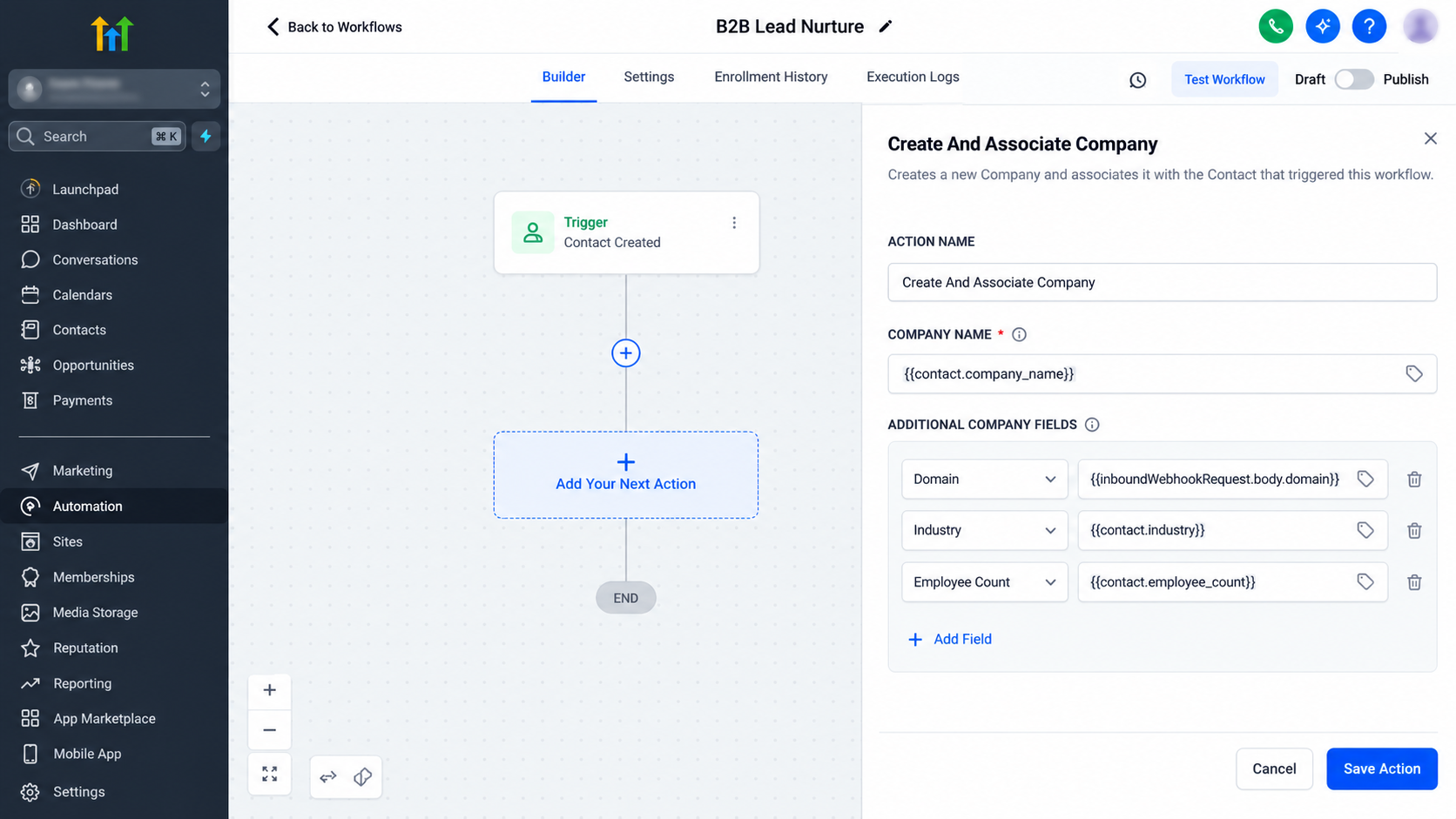
Company fields can be populated from available Contact data, workflow values, webhook data, or fixed text before the action is saved. Review the mappings and save the action. Verify that each source value is mapped to the intended Company field.
Test with representative data before publishing. Include normal records, missing values, and Contacts that may already have an associated Company.
Publish the workflow after the test results match your intended behavior.
Example: Contact Company Name Plus a Webhook Domain
Suppose a B2B lead enters a Contact-based workflow and you want the new Company record to use the business name stored on the Contact plus a domain supplied by an inbound webhook.
An illustrative field mapping could be:
Company Name →
{{contact.company_name}}Domain →
{{inboundWebhookRequest.body.domain}}Another Company field → an appropriate workflow value or fixed text
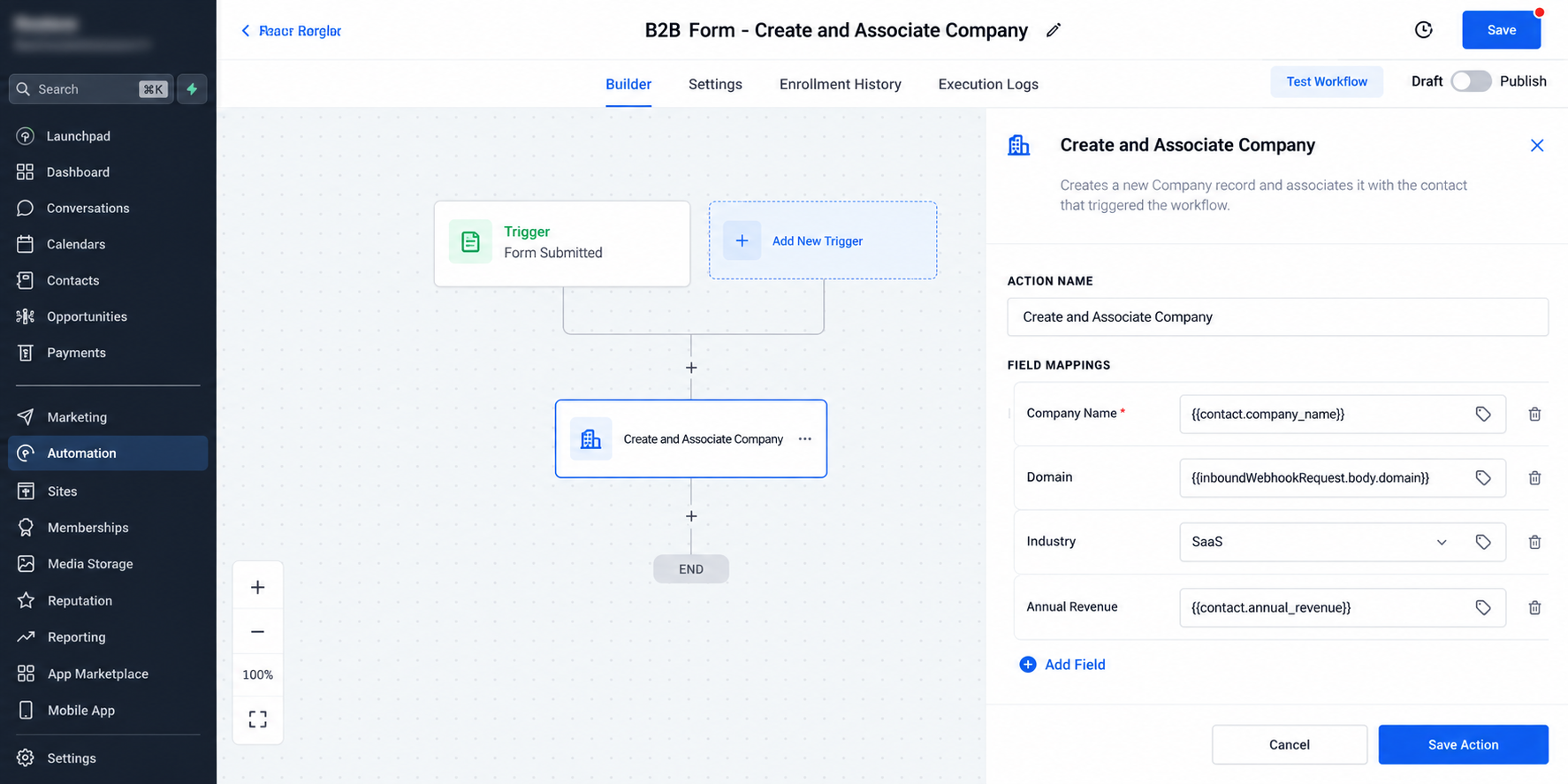
Illustrative mapping example using a Contact company name alongside domain data supplied through an inbound webhook.
These merge values are examples, not universal guarantees. The Contact must contain the source value you map, and webhook values require the relevant inbound webhook payload to be available in the workflow context. Exact field and variable availability can depend on your configuration.
For a Contact without an existing linked Company, the action creates the Company from those mapped values and associates it with the triggering Contact.
Field-Mapping Quality and Safe Testing
Automation will reproduce weak source data, so inspect it before publishing. Check contacts with missing or inconsistent company names, placeholder values, and malformed or absent webhook data.
Avoid a placeholder such as “Unknown Company” unless creating a real Company record with that name is acceptable. Otherwise, repeated runs can create records that later require cleanup.
Also test the existing-company edge case deliberately. Enroll a Contact that already has a linked Company and confirm your process can tolerate an additional, unassociated Company being created. If that result is unacceptable, account for it in your workflow logic or broader CRM process rather than assuming this action will find or reuse the existing Company.
Troubleshooting the Automation
If a Company is created with incorrect data, inspect the field mapping first. Confirm that each source value exists when the action runs and is mapped to the correct Company field.
If the Company is created but is not associated with the Contact, check whether the Contact already had a linked Company. That documented condition changes the association behavior.
If your actual goal is to update an existing associated Company, use Update Associated Company. If you need to locate existing records through matching rules and link them, Associate Records is the more relevant action.
Conclusion
The Create and Associate Company action provides a focused way to automate Company record creation inside Contact-driven B2B workflows. With accurate field mapping and representative testing, it can remove a repetitive setup step while preserving the company-contact association.
Its main limitation is equally important: it does not deduplicate or update existing Companies, and a Contact that already has a linked Company causes the new Company to be created without a new association. Design around that behavior before publishing.
Frequently Asked Questions (FAQs)
1. Does Create and Associate Company prevent duplicate Companies?
No. HighLevel does not document duplicate detection for this action. It creates a new Company record when it runs.
2. What happens if the Contact already has an associated Company?
A new Company is still created, but that newly created Company is not associated with the triggering Contact.
3. Can I use webhook data when mapping Company fields?
Yes. The official documentation lists inbound webhook payloads as a supported dynamic value source, provided the relevant webhook data is available in the workflow context.
4. How is this different from Associate Records?
Create and Associate Company creates a new Company record from mapped values. Associate Records instead searches for qualifying existing records using configured filters and matching strategies, then creates associations between records.
Need Expert Help with GoHighLevel?
New to GoHighLevel and ready to get started? Buy your GoHighLevel account here and launch with confidence.
Already know what you need and want our team to handle everything, from complete setup and customization to funnels, workflows, automations, CRM, and pipelines? Click here.



