

Turning Cold Leads Into Appointments With GoHighLevel
How to Convert Cold Leads Into Appointments With GoHighLevel
A cold lead is not a booked appointment. Getting a name, phone number, or email into your CRM is only the first step. The real challenge begins afterward: getting the lead to respond, understanding their interest, following up at the right time, and giving them a clear path toward a conversation. GoHighLevel can connect these stages into one structured lead conversion system instead of leaving each step to manual follow up.
Start With a Clear Lead Journey
Before building workflows, define the journey you want the lead to take.
A practical structure is:
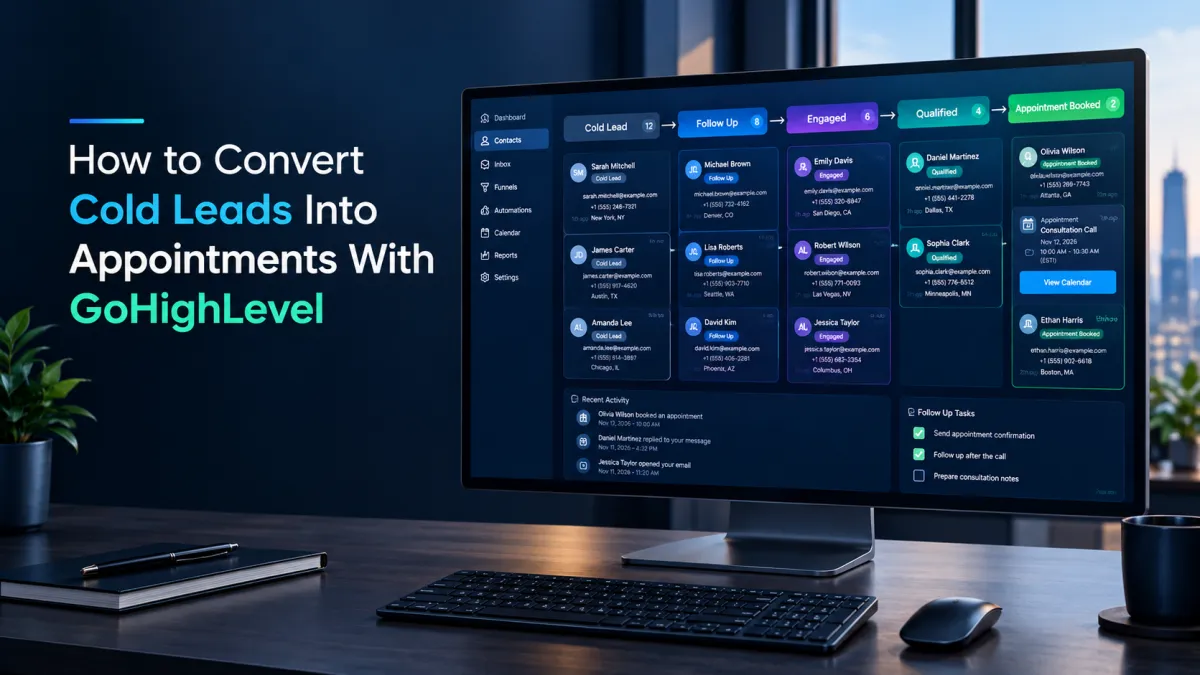
Cold Lead → Initial Follow Up → Engagement → Qualification → Appointment Opportunity → Booked Appointment
This structure gives every automation a purpose. Instead of sending the same message to every contact, the system responds according to where the lead is in the process.
For example, imagine a roofing company receives a new cold lead from an external lead source. Once the contact enters GoHighLevel, the CRM becomes the central place for storing the contact information, tracking communication, and managing the next steps.
Bring Cold Leads Into the CRM
The first requirement is getting lead information into GoHighLevel consistently. Depending on the acquisition method, contacts can enter through forms, integrations, imports, or other supported lead sources.
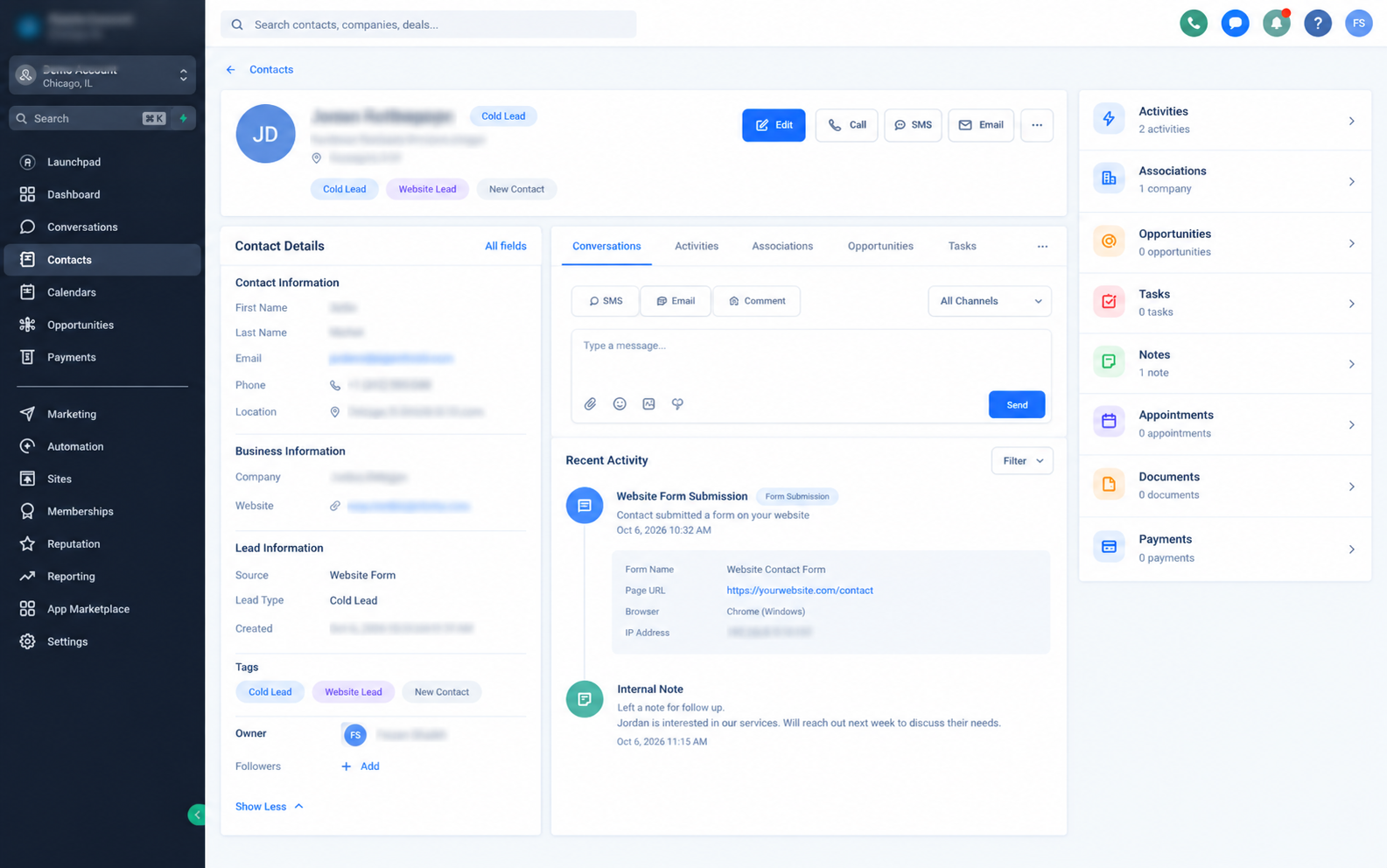
Once the contact exists in the CRM, organize the record so the business can understand who the lead is and where they came from.
Tags can be useful for categorization and can also be used as workflow triggers when a tag is added or removed.
For example, a business might use tags such as “New Lead,” “Interested,” or “Qualified.” These labels should represent meaningful states or characteristics rather than becoming a collection of random labels.
Build Follow Up Around Lead Context
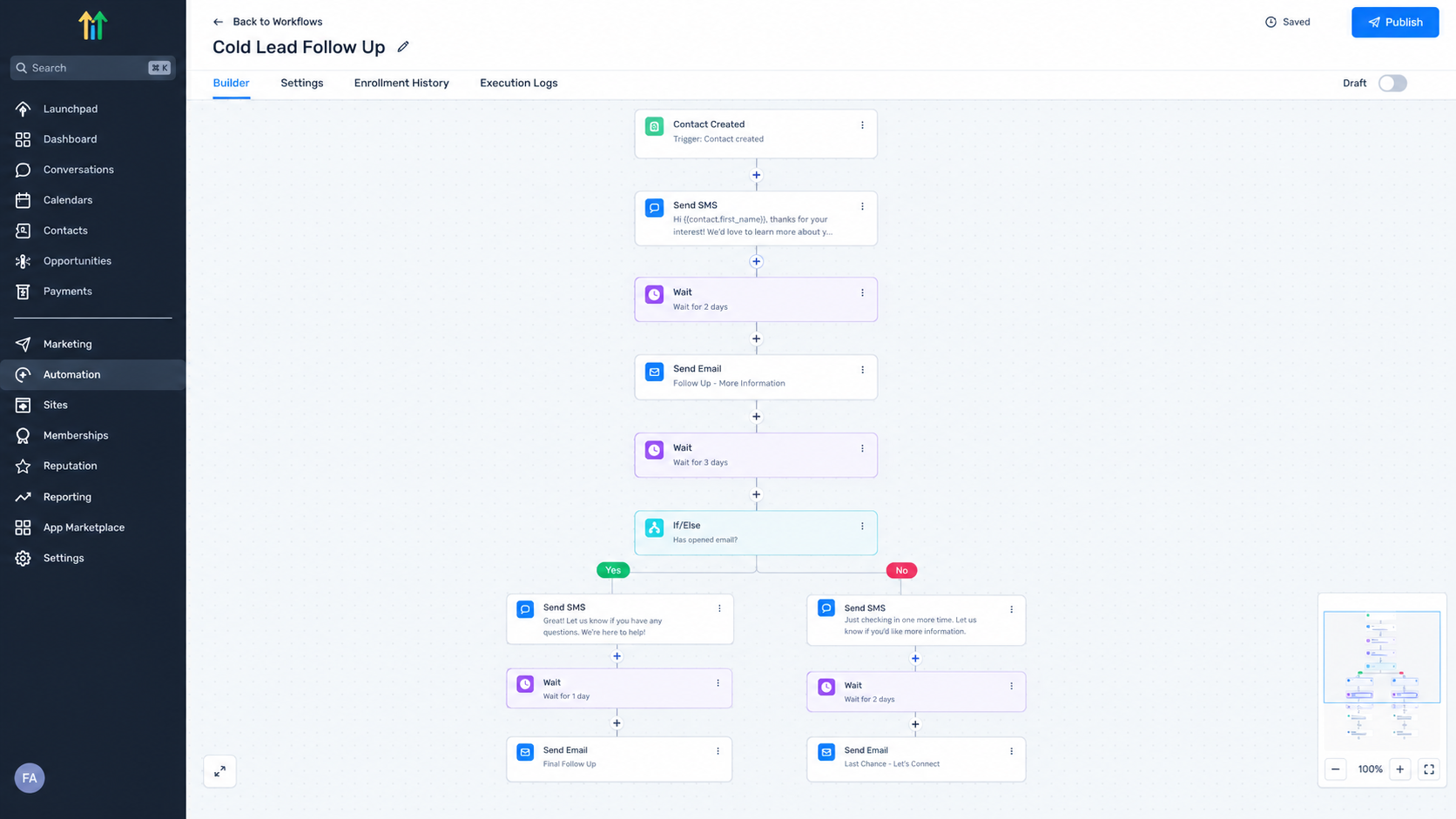
The next step is creating a follow up process. GoHighLevel workflows can start from defined events and then perform actions such as sending SMS or email messages. This distinction matters because the trigger determines when the workflow begins, while the actions determine what happens afterward.
A cold lead should not simply receive a long sequence of identical messages.
Instead, the system should provide useful reasons to continue the conversation. An initial message might acknowledge the inquiry or introduce the business. A later message can ask a simple qualifying question. If the lead responds, the conversation can move forward based on that response.
Timing also matters. A well built follow up sequence uses appropriate wait periods instead of sending multiple messages without considering whether the person has already replied.
Let Responses Change the Journey
The strongest part of a lead conversion system is what happens after the lead responds.
Suppose the roofing lead replies that they need an estimate. That response indicates a higher level of intent than a contact who has not replied at all.
At this point, the system can move toward qualification and appointment booking instead of continuing the same cold lead sequence.
Conversation AI can also support this stage. Depending on the configuration, Conversation AI can help with appointment booking and can trigger workflows when defined conversation conditions are met.
The important principle is that automation should react to meaningful customer behavior. It should not continue treating an interested lead like an untouched cold lead.
Move Qualified Leads Toward Appointment Booking
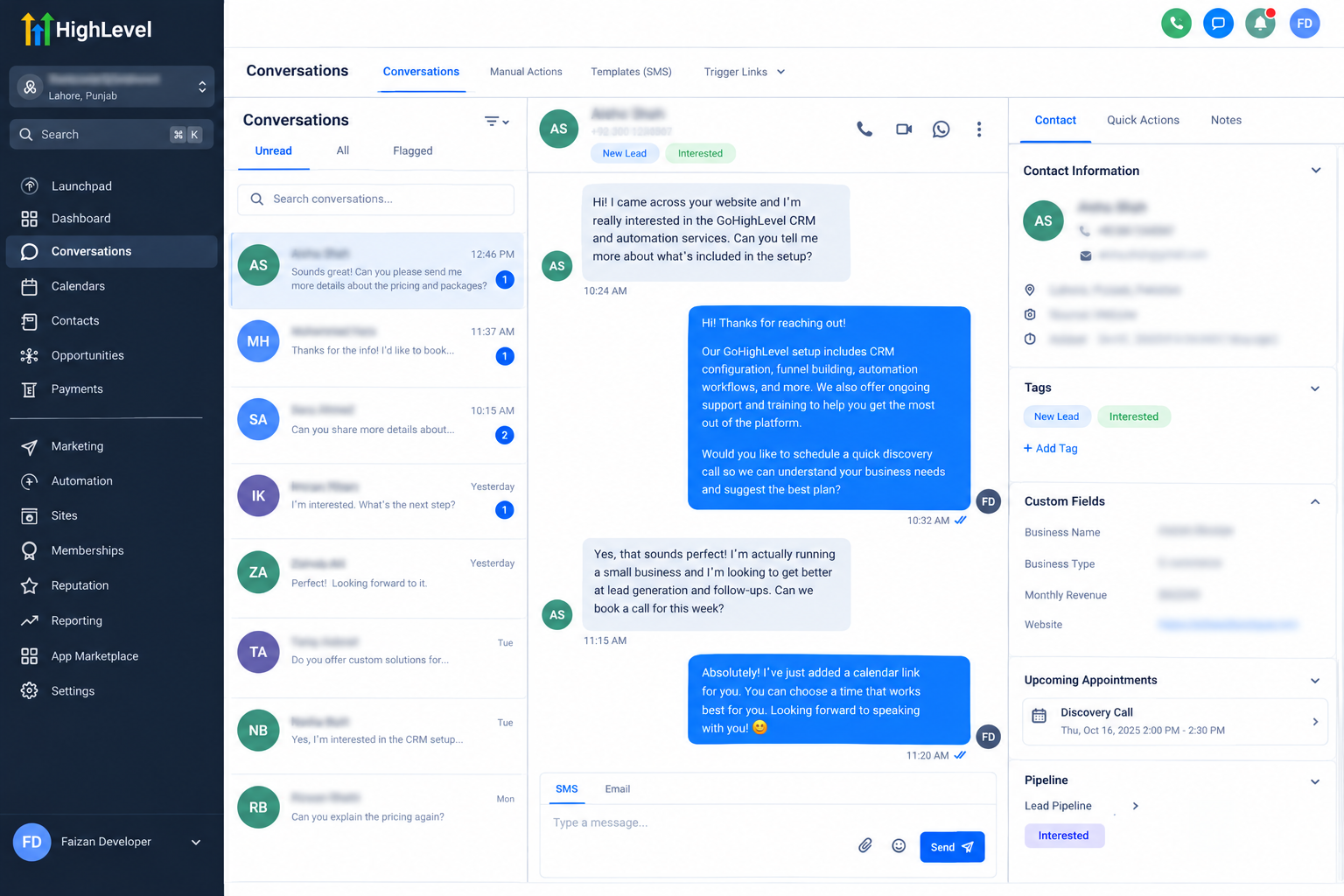
Once a lead is interested and qualified, appointment booking becomes the next logical step.
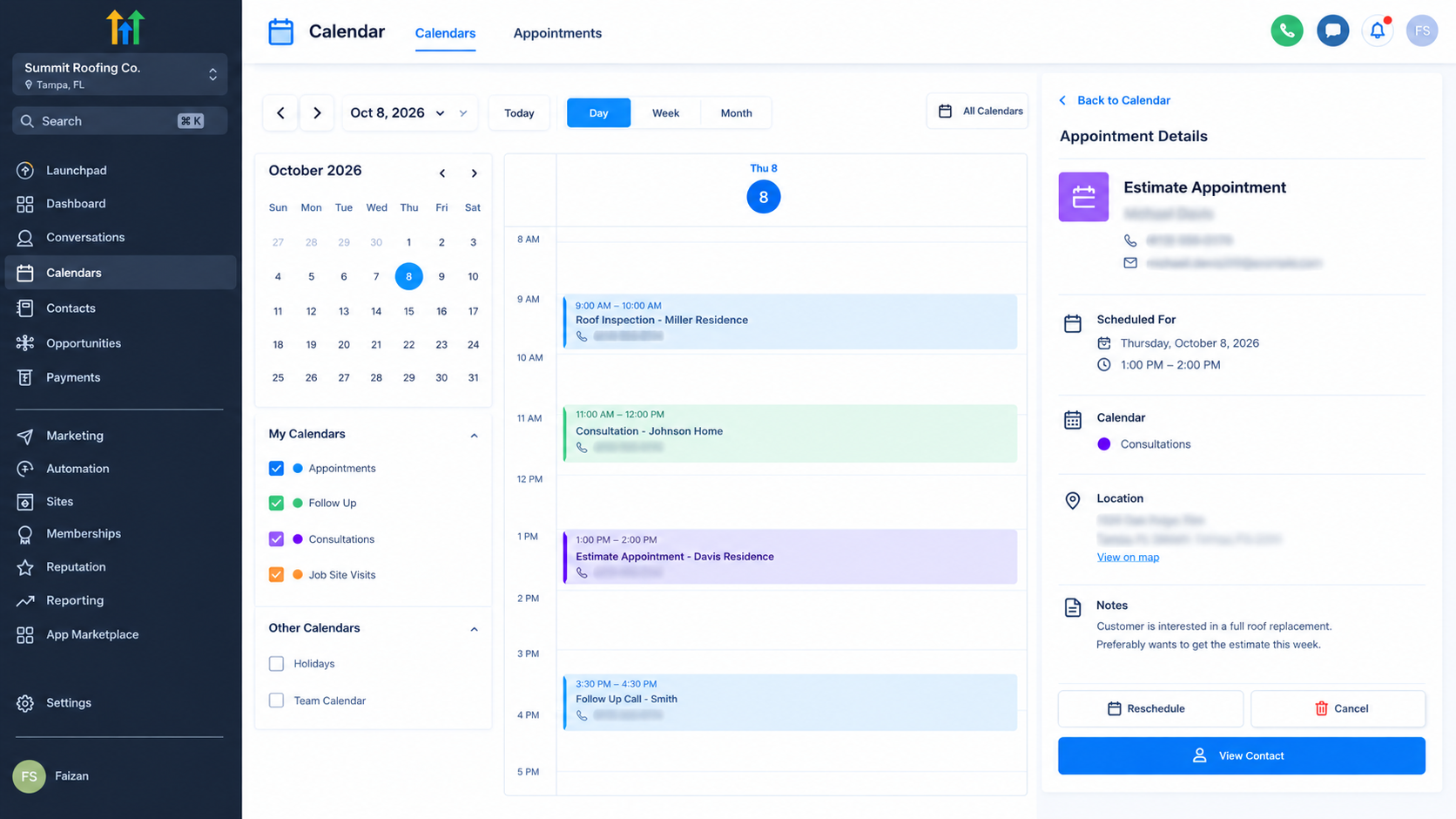
GoHighLevel provides calendars that allow businesses to present available appointment times. Workflows can also use the Book Appointment action when a specific workflow based booking process is appropriate.
For conversational booking, GoHighLevel also provides an Appointment Booking Conversation AI action that can use a selected calendar, suggest available times, and continue the workflow based on whether an appointment was booked.
For example, if the roofing lead confirms that they want an estimate, the conversation can guide them toward available appointment times. Once they select a suitable time, the appointment is created in the appropriate calendar.
Handle Every Outcome
A good system needs a different next step for different lead outcomes.
If the lead responds positively, move the conversation toward qualification and booking.
If the lead does not respond, continue an appropriate follow up sequence rather than treating silence as an immediate rejection.
If the lead says they are not ready, the system can stop the immediate booking push and place them into a suitable future follow up process.
If the lead becomes qualified, give them a direct path toward the appropriate calendar.
If the lead books, stop cold lead messaging and transition them into appointment related communication.
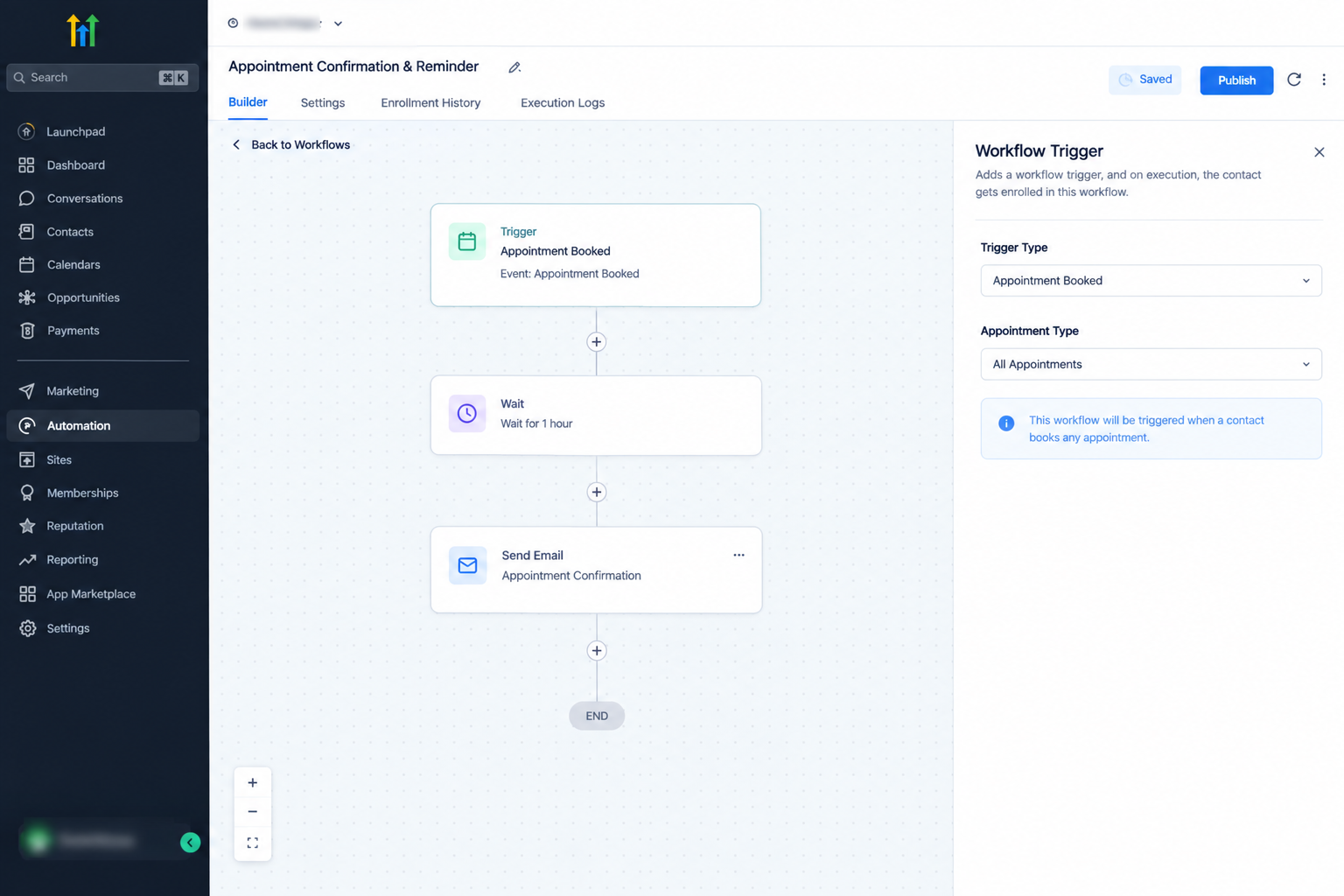
GoHighLevel has appointment based workflow triggers, including Customer Booked Appointment and Appointment Status, which can be used to start automation around appointment events.
What Happens After Booking
Booking the appointment should change the lead's journey.
The contact should no longer receive messages designed to convince them to book. Instead, the system can send appropriate confirmation or reminder communication and notify the team when necessary.
For example, a workflow triggered by an appointment event can send an email or SMS containing appointment information. GoHighLevel supports automated SMS and email actions inside workflows.
This creates a clean transition from lead conversion to appointment management.
Build the System Around Decisions
The goal is not to automate every possible message. The goal is to automate the right next step.
A cold lead needs a reason to engage. An engaged lead needs relevant qualification. A qualified lead needs a simple booking path. A booked lead needs appropriate appointment communication.
When these stages are connected inside GoHighLevel, the CRM becomes more than a contact database. It becomes the central system for managing the journey from initial outreach to scheduled conversation.
Conclusion
Converting cold leads into appointments is not simply about sending more messages. It requires a structured system that understands where each lead is, responds to their behavior, and gives interested prospects a clear path forward.
GoHighLevel can bring the CRM, conversations, follow up, workflow automation, and appointment booking process into one connected system. The objective is to consistently move the right leads from initial contact toward meaningful conversations and booked appointments.
Frequently Asked Questions (FAQs)
Can GoHighLevel automatically follow up with cold leads?
Yes. Workflows can send automated SMS and email messages based on configured triggers, actions, and timing.
Can GoHighLevel book appointments automatically?
Yes. GoHighLevel supports appointment booking through calendars and also provides workflow and Conversation AI options for supported booking scenarios.
What happens if a cold lead does not respond?
You can place the lead into a structured follow up sequence with appropriate timing and messaging instead of repeatedly sending the same message.
Can GoHighLevel change automation after a lead responds?
Yes. Workflow triggers and Conversation AI capabilities can be configured to react to specific events or conversation conditions and start appropriate next steps.
How do I track leads after they book?
Use appointment related workflow triggers and CRM information to transition the contact from lead conversion into appointment confirmation, reminders, and subsequent follow up.
Need Expert Help with GoHighLevel?
New to GoHighLevel and ready to get started? Buy your GoHighLevel account here and launch with confidence.
Already know what you need and want our team to handle everything, from complete setup and customization to funnels, workflows, automations, CRM, and pipelines? Click here.



