

Here are some options: AI-Powered Conversations & Voice: The Future of Client Communication in GHL
Conversation AI & Voice AI in GoHighLevel
The hardest part of running a busy business is being available. Leads message at midnight, call during a job, and expect an answer now, and the business that responds first usually wins. GoHighLevel's AI Agents are built to close that gap with two complementary tools: Conversation AI, which handles text-based chats, and Voice AI, which actually answers the phone and talks to callers.
Together they act like tireless staff who never sleep, never take a lunch break, and reply in seconds. This guide explains what each one does, how they are set up, and where they fit in a real business without the hype, and with a clear-eyed view of what they are good at.
Two AI employees under one roof
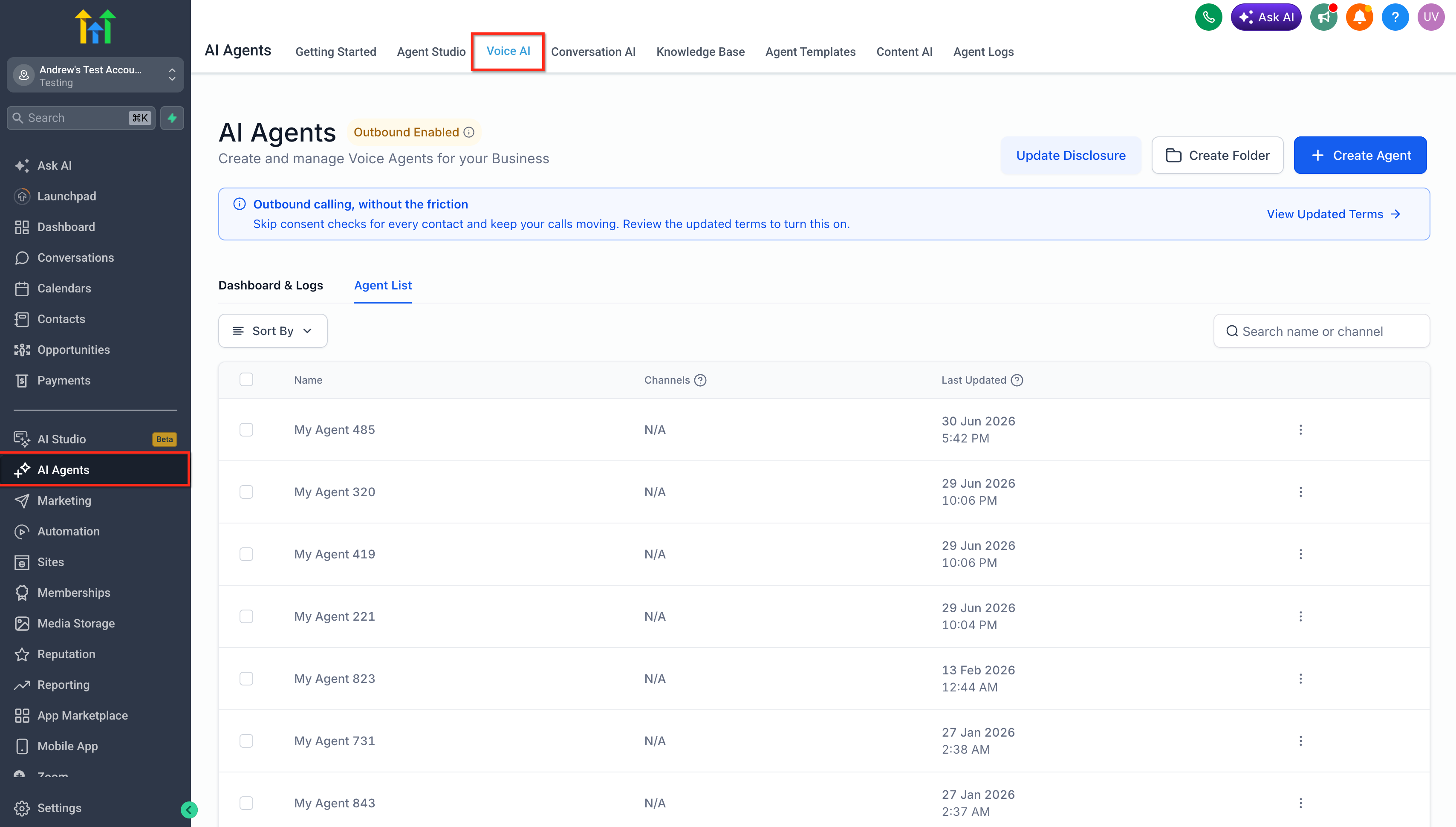
Both tools live in the AI Agents area of GoHighLevel, organized into tabs for Conversation AI, Voice AI, and the training and templates that support them. The mental model is simple: Conversation AI is your chat rep, working across SMS, web chat, and social messages; Voice AI is your receptionist, answering inbound phone calls.
Because both sit inside the same CRM, everything they do, a qualified lead, a booked appointment, a captured phone number, flows straight into your contacts, pipelines, and workflows. The AI is not a bolt-on; it is a member of the same team as your automations.
Conversation AI: your 24/7 chat rep
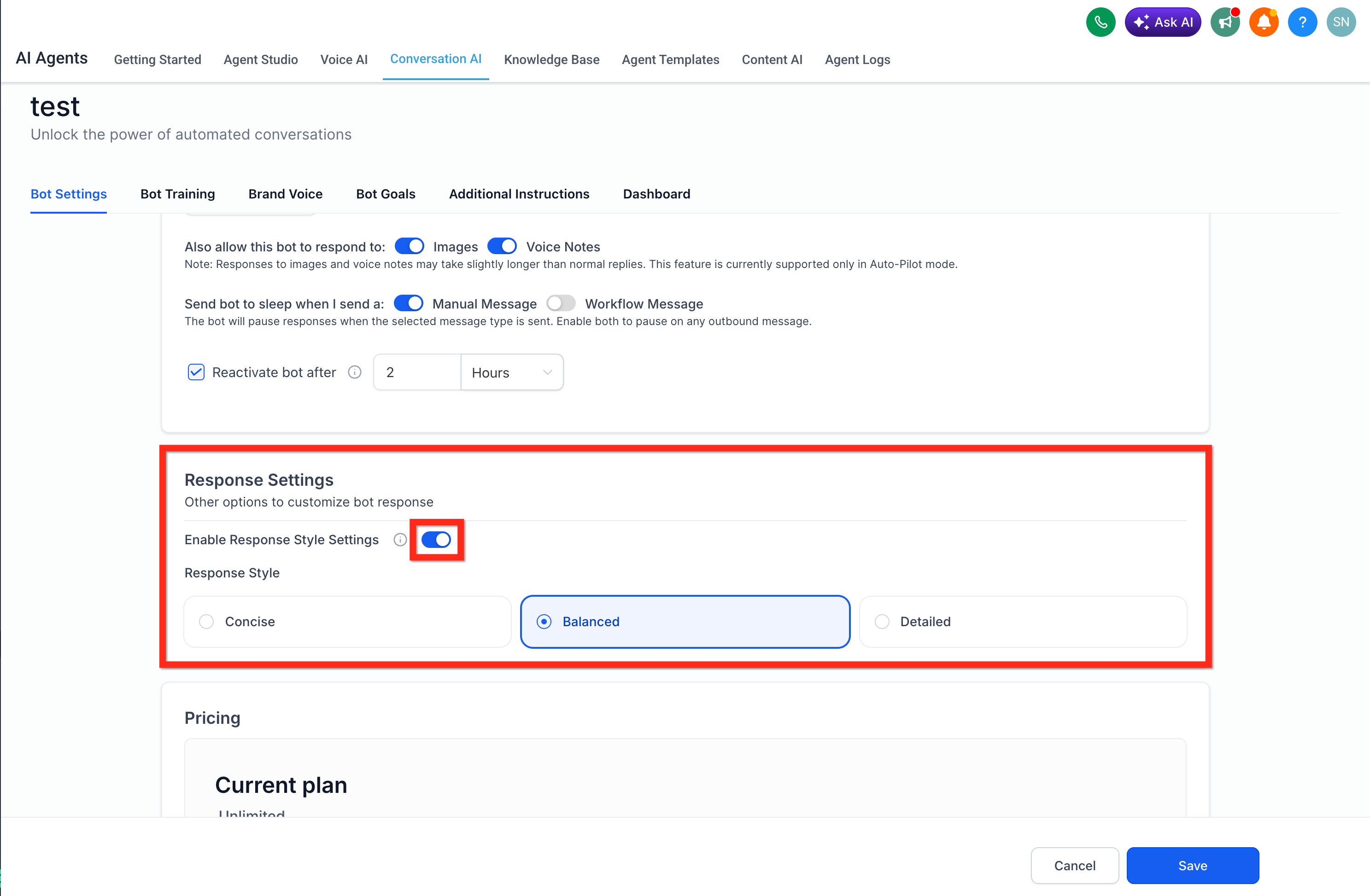
Conversation AI replies to text-based conversations on your behalf. When a lead messages your business, the bot can answer questions, qualify the person, and even book them into a calendar, instantly, at any hour. You control how it behaves through its settings, from how long it waits before replying to how it handles handing off to a human.
One useful control is response style. You can tune the bot to be Concise, Balanced, or Detailed, so its answers match your brand's voice rather than sounding like a generic robot. There is also an auto-pilot mode for full autonomy and a suggestive mode where the AI drafts replies for a human to approve, helpful while you build trust in it.
Training the bot on your business
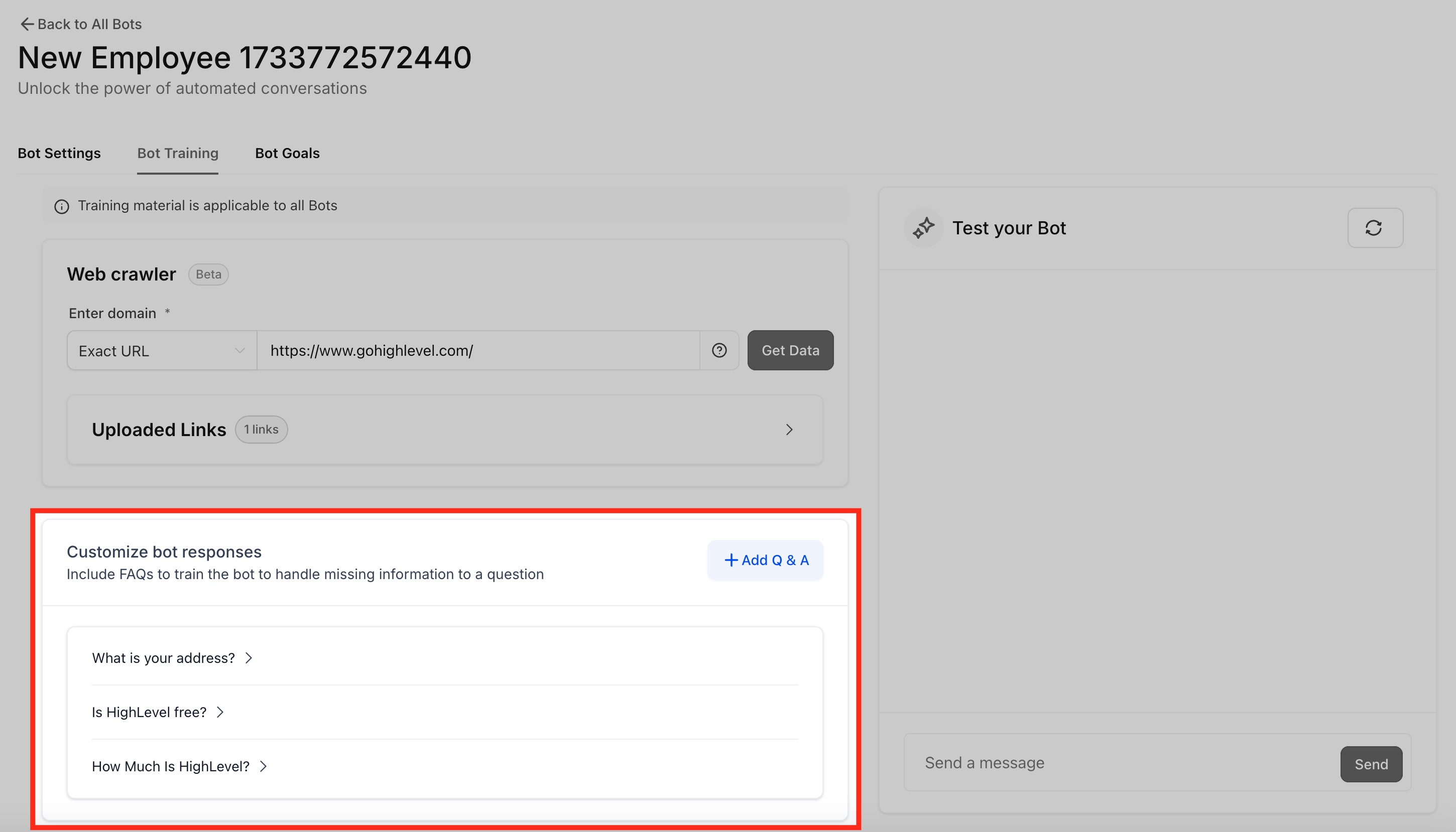
An AI is only as good as what it knows, and GoHighLevel lets you train the bot on your specific business. You can feed it your website through a web crawler, upload documents, and, importantly add custom question-and-answer pairs so the bot handles the exact questions your customers ask, with the exact answers you approve.
This is where a bot goes from generic to genuinely useful. Teach it your pricing approach, your service area, your booking policy, and your FAQs, and it stops guessing and starts answering like someone who actually works there. We always recommend investing real time in this step; it is the difference between a helpful agent and an embarrassing one.
Voice AI: an agent that answers the phone
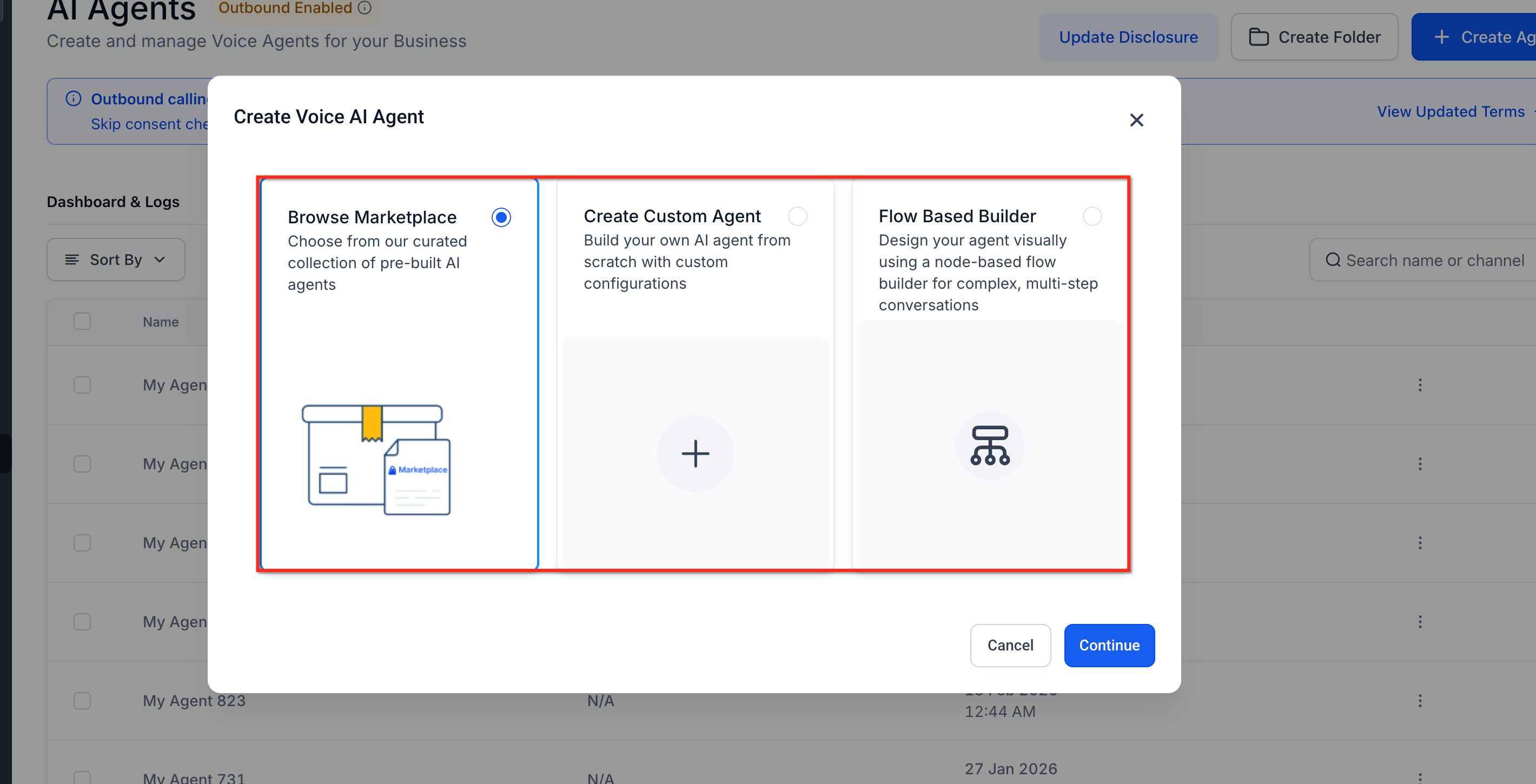
Voice AItakes the same idea to the phone line. It answers inbound calls with a natural-sounding voice, talks to the caller, answers their questions, collects the details you need, and can take actions like transferring the call or triggering a workflow. For a business that misses calls during jobs or after hours, it is the equivalent of a receptionist who is always on duty.
You create a Voice AI agent from the AI Agents area, starting from a pre-built template or building your own from scratch. Note that Voice AI works on accounts using the platform's built-in phone numbers, which is worth confirming before you plan around it.
Give the agent a role and goals
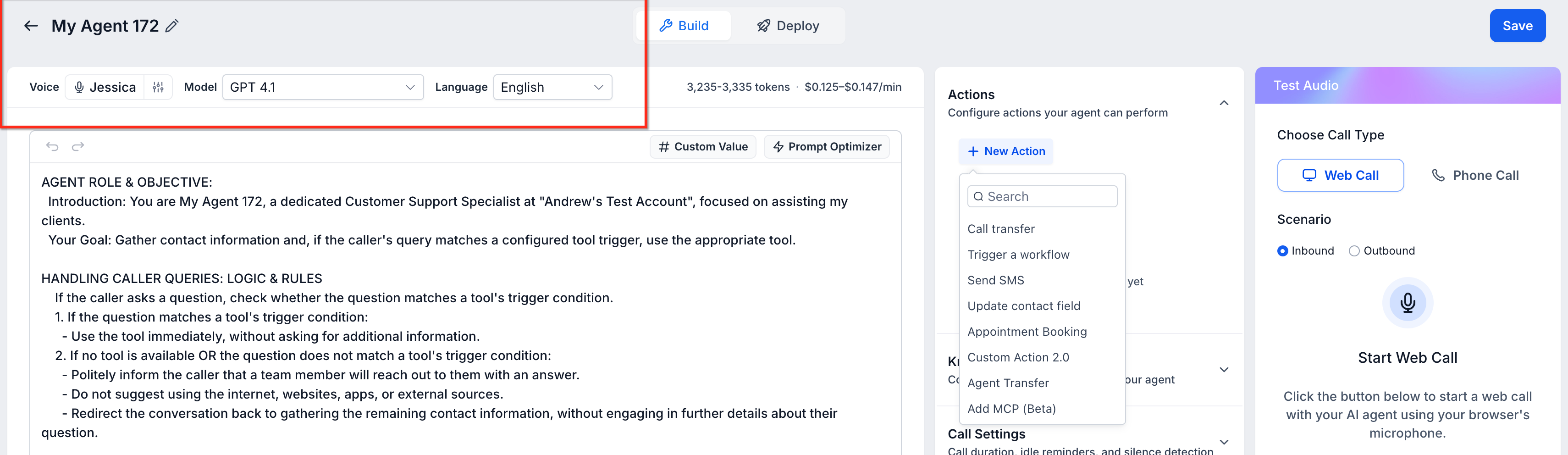
Configuring a Voice AI agent is mostly about telling it who it is and what it is trying to accomplish. You give it a role and objective, "you are the front desk for a heating-and-cooling company, and your goal is to book service appointments", and set the information you want it to gather from each caller, like name, address, and the nature of the problem.
You can also choose its voice and language, and add guardrails that keep it on-script and honest, for example, instructing it not to invent details it hasn't been given. The clearer the role and goals, the more reliably the agent behaves on a live call.
Point it at a number and go live
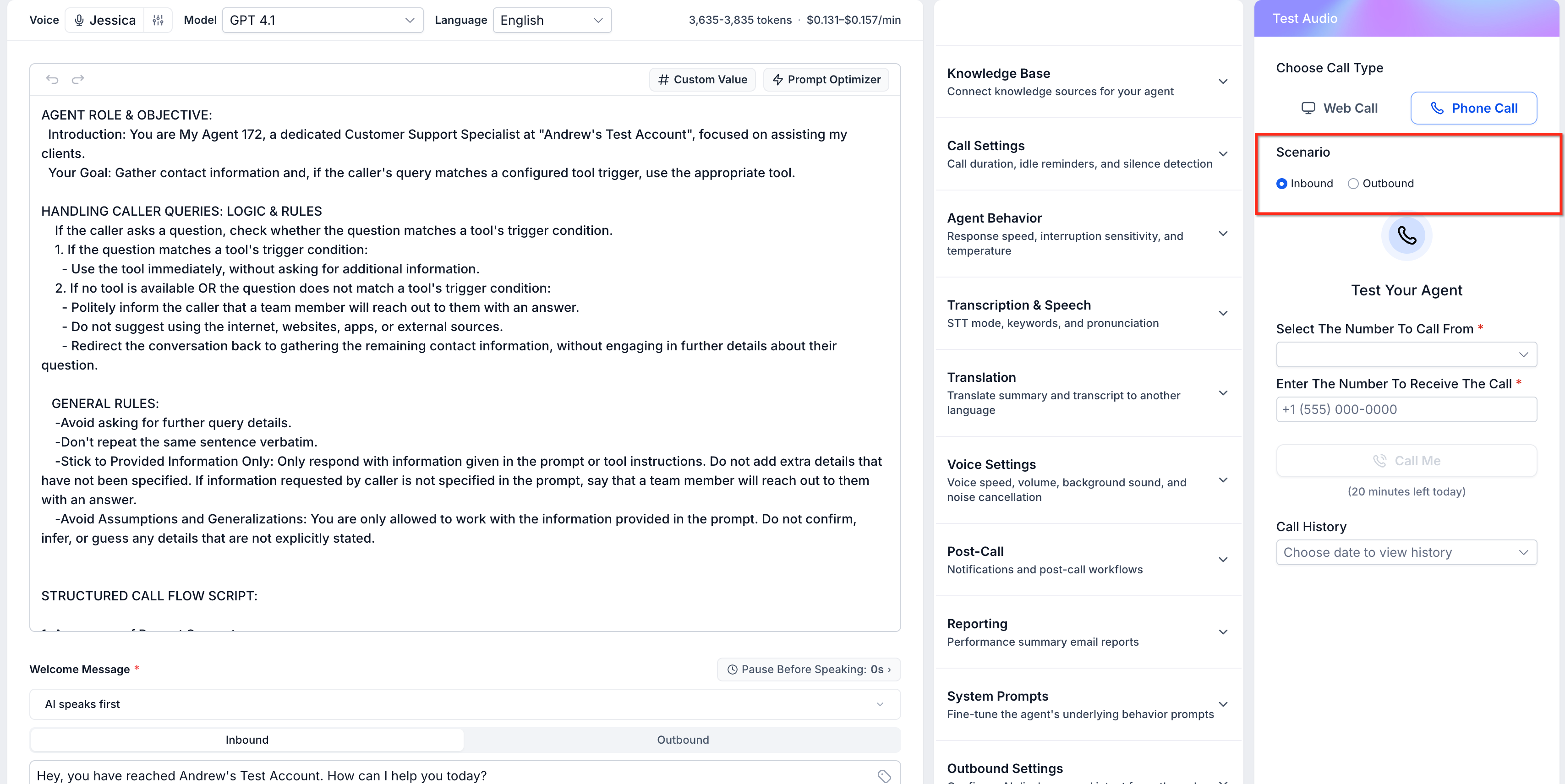
The final step is connecting the agent to a phone number and deciding how calls flow. You assign the agent to one of your numbers, set its availability, and configure what happens on an inbound call, whether the AI answers directly, and when it should hand off to a person or transfer elsewhere.
Before going live, you can test the agent with a call to hear exactly how it sounds and handles questions. Once you are satisfied, it starts answering real calls, capturing every conversation into the CRM so nothing said on the phone is lost.
Where AI agents fit — and where humans still win
Used well, these agents solve a specific, expensive problem: speed and availability. They make sure a lead who reaches out at 11pm gets a real response, a caller during a busy shift still gets booked, and repetitive questions get answered without tying up staff. Because everything routes back into GoHighLevel, the AI feeds your pipelines and workflows instead of living in a silo.
They are not a replacement for human judgement on complex or sensitive conversations, and we generally advise starting in a supervised mode, watching the transcripts, and expanding autonomy as the bot proves itself. Set up thoughtfully and trained on your business, though, Conversation AI and Voice AI let a small team respond like a much larger one — around the clock.
Frequently Asked Questions
What is the difference between Conversation AI and Voice AI?
Conversation AI handles text-based conversations, SMS, web chat, and social messages replying, qualifying, and booking by text. Voice AI answers actual phone calls with a natural voice, talking to callers and collecting information. Many businesses use both together.
Can the AI book appointments on its own?
Yes. Both agents can be configured to book directly into your GoHighLevel calendars during the conversation, so a qualified lead can be scheduled without a human stepping in.
How does the AI know about my business?
You train it. Conversation AI can crawl your website, read uploaded documents, and use custom question-and-answer pairs you provide, so it answers with your real pricing, policies, and FAQs rather than generic guesses.
Will callers know they are talking to AI?
Voice AI uses a natural-sounding voice, and you control its script and disclosures. Many businesses choose to let the agent identify itself; how transparent to be is your decision, and being upfront is generally the safer, more trusted approach.
Is there a way to keep a human in the loop?
Yes. Conversation AI offers a suggestive mode where it drafts replies for a person to approve, and both agents can hand off or transfer to a human. Starting supervised and expanding autonomy over time is the approach we usually recommend.
Ready to put AI agents to work?
Wispcode sets up GoHighLevel Conversation AI and Voice AI, trained on your business, wired into your calendars and pipelines, and tuned so leads get answered day and night. Book a free consultation to get started.
Need Expert Help with GoHighLevel?
New to GoHighLevel and ready to get started? Buy your GoHighLevel account here and launch with confidence.
Already know what you need and want our team to handle everything, from complete setup and customization to funnels, workflows, automations, CRM, and pipelines? Click here.



