

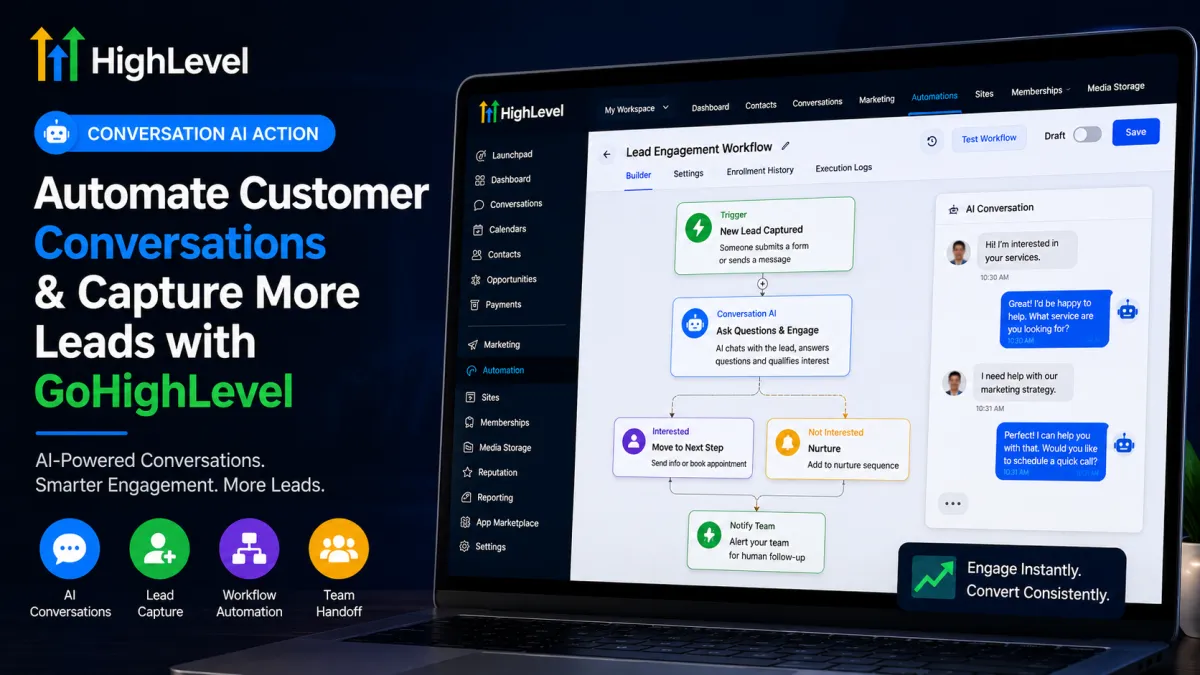
Automate Customer Conversations & Capture More Leads with GoHighLevel
How to Automate Customer Conversations and Capture More Leads Using the Conversation AI Action in GoHighLevel
A lead can show interest at any timeby replying to a message, asking about a service, or responding to an offer. The problem is that even a short delay can cause that conversation to go cold.
GoHighLevel helps businesses address this with Conversation AI, including the Conversation AI Action available inside workflows. Instead of relying only on fixed, pre-written messages, the action can send an AI-generated message, wait for the contact's response, and route the workflow according to what the contact says.
When used properly, this creates a more responsive way to automate customer conversations and keep potential leads moving toward the next step.
What Is the Conversation AI Action in GoHighLevel?
The Conversation AI Action in GoHighLevel is a workflow action designed for AI-powered interaction with a contact.
Unlike a standard Send Message action, which sends predetermined content, Conversation AI generates a response using the configured bot's personality, instructions, question, training information, and conversation history. It can then wait for the contact's reply and use branches and conditions to determine what happens next.
This distinction is important: Conversation AI is an action, not a workflow trigger. A trigger starts the workflow; the Conversation AI Action performs a conversational step within that workflow.
The current action supports channels including SMS, Facebook, Instagram, WhatsApp, and Live Chat, depending on the available configuration.
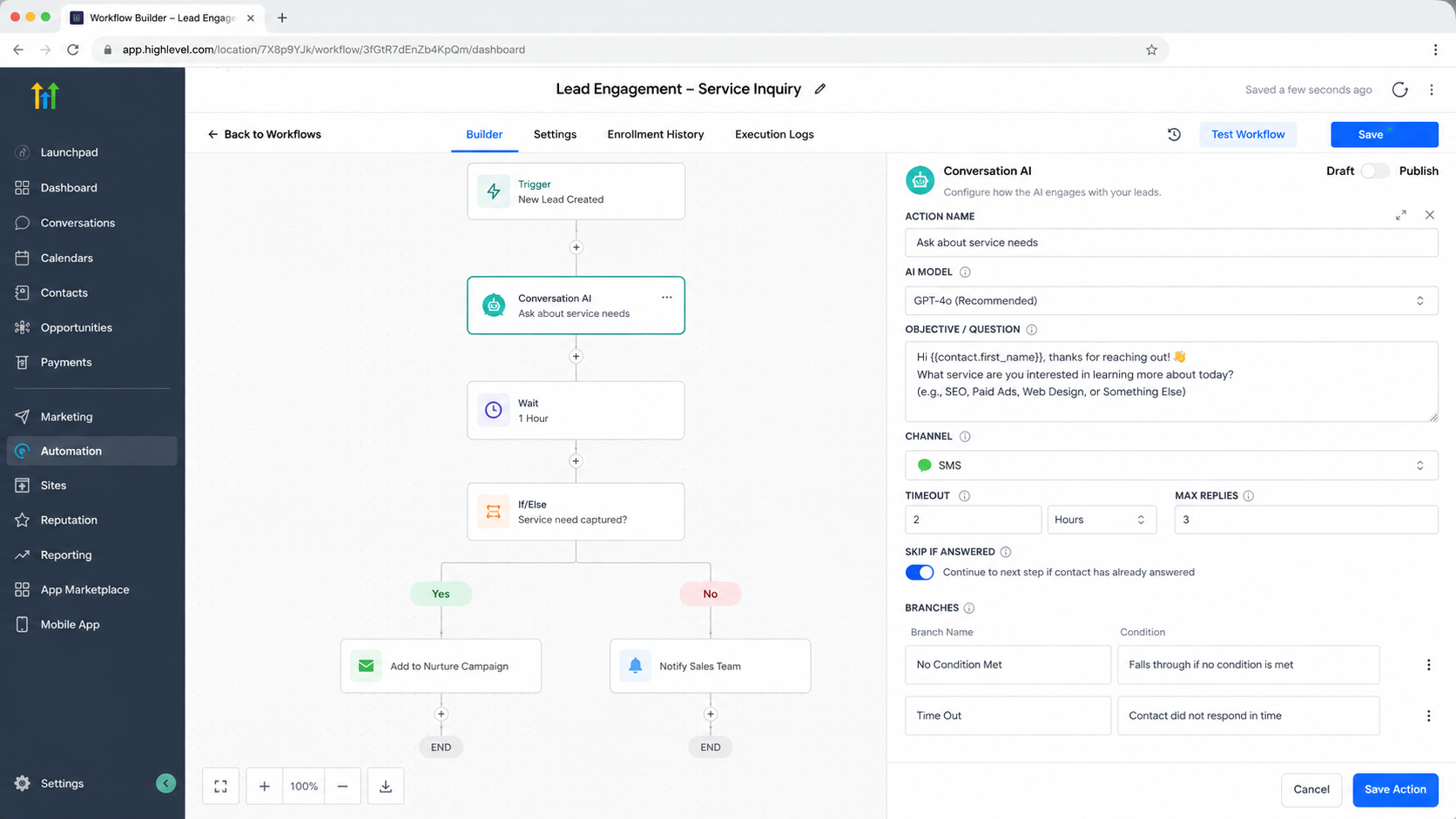
How Conversation AI Fits Into a GoHighLevel Workflow
The basic logic looks like this:
Trigger → Conversation AI Action → AI-generated message → Contact replies → Branch/condition → Next workflow step
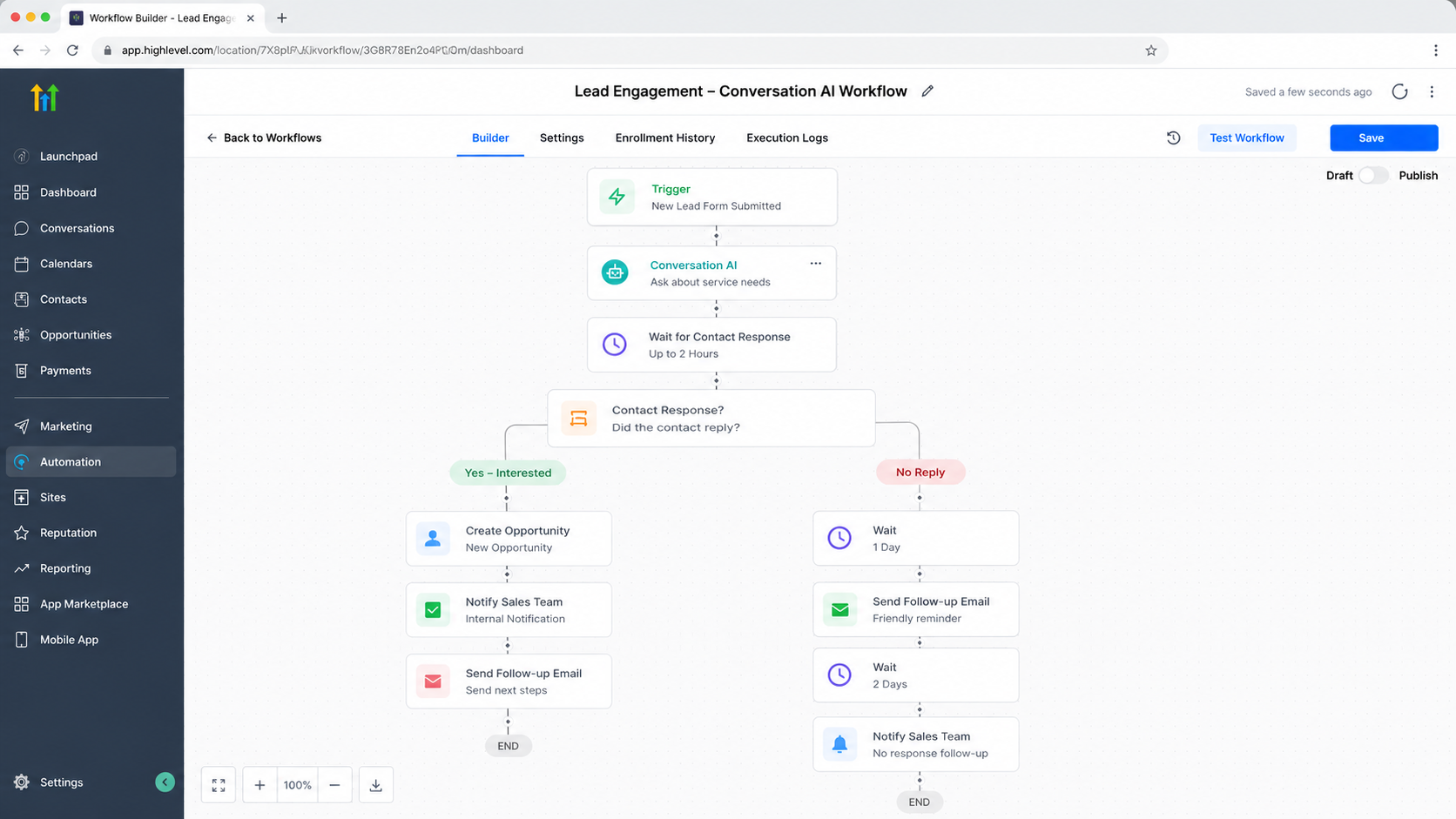
For example, a business might start a workflow when a customer replies to an SMS. The workflow can then use Conversation AI to ask an appropriate follow-up question and wait for the response.
The contact's response can lead to different workflow paths. If the contact does not respond within the configured timeout, the workflow can follow the Time Out branch. If a response does not match any configured condition, it can follow No Condition Met.
This makes the action particularly useful when the next automation step depends on what the prospect actually says.
How to Use the Conversation AI Action
The implementation is straightforward:
Create or open a workflow in your GoHighLevel sub-account.
Choose an appropriate trigger that determines when the automation should begin.
Click to add a workflow action and select Conversation AI.
Configure the conversational behavior. The current action can use the bot's existing configuration, or you can use its advanced configuration options for elements such as personality and additional instructions.
Define the Question or message the AI should send. Custom values can also be used where supported.
Configure how long the workflow should wait for a response and select the communication channel.
If appropriate, configure options such as Skip if answered, the bot response limit, and response wait time.
Create relevant Branches & Conditions for different responses.
Test the workflow before publishing it.
Monitor real conversations and refine the automation based on how contacts actually respond.
The key is to give the AI a clear conversational objective rather than expecting one vague instruction to handle every possible situation.
Real-World Lead Capture Example
Imagine a marketing agency receives inquiries after prospects submit a form or respond to an advertisement.
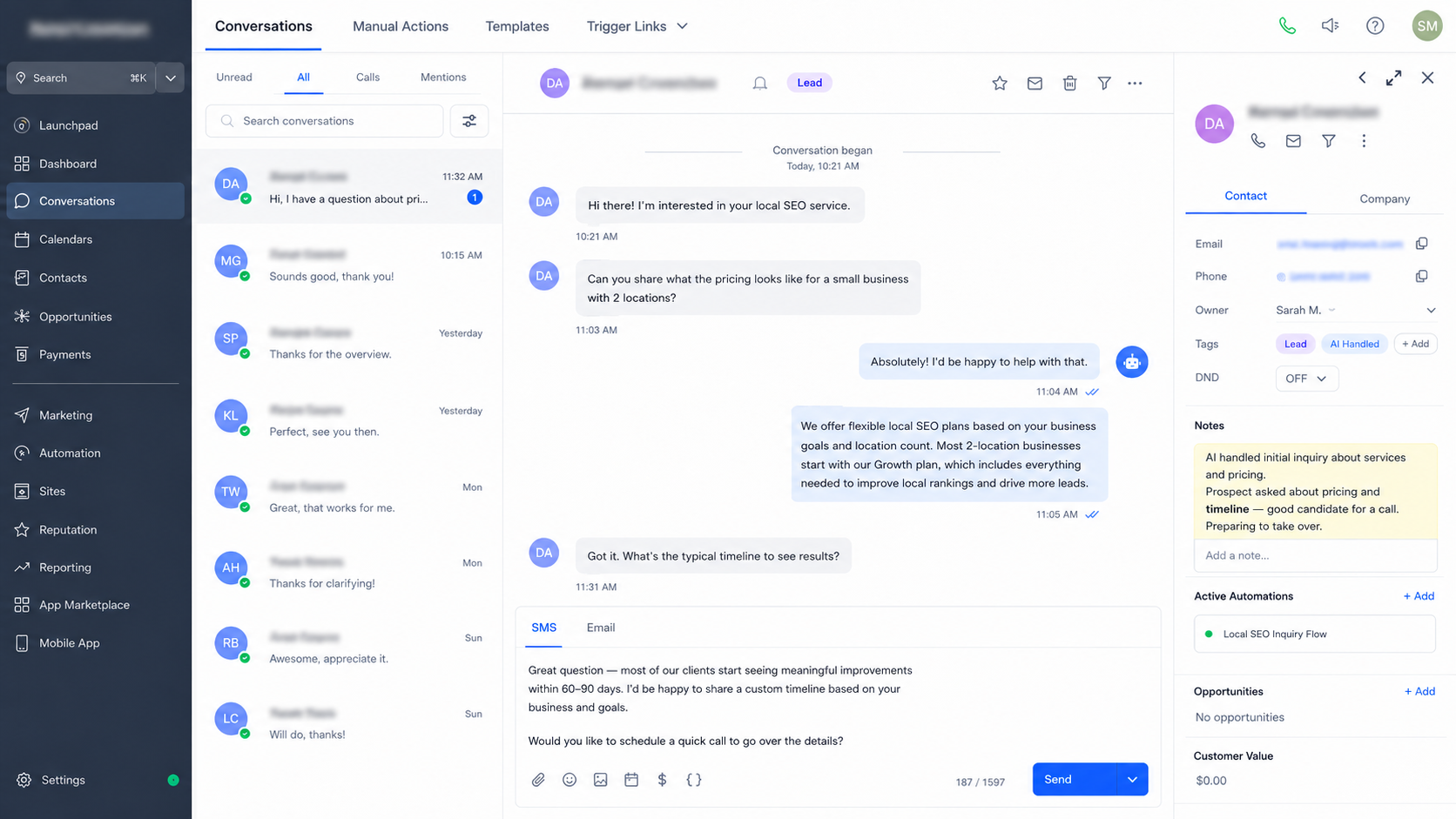
The workflow can begin when the appropriate lead event occurs. Conversation AI can then engage the prospect with a relevant question, answer suitable questions using its configured knowledge, and continue the interaction based on the prospect's response.
For example, the conversation might establish whether the prospect is interested in a particular service and then route the workflow differently depending on the response.
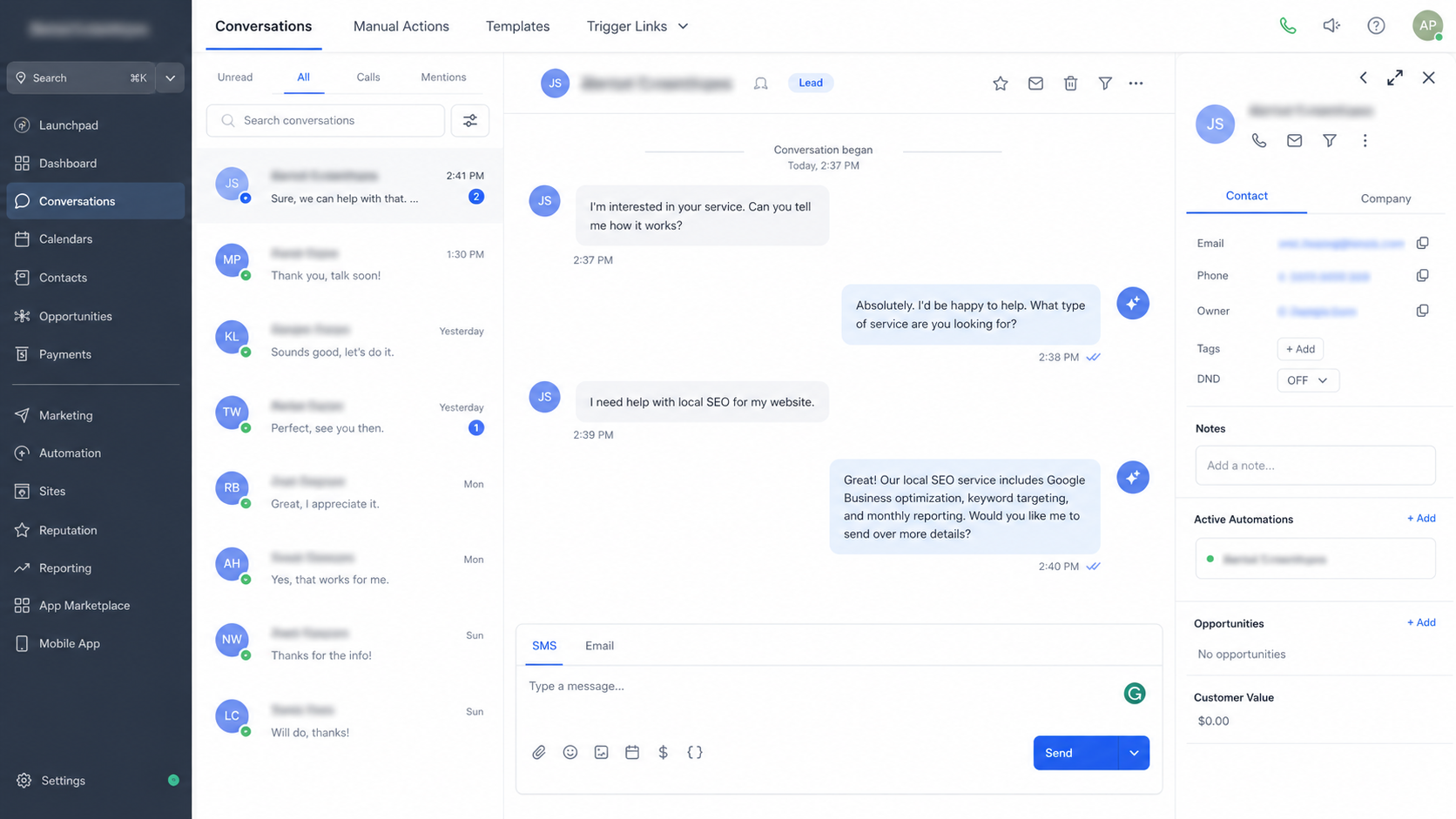
However, there is an important distinction: engaging someone in a conversation is not the same as creating or storing a CRM contact. Lead creation and contact information management should be handled by the appropriate GoHighLevel process rather than being automatically attributed to the Conversation AI Action itself.
GoHighLevel's broader Conversation AI capabilities also include contact-information actions and workflow-triggering capabilities, which can connect an AI conversation to additional automation when configured appropriately.
Why This Can Help Capture More Leads
The biggest advantage is responsiveness.
A well-designed Conversation AI workflow can:
Respond faster to prospects.
Reduce repetitive manual follow-up.
Keep conversations moving outside normal working hours where supported.
Provide more consistent communication.
Help identify different customer intents.
Route suitable conversations toward the next business process.
Create opportunities for human intervention when automation should stop.
The goal isn't to replace every human conversation. It's to prevent promising conversations from being unnecessarily delayed or abandoned.
Best Practices for GoHighLevel Conversation AI
Give the AI a clear objective. A focused conversational goal generally produces a more predictable workflow than broad instructions.
Keep the interaction natural. The purpose is to have a useful conversation, not to make every response sound like an automated script.
Test different scenarios. Try positive answers, negative answers, unexpected questions, and no-response situations before going live.
Plan for human intervention. Some questions, objections, or sensitive situations are better handled by a team member.
Review conversations regularly. Real customer responses can reveal gaps in your instructions, training, or workflow branches.
Align AI with your actual sales process. The automation should support the way your business qualifies, follows up with, and hands off leads.
Common Mistakes to Avoid
One common mistake is treating Conversation AI as a trigger. It is a workflow action, while a trigger determines when the workflow starts.
Another is expecting AI to replace every human interaction. Good automation knows when a conversation should move to a person.
Businesses also make the mistake of confusing a conversational response with CRM lead creation. These are separate concepts and should be designed accordingly.
Finally, avoid publishing an AI workflow without testing its branches, timeout behavior, and unexpected responses.
Conclusion
The Conversation AI Action in GoHighLevel adds a conversational layer to workflow automation. Instead of simply sending fixed messages, businesses can ask questions, receive responses, and route contacts according to what they actually say.
Used with clear objectives, appropriate triggers, thoughtful branching, and human handoffs, it can make GoHighLevel workflows more responsive and help businesses engage potential leads before valuable conversations go cold.
Frequently Asked Questions
What does the Conversation AI Action do in GoHighLevel?
It sends an AI-generated message, waits for the contact's response, and can route the workflow using branches and conditions.
Is Conversation AI a workflow trigger?
No. The Conversation AI Action is an action inside a workflow. A separate trigger determines when that workflow begins.
Which channels can the Conversation AI Action use?
The current GoHighLevel documentation lists SMS, Facebook, Instagram, WhatsApp, and Live Chat as supported channel choices for the action.
Does Conversation AI automatically create a CRM contact?
You should not assume that the Conversation AI Action itself creates a contact. Conversation engagement and CRM contact creation are separate processes.
Can Conversation AI route a workflow based on a customer's response?
Yes. The action supports branches and conditions, including Time Out and No Condition Met, allowing subsequent workflow steps to depend on the conversation outcome.
Need Expert Help with GoHighLevel?
New to GoHighLevel and ready to get started? Buy your GoHighLevel account here and launch with confidence.
Already know what you need and want our team to handle everything, from complete setup and customization to funnels, workflows, automations, CRM, and pipelines? Click here.



