

AI Conversation Management Just Got Smarter
New Channel Management Conversation AI – GoHighLevel Update
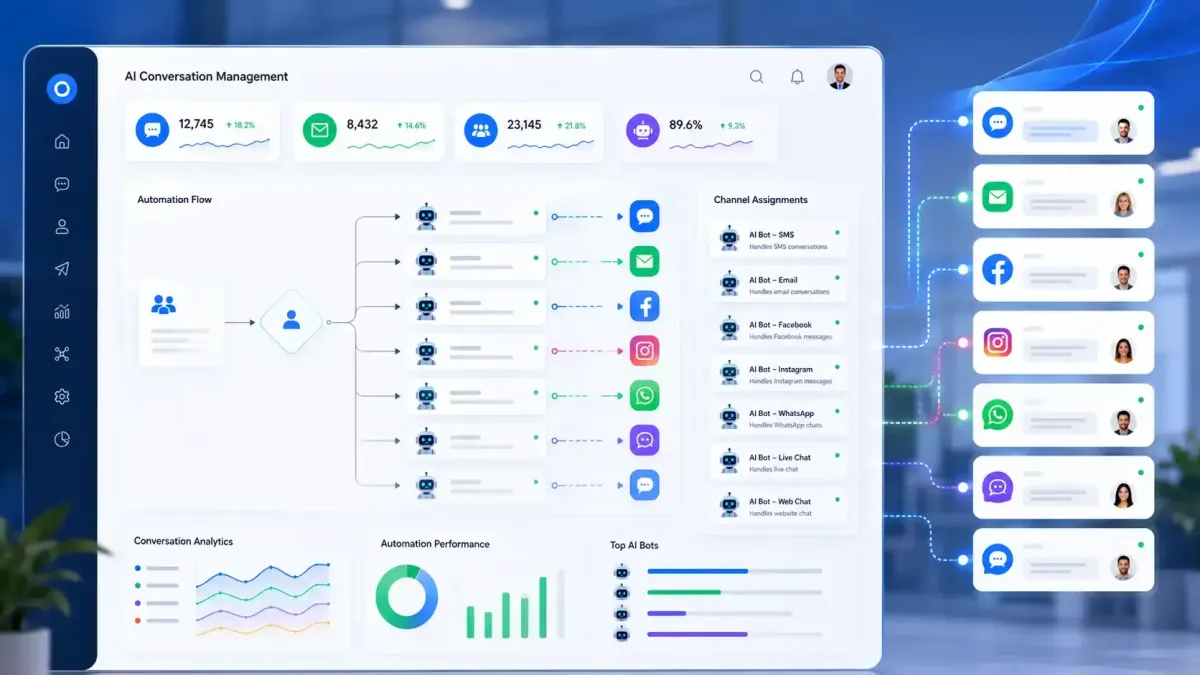
Managing AI conversations has become much more flexible with the latest GoHighLevel Channel Management update. Instead of depending on a single Primary Bot, GoHighLevel now allows individual AI bots to be assigned directly to specific communication channels.
For agencies, SaaS businesses, marketers, and CRM users, this change introduces a more organized way to control how GoHighLevel Conversation AI responds across different customer touchpoints.
If you've been using Conversation AI already, the good news is that GoHighLevel provides an automatic migration process. However, understanding how the new assignment system works is essential before making changes to your AI setup.
This guide explains everything officially announced by GoHighLevel, without assumptions or undocumented features.
What Is GoHighLevel Channel Management?
The new GoHighLevel Channel Management experience changes how Conversation AI bots are assigned to communication channels.
Previously, Conversation AI relied on a Primary Bot that handled supported conversations. With this update, GoHighLevel removes that requirement and instead allows each AI bot to be assigned directly to individual channels.
Supported channels include:
SMS
Email
Facebook
Instagram
WhatsApp
Live Chat
Web Chat
This gives businesses more flexibility when deciding which AI bot should respond on each communication channel.
What's New in GoHighLevel Conversation AI?
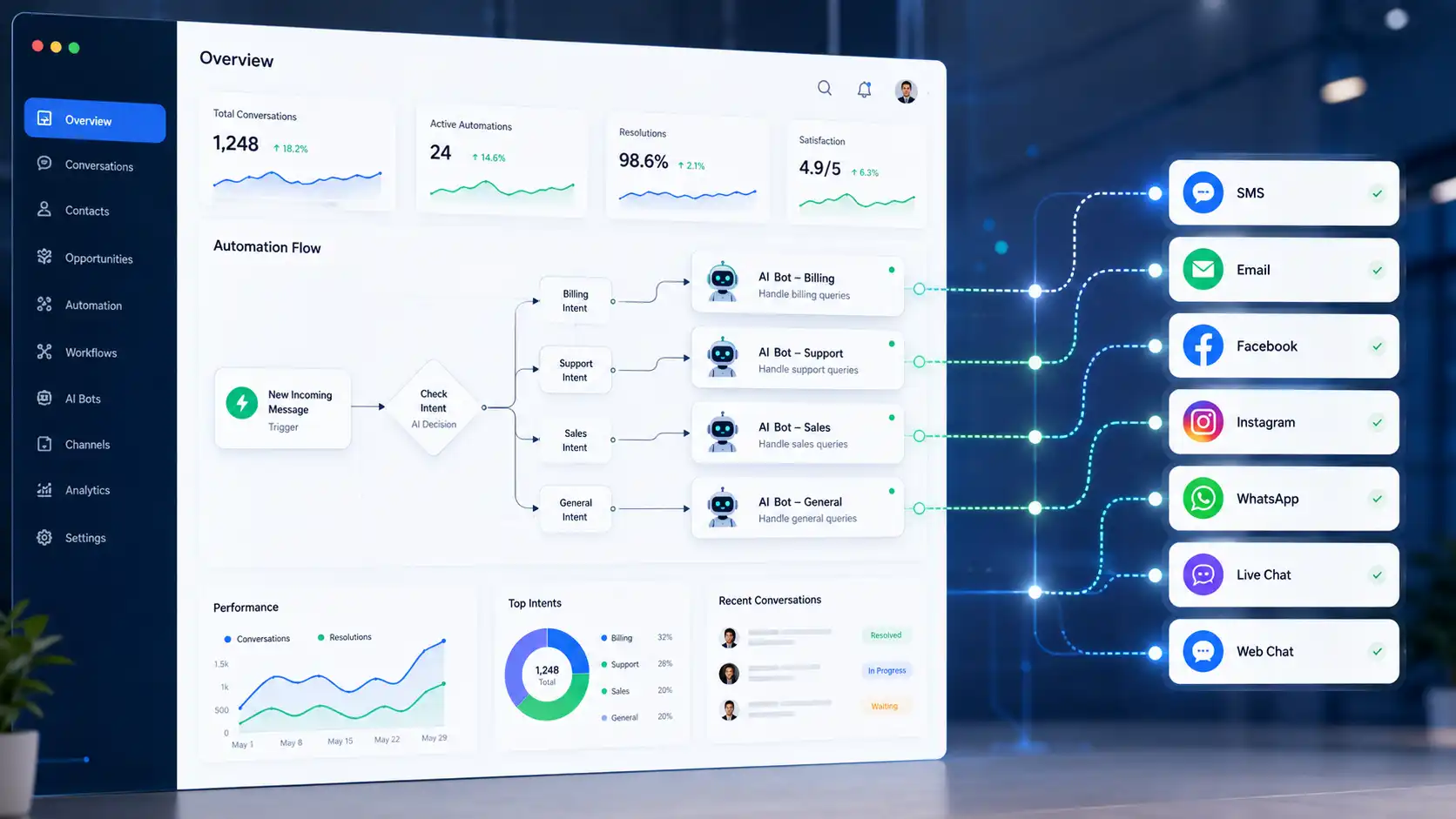
Instead of relying on a single default bot, administrators can assign AI bots directly to the communication channels they should manage.
Key improvements include:
Enhanced channel management introduces flexible channel-specific bot assignments, advanced routing capabilities, and improved workflow continuity. The previous Supported Channels setting has been replaced with a more flexible channel assignment system.
This makes GoHighLevel Automation more organized because routing decisions are based on assignments instead of a single default bot.
Direct Channel Assignment
Each AI bot can be assigned to one or multiple communication channels, allowing administrators to control exactly where each bot responds.
Rather than using a single global configuration, administrators can define channel assignments individually for each AI bot.
Channel assignments are configured through the new Channel Management interface, giving businesses greater control over AI conversation routing.
Granular AI Bot Routing
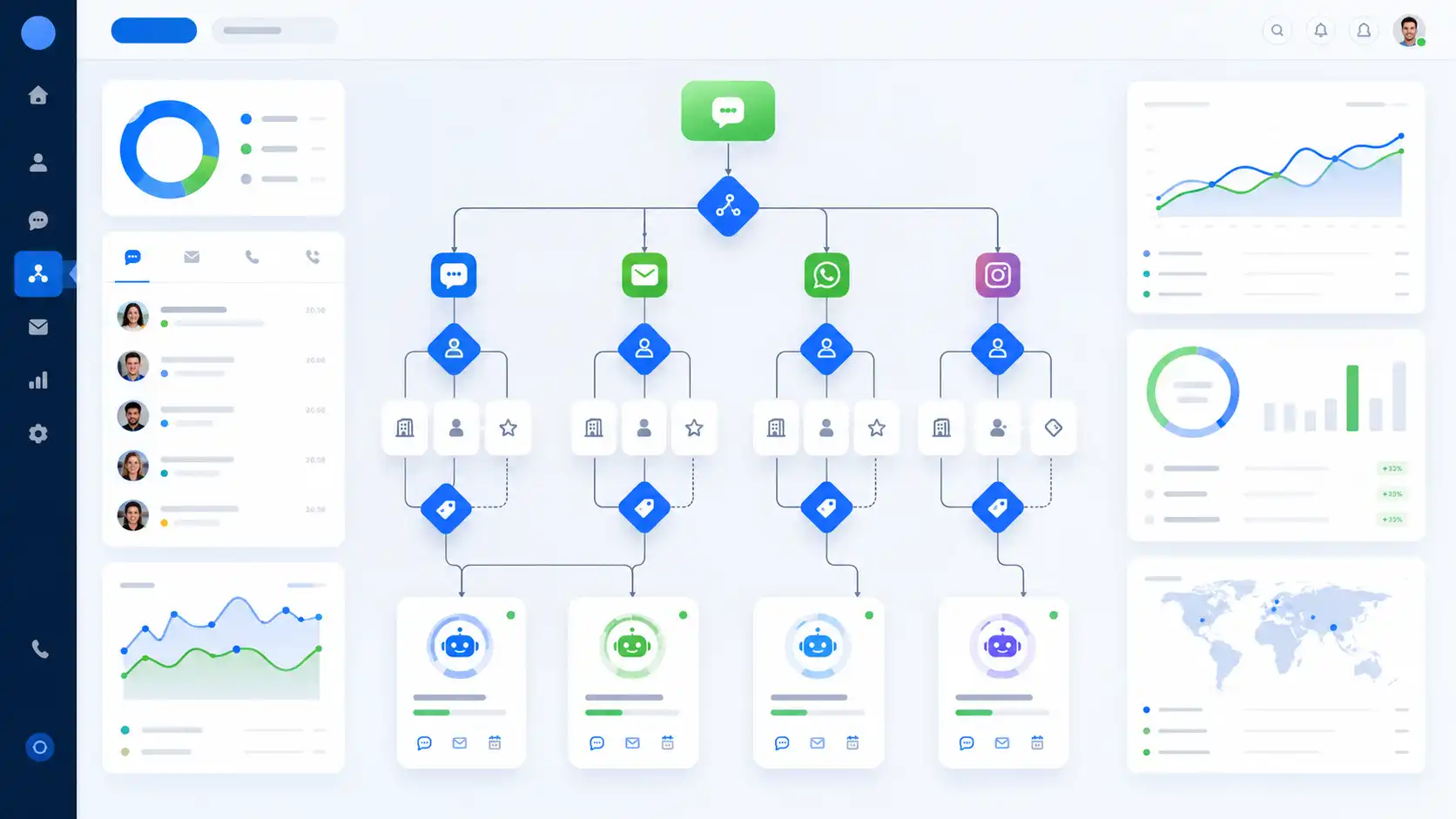
One of the biggest improvements is the ability to create more precise AI conversation routing rules.
Routing decisions can now be based on combinations of:
Communication channel
Specific account or number
Contact tags
This allows different AI bots to respond based on the routing criteria assigned to them.
For example, contacts tagged as VIP can automatically be routed to a dedicated AI bot, while all other contacts continue to be handled by another bot.
Specificity Takes Priority
GoHighLevel also introduced a clear routing priority rule.
When multiple routing rules apply, GoHighLevel always prioritizes the most specific assignment.
For example:
Facebook conversations with the VIP tag are now assigned a higher priority than general Facebook assignments, ensuring important customer interactions are routed and handled first.
In this case, the Facebook assignment that includes the VIP tag takes precedence over the broader Facebook assignment.
This priority system ensures conversations are routed consistently, even when multiple routing conditions exist.
Duplicate Assignments Are Prevented
Another important safeguard is that two AI bots cannot share the exact same routing configuration.
GoHighLevel officially prevents duplicate combinations of:
Channel
Identifier
Tag configuration
This prevents routing conflicts and ensures every conversation is handled by the intended AI bot.
How to Enable GoHighLevel Channel Management
GoHighLevel currently provides access through a Labs feature flag at the sub-account level.
To enable the new experience:
1. Open Labs within your sub-account.
2. Enable the feature named "Conversations AI Channel Management."
3. Allow a few minutes for the feature to become available before testing your AI configuration.
4. Allow the automatic migration process to complete before testing your AI bots.
GoHighLevel states that existing bot configurations migrate automatically, so there is no need to recreate your bots manually.
How Migration Works
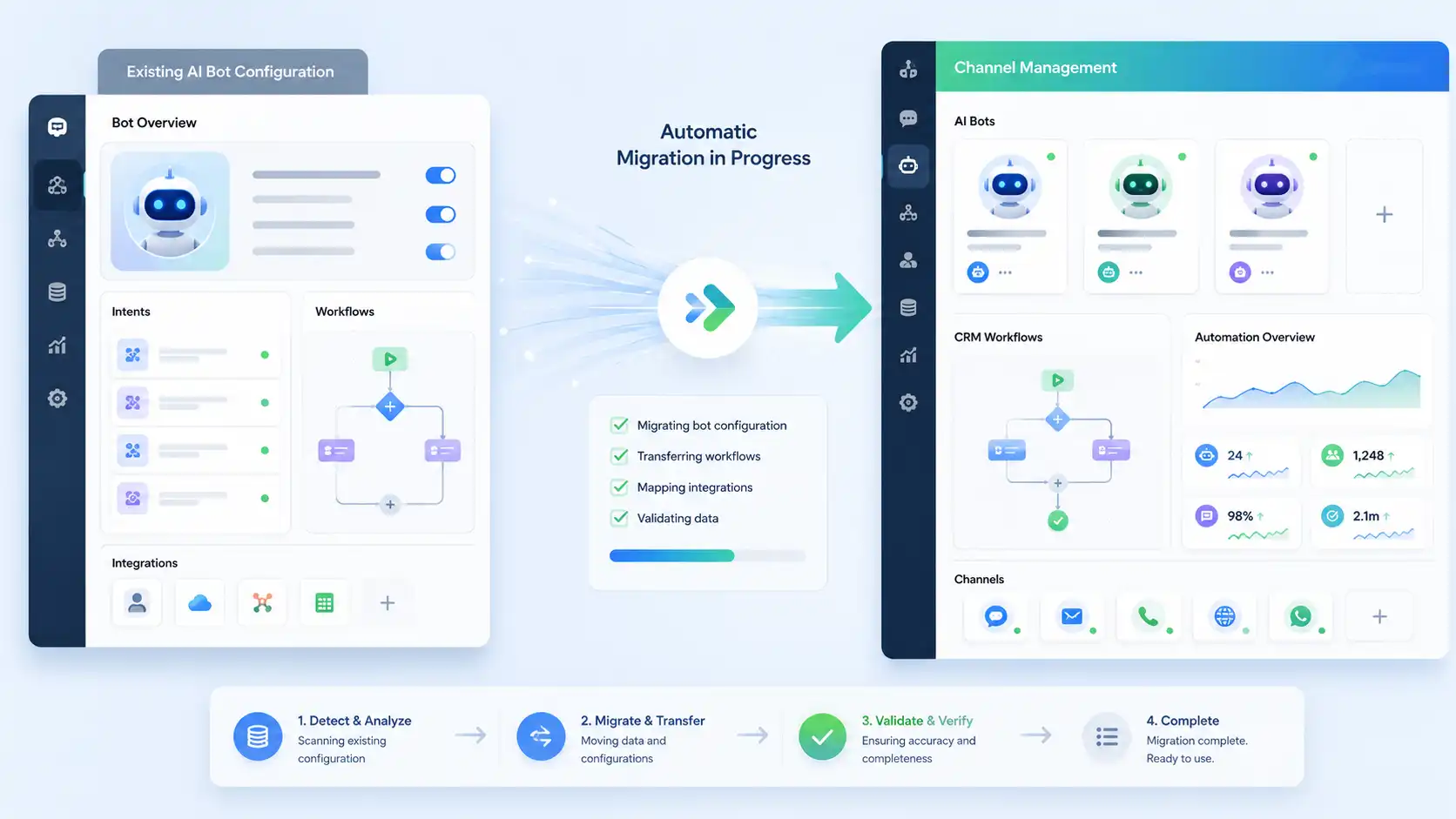
The migration process automatically transfers your existing Conversation AI configuration into the new Channel Management system.
According to GoHighLevel:
Your current Primary Bot is automatically preserved.
It is assigned to supported channels during migration.
Non-primary bots retain their existing settings.
Non-primary bots require channel assignments.
AI bots assigned directly to a contact always take precedence over channel-based routing rules.
Supported Channels configuration is deprecated.
This automatic migration helps reduce manual work while transitioning to the updated routing system.
Primary Bot Is No Longer Required
One of the most noticeable changes in the new GoHighLevel Channel Management experience is the removal of the Primary Bot concept.
Instead of relying on a single default AI bot, administrators now assign each bot directly to the communication channels it should manage.
This provides a more flexible and organized approach to managing AI conversations across multiple communication channels. Especially for businesses that use multiple AI bots for different communication channels.
GoHighLevel officially states:
AI bots now respond based on their assigned channels instead of an automatically designated Primary Bot.
Each bot should have the channels you want it to manage enabled.
Assigned bots respond as long as they are in Autopilot mode.
Facebook & Instagram Assignments
The update also changes how Facebook and Instagram accounts are handled.
Instead of treating all connected social accounts the same, GoHighLevel now manages each connected Page or account separately.
According to the official update:
Each connected Facebook Page can now have its own dedicated AI bot assignment.
Each connected Instagram account can also have its own dedicated AI bot assignment.
Existing bots continue responding to all connected Pages after migration.
You can assign different AI bots to different Pages or accounts.
This gives businesses more flexibility when organizing Conversation AI across multiple social channels.
Using Tags for More Precise Routing
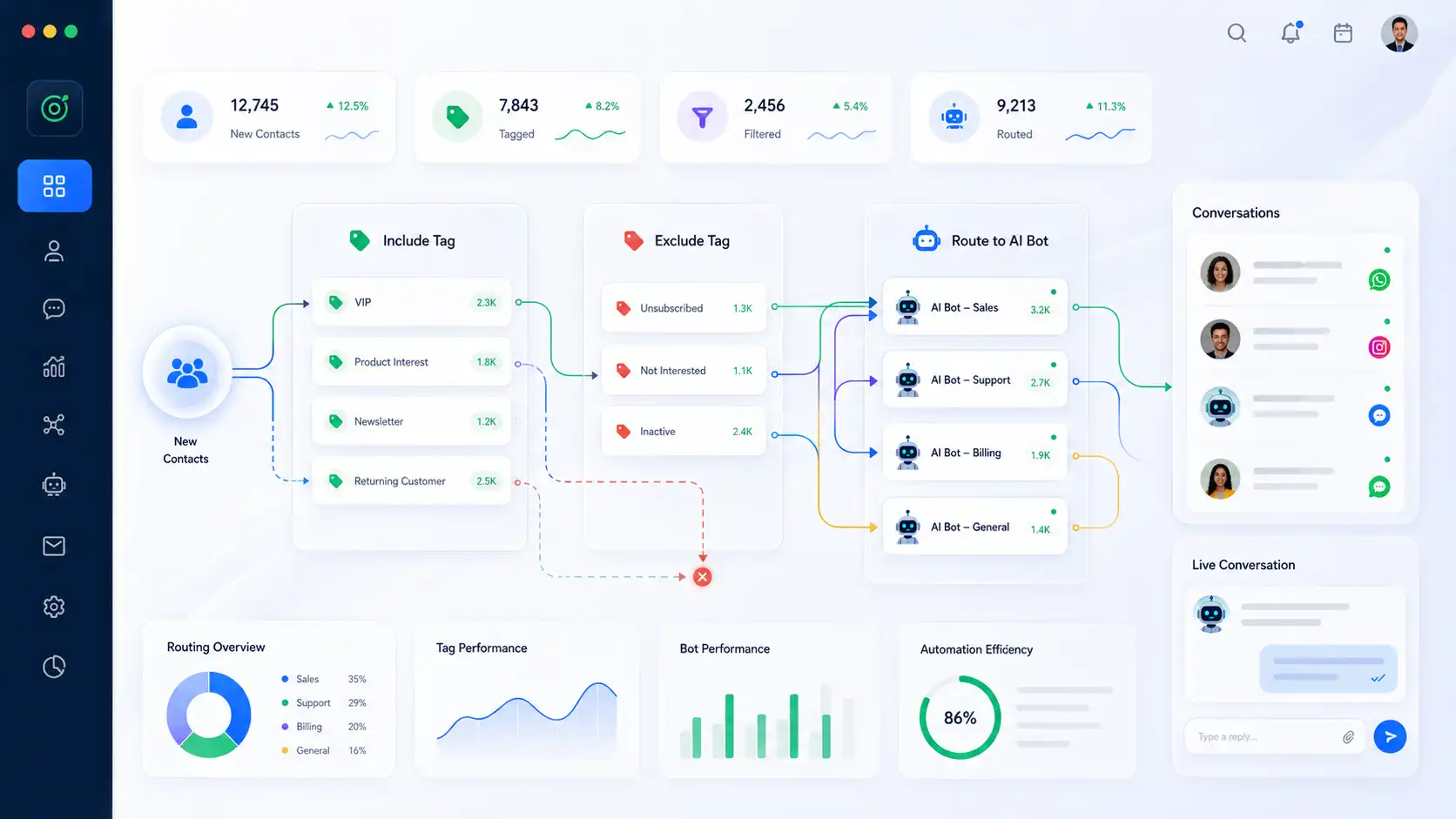
Tags provide an additional layer of routing, allowing businesses to create more targeted AI conversation flows.
GoHighLevel officially supports both:
Include Tags
Exclude Tags
This makes it possible to create highly targeted routing rules while keeping the same communication channel.
For example, the same communication channel can be shared across different routing configurations by applying different tag filters.
GoHighLevel has not published additional details beyond the supported include and exclude tag functionality.
Best Practices for Tag-Based Routing
To keep routing organized:
Use clear and consistent contact tags.
Review include and exclude tag rules before deployment.
Verify that more specific assignments match your intended routing.
Avoid creating routing rules that unintentionally overlap, even though GoHighLevel prioritizes the most specific assignment.
These practices help maintain predictable AI responses while taking advantage of the new routing flexibility.
Snapshots and Migration Considerations
If your agency regularly works with snapshots, this update introduces an important difference between older and newer snapshot behavior.
Snapshot Type Behavior
Older Snapshots: Automatically preserve the existing Primary Bot behavior during import.
New Channel Management Snapshots: Require manual channel assignments to configure routing under the new channel management system.
GoHighLevel recommends reviewing channel assignments before putting a snapshot into production.
Important Limitations
While the new routing system introduces greater flexibility, GoHighLevel has also documented several important limitations.
Public API
At the time of this update, the Public API does not support Channel Management.
GoHighLevel has not announced an official timeline for API support.
Supported Channels Configuration
The previous Supported Channels configuration has been deprecated.
Instead, channel assignments are now managed through the new Channel Management experience.
Contact-Assigned Bots
One important routing rule remains unchanged:
Contact-assigned bots always take priority.
This behavior continues even after migration.
Conclusion
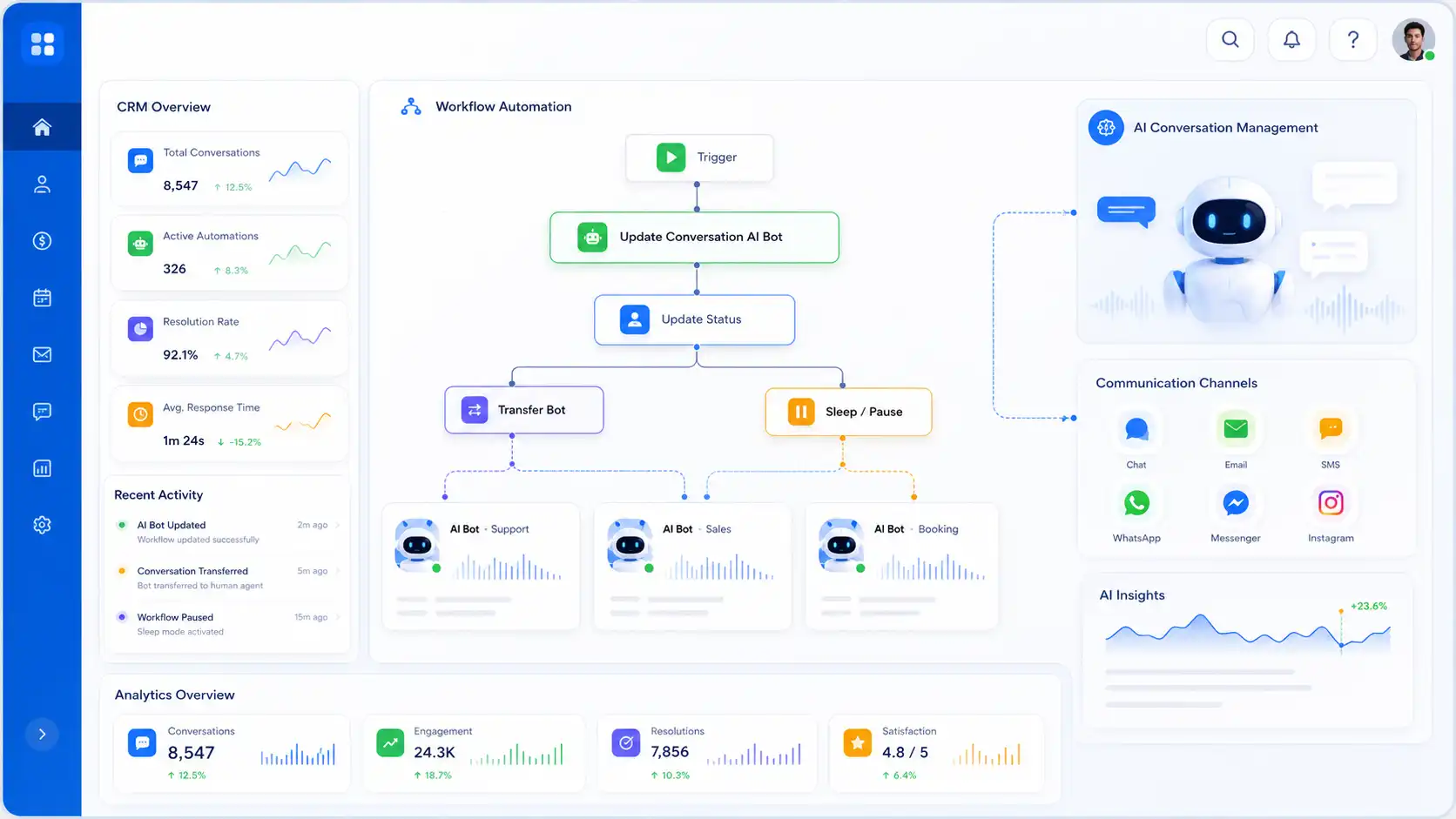
The new Channel Management experience introduces a more flexible and organized way to assign and manage AI bots across multiple communication channels.
By replacing the traditional Primary Bot approach with direct channel assignments, the platform provides a more structured approach to routing conversations while maintaining compatibility with existing AI bot configurations through automatic migration.
The update also introduces more granular routing using channels, account identifiers, and contact tags, making it easier to organize AI responses without relying on a single default bot.
Before enabling the feature, review your current AI bot assignments, allow the migration process to complete, and verify your routing configuration before testing in a live environment. Allowing the migration process to complete, and verifying your routing configuration before testing in a live environment.
As with any platform update, following GoHighLevel's officially documented behavior will help ensure a smooth transition.
Need Expert Help with GoHighLevel?
New to GoHighLevel and ready to get started? Buy your GoHighLevel account herea and launch with confidence.
Already know what you need and want our team to handle everything, from complete setup and customization to funnels, workflows, automations, CRM, and pipelines? Click here.



