

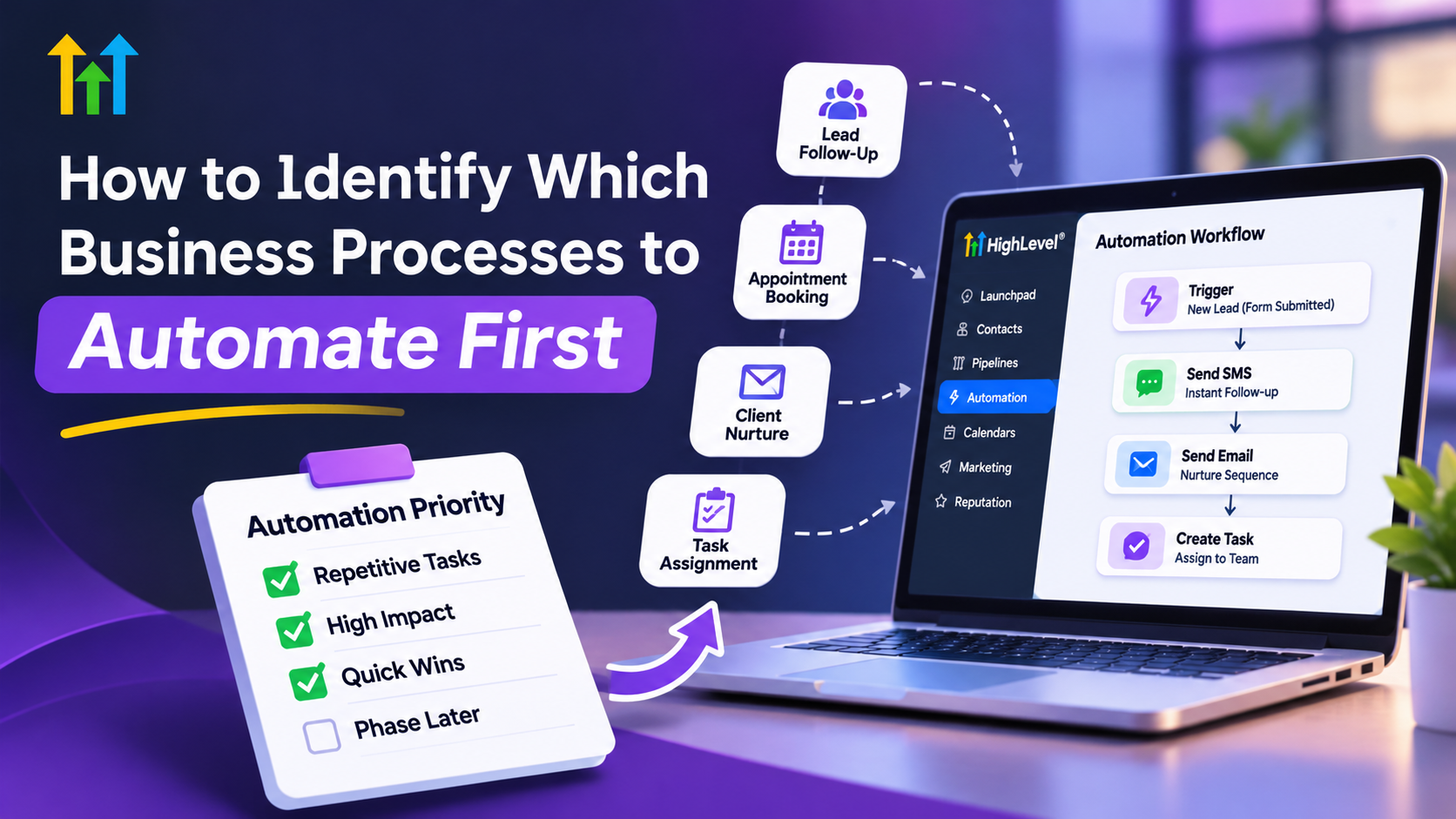
How to Identify Which Business Processes to Automate First
How to Identify Which Business Processes Should Be Automated First
A business owner starts the morning answering customer inquiries, confirming appointments, updating contact records, and reminding employees about unfinished tasks. By lunchtime, several hours have disappeared into repetitive work.
These activities are necessary, but handling them manually can create slow responses, inconsistent follow-ups, and missed opportunities.
The challenge is knowing which business processes to automate first without creating unnecessary complexity.
The smartest automation strategy isn't automating everything. It's automating the right things first.
By evaluating repetitive tasks, operational bottlenecks, and customer impact, businesses can develop a practical automation strategy that saves time while maintaining service quality.
Why Prioritizing Business Automation Matters
Automating every process simultaneously might sound efficient, but it can introduce unexpected problems.
Employees may struggle with unfamiliar systems, poorly designed workflows can create errors, and implementation costs may increase before meaningful improvements appear.
A better business process automation strategy starts with activities that are predictable, repetitive, and valuable.
For example, automating appointment reminders is generally simpler than automating an entire customer service operation.
Starting small also allows businesses to test workflows, identify problems, and build confidence before expanding automation.
How to Identify Which Business Processes to Automate First
1. Find Repetitive and Time-Consuming Tasks
Begin by reviewing activities employees perform every day.
Common automation opportunities for businesses include:
Responding to new customer inquiries.
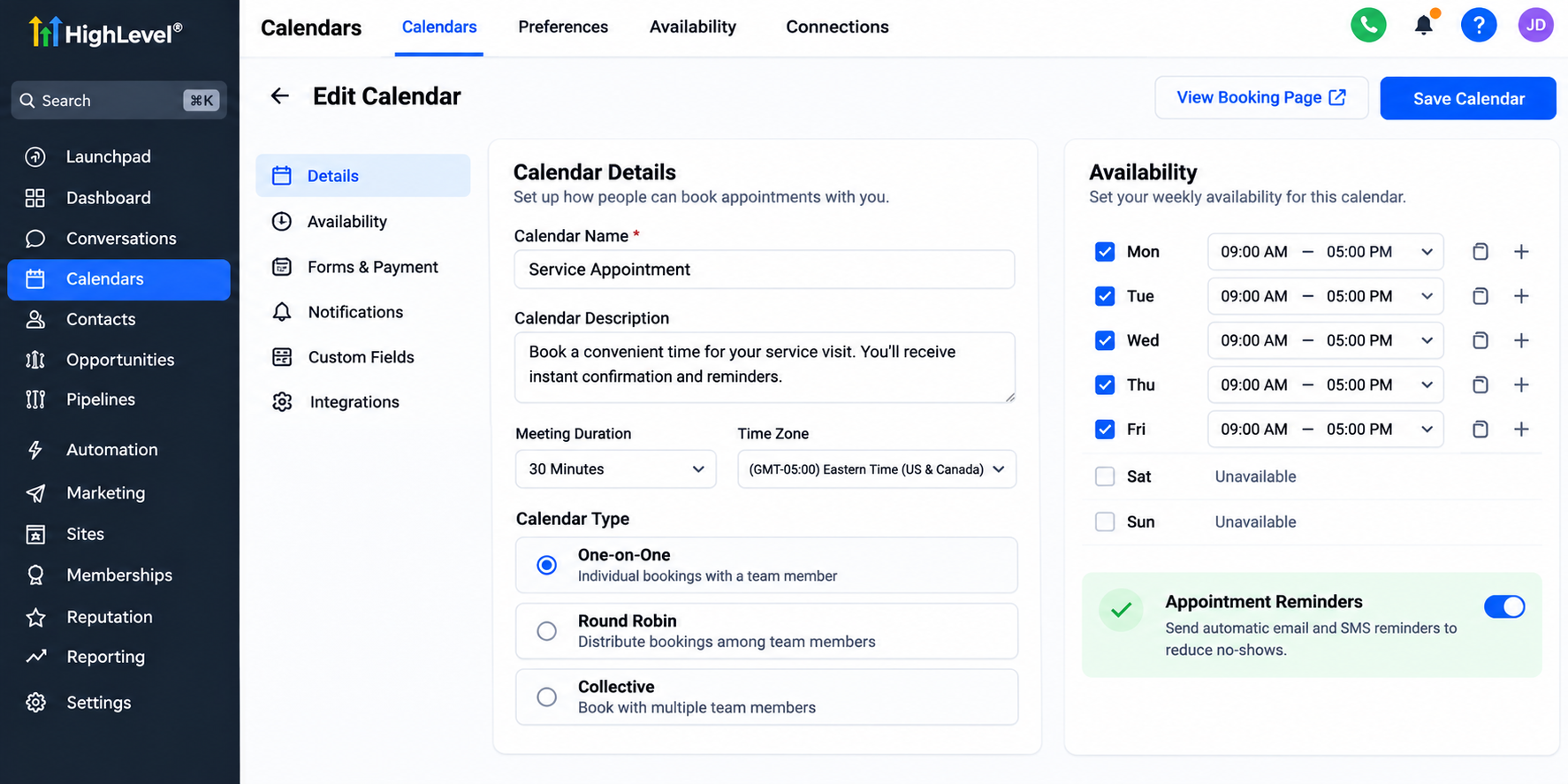
Sending appointment confirmations and reminders.
Following up with potential customers.
Updating lead information in a CRM.
Requesting customer reviews after completed services.
Look beyond how long an individual task takes.
A task requiring only two minutes might seem insignificant. However, completing it 100 times weekly consumes more than three hours.
Frequency matters just as much as task duration.
Document recurring activities for one week to understand where employees spend their time.
2. Evaluate Business Impact and Implementation Difficulty
Not every repetitive task deserves immediate automation.
Consider six factors when evaluating potential workflows:
Frequency: How often does the activity occur?
Time: How much employee time does it consume?
Error risk: How frequently do mistakes happen?
Business impact: Does it influence revenue or customer satisfaction?
Predictability: Does the process follow consistent rules?
Complexity: How difficult would implementation be?
Use a simple scoring system.
Rate each factor from one to five. Higher scores indicate greater frequency, time consumption, error risk, business impact, or predictability. For complexity, assign higher scores to easier implementations.
Add the scores to create an initial priority ranking.
This method is a decision-making aid, not a precise financial calculation. Review the results alongside actual business needs.
3. Prioritize Customer-Facing Processes
Some automation opportunities deserve attention because they directly affect customer experience.
Consider a potential customer submitting an inquiry about a home renovation project.
If nobody responds promptly, the customer may contact another provider.
An automated acknowledgment can confirm receipt while notifying the appropriate employee to follow up personally.
Similarly, appointment reminders can help customers remember scheduled visits, while structured follow-up workflows reduce the likelihood of forgotten inquiries.
These processes may deserve higher priority than internal administrative activities requiring similar effort.
The key is identifying where delayed communication creates meaningful business risk.
Which Business Processes Should Not Be Automated Immediately?
Automation works best when the underlying process is already understandable and consistent.
Avoid rushing to automate activities involving complex judgment, sensitive customer conversations, or frequently changing procedures.
Processes with unclear ownership or unreliable customer information also require attention before automation.
For example, automatically sending messages using outdated contact information can create confusion rather than improve communication.
Automating a broken process can make existing problems happen faster.
Standardize the procedure, establish responsibilities, and improve data quality before introducing automated actions.
Human oversight remains essential when situations require empathy, exceptions, or important decisions.
How GoHighLevel Supports High-Priority Automation
GoHighLevel provides CRM workflow automation tools that can help businesses manage suitable sales, marketing, and customer communication activities.
Its features include:
Workflows: Configure triggers, actions, conditions, and wait steps to automate supported processes.
Forms: Capture inquiries and initiate follow-up workflows.
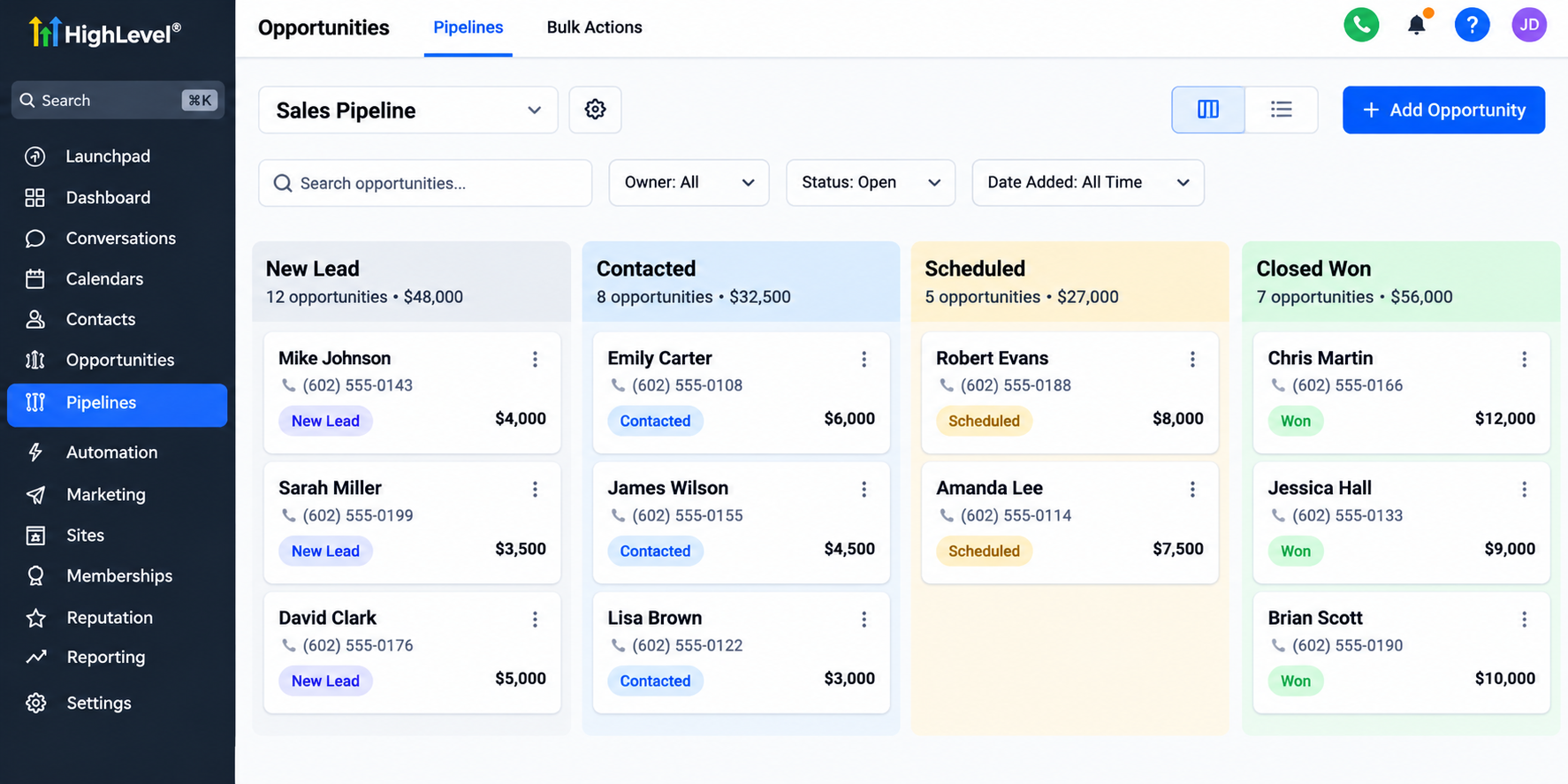
Pipelines: Organize sales opportunities and monitor their progress.
Calendars: Manage bookings and support appointment notifications.
Email and SMS: Send configured follow-ups and reminders.
Tasks and Notifications: Assign follow-up activities and alert team members.
Reputation Management: Support customer review-request processes.
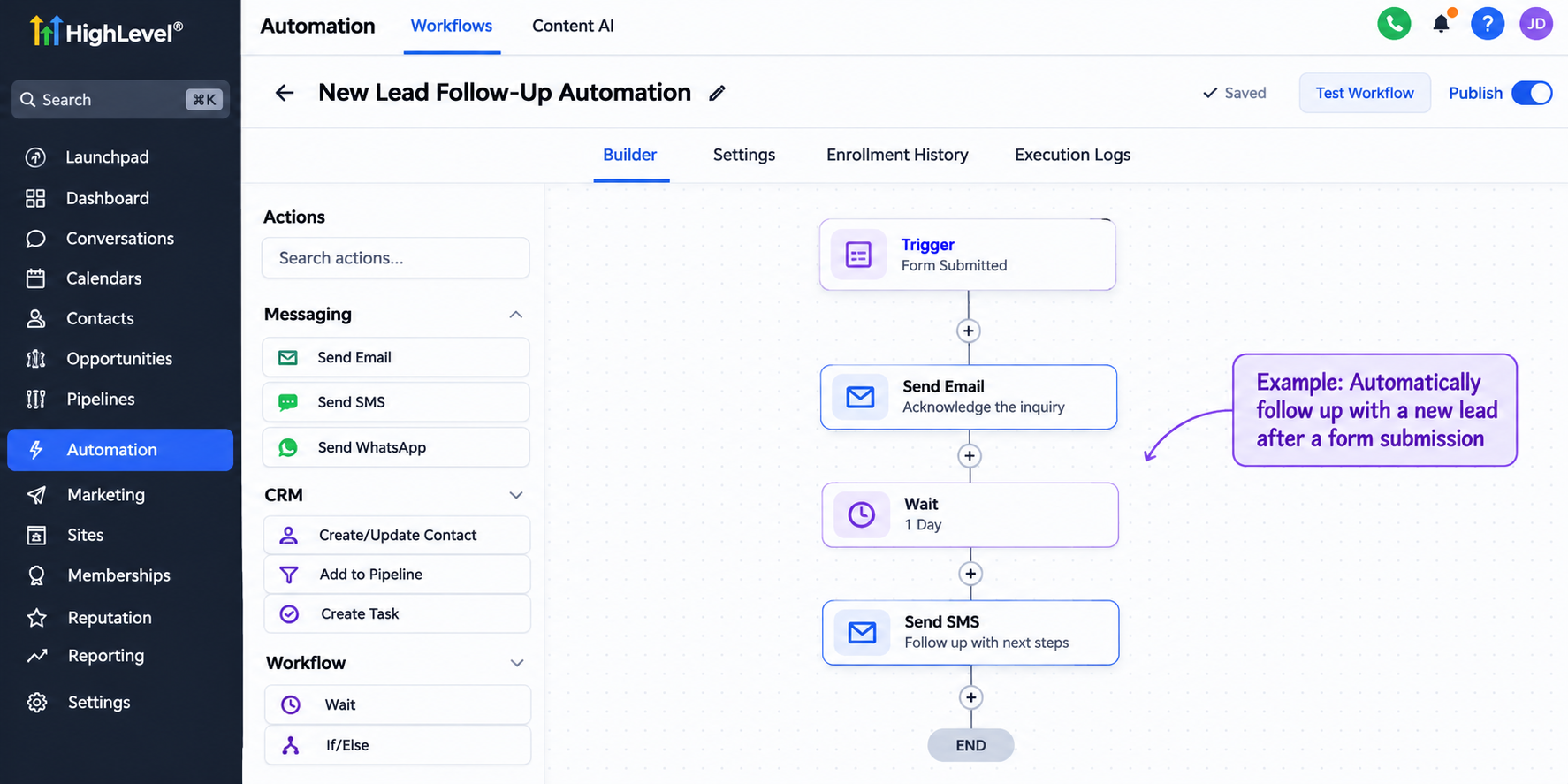
For example, a submitted form can trigger an acknowledgment, create or update a contact, and notify a team member through configured workflow actions.
Actual functionality depends on configuration, available features, integrations, and applicable messaging costs.
GoHighLevel is particularly useful when several customer-facing activities need coordinated management within a CRM.
A Practical First-Automation Roadmap
Businesses can follow seven straightforward steps:
List recurring tasks: Document activities performed daily or weekly.
Identify bottlenecks: Find where delays, mistakes, or missed handoffs occur.
Estimate impact: Evaluate time consumption and customer consequences.
Choose one process: Prioritize meaningful benefits with manageable complexity.
Map the workflow: Define triggers, actions, responsibilities, and exceptions.
Configure and test: Verify that the automation behaves correctly under realistic conditions.
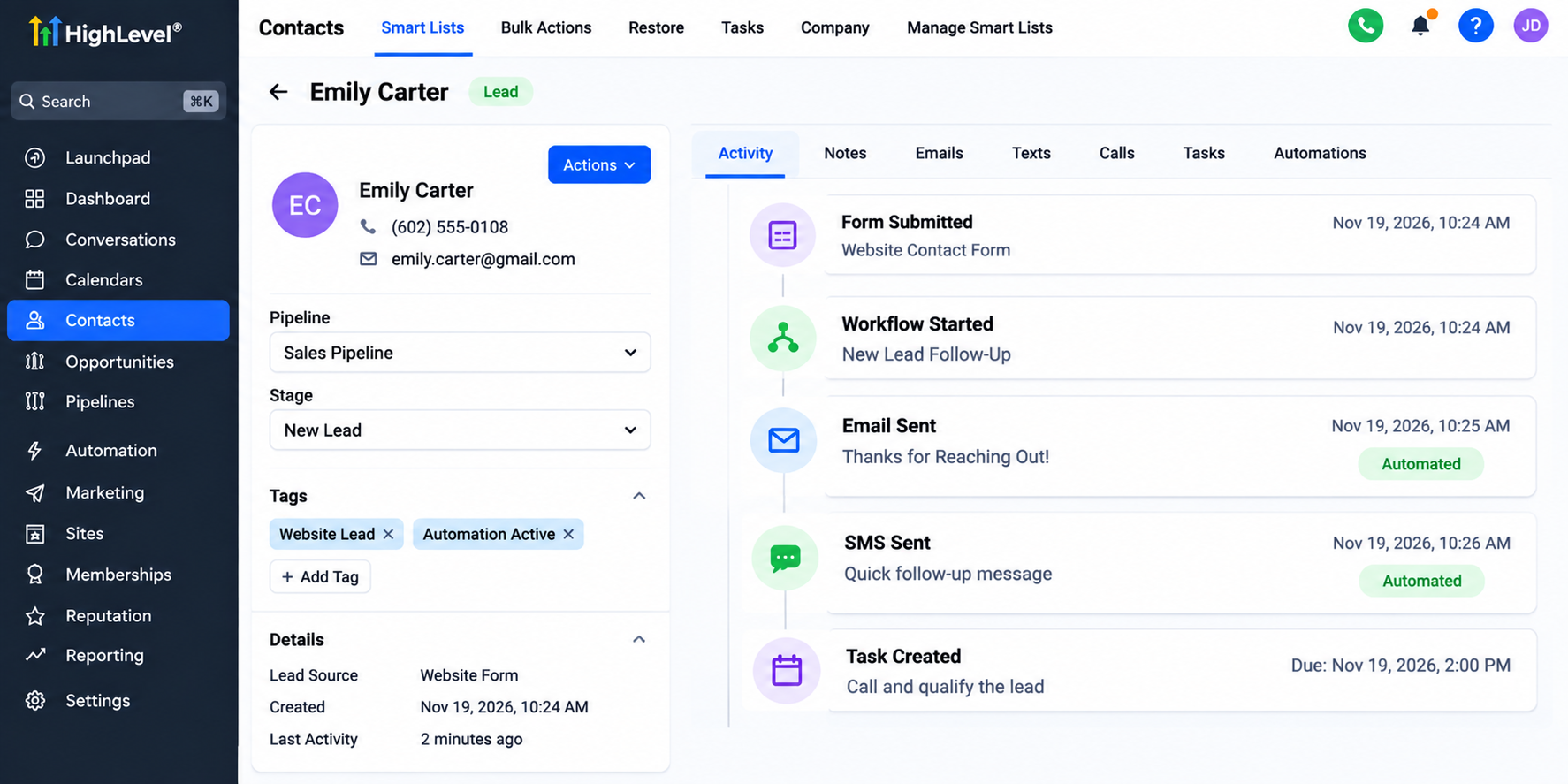
Example of a GoHighLevel CRM contact activity timeline illustrating how businesses can track automated lead communication and follow-up tasks. Monitor performance: Review results and refine the process.
Testing one workflow before expanding helps prevent avoidable complications.
Real-World Example: Automating Plumbing Service Inquiries
Imagine a plumbing company receiving inquiries through its website.
Employees manually review submissions, contact customers, and coordinate appointments. During busy periods, some inquiries receive delayed responses.
The company decides to automate its initial lead acknowledgment.
Using GoHighLevel, a website form can capture customer details and trigger a confirmation message. A workflow can notify the appropriate employee, while a pipeline helps organize opportunities.
Employees still handle service questions and scheduling decisions when needed.
This setup could improve response consistency and reduce repetitive administration, although actual results would require measurement.
Conclusion: Start With the Right Process
Successful business automation begins with thoughtful prioritization rather than adopting technology everywhere.
Focus on repetitive, predictable activities that consume valuable time or directly influence customer experience.
Start with one manageable workflow, measure its performance, and improve it before expanding.
With GoHighLevel's CRM and automation capabilities, businesses can build more consistent customer communication and organized sales processes.
Explore how GoHighLevel can support your highest-priority automation opportunities and help simplify everyday operations.
Frequently Asked Questions
1. Which business processes should be automated first?
Businesses should begin with repetitive, rule-based tasks that consume significant time or affect customer experience. Common examples include lead acknowledgments, appointment reminders, customer follow-ups, and review requests. Prioritize processes that are easy to standardize, have measurable outcomes, and can be automated without removing necessary human oversight.
2. How can small businesses identify automation opportunities?
Small businesses can identify automation opportunities by tracking recurring tasks, employee time, customer communication delays, and common operational mistakes. Reviewing these activities helps reveal unnecessary manual work. A simple scoring method based on frequency, business impact, predictability, and implementation difficulty can help determine which processes deserve attention first.
3. What tasks should businesses avoid automating?
Businesses should avoid immediately automating tasks requiring complex human judgment, sensitive customer interactions, or frequently changing procedures. Processes with unclear responsibilities or unreliable data should also be improved first. Automation is most effective when workflows are consistent, decisions are well-defined, and employees can intervene when exceptions arise.
4. How does GoHighLevel help automate repetitive business tasks?
GoHighLevel supports automation through workflows, forms, pipelines, calendars, email and SMS messaging, and internal notifications. Businesses can configure these features to acknowledge inquiries, organize leads, send reminders, and coordinate follow-up activities. Specific capabilities depend on account configuration, available features, and any required integrations or messaging services.
5. How can a business measure whether an automation is successful?
Businesses can measure automation performance by comparing results before and after implementation. Useful indicators include employee time spent on tasks, lead response times, missed follow-ups, appointment attendance, and workflow errors. Regularly reviewing these metrics helps determine whether automation improves efficiency and customer experience or requires further adjustments.
Need Expert Help with GoHighLevel?
New to GoHighLevel and ready to get started? Buy your GoHighLevel account here and launch with confidence.
Already know what you need and want our team to handle everything, from complete setup and customization to funnels, workflows, automations, CRM, and pipelines? Click here.