

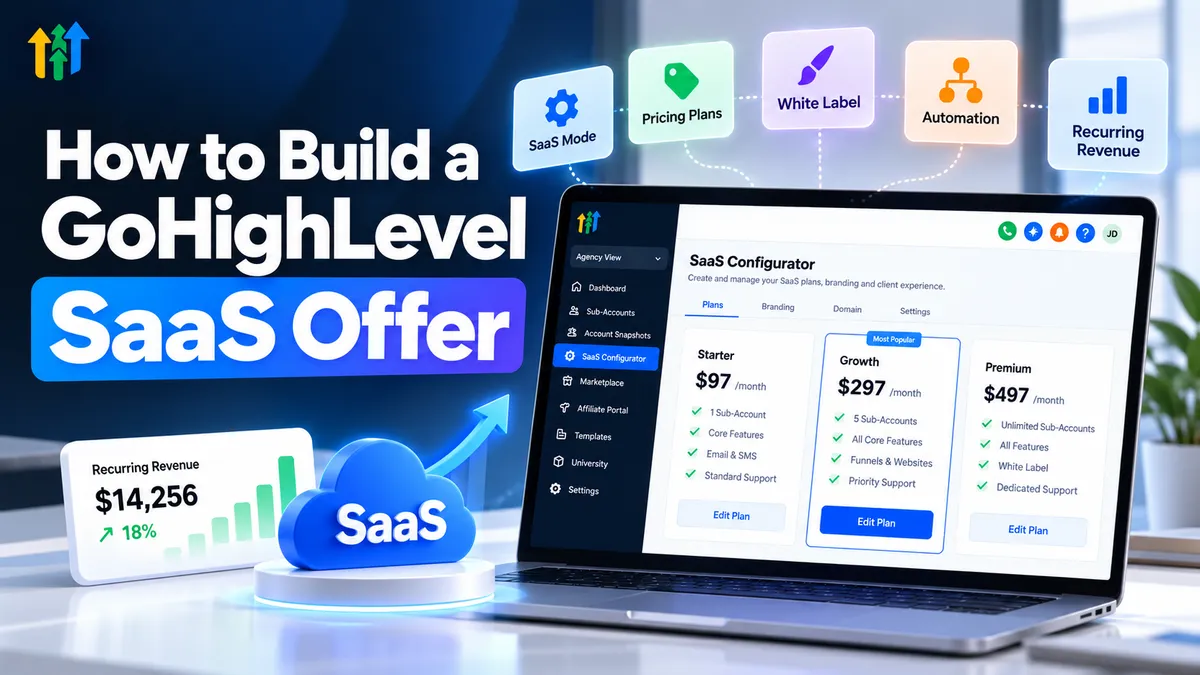
How to Build a GoHighLevel SaaS Offer
How to Build a GoHighLevel SaaS Offer
Building predictable recurring revenue is challenging when your agency relies entirely on one-time projects or labor-intensive services. Every month can feel like starting over, finding new clients and delivering more work.
A subscription-based software offer provides another approach. With GoHighLevel, agencies can package CRM tools, marketing automation, and customer management capabilities into branded solutions businesses pay to use regularly.
Learning how to build a GoHighLevel SaaS offer starts with identifying a valuable customer problem, designing a practical solution, and creating a sustainable subscription model.
What Is a GoHighLevel SaaS Offer?
A GoHighLevel SaaS offer is a subscription-based solution that provides businesses access to selected CRM, sales, and marketing tools, often combined with onboarding or support.
Instead of selling individual marketing services, agencies provide an ongoing software solution that customers use to manage business operations.
GoHighLevel SaaS Mode supports this model through features such as SaaS plan configuration, subscription billing integration, and supported account provisioning.
However, SaaS Mode is not a completely independent software platform. It enables agencies to package and deliver capabilities built on GoHighLevel's existing infrastructure.
The strongest offers focus on measurable business problems rather than simply advertising software features.
Step 1: Choose a Profitable Niche and Identify Its Problems
Successful SaaS offer creation begins with understanding your ideal customers.
Different industries experience different operational challenges:
Home services: Missed inquiries and inconsistent lead follow-up.
Real estate: Difficulty organizing prospects and tracking conversations.
Marketing agencies: Managing multiple client pipelines and campaigns.
Appointment-based businesses: Scheduling conflicts and missed appointments.
Choose an industry where you understand the customer journey and can identify repetitive problems.
For example, a plumbing company might benefit more from automated inquiry follow-up than from a complicated marketing dashboard.
A focused niche makes your solution easier to explain, demonstrate, and improve.
Step 2: Build Your Core SaaS Offer
Your GoHighLevel SaaS business should provide a practical collection of tools that work together.
Depending on customer requirements, your package might include:
CRM: Organize contacts and customer information.
Sales pipelines: Track leads through defined sales stages.
Workflows: Automate selected follow-up and administrative tasks.
Calendars: Enable online appointment scheduling.
Forms and funnels: Capture inquiries and generate leads.
Conversations: Manage supported customer communication channels.
Reporting: Monitor relevant sales and marketing activity.
Consider a roofing company receiving website inquiries. A form captures contact details, a workflow sends an appropriate follow-up, and a pipeline helps staff track opportunities.
This connected experience is more valuable than selling disconnected features.
Step 3: Configure GoHighLevel SaaS Mode
Understanding the GoHighLevel SaaS setup process is essential before accepting subscriptions.
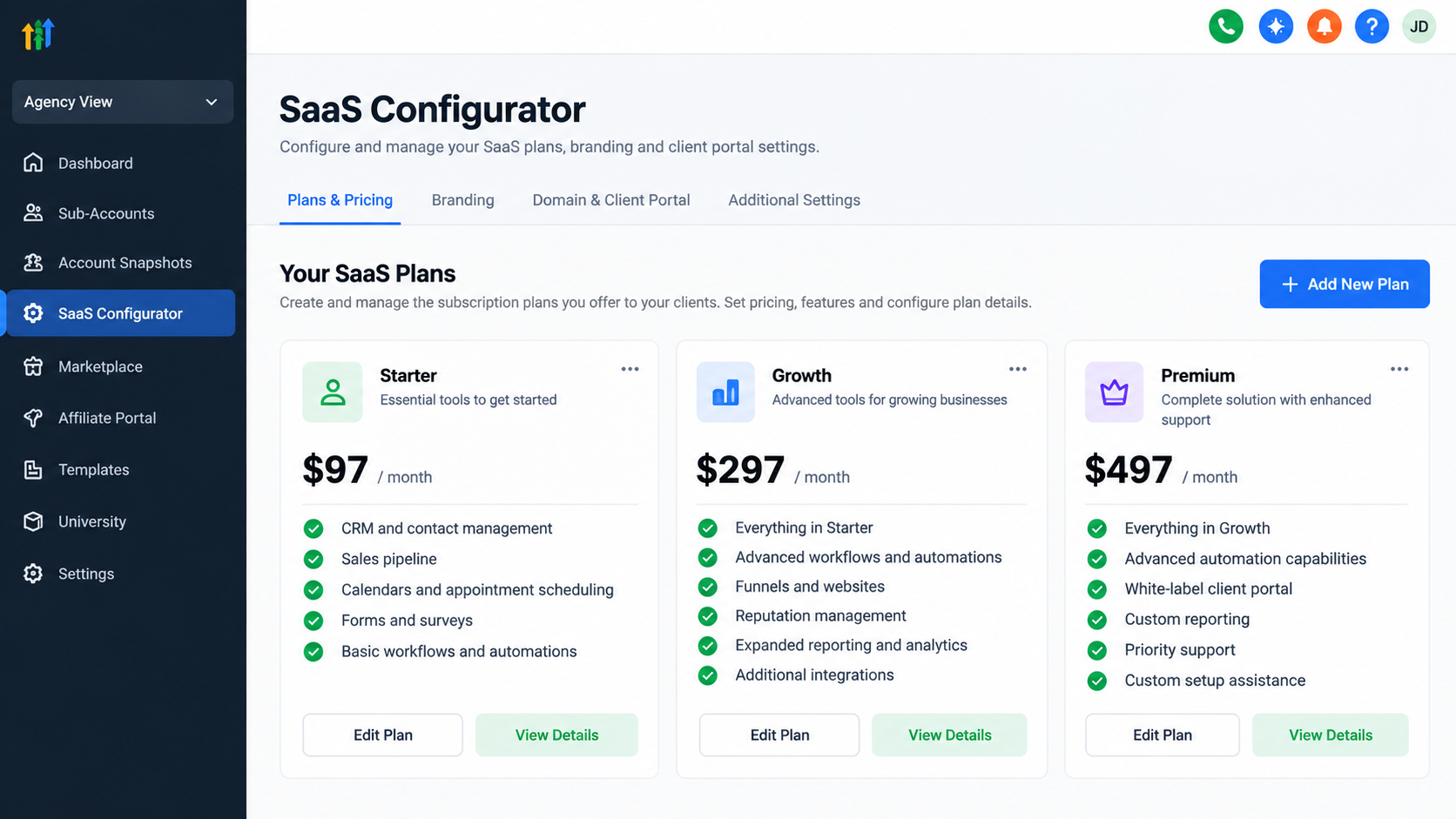
Select an eligible agency plan. Confirm that your subscription supports the SaaS capabilities you intend to use.
Configure SaaS Mode. Set up the supported subscription and account-management functionality.
Connect Stripe. Complete the required payment integration and billing configuration.
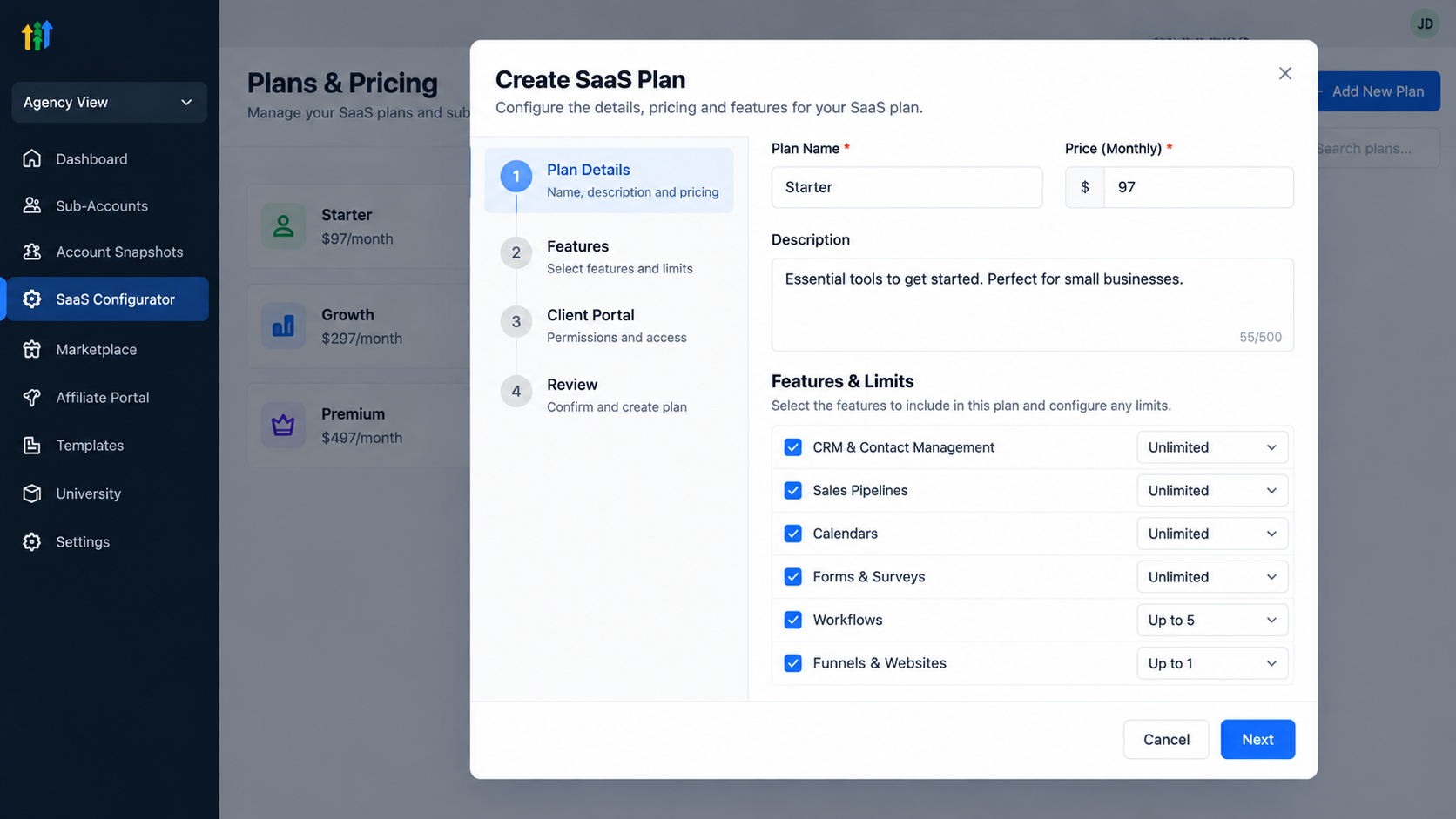
Create SaaS plans. Define subscription options and the capabilities associated with each package.
Prepare client accounts. Configure appropriate access, settings, and provisioning.
Build reusable snapshots. Save supported configurations for deployment across suitable sub-accounts.
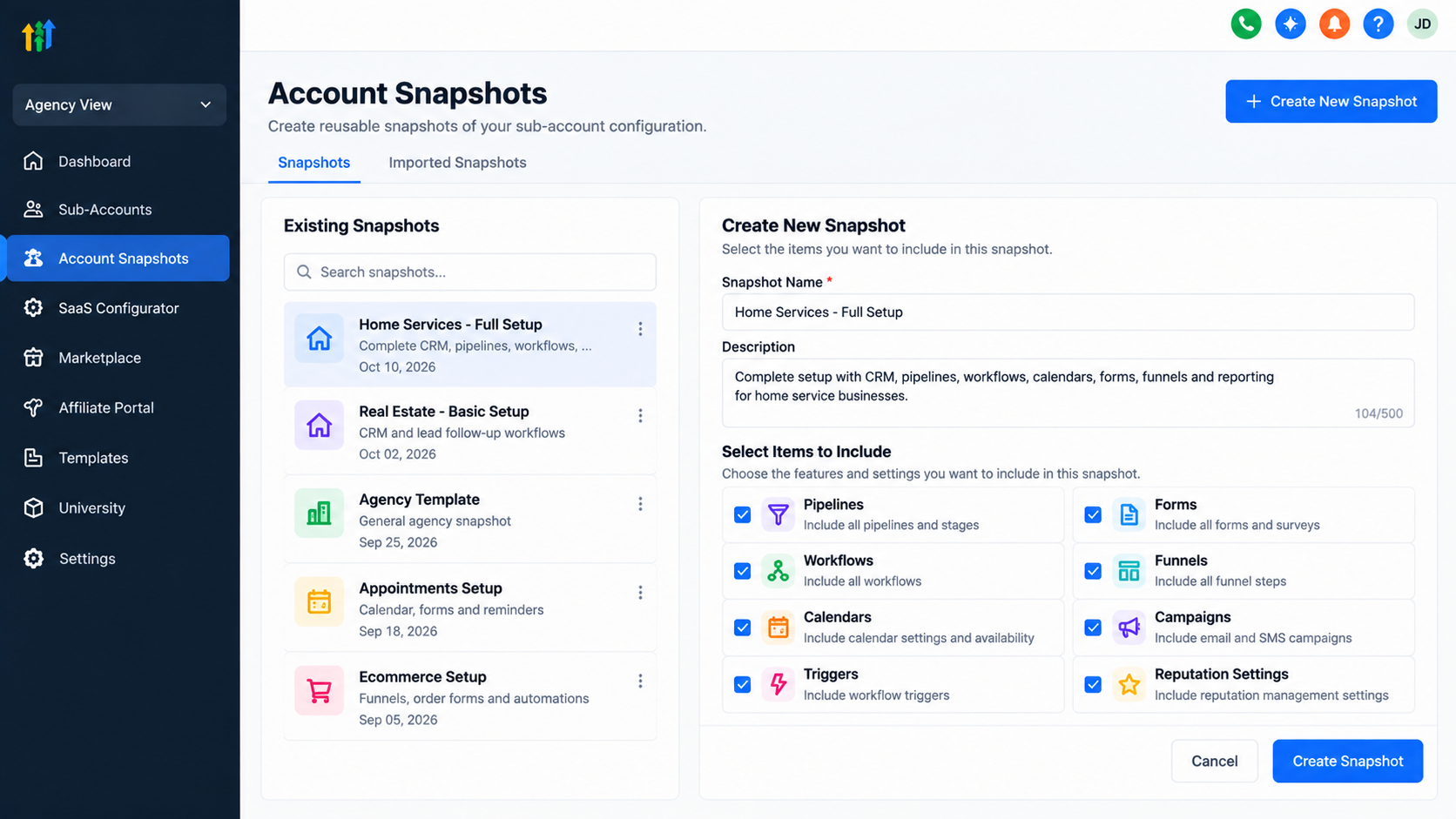
GoHighLevel SaaS snapshots can help standardize pipelines, workflows, and other supported assets. However, external integrations, account-specific information, and certain settings may still require manual configuration.
Step 4: Create a Smart SaaS Pricing Strategy
Your GoHighLevel SaaS pricing strategy should reflect customer value, operating costs, and support requirements.
Consider three subscription levels:
Package | Suggested offering |
|---|---|
Starter | CRM, basic pipeline, appointment calendar |
Growth | Starter features plus lead follow-up workflows |
Premium | Expanded automation, reporting, and additional support |
These are illustrative packages, not official GoHighLevel pricing tiers.
You can also consider optional setup fees for onboarding and customization.
Account for software subscriptions, communication usage, payment processing, integrations, and customer support.
The goal is sustainable recurring revenue, not simply attracting subscribers with the lowest price.
Step 5: Automate Onboarding and Client Management
GoHighLevel SaaS automation can reduce repetitive work when properly configured.
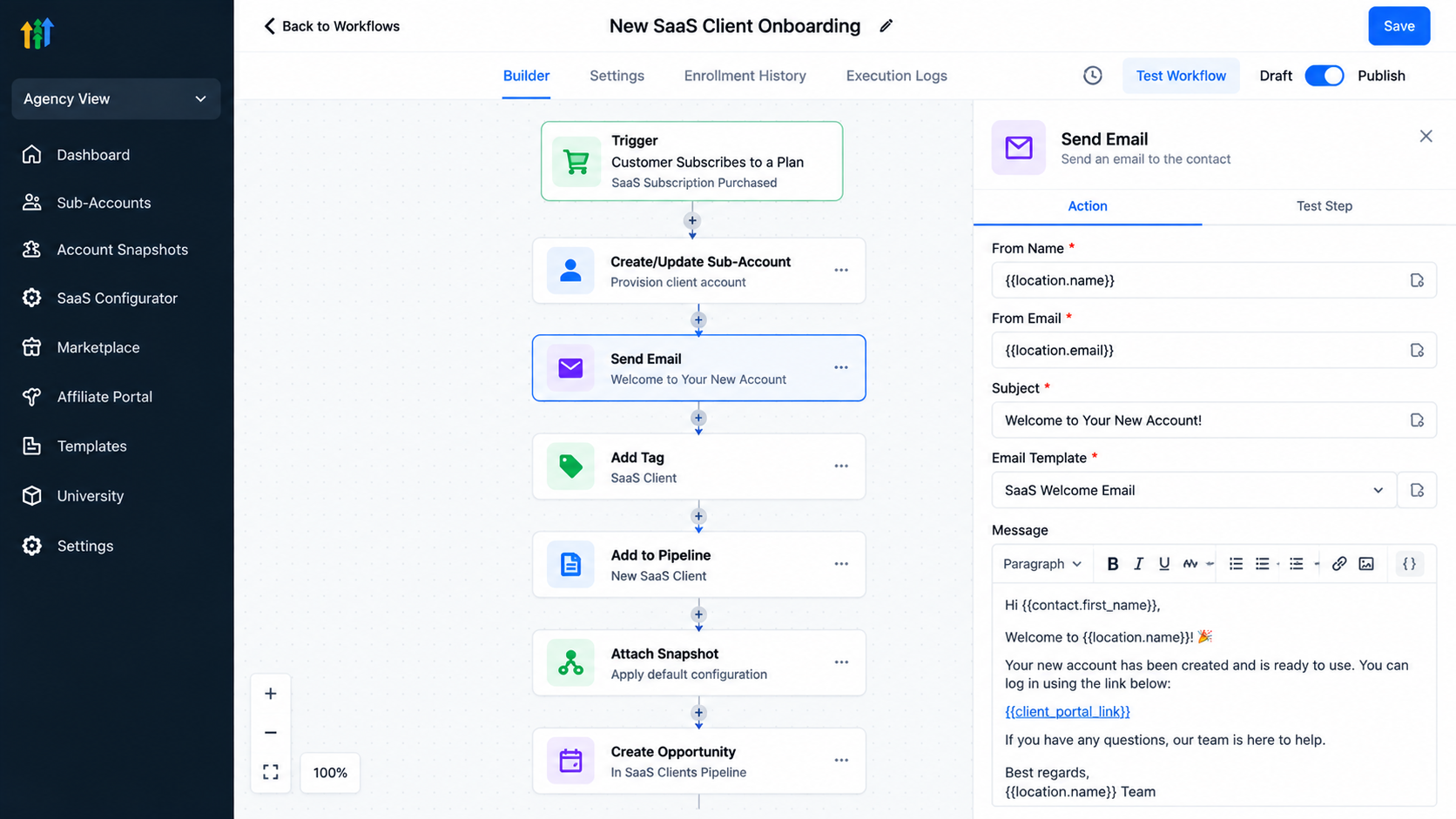
For example, after a customer purchases a subscription, supported provisioning features may help create their account. A prepared snapshot can establish common configurations, while workflows can deliver welcome communications.
Your onboarding process might include:
Confirming subscription activation.
Preparing the client's account and permissions.
Applying an appropriate snapshot.
Connecting required communication services.
Testing appointment reminders and follow-up workflows.
Not every task happens automatically. Domain configuration, integrations, testing, and customer training may require human involvement.
Reliable onboarding improves the customer's first experience.
Step 6: Launch, Market, and Improve Your SaaS Offer
Once your solution works, focus on reaching the right businesses.
Create a landing page explaining the problem your software solves. Demonstrate practical workflows rather than overwhelming visitors with feature lists.
Use targeted outreach, educational content, and product demonstrations to attract suitable prospects.
After launch, monitor customer activation, feature adoption, support requests, and subscription retention.
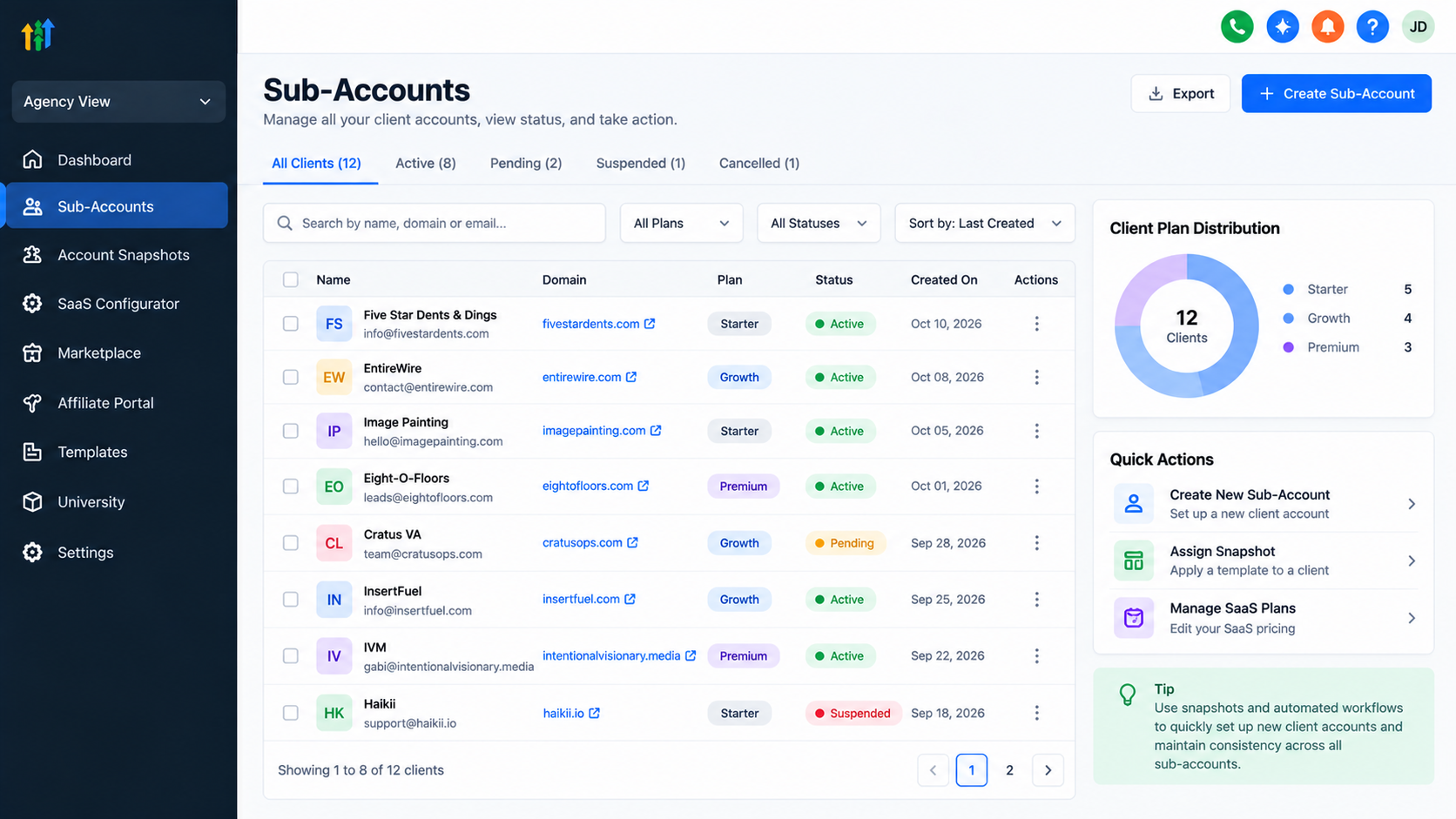
Use customer feedback to simplify workflows and improve your offering.
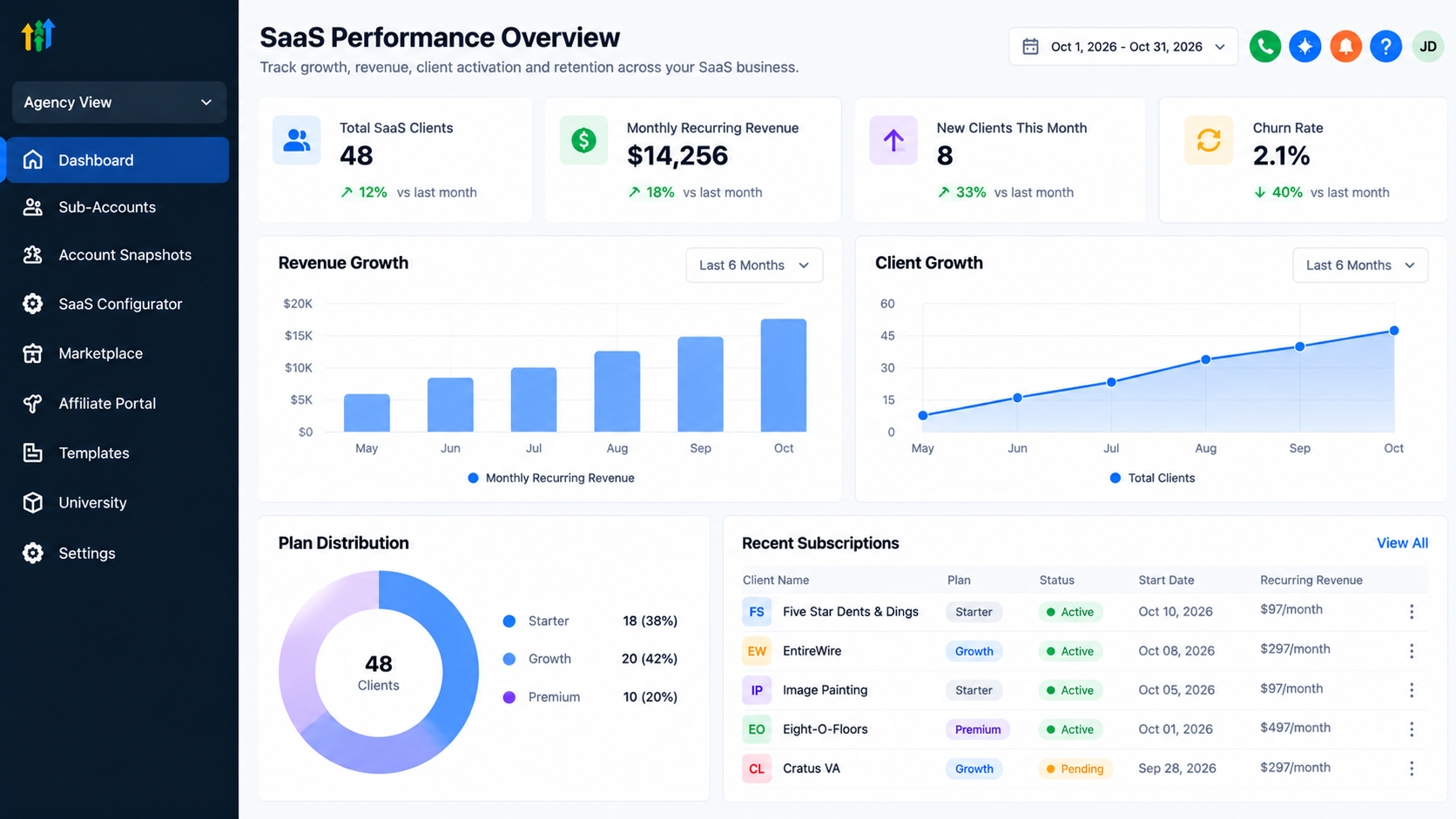
Long-term success depends on customers consistently receiving value from the software.
Common Mistakes to Avoid When Building a GoHighLevel SaaS Offer
Avoid these common problems:
Targeting everyone: Start with one clearly defined industry.
Selling features: Explain the business outcomes your solution supports.
Ignoring costs: Calculate subscription, usage, and support expenses.
Overcomplicating plans: Keep packages understandable.
Neglecting onboarding: Provide setup guidance and ongoing assistance.
Addressing these issues early makes your SaaS business easier to manage.
Conclusion
Building a successful GoHighLevel SaaS offer requires more than activating SaaS Mode. It takes a focused niche, relevant software capabilities, thoughtful pricing, and dependable customer support.
Start with one business problem, build a repeatable solution, and refine it through customer feedback.
Your first step is simple: choose your niche and design a GoHighLevel SaaS offer around a problem worth solving.
Frequently Asked Questions
1. What is GoHighLevel SaaS Mode?
It provides eligible agencies with functionality for packaging and selling subscription-based solutions using GoHighLevel.
2. Do I need technical skills to build a GoHighLevel SaaS offer?
Advanced programming is not generally required, but CRM configuration, workflows, integrations, and troubleshooting require practical knowledge.
3. Can I sell GoHighLevel under my own brand?
Yes. Supported white-label options allow agency branding, subject to plan eligibility and platform limitations.
4. How should I price my GoHighLevel SaaS offer?
Consider customer value, included capabilities, operational expenses, support commitments, and your desired profit margin.
5. Can GoHighLevel automate SaaS client onboarding?
Yes, supported provisioning functionality, snapshots, and workflows can automate parts of onboarding. Some configuration and verification remain manual.
Need Expert Help with GoHighLevel?
New to GoHighLevel and ready to get started? Buy your GoHighLevel account here and launch with confidence.
Already know what you need and want our team to handle everything, from complete setup and customization to funnels, workflows, automations, CRM, and pipelines? Click here.



