

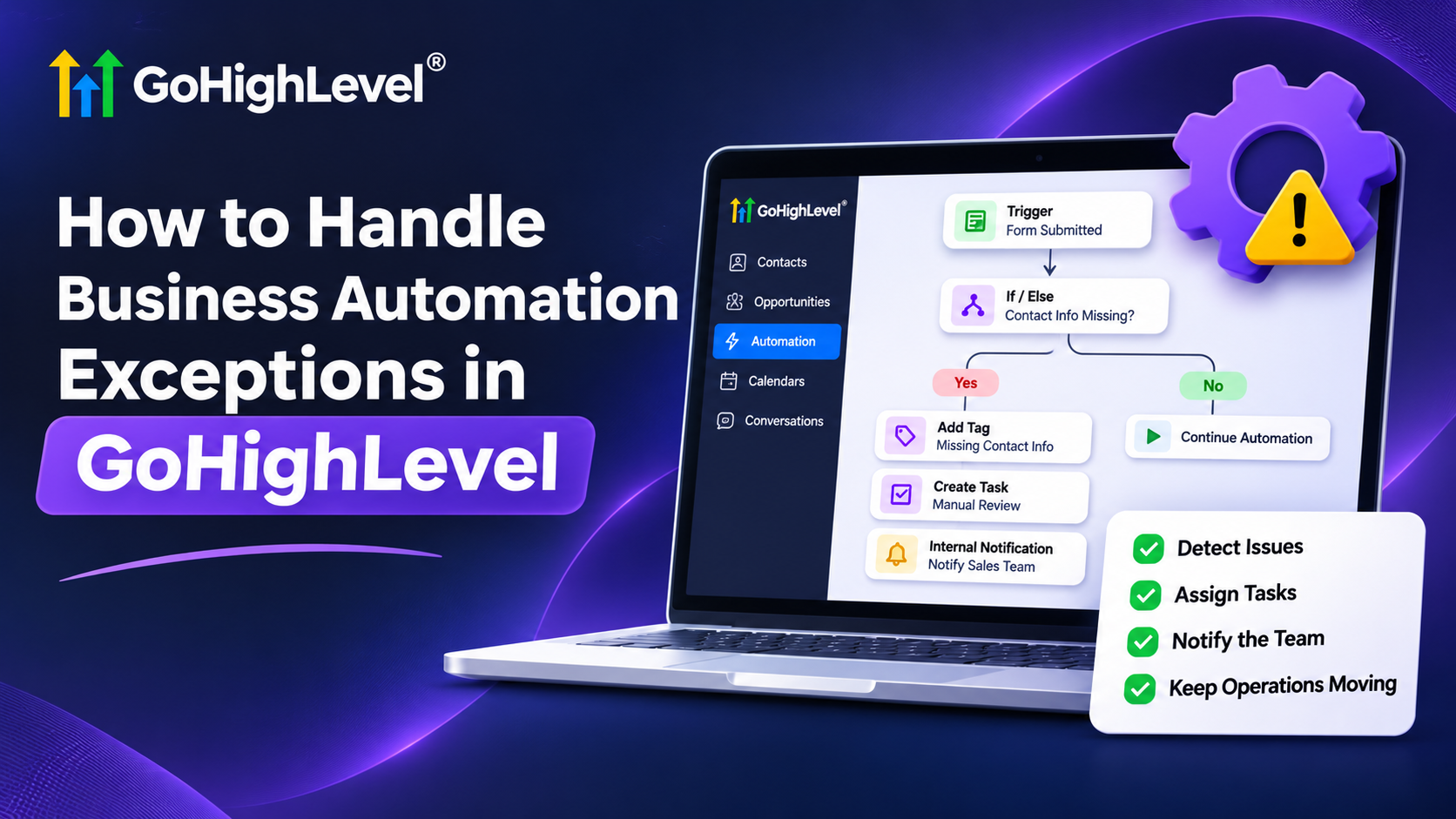
A Complete Guide to Business Automation Exception Handling
How to Build an Exception-Handling Process for Business Automation
A potential customer submits a service request, but an automated follow-up never reaches them because their phone number is missing. The sales team assumes everything is working, while the customer waits for a response that never arrives.
Situations like this reveal why exception handling in business automation matters. Automated workflows can manage repetitive tasks efficiently, but unexpected conditions still require attention. Without a process for identifying and resolving these situations, businesses risk missed opportunities and frustrated customers.
GoHighLevel can help businesses build more dependable automation processes by combining conditional workflows, internal notifications, task management, and human oversight.
What Is Exception Handling in Business Automation?
Exception handling is the process of identifying and responding to situations that prevent an automated business process from following its intended path.
For example, a workflow might successfully capture a new lead but discover that essential contact information is missing. Instead of continuing with an unsuitable follow-up sequence, the business needs an alternative process.
Exceptions generally fall into two categories:
Business-process exceptions: Missing customer details, duplicate submissions, scheduling conflicts, or requests requiring manual approval.
Technical exceptions: Failed external API requests, integration problems, or workflow actions that do not execute as expected.
This distinction matters because different problems require different solutions. Known business conditions can often be managed through predefined workflow logic, while technical failures may require troubleshooting.
Effective business automation exception handling helps teams respond appropriately rather than allowing problems to remain unnoticed.
Identify Where Automation Exceptions Can Occur
Before building an exception-handling process, review how information moves through your existing operations.
Start by examining the workflows responsible for important customer interactions.
Common areas include:
Lead capture: Forms may contain incomplete or incorrect contact information.
Appointment scheduling: Customers may cancel appointments or require rescheduling.
Customer communication: A contact may lack the information needed for a particular communication channel.
Sales pipelines: Opportunities may require additional review before progressing.
Third-party integrations: External services may experience connection or data-processing problems.
For each process, identify what successful execution looks like and what could prevent it.
Then determine which exceptions can be identified through workflow conditions and which require manual investigation.
This preparation makes workflow exception management more organized and practical.
How to Build an Exception-Handling Process in GoHighLevel
GoHighLevel workflows provide several capabilities that businesses can configure to manage predictable exceptions.
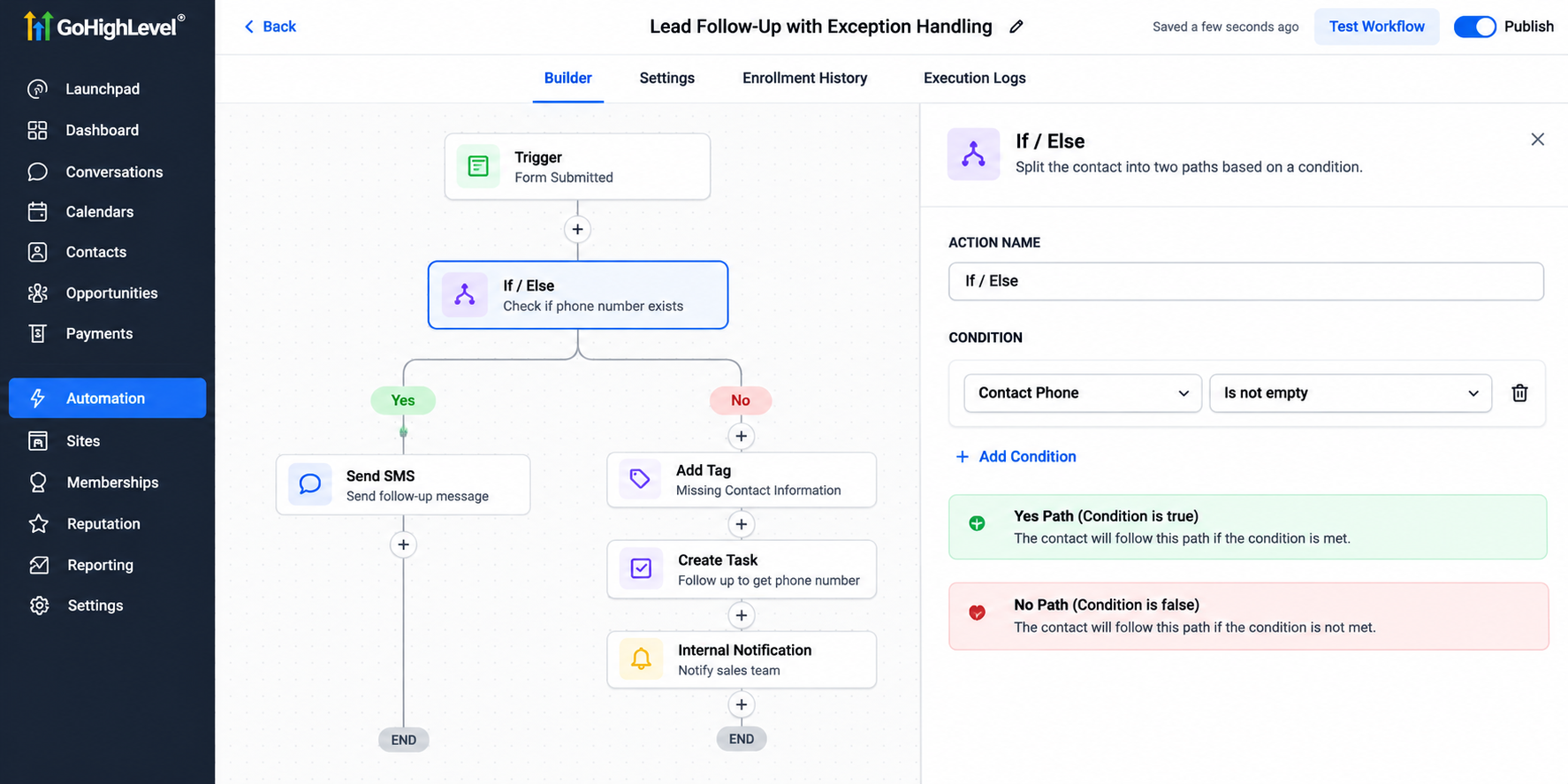
The following steps establish a practical foundation.
Step 1: Define Exception Conditions
Begin by identifying specific situations that require alternative actions.
For example, a lead follow-up workflow might need to check whether a contact has a usable phone number before proceeding with an SMS sequence.
GoHighLevel's If/Else workflow action allows businesses to create conditional paths based on supported contact information and other available conditions.
Rather than assuming every contact meets the same requirements, configure separate paths for different situations.
Step 2: Organize Exceptions Using Tags and Fields
Contact tags and custom fields can help teams identify records requiring attention.
For example, a business could create tags such as:
Missing Contact Information
Manual Review Required
Follow-Up Needed
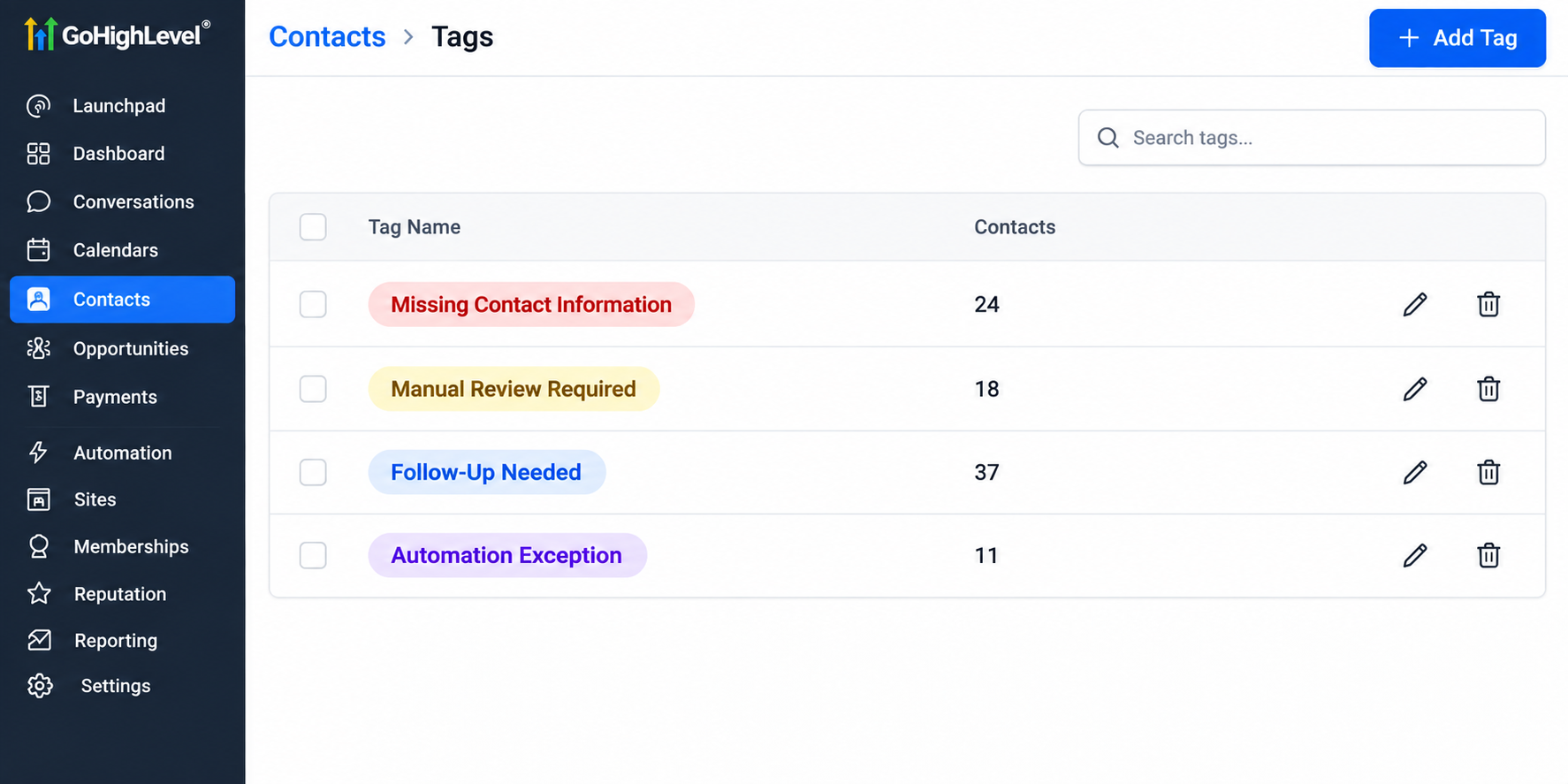
When a configured workflow identifies a known exception, it can apply an appropriate tag.
These labels help team members recognize unresolved situations without manually examining every contact.
Step 3: Notify the Responsible Team Member
Identifying an exception is only useful when someone knows it requires attention.
GoHighLevel supports internal notification actions that can alert designated team members when configured workflow conditions are met.
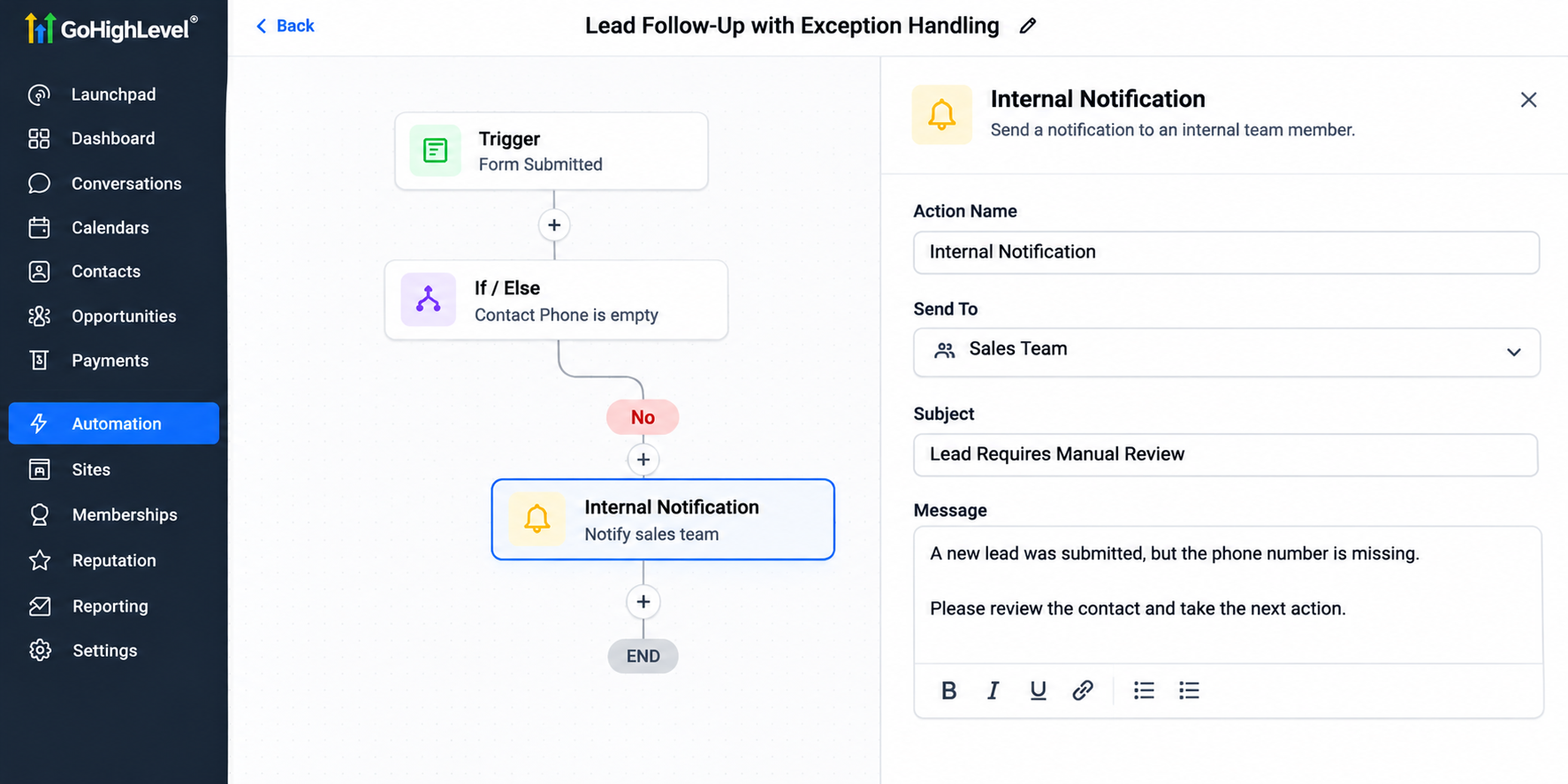
For example, a workflow could notify a sales representative when a lead requires manual review.
Notifications should explain the issue clearly and identify the next action.
Step 4: Create Tasks for Manual Resolution
Some exceptions require direct employee involvement.
GoHighLevel's task creation capabilities can support these situations by assigning follow-up responsibilities within the CRM.
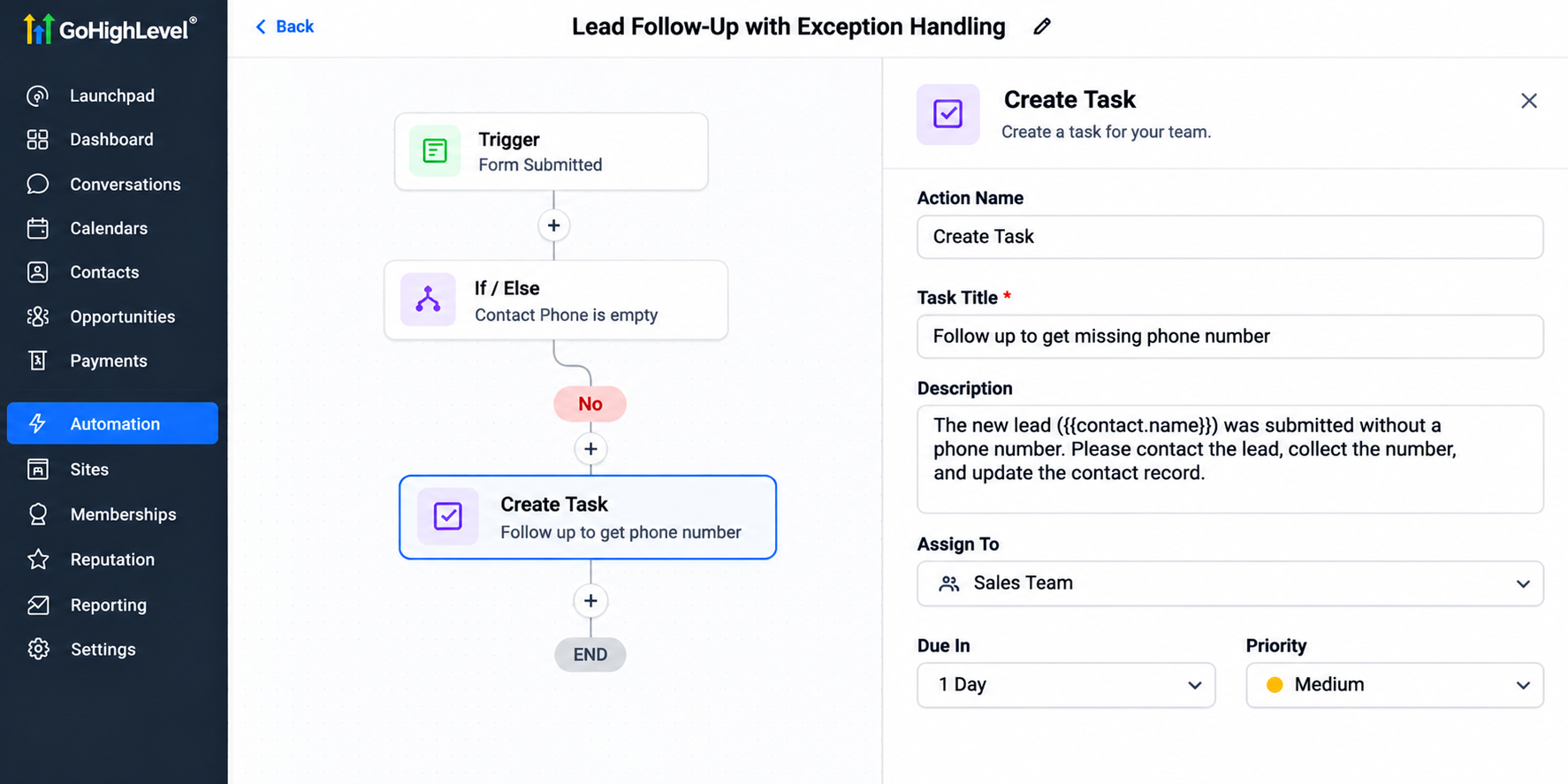
Businesses can also use designated pipeline stages to organize opportunities awaiting review.
However, these processes must be configured intentionally. GoHighLevel does not automatically identify every possible exception.
Step 5: Investigate Technical Workflow Problems
Technical workflow error handling requires a different approach.
When an automation behaves unexpectedly, review the available workflow execution history and troubleshooting information to understand what occurred.
Investigate relevant conditions, action configurations, and external integration behavior.
Not every technical failure can be detected through an If/Else condition, and automatic recovery should not be assumed.
Practical Example: Exception Handling for an HVAC Company
Consider an HVAC company using GoHighLevel automation to manage service inquiries.
A homeowner submits a request for an air conditioning repair but leaves the phone number field empty.
The company could configure its workflow to check the contact's phone number before attempting SMS follow-up.
If the information is missing, the workflow could apply a review tag, send an internal notification, and create a task for an employee.
The employee could then review the available contact information and determine an appropriate next step.
This approach prevents an incomplete record from being treated like a fully qualified lead.
Define Clear Escalation and Human Intervention Rules
Not every exception deserves the same response.
A missing optional field might require routine follow-up, while an urgent customer complaint could need immediate attention.
Establish clear rules covering responsibility, priority, and expected resolution time.
For example, assign customer communication issues to the support team and lead qualification problems to sales representatives.
Internal notifications and tasks can support these procedures, but employees must remain accountable for resolving outstanding issues.
Human oversight ensures automation supports business operations rather than replacing necessary judgment.
Test, Monitor, and Improve Your Automation
Before relying on an exception-handling workflow, test both successful and unexpected scenarios.
Submit test records with missing information, verify conditional branches, and confirm that notifications reach the intended recipients.
Review workflow execution details when investigating unexpected behavior.
Periodically examine recurring exceptions to identify opportunities for improving workflow logic, contact data collection, and employee procedures.
Consistent automation troubleshooting helps businesses maintain dependable processes as operational requirements change.
Conclusion
Reliable automation requires more than workflows that perform routine tasks. Businesses also need clear procedures for handling situations when something goes wrong.
By combining GoHighLevel workflows, conditional logic, contact tags, internal notifications, tasks, and human oversight, organizations can create more manageable exception-handling processes.
The goal is not to eliminate every possible problem but to ensure predictable issues receive appropriate attention.
Review your existing automations, identify their most important failure points, and establish practical procedures for resolving exceptions before they affect customers.
Frequently Asked Questions (FAQs)
1. What is exception handling in business automation?
Exception handling in business automation is the process of identifying, managing, and resolving unexpected situations that interrupt normal workflows. It helps businesses address missing information, unusual conditions, and technical problems while maintaining reliable operations.
2. How does GoHighLevel help with exception handling?
GoHighLevel supports exception handling through workflow conditions, If/Else branches, contact tags, internal notifications, and task creation. Businesses can configure these features to identify predictable issues and notify team members when manual attention is needed.
3. Can GoHighLevel automatically detect workflow errors?
GoHighLevel can identify certain predefined business conditions through configured workflow logic. However, it does not automatically detect or resolve every technical error. Some failures require reviewing workflow execution information and troubleshooting manually.
4. What are the most common exceptions in automated workflows?
Common exceptions include missing customer information, incomplete form submissions, unexpected scheduling changes, duplicate contact records, failed third-party integrations, and situations requiring employee intervention. Identifying these possibilities early helps businesses prepare appropriate responses.
5. How can businesses test exception-handling workflows in GoHighLevel?
Businesses can create test contacts, submit incomplete information, check If/Else conditions, and verify internal notifications and task creation. Reviewing available workflow execution details also helps identify configuration problems before automation is used in everyday operations.
6. Why is human intervention important in business automation?
Human intervention is important because some situations require judgment, customer communication, or manual troubleshooting. Combining automated workflows with clearly assigned employee responsibilities helps businesses resolve exceptions more effectively and maintain a positive customer experience.
Need Expert Help with GoHighLevel?
New to GoHighLevel and ready to get started? Buy your GoHighLevel account here and launch with confidence.
Already know what you need and want our team to handle everything, from complete setup and customization to funnels, workflows, automations, CRM, and pipelines? Click here.