


GoHighLevel Call Routing Automation for Better Lead Management
How to Build an Automated Call Routing System in GoHighLevel
Introduction
If you've ever lost a potential customer because no one answered the phone, you're not alone. For many businesses, every missed call is a missed opportunity. Whether you're running a marketing agency, HVAC company, real estate business, dental practice, or any service-based company, customers expect quick responses. If their call isn't answered or routed to the right person, they'll likely move on to a competitor.
This is where automation makes a real difference.
With GoHighLevel, you can build an automated call routing system that helps direct incoming calls to the right team members, notify your staff instantly, and keep every customer interaction organized inside your CRM. Instead of relying on manual processes, you create workflows that improve response times, reduce missed opportunities, and provide a better customer experience.
In this guide, you'll learn how to build an automated call routing system in GoHighLevel using practical, real-world strategies that are easy to implement.
What Is Automated Call Routing?
Automated call routing is the process of directing incoming phone calls to the most appropriate person or team without requiring manual intervention.
Instead of having one employee answer every call and transfer it multiple times, a routing system automatically determines where the call should go based on predefined rules.
Depending on your business, calls can be routed based on:
Business hours
Assigned sales representatives
Department or service type
Team availability
Lead ownership
Custom workflow conditions
The goal is simple: get customers connected with the right person as quickly as possible.
Why Businesses Need Automated Call Routing
Many growing businesses eventually face communication challenges. As call volume increases, managing incoming calls manually becomes difficult.
Here are some of the biggest reasons businesses implement automated phone routing.
Reduce Missed Calls
Missed calls often translate into lost revenue. When calls are automatically directed to available team members, there's a much better chance that someone answers promptly.
Improve Response Times
Customers appreciate quick service. Automated routing eliminates unnecessary delays by connecting callers with the appropriate person immediately.
Manage Larger Teams Efficiently
When multiple employees handle customer inquiries, automation helps distribute calls more effectively and prevents one person from becoming overwhelmed.
Better Lead Distribution
Sales teams can assign leads more consistently when calls and related contact records are automatically managed within the CRM.
Deliver a Better Customer Experience
Customers shouldn't have to explain their situation multiple times. When contact records, notes, and conversations stay inside one platform, your team has the context they need before answering.
How GoHighLevel Makes Call Routing Easier
One of GoHighLevel's biggest strengths is that it combines several essential business tools into a single platform.
Instead of juggling separate systems for communication and customer management, businesses can handle everything in one place.
GoHighLevel helps streamline call routing by bringing together:
CRM contact management
Built-in phone capabilities
Automation workflows
User assignments
Internal notifications
Pipelines for lead tracking
Tags and contact segmentation
For example, when a new lead calls your business, GoHighLevel can automatically:
Create or update the contact record
Trigger workflow automation
Notify the assigned team member
Assign ownership based on your workflow logic
Move the contact into the correct pipeline stage
Keeping these processes connected reduces manual work while improving overall efficiency.
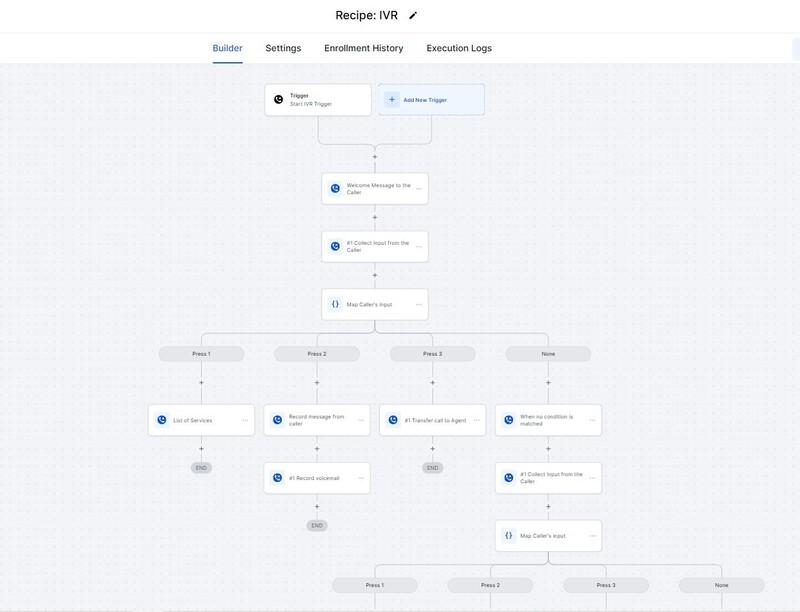
Step-by-Step Guide to Building an Automated Call Routing System in GoHighLevel
Step 1: Set Up Your Business Phone Number
Start by configuring your business phone number inside GoHighLevel.
Make sure your number is properly connected and ready to receive incoming calls before building automation around it.
Using a dedicated business number also keeps customer communication organized inside your CRM.
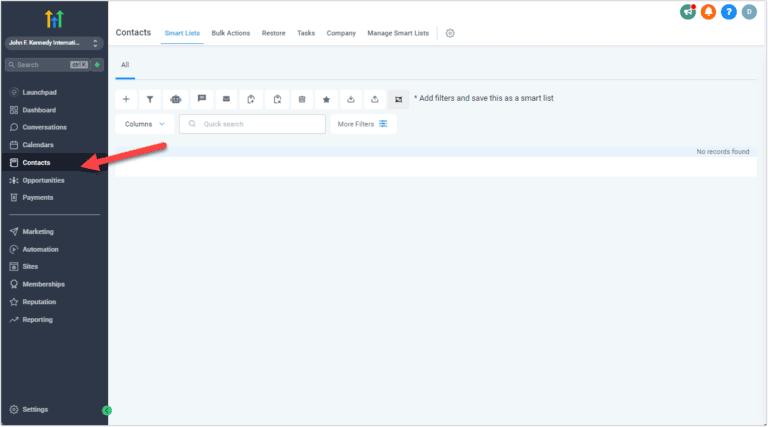
Step 2: Configure Your Team Members
Next, add your users and assign appropriate permissions.
Each team member who will receive customer calls should have the correct user profile and access based on their responsibilities.
This makes future lead routing much easier.
Step 3: Build Your Automation Workflow
GoHighLevel's workflow builder is where the automation happens.
Create workflows that respond to incoming call events or related triggers.
Depending on your business process, your workflow can:
Assign contacts automatically
Apply tags
Send internal notifications
Create follow-up tasks
Update pipeline stages
Trigger additional automation after the call
Keep your workflow as simple as possible during the initial setup.
Step 4: Route Calls Using Logical Conditions
Not every business routes calls the same way.
Some companies assign calls based on lead ownership, while others distribute leads evenly among sales representatives using user assignment features.
You can also create workflow conditions that determine how contacts are handled after incoming calls based on your business process.
Rather than creating overly complicated routing logic, focus on rules that are easy to maintain.
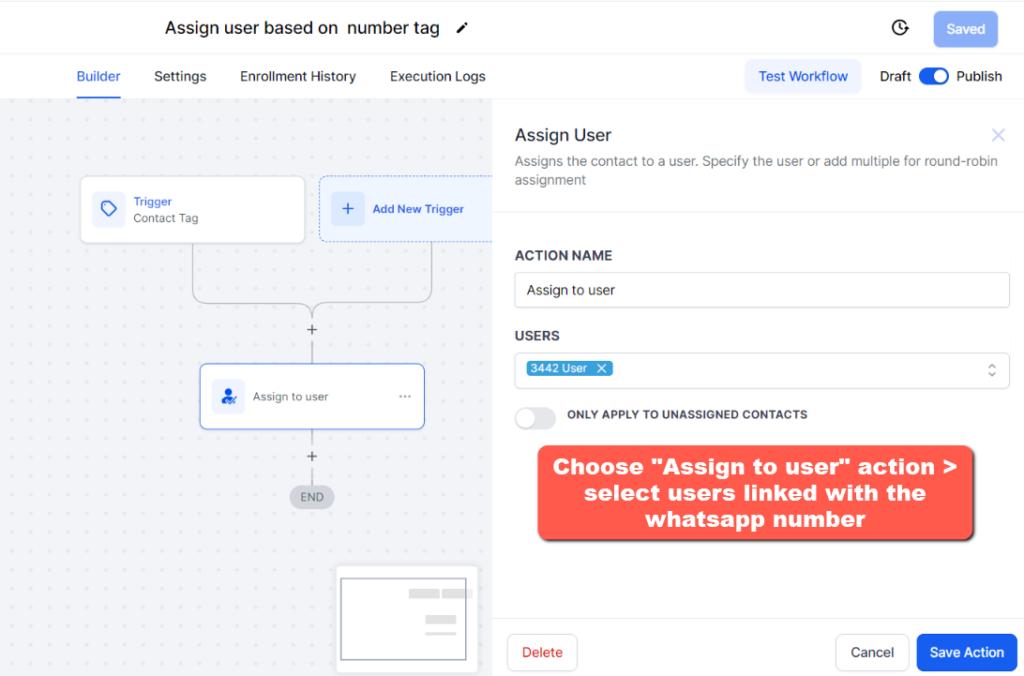
Step 5: Notify the Right Team Members
Once a call is received or assigned, immediate notifications help your team respond faster.
GoHighLevel workflows can notify assigned users through internal alerts, helping ensure important leads aren't overlooked.
Fast internal communication often results in better customer satisfaction.
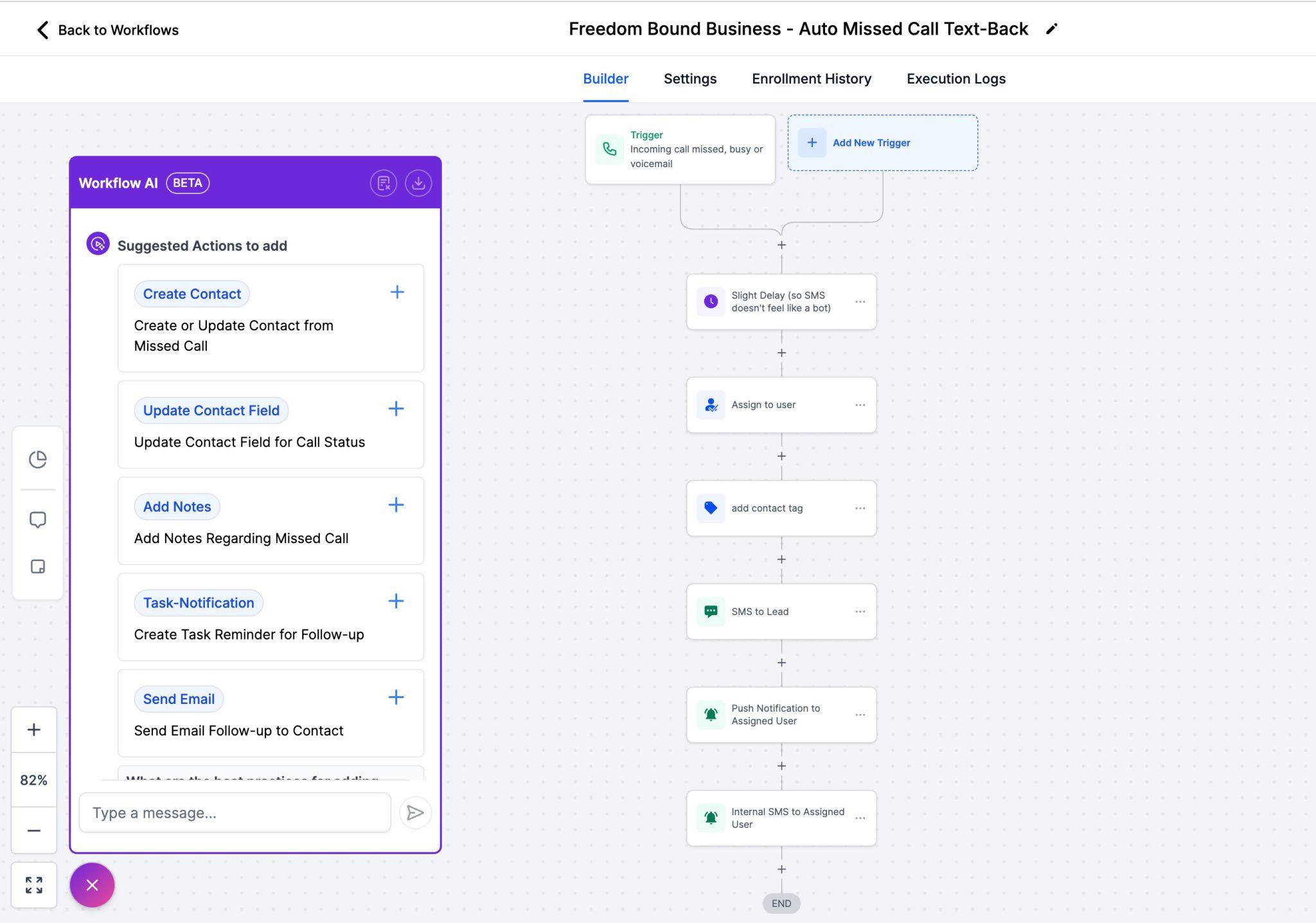
Step 6: Test Your Workflow
Before using your new routing system with real customers, test everything thoroughly.
Place several test calls and verify that:
Contacts are created correctly
Users receive notifications
Tags are applied properly
Pipeline stages update correctly
Assignments work as expected
Small testing sessions can prevent much larger problems later.
Step 7: Monitor and Improve Performance
Automation should never be considered "set and forget."
Review your workflows regularly to identify missed calls, delayed follow-ups, or assignment issues.
As your team grows, update routing rules to match your evolving business structure.
Best Practices for GoHighLevel Call Routing
To get the best results from your GoHighLevel automation, follow these practical recommendations.
Keep Routing Rules Simple
Complex workflows become difficult to troubleshoot. Start with basic logic and expand only when necessary.
Test Regularly
Even small workflow updates should be tested before going live.
Monitor Missed Calls
Review missed call reports and customer interactions regularly to identify improvement opportunities.
Update Workflows as Your Team Grows
A routing strategy that works for two employees may not work for ten.
Review assignments periodically to ensure workloads remain balanced.
Use Tags Wisely
Tags make contact organization much easier and allow workflows to respond differently based on customer information.
Common Mistakes to Avoid
Many users make similar mistakes when building automated phone routing systems.
Avoid these common issues:
Creating overly complicated workflows with unnecessary conditions
Forgetting to test before launching
Not updating user assignments after team changes
Ignoring missed call notifications
Applying too many tags without a clear organization strategy
Failing to review workflow performance over time
Keeping your automation clean and organized makes future maintenance much easier.
Conclusion
Building an automated call routing system in GoHighLevel is one of the most effective ways to improve customer communication while reducing manual work. By combining GoHighLevel call routing, workflow automation, contact management, and CRM phone automation into a single platform, businesses can respond faster, distribute leads more efficiently, and create a smoother experience for both customers and team members.
The key is to start with a simple workflow, test it thoroughly, and refine it as your business grows. As your team expands and call volume increases, thoughtful automation will help you stay organized without sacrificing customer service.
If you're looking to streamline call management, improve business phone automation, and make the most of the GoHighLevel phone system, implementing an automated call routing workflow is a smart investment that can save time, reduce missed opportunities, and help your business scale with confidence.



