

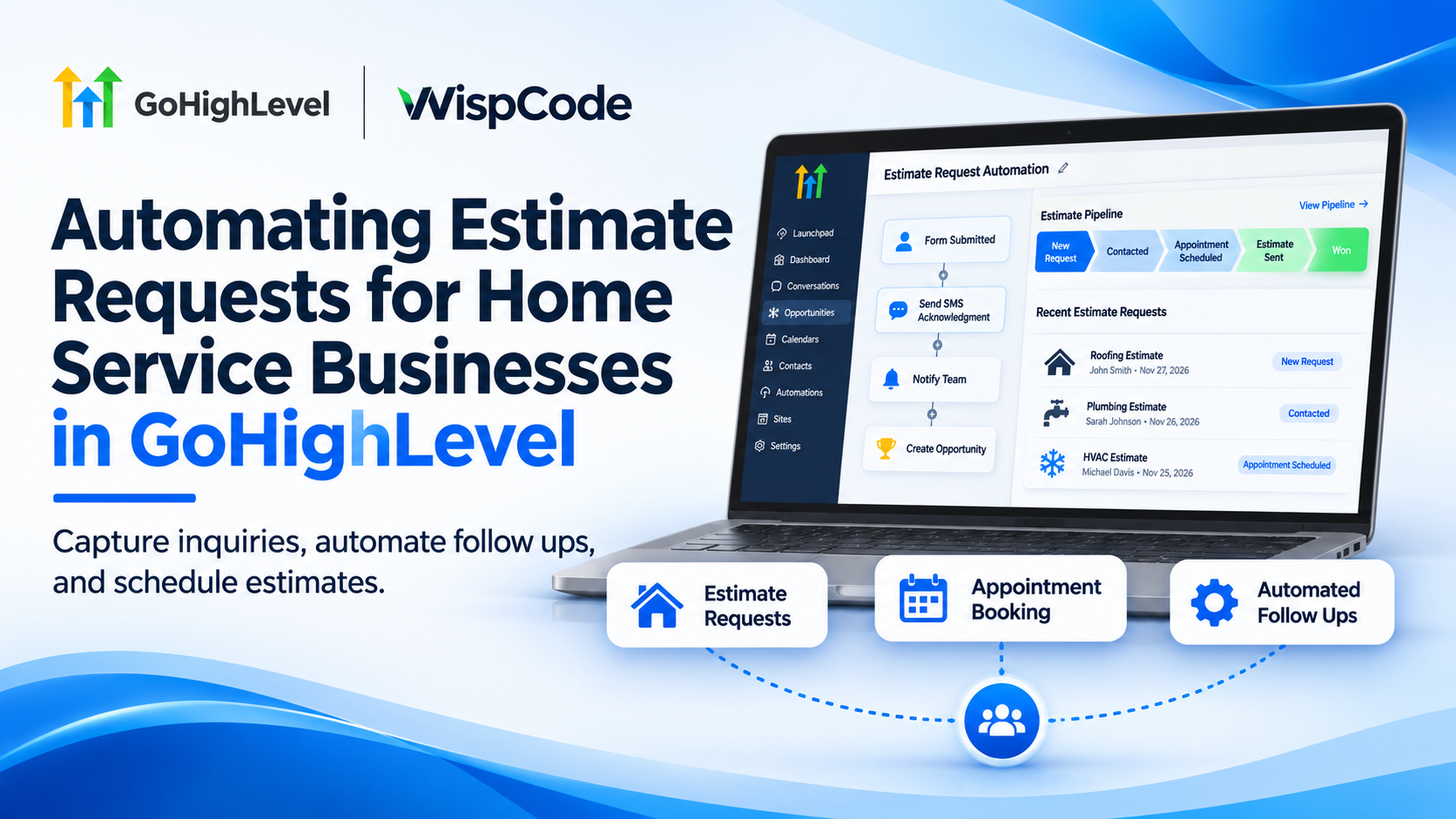
Streamlining Estimate Requests with GoHighLevel
How to Automate Estimate Requests for Home Service Businesses
A homeowner submits an estimate request for a roof repair, but nobody responds until the next morning. Meanwhile, another contractor has already contacted them. For home service businesses, situations like this can turn genuine sales opportunities into missed business. When technicians are on job sites, managing calls, website inquiries, and follow ups manually becomes difficult. Without a reliable process, estimate requests can easily be overlooked.
Automating this process helps businesses respond consistently, organize incoming inquiries, and move potential customers toward scheduled estimates. With GoHighLevel, contractors can build a connected system that manages estimate requests from initial submission through appointment scheduling and sales follow up.
1. Create an Estimate Request Form
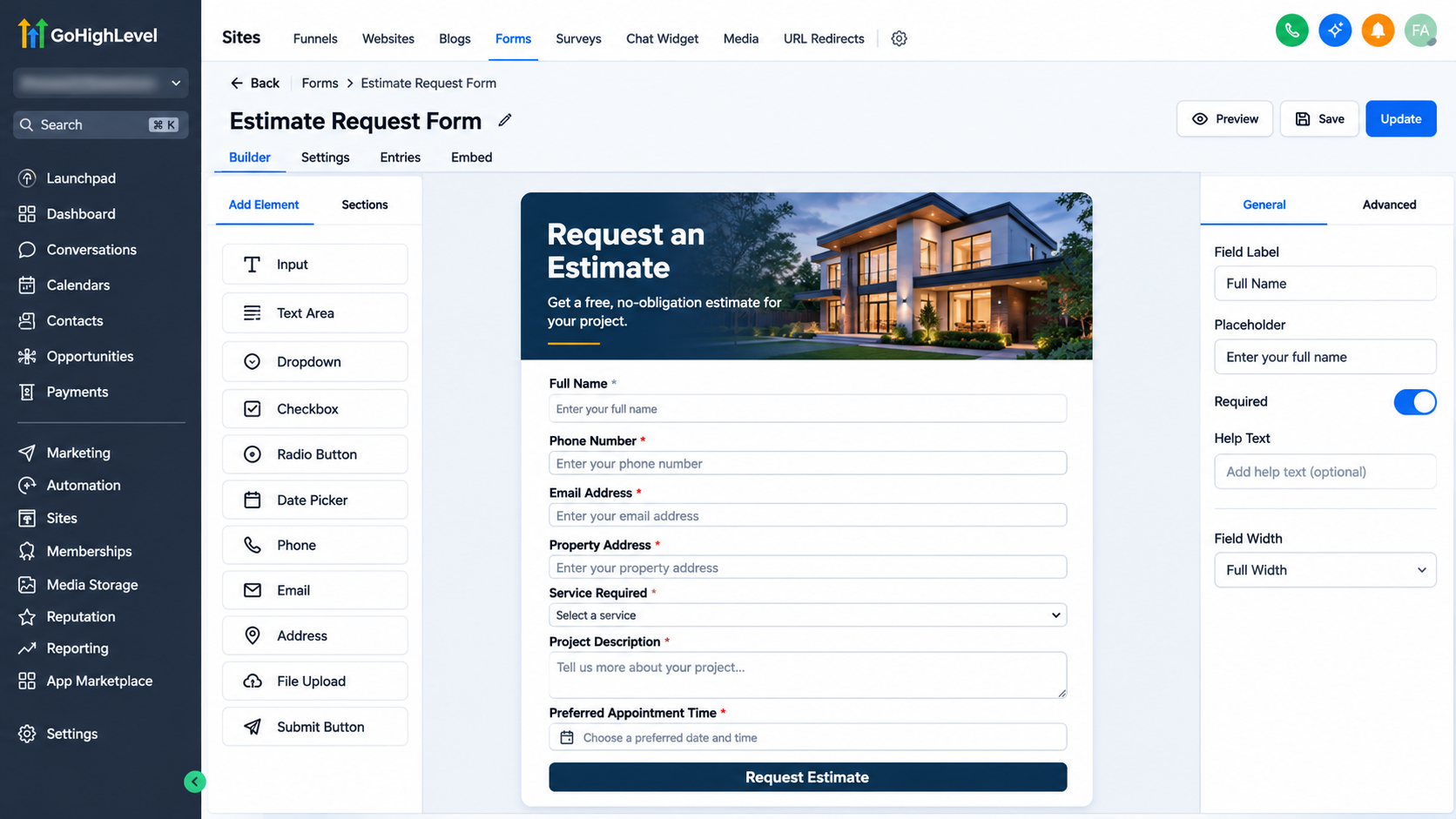
The process starts with a well structured estimate request form. GoHighLevel's form builder allows businesses to create forms and add standard contact fields or custom fields based on their requirements.
A plumbing company might collect the customer's name, phone number, email address, property address, plumbing issue, project description, and preferred appointment time. Roofing companies can collect information about roof damage, repair requirements, or replacement projects.
When someone submits the form, GoHighLevel can create a new contact or update an existing contact record using the submitted information and field mapping.
The form can also be embedded on the company's website, allowing visitors to submit requests without contacting the office directly.
2. Start Automation With GoHighLevel Workflows
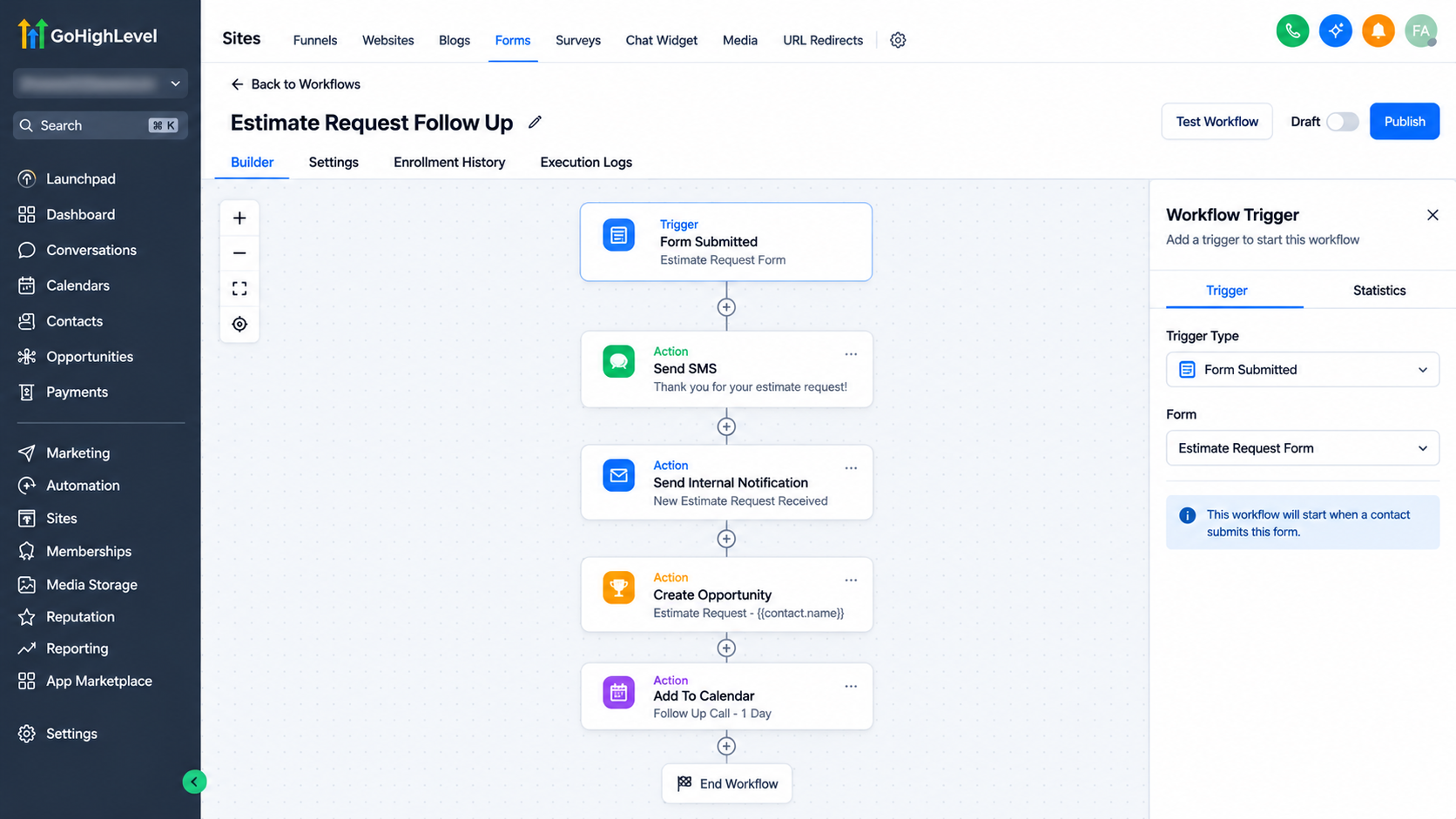
Once the form is submitted, a GoHighLevel workflow can begin automatically using the Form Submitted trigger.
The workflow can be configured for a specific estimate request form, ensuring that the correct automation starts when someone submits an inquiry.
From there, businesses can add actions such as sending messages, assigning contacts, adding tags, creating opportunities, and notifying team members.
This creates a structured process instead of relying on someone to manually check every new submission.
3. Send Instant Customer Acknowledgments
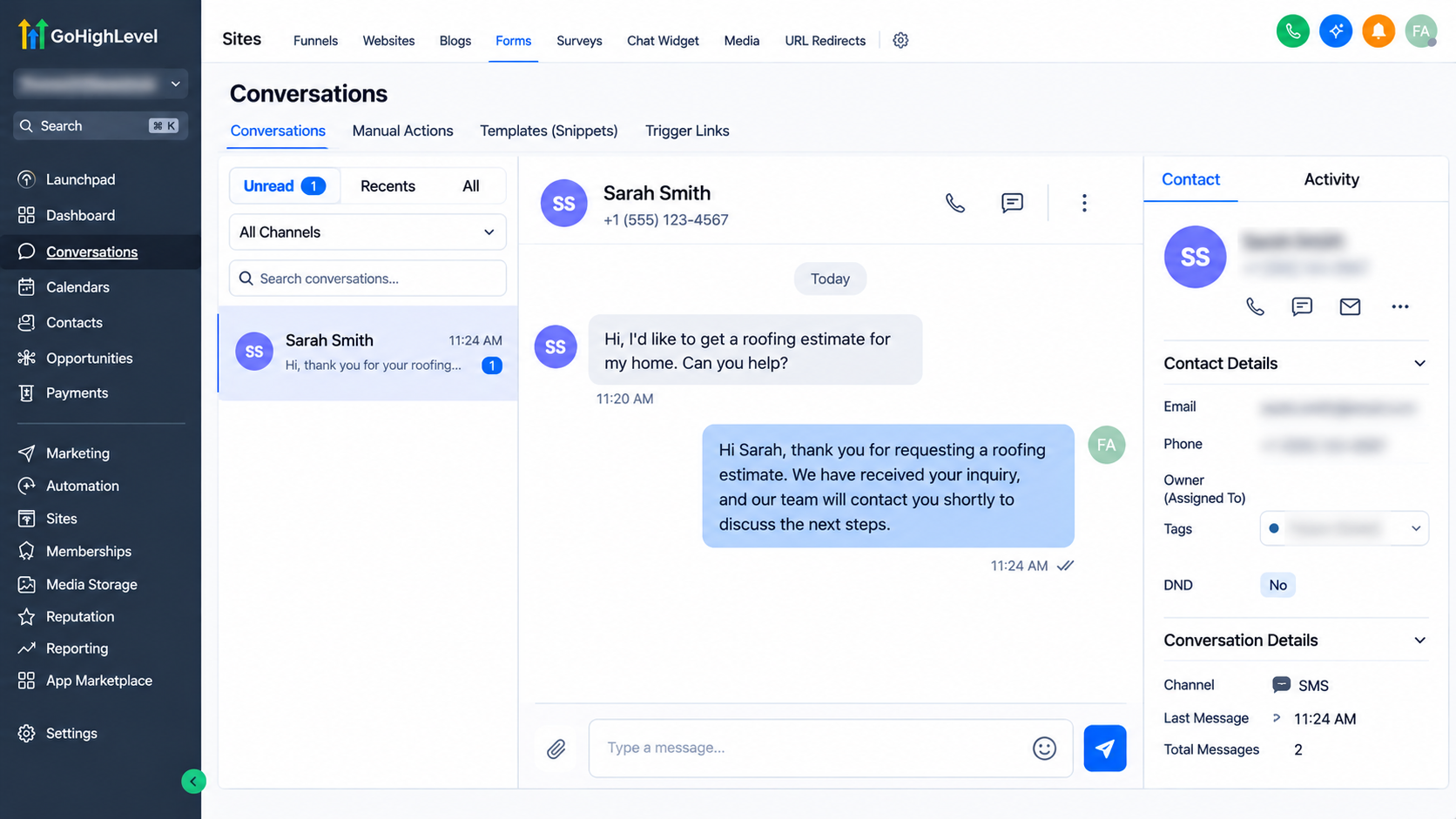
Customers should know their requests have been received. A workflow can send an automated SMS or email immediately after a submission.
For example:
"Hi Sarah, thank you for requesting a roofing estimate. We have received your inquiry, and our team will review the details and contact you shortly to arrange the next steps."
This message confirms receipt without suggesting that a contractor has already inspected the property or calculated the project cost.
A timely acknowledgment creates a more professional experience and gives customers confidence that their inquiry has reached the business.
4. Notify the Right Team Members
Customer communication is only one part of the process. The internal team also needs to know when a new request arrives.
GoHighLevel supports internal workflow notifications and email notifications. Businesses can configure these alerts to reach the appropriate team members when an estimate request is submitted.
For example, a roofing inquiry can notify the sales representative responsible for roofing projects, while a plumbing request can alert the plumbing coordinator.
This reduces the need to constantly check the CRM and helps employees respond to incoming opportunities more efficiently.
5. Organize and Qualify Estimate Requests
Not every inquiry requires the same response. GoHighLevel workflows can use If/Else conditions to organize contacts based on available information.
For example, a business can collect service requirements through custom form fields and configure workflow conditions to distinguish between roofing, plumbing, HVAC, or electrical requests.
Urgency can also be collected through a form field and used to route urgent inquiries differently.
However, the relevant information must be mapped to the appropriate contact or custom fields, and the workflow conditions must be configured correctly. These decisions are not automatically created simply because a form contains additional questions.
6. Let Customers Schedule Estimate Appointments
Submitting an estimate request does not mean an appointment has been booked.
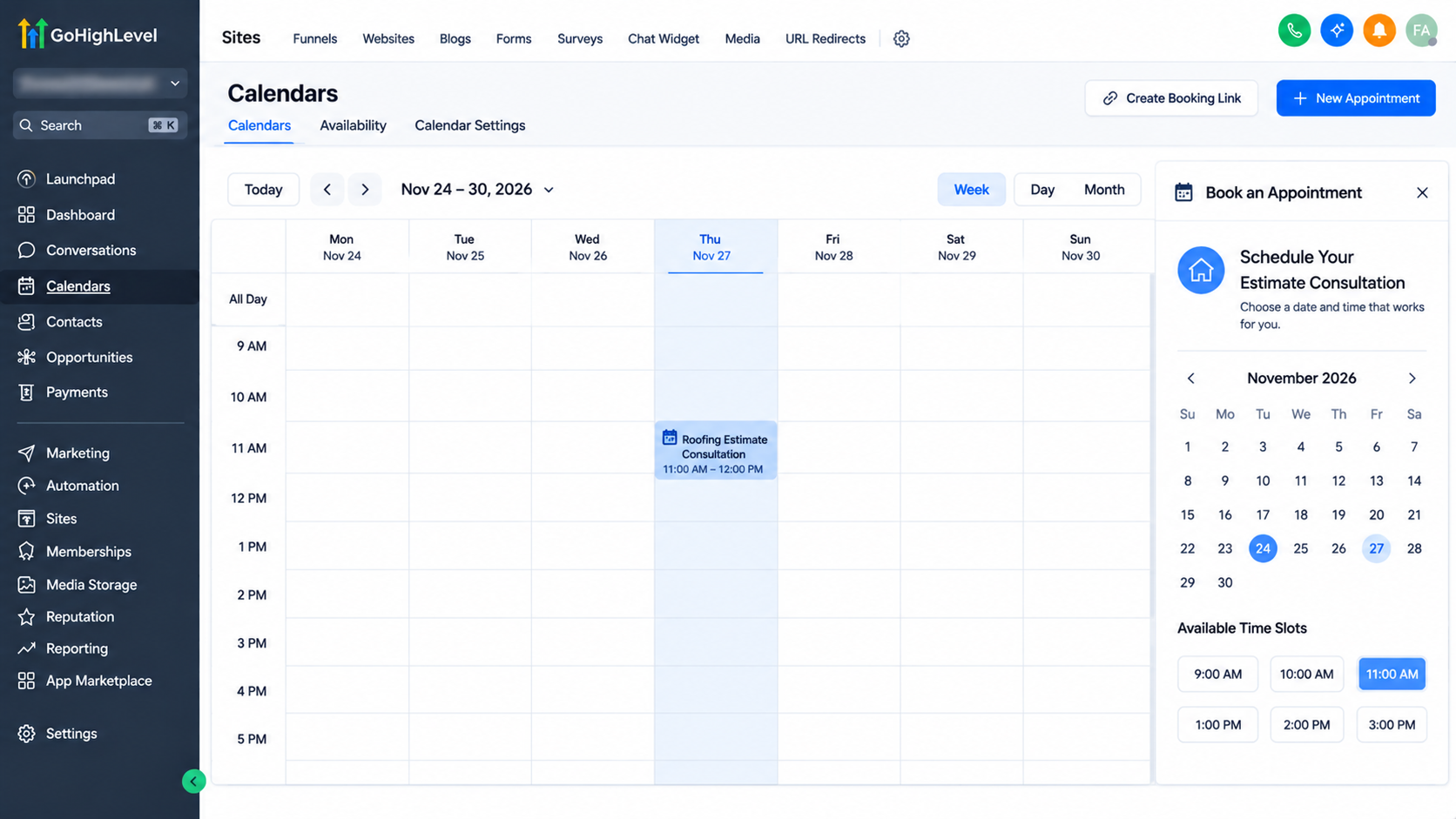
GoHighLevel calendars provide a way for customers to select available appointment times based on the calendar's configured availability and booking settings.
After receiving an inquiry, a business can send a calendar booking link through SMS or email. Customers can then choose an available time for an estimate visit or consultation.
Appointment confirmations and reminders can also be configured through calendar notifications or workflows.
This makes scheduling easier while helping businesses reduce missed appointments.
7. Build Automated Follow Up Sequences
Some customers submit estimate requests but never schedule an appointment. Without a follow up process, these inquiries can remain unattended.
GoHighLevel workflows can include delays, conditions, SMS messages, and emails to reconnect with these prospects.
For example, a business could send a message the following day:
"Hi Sarah, just checking whether you would like to schedule a time for our team to discuss your roofing project. You can choose a suitable appointment here: [Booking Link]."
Before sending subsequent messages, the workflow should check whether an appointment has already been booked or the lead has otherwise progressed. This prevents unnecessary reminders and creates a more relevant communication experience.
8. Track Every Estimate Request in a Pipeline
GoHighLevel CRM for contractors becomes more useful when inquiries are organized through an opportunity pipeline.
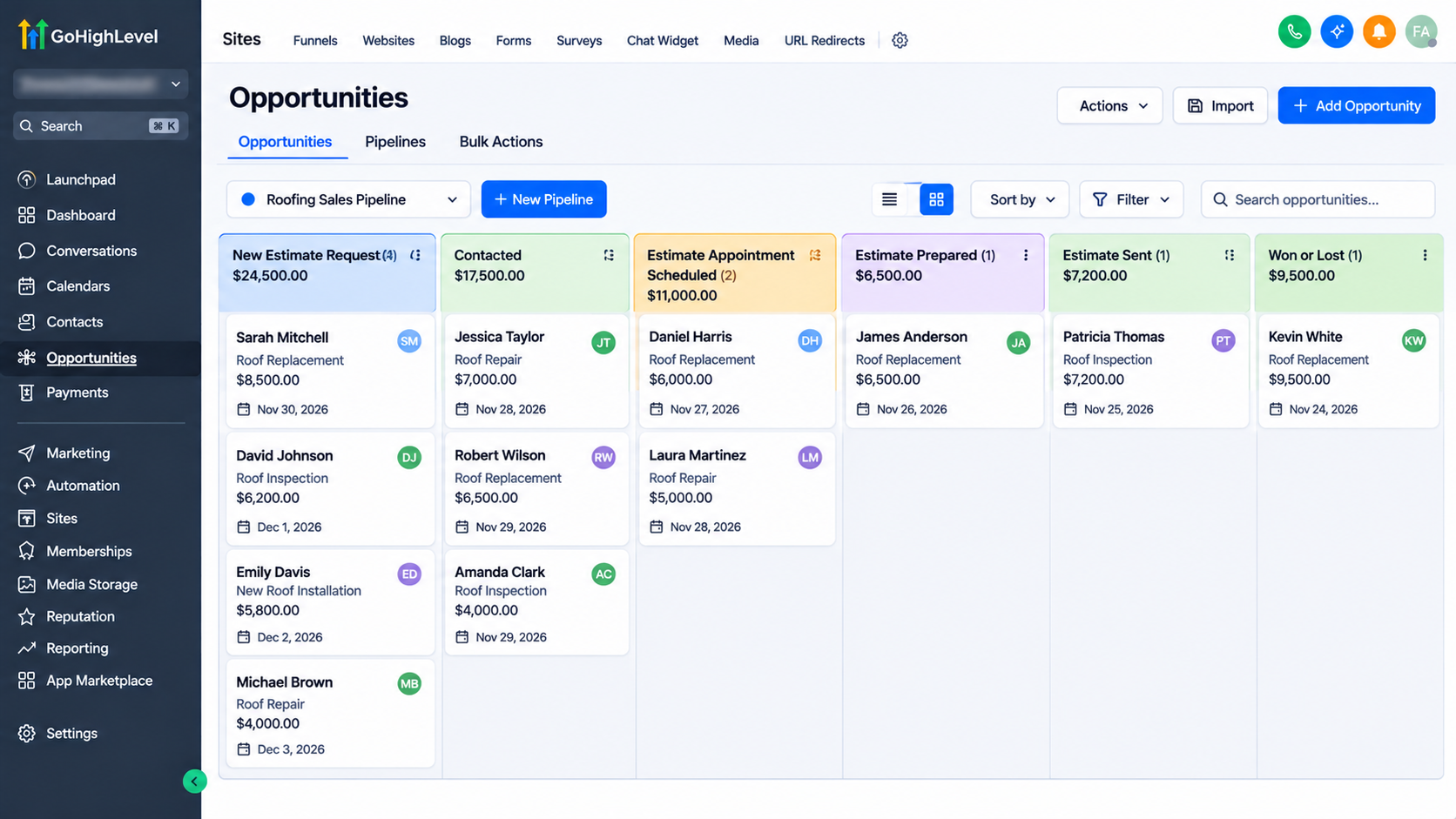
A customized pipeline might include:
New Estimate Request
Contacted
Estimate Appointment Scheduled
Estimate Prepared
Estimate Sent
Won or Lost
Businesses can configure workflows to create opportunities when forms are submitted and select the appropriate pipeline and initial stage.
As the sales process progresses, team members can update opportunity stages manually or use configured workflow actions.
This gives managers visibility into which requests are new, which appointments are scheduled, and which estimates still need attention.
A Real World Example: Roofing Estimate Automation
Imagine a homeowner visiting a roofing company's website to request a roof replacement estimate.
They complete the website form with their contact details, property address, and project requirements.
GoHighLevel captures the information and creates or updates their contact record. A Form Submitted workflow sends an acknowledgment SMS, notifies the sales team, and creates an opportunity in the New Estimate Request stage.
The homeowner receives a booking link and selects an available appointment time. GoHighLevel records the appointment and sends the configured confirmation and reminder messages.
After the property inspection, the roofing team prepares the estimate using its normal pricing process. A team member updates the opportunity to Estimate Prepared and then Estimate Sent when the proposal is delivered.
If the homeowner does not make a decision, a configured follow up sequence can send additional messages. Once the customer accepts or declines, the team updates the opportunity to Won or Lost.
The result is a more organized process from the first inquiry to the final sales decision.
Benefits of Automating Estimate Requests
A properly configured home service business automation system can help companies:
Respond to incoming inquiries faster.
Reduce overlooked estimate requests.
Minimize repetitive administrative work.
Organize leads from different service categories.
Maintain consistent customer communication.
Simplify appointment scheduling and reminders.
Track sales opportunities through a centralized pipeline.
Automation does not replace the need for professional inspections, accurate pricing, or personal customer conversations. It makes the administrative process supporting those activities easier to manage.
Frequently Asked Questions (FAQs)
1. Can GoHighLevel automate estimate requests?
Yes. GoHighLevel can capture inquiries through forms and trigger workflows for automated acknowledgments, internal notifications, opportunity creation, and follow ups.
2. Can customers schedule estimate appointments automatically?
Yes. Businesses can share GoHighLevel calendar booking links so customers can select available appointment times.
3. Can GoHighLevel send instant estimate confirmations?
It can send an immediate acknowledgment confirming that a request was received. Preparing and delivering an actual project estimate still requires the appropriate business process.
4. Can contractors track estimate requests in a CRM?
Yes. GoHighLevel opportunities and customized pipelines allow contractors to track inquiries, appointments, sent estimates, and sales outcomes.
5. Can GoHighLevel follow up with customers who do not book?
Yes. Workflows can send scheduled SMS and email follow ups, with conditions configured to stop or redirect communication when an appointment is booked.
Conclusion
Managing estimate requests manually can make it difficult for home service businesses to respond consistently and keep every opportunity organized. GoHighLevel provides the tools to connect inquiry forms, customer communication, appointment scheduling, workflows, and pipeline management into one structured system.
Need Expert Help with GoHighLevel?
New to GoHighLevel and ready to get started? Buy your GoHighLevel account here and launch with confidence.
Already know what you need and want our team to handle everything, from complete setup and customization to funnels, workflows, automations, CRM, and pipelines? Click here.