

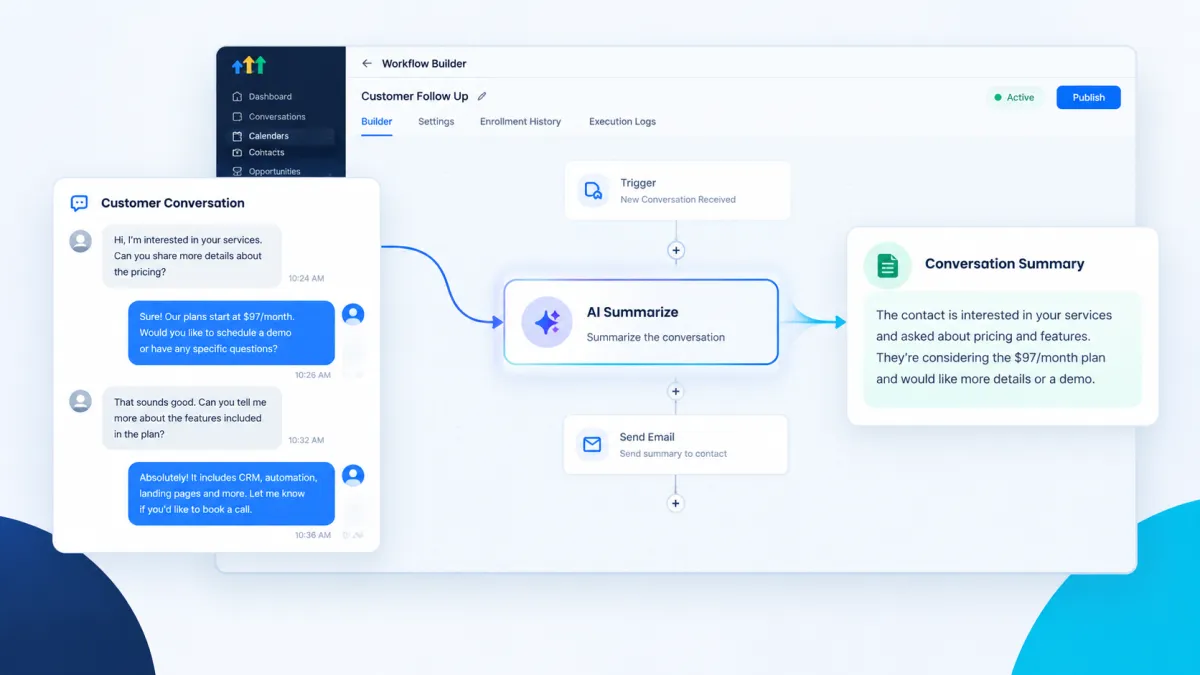
How to Summarize Customer Conversations Automatically Using the AI Summarize Action in GoHighLevel
How to Summarize Customer Conversations Automatically Using the AI Summarize Action in GoHighLevel
Customer conversations can become difficult to manage when a simple inquiry turns into a long thread of messages, detailed notes, or multiple pieces of information. A team member may understand the conversation when it happens, but another person reviewing the contact later may have to read everything from the beginning just to understand what the customer needs. This is where a concise summary can save time and make important information easier to review.
GoHighLevel includes an AI Summarize Action that can be added to a workflow to turn longer text into a shorter summary while keeping the important information. Instead of manually condensing text, the workflow can send the selected content to the AI Summarize Action and use the resulting summary in later workflow steps.
What Is the AI Summarize Action?
The AI Summarize Action is a Workflow AI action designed to condense text into a concise summary. It identifies key points and main ideas, removes redundant information, and restructures the content according to the length you specify.
The action does not require you to write a custom AI prompt. You provide the text that should be summarized and define the maximum length of the result.
The maximum length can be specified using words, characters, sentences, or paragraphs. For example, you can request a summary of 50 words, 280 characters, 3 sentences, or 1 paragraph.
This makes the action useful when a workflow contains text that is too long to use conveniently in another step.
Why Summarize Customer Conversations?
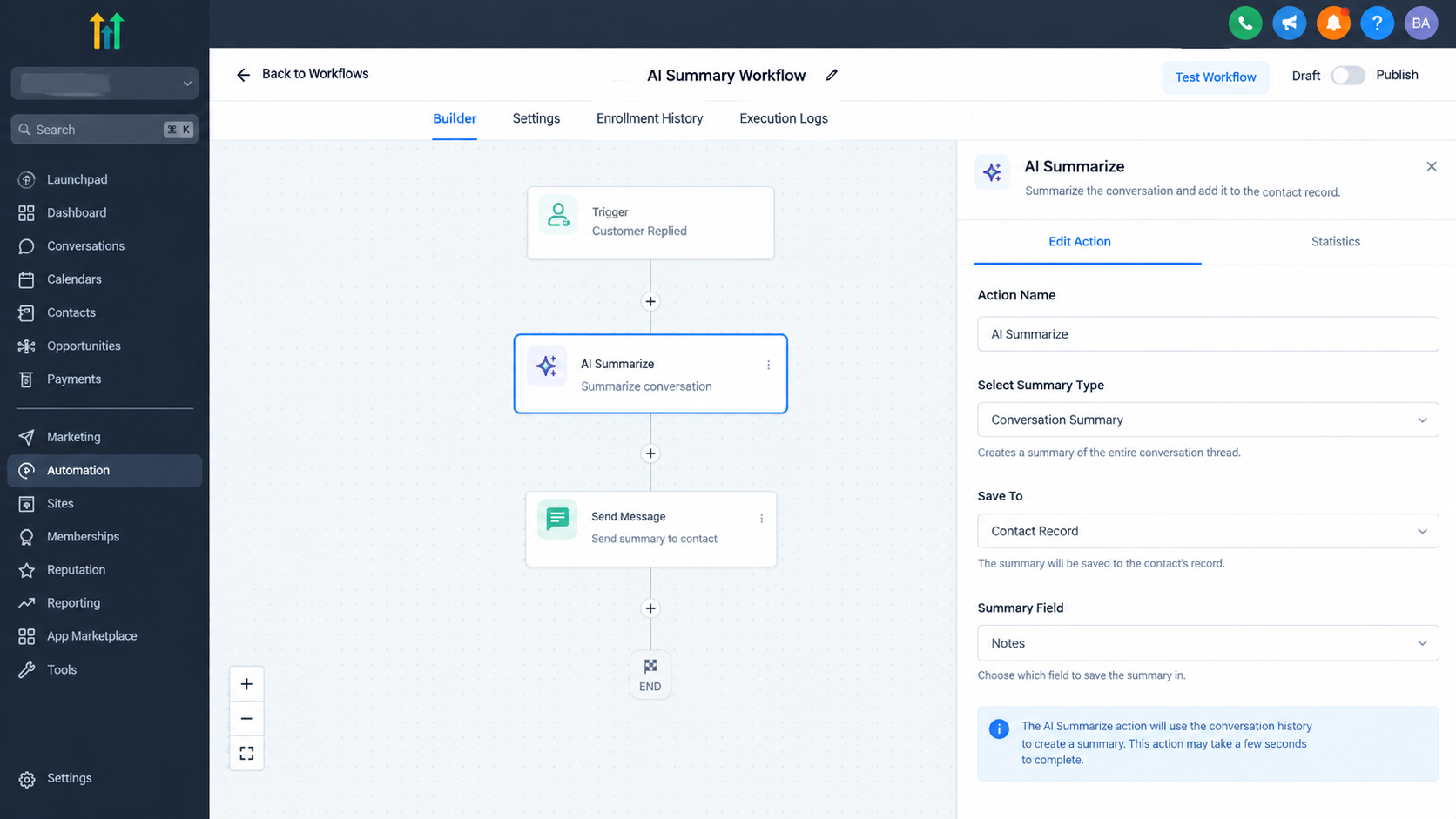
Customer communication can contain useful information that is difficult to review quickly. A conversation may include the customer's original request, questions, preferences, concerns, and other details collected during the interaction.
A summary provides a shorter version that can help a team member understand the main context without reading every line of the original text.
For example, a business could provide conversation text to the AI Summarize Action and then use the generated summary in a notification for a team member. The employee receives the important context in a much more compact format.
The same approach can be useful when text needs to fit within a specific length. A business might summarize detailed customer information into a short message before using it in another workflow step.
How to Use AI Summarize in a Workflow
To use the action, add AI Summarize from the workflow actions menu.
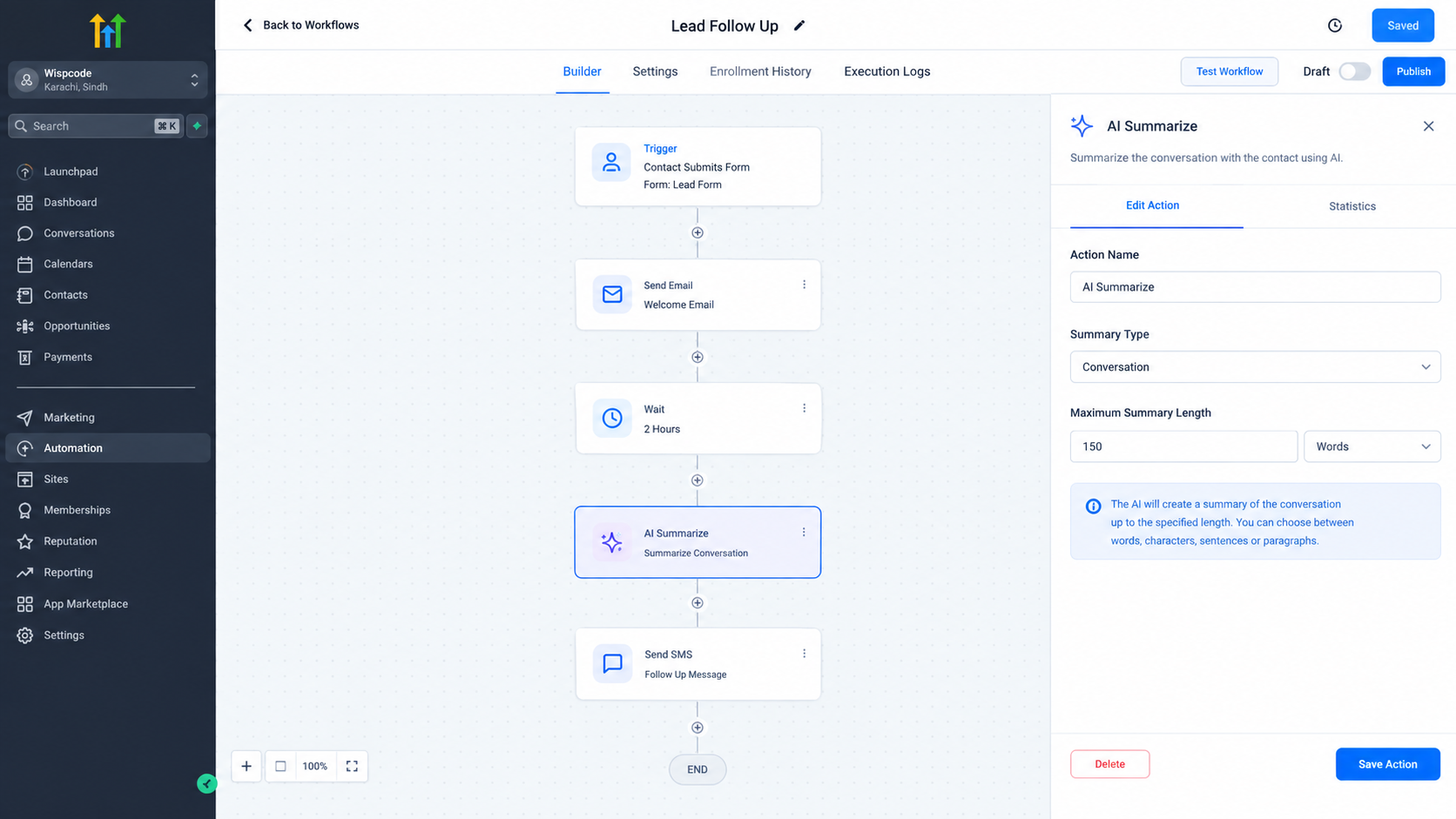
The action has several important configuration options.
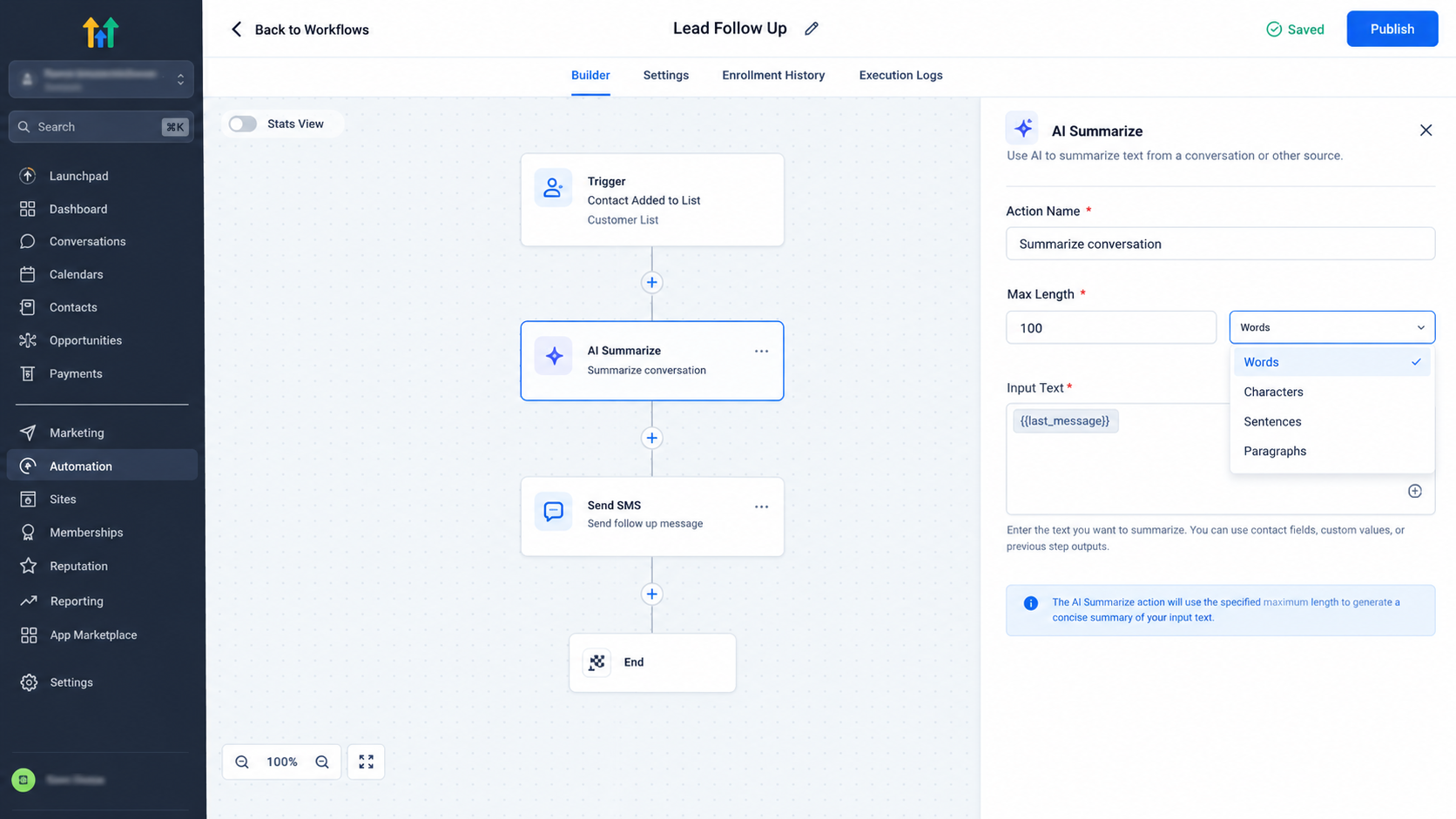
First, you can give the action a descriptive name so it is easier to identify inside the workflow.
Next, specify the maximum length for the summary. You can define the length using a number of words, characters, sentences, or paragraphs.
The most important part is the Input Text. This is the content that the AI Summarize Action will process. You can enter text directly as a static value, or you can use a dynamic variable through the custom value picker.
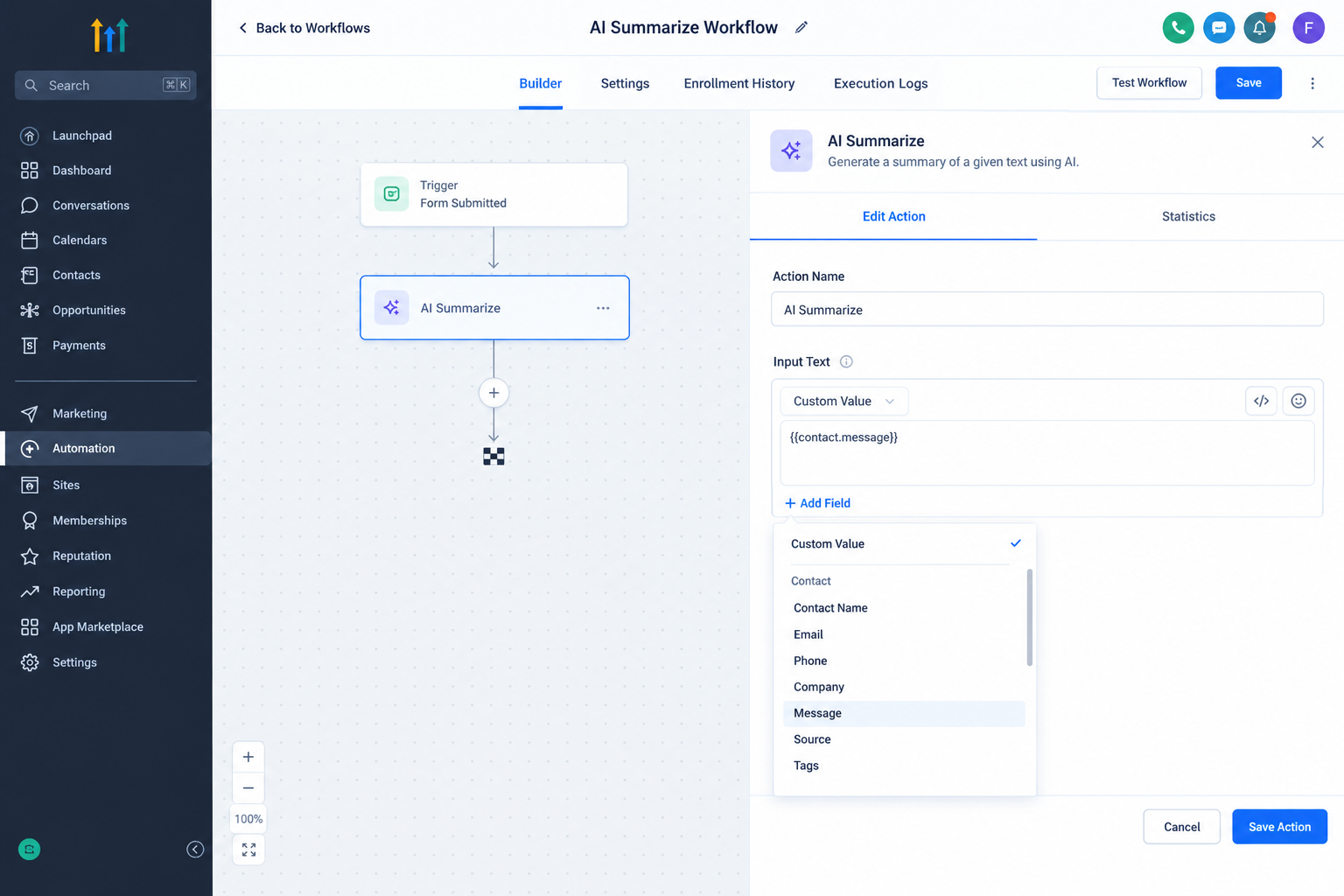
This is particularly useful for customer conversations because the text being summarized can come from information already available to the workflow. The action summarizes the text you provide to it. It does not mean that the action automatically searches through every conversation belonging to the contact.
After the action runs, the generated summary becomes available as a custom variable. That output can then be referenced by later workflow actions.
What Happens When the Action Runs?
When the workflow reaches the AI Summarize Action, GoHighLevel processes the supplied input text and creates a shorter version based on the maximum length you configured.
The AI focuses on the main ideas and removes unnecessary repetition while maintaining context and readability.
Once the summary is generated, it can be used by subsequent workflow steps. For example, the summary can be included in an SMS or email, stored in a custom field, displayed in a notification, or passed into another workflow action.
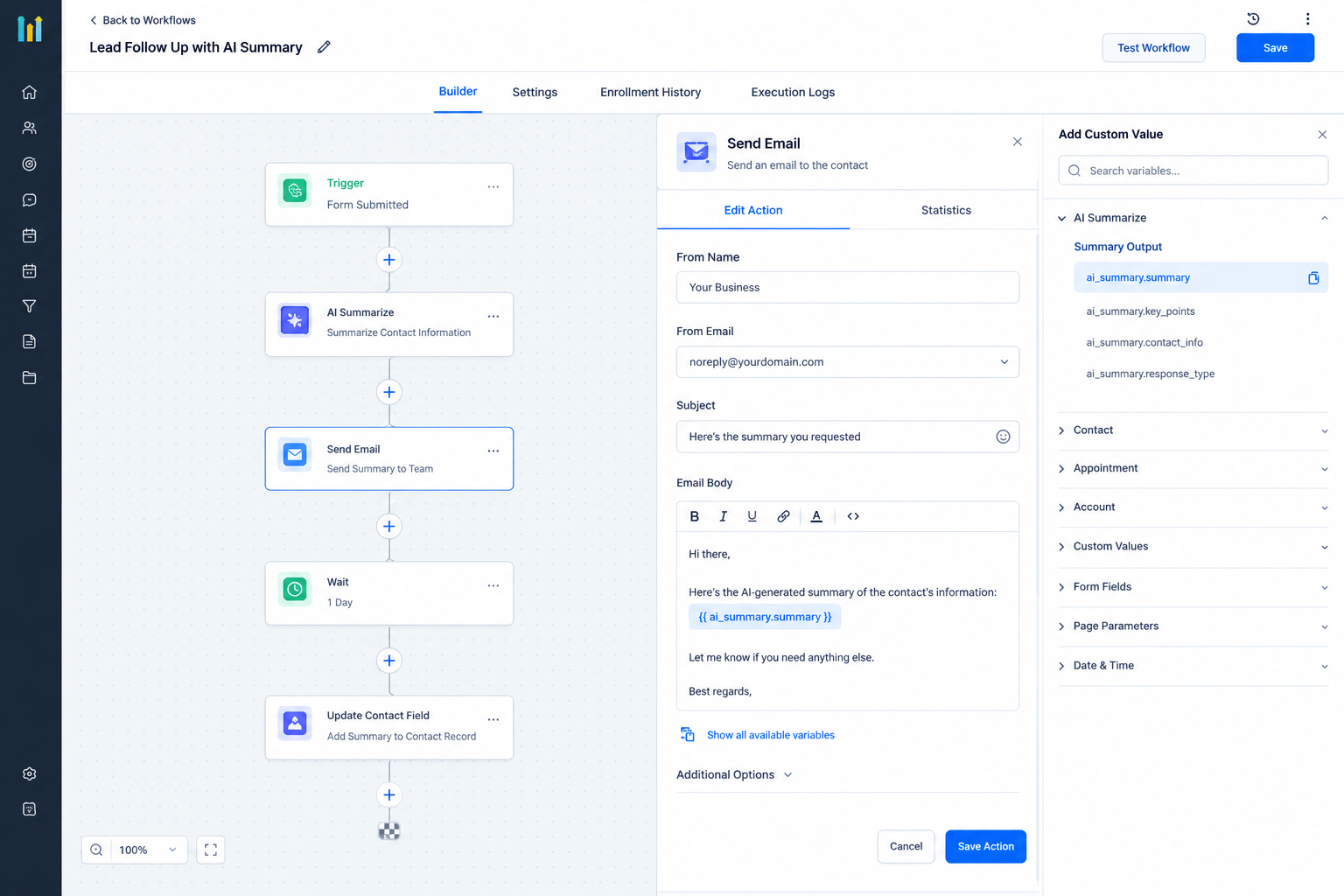
This makes the action more useful than simply generating a summary for viewing. The result can become part of the next stage of an automation.
Practical Customer Conversation Use Cases
One practical use case is appointment preparation. If a workflow has detailed information related to an upcoming appointment, that text can be summarized into a shorter format for a team member.
Another example is sales communication. A long set of notes or customer information can be condensed so an account manager can quickly understand the important points before following up.
It can also help with internal notifications. Instead of sending a large amount of text to a team member, the workflow can summarize the information first and then include the shorter result in the notification.
For customer reviews, the action can summarize longer review text into a defined number of words before the result is used in another workflow step.
The same principle can be applied to meeting notes or other long text when the workflow needs a concise version for a later action.
Important Considerations
The quality of the summary depends on the text provided as the input. The AI Summarize Action works on the content you pass into it, so the workflow should provide the relevant text rather than assuming the action will automatically collect conversation history.
It is also important to choose an appropriate maximum length. A very short summary may leave out useful context, while a longer limit can preserve more information.
HighLevel recommends testing AI generated summaries with sample data before relying on them for important processes. The action is designed to preserve key information, but summaries should still be reviewed when accuracy is especially important.
Conclusion
The AI Summarize Action gives GoHighLevel users a straightforward way to condense lengthy text inside a workflow. By supplying relevant customer communication or other text as the input, setting the desired summary length, and using the generated output in later workflow steps, businesses can make large amounts of information easier to review and reuse.
The key is understanding what the action actually does. It summarizes the text provided to it, then makes that summary available as a custom variable for the rest of the workflow. Used this way, it can turn lengthy customer information into concise context without requiring manual summarization.
Frequently Asked Questions
1. What does the AI Summarize Action do?
It uses AI to condense supplied text while preserving important information and removing unnecessary repetition.
2. Can I choose the summary length?
Yes. You can specify the maximum length using words, characters, sentences, or paragraphs.
3. Can I use dynamic values as the input?
Yes. The Input Text can use a dynamic variable selected through the custom value picker.
4. Can the summary be used in later workflow steps?
Yes. The generated summary is available as a custom variable that subsequent workflow actions can use.
5. Does the action automatically summarize all customer conversations?
No. The action summarizes the text provided as its input. It does not automatically search through all of a contact's conversations.
Need Expert Help with GoHighLevel?
New to GoHighLevel and ready to get started? Buy your GoHighLevel account here and launch with confidence.
Already know what you need and want our team to handle everything, from complete setup and customization to funnels, workflows, automations, CRM, and pipelines? Click here.



