

Stop Asking Your Team to Write Notes by Hand
How to Automatically Document Customer Interactions Using the Add to Notes Action in GoHighLevel
Every business says it wants better records. Almost none of them get better records, because the part that produces them is a person typing a summary into a CRM after a call they have already moved on from. The next call starts, and the note never gets written.
GoHighLevel has a quiet fix for this in the workflow builder. The Add to Notes action writes a note onto a record automatically, mid automation, with real data pulled from whatever just happened. Nobody has to remember anything.
What the Add to Notes action does
The action adds a note to whatever record is enrolled in the workflow. In a normal contact based workflow that is the contact record. In a custom object workflow it is the custom object record that enrolled.
The note is internal. Contacts cannot see it in the client portal, in an email or anywhere else, so you can write plainly for your own team without worrying about how it reads to the customer.
Where the action sits in the builder
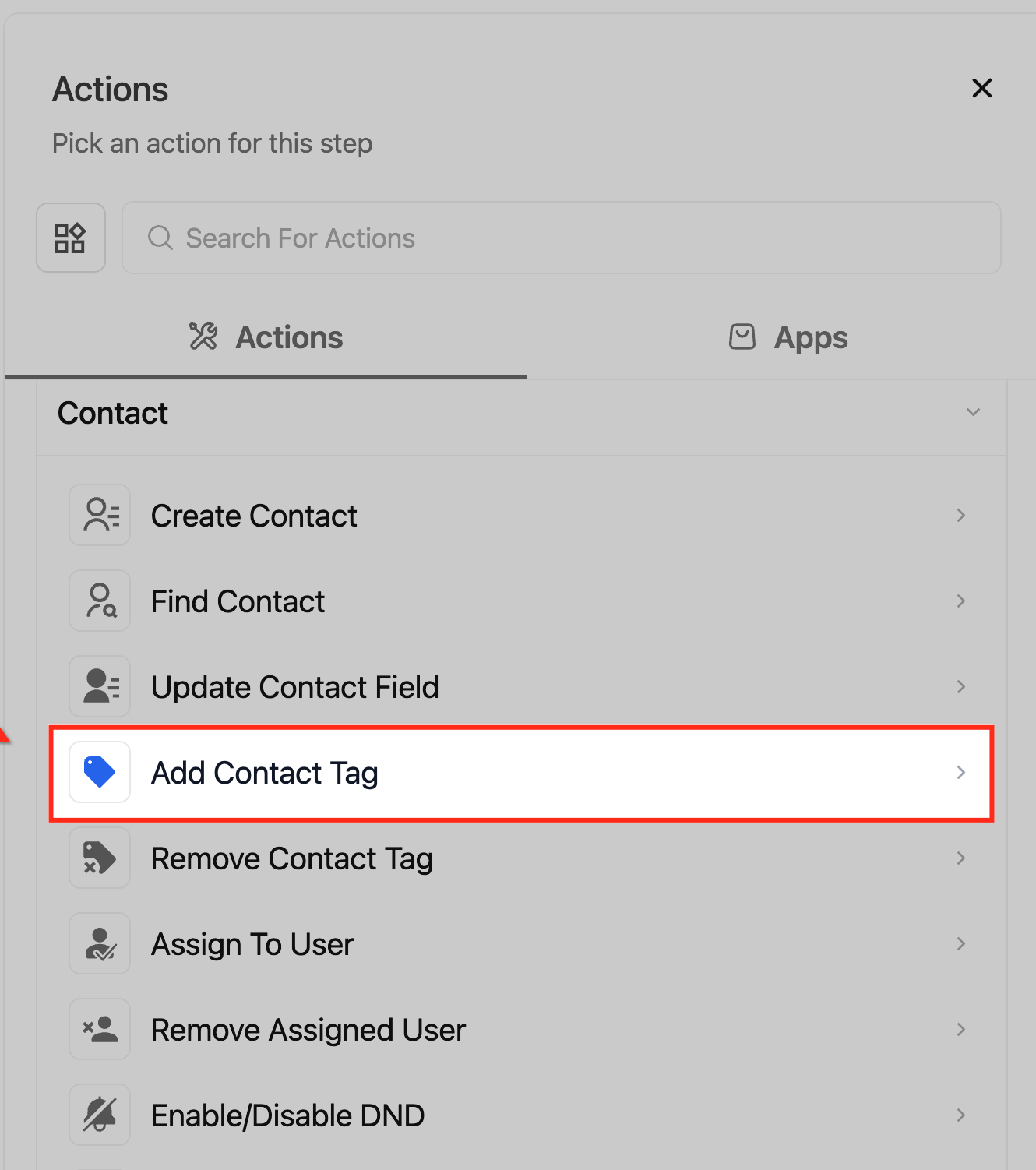
Open the workflow, click the plus icon where you want the step, and the Actions panel opens on the right.Add to Notes is in the Contact group with Create Contact, Find Contact, Update Contact Field and the tag actions. Typenotesinto the search box and it comes straight up.
Setting it up takes about a minute
The panel has two fields worth caring about.Action Name shows on the canvas and in the execution logs, so name it after what the note says rather than leaving it as Note. Something like Log booking details reads far better six months later.
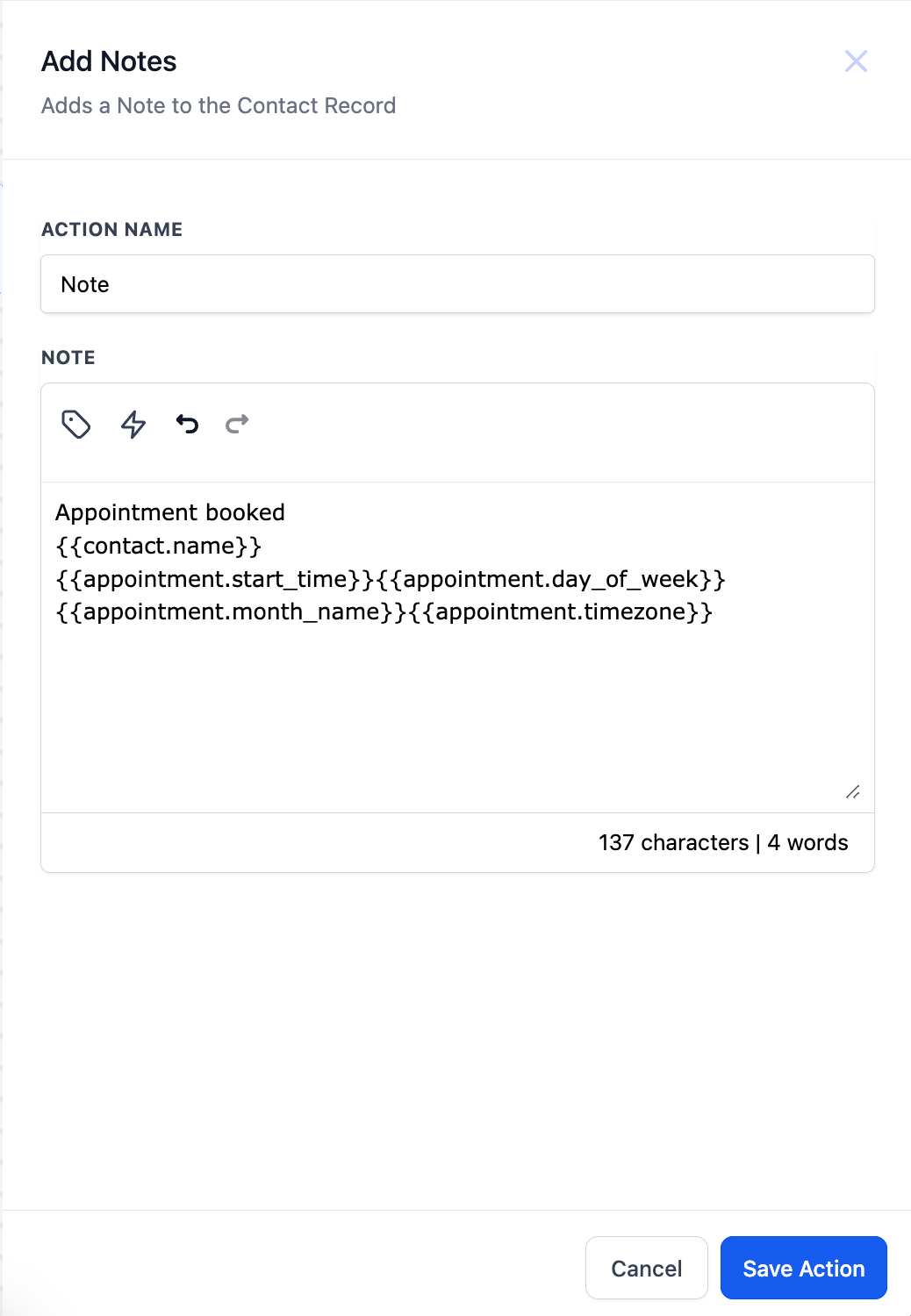
Under that is the note body, a proper editor rather than a plain box. Across the top sit a tag icon for custom values, a lightning icon for trigger links, undo and redo, then the formatting controls, with a live character and word count in the corner.
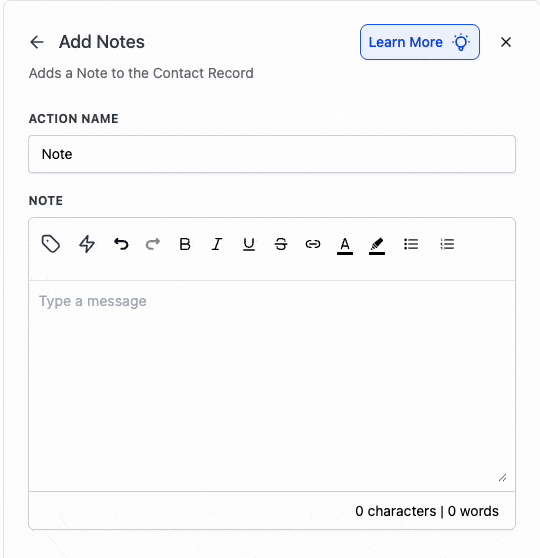
Two optional extras arrived more recently, a note title and a note colour. Existing workflows keep working exactly as they did, so nothing you already built breaks. One limit to know: title and colour are not supported yet on custom object records, only on contact records.
Custom values are what make the note useful
A note that says the same sentence every time is close to worthless. The point is that the note carries the specifics of what just happened, and that comes from the custom value picker behind the tag icon.
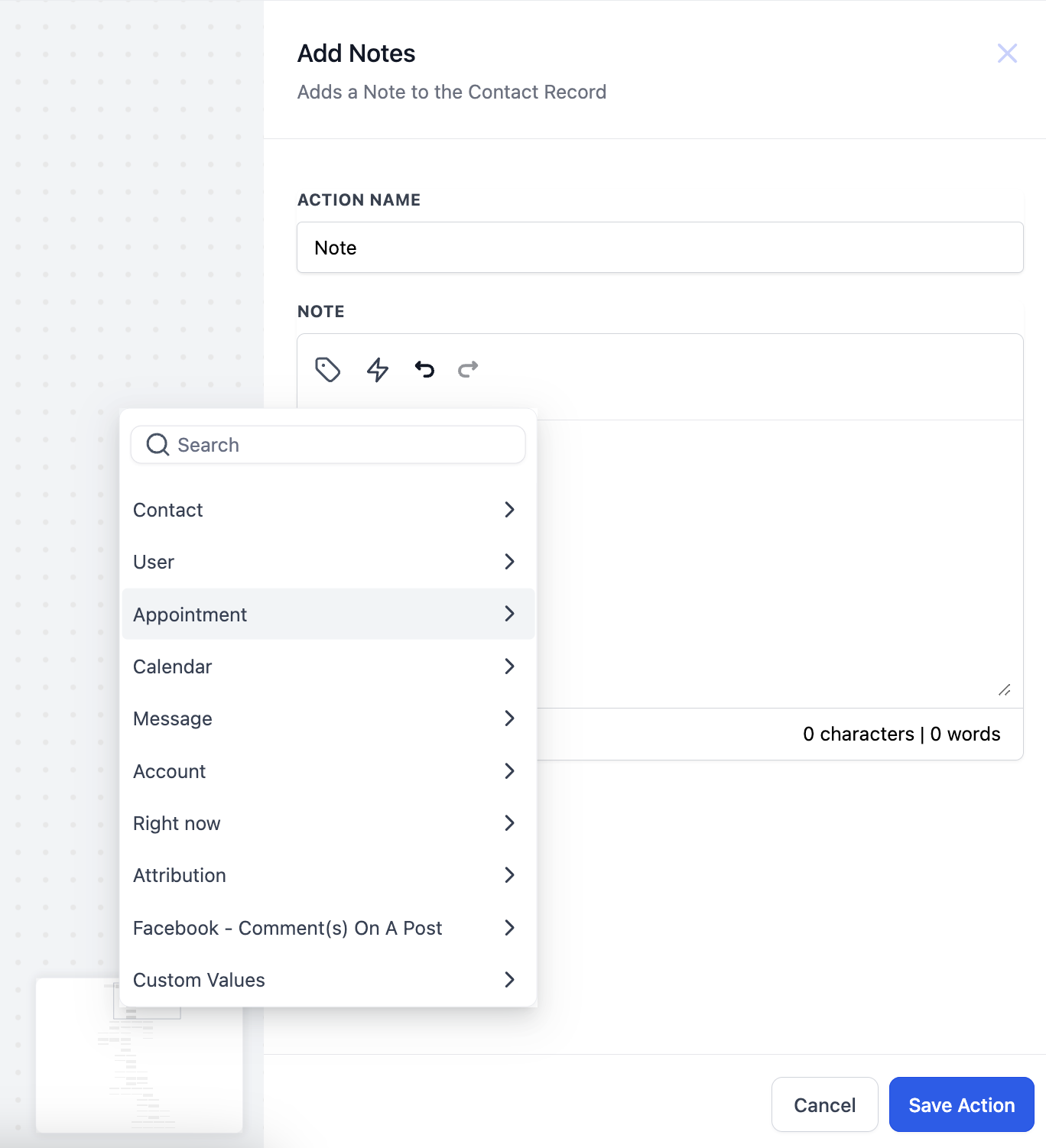
Open it and you get every group the workflow has access to: Contact,User, Appointment,Calendar, Message,Account,Right now, Attribution, whatever the trigger itself adds, and your own Custom Values.
A note written with merge fields. What lands on the record is the resolved version, with real values in it.
The example HighLevel publishes is a booking note worth copying. The body reads Appointment booked followed by the contact name, the start time, the day, the month and the timezone, all as merge fields, so anyone opening that contact sees exactly what was booked and when.
A few combinations that earn their place:
Source and campaign on a new lead.Pull the attribution values into the first note so the rep knows where the person came from before they say hello.
What the customer asked for.If your form has a needs field, write the answer into a note rather than leaving it buried in the submission.
Payment and plan details.After a purchase, log the product, the amount and the order date so support never has to open the payments tab.
Formatting, and why it matters more than it sounds
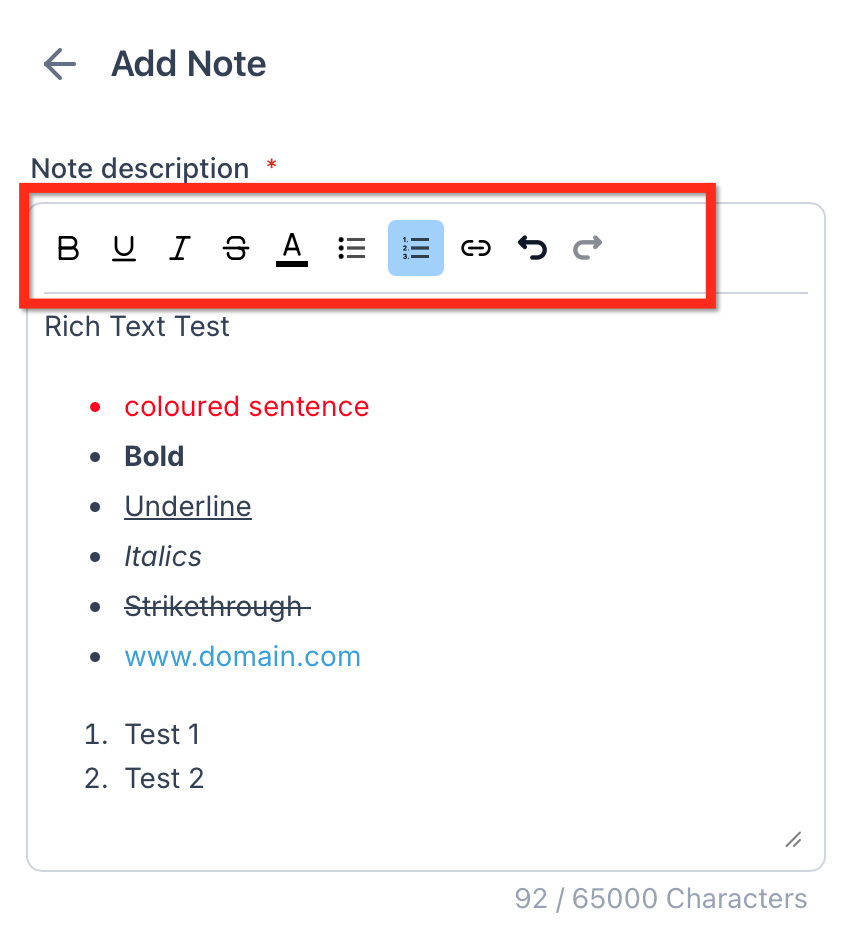
Add to Notes uses the same rich text editor a person gets when writing a note by hand. Bold, italics, underline, strikethrough, text colour, lists and hyperlinks all survive into the saved note.
A four line note with a bold heading and the details as a short list gets read. A wall of merge fields run together does not. Build the layout once and every note after that arrives readable. The lightning icon drops a trigger link in as well, handy when the note should point somebody at a page rather than describe it.
Let AI write the summary for you
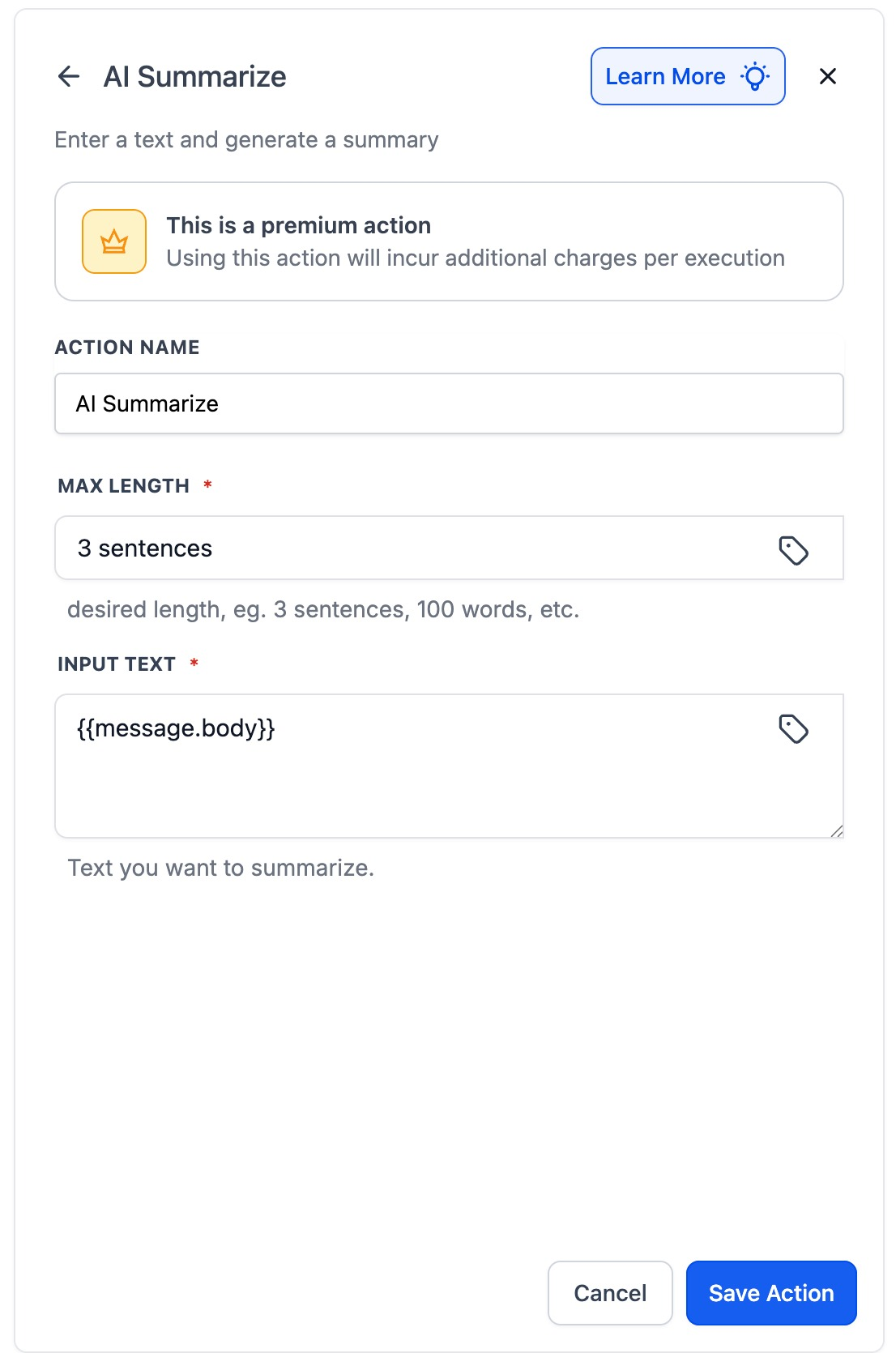
Long content, a call transcript, a message thread, a survey response, does not belong in a note in full. Nobody reads it. The AI Summarize action condenses it first, and then Add to Notes writes the short version.
It takes two inputs. Max Length accepts plain instructions like 3 sentences, 50 words or 1 paragraph.Input Text takes static text or a merge field, so you point it at the message body or whichever field holds the long content. Its output becomes a custom value you drop into the note.
Worth knowing first: AI Summarize is a premium action priced at about one cent per execution, so it is cheap but not free, and it does not belong on a workflow that fires on every page view.
A workflow worth copying
Here is the shape that gets used most often, a booking that documents itself.
Customer Booked Appointment trigger, so the workflow runs the moment somebody takes a slot.
Add to Notes, writing the appointment details onto the contact record using the appointment and calendar custom values.
Internal Notification to the assigned user, so the rep knows without opening the calendar.
A finished note workflow. The booking fires the trigger, the note is written, the team is told, all in one run.
Three steps, and the record documents itself. The same shape works for a stage change, a payment, a form submission or a completed call. Trigger, note, tell somebody.
HighLevel also publishes Note Added and Note Changed triggers, so a note written by one workflow can start another. Its general notes article says notes cannot trigger automations, which reads as out of date next to those triggers, so test the pairing in your own sub account first.
Where the note actually lands
Open the contact and look for the pen and paper icon in the right hand rail. That opens the Notes panel, which holds every note on the record, whoever wrote it.
The panel has a search box, a sort control for oldest or newest first, and filters. Notes can be pinned, colour labelled and have files attached, and those attachments are private by default. The same notes surface elsewhere: Opportunities show the primary contact notes, and Companies aggregate them across every contact at that business.
Appointment notes are a different action
If the note belongs to the booking rather than to the person, use Create Appointment Note instead. It lives under the Appointments group and behaves a little differently.
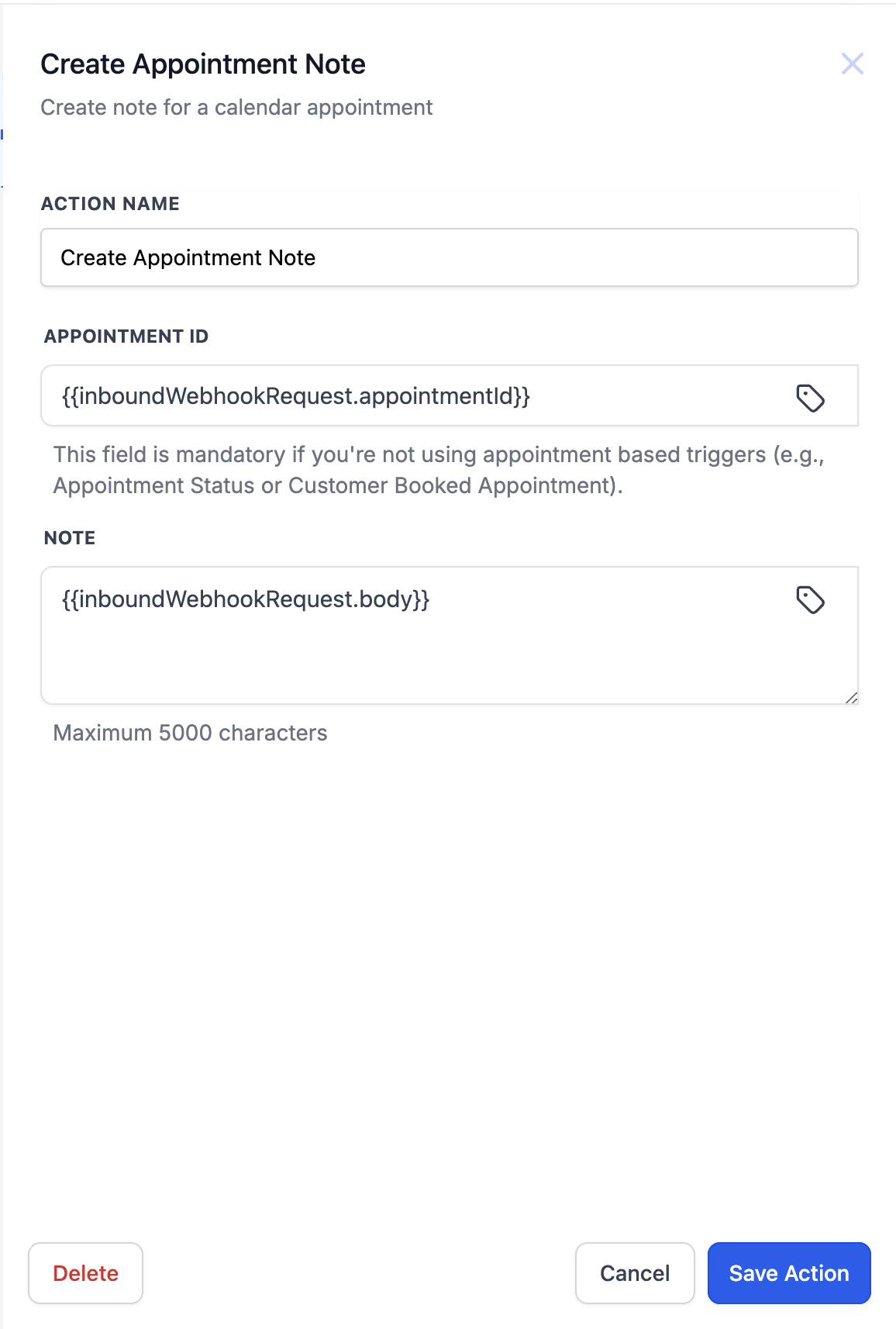
With any appointment based trigger the appointment ID is not needed, because the workflow already knows which appointment enrolled. Only when the workflow starts from an Inbound Webhook do you pass the ID in yourself. The body caps at 5000 characters.
The useful part is where it shows up. An appointment note appears on the Contact, Opportunity and Conversation records at once, and editing it updates it everywhere. A contact note stays on the contact and never syncs back to the appointment.
Mistakes that waste the feature
Writing the same static sentence every time. A note with no specifics is noise, and your team will stop reading the panel.
Leaving the action named Note. Three steps all called Note makes the execution logs unreadable.
Dumping full transcripts in. Summarize first, then write. A note nobody reads is the same as no note at all.
Expecting the customer to see it. Notes are internal only, so send an email or an SMS as well if the contact needs the information.
Frequently Asked Questions
Where does a note written by a workflow appear?
On the record that enrolled in the workflow. For a contact based workflow that is the contact Notes panel, reached by the pen icon in the right hand rail. For a custom object workflow it is the notes section on that object record.
Can the contact see these notes?
No. Notes are internal only and never appear in the client portal or in any external message. Anyone on your team with access to the record can read them, subject to their permissions.
Can I include information from the trigger in the note?
Yes, and that is the main reason to use the action. The custom value picker exposes contact, user, appointment, calendar, message, account and attribution values, plus anything the trigger passes in.
How do I stop a long transcript filling the note?
Put an AI Summarize action in front of it, set the max length in plain words such as 3 sentences, then drop the summary custom value into the note body. It is a premium action and costs about one cent per run.
Need Expert Help with GoHighLevel?
New to GoHighLevel and ready to get started? Buy your GoHighLevel account here and launch with confidence.
Already know what you need and want our team to handle everything, from complete setup and customization to funnels, workflows, automations, CRM, and pipelines? Click here.



