

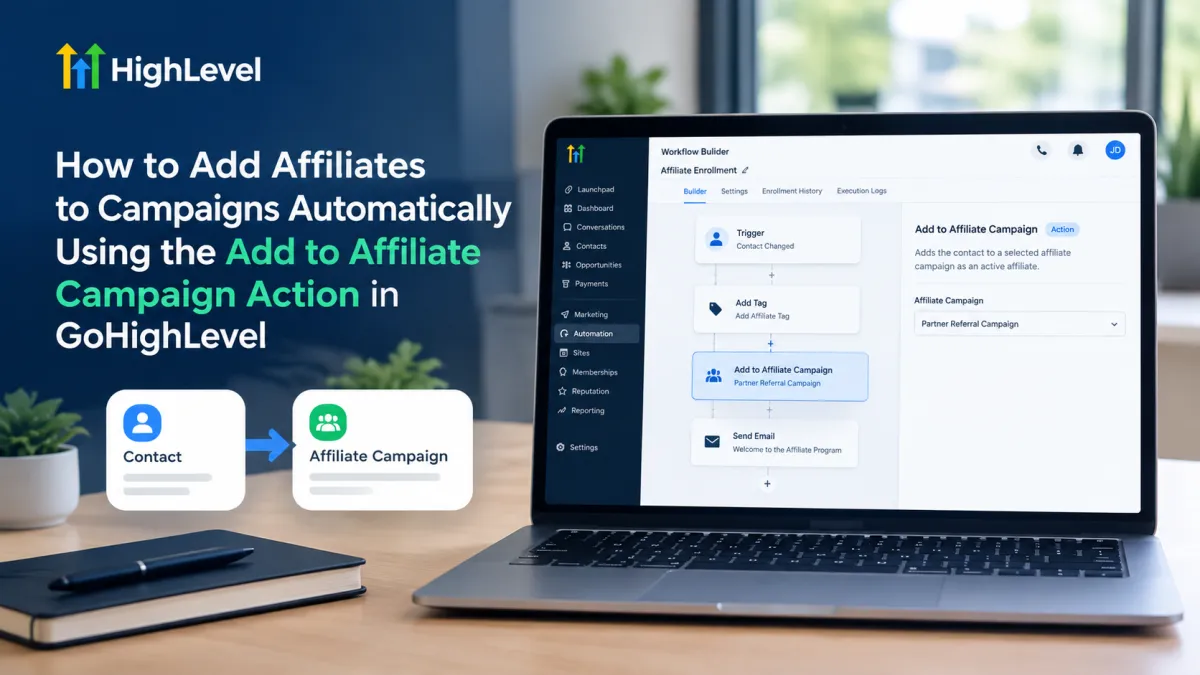
Add Affiliates to Campaigns Automatically in GoHighLevel
How to Add Affiliates to Campaigns Automatically Using the Add to Affiliate Campaign Action in GoHighLevel
Managing affiliates manually can become repetitive when a business regularly recruits new partners or moves existing affiliates into specific promotional campaigns. Instead of relying on manual campaign enrollment, GoHighLevel allows you to connect affiliate management with workflows using the Add to Affiliate Campaign action.
This workflow action is designed to add a contact to a selected affiliate campaign as an active affiliate. By placing it inside an appropriate workflow, businesses can automate when eligible contacts are added to a particular affiliate campaign while keeping the enrollment process consistent.
What Is the Add to Affiliate Campaign Action in GoHighLevel?
The Add to Affiliate Campaign action is a workflow action, not a workflow trigger. A trigger determines when a contact enters a workflow, while an action performs a task after the workflow has started.
According to GoHighLevel's documentation, this action adds a contact to a selected affiliate campaign as an active affiliate. The action is intended for situations where an existing contact or customer needs to be enrolled as an affiliate in a specific campaign.
This distinction matters when building automation. The action itself does not decide when a workflow should start. Instead, another workflow trigger must bring the appropriate contact into the workflow before the Add to Affiliate Campaign step can execute.
It is also important not to confuse this action with Add to Affiliate Manager. The latter converts a contact into an affiliate in the Affiliate Manager, while Add to Affiliate Campaign is used to add the affiliate to a selected campaign. GoHighLevel documents these as separate workflow actions.
Why Automate Affiliate Campaign Enrollment?
Affiliate programs often involve repeatable administrative tasks. When a contact becomes eligible for a particular affiliate campaign, manually locating that person and adding them to the campaign can add unnecessary work.
Using a workflow action can help by:
Reducing manual administration: Eligible contacts can be processed automatically after they meet the conditions that start the workflow.
Improving consistency: The same campaign-enrollment step can be applied whenever the workflow runs.
Connecting affiliate management with CRM automation: Affiliate-related tasks can become part of a broader workflow rather than requiring a separate manual process.
Supporting scalable processes: As the number of potential affiliates increases, automated enrollment can reduce repetitive campaign-management tasks.
These benefits depend on how the surrounding workflow is designed. The Add to Affiliate Campaign action specifically handles campaign enrollment; it should not be treated as a general-purpose affiliate management or commission-processing action.
How the Add to Affiliate Campaign Action Works in a Workflow
The basic automation concept is straightforward:
Trigger → Workflow steps/conditions → Add to Affiliate Campaign → Subsequent workflow steps
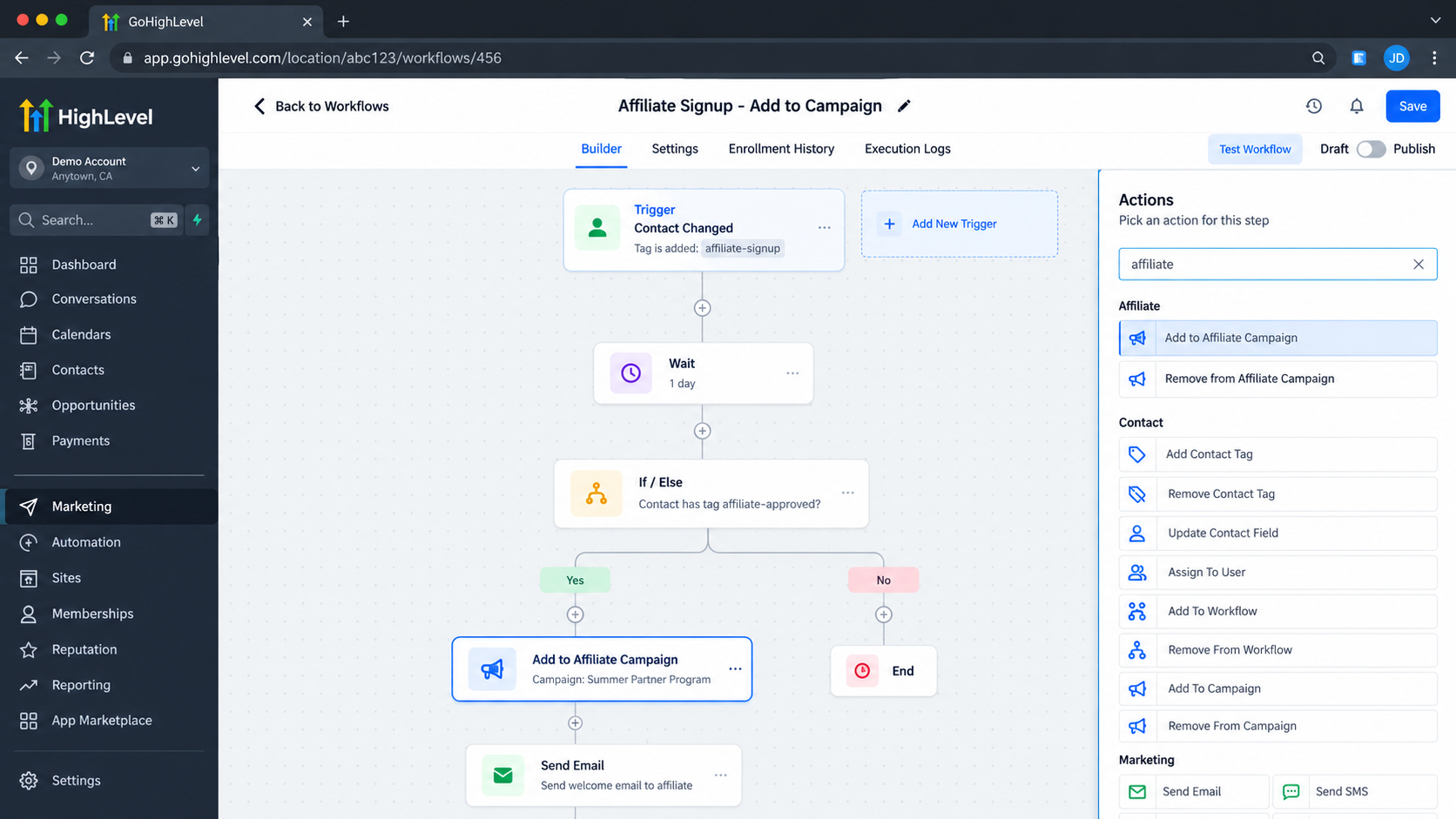
First, a workflow needs a trigger that identifies the contacts who should enter the automation. GoHighLevel's official example uses a Contact Changed trigger with a tag condition: when a contact receives an “Affiliate” tag, the contact enters the workflow.
Once the contact reaches the relevant point in the workflow, the Add to Affiliate Campaign action is executed. The action is configured by selecting the affiliate campaign where the contact should be enrolled. GoHighLevel's documentation describes the campaign selection as the key configuration for this action.
For example, the workflow logic could look like this:
Contact receives the appropriate affiliate-related tag → contact enters workflow → Add to Affiliate Campaign → selected affiliate campaign
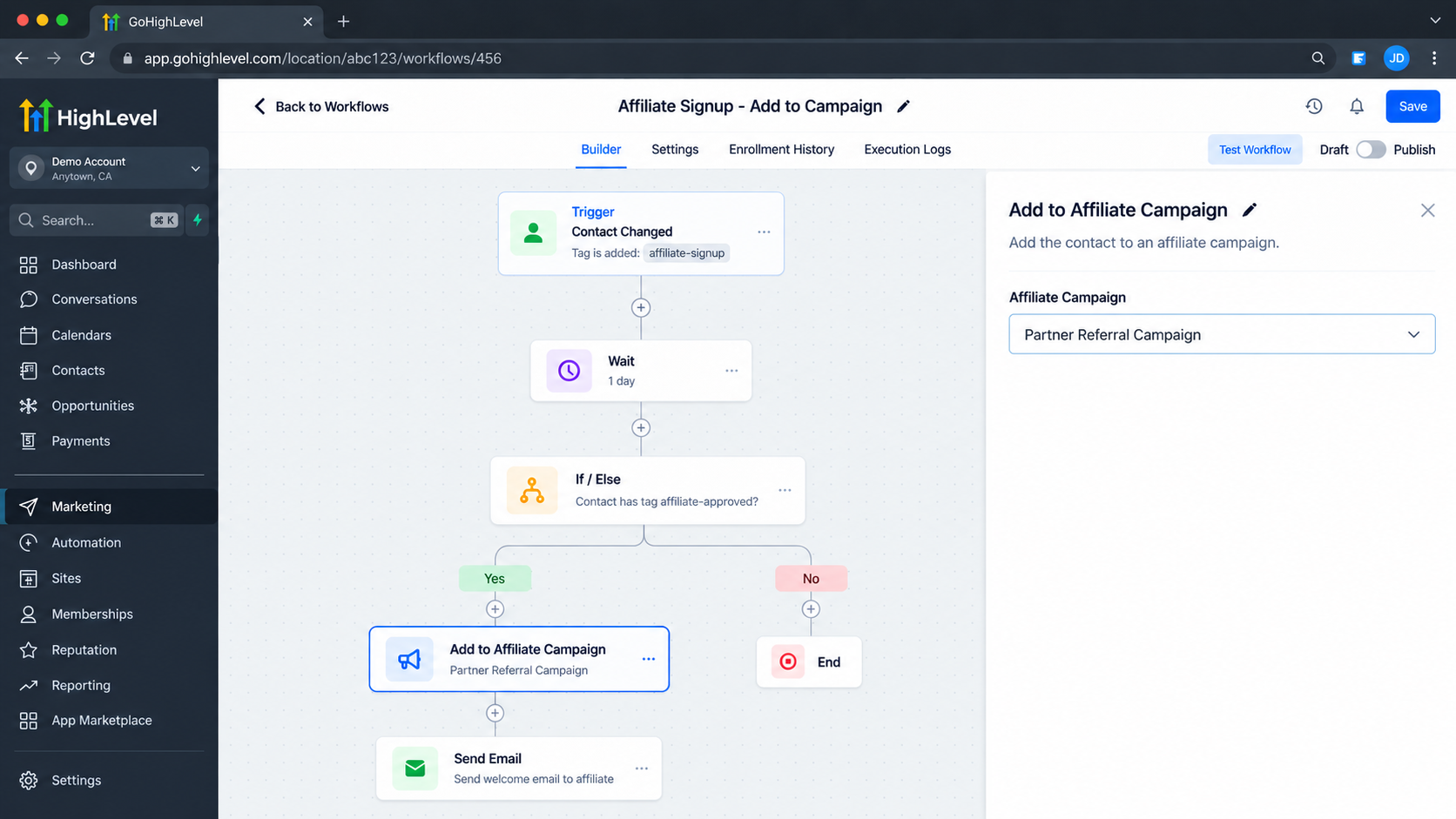
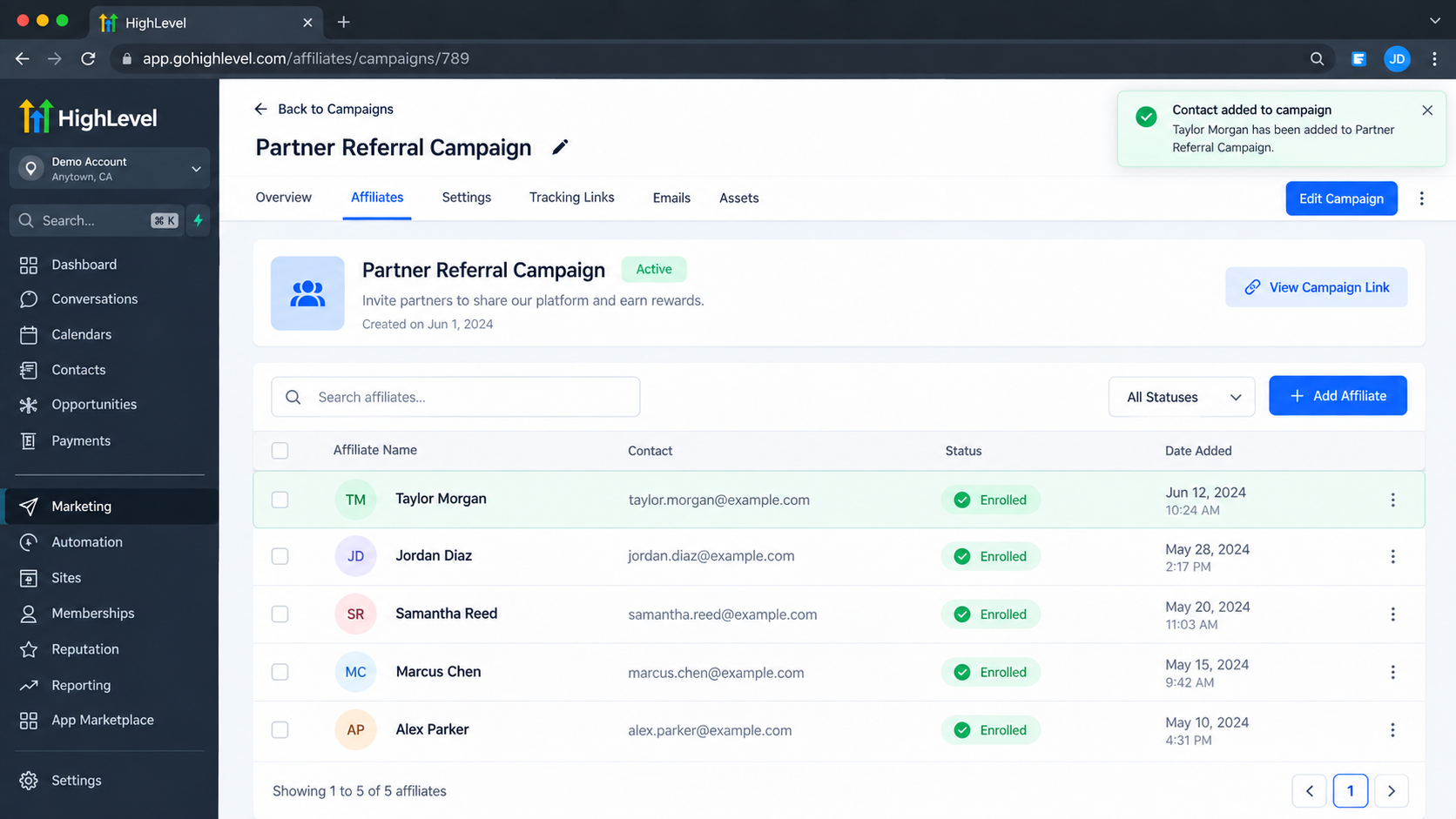
When the action runs, the contact is added to the selected affiliate campaign as an active affiliate. This allows the campaign enrollment to happen automatically instead of requiring someone to add that affiliate manually.
The important point is that the workflow determines which contacts reach the action, while the action handles adding those contacts to the selected affiliate campaign.
A Practical Use Case
Consider a business that has an affiliate program and wants customers who agree to become affiliates to be enrolled in a specific campaign.
The business could use a workflow that begins when an appropriate affiliate-related contact change occurs. For example, GoHighLevel's documented example uses a tag added to a contact as the condition that starts the workflow.
The workflow could then follow this structure:
A contact receives the designated affiliate tag.
The contact enters the workflow.
The workflow reaches the Add to Affiliate Campaign action.
The business's selected affiliate campaign is specified in the action.
The contact is added to that campaign as an active affiliate.
This approach is useful when the business already has a reliable process for identifying contacts who should become campaign affiliates. Instead of making campaign enrollment another manual task, the workflow carries it out when the defined condition is met.
If the business also needs to perform other tasks such as sending communications or updating CRM information those can be handled by separate workflow steps where appropriate. The affiliate campaign action itself should be understood specifically as the campaign-enrollment step.
Best Practices for Affiliate Campaign Automation
A few practical considerations can make this type of automation more reliable.
Choose the trigger carefully. The trigger controls which contacts reach the affiliate campaign action. Make sure it represents a genuine condition for campaign enrollment rather than a broad event that could include unintended contacts.
Keep the workflow logic clear. If additional conditions or steps are necessary before enrollment, place them before the affiliate campaign action so that only appropriate contacts reach it.
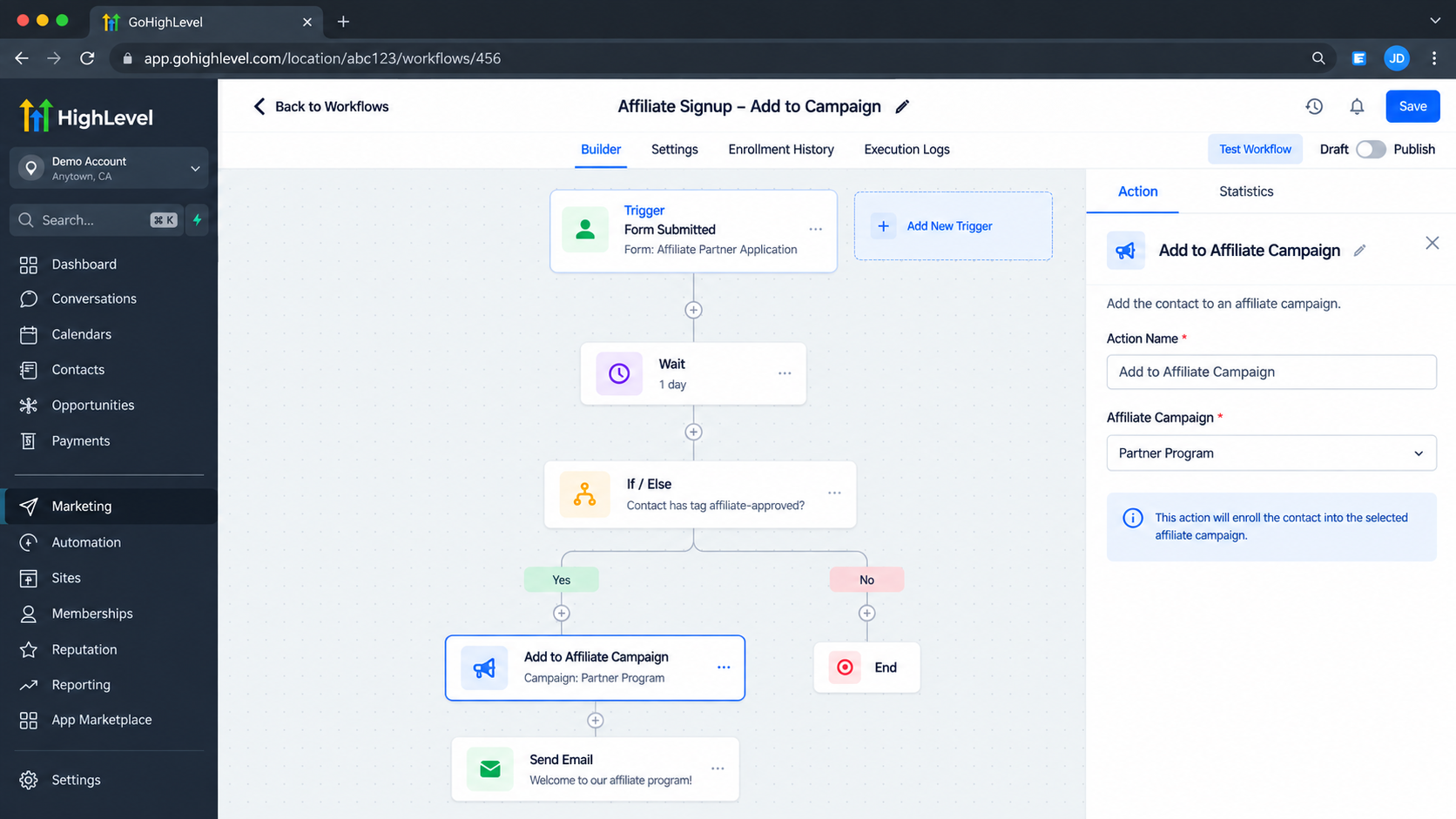
Select the correct affiliate campaign. Since the action adds the contact to the campaign selected in its configuration, verify that the intended campaign is being used.
Avoid unnecessary enrollment. Affiliate campaign automation should have a clear business purpose. Do not automatically add every contact to an affiliate campaign simply because they exist in the CRM.
Test the workflow before relying on it. Use a controlled test contact and verify that the workflow behaves as expected before applying the automation to a larger group.
Separate affiliate tasks by purpose. Adding someone to an affiliate campaign is different from adding them to the Affiliate Manager, updating an affiliate, or handling affiliate sales. GoHighLevel provides separate workflow actions for these functions.
Conclusion
The Add to Affiliate Campaign Action in GoHighLevel provides a focused way to automate affiliate campaign enrollment inside a workflow. Rather than manually adding eligible affiliates to a campaign, businesses can use an appropriate workflow trigger to bring the right contacts into an automation and then use the action to enroll them in the selected affiliate campaign.
The key is understanding the action's exact role: the trigger starts the workflow, while Add to Affiliate Campaign performs the campaign-enrollment task. When that distinction is clear and the workflow is built around a reliable eligibility condition, affiliate campaign management can become a more consistent part of the overall GoHighLevel automation process.
Frequently Asked Questions
1. What is the Add to Affiliate Campaign action in GoHighLevel?
The Add to Affiliate Campaign action is a workflow action that adds a contact to a selected affiliate campaign as an active affiliate. It allows campaign enrollment to become part of an automated workflow.
2. Is Add to Affiliate Campaign a trigger in GoHighLevel?
No. Add to Affiliate Campaign is a workflow action, not a trigger. A separate workflow trigger must first bring the appropriate contact into the workflow before this action can run.
3. What does the Add to Affiliate Campaign action do?
When the action executes, it adds the contact reaching that workflow step to the affiliate campaign selected in the action's configuration.
4. Can I automatically add contacts to an affiliate campaign?
Yes. You can place the Add to Affiliate Campaign action inside a workflow so that eligible contacts are added to the selected affiliate campaign when they reach that step.
5. Do I need a workflow trigger before using this action?
Yes. Because the action does not start a workflow itself, you need a trigger that determines when a contact should enter the workflow.
6. Can I use a contact tag to trigger affiliate campaign enrollment?
Yes. GoHighLevel's documentation provides an example using a Contact Changed trigger with a tag condition. When the appropriate tag is added, the contact can enter the workflow and reach the Add to Affiliate Campaign action.
Need Expert Help with GoHighLevel?
New to GoHighLevel and ready to get started? Buy your GoHighLevel account here and launch with confidence.
Already know what you need and want our team to handle everything, from complete setup and customization to funnels, workflows, automations, CRM, and pipelines? Click here.



