

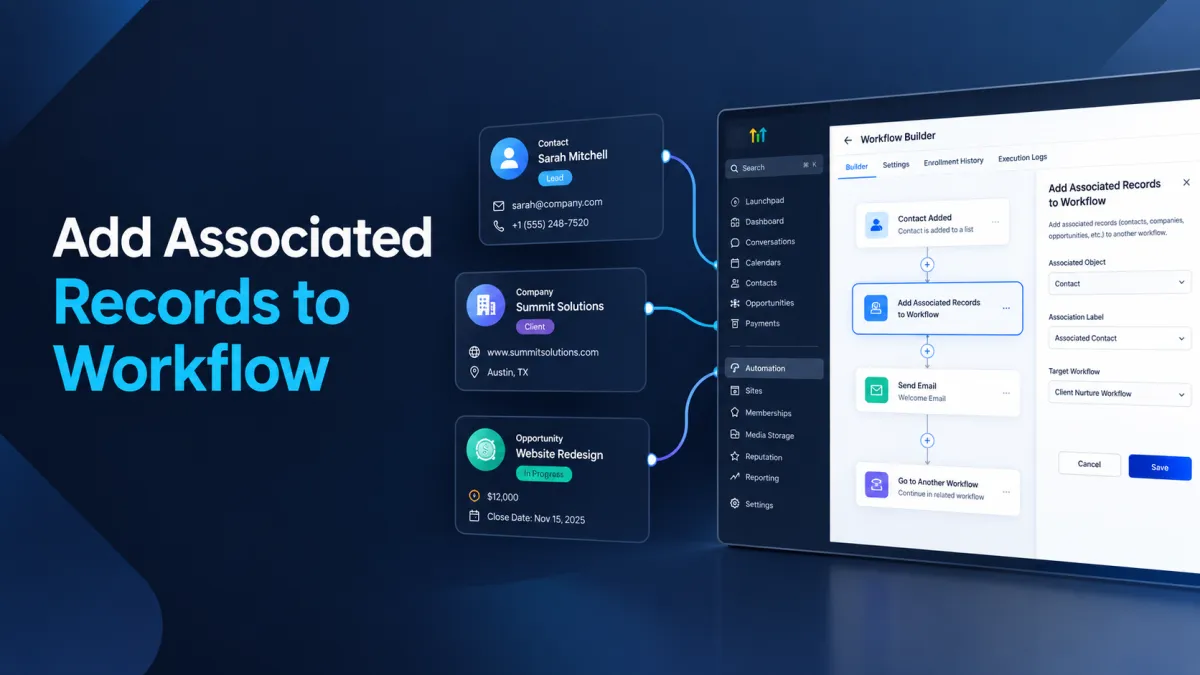
How to Add Associated Records Automatically Using the Add Associated Records to Workflow Action in GoHighLevel
How to Add Associated Records Automatically Using the Add Associated Records to Workflow Action in GoHighLevel
A workflow often starts with one record, but the next automation step may need to involve records connected to it. For example, a company may reach a certain stage and its associated contacts may need to enter a separate communication workflow. Instead of manually enrolling those related records, GoHighLevel provides the Add Associated Records to Workflow action to move associated records into another workflow based on their existing relationship.
What Is the Add Associated Records to Workflow Action?
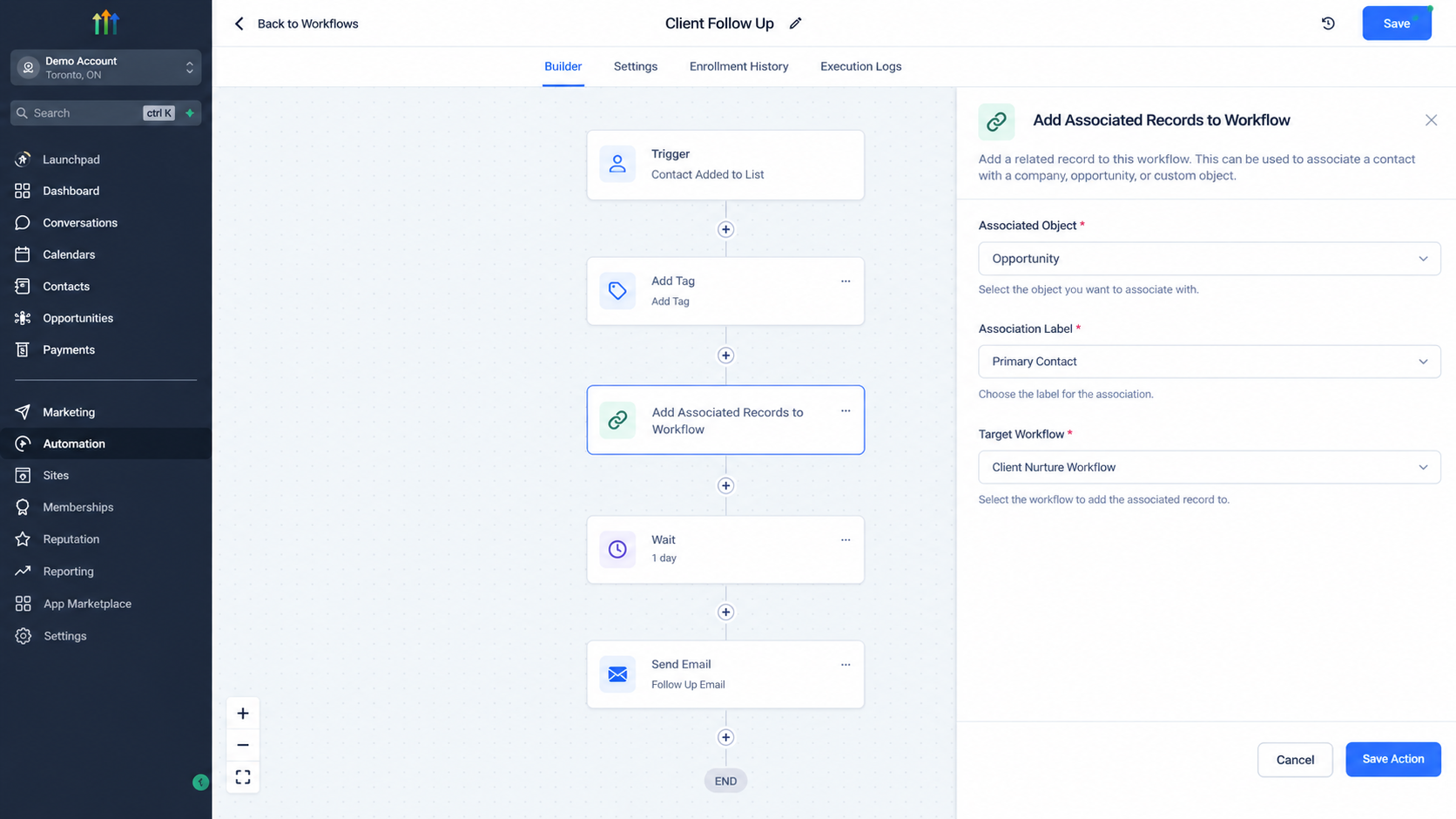
The Add Associated Records to Workflow action allows a workflow to enroll records associated with the record that triggered the current workflow into another workflow. It is available in Contact based, Company based, and Custom Object based workflows. The associated records can be Contacts, Companies, or Custom Objects, depending on the relationships configured in the sub account.
The important point is that this action works with relationships that already exist between records. It does not create a new association between records. Instead, it identifies associated records through the configured relationship and enrolls those records in the workflow you select.
What Are Associated Records in GoHighLevel?
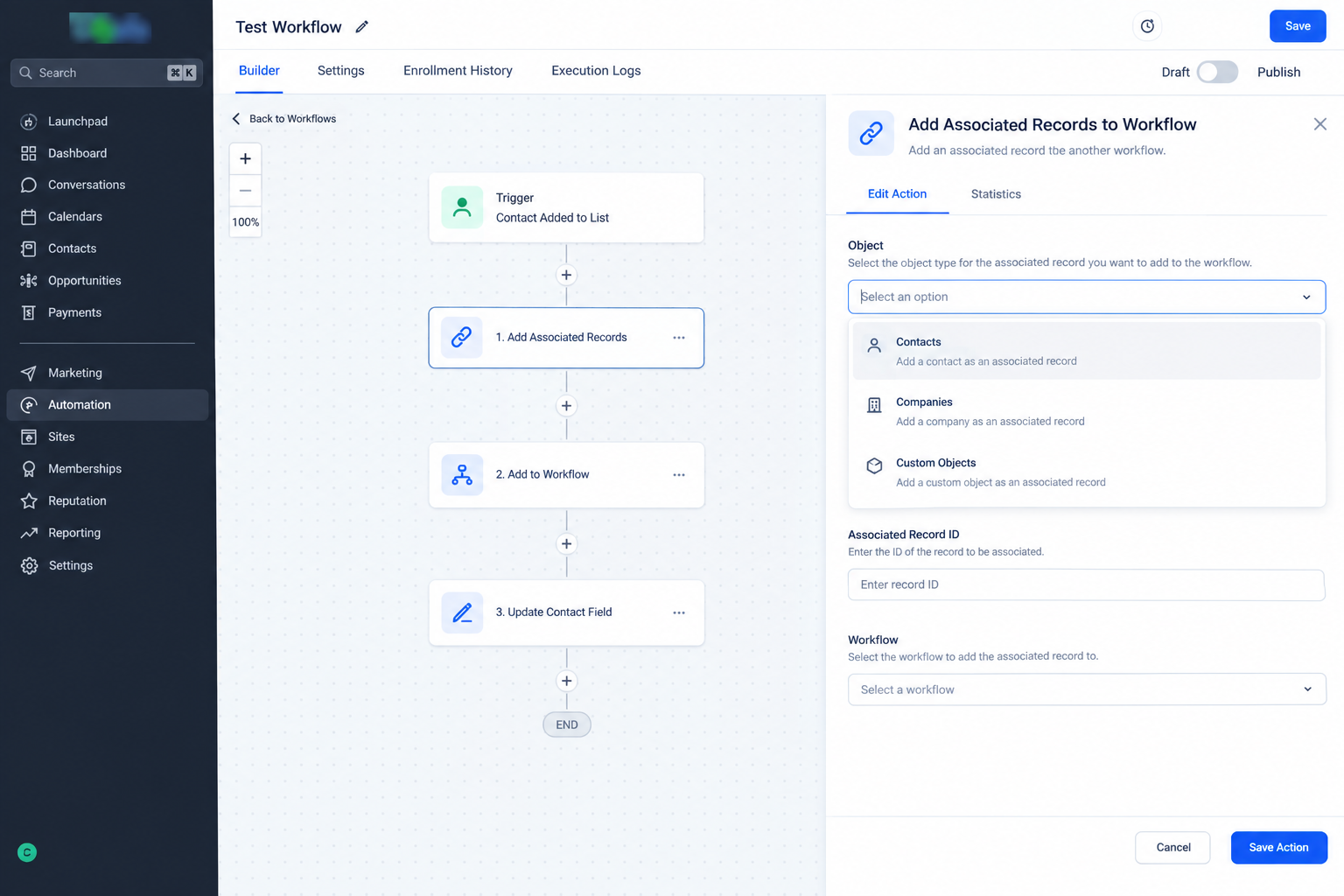
Associated records are CRM records that are linked through an association. HighLevel can use associations between Contacts, Companies, and Custom Objects to represent relationships within a business process.
For example, a Custom Object such as a Property could have an association with a Contact. A company could also have multiple associated contacts. These relationships allow workflows to work beyond the single record that originally entered the automation.
The Add Associated Records to Workflow action uses these existing relationships to determine which records should be enrolled in another workflow. An association label can be used to identify the specific relationship when applicable.
How Does the Action Work?
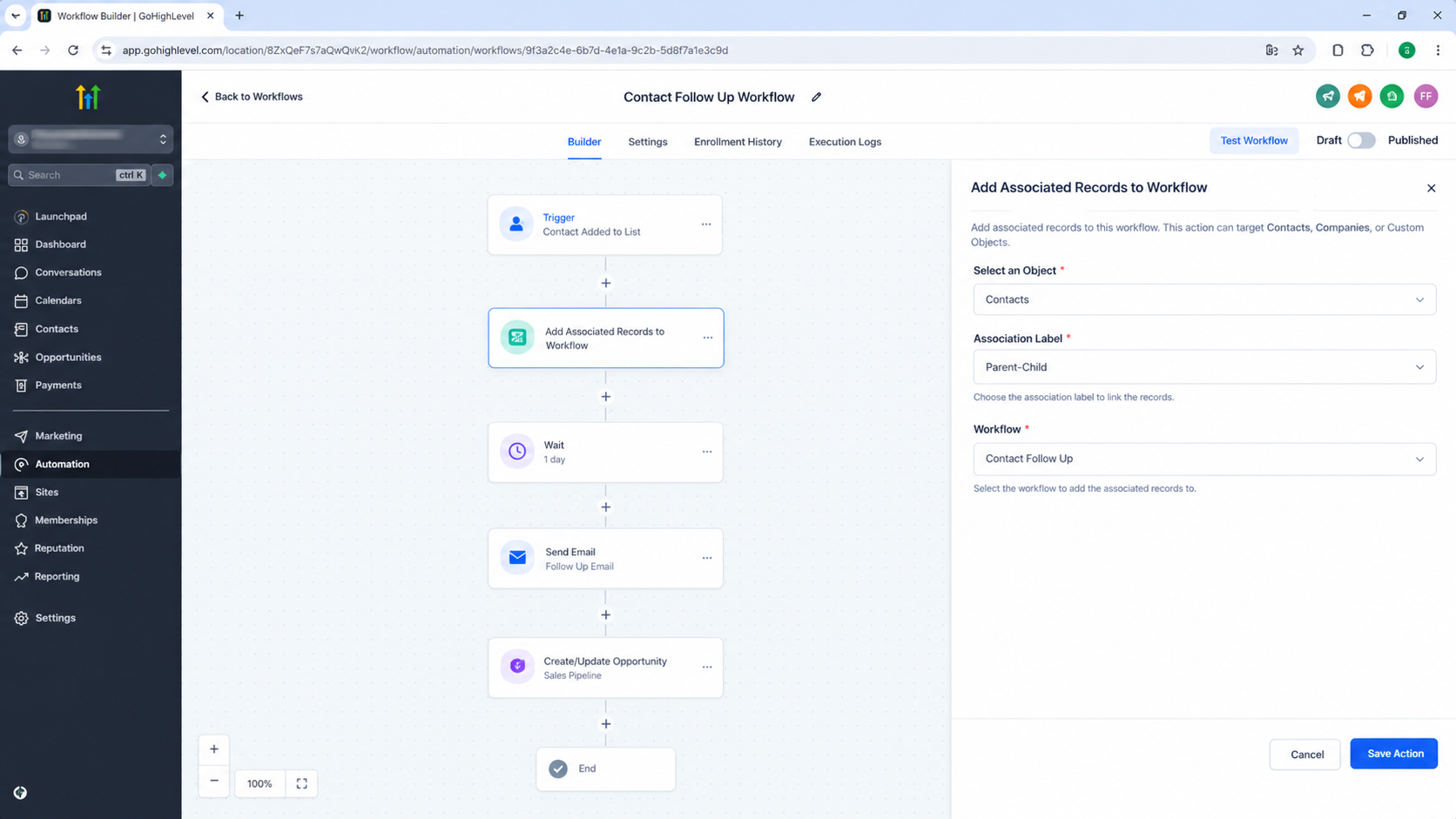
The process is straightforward. A record enters a workflow, the workflow reaches the Add Associated Records to Workflow action, and HighLevel identifies the associated records that match the selected object and association relationship. Those records are then added to the workflow selected in the action.
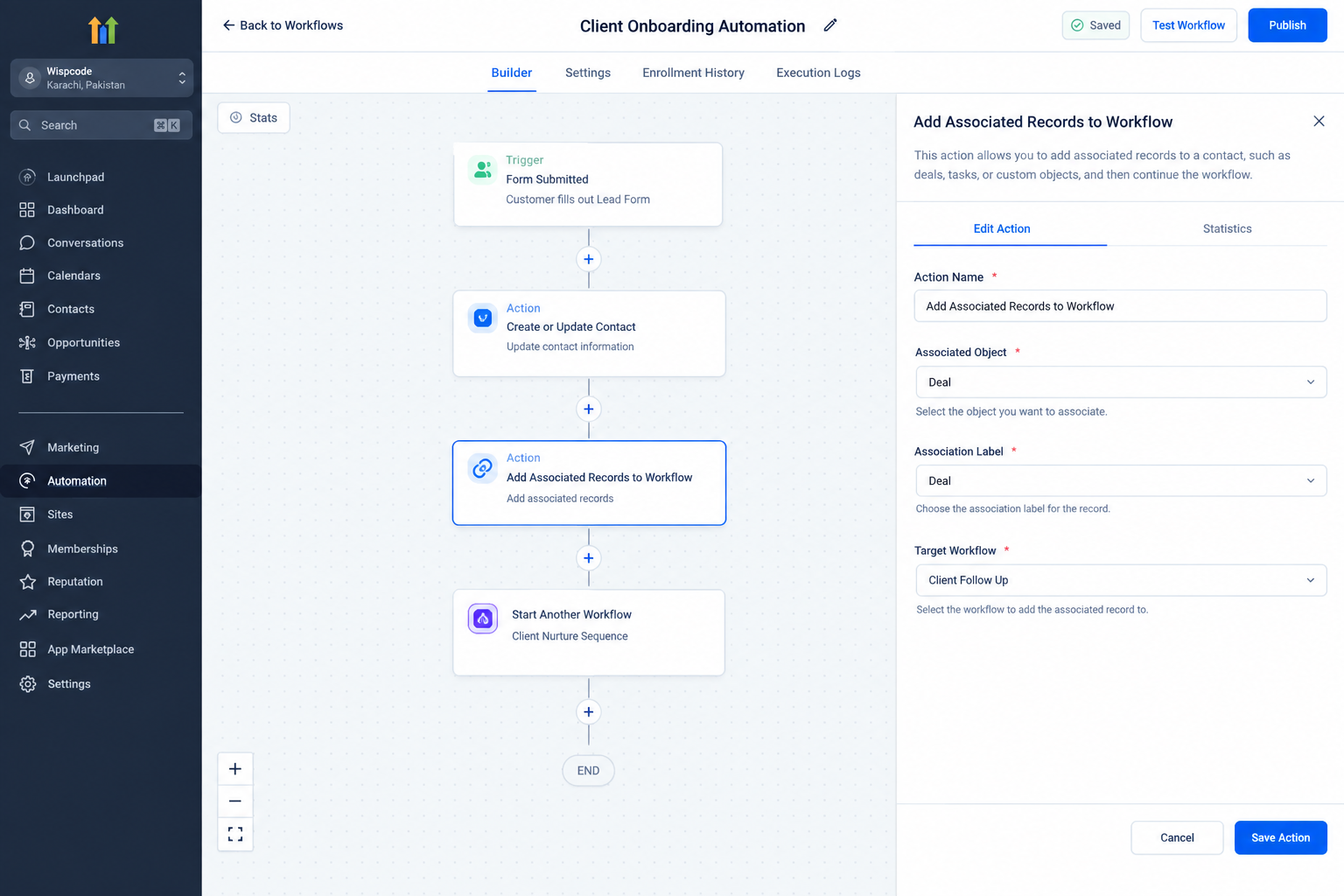
The action configuration includes three important parts:
Object type: Select the type of associated record that should be enrolled.
Association Label: Select the applicable relationship label when required.
Workflow: Select the workflow where the associated records should be enrolled.
The action therefore acts as a bridge between an existing record relationship and another workflow.
A Practical Example
Consider a university that maintains student and parent contacts. A student record can be associated with parent contacts using an appropriate association label.
Suppose a student enters a workflow for a new semester. At a certain point, the university wants the associated parent contacts to enter a separate semester notification workflow.
The first workflow can use Add Associated Records to Workflow to target the associated parent contacts and enroll them in the notification workflow. The student remains the record that triggered the original workflow, while the related parent records become the records enrolled in the second workflow. This is the type of relationship based automation the action is designed to support.
How to Configure the Action
Follow these steps when setting up the action:
1. Open Your Workflow
Go to Automation and open the workflow where the action should run. You can use an existing workflow or create a new one.
2. Add the Action
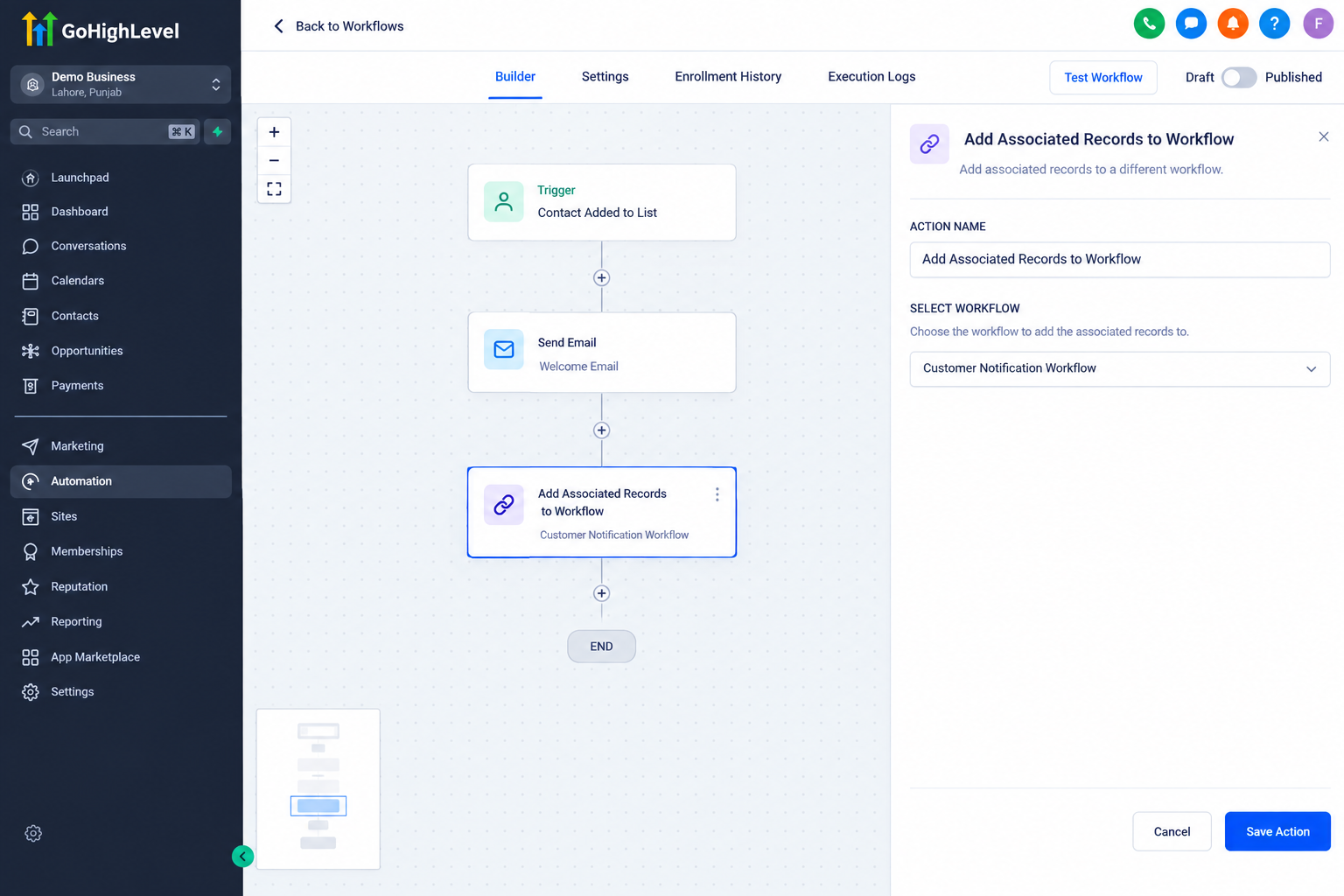
Use the workflow builder to add a new action and select Add Associated Records to Workflow.
3. Select the Associated Object
Choose the object type containing the records that you want to enroll in another workflow. The available choices depend on the workflow and associations configured in the sub account.
4. Select the Association Label
When applicable, select the association label that identifies the relationship you want the action to use. This is important when multiple types of relationships can exist between records.
For company and contact associations, HighLevel documentation notes that the association label does not apply in the same way as it does for other supported relationships.
5. Select the Target Workflow
Choose the workflow where the associated records should be enrolled.
6. Save and Publish
Save the action and publish the workflow. Once the workflow reaches this action, HighLevel can enroll the applicable associated records into the selected workflow.
Important Considerations
The required relationship must already exist. This action is not the same as the Associate Records action, which is designed to create associations between records using matching rules.
It is also different from Add to Workflow. Add to Workflow is used to add the current record to another workflow, while Add Associated Records to Workflow targets records connected to the current record through associations.
Similarly, Remove Associated Records from Workflow performs the opposite type of workflow enrollment operation by removing associated records from a selected workflow.
Conclusion
The Add Associated Records to Workflow action is useful when an automation needs to continue across existing CRM relationships. Instead of treating every workflow record as an isolated contact, company, or custom object, it allows HighLevel to use established associations and enroll the related records into another workflow.
When the correct associations are already configured, this action provides a practical way to connect separate workflow processes while keeping each workflow focused on the records it is designed to handle.
Frequently Asked Questions (FAQs)
1. What does Add Associated Records to Workflow do?
It enrolls records associated with the workflow's trigger record into another selected workflow.
2. Does this action create an association?
No. It uses existing associations to identify the records that should be enrolled.
3. Is an association label required?
An association label is required where applicable. The available behavior depends on the relationship between the objects.
4. How is it different from Add to Workflow?
Add to Workflow enrolls the current record, while Add Associated Records to Workflow enrolls records associated with that current record.
5. Can it work with Custom Objects?
Yes. The action supports workflows involving Contacts, Companies, and Custom Objects, subject to the associations configured in the sub account.
Need Expert Help with GoHighLevel?
New to GoHighLevel and ready to get started? Buy your GoHighLevel account here and launch with confidence.
Already know what you need and want our team to handle everything, from complete setup and customization to funnels, workflows, automations, CRM, and pipelines? Click here.



