

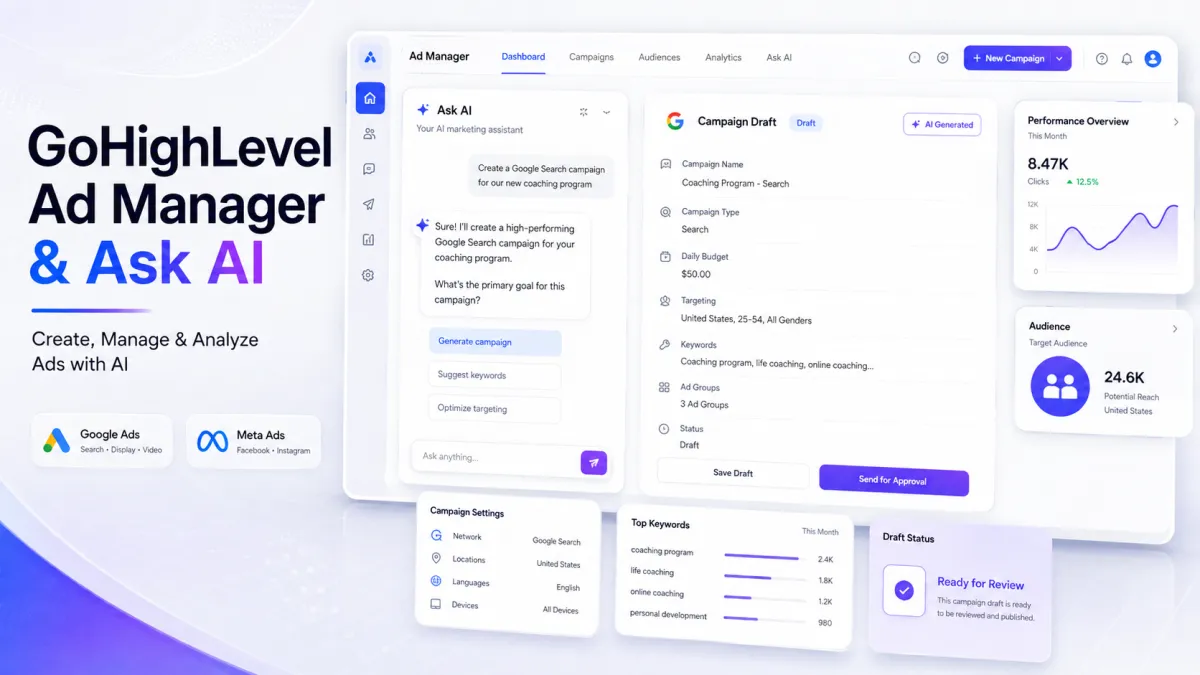
Ad Manager Ask AI
GoHighLevel Ad Manager and Ask AI Integration Makes Campaign Management Conversational
Introduction
If you've ever found yourself jumping between multiple screens just to launch, update, or review an advertising campaign, you know how quickly campaign management can become time-consuming. Every adjustment, audience update, or performance check often means digging through menus instead of focusing on your marketing goals.
To simplify that experience, GoHighLevel continues expanding its AI capabilities with the new Ad Manager and Ask AI integration. This update introduces a conversational way to create, manage, and analyze supported Meta Ads and Google Ads using natural language. Instead of navigating through different sections of Ad Manager, users can simply describe what they want to accomplish, and Ask AI helps guide the process.
For agencies managing multiple client accounts and businesses running their own advertising campaigns, this release offers a more streamlined way to handle supported advertising tasks while keeping existing approval workflows, permissions, and compliance requirements in place.
What Is the New Ad Manager and Ask AI Integration?
The new Ad Manager and Ask AI integration allows users to interact with GoHighLevel's advertising tools through conversation. Rather than manually navigating the Ad Manager interface, users can describe their advertising goals, and Ask AI helps perform supported campaign management tasks.
The integration supports both Meta Ads and Google Ads, making it possible to create campaigns, manage existing campaigns, review advertising performance, work with audiences, retrieve campaign resources, and connect advertising accounts and all through natural language conversations.
Throughout the experience, users remain responsible for approving important actions, ensuring that campaign management stays under their control.
Create Campaigns Using Natural Language
One of the most significant additions is the ability to create advertising campaigns conversationally.
Users simply describe the campaign they want to build, and Ask AI gathers the necessary campaign requirements before configuring the supported settings. Once the information is collected, the campaign is generated for review.

Instead of publishing immediately, every newly created campaign is saved as a draft. Publishing only takes place after the user explicitly approves the campaign, providing an additional layer of control before any advertising goes live.
The supported campaign types currently include:
Meta Campaigns
Lead Generation
Website Traffic
Engagement
Sales
Google Campaigns
Search
Demand Gen
Only these campaign types are currently supported as part of this release.

Manage Existing Campaigns with Ask AI
The conversational experience extends beyond creating new campaigns. Ask AI can also help users manage existing campaigns across supported advertising platforms.
Users can ask Ask AI to:
List available campaigns
Filter campaigns
Review campaign details
Review campaign performance
Edit supported campaign settings
Clone campaigns
Pause campaigns
Resume campaigns
Delete campaigns
Republish campaigns after making changes
To help prevent accidental changes, GoHighLevel requires user confirmation before publishing campaigns or completing destructive actions, ensuring important decisions remain intentional.
AI-Powered Audience Management
Managing advertising audiences is also supported through Ask AI.
For Meta Ads, users can create and manage:
Custom Audiences
Lookalike Audiences
Website Audiences
Page Engagement Audiences
Lead Form Audiences
Smart List-based Audiences
For Google Ads, supported audience workflows include:
Customer Match
Website Visitors
Lookalike Audiences
Interest Audiences
Custom Audiences
Demand Gen Audience Segments
In addition to audience creation and management, Ask AI can retrieve available audience sources and help users choose the appropriate option without manually searching for audience IDs.
Easily Access Campaign Resources
Campaign setup often requires access to various advertising resources. With this integration, Ask AI can retrieve many of these supported resources directly during the conversation.
For Meta advertising, supported resources include:
Meta Pages
Instagram Accounts
Datasets
Pixels
Lead Forms
Conversation Forms
For Google advertising, Ask AI can retrieve:
Conversion Actions
Conversion Goals
Campaign Assets
The integration can also retrieve additional campaign resources, including:
Keywords
Interests
Locations
Languages
Demographic Targeting Options
This allows users to access the resources they need without manually searching through multiple areas of Ad Manager.
Understand Campaign Performance
Ask AI can also help users review advertising performance across supported campaign levels.
Users can request performance information for:
Campaigns
Ad Groups or Ad Sets
Ads
Keywords
Performance data can be viewed over a selected date range and presented in several formats, including:

Performance summaries
Metric breakdowns
Trend graphs
Campaign improvement suggestions
These reporting capabilities allow users to review campaign performance through a conversational interface while staying within GoHighLevel.
Connect Advertising Accounts
The integration also assists users with connecting supported advertising accounts.
Ask AI can guide users through the Ad Manager account connection and authorization process for supported advertising platforms. During this process, existing permissions, subscription rules, account access, and platform compliance requirements continue to apply.
This ensures that account connections follow the same access controls already established within Ad Manager.
User Control and Built-In Safeguards
Although Ask AI simplifies campaign management, important advertising decisions always remain with the user.
Several safeguards are built into the experience, including:

Campaigns are saved as drafts by default.
Publishing always requires explicit approval.
Deleting campaigns requires confirmation.
Removing connected Pages requires confirmation.
Disconnecting advertising accounts requires confirmation.
Meta Special Ad Category requirements continue to be enforced.
Existing roles and permission checks remain active.
Unsupported actions automatically redirect users to the appropriate Ad Manager interface.
These safeguards help ensure that Ask AI assists with campaign management without making independent advertising decisions.
How to Use This Feature
Getting started with the new integration is straightforward:
Open Ask AI in GoHighLevel.
Describe the advertising task you want to complete.
Provide any additional information requested.
Review the generated campaign or proposed action.
Approve the action to complete the process.
By following these steps, users can complete supported advertising tasks through a conversational workflow while maintaining full approval over important actions.
Why This Update Matters
The new Ad Manager and Ask AI integration is designed to make supported advertising workflows more efficient while keeping users in control of every important decision.
One of the biggest advantages is faster campaign creation. Instead of manually configuring every supported setting, users can describe the campaign they want, and Ask AI guides them through the setup process before generating a draft for review.
The integration also brings campaign management, audience workflows, and reporting into a single conversation. Rather than moving between multiple screens to perform different tasks, users can interact with Ask AI to manage supported campaigns, review performance, retrieve campaign resources, and work with audiences through one conversational interface.
Another important benefit is reduced manual navigation within Ad Manager. By allowing users to request supported actions through natural language, the experience becomes more streamlined while still following the existing approval process.
GoHighLevel also maintains a draft-first workflow, ensuring that users remain in control. Campaigns are created as drafts, and publishing only happens after explicit approval. Confirmation is also required before completing destructive actions, helping users avoid unintended changes.
For agencies managing client advertising and businesses running their own campaigns, this update simplifies supported advertising workflows without changing existing permissions, compliance requirements, or approval safeguards.
Important Notes
Before using this feature, there are a few important points to keep in mind:
The integration currently supports Meta Ads and Google Ads.
All newly created campaigns are saved as drafts and require user approval before they can be published.
Destructive actions (including publishing campaigns, deleting campaigns, and disconnecting advertising accounts) always require user confirmation.
Existing Ad Manager permissions, subscription rules, account access, and platform compliance requirements continue to apply.
LinkedIn Ads, Workflows, Templates, and Snapshots are not included in this release.
Conclusion
The new Ad Manager and Ask AI integration marks another step in GoHighLevel's ongoing investment in AI-powered productivity. By bringing campaign creation, campaign management, audience workflows, campaign resources, and performance reporting into a conversational experience, users can complete supported advertising tasks more efficiently without navigating multiple areas of Ad Manager.
At the same time, GoHighLevel continues to prioritize user control. Campaigns remain drafts until approved, destructive actions require confirmation, existing permissions and compliance requirements stay in place, and unsupported actions are redirected to the appropriate Ad Manager interface.
For agencies and businesses using GoHighLevel, this release provides a more intuitive way to manage supported Meta Ads and Google Ads while maintaining the approval process and built-in safeguards that help keep advertising decisions firmly in the user's hands.
Frequently Asked Questions (FAQs)
1. What is the GoHighLevel Ad Manager and Ask AI integration?
It lets you create, manage, and analyze supported Meta Ads and Google Ads using natural language through Ask AI.
2. Which advertising platforms are supported?
The integration currently supports Meta Ads and Google Ads only.
3. Are campaigns published automatically?
No. Every new campaign is saved as a draft and requires your approval before publishing.
4. Can Ask AI manage existing campaigns?
Yes. It can list, edit, pause, resume, clone, and review supported campaigns.
5. Does Ask AI help with audience management?
Yes. It can create and manage supported audiences for both Meta Ads and Google Ads.
6. Is user approval required for important actions?
Yes. Publishing campaigns and other critical actions always require user confirmation.
Need Expert Help with GoHighLevel?
New to GoHighLevel and ready to get started? Buy your GoHighLevel account here and launch with confidence.
Already know what you need and want our team to handle everything, from complete setup and customization to funnels, workflows, automations, CRM, and pipelines? Click here.



